

Dra-og-slipp-bygger for e-post gjør det enkelt å lage visuelt gjennomarbeidede e-poster i tråd med merkevaren, uten å være avhengig av utviklerressurser eller tungvinte redigeringsverktøy. Enten du utformer produktkunngjøringer, nyhetsbrev eller pleiesekvenser, kan disse verktøyene spare tid og redusere friksjon for teamet ditt.
Med 10 års erfaring med å lede markedsføringsteam og teste dusinvis av plattformer gjennom vårt interne vurderingssystem har jeg satt opp en kortliste over de beste dra-og-slipp-byggerne for e-post som balanserer fleksibilitet, brukervennlighet og ytelse. Her er det som faktisk fungerer.
Hvorfor du kan stole på våre programvareanbefalinger
6,700+
Reviews
20
Industry experts
16+
Evaluation factors
14
Years
Teamet vårt har testet og anmeldt programvare siden 2012. Vi er selv markedsføringsledere, så vi vet hvor vanskelig og hvor viktig det er å velge riktig programvare.
I denne guiden har vi vurdert verktøyene gjennom praktisk testing og uavhengig research og gitt dem poeng ut fra våre utvelgelseskriterier.
Anmeldelsene våre bygger på vår egen redaksjonelle vurdering. De er ikke et salgsargument.
Ekspertanmeldere:
 Gui DrusinaCreative Director
- Shriya GhateSenior Marketing Lead
 Amanda JacquesMarketing Ops Leader

Sammenligningstabell for dra-og-slipp-byggere for e-post
Denne sammenligningstabellen oppsummerer prisopplysningene for mine beste utvalgte dra-og-slipp-byggere for e-post:
| Tool | Best For | Trial Info | Price | ||
|---|---|---|---|---|---|
| 1 | Best for ecommerce email with live product blocks | Free plan available | From $11.20/mo | Website | |
| 2 | Best for dynamic content personalization | Free plan available | From $20/month | Website | |
| 3 | Best for design customization | Free plan + free trial available | From $19/user/month (billed annually) | Website | |
| 4 | Best for interactive elements | Free version available | From $12.50/month | Website | |
| 5 | Best for small businesses | 14-day free trial + free plan + free demo available | From $4/month (billed annually) | Website | |
| 6 | Best for AI-built email templates | Free plan available | From $19/month | Website | |
| 7 | Best for event promotions | 14-day free trial + free demo available | From $12/month | Website | |
| 8 | Best for transactional emails | Free plan available | From $9/month | Website | |
| 9 | Best for cross-channel marketing | 14-day free trial + free demo available | Pricing upon request | Website | |
| 10 | Best for creative templates | Free plan + free trial available | From $25/month (billed annually) | Website |


Vurdering av de beste dra-og-slipp-byggerne for e-post
Nedenfor finner du mine detaljerte sammendrag av de beste dra-og-slipp-byggerne for e-post som kom med på kortlisten. Vurderingene mine gir et detaljert innblikk i de viktigste funksjonene, fordelene og ulempene, integrasjonene og de ideelle bruksområdene for hvert verktøy, slik at du kan finne det som passer best for deg.
 Best for ecommerce email with live product blocks
- Free plan available
- From $11.20/mo
Visit WebsiteCustomer Rating:4.6/5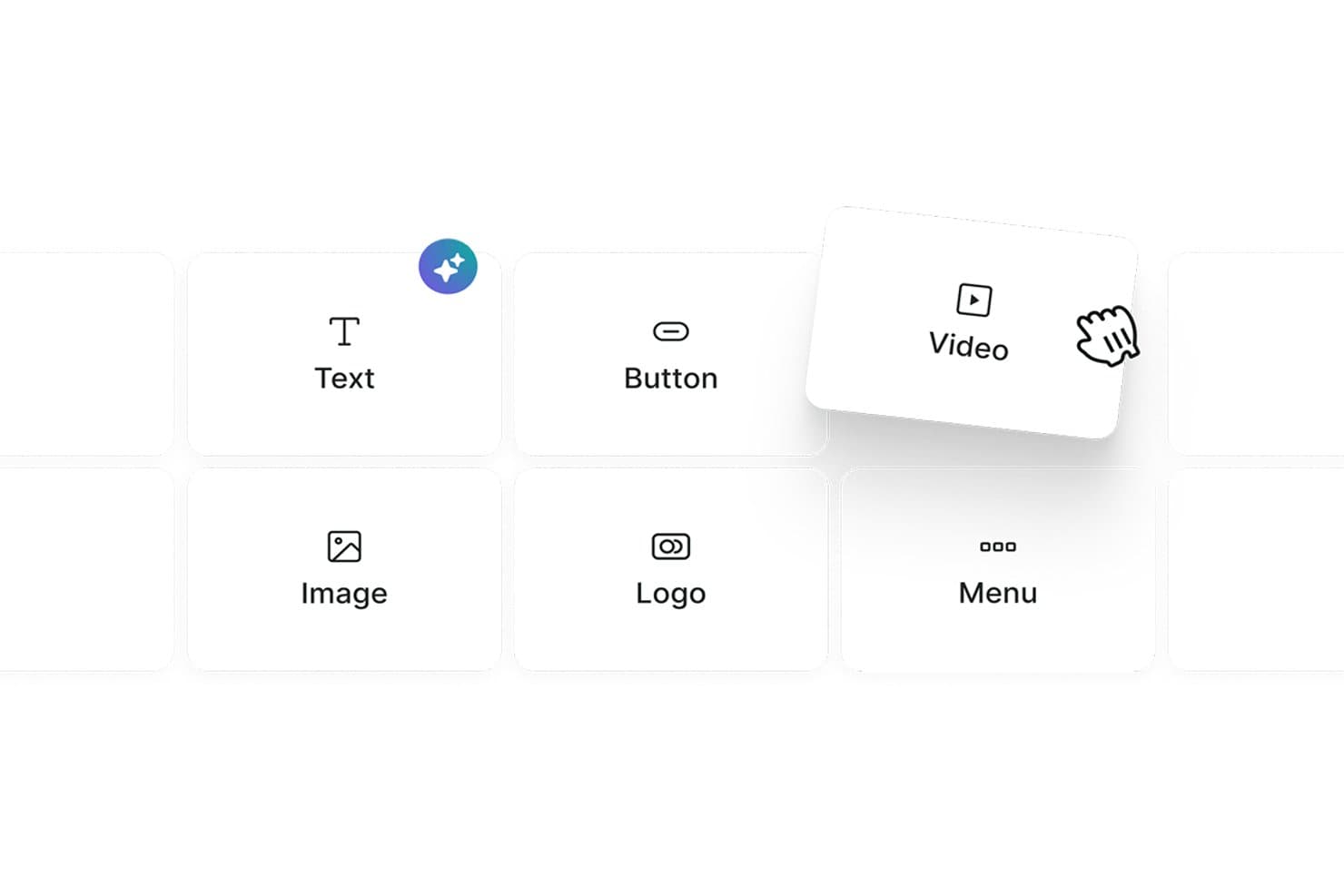
Omnisend lets users drag and drop content blocks like Text, Button, and Video. Omnisend is an ecommerce-focused email marketing platform with a drag-and-drop builder that includes live product blocks, discount codes, product recommender blocks, and omnichannel automation across email, SMS, and web push.
Who Is Omnisend Best For?
Omnisend is a natural fit for ecommerce marketers who want to drag live product blocks, discount codes, and personalized product recommendations directly into their emails.
Why I Picked Omnisend
Omnisend earns its spot on my shortlist because of its live product blocks, which let me drag real store items, complete with synced images, prices, and links, directly into an email. I also rely on the discount code block and AI Product Recommender, which surfaces personalized suggestions based on individual shopper behavior without any manual setup. No other builder I've tested makes it this fast to build a promotional email that's already pre-loaded with the right products.
Omnisend Key Features
- AI subject line generator: Produces and A/B tests subject line and preheader variants using AI directly within the campaign workflow.
- Conditional content blocks: Show or hide entire email sections per recipient based on purchase history, tags, or signup source.
- Per-device visibility controls: Toggle individual content blocks on or off for mobile vs. desktop display within the builder.
- Omnichannel automation: Build unified workflows that sequence email, SMS, and web push notifications from a single automation editor.
Omnisend Integrations
Omnisend offers 280+ tested integrations, including native connections to Shopify, WooCommerce, BigCommerce, Wix, Canva, Facebook Custom Audiences, Google Customer Match, Gorgias, and Yotpo. Its Open API supports custom integrations.
Pros and Cons
Pros:
- Per-device visibility controls in the editor
- AI product recommender personalizes email content instantly
- Live product blocks sync with ecommerce stores
Cons:
- Lacks real-time team collaboration features
- No native multi-client inbox preview
Learn more about Omnisend: Best for dynamic content personalization
- Free plan available
- From $20/month
Visit WebsiteCustomer Rating:4.6/5
Klaviyo’s builder inserts dynamic product blocks from live feeds. Klaviyo is designed to support marketers who want to build effective email campaigns without coding. As a drag-and-drop email builder for dynamic content personalization, it helps businesses across industries create emails tailored to customer behavior and preferences. By addressing challenges like data unification and segmentation, Klaviyo provides the tools needed to develop targeted campaigns that align with audience activity and interests.
Why I Picked Klaviyo
I chose Klaviyo for dynamic content personalization within its drag-and-drop builder. It allows you to insert product feeds, conditional blocks, and customer-specific details directly into your emails, so each recipient sees content based on their behavior and profile data. The interface makes it easy to arrange these elements without coding, while built-in automation connects your designs to segmented flows and campaigns.
Klaviyo Key Features
In addition to dynamic content personalization, Klaviyo offers:
- Customizable Templates: Easily adjust backgrounds, text styles, and fonts to match your brand's aesthetic.
- Responsive Design: Ensure your emails look great on any device with built-in mobile optimization.
- Dynamic Content Blocks: Personalize your emails with various content blocks like text, images, and buttons.
- Preview & Test: See how your emails will appear in recipients' inboxes before sending them out.
Klaviyo Integrations
Integrations include Shopify, Magento, WooCommerce, BigCommerce, Salesforce Commerce Cloud, Stripe, Facebook, Instagram, Google Ads, and Eventbrite (via Zapier or API connections).
Pros and Cons
Pros:
- Reports of inconsistent and slow customer support
- Omnichannel capabilities support varied customer outreach
- Campaign builder supports advanced triggers and conditional logic
- Real-time data activation enhances customer engagement
Cons:
- Pricing may be high for growing businesses
Learn more about Klaviyo: Best for design customization
- Free plan + free trial available
- From $19/user/month (billed annually)
Visit WebsiteCustomer Rating:4.7/5
Flodesk helps creatives design stunning, on-brand emails effortlessly. Flodesk features an elegant drag and drop email builder that empowers users to create visually stunning emails with ease. The builder emphasizes design flexibility, allowing small business owners and creatives to craft on-brand layouts without coding.
Why I picked Flodesk: The drag and drop email builder in Flodesk makes it easy to create stunning, on-brand emails without any design experience. You can customize fonts, colors, and layouts effortlessly using a variety of stylish templates. The builder’s focus on visual design makes it ideal for users who prioritize aesthetic appeal in their email marketing.
Standout features & integrations:
Features include customizable templates, a simple drag and drop editor, and unlimited emails. The platform allows you to create visually striking emails effortlessly. You can also manage your email list and track engagement with basic analytics tools.
Integrations include Shopify, Instagram, Facebook, WordPress, Zapier, Squarespace, Stripe, Google Sheets, Acuity Scheduling, and HoneyBook.
Pros and Cons
Pros:
- Strong focus on aesthetics
- Simple interface for beginners
- Excellent design flexibility
Cons:
- Not ideal for large businesses
- Lacks extensive automation
Learn more about Flodesk: Best for interactive elements
- Free version available
- From $12.50/month
Visit WebsiteCustomer Rating:4.8/5
Stripo helps teams create dynamic, visually engaging emails with ease. Stripo offers a flexible drag and drop email builder that makes it easy to design visually engaging emails. Users can customize layouts by simply dragging elements like text, images, and buttons into place.
Why I picked Stripo: This tool features a drag and drop email builder that makes it easy to add and arrange dynamic content like image carousels and countdown timers without any technical skills. You can visually build complex designs and save custom modules for future use, streamlining your workflow. The builder also supports responsive previews to ensure your emails look great on all devices.
Standout features & integrations:
Features include a library of ready-to-use templates, AMP support for dynamic emails, and a built-in HTML editor. You can customize templates to match your brand's style effortlessly. The HTML editor allows for advanced customization, giving you more control over your email design.
Integrations include Mailchimp, HubSpot, Salesforce, Gmail, Outlook, SendGrid, Constant Contact, GetResponse, Campaign Monitor, and ActiveCampaign.
Pros and Cons
Pros:
- Built-in HTML editor
- AMP support for dynamic emails
- Supports interactive content
Cons:
- Limited automation features
- Limited customer support hours
Learn more about Stripo: Best for small businesses
- 14-day free trial + free plan + free demo available
- From $4/month (billed annually)
Visit WebsiteCustomer Rating:4.3/5
Zoho Campaigns lets you easily design professional emails with no coding. Zoho Campaigns features a powerful drag and drop email builder that makes designing emails quick and easy. Users can customize layouts using pre-built elements like text blocks, images, buttons, and columns.
Why I picked Zoho Campaigns: Zoho Campaigns offers an intuitive drag and drop email builder that’s ideal for small businesses. It allows users to create polished, professional emails with ease using pre-designed elements—no design skills required. The builder streamlines the layout process, helping teams save time while maintaining brand consistency. With its simplicity and flexibility, it's a valuable tool for crafting engaging campaigns quickly and effectively.
Standout features & integrations:
Features include customizable templates, A/B testing, and advanced segmentation. You can personalize emails using dynamic content, which helps in targeting specific audience groups. The automation features support drip campaigns and trigger-based emails, enhancing user engagement.
Integrations include Zoho CRM, Shopify, WordPress, G Suite, Salesforce, Slack, Eventbrite, SurveyMonkey, Zendesk, and QuickBooks.
Pros and Cons
Pros:
- Supports multiple languages
- Customizable templates
- Easy to use for beginners
Cons:
- Limited customer support hours
- Occasional email delivery delays
Learn more about Zoho Campaigns: Best for AI-built email templates
- Free plan available
- From $19/month
Visit WebsiteCustomer Rating:4.2/5
Elastic Email helps you build clean emails fast using AI-built templates. For teams seeking to elevate their email marketing strategies with a versatile tool, Elastic Email offers a solution that combines ease of use with powerful functionality. Particularly appealing to marketers and businesses across industries, this platform addresses the need for visually compelling, effective email campaigns without requiring extensive technical expertise. By offering a drag-and-drop email builder, Elastic Email simplifies the creation of marketing emails, ensuring your communication stands out in crowded inboxes.
Why I Picked Elastic Email
I picked Elastic Email for its AI-built email templates, which make it easy to generate ready-to-use designs without starting from scratch. Its intuitive drag-and-drop email builder supports this by letting you adjust layouts and create visually clear emails with minimal effort. Additionally, automated email flows help streamline your marketing processes, ensuring timely, relevant communication with your audience. Together, these features make Elastic Email a practical option for users who need a reliable email builder for their marketing needs.
Elastic Email Key Features
In addition to AI-built email templates, Elastic Email offers:
- Customizable Signup Forms: Allows you to create forms that integrate seamlessly with your email campaigns, capturing leads directly from your website.
- 24/7 Support: Provides around-the-clock assistance to ensure that any issues you encounter are promptly resolved.
- Developer-Friendly API: Offers scalability and customization options for businesses with specific integration needs.
- Security and Compliance: Ensures your email marketing adheres to the latest data protection regulations, safeguarding your customer information.
Elastic Email Integrations
Integrations include Hubspot, Shopify, WooCommerce, WordPress, Magento, Salesforce, Mailchimp, Google Analytics, Microsoft Dynamics, and Zapier. Additionally, Elastic Email offers a developer-friendly API for custom integration needs.
Pros and Cons
Pros:
- Supports seamless API integration for developers
- Features automated email flows for efficient marketing
- Delivers strong analytics tools for campaign insights
Cons:
- Occasional deliverability issues with emails landing in spam
- Limited native integrations compared to competitors
Learn more about Elastic Email: Best for event promotions
- 14-day free trial + free demo available
- From $12/month
Visit WebsiteCustomer Rating:4.2/5
Constant Contact helps businesses quickly create branded emails with ease. Constant Contact is an email marketing platform designed for small to medium-sized businesses, featuring a user-friendly drag and drop email builder. It enables users to create visually appealing emails quickly by arranging text, images, and buttons without any coding.
Why I picked Constant Contact: This tool excels in simplifying email creation with its drag and drop email builder, making it easy to design custom layouts for any campaign. You can quickly build event invitations using pre-made templates and visual elements, no design skills needed. The builder supports seamless customization, helping you capture attention and drive engagement. Its intuitive interface allows for efficient editing, so you can launch campaigns faster and with confidence.
Standout features & integrations:
Features include customizable templates, social media sharing, and survey tools. You can also use the image library to enhance your emails with visuals. The reporting tools provide insights into campaign performance, helping you refine your strategies.
Integrations include Shopify, WordPress, QuickBooks, Salesforce, Eventbrite, Facebook, Instagram, Google Ads, Hootsuite, and Canva.
Pros and Cons
Pros:
- Good deliverability rates
- Detailed reporting features
- Easy setup for campaigns
Cons:
- Learning curve for beginners
- Limited template customization
Learn more about Constant Contact:

Brevo helps businesses design transactional emails quickly and professionally. Brevo features a user-friendly drag and drop email builder that helps businesses create professional emails with ease. Users can design transactional messages like order confirmations and password resets by simply arranging elements visually.
Why I picked Brevo: Its drag and drop email builder makes it easy to create and customize transactional emails like order confirmations and password resets. You can visually design layouts using pre-built elements, ensuring consistency and professionalism across messages. The builder’s simplicity allows teams of all sizes to quickly set up and manage email content without technical expertise.
Standout features & integrations:
Features include a drag and drop email editor, advanced analytics, and automation workflows. The editor allows you to design professional emails effortlessly. You can use analytics to gain insights into email performance and make data-driven decisions.
Integrations include Shopify, WooCommerce, Magento, Salesforce, WordPress, PrestaShop, Zapier, Slack, Google Analytics, and Facebook.
Pros and Cons
Pros:
- Supports A/B testing
- User-friendly interface
- Easy automation setup
Cons:
- Requires technical setup for advanced features
- Can be feature-heavy for beginners
Learn more about Brevo: Best for cross-channel marketing
- 14-day free trial + free demo available
- Pricing upon request

Braze enables teams to craft engaging, on-brand emails without coding. Braze includes a drag and drop email builder that helps marketing teams design engaging, on-brand emails with ease. The builder allows users to customize content blocks, images, and CTAs without coding, streamlining the email creation process.
Why I picked Braze: Its drag and drop email builder makes it easy to design personalized, data-driven email campaigns as part of a cross-channel strategy. You can quickly create dynamic layouts tailored to specific user segments using real-time data. The builder’s flexibility supports seamless integration into broader engagement efforts across multiple marketing channels.
Standout features & integrations:
Features include real-time analytics, personalized messaging, and campaign orchestration. You can track user interactions and adjust your strategies based on real-time data. The platform also offers tools for creating personalized user journeys, enhancing engagement, and retention.
Integrations include Salesforce, Shopify, Segment, Amplitude, mParticle, Adjust, Branch, AppsFlyer, Adobe Analytics, and Mixpanel.
Pros and Cons
Pros:
- Scalable for large teams
- Data-driven personalization
- Real-time messaging features
Cons:
- Complex setup process
- High initial learning curve
Learn more about Braze : 10Best for creative templates
Beefree
- Free plan + free trial available
- From $25/month (billed annually)

Beefree lets marketers design stunning, code-free emails effortlessly. Beefree is an email design platform built around a flexible drag and drop email builder that empowers marketers and designers to create stunning emails with ease. The builder offers a wide variety of customizable blocks and templates for quick layout design.
Why I picked Beefree: This tool is ideal for users who prioritize creativity in email design, thanks to its intuitive drag and drop editor. It allows you to experiment with layouts and content blocks effortlessly, enabling unique and visually striking campaigns. The editor supports quick customization, making it easy to bring your creative vision to life without any coding.
Standout features & integrations:
Features include a mobile-responsive design, real-time collaboration, and a preview function. You can see how your emails will look on different devices, ensuring they always appear professional. The collaboration features allow your team to work together seamlessly, speeding up the design process.
Integrations include Mailchimp, HubSpot, Gmail, ActiveCampaign, Constant Contact, Mailgun, SendGrid, Amazon SES, GetResponse, and Salesforce.
Pros and Cons
Pros:
- Mobile-responsive design
- Real-time collaboration features
- Great for creative teams
Cons:
- Limited support for large campaigns
- Basic analytics options
Learn more about Beefree:
Andre dra-og-slipp-byggere for e-post
Her er noen flere alternativer for dra-og-slipp-byggere for e-post som ikke kom med på kortlisten, men som likevel er verdt å undersøke:
- 11DyspatchBest for modular design
- 12DragitBest for ease of use
- 13Mailchimp Best for marketing automation
- 14MailerLiteBest for small teams
- 15MailerSendBest for transactional messaging
- 16UnlayerBest for embedding in apps
- 17PostcardsBest for design variety
How I Evaluate Drag and Drop Email Builders
I evaluate every tool against a baseline—does it actually let a non-coder build a send-ready campaign?—then look at what sets it apart for specific team types and use cases.
Core Functionality (Table Stakes For This List)
When I'm selecting tools for my list, I rank each one on a scale from 0 (does not offer the functionality) to 5 (excels in this area) for each core functionality listed below. Then, I calculate the tool's total score into a percentage. Each tool needs to achieve a minimum total score of 65% to be considered for inclusion.
- Visual Drag-and-Drop Editor: I evaluate how naturally blocks snap into place—whether I can drop in a hero image, reorder CTAs, and adjust padding without touching code.
- Pre-Built Email Templates: A solid template library should cover real campaign needs like product launches, event invitations, and weekly newsletters, not just a handful of generic layouts.
- Responsive Design Output: I check whether emails render cleanly across mobile and desktop by previewing in multiple clients, since a two-column layout that collapses poorly on a phone kills engagement.
- Reusable Content Blocks: Teams running high-volume sends need saved modules—headers, footers, product cards—they can pull into any new campaign without rebuilding from scratch each time.
- Image & Asset Management: I look for a built-in media library where you can upload, organize, and resize brand assets directly in the builder instead of toggling to an external tool.
- HTML Export or Send Integration: Whether you're exporting clean HTML into Mailchimp or sending natively through HubSpot, I evaluate how easily the finished email moves from builder to inbox.
Once I have a list of tools that meet this criteria, I consider what sets each platform apart.
Differentiating Factors (What Sets Vendors Apart)
Here's how I compare and contrast different vendors:
Standout Features
Dynamic personalization is a big differentiator—I look for conditional blocks that swap images or CTAs based on recipient data, not just basic merge tags. Brand kit enforcement pairs well with collaboration features, especially when multiple marketers or stakeholders touch emails before sending. Locked templates and approval workflows keep campaigns consistent without bottlenecking production. AI-assisted copy generation is also worth evaluating for teams running high-volume sends who need quick subject line or body text suggestions.
Beyond Features
Integration depth matters—I evaluate whether a builder connects natively with your existing ESP, CRM, or CDP so finished emails flow directly into campaign workflows. Email client rendering is another factor I consider closely, since an email that looks great in the builder but breaks in Outlook defeats the purpose. Pricing structure also plays a role, particularly how plans scale with team size or send volume as your email program grows.
Slik velger du en dra-og-slipp-bygger for e-post
Det er lett å gå seg vill i lange funksjonslister og komplekse prisstrukturer. For å hjelpe deg med å holde fokus mens du arbeider deg gjennom din unike prosess for valg av programvare, får du her en sjekkliste over faktorer du bør ha i mente:
| Faktor | Hva du bør vurdere |
| Skalerbarhet | Kan verktøyet vokse med virksomheten din? Vurder brukerbegrensninger og om det støtter økt e-postvolum. |
| Integrasjoner | Kan det kobles til eksisterende verktøy som CRM- eller e-handelsplattformer? Kontroller kompatibilitet og hvor enkelt det er å integrere. |
| Tilpasningsmuligheter | Hvor mye kan du tilpasse maler og arbeidsflyter slik at de passer til merkevaren din? Se etter fleksible designalternativer. |
| Brukervennlighet | Er grensesnittet intuitivt for teamet ditt? En bratt læringskurve kan hindre produktiviteten. |
| Implementering og innføring | Hvor raskt kan teamet ditt begynne å bruke det effektivt? Se etter ressurser som veiledninger og støtte under oppsettet. |
| Kostnad | Er prisplanene innenfor budsjettet ditt? Vurder langsiktige kostnader og sammenlign hvilke funksjoner som er inkludert i hvert nivå. |
| Sikkerhetstiltak | Tilbyr det kryptering og databeskyttelse? Sørg for at det følger bransjestandarder for å beskytte sensitiv informasjon. |
| Tilgjengelig kundestøtte | Hvilke supportalternativer er tilgjengelige hvis det oppstår problemer? Se etter støtte døgnet rundt og flere kontaktmetoder. |
Hva er en dra-og-slipp-bygger for e-post?
Dra-og-slipp-byggeverktøy for e-post er verktøy som lar brukere opprette e-postmaler ved ganske enkelt å dra og slippe elementer inn i en visuell redigerer, uten behov for å kode HTML. Markedsførere, eiere av små bedrifter og designere bruker vanligvis disse verktøyene for å forenkle e-postdesign og styrke merkevarekommunikasjonen. Funksjoner som tilpasning av maler, responsivt design og integrasjonsalternativer bidrar til å lage visuelt tiltalende og funksjonelle e-poster uten behov for kodekunnskaper. Alt i alt gjør disse verktøyene det enklere for brukere å utforme og administrere e-postkampanjer effektivt.
Funksjoner i dra-og-slipp-byggeverktøy for e-post
Når du velger et dra-og-slipp-byggeverktøy for e-post, bør du se etter følgende viktige funksjoner:
- Dra-og-slipp-redigering: Lar brukere enkelt opprette og justere e-postoppsett ved å flytte elementer rundt uten å kode.
- Tilpasning av maler: Tilbyr ferdig utformede maler som kan tilpasses slik at de passer til merkevarens utseende og stil.
- Responsivt design: Sørger for at e-poster ser bra ut på alle enheter, noe som bidrar til bedre brukerengasjement og lesbarhet.
- Automatiserte arbeidsflyter: Gjør det mulig å opprette automatiserte e-postkampanjer basert på utløsere, noe som sparer tid og opprettholder en konsekvent kommunikasjon.
- A/B-testing: Gir mulighet til å teste ulike versjoner av e-poster for å optimalisere ytelse og engasjement.
- Avansert analyse: Gir innsikt i resultatene til e-postkampanjer, noe som hjelper deg med å forbedre strategier og resultater.
- Alternativer for personalisering: Gjør dynamisk innhold og personalisering mulig for å styrke mottakernes engasjement og respons.
- Integrasjonsmuligheter: Kobler sammen andre verktøy, som CRM- og e-handelsplattformer, for å effektivisere arbeidsflyter og datahåndtering.
- Samarbeid i sanntid: Støtter samarbeid i team om e-postdesign og gjør opprettelsesprosessen raskere.
- Planlegging av e-postutsendelser: Gjør det mulig for brukere å planlegge og tidsbestemme e-poster for optimale leveringstidspunkter, slik at effekten maksimeres.
Fordeler med dra-og-slipp-byggeverktøy for e-post
Implementering av et dra-og-slipp-byggeverktøy for e-post gir flere fordeler for teamet og virksomheten din. Her er noen av fordelene du kan se frem til:
- Tidsbesparelser: Utform og send e-poster raskt uten å kode, takket være dra-og-slipp-redigereren.
- Mer konsekvent design: Bruk tilpassbare maler for å opprettholde et konsekvent merkevareuttrykk i all kommunikasjon.
- Økt engasjement: Alternativer for personalisering og responsivt design sørger for at e-postene dine treffer mottakerne og ser bra ut på alle enheter.
- Økt produktivitet: Automatiserte arbeidsflyter og funksjoner for planlegging lar teamet fokusere på andre oppgaver mens e-postene sendes automatisk.
- Datadrevne beslutninger: Avansert analyse gir verdifull innsikt i kampanjeresultater og hjelper deg med å forbedre strategiene.
- Samarbeid: Funksjoner for samarbeid i sanntid gjør det mulig for teammedlemmer å jobbe effektivt sammen om e-postprosjekter.
- Integrasjon med verktøy: Koble sømløst til CRM og andre plattformer for å styrke markedsføringen og datahåndteringen.
Kostnader og priser for dra-og-slipp-byggeverktøy for e-post
Valg av et dra-og-slipp-byggeverktøy for e-post krever en forståelse av de ulike prismodellene og tilgjengelige abonnementene. Kostnadene varierer basert på funksjoner, teamstørrelse, tillegg og mer. Tabellen nedenfor oppsummerer vanlige abonnementer, gjennomsnittsprisene deres og typiske funksjoner som er inkludert i løsninger for dra-og-slipp-byggeverktøy for e-post:
Sammenligningstabell for abonnementer for dra-og-slipp-byggeverktøy for e-post
| Abonnementstype | Gjennomsnittspris | Vanlige funksjoner |
| Gratisabonnement | $0 | Grunnleggende maler, begrenset antall e-postutsendelser og grunnleggende analyse. |
| Personlig abonnement | $10-$30/ bruker/måned | Tilpassbare maler, dra-og-slipp-redigerer og grunnleggende automatisering. |
| Bedriftsabonnement | $40-$100/ bruker/måned | Avansert analyse, A/B-testing og integrasjonsmuligheter. |
| Virksomhetsabonnement | $150-$300/ bruker/måned | Personlig kundestøtte, avansert automatisering og omfattende rapportering. |
Ofte stilte spørsmål om dra-og-slipp-e-postbygger
Her er noen svar på vanlige spørsmål om dra-og-slipp-e-postbyggere:
Hvordan oppretter jeg en e-postsignatur ved hjelp av en dra-og-slipp-e-postbygger?
Det er enkelt å opprette en e-postsignatur i en dra-og-slipp-e-postbygger. Du finner vanligvis en signaturseksjon eller -modul i redigeringsverktøyet. Tilpass den med navnet ditt, stillingen din og kontaktinformasjonen din. Noen verktøy lar deg legge til bilder eller lenker til profiler på sosiale medier for et mer personlig preg.
Hvordan legger jeg til eller fjerner hyperlenker i tekst?
For å legge til eller fjerne hyperlenker i tekst markerer du teksten du vil lenke eller fjerne lenken fra, i dra-og-slipp-e-postbyggeren. Bruk lenkeikonet på verktøylinjen for å sette inn en URL eller fjerne en eksisterende lenke. Kontroller at lenkene leder til de riktige sidene før du ferdigstiller e-posten.
Hvorfor ser knappene mine annerledes ut i Outlook?
Knapper kan se annerledes ut i Outlook på grunn av hvordan programmet gjengir HTML-e-poster. For å sikre et ensartet utseende bør du bruke standardskrifttyper og unngå komplekse stiler. Test e-postene dine i flere e-postklienter for å se hvordan de vises. Noen byggere tilbyr alternativer for å tilpasse innholdet til bestemte e-postklienter, inkludert Outlook.
Hva er mørk modus for e-post?
Mørk modus er en visningsinnstilling som endrer bakgrunnen til mørke farger, noe som reduserer belastningen på øynene i omgivelser med lite lys. Noen e-postbyggere lar deg utforme e-poster med mørk modus i tankene. Se i innstillingene til byggeren etter alternativer for å forhåndsvise og justere e-poster slik at de er kompatible med mørk modus.
Kan jeg redigere bilder i en dra-og-slipp-bygger?
Ja, de fleste dra-og-slipp-e-postbyggere tilbyr grunnleggende bilderedigeringsverktøy. Du kan endre størrelse, beskjære eller legge til filtre direkte i redigeringsverktøyet. For mer avansert redigering kan det hende du må bruke ekstern programvare før du laster opp bildet til e-postbyggeren.