

Avis sur ClickUp 2026 : Principales fonctionnalités, avantages, inconvénients et tarification
ClickUp propose une personnalisation avancée et un espace de travail tout-en-un, aidant les équipes à gérer projets, tâches et flux de travail sur une seule plateforme.

Nous évaluons les outils de manière indépendante, et les commissions aident à financer nos tests. Consultez notre politique de transparence, notre méthodologie ou suggérez un outil.
ClickUp is a product management tool built for cross-functional teams that need to manage tasks, documentation, goals, and sprints in a single workspace. If you've outgrown Asana but don't want to pay for multiple specialized tools, ClickUp gives you more views, deeper customization, and built-in docs and time tracking that Asana requires integrations to match.
ClickUp Evaluation Summary
4.6/5
- From $7/user/month (billed annually)
- Free plan available
Pourquoi faire confiance à nos recommandations de logiciels
6,700+
Reviews
20
Industry experts
16+
Evaluation factors
14
Years
Notre équipe teste et évalue des logiciels depuis 2012. En tant que leaders marketing nous-mêmes, nous savons à quel point il est difficile — et important — de choisir le bon logiciel.
Pour ce guide, nous avons évalué les outils grâce à des tests pratiques et une recherche indépendante, en notant les outils selon nos critères de sélection.
Nos avis reflètent notre jugement éditorial humain, et non un argumentaire de vente.
Réviseurs experts:
 Gui DrusinaDirecteur de la création
- Shriya GhateSenior Marketing Lead
 Amanda JacquesResponsable Marketing Ops

ClickUp Overview
If you’re judging ClickUp against other product management tools, you’ll notice its customization, automation, and all-in-one workspace outperform most alternatives—especially for teams juggling complex projects or cross-functional campaigns. I think ClickUp’s pricing is competitive for the feature set, and its integrations cover most marketing stacks. The interface can feel busy, and onboarding takes effort, but once set up, you get granular control over tasks, docs, and reporting.
I’d suggest ClickUp is best for teams who want to tailor workflows and don’t mind investing time upfront to get the most out of their platform.
Pros
- Customizable workflows fit complex marketing and product teams
- Built-in docs, dashboards, and whiteboards in one workspace
- Automation reduces repetitive manual work for project managers
Cons
- Interface can feel crowded with too many features visible
- Time tracking and scheduling lack depth compared to others
- Onboarding and setup require significant initial effort
Is ClickUp Right For Your Needs?
Who Would be a Good Fit for ClickUp?
ClickUp is a strong choice for teams that need customizable workflows, centralized documentation, and automation to manage complex projects. I think it’s especially valuable for organizations with cross-functional collaboration, recurring campaigns, or detailed reporting needs. ClickUp’s flexibility and all-in-one workspace make it a good fit for fast-growing companies, creative teams, and those who want to consolidate multiple tools into one platform.
- Marketing AgenciesClickUp’s campaign templates and client dashboards help manage multiple projects at once.
- Product TeamsCustom fields and roadmaps support detailed product planning and feature tracking.
- Remote TeamsBuilt-in chat, docs, and whiteboards keep distributed teams aligned.
- StartupsScalable pricing and modular features grow with expanding teams.
- Creative DepartmentsAsset management and proofing tools streamline creative review cycles.
- Operations TeamsAutomations and recurring tasks simplify process management and reporting.
Who Would be a Bad Fit for ClickUp?
ClickUp packs a huge range of features into one platform, which can make the interface feel cluttered and overwhelming at first. Many users say the customization options are a double-edged sword—powerful, but easy to overcomplicate. Once you invest time in setup and training, navigation becomes more intuitive, and you can streamline views to match your workflow. I think ClickUp rewards teams willing to learn, but it’s not the fastest tool to master.
- Small Retail ShopsClickUp’s feature set is overkill for basic inventory and scheduling.
- Construction FirmsLacks advanced Gantt and resource allocation for field-heavy projects.
- Legal DepartmentsMissing legal-specific workflows and compliance tracking tools.
- Healthcare ProvidersDoesn’t offer HIPAA compliance or medical record integrations.
- FreelancersToo complex and costly for solo project tracking needs.
- Finance TeamsLimited financial reporting and audit trail features compared to specialized tools.
Comment nous testons et évaluons les outils
Nous avons passé des années à construire, affiner et améliorer notre système de test et de notation des logiciels. Notre grille d’évaluation est conçue pour prendre en compte toutes les nuances du choix logiciel et ce qui rend un outil efficace, en mettant l’accent sur les aspects critiques du processus de décision. Ci-dessous, vous pouvez découvrir précisément comment nos tests et notations fonctionnent selon sept critères. Cela nous permet d’offrir une évaluation impartiale des logiciels en fonction de la fonctionnalité principale, des fonctionnalités différenciantes, de la facilité d’utilisation, de l’onboarding, du support client, des intégrations, des avis clients et du rapport qualité-prix.
Fonctionnalité principale (25% de la note finale)
Le point de départ de notre évaluation est toujours la fonctionnalité principale de l’outil. Dispose-t-il des fonctions de base attendues ? Certaines de ces fonctionnalités sont-elles bloquées dans des offres tarifaires supérieures ? Nous attendons d’un outil qu’il soit à la hauteur des capacités fondamentales de ses concurrents.
Fonctionnalités différenciantes (25% de la note finale)
Ensuite, nous évaluons les fonctionnalités spéciales qui vont au-delà de ce que l’on trouve habituellement chez ce type d’outils. Un score élevé indique des fonctionnalités uniques ou spécialisées qui rendent le produit plus rapide, plus efficace, ou offrent une valeur ajoutée à l’utilisateur. Nous évaluons également la facilité d’intégration avec d’autres outils couramment utilisés pour élargir les possibilités et l’utilité du logiciel. Les outils offrant de nombreuses intégrations natives, des connexions tierces et un accès API pour bâtir des intégrations personnalisées obtiennent les meilleures notes.
Facilité d’utilisation (10% de la note finale)
Nous considérons la rapidité et la facilité d’exécution des tâches principales via l’outil. Les logiciels les mieux notés sont bien conçus, intuitifs à utiliser, proposent des applications mobiles, des modèles prêts à l’emploi, et simplifient des tâches parfois complexes.
Onboarding (10% de la note finale)
Nous savons combien l’adoption rapide par l’équipe est cruciale pour une nouvelle plateforme. Nous évaluons donc la facilité avec laquelle il est possible d’apprendre et d’utiliser un outil sans formation poussée. On mesure aussi la vitesse à laquelle un membre de l’équipe peut être opérationnel, sans expérience préalable. Les solutions bien notées requièrent peu ou pas d’assistance.
Support client (10% de la note finale)
Nous examinons la rapidité et la facilité avec lesquelles on peut obtenir de l’aide par téléphone, chat en direct ou base de connaissances. Les outils et sociétés offrant un support en temps réel sont favorisés ; les chatbots sont pénalisés.
Avis clients (10% de la note finale)
Au-delà de nos propres tests et évaluations, nous prenons en compte le score de recommandation nette des clients actuels et passés. Nous étudions leur propension, si l’occasion se présente, à réutiliser l’outil pour sa fonctionnalité principale. Un score élevé reflète donc un bon taux de recommandation.
Rapport qualité-prix (10% de la note finale)
Enfin, après avoir pris en compte tous les autres critères, nous confrontons le prix moyen des offres de base aux fonctionnalités principales et prenons en compte la valeur apportée par les autres éléments d’évaluation. Les logiciels qui offrent plus pour moins obtiennent une note supérieure.
Core Features
Tasks and Subtasks
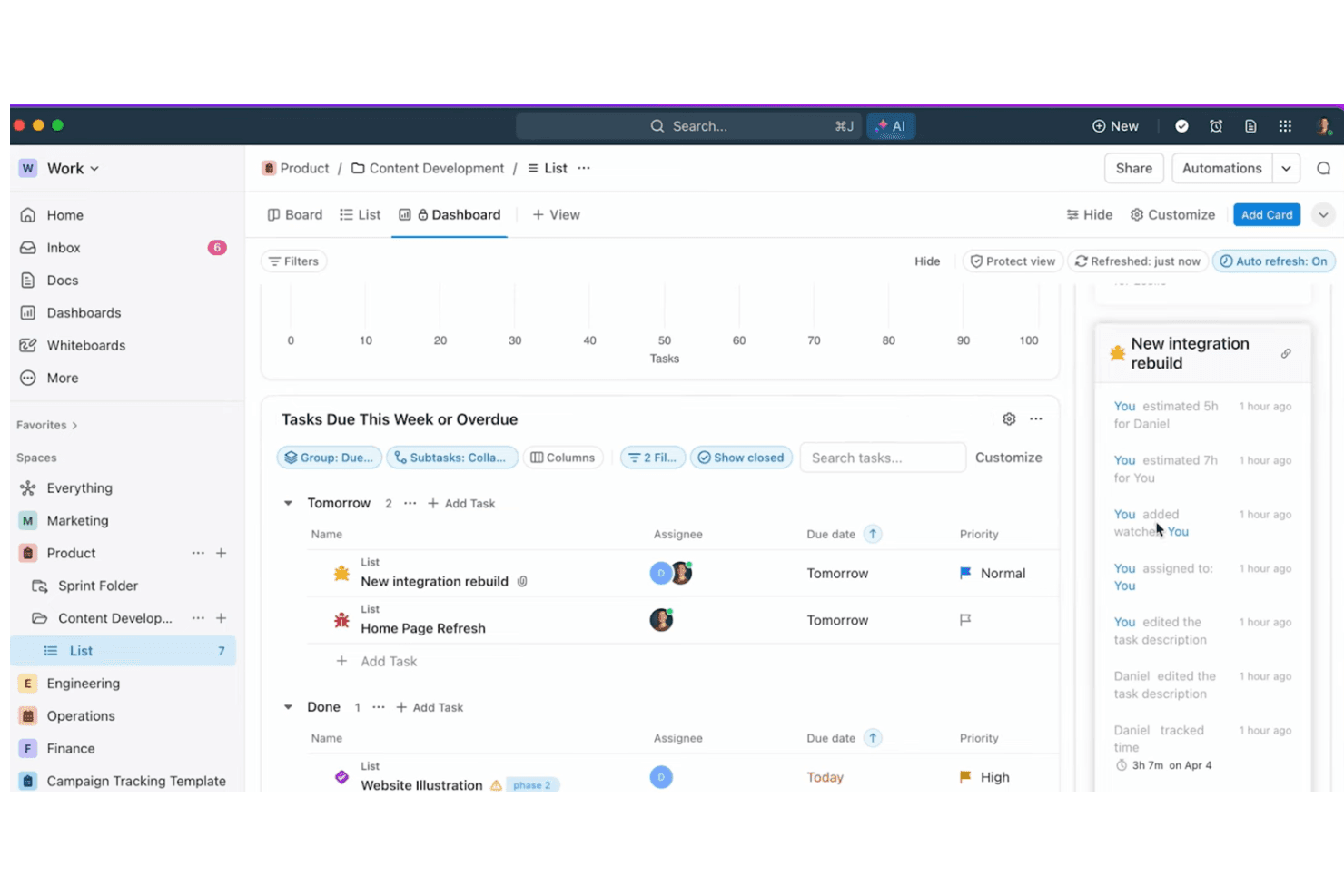
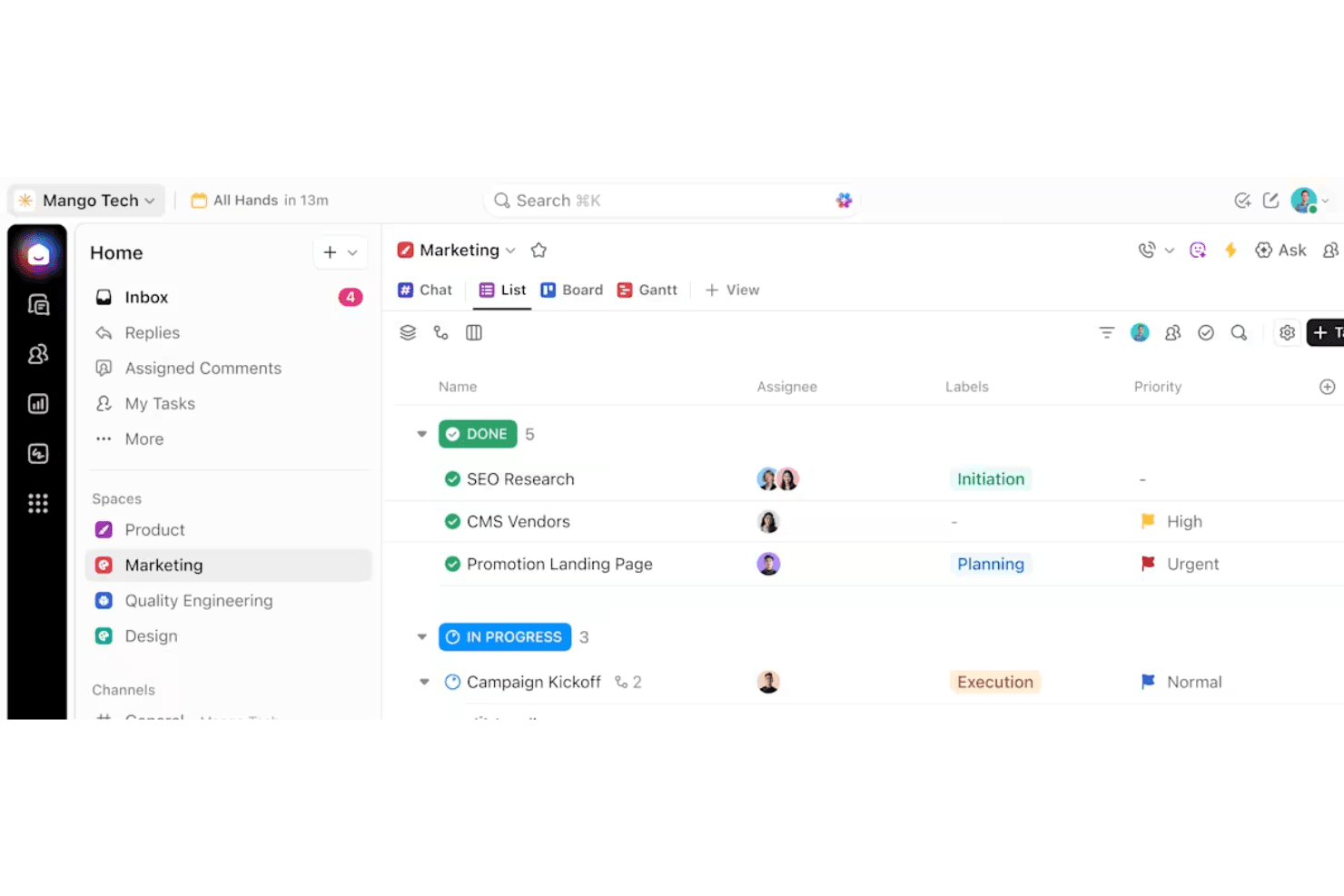
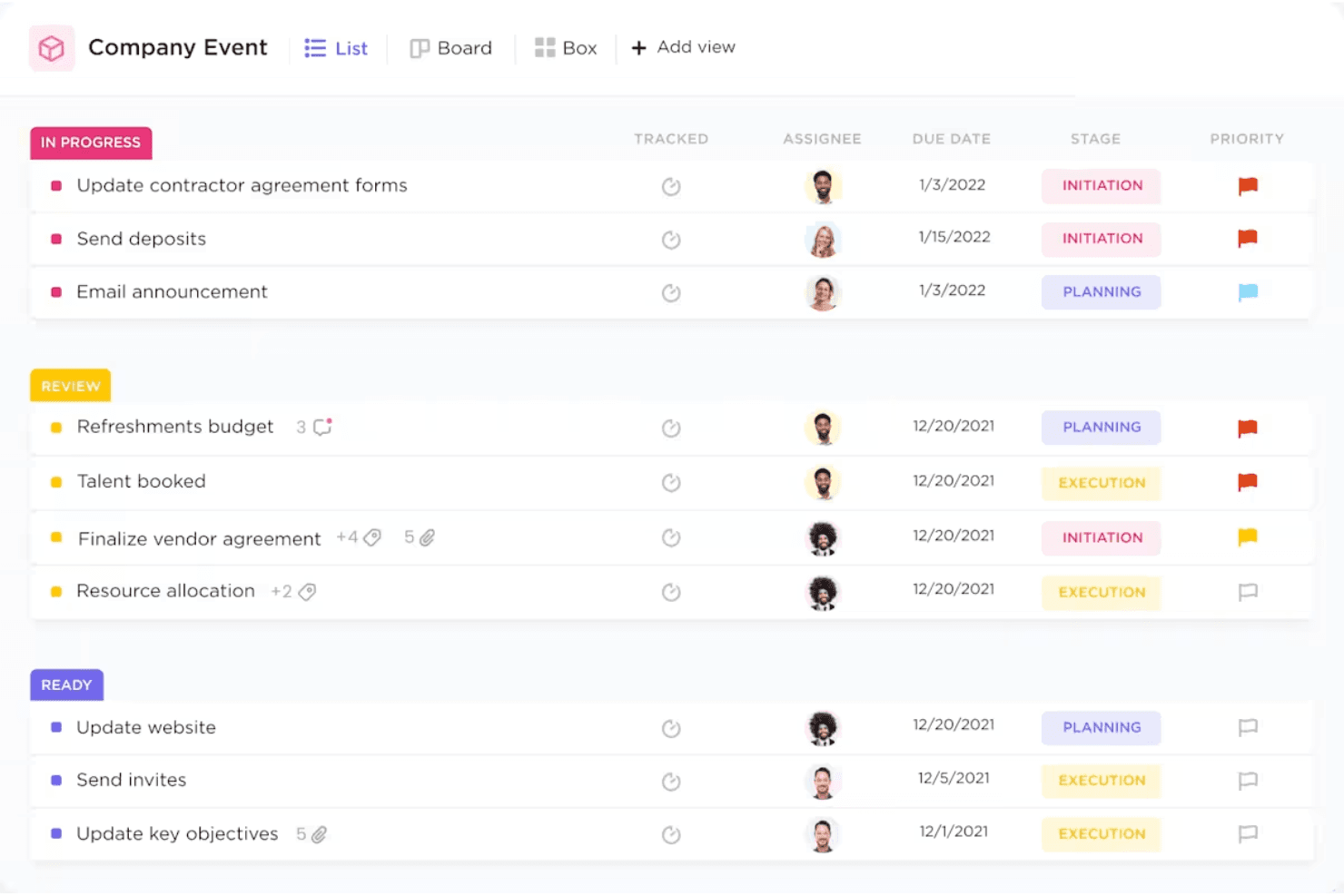
Organize work with nested tasks, custom statuses, and priorities. Assign owners, set due dates, and track progress visually.
Docs and Wikis
Create, edit, and share documents directly in your workspace. Link docs to tasks for easy reference and team collaboration.
Dashboards
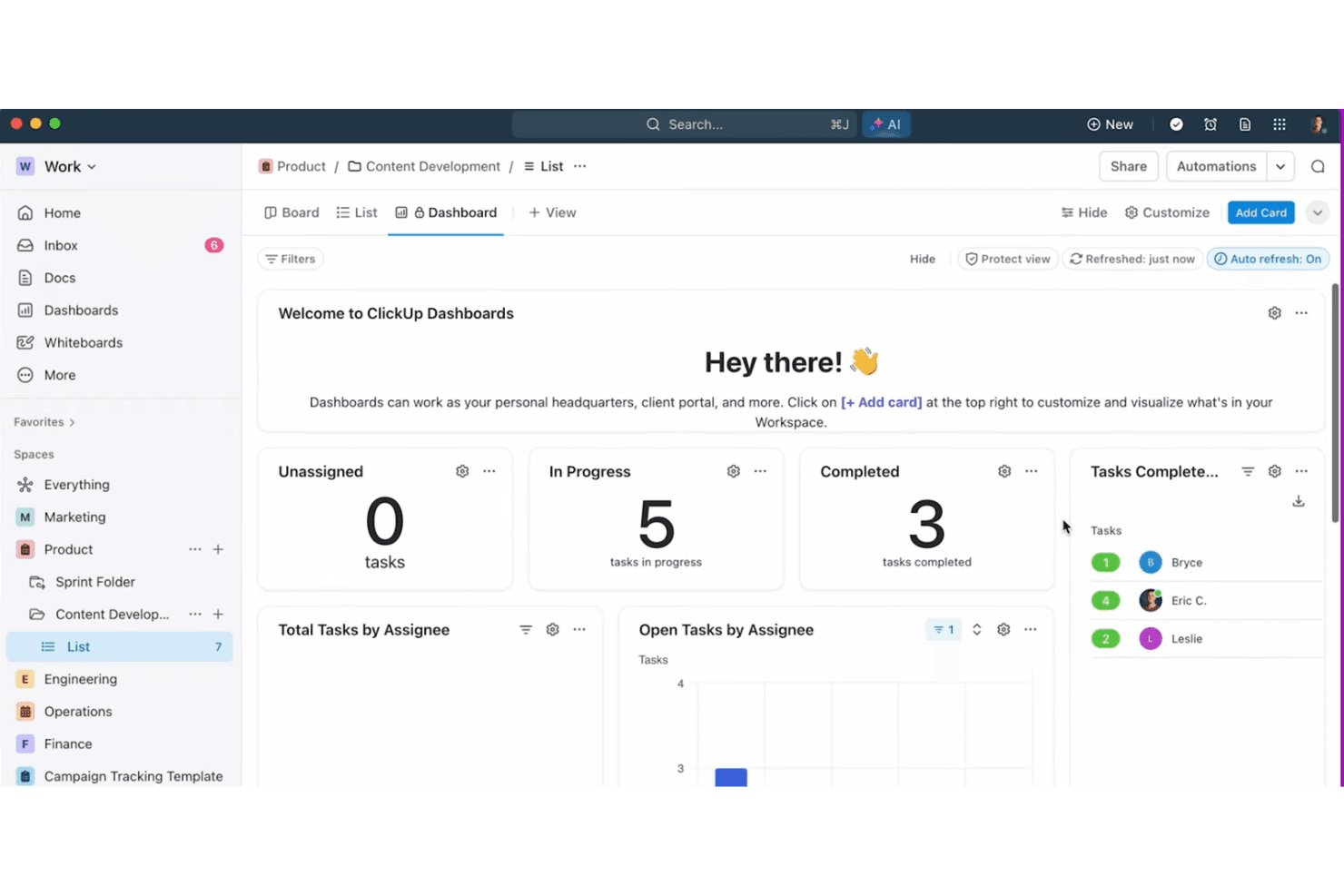
Build custom dashboards with widgets for tasks, goals, and time tracking. Visualize project health and team workload at a glance.
Whiteboards
Map out ideas, workflows, and project plans visually. Collaborate in real time with drag-and-drop elements and sticky notes.
Automations
Set up triggers and actions to automate repetitive steps. Use prebuilt or custom automations to save time on routine work.
Goals and Milestones
Track objectives, key results, and project milestones in one place. Connect goals to tasks for real-time progress updates.
Standout Features
Custom Views
Choose from list, board, calendar, Gantt, or mind map views for any project. This flexibility lets teams visualize work in the way that fits their process best.
ClickApps
Enable or disable modular features like time tracking, sprints, or dependencies per workspace. You can tailor ClickUp to match your team’s workflow without cluttering the interface.
Ease of Use
ClickUp packs a huge range of features into one platform, which can make the interface feel cluttered and overwhelming at first. Many users say the customization options are a double-edged sword—powerful, but easy to overcomplicate. Once you invest time in setup and training, navigation becomes more intuitive, and you can streamline views to match your workflow.
I think ClickUp rewards teams willing to learn, but it’s not the fastest tool to master.
Onboarding
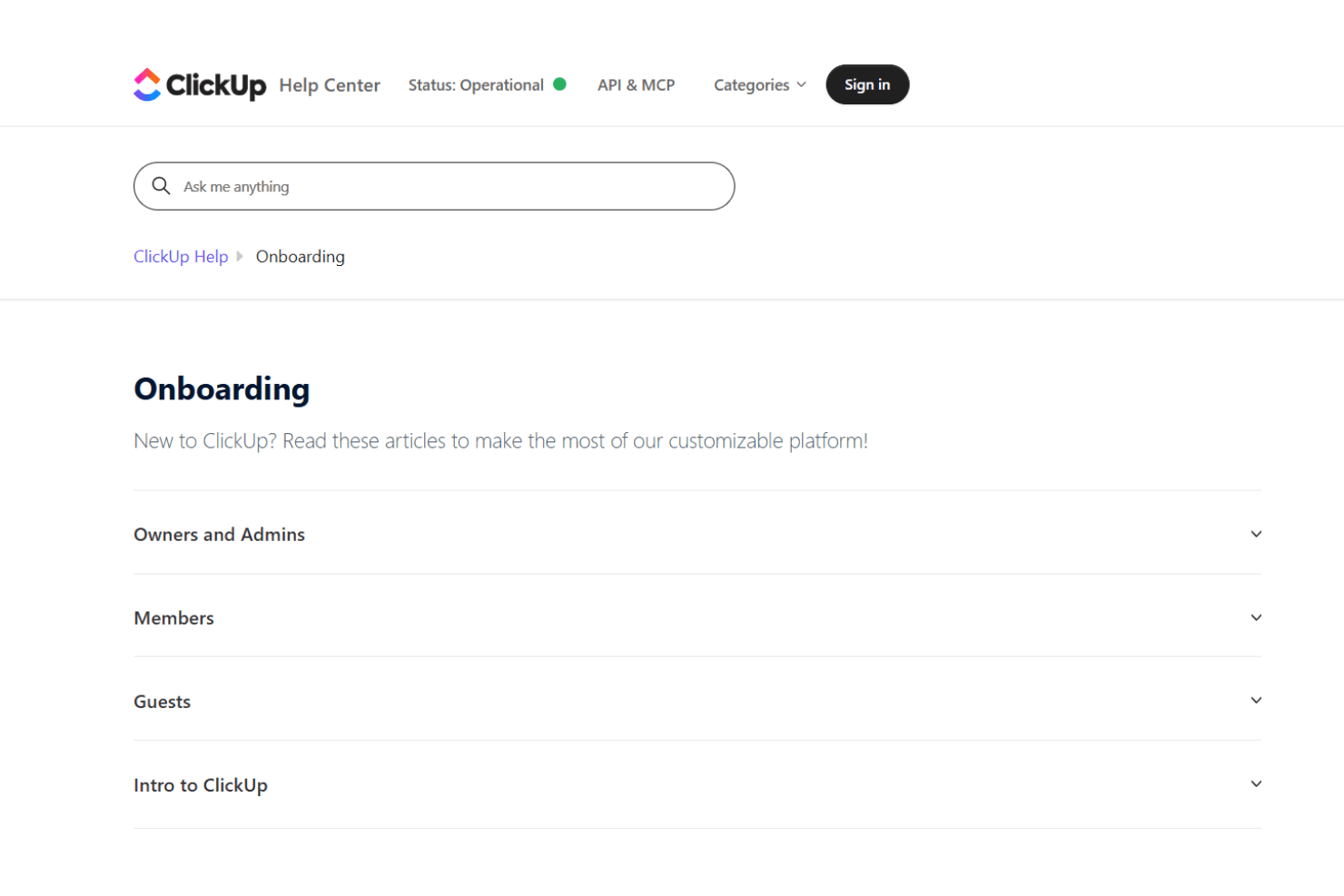
ClickUp’s onboarding experience is thorough but can feel overwhelming due to the sheer number of features and settings. New users get access to guided tours, video tutorials, and a detailed help center, which helps shorten the learning curve. Many users mention that initial setup takes time, but the available templates and onboarding checklists make it easier to get started. I think teams with dedicated admins or project leads will get the most value from ClickUp’s onboarding resources.
Customer Support
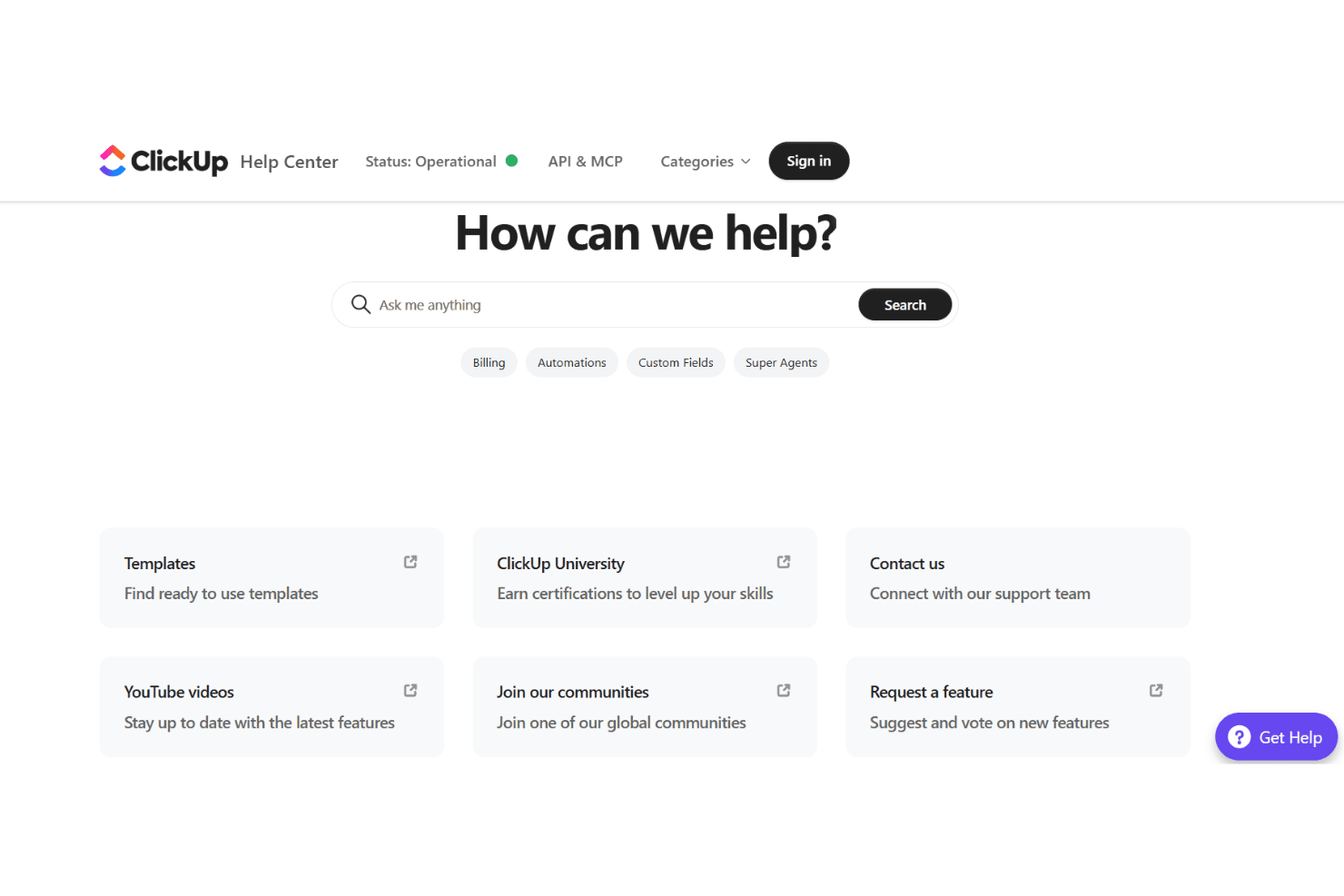
ClickUp offers 24/7 live chat, a robust help center, and an active community forum, which most users find helpful for troubleshooting and learning. Many users praise the quick response times and detailed support articles, though some mention delays during peak times or with complex issues. I think the variety of support channels and self-serve resources make it easy to find answers, but larger teams may want to consider premium support for faster, more personalized help.
Integrations
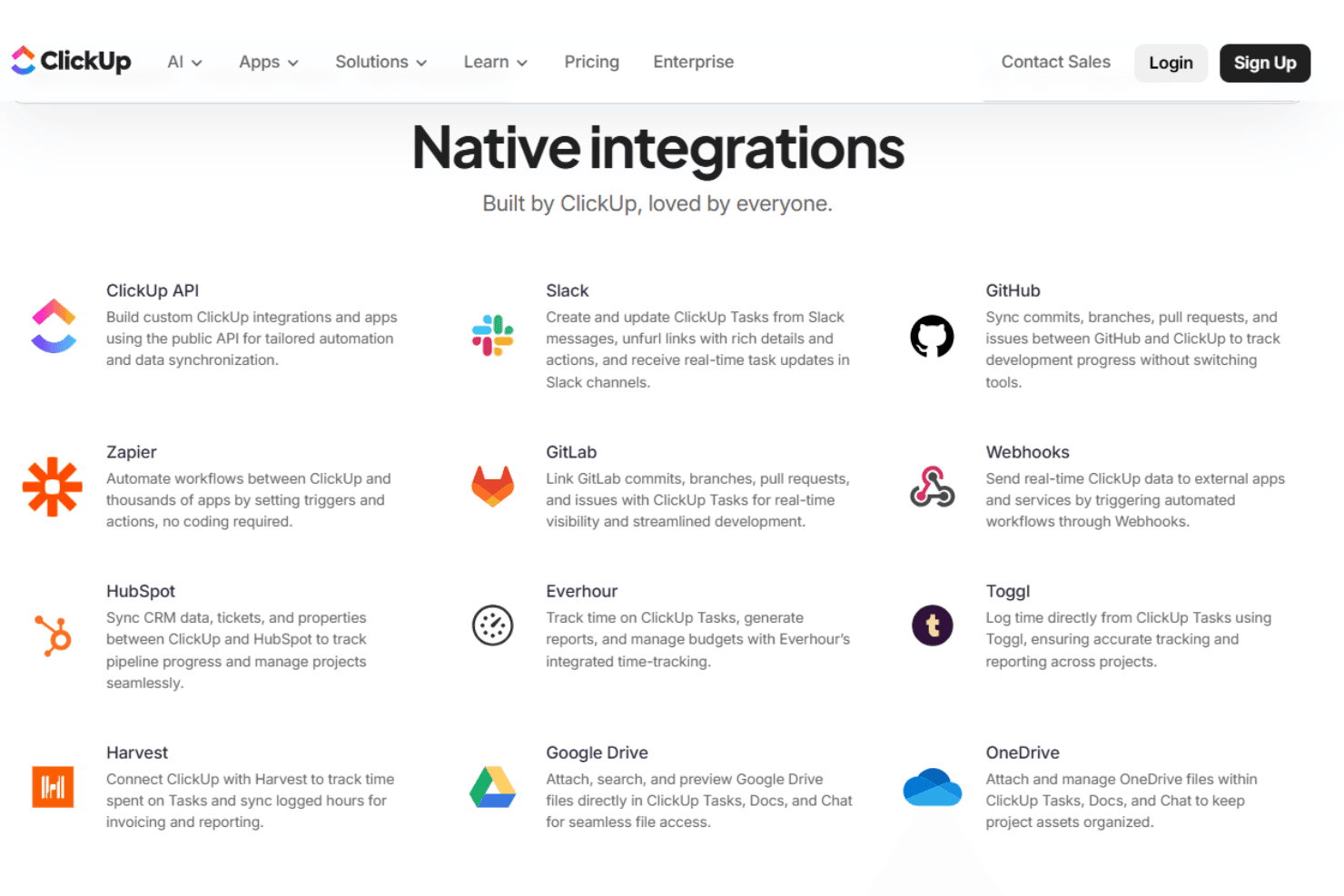
ClickUp integrates with Slack, Google Drive, Zoom, Microsoft Teams, GitHub, Dropbox, Outlook, Zapier, HubSpot, and OneDrive, among others.
ClickUp also offers an open API and connects with third-party integration tools for even more flexibility.
Value for Money
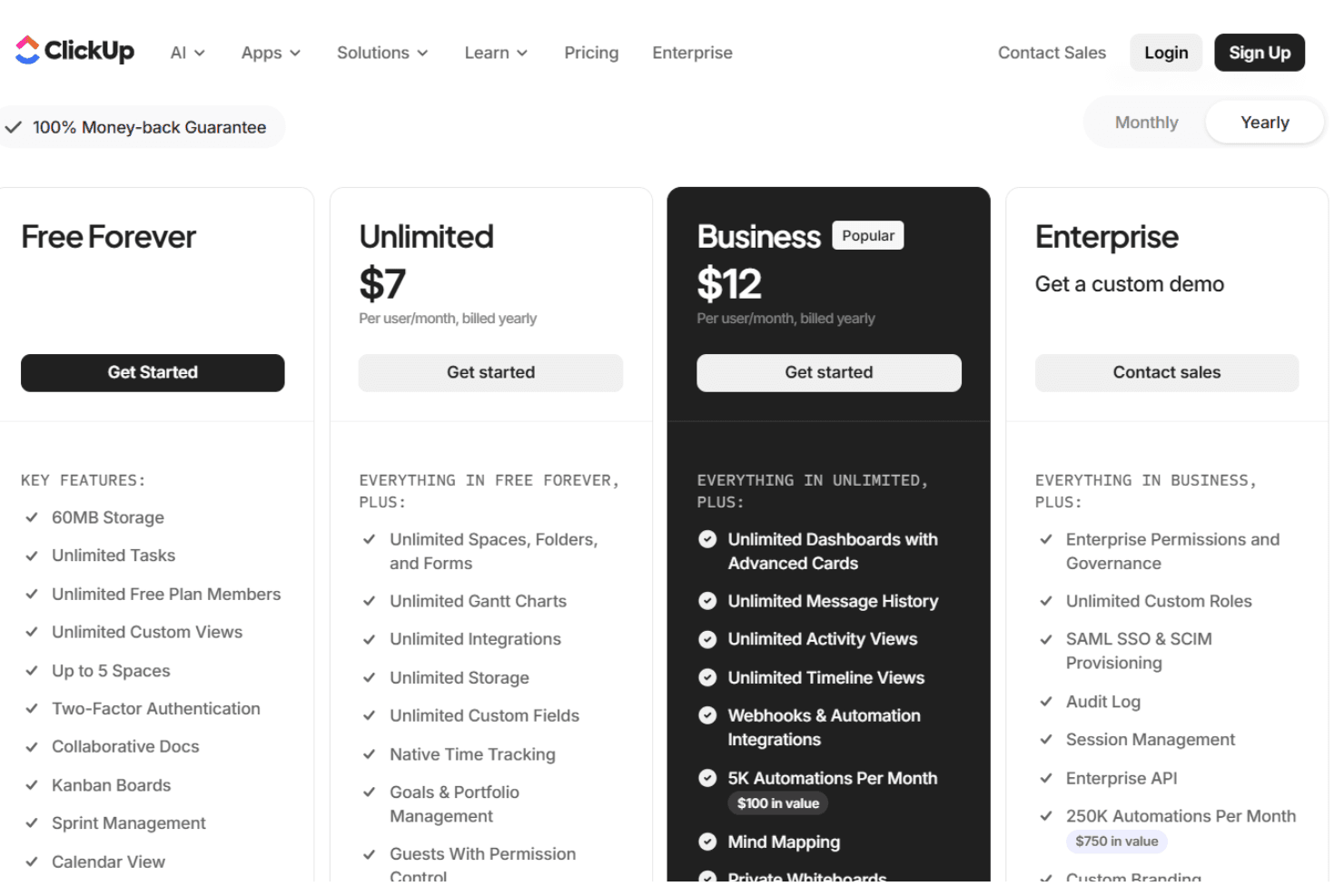
ClickUp is widely seen as offering strong value, especially for teams that want a feature-rich platform at a competitive price. The free plan is generous, and paid tiers unlock advanced features like automations, custom permissions, and advanced reporting. Many users feel the flexibility and depth justify the cost, especially as teams grow.
- Free Forever: Unlimited tasks and members, limited storage, basic features.
- Unlimited: Adds unlimited storage, integrations, and advanced reporting.
- Business: Includes advanced automations, time tracking, and custom permissions.
- Enterprise: Offers advanced security, white labeling, and dedicated support.
ClickUp Specs
- API: Yes
- Batch Permissions & Access: Yes
- Budgeting: No
- Calendar Management: Yes
- Collaboration Support: Yes
- Contact Management: No
- Contact Sharing: No
- Customer Management: Yes
- Dashboard: Yes
- Dashboards: No
- Data Export: Yes
- Data Import: Yes
- Data Visualization: Yes
- Dependency Tracking: No
- Document Sharing: No
- Expense Tracking: No
- External Integrations: Yes
- File Sharing: Yes
- Gantt Charts: Yes
- Kanban Boards: Yes
- Multi-User: Yes
- Notifications: Yes
- Project Management: Yes
- Resource Management: Yes
- Scheduling: Yes
- Task Scheduling/Tracking: Yes
- Third-Party Plugins/Add-Ons: Yes
- Time Management: Yes
- Travel Management: No
- Workflow Management: Yes
ClickUp FAQs
ClickUp Company Overview & History
ClickUp is headquartered in San Diego, California, with team members across the United States, Canada, Ireland, the United Kingdom, Australia, and globally. The company is known for its mission to maximize human productivity by converging software, AI, and human collaboration into a single platform. ClickUp is not affiliated with or owned by other companies and focuses solely on its flagship product. Millions of teams worldwide, including notable enterprise clients, rely on ClickUp, and the company is recognized for its energetic, growth-focused work culture and industry leadership.
ClickUp Major Milestones
- 2017: ClickUp is founded and begins development of its all-in-one productivity platform.
- 2018: Hosts major user meetups in New York and launches early product versions.
- 2019: Expands internationally with events in Prague and grows its global workforce.
- 2020: Releases ClickUp 3.0 and hosts a major event in San Francisco.
- 2025: Launches new AI-driven features like Super Agents and Ambient Agents.