

Sürükle ve bırak e-posta oluşturucular, geliştirici kaynaklarına veya kullanışsız düzenleyicilere ihtiyaç duymadan görsel açıdan özenli ve markanızla uyumlu e-postalar oluşturmayı kolaylaştırır. İster ürün duyuruları, ister bültenler veya müşteri geliştirme dizileri tasarlıyor olun, bu araçlar ekibiniz için zamandan tasarruf sağlayabilir ve iş akışındaki engelleri azaltabilir.
Pazarlama ekiplerine liderlik etme ve kurum içi inceleme sistemimiz aracılığıyla düzinelerce platformu test etme konusunda 10 yıllık deneyimimle, esneklik, kullanım kolaylığı ve performansı dengeleyen en iyi sürükle ve bırak e-posta oluşturucuları kısa listeme aldım. Gerçekte işe yarayanlar burada.
Why Trust Our Software Recommendations
6,700+
Reviews
20
Industry experts
16+
Evaluation factors
14
Years
Our team has been testing and reviewing software since 2012. As marketing leaders ourselves, we know how difficult—and important—it is to choose the right software.
For this guide, we evaluated tools using hands-on testing and independent research, scoring tools using our selection criteria.
Our reviews reflect our human editorial judgment, not a sales pitch.
Expert reviewers:
 Gui DrusinaCreative Director
- Shriya GhateSenior Marketing Lead
 Amanda JacquesMarketing Ops Leader

Sürükle ve Bırak E-posta Oluşturucu Karşılaştırma Tablosu
Bu karşılaştırma tablosu, en iyi sürükle ve bırak e-posta oluşturucu seçimlerimin fiyatlandırma ayrıntılarını özetlemektedir:
Sorted by: Default
| Tool | Starting Price | Website | |
|---|---|---|---|
Best for ecommerce email with live product blocks | 4.6 out of 5 | $16/month Free plan + free demo available | Website |
Best for dynamic content personalization | 4.6 out of 5 | $25/month Free plan + 30-day free trial + free demo available | Website |
Best for design customization | 4.7 out of 5 | $38month Free plan + free trial available | Website |
Best for interactive elements | 4.8 out of 5 | $12.50/month Free version available | Website |
Best for small businesses | 4.3 out of 5 | $4/month 14-day free trial + free plan + free demo available | Website |
Best for AI-built email templates | 4.2 out of 5 | $29/month Free plan available | Website |
Best for event promotions | 4.2 out of 5 | $12/month 14-day free trial + free demo available | Website |
Best for transactional emails | Not rated | $9/month Free plan available | Website |
Best for cross-channel marketing | Not rated | Pricing upon request 14-day free trial + free demo available | Website |
Best for creative templates | Not rated | $25/month Free plan + free trial available | Website |


En İyi Sürükle ve Bırak E-posta Oluşturucu İncelemesi
Aşağıda, kısa listeme giren en iyi sürükle ve bırak e-posta oluşturucuların ayrıntılı özetlerini bulabilirsiniz. İncelemelerim, size en uygun olanı bulmanıza yardımcı olmak için her aracın temel özelliklerine, artılarına \u0026 eksilerine, entegrasyonlarına ve ideal kullanım alanlarına ayrıntılı bir bakış sunmaktadır.
 Best for ecommerce email with live product blocks
- Free plan + free demo available
- From $16/month
Visit WebsiteCustomer Rating:4.6/5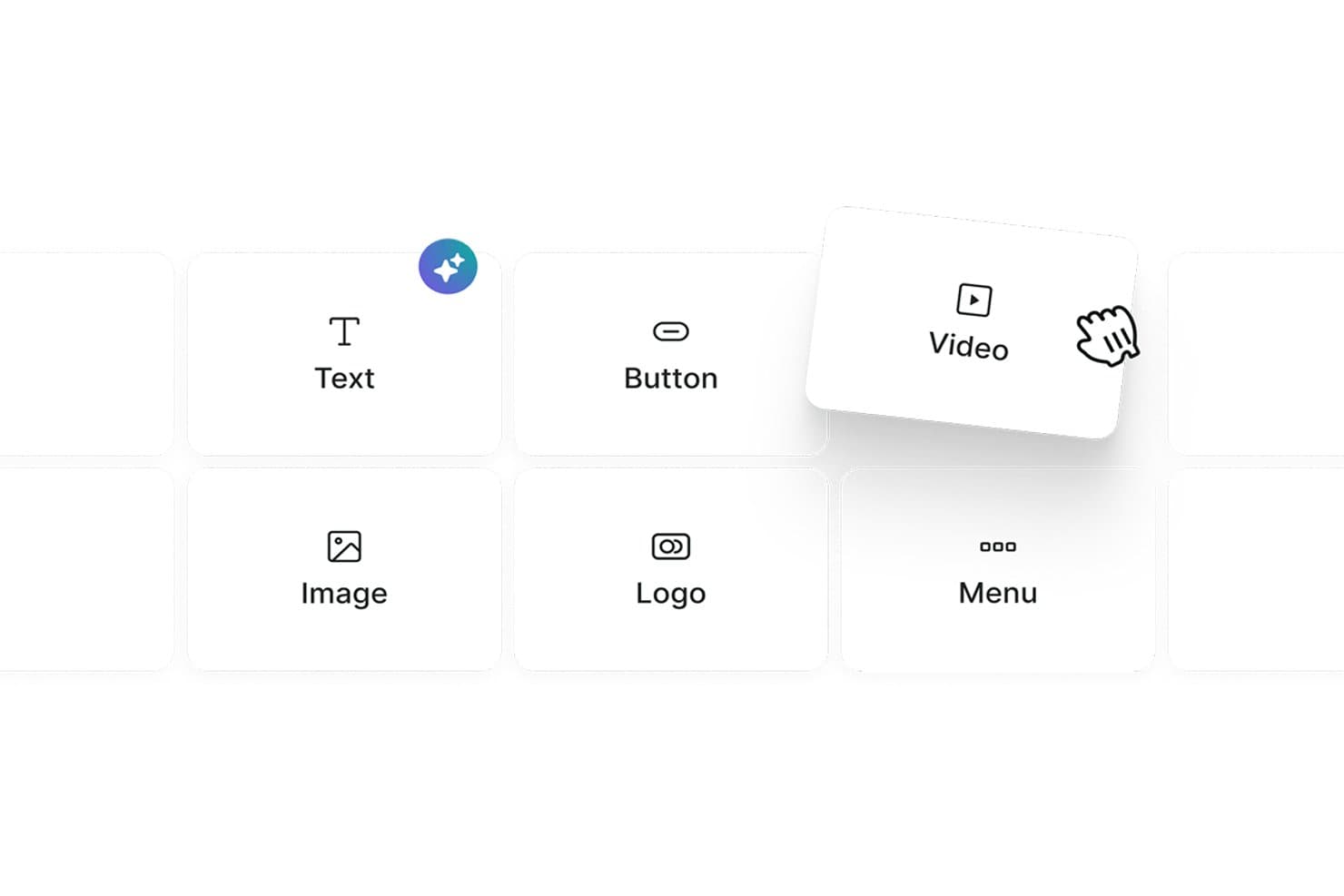
Omnisend lets users drag and drop content blocks like Text, Button, and Video. Omnisend is an ecommerce-focused email marketing platform with a drag-and-drop builder that includes live product blocks, discount codes, product recommender blocks, and omnichannel automation across email, SMS, and web push.
Who Is Omnisend Best For?
Omnisend is a natural fit for ecommerce marketers who want to drag live product blocks, discount codes, and personalized product recommendations directly into their emails.
Why I Picked Omnisend
Omnisend earns its spot on my shortlist because of its live product blocks, which let me drag real store items, complete with synced images, prices, and links, directly into an email. I also rely on the discount code block and AI Product Recommender, which surfaces personalized suggestions based on individual shopper behavior without any manual setup. No other builder I've tested makes it this fast to build a promotional email that's already pre-loaded with the right products.
Omnisend Key Features
- AI subject line generator: Produces and A/B tests subject line and preheader variants using AI directly within the campaign workflow.
- Conditional content blocks: Show or hide entire email sections per recipient based on purchase history, tags, or signup source.
- Per-device visibility controls: Toggle individual content blocks on or off for mobile vs. desktop display within the builder.
- Omnichannel automation: Build unified workflows that sequence email, SMS, and web push notifications from a single automation editor.
Omnisend Integrations
Omnisend offers 280+ tested integrations, including native connections to Shopify, WooCommerce, BigCommerce, Wix, Canva, Facebook Custom Audiences, Google Customer Match, Gorgias, and Yotpo. Its Open API supports custom integrations.
Pros and Cons
Pros:
- Per-device visibility controls in the editor
- AI product recommender personalizes email content instantly
- Live product blocks sync with ecommerce stores
Cons:
- Lacks real-time team collaboration features
- No native multi-client inbox preview
Learn more about Omnisend: Best for dynamic content personalization
- Free plan + 30-day free trial + free demo available
- From $25/month
Visit WebsiteCustomer Rating:4.6/5
Klaviyo’s builder inserts dynamic product blocks from live feeds. Klaviyo is designed to support marketers who want to build effective email campaigns without coding. As a drag-and-drop email builder for dynamic content personalization, it helps businesses across industries create emails tailored to customer behavior and preferences. By addressing challenges like data unification and segmentation, Klaviyo provides the tools needed to develop targeted campaigns that align with audience activity and interests.
Why I Picked Klaviyo
I chose Klaviyo for dynamic content personalization within its drag-and-drop builder. It allows you to insert product feeds, conditional blocks, and customer-specific details directly into your emails, so each recipient sees content based on their behavior and profile data. The interface makes it easy to arrange these elements without coding, while built-in automation connects your designs to segmented flows and campaigns.
Klaviyo Key Features
In addition to dynamic content personalization, Klaviyo offers:
- Customizable Templates: Easily adjust backgrounds, text styles, and fonts to match your brand's aesthetic.
- Responsive Design: Ensure your emails look great on any device with built-in mobile optimization.
- Dynamic Content Blocks: Personalize your emails with various content blocks like text, images, and buttons.
- Preview & Test: See how your emails will appear in recipients' inboxes before sending them out.
Klaviyo Integrations
Integrations include Shopify, Magento, WooCommerce, BigCommerce, Salesforce Commerce Cloud, Stripe, Facebook, Instagram, Google Ads, and Eventbrite (via Zapier or API connections).
Pros and Cons
Pros:
- Reports of inconsistent and slow customer support
- Omnichannel capabilities support varied customer outreach
- Campaign builder supports advanced triggers and conditional logic
- Real-time data activation enhances customer engagement
Cons:
- Pricing may be high for growing businesses
Learn more about Klaviyo: Best for design customization
- Free plan + free trial available
- From $38month (billed annually)
Visit WebsiteCustomer Rating:4.7/5
Flodesk helps creatives design stunning, on-brand emails effortlessly. Flodesk features an elegant drag and drop email builder that empowers users to create visually stunning emails with ease. The builder emphasizes design flexibility, allowing small business owners and creatives to craft on-brand layouts without coding.
Why I picked Flodesk: The drag and drop email builder in Flodesk makes it easy to create stunning, on-brand emails without any design experience. You can customize fonts, colors, and layouts effortlessly using a variety of stylish templates. The builder’s focus on visual design makes it ideal for users who prioritize aesthetic appeal in their email marketing.
Standout features & integrations:
Features include customizable templates, a simple drag and drop editor, and unlimited emails. The platform allows you to create visually striking emails effortlessly. You can also manage your email list and track engagement with basic analytics tools.
Integrations include Shopify, Instagram, Facebook, WordPress, Zapier, Squarespace, Stripe, Google Sheets, Acuity Scheduling, and HoneyBook.
Pros and Cons
Pros:
- Strong focus on aesthetics
- Simple interface for beginners
- Excellent design flexibility
Cons:
- Not ideal for large businesses
- Lacks extensive automation
Learn more about Flodesk: Best for interactive elements
- Free version available
- From $12.50/month
Visit WebsiteCustomer Rating:4.8/5
Stripo helps teams create dynamic, visually engaging emails with ease. Stripo offers a flexible drag and drop email builder that makes it easy to design visually engaging emails. Users can customize layouts by simply dragging elements like text, images, and buttons into place.
Why I picked Stripo: This tool features a drag and drop email builder that makes it easy to add and arrange dynamic content like image carousels and countdown timers without any technical skills. You can visually build complex designs and save custom modules for future use, streamlining your workflow. The builder also supports responsive previews to ensure your emails look great on all devices.
Standout features & integrations:
Features include a library of ready-to-use templates, AMP support for dynamic emails, and a built-in HTML editor. You can customize templates to match your brand's style effortlessly. The HTML editor allows for advanced customization, giving you more control over your email design.
Integrations include Mailchimp, HubSpot, Salesforce, Gmail, Outlook, SendGrid, Constant Contact, GetResponse, Campaign Monitor, and ActiveCampaign.
Pros and Cons
Pros:
- Built-in HTML editor
- AMP support for dynamic emails
- Supports interactive content
Cons:
- Limited automation features
- Limited customer support hours
Learn more about Stripo: Best for small businesses
- 14-day free trial + free plan + free demo available
- From $4/month (billed annually)
Visit WebsiteCustomer Rating:4.3/5
Zoho Campaigns lets you easily design professional emails with no coding. Zoho Campaigns features a powerful drag and drop email builder that makes designing emails quick and easy. Users can customize layouts using pre-built elements like text blocks, images, buttons, and columns.
Why I picked Zoho Campaigns: Zoho Campaigns offers an intuitive drag and drop email builder that’s ideal for small businesses. It allows users to create polished, professional emails with ease using pre-designed elements—no design skills required. The builder streamlines the layout process, helping teams save time while maintaining brand consistency. With its simplicity and flexibility, it's a valuable tool for crafting engaging campaigns quickly and effectively.
Standout features & integrations:
Features include customizable templates, A/B testing, and advanced segmentation. You can personalize emails using dynamic content, which helps in targeting specific audience groups. The automation features support drip campaigns and trigger-based emails, enhancing user engagement.
Integrations include Zoho CRM, Shopify, WordPress, G Suite, Salesforce, Slack, Eventbrite, SurveyMonkey, Zendesk, and QuickBooks.
Pros and Cons
Pros:
- Supports multiple languages
- Customizable templates
- Easy to use for beginners
Cons:
- Limited customer support hours
- Occasional email delivery delays
Learn more about Zoho Campaigns: Best for AI-built email templates
- Free plan available
- From $29/month
Visit WebsiteCustomer Rating:4.2/5
Elastic Email helps you build clean emails fast using AI-built templates. For teams seeking to elevate their email marketing strategies with a versatile tool, Elastic Email offers a solution that combines ease of use with powerful functionality. Particularly appealing to marketers and businesses across industries, this platform addresses the need for visually compelling, effective email campaigns without requiring extensive technical expertise. By offering a drag-and-drop email builder, Elastic Email simplifies the creation of marketing emails, ensuring your communication stands out in crowded inboxes.
Why I Picked Elastic Email
I picked Elastic Email for its AI-built email templates, which make it easy to generate ready-to-use designs without starting from scratch. Its intuitive drag-and-drop email builder supports this by letting you adjust layouts and create visually clear emails with minimal effort. Additionally, automated email flows help streamline your marketing processes, ensuring timely, relevant communication with your audience. Together, these features make Elastic Email a practical option for users who need a reliable email builder for their marketing needs.
Elastic Email Key Features
In addition to AI-built email templates, Elastic Email offers:
- Customizable Signup Forms: Allows you to create forms that integrate seamlessly with your email campaigns, capturing leads directly from your website.
- 24/7 Support: Provides around-the-clock assistance to ensure that any issues you encounter are promptly resolved.
- Developer-Friendly API: Offers scalability and customization options for businesses with specific integration needs.
- Security and Compliance: Ensures your email marketing adheres to the latest data protection regulations, safeguarding your customer information.
Elastic Email Integrations
Integrations include Hubspot, Shopify, WooCommerce, WordPress, Magento, Salesforce, Mailchimp, Google Analytics, Microsoft Dynamics, and Zapier. Additionally, Elastic Email offers a developer-friendly API for custom integration needs.
Pros and Cons
Pros:
- Supports seamless API integration for developers
- Features automated email flows for efficient marketing
- Delivers strong analytics tools for campaign insights
Cons:
- Occasional deliverability issues with emails landing in spam
- Limited native integrations compared to competitors
Learn more about Elastic Email: Best for event promotions
- 14-day free trial + free demo available
- From $12/month
Visit WebsiteCustomer Rating:4.2/5
Constant Contact helps businesses quickly create branded emails with ease. Constant Contact is an email marketing platform designed for small to medium-sized businesses, featuring a user-friendly drag and drop email builder. It enables users to create visually appealing emails quickly by arranging text, images, and buttons without any coding.
Why I picked Constant Contact: This tool excels in simplifying email creation with its drag and drop email builder, making it easy to design custom layouts for any campaign. You can quickly build event invitations using pre-made templates and visual elements, no design skills needed. The builder supports seamless customization, helping you capture attention and drive engagement. Its intuitive interface allows for efficient editing, so you can launch campaigns faster and with confidence.
Standout features & integrations:
Features include customizable templates, social media sharing, and survey tools. You can also use the image library to enhance your emails with visuals. The reporting tools provide insights into campaign performance, helping you refine your strategies.
Integrations include Shopify, WordPress, QuickBooks, Salesforce, Eventbrite, Facebook, Instagram, Google Ads, Hootsuite, and Canva.
Pros and Cons
Pros:
- Good deliverability rates
- Detailed reporting features
- Easy setup for campaigns
Cons:
- Learning curve for beginners
- Limited template customization
Learn more about Constant Contact:

Brevo helps businesses design transactional emails quickly and professionally. Brevo features a user-friendly drag and drop email builder that helps businesses create professional emails with ease. Users can design transactional messages like order confirmations and password resets by simply arranging elements visually.
Why I picked Brevo: Its drag and drop email builder makes it easy to create and customize transactional emails like order confirmations and password resets. You can visually design layouts using pre-built elements, ensuring consistency and professionalism across messages. The builder’s simplicity allows teams of all sizes to quickly set up and manage email content without technical expertise.
Standout features & integrations:
Features include a drag and drop email editor, advanced analytics, and automation workflows. The editor allows you to design professional emails effortlessly. You can use analytics to gain insights into email performance and make data-driven decisions.
Integrations include Shopify, WooCommerce, Magento, Salesforce, WordPress, PrestaShop, Zapier, Slack, Google Analytics, and Facebook.
Pros and Cons
Pros:
- Supports A/B testing
- User-friendly interface
- Easy automation setup
Cons:
- Requires technical setup for advanced features
- Can be feature-heavy for beginners
Learn more about Brevo: Best for cross-channel marketing
- 14-day free trial + free demo available
- Pricing upon request

Braze enables teams to craft engaging, on-brand emails without coding. Braze includes a drag and drop email builder that helps marketing teams design engaging, on-brand emails with ease. The builder allows users to customize content blocks, images, and CTAs without coding, streamlining the email creation process.
Why I picked Braze: Its drag and drop email builder makes it easy to design personalized, data-driven email campaigns as part of a cross-channel strategy. You can quickly create dynamic layouts tailored to specific user segments using real-time data. The builder’s flexibility supports seamless integration into broader engagement efforts across multiple marketing channels.
Standout features & integrations:
Features include real-time analytics, personalized messaging, and campaign orchestration. You can track user interactions and adjust your strategies based on real-time data. The platform also offers tools for creating personalized user journeys, enhancing engagement, and retention.
Integrations include Salesforce, Shopify, Segment, Amplitude, mParticle, Adjust, Branch, AppsFlyer, Adobe Analytics, and Mixpanel.
Pros and Cons
Pros:
- Scalable for large teams
- Data-driven personalization
- Real-time messaging features
Cons:
- Complex setup process
- High initial learning curve
Learn more about Braze : 10Best for creative templates
Beefree
- Free plan + free trial available
- From $25/month (billed annually)

Beefree lets marketers design stunning, code-free emails effortlessly. Beefree is an email design platform built around a flexible drag and drop email builder that empowers marketers and designers to create stunning emails with ease. The builder offers a wide variety of customizable blocks and templates for quick layout design.
Why I picked Beefree: This tool is ideal for users who prioritize creativity in email design, thanks to its intuitive drag and drop editor. It allows you to experiment with layouts and content blocks effortlessly, enabling unique and visually striking campaigns. The editor supports quick customization, making it easy to bring your creative vision to life without any coding.
Standout features & integrations:
Features include a mobile-responsive design, real-time collaboration, and a preview function. You can see how your emails will look on different devices, ensuring they always appear professional. The collaboration features allow your team to work together seamlessly, speeding up the design process.
Integrations include Mailchimp, HubSpot, Gmail, ActiveCampaign, Constant Contact, Mailgun, SendGrid, Amazon SES, GetResponse, and Salesforce.
Pros and Cons
Pros:
- Mobile-responsive design
- Real-time collaboration features
- Great for creative teams
Cons:
- Limited support for large campaigns
- Basic analytics options
Learn more about Beefree:
Diğer Sürükle ve Bırak E-posta Oluşturucular
Kısa listeme giremeyen ancak yine de göz atmaya değer bazı ek sürükle ve bırak e-posta oluşturucu seçenekleri şunlardır:
- 11DyspatchBest for modular design
- 12DragitBest for ease of use
- 13Mailchimp Best for marketing automation
- 14MailerLiteBest for small teams
- 15MailerSendBest for transactional messaging
- 16UnlayerBest for embedding in apps
- 17PostcardsBest for design variety
How I Evaluate Drag and Drop Email Builders
I evaluate every tool against a baseline—does it actually let a non-coder build a send-ready campaign?—then look at what sets it apart for specific team types and use cases.
Core Functionality (Table Stakes For This List)
When I'm selecting tools for my list, I rank each one on a scale from 0 (does not offer the functionality) to 5 (excels in this area) for each core functionality listed below. Then, I calculate the tool's total score into a percentage. Each tool needs to achieve a minimum total score of 65% to be considered for inclusion.
- Visual Drag-and-Drop Editor: I evaluate how naturally blocks snap into place—whether I can drop in a hero image, reorder CTAs, and adjust padding without touching code.
- Pre-Built Email Templates: A solid template library should cover real campaign needs like product launches, event invitations, and weekly newsletters, not just a handful of generic layouts.
- Responsive Design Output: I check whether emails render cleanly across mobile and desktop by previewing in multiple clients, since a two-column layout that collapses poorly on a phone kills engagement.
- Reusable Content Blocks: Teams running high-volume sends need saved modules—headers, footers, product cards—they can pull into any new campaign without rebuilding from scratch each time.
- Image & Asset Management: I look for a built-in media library where you can upload, organize, and resize brand assets directly in the builder instead of toggling to an external tool.
- HTML Export or Send Integration: Whether you're exporting clean HTML into Mailchimp or sending natively through HubSpot, I evaluate how easily the finished email moves from builder to inbox.
Once I have a list of tools that meet this criteria, I consider what sets each platform apart.
Differentiating Factors (What Sets Vendors Apart)
Here's how I compare and contrast different vendors:
Standout Features
Dynamic personalization is a big differentiator—I look for conditional blocks that swap images or CTAs based on recipient data, not just basic merge tags. Brand kit enforcement pairs well with collaboration features, especially when multiple marketers or stakeholders touch emails before sending. Locked templates and approval workflows keep campaigns consistent without bottlenecking production. AI-assisted copy generation is also worth evaluating for teams running high-volume sends who need quick subject line or body text suggestions.
Beyond Features
Integration depth matters—I evaluate whether a builder connects natively with your existing ESP, CRM, or CDP so finished emails flow directly into campaign workflows. Email client rendering is another factor I consider closely, since an email that looks great in the builder but breaks in Outlook defeats the purpose. Pricing structure also plays a role, particularly how plans scale with team size or send volume as your email program grows.
Sürükle ve Bırak E-posta Oluşturucu Nasıl Seçilir?
Uzun özellik listeleri ve karmaşık fiyatlandırma yapılarına takılıp kalmak kolaydır. Benzersiz yazılım seçimi sürecinizi yürütürken odağınızı korumanıza yardımcı olmak için aklınızda bulundurmanız gereken faktörleri içeren bir kontrol listesi hazırladım:
| Faktör | Dikkate Alınması Gerekenler |
| Ölçeklenebilirlik | Araç işletmenizle birlikte büyüyebilir mi? Kullanıcı sınırlarını ve artan e-posta hacmini destekleyip desteklemediğini değerlendirin. |
| Entegrasyonlar | CRM veya e-ticaret platformları gibi mevcut araçlarınıza bağlanabiliyor mu? Uyumluluğu ve entegrasyon kolaylığını kontrol edin. |
| Özelleştirilebilirlik | Şablonları ve iş akışlarını markanıza uyacak şekilde ne ölçüde uyarlayabilirsiniz? Esnek tasarım seçenekleri arayın. |
| Kullanım kolaylığı | Arayüz ekibiniz için sezgisel mi? Dik bir öğrenme eğrisi üretkenliği engelleyebilir. |
| Uygulama ve işe alıştırma | Ekibiniz aracı ne kadar hızlı ve etkili şekilde kullanmaya başlayabilir? Kurulum sırasında eğitimler ve destek gibi kaynakları arayın. |
| Maliyet | Fiyatlandırma planları bütçeniz dahilinde mi? Uzun vadeli maliyetleri değerlendirin ve her kademeye dahil edilen özellikleri karşılaştırın. |
| Güvenlik önlemleri | Şifreleme ve veri koruması sunuyor mu? Hassas bilgileri korumak için sektör standartlarına uygunluğundan emin olun. |
| Destek erişilebilirliği | Sorunlar ortaya çıktığında hangi destek seçenekleri mevcut? 7/24 destek ve birden fazla iletişim yöntemi arayın. |
Sürükle ve Bırak E-posta Oluşturucu Nedir?
Sürükle ve bırak e-posta oluşturucuları, kullanıcıların HTML kodu yazmaya gerek kalmadan, öğeleri görsel bir düzenleyiciye basitçe sürükleyip bırakarak e-posta şablonları oluşturmasına olanak tanıyan araçlardır. Pazarlama profesyonelleri, küçük işletme sahipleri ve tasarımcılar bu araçları genellikle e-posta tasarımını basitleştirmek ve marka iletişimini geliştirmek için kullanır. Şablon özelleştirme, duyarlı tasarım ve entegrasyon seçenekleri gibi özellikler, kodlama becerilerine ihtiyaç duymadan görsel açıdan çekici ve işlevsel e-postalar oluşturmaya yardımcı olur. Genel olarak bu araçlar, kullanıcıların e-posta kampanyalarını verimli bir şekilde tasarlamasını ve yönetmesini kolaylaştırır.
Sürükle ve Bırak E-posta Oluşturucularının Özellikleri
Sürükle ve bırak e-posta oluşturucusu seçerken aşağıdaki temel özelliklere dikkat edin:
- Sürükle ve bırak düzenleyicisi: Kullanıcıların kod yazmadan öğeleri taşıyarak e-posta düzenlerini kolayca oluşturmasına ve ayarlamasına olanak tanır.
- Şablon özelleştirme: Markanızın görünümüne ve tarzına uyacak şekilde düzenlenebilen, önceden tasarlanmış şablonlar sunar.
- Duyarlı tasarım: E-postaların tüm cihazlarda harika görünmesini sağlayarak kullanıcı etkileşimini ve okunabilirliği artırmaya yardımcı olur.
- Otomasyon iş akışları: Tetikleyicilere dayalı otomatik e-posta kampanyaları oluşturmayı, zamandan tasarruf etmeyi ve tutarlı iletişimi sürdürmeyi sağlar.
- A/B testi: Performansı ve etkileşimi optimize etmek için e-postaların farklı sürümlerini test etme olanağı sunar.
- Gelişmiş analizler: E-posta kampanyalarının performansına ilişkin bilgiler sunarak stratejilerin geliştirilmesine ve sonuçların iyileştirilmesine yardımcı olur.
- Kişiselleştirme seçenekleri: Alıcı etkileşimini ve yanıt oranını artırmak için dinamik içerik ve kişiselleştirme olanağı sağlar.
- Entegrasyon olanakları: İş akışlarını ve veri yönetimini kolaylaştırmak için CRM ve e-ticaret platformları gibi diğer araçlara bağlanır.
- Gerçek zamanlı iş birliği: E-posta tasarımları üzerinde ekip çalışmasını destekleyerek oluşturma sürecini hızlandırır.
- E-posta zamanlama: Kullanıcıların en uygun gönderim zamanları için e-postaları planlamasını ve zamanlamasını sağlayarak etkiyi en üst düzeye çıkarır.
Sürükle ve Bırak E-posta Oluşturucularının Faydaları
Bir sürükle ve bırak e-posta oluşturucusu kullanmak, ekibiniz ve işletmeniz için çeşitli faydalar sağlar. Yararlanabileceğiniz birkaç avantaj şunlardır:
- Zamandan tasarruf: Sürükle ve bırak düzenleyicisi sayesinde kod yazmadan hızlıca e-postalar tasarlayın ve gönderin.
- Geliştirilmiş tasarım tutarlılığı: Tüm iletişim kanallarında tutarlı bir marka imajı korumak için özelleştirilebilir şablonlar kullanın.
- Artan etkileşim: Kişiselleştirme seçenekleri ve duyarlı tasarım, e-postalarınızın alıcılarda karşılık bulmasını ve her cihazda iyi görünmesini sağlar.
- Geliştirilmiş verimlilik: Otomasyon iş akışları ve zamanlama özellikleri, e-postalar otomatik olarak gönderilirken ekibinizin diğer görevlere odaklanmasını sağlar.
- Veriye dayalı kararlar: Gelişmiş analizler kampanya performansına ilişkin değerli bilgiler sunarak stratejilerinizi geliştirmenize yardımcı olur.
- İş birliği: Gerçek zamanlı iş birliği özellikleri, ekip üyelerinin e-posta projeleri üzerinde verimli bir şekilde birlikte çalışmasını sağlar.
- Araçlarla entegrasyon: Pazarlama çalışmalarınızı ve veri yönetiminizi geliştirmek için CRM ve diğer platformlara sorunsuz bir şekilde bağlanın.
Sürükle ve Bırak E-posta Oluşturucularının Maliyetleri ve Fiyatlandırması
Bir sürükle ve bırak e-posta oluşturucusu seçmek, mevcut çeşitli fiyatlandırma modellerinin ve planların anlaşılmasını gerektirir. Maliyetler özelliklere, ekip büyüklüğüne, eklentilere ve daha fazlasına göre değişir. Aşağıdaki tablo, sürükle ve bırak e-posta oluşturucusu çözümlerinde yaygın olarak sunulan planları, ortalama fiyatlarını ve tipik özelliklerini özetlemektedir:
Sürükle ve Bırak E-posta Oluşturucusu için Plan Karşılaştırma Tablosu
| Plan Türü | Ortalama Fiyat | Yaygın Özellikler |
| Ücretsiz Plan | $0 | Temel şablonlar, sınırlı e-posta gönderimi ve temel analizler. |
| Kişisel Plan | $10-$30/ kullanıcı/ay | Özelleştirilebilir şablonlar, sürükle ve bırak düzenleyicisi ve temel otomasyon. |
| İşletme Planı | $40-$100/ kullanıcı/ay | Gelişmiş analizler, A/B testi ve entegrasyon olanakları. |
| Kurumsal Plan | $150-$300/ kullanıcı/ay | Kişiselleştirilmiş destek, gelişmiş otomasyon ve kapsamlı raporlama. |
Sürükle ve Bırak E-posta Oluşturucu SSS
Sürükle ve bırak e-posta oluşturucularıyla ilgili sık sorulan soruların bazı yanıtlarını burada bulabilirsiniz:
Sürükle ve bırak e-posta oluşturucu kullanarak nasıl e-posta imzası oluşturabilirim?
Sürükle ve bırak e-posta oluşturucuda e-posta imzası oluşturmak oldukça kolaydır. Genellikle düzenleyicide bir imza bölümü veya modülü bulabilirsiniz. Adınız, unvanınız ve iletişim bilgilerinizle özelleştirin. Bazı araçlar, daha kişisel bir görünüm için sosyal medya profillerine görsel veya bağlantı eklemenize olanak tanır.
Metne köprüleri nasıl eklerim veya kaldırırım?
Metne köprü eklemek veya köprüyü kaldırmak için sürükle ve bırak e-posta oluşturucunuzda bağlantı vermek ya da bağlantısını kaldırmak istediğiniz metni seçin. URL eklemek veya mevcut bir URL’yi kaldırmak için araç çubuğundaki bağlantı simgesini kullanın. E-postayı tamamlamadan önce bağlantılarınızın doğru sayfalara yönlendirdiğini bir kez daha kontrol edin.
Düğmelerim Outlook'ta neden farklı görünüyor?
Düğmeler, Outlook’un HTML e-postalarını işleme biçimi nedeniyle farklı görünebilir. Tutarlılığı sağlamak için standart yazı tiplerini kullanın ve karmaşık stillerden kaçının. E-postalarınızın nasıl görüntülendiğini görmek için bunları birden fazla istemcide test edin. Bazı oluşturucular, Outlook dahil belirli e-posta istemcilerine göre özelleştirme seçenekleri sunar.
E-postalar için karanlık mod nedir?
Karanlık mod, arka planı koyu renklere dönüştüren ve düşük ışıklı ortamlarda göz yorgunluğunu azaltan bir görüntüleme ayarıdır. Bazı e-posta oluşturucular, e-postaları karanlık modu dikkate alarak tasarlamanıza olanak tanır. Karanlık mod uyumluluğu için e-postaları önizleme ve ayarlama seçeneklerini görmek üzere oluşturucunuzun ayarlarını kontrol edin.
Bir sürükle ve bırak oluşturucuda görselleri düzenleyebilir miyim?
Evet, çoğu sürükle ve bırak e-posta oluşturucusu temel görsel düzenleme araçları sunar. Görselleri doğrudan düzenleyici içinde yeniden boyutlandırabilir, kırpabilir veya filtre ekleyebilirsiniz. Daha gelişmiş düzenlemeler için görseli e-posta oluşturucunuza yüklemeden önce harici bir yazılım kullanmanız gerekebilir.