

O ClickUp é um software popular de gestão de projetos, conhecido pelas suas funcionalidades personalizáveis de gestão de tarefas. No entanto, alguns utilizadores podem considerá-lo demasiado complexo ou precisar de melhores opções de integração com as ferramentas existentes.
Com base na minha experiência com software de marketing, testei e comparei várias das principais alternativas ao ClickUp disponíveis. Em seguida, compilei os meus resultados em análises detalhadas para ajudar a encontrar o melhor software para as suas necessidades específicas.
O que é o ClickUp?
O ClickUp é um software de gestão de projetos que ajuda as equipas a organizar e gerir as suas tarefas. É normalmente utilizado por profissionais das áreas da tecnologia, do marketing e das indústrias criativas que precisam de acompanhar vários projetos e prazos. As funcionalidades de personalização de tarefas, controlo do tempo e integração ajudam a melhorar a eficiência dos fluxos de trabalho e a colaboração. No geral, o ClickUp disponibiliza uma plataforma flexível para manter a sua equipa organizada e produtiva.
Tabela de comparação das alternativas ao ClickUp
Esta tabela de comparação resume os detalhes de preços das minhas principais seleções de alternativas ao ClickUp:
| Tool | Best For | Trial Info | Price | ||
|---|---|---|---|---|---|
| 1 | Best for linking client work, finance and HR | Free plan + 14-day free trial + free demo available | From $12/user/month (billed annually) | Website | |
| 2 | Best for agentic marketing work management | Not available | Pricing upon request | Website | |
| 3 | Best for Gantt driven project planning | Free plan + 15-day trial + demo available | Pricing upon request | Website | |
| 4 | Best for advanced automation rules | Free plan + 14-day trial + demo available | From $10/user/month (billed annually) | Website | |
| 5 | Best for collaborative Kanban boards | Free plan + free trial available | From $5/user/month (billed annually) | Website | |
| 6 | Best for intuitive Gantt charts | 14-day free trial + demo available | From $7/user/month (billed annually) | Website | |
| 7 | Best for scheduling people and projects | Free trial available | From $5/user/month | Website | |
| 8 | Best for visual project timelines | Free plan + trial + demo available | From $10.99/user/month (billed annually) | Website | |
| 9 | Best for client work management | Free plan + 14-day free trial + free demo available | From $9.99/user/month (billed annually) | Website | |
| 10 | Best for managing client service workflows | Free plan + 14-day trial + demo available | From $9.99/user/month (billed annually) | Website |


Why Trust Our Software Recommendations
6,700+
Reviews
20
Industry experts
16+
Evaluation factors
14
Years
Our team has been testing and reviewing software since 2012. As marketing leaders ourselves, we know how difficult—and important—it is to choose the right software.
For this guide, we evaluated tools using hands-on testing and independent research, scoring tools using our selection criteria.
Our reviews reflect our human editorial judgment, not a sales pitch.
Expert reviewers:
 Gui DrusinaCreative Director
- Shriya GhateSenior Marketing Lead
 Amanda JacquesMarketing Ops Leader

Análises das melhores alternativas ao ClickUp
Apresentamos abaixo os meus resumos detalhados das melhores alternativas ao ClickUp que foram incluídas na minha lista. As minhas análises oferecem uma visão detalhada das principais funcionalidades, vantagens e desvantagens, integrações e casos de utilização ideais de cada ferramenta, para ajudar a encontrar a melhor opção.
 Best for linking client work, finance and HR
- Free plan + 14-day free trial + free demo available
- From $12/user/month (billed annually)
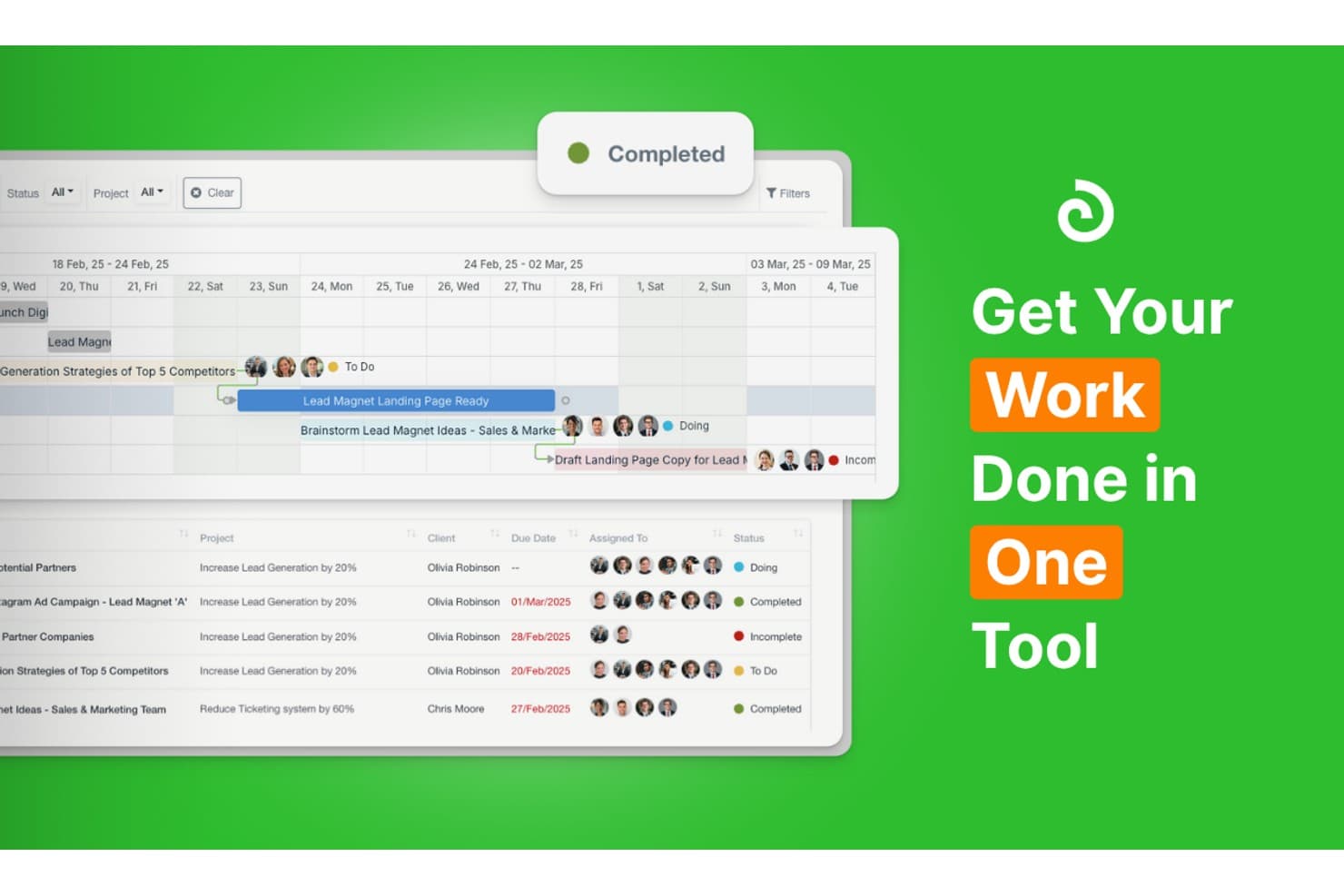
Olqan centralizes project tracking and team tasks in one tool. Olqan is a business operating system that connects project management with sales, HR, and finance in one platform, making it a strong fit for agencies, consultancies, and growing teams tired of juggling disconnected tools.
Who Is Olqan Best For?
Olqan is a strong fit for agencies and consultancies that need project management connected to client billing, HR, and finance in one place.
Why I Picked Olqan
I picked Olqan because it's one of the few ClickUp alternatives that genuinely connects project delivery to client billing and HR in a single system. When a project wraps up, I can turn logged time directly into an invoice without re-entering a single figure. The HR Portal also lets me manage employee records, leave, and shift planning in the same workspace where project tasks live, so there's no context-switching between tools.
Olqan Key Features
- Multiple project views: Switch between Kanban, Gantt, Calendar, and List views without disrupting your project data.
- Client portal: Give clients controlled access to project files, task details, and communication, with admin control over exactly what they can see.
- Goal and OKR tracking: Set team goals and OKRs, track progress, and run structured performance reviews directly within the platform.
- Role-based permissions: Assign View, Add, Update, or Delete access by module for each team role, keeping sensitive data accessible only to the right people.
Olqan Integrations
Olqan offers integrations with Google Calendar, QuickBooks, Slack, Stripe, and PayPal, plus an API and webhooks for custom connections. Its connectivity focuses on linking project work with calendars, finance, payments, and notifications.
Pros and Cons
Pros:
- Reviewers report quick setup with CSV imports
- Keeps client billing tied to logged work
- Connects project delivery with finance and HR
Cons:
- Reviewers report some features need further polish
- Project-task automation remains lightly documented
Learn more about Olqan: Best for agentic marketing work management
- Not available
- Pricing upon request
Visit WebsiteCustomer Rating:4.6/5
Screendragon tracks campaign workflows, budgets, and tasks in one dashboard. Screendragon is a workflow management platform built for enterprise marketing, creative, and agency teams that need configurable approvals, creative proofing, resource planning, and AI-driven automation in one place.
Who Is Screendragon Best For?
Screendragon is a strong fit for enterprise marketing, creative, and agency teams that need configurable approval workflows, creative proofing, and AI-driven automation in one platform.
Why I Picked Screendragon
I picked Screendragon because it's one of the few tools built specifically for agentic marketing work management, letting teams deploy governed AI agents directly inside live workflows. I love that the AI Hub lets you configure a Briefing Agent to generate structured briefs from brand playbooks or a Resourcing Agent to match people to projects based on skills and availability, all without writing a single line of code. The creative proofing module adds another layer that ClickUp can't match, with side-by-side version comparison and annotated markup built into approval workflows.
Screendragon Key Features
- No-code workflow builder: Design and configure multi-step workflows with conditional routing using a visual builder, no coding required.
- Creative proofing with version comparison: Preview, annotate, and mark up documents, video, and artwork, then compare versions side by side within approval workflows.
- Resource capacity planning: View team availability by task, hours, or percentage across weekly and monthly snapshots to manage demand and scheduling.
- Workflow audit trail: Every user action, approval decision, and content change is automatically recorded and attached to the relevant work item.
Screendragon Integrations
Screendragon claims 1,000+ integrations, including native integrations with HubSpot, Microsoft Power BI, Slack, Smartsheet, Sitecore, Amazon S3, and Ziflow. REST and webhook APIs support custom integrations, and Zapier connectivity is available.
Pros and Cons
Pros:
- Projects combine tasks, estimates, and time tracking
- AI agents automate briefs and resourcing recommendations
- Creative approvals include version comparisons and annotations
Cons:
- Customized workflows can demand substantial setup
- Large cross-team approval projects can feel slow
Learn more about Screendragon: Best for Gantt driven project planning
- Free plan + 15-day trial + demo available
- Pricing upon request
Visit WebsiteCustomer Rating:4.3/5
Zoho Projects shows construction tasks in a Kanban view, helping teams track progress across phases with visual status updates and task level details. If you're seeking a versatile alternative to ClickUp, Zoho Projects might be just what you need. It's designed for businesses and professionals across industries like IT, construction, and marketing, offering comprehensive project management solutions. Whether you're managing tasks or collaborating with a team, Zoho Projects provides the tools to streamline your workflow and enhance productivity.
Why I Picked Zoho Projects
I picked Zoho Projects as a ClickUp alternative for its focus on user privacy and robust project management features. Its task management and automation capabilities allow your team to customize workflows and save time. Additionally, the platform's integration with Zia intelligence provides enhanced functionality, making it a strong contender for teams looking to optimize their project management processes.
Zoho Projects Key Features
In addition to privacy-focused project management, Zoho Projects offers several other valuable features:
- Time Tracking: Track time spent on tasks and projects with precision, helping you manage resources effectively.
- Issue Tracking: Identify and manage project issues seamlessly, ensuring timely resolution and project continuity.
- Gantt Charts: Visualize project timelines and dependencies, making it easier to plan and adjust schedules.
- Mobile Access: Manage projects on the go with mobile app support, ensuring you stay connected with your team.
Zoho Projects Integrations
Integrations include Zoho CRM, Zoho Desk, Zoho Books, Slack, Microsoft Teams, Dropbox, Google Drive, GitHub, Bitbucket, and Zapier.
Pros and Cons
Pros:
- Detailed Gantt charts for planning
- Built in time tracking tools
- Strong privacy controls with data ownership
Cons:
- Interface feels dated for some teams
- Limited advanced workflow customization
Learn more about Zoho Projects: Best for advanced automation rules
- Free plan + 14-day trial + demo available
- From $10/user/month (billed annually)
Visit WebsiteCustomer Rating:4.3/5
Wrike displays team workload by day to prevent overallocation. Wrike is a work management platform built for teams that need to coordinate campaigns, approvals, and cross-functional projects without juggling multiple tools.
Who Is Wrike Best For?
Wrike is a strong fit for mid-sized marketing and operations teams that need structured workflows, detailed automation rules, and cross-functional visibility across multiple projects.
Why I Picked Wrike
I picked Wrike as one of the best ClickUp alternatives because its automation rule builder is genuinely one of the most structured I've used. You can build WHEN–IF–THEN rules with up to 10 chained actions per trigger, which means I can automatically reassign tasks, update statuses, and notify stakeholders the moment a campaign brief gets approved, without touching it manually. Wrike's proofing tool also lets external reviewers annotate assets and compare file versions directly inside a task, keeping creative feedback contained rather than scattered across email threads.
Wrike Key Features
- Interactive Gantt charts: View tasks on a timeline, manage finish-to-start and other dependency types, and automatically reschedule dependent tasks when dates shift.
- Guest approvals: Send external reviewers a secure link to review, comment on, and approve files without requiring them to join your Wrike account.
- Workload charts: See each team member's assigned effort in hours, percentages, or full-time equivalents and redistribute tasks across projects from a single view.
- 400+ pre-built native integrations: Connect Wrike to tools like Salesforce, HubSpot, Slack, and Zoom, with an open REST API and Wrike Integrate for custom workflows.
Wrike Integrations
Wrike offers 400+ pre-built native integrations, including Salesforce, HubSpot, Slack, Zoom, Google Sheets, Power BI, Tableau, Miro, and Microsoft Copilot. For custom connectivity, it provides an open REST API, webhooks, OAuth 2.0, MCP Server, and Wrike Integrate.
Pros and Cons
Pros:
- Proofing compares creative versions in-task
- Gantt dependencies keep campaign dates aligned
- Automation rules handle approval handoffs
Cons:
- Interface can feel cluttered during navigation
- Setup demands time before teams settle
 Best for collaborative Kanban boards
- Free plan + free trial available
- From $5/user/month (billed annually)
Visit WebsiteCustomer Rating:4.5/5
Trello organizes marketing tasks across kanban board columns. Trello is a visual project management tool from Atlassian that appeals to marketers and small teams who want a simple, low-friction way to organize campaigns, track content production, and coordinate work without the complexity of heavier platforms.
Who Is Trello Best For?
Trello works best for small teams and project managers who want a visual, low-overhead way to organize work without a steep learning curve.
Why I Picked Trello
I picked Trello as one of the best ClickUp alternatives because its collaborative Kanban boards are genuinely hard to beat for marketing teams managing content pipelines. Each card holds assignees, due dates, checklists, and comments, so a campaign brief and its related tasks all live in one place. I especially like card mirroring, which lets a single card appear across multiple boards so a social post, for example, stays visible to both the content and design teams simultaneously.
Trello Key Features
- Butler automation: Create rule-based automations that trigger actions on cards and boards, such as moving cards, assigning members, or posting Slack messages when conditions are met.
- Custom Fields: Add structured data to cards, including dropdowns, checkboxes, dates, and text fields, to capture information specific to your workflow.
- AI-generated boards: Describe a goal in plain text and let Trello's AI build a board with relevant lists and cards to get your project started.
- Editorial calendar template: Use a pre-built template designed to coordinate content creation, editing, and production stages while tracking publishing schedules.
Trello Integrations
Trello offers 236 marketplace integrations, including Slack, Microsoft Teams, Gmail, Google Calendar, Jira Cloud, Confluence Cloud, Miro, and Typeform. It also provides a REST API for custom integrations.
Pros and Cons
Pros:
- Card comments keep campaign feedback together
- Templates help teams launch boards quickly
- Kanban cards make campaign status visible
Cons:
- Cross-project reporting remains fairly basic
- Dependencies require manual card-link workarounds
Learn more about Trello: Best for intuitive Gantt charts
- 14-day free trial + demo available
- From $7/user/month (billed annually)
Visit WebsiteCustomer Rating:4.8/5
GanttPRO lets users customize task label display on Gantt charts. GanttPRO is a project planning tool built around visual Gantt scheduling, making it a natural fit for project managers and operations leads who need clear timelines, dependencies, and resource oversight without the complexity of an all-in-one workspace.
Who Is GanttPRO Best For?
GanttPRO is a strong fit for project managers who need timeline-first planning with dependencies, baselines, and critical path built in from day one.
Why I Picked GanttPRO
I picked GanttPRO as one of the best ClickUp alternatives because it treats the Gantt chart as a first-class feature, not an afterthought. Where ClickUp buries timeline views behind layers of setup, GanttPRO gives you critical path, baselines, and dependency auto-scheduling on its entry plan. I especially like how moving a predecessor task automatically cascades date changes across all dependent tasks, which keeps complex project schedules accurate without manual recalculation.
GanttPRO Key Features
- Baseline tracking: Save a snapshot of your original project plan and compare it against the current state to spot schedule drift.
- Resource workload view: See each team member's assigned work across projects to identify overloads or gaps and rebalance assignments.
- AI project planner: Generate a full project plan with phases, subtasks, dependencies, and milestones from a text description or uploaded file.
- Portfolio view: Monitor the health and progress of multiple projects from a single high-level dashboard without opening each one individually.
GanttPRO Integrations
GanttPRO offers native integrations with Slack, Microsoft Teams, Google Drive, OneDrive, Jira Cloud, Microsoft Project, Microsoft Excel, Outlook Calendar, and Google Calendar. Its API and webhooks support custom notifications, data synchronization, reporting, and time-tracking workflows.
Pros and Cons
Pros:
- Shared views clarify ownership and project progress
- Baseline and critical path support early plans
- Visual timelines auto-reschedule dependent tasks
Cons:
- Reports and dashboards offer limited flexibility
- No customizable trigger-action workflow automation
Learn more about GanttPRO: Best for scheduling people and projects
- Free trial available
- From $5/user/month
Visit WebsiteCustomer Rating:4.7/5
Resource Guru displays team schedules across projects on a visual timeline. Resource Guru is a resource scheduling platform built for operations and project teams who need to manage people, capacity, and workloads without the complexity of a full work management suite.
Who Is Resource Guru Best For?
Resource Guru is a strong fit for operations and project teams that need clear visibility into who's available, what they're working on, and where capacity gaps are heading.
Why I Picked Resource Guru
I picked Resource Guru because it's genuinely built around scheduling people and projects, not just tracking tasks. Where ClickUp gives you everything, Resource Guru gives you clarity: its visual schedule shows exactly who's available, who's overloaded, and where capacity gaps are forming. I especially like the utilization heatmaps, which let me see billable versus non-billable workload at a glance across the whole team. The drag-and-drop Gantt planner with phase-level dependencies ties project timelines directly to real availability.
Resource Guru Key Features
- Booking approval workflow: Route schedule requests through an approval process before they're confirmed, giving operations leads control over who gets booked on what.
- Resource placeholders: Add unnamed resource slots to project plans to model future hiring needs and pipeline capacity before actual people are assigned.
- Schedule-based timesheets: Auto-generate timesheet entries from existing bookings so team members can review, adjust, and submit logged hours in bulk.
- ClickUp task import: Pull tasks directly from a connected ClickUp workspace into Resource Guru and drag them onto the schedule to create bookings.
Resource Guru Integrations
Resource Guru offers native integrations with ClickUp, Asana, monday.com, Jira, Trello, Slack, Microsoft Teams, Google Calendar, Outlook Calendar, and Google Sheets. It also provides a REST API with webhooks and OAuth2, plus Zapier.
Pros and Cons
Pros:
- Reviewers report quick spreadsheet-based onboarding
- Heatmaps reveal billable capacity gaps
- Clear visual workload and availability planning
Cons:
- No task comments, mentions, or attachments
- Limited task planning versus full work suites
Learn more about Resource Guru: Best for visual project timelines
- Free plan + trial + demo available
- From $10.99/user/month (billed annually)
Visit WebsiteCustomer Rating:4.4/5
Asana's Timeline view tracks marketing projects across dates. Asana is a work management platform that helps marketing and cross-functional teams plan campaigns, track tasks across projects, and keep creative workflows moving without the complexity that often comes with broader all-in-one tools.
Who Is Asana Best For?
Asana is a strong fit for cross-functional teams that need clear project visibility, structured task ownership, and timeline views without a steep learning curve.
Why I Picked Asana
I picked Asana as one of the best ClickUp alternatives because its timeline view is genuinely one of the clearest I've used for mapping campaign dependencies across a quarter. I can see every deliverable, spot where handoffs overlap, and drag tasks to adjust deadlines without losing context. The Gantt-style layout pairs well with Asana's workload view, so I can tell at a glance when a team member is overloaded before it becomes a problem.
Asana Key Features
- Workflow automation rules: Build no-code automations with triggers and actions to handle task routing, field updates, and stakeholder notifications without manual follow-up.
- Goal and OKR tracking: Set company, team, and individual goals, connect them to live project work, and automatically update progress as tasks are completed.
- Creative proofing and annotation: Review and annotate creative assets including PDFs and images directly within Asana, keeping feedback tied to the relevant task.
- AI Teammates: Use prebuilt AI agents to create and update tasks, search workspace content, and draft documents, with actions visible and governed by existing user permissions.
Asana Integrations
Asana offers 400+ native integrations, including Slack, Microsoft Teams, Google Drive, Gmail, Jira Cloud, GitHub, Salesforce, HubSpot, Google Sheets, and Figma. It also provides an API, Audit Log API, marketplace integrations, and Zapier connectivity for custom workflows.
Pros and Cons
Pros:
- Focused project workflows feel simpler than ClickUp
- Workload views flag overloaded owners
- Clear timelines show campaign dependencies
Cons:
- Advanced automation takes setup effort
- ClickUp migration depends on CSV imports
 Best for client work management
- Free plan + 14-day free trial + free demo available
- From $9.99/user/month (billed annually)
Visit WebsiteCustomer Rating:4.4/5
Teamwork.com lets users track tasks, priorities, and time in one table view. Teamwork.com is a project management platform built specifically for client-facing teams—agencies, consultancies, and service businesses—that need to track billable time, manage budgets, and deliver projects across multiple clients from one place.
Who Is Teamwork.com Best For?
Teamwork.com is a strong fit for agencies and client-services teams that need to track billable time, manage budgets, and deliver work across multiple clients in one place.
Why I Picked Teamwork.com
Teamwork.com earns its spot on my shortlist because it's built from the ground up for client work, not just internal project tracking. I love how you can log billable time at the task level, set project budgets, and generate client invoices directly from that logged time—all without leaving the platform. The Proofs feature is another reason I keep coming back: clients can annotate files, request changes, and give formal sign-off in a structured review workflow that keeps feedback out of your inbox.
Teamwork.com Key Features
- Workload and capacity planning: View team workloads in real time, spot resourcing gaps, and reassign tasks to balance capacity across projects.
- ClickUp workspace importer: Migrate an entire ClickUp workspace into Teamwork.com, mapping tasks, subtasks, and comments automatically.
- Custom automation rules: Set up trigger-condition-action automations for task events, board-column changes, date deadlines, and assignee updates.
- Resource forecasting: Plan staffing against future project demand, reserve capacity for tentative work, and track utilization targets over time.
Teamwork.com Integrations
The directory lists 150+ integrations, including native connections with Slack, Microsoft Teams, Google Calendar, HubSpot, Salesforce, QuickBooks, Xero, NetSuite, and Dropbox. Marketplace integrations include Jira; Teamwork.com also offers an API, webhooks, and Zapier.
Pros and Cons
Pros:
- Workload views expose staffing gaps across projects
- Client proofs keep approvals out of email
- Billable time ties directly to client projects
Cons:
- Large projects can feel slow to load
- Crowded menus hide less-used project controls
Learn more about Teamwork.com: 10Best for managing client service workflows
Teamwork
- Free plan + 14-day trial + demo available
- From $9.99/user/month (billed annually)
Visit WebsiteCustomer Rating:4.5/5
Teamwork lets users toggle completed tasks on the board view. Teamwork.com is a project and client work management platform built for agencies and service teams that need to connect project delivery, time tracking, budgets, and profitability in one place.
Who Is Teamwork Best For?
Teamwork is a strong fit for agencies and client-service teams that need to manage project delivery, time tracking, and billing in one place.
Why I Picked Teamwork
I picked Teamwork as one of the best ClickUp alternatives because it's purpose-built for client service workflows in a way most project tools aren't. I love that it connects time tracking, budget management, and client invoicing in one place, so my team can run a retainer engagement from kickoff through billing without switching tools. The built-in proofing feature also lets clients review and approve deliverables directly inside the project, with every version and comment logged automatically.
Teamwork Key Features
- Resource workload planner: View team capacity and workloads across projects to spot bottlenecks and reassign tasks before deadlines slip.
- Client invoicing from logged time: Generate client invoices directly from billable time entries tracked within the platform.
- ClickUp workspace importer: Import ClickUp spaces, folders, task lists, tasks, and subtasks into Teamwork.com to migrate your existing work structure.
- Portfolio health dashboards: Monitor the status and progress of multiple projects at once from a single portfolio-level view.
Teamwork.com Integrations
Teamwork.com offers 150+ native integrations, including Slack, HubSpot, Salesforce, NetSuite, QuickBooks Online, Xero, Google Calendar, Outlook Calendar, Dropbox, and Microsoft Teams. It also provides an API and Zapier.
Pros and Cons
Pros:
- Deadlines and milestones keep delivery visible
- Client approvals stay attached to versioned proofs
- Project work ties directly to time budgets
Cons:
- Automation offers less depth than ClickUp
- Large projects can bury frequently used tasks
Learn more about Teamwork:
Outras alternativas ao ClickUp
Eis algumas alternativas adicionais ao ClickUp que não foram incluídas na minha lista, mas que vale a pena conhecer:
- 11WorkzoneBest for real-time project visibility
- 12FloatBest for planning with real-time visibility
- 13MotionBest for AI-driven task scheduling
- 14RavetreeBest for integrated CRM features
- 15monday AI WorkspaceBest for structured workspace control
- 16SmartsheetBest for a grid-first approach
- 17ClickTimeBest for time and resource management
- 18HubstaffBest for project cost management
- 19HiveBest for team collaboration and analytics
- 20PathProBest for collecting customer feedback
- 21BasecampBest for team communication
- 22PaymoBest for project management with invoicing
- 23KantataBest for professional services automation
- 24Planview AdaptiveWorkBest for change management
- 25CeloxisBest for project portfolio management
- 26ForecastBest for AI-driven project planning
- 27QuickbaseBest for no-code custom apps
- 28Lucen TimelineBest for timeline and Gantt chart creation
- 29ProductiveBest for agency management
- 30MiroBest for visual project mapping
- 31RunnBest for resource forecasting
- 32Planview VantageBest for enterprise project planning
- 33OpenProjectBest for open-source project management
- 34BonsaiBest for freelancers and contractors
- 35Hub Planner by MilientBest for team scheduling
How I Evaluate ClickUp Alternatives
I evaluate ClickUp alternatives in two layers: the baseline—campaign workflows, views, and automation—every marketing team needs, and the differentiators that separate the right tool from the rest.
Core Functionality (Table Stakes For This List)
When I'm selecting tools for my list, I rank each one on a scale from 0 (does not offer the functionality) to 5 (excels in this area) for each core functionality listed below. Then, I calculate the tool's total score into a percentage. Each tool needs to achieve a minimum total score of 65% to be considered for inclusion.
- Task & Project Management: I check whether you can build out a full campaign structure with subtasks, dependencies, and custom statuses—like splitting a product launch into design, copy, and distribution phases.
- Multiple Project Views: Marketing teams work differently, so I look for at least three views (list, board, calendar) and evaluate whether Gantt or timeline views are available for mapping campaign schedules.
- Campaign & Content Collaboration: I evaluate how teams review work together—things like threaded comments on tasks, @mentions to loop in stakeholders, and file sharing for creative assets during review cycles.
- Workflow Automation: Repetitive handoffs slow campaigns down. I look for rule-based automations that handle things like moving a blog post from "draft" to "design review" when the writer marks it complete.
- Marketing Stack Integrations: The tool needs to connect with your existing ecosystem. I check for native integrations with platforms like HubSpot, Slack, Google Workspace, and Adobe Creative Cloud, plus API or Zapier access.
- Reporting & Dashboards: I evaluate whether you can build custom dashboards that surface project progress, team workload, and campaign status without exporting data to a spreadsheet.
Once I have a list of tools that meet this criteria, I consider what sets each platform apart.
Differentiating Factors (What Sets Vendors Apart)
Here's how I compare and contrast different vendors:
Standout Features
AI capabilities are a major differentiator right now. I look for tools where AI can draft campaign briefs or summarize project updates, saving your team real time during planning cycles. Built-in proofing and digital asset management also matter—being able to annotate a banner ad and track version history inside the same platform eliminates back-and-forth across separate tools. I also evaluate guest and client access, since marketing teams regularly collaborate with freelancers and agencies who need visibility without a full license.
Beyond Features
Pricing structure is a big factor when switching from ClickUp. I evaluate how each vendor handles seat costs as your team scales and whether adding guest reviewers or freelancers inflates your bill. Migration ease matters too—I look at whether a platform supports importing existing projects and how quickly a non-technical marketing team can get productive without dedicated IT support. Team size fit also plays a role, since a five-person content team and a 50-person enterprise marketing department have very different needs around permissions and governance.
Porque procurar uma alternativa ao ClickUp?
Embora o ClickUp seja uma boa escolha de software de gestão de projetos, existem vários motivos pelos quais alguns utilizadores procuram soluções alternativas. Pode estar à procura de uma alternativa ao ClickUp porque…
- Considera-o demasiado complexo para equipas pequenas
- A sua equipa precisa de melhores opções de integração
- Pretende uma experiência de integração de novos utilizadores mais simples
- Precisa de acesso offline para trabalhar remotamente
- O seu orçamento exige uma solução mais económica
Se alguma destas situações lhe é familiar, veio ao sítio certo. A minha lista inclui várias opções de software de gestão de projetos mais adequadas para equipas que enfrentam estes desafios com o ClickUp e procuram soluções alternativas.
Principais funcionalidades do ClickUp
Eis algumas das principais funcionalidades do ClickUp para ajudar a avaliar e comparar o que as soluções alternativas oferecem:
- Gestão de tarefas: Pode organizar tarefas, definir prioridades e acompanhar prazos.
- Acompanhamento do tempo: Permite monitorizar o tempo despendido nas tarefas, ajudando a sua equipa a cumprir o calendário.
- Ferramentas de colaboração: A sua equipa pode comunicar diretamente nas tarefas e nos projetos e reduzir a confusão causada pelos emails.
- Vistas personalizáveis: Pode escolher entre vistas de lista, quadro ou calendário para gerir os seus projetos da forma que preferir.
- Acompanhamento de objetivos: Esta funcionalidade ajuda a definir e monitorizar o progresso em direção aos objetivos da equipa ou individuais.
- Automatização: Pode automatizar tarefas repetitivas para poupar tempo e reduzir o trabalho manual.
- Integrações: Ligue-se a outras ferramentas que utiliza diariamente para manter tudo sincronizado.
- Relatórios e análise: Obtenha informações sobre o desempenho dos projetos através de relatórios e painéis em tempo real.
- Documentos e wikis: Crie e partilhe documentos com a sua equipa para centralizar a informação.
- Modelos: Utilize modelos pré-criados para iniciar rapidamente projetos sem ter de configurar tudo de raiz.