

Recensione HubSpot: Pro, Contro, Caratteristiche e Prezzi
HubSpot è ovunque nel marketing, ma mantiene davvero le promesse? Ho analizzato le sue funzionalità, facilità d’uso, pro e contro e molto altro per aiutarti a decidere.

Recensiamo gli strumenti in modo indipendente, e le commissioni aiutano a finanziare i nostri test. Consulta la nostra politica sulla trasparenza, la nostra metodologia o suggerisci uno strumento.
HubSpot is a marketing software that combines email marketing, content management, social media, SEO, and lead management with a built-in CRM. It's a strong fit if your team needs to connect marketing activity directly to pipeline without managing a stack of disconnected tools. I'd consider it over something like Marketo if you want native CRM integration and a faster setup time, without needing a developer or a lengthy implementation to get campaigns running.
HubSpot Evaluation Summary
4.4/5
- From $20/user/month
- Free plan available
Perché fidarsi dei nostri consigli sui software
6,700+
Reviews
20
Industry experts
16+
Evaluation factors
14
Years
Il nostro team testa e recensisce software dal 2012. In quanto leader del marketing noi stessi, sappiamo quanto sia difficile — e importante — scegliere il software giusto.
Per questa guida, abbiamo valutato gli strumenti attraverso test pratici e ricerche indipendenti, assegnando un punteggio agli strumenti in base ai nostri criteri di selezione.
Le nostre recensioni riflettono il nostro giudizio editoriale umano, non un discorso di vendita.
Revisori esperti:
 Gui DrusinaDirettore creativo
- Shriya GhateSenior Marketing Lead
 Amanda JacquesResponsabile Marketing Ops

HubSpot Overview
HubSpot sets itself apart with its user-friendly interface and robust integration capabilities, making it ideal for teams seeking comprehensive marketing solutions.
Pros
- The intuitive interface makes it easy for your team to navigate and manage marketing tasks.
- Exceptional customer support ensures you get help quickly when needed.
- The onboarding process is smooth, getting your team up to speed in no time.
Cons
- Some users find it lacks certain financial-related features like budgets and expenses.
- Occasional glitches in allocations may require you to double-check assignments.
- Advanced users might find HubSpot's templated options limiting for unique customizations.
Is HubSpot Right For Your Needs?
Who Would be a Good Fit for HubSpot?
HubSpot suits small to medium-sized businesses and marketing teams in the tech and service industries. If your team values intuitive tools and efficient onboarding, you’ll find HubSpot’s user-friendly interface and comprehensive support beneficial. For instance, digital agencies can leverage the platform's marketing automation to streamline campaigns, while SaaS startups can use its detailed analytics to drive growth. HubSpot’s capabilities make it ideal for teams looking to enhance their marketing without getting bogged down by complex setups.
- Digital AgenciesHubSpot Marketing’s automation tools help your team manage multiple client campaigns efficiently.
- SaaS StartupsIts detailed analytics empower you to track user engagement and optimize marketing strategies.
- E-commerce BusinessesPersonalized email marketing features allow you to enhance customer engagement and boost sales.
- Educational InstitutionsHubSpot’s CRM integration helps you manage student outreach and engagement effectively.
- Healthcare ProvidersThe platform’s content management tools aid in maintaining a strong online presence.
- Non-Profit OrganizationsIts easy-to-use interface and support make managing campaigns and donor relationships straightforward.
Who Would be a Bad Fit for HubSpot?
Large enterprises with highly complex marketing needs might not find HubSpot suitable. If your team demands extensive customization or integration with a wide array of legacy systems, HubSpot’s standard features might fall short. For example, large corporations with intricate financial tracking requirements might find its financial-related functionalities limited, leading to inefficiencies. Teams looking for a more niche solution tailored to specific industries could also find HubSpot’s generalized approach less appealing.
- Large CorporationsComplex workflows and extensive customization needs may outgrow HubSpot’s capabilities.
- Financial ServicesIf your work involves intricate financial tracking, HubSpot’s basic financial functionalities might not suffice.
- Manufacturing IndustrySpecialized production and supply chain management aren’t well supported by HubSpot’s marketing focus.
- Government AgenciesThe need for strict compliance and unique workflows might not align with HubSpot’s offerings.
- Highly Specialized FirmsIf your industry requires niche marketing solutions, HubSpot’s general approach might not meet your demands.
- Legacy System UsersIf your team relies on older systems, HubSpot’s integration capabilities might not cover all your needs.
Come Testiamo e Valutiamo gli Strumenti
Abbiamo passato anni a costruire, perfezionare e migliorare il nostro sistema di test e valutazione del software. Il nostro metodo è progettato per cogliere le sfumature nella selezione del software e ciò che rende uno strumento efficace, concentrandoci sugli aspetti critici del processo decisionale. Qui sotto puoi vedere esattamente come funziona il nostro sistema di test e valutazione su sette criteri. Questo ci permette di offrire una valutazione imparziale del software basata su funzionalità principali, funzioni distintive, facilità d’uso, onboarding, supporto clienti, integrazioni, recensioni dei clienti e rapporto qualità-prezzo.
Funzionalità principali (25% del punteggio finale)
Il punto di partenza della nostra valutazione è sempre la funzionalità principale dello strumento. Include le caratteristiche e le funzioni basilari che un utente si aspetterebbe di trovare? Alcune di queste funzionalità sono bloccate nei piani premium? Ci aspettiamo che ogni strumento soddisfi almeno le capacità di base dei suoi concorrenti.
Funzionalità distintive (25% del punteggio finale)
Successivamente, valutiamo le funzionalità uniche che vanno oltre la normale funzionalità principale, quelle poco comuni negli strumenti simili. Un punteggio alto riflette caratteristiche specializzate o uniche che rendono il prodotto più veloce, efficiente o offrono un valore aggiunto all’utente. Valutiamo anche quanto sia semplice integrare il software con altri strumenti abitualmente usati in una tech stack, per espandere le funzionalità e l’utilità del prodotto. Sono valutate positivamente soluzioni con molte integrazioni native, connessioni di terze parti e API per creare integrazioni personalizzate.
Facilità d’uso (10% del punteggio finale)
Consideriamo la rapidità e semplicità con cui si possono eseguire le attività principali tramite lo strumento. I software con punteggio più alto sono ben progettati, intuitivi, dispongono di app mobili, offrono template e semplificano compiti complessi.
Onboarding (10% del punteggio finale)
Sappiamo quanto sia importante l’adozione rapida in azienda, quindi valutiamo la facilità di apprendimento e utilizzo di uno strumento con formazione minima. Analizziamo quanto velocemente un utente senza esperienza può iniziare a usare il software. Le soluzioni migliori richiedono poco o nessun supporto.
Supporto clienti (10% del punteggio finale)
Analizziamo la rapidità e facilità nel trovare aiuto tramite telefono, chat dal vivo o knowledge base. Gli strumenti che offrono supporto in tempo reale ottengono il punteggio migliore: i chatbot invece i peggiori.
Recensioni dei clienti (10% del punteggio finale)
Oltre ai nostri test, consideriamo il net promoter score di attuali ed ex clienti. Valutiamo la probabilità che, potendo scegliere, l’utente decida di utilizzare ancora quello strumento per le funzionalità principali. Un software con un punteggio alto corrisponde ad un alto net promoter score tra clienti attuali o passati.
Rapporto qualità-prezzo (10% del punteggio finale)
Infine, tenendo conto di tutti gli altri criteri, confrontiamo il prezzo medio dei piani base rispetto alle funzionalità principali e agli altri fattori di valutazione. I software che offrono di più, a meno, ottengono i punteggi più alti.
Core Features
Email Marketing
HubSpot's email marketing tools let you craft personalized emails with ease, making your campaigns more engaging. Its drag-and-drop editor simplifies design, helping your team create professional emails quickly.
Campaign Management
You can plan, execute, and track your marketing campaigns in one place. This feature helps your team stay organized and measure campaign success effectively.
Lead Management
HubSpot allows you to track and nurture leads through the sales funnel. With detailed insights, your team can prioritize leads and improve conversion rates.
Analytics & Reporting
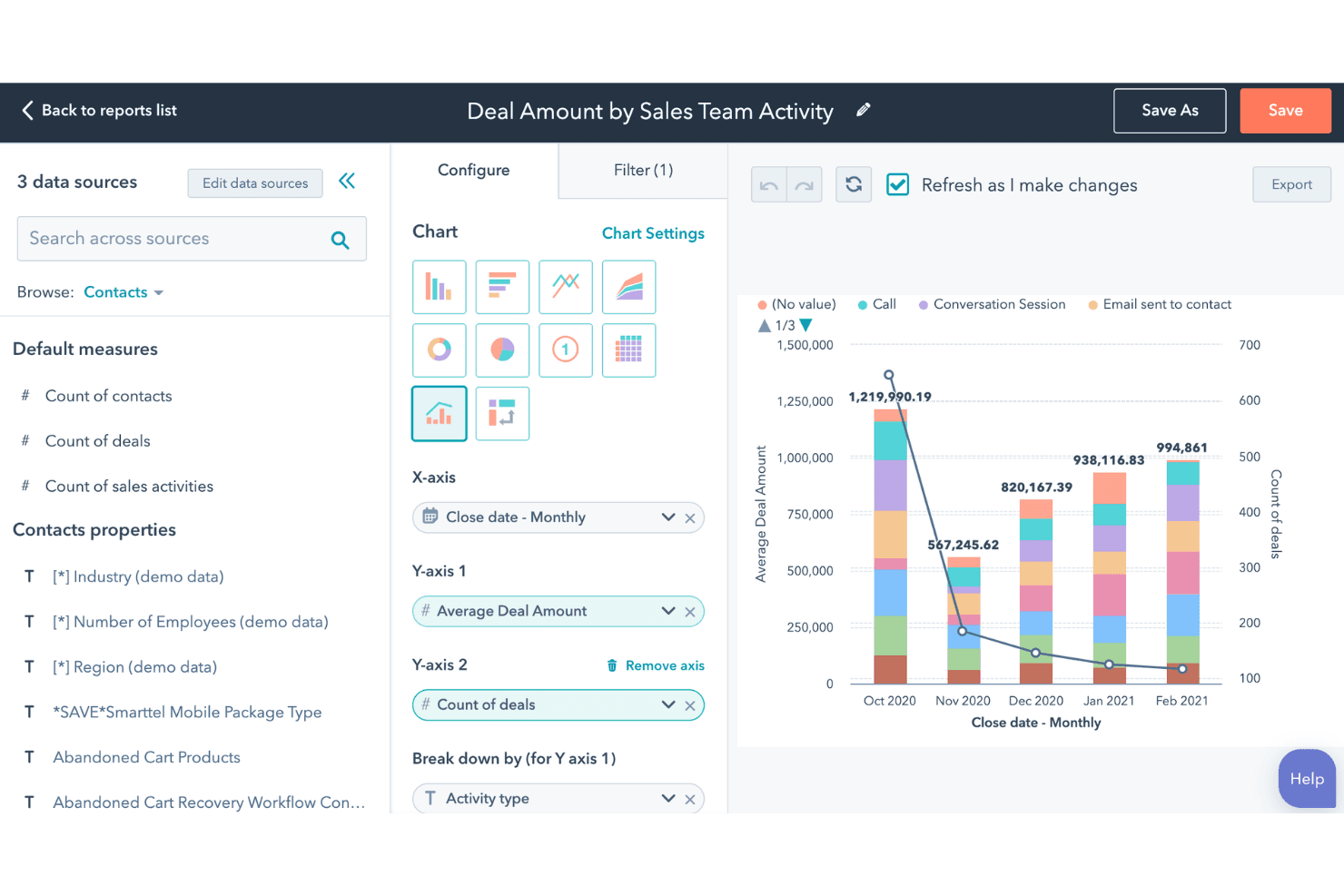
Gain insights into your marketing efforts with real-time data, customizable reports, and holistic marketing dashboards. This helps you make informed decisions and optimize your strategies.
Social Media Management
Schedule and publish posts across various platforms from one dashboard. This streamlines your social media management efforts and boosts your online presence.
Landing Pages
Create attractive landing pages without coding skills, capturing leads more efficiently. HubSpot's templates and A/B testing ensure your pages convert effectively.
Content Management System (CMS)
Its CMS is tightly integrated with WordPress, enabling easy content creation and management to boost SEO and attract leads.
SEO Tools
The platform provides robust SEO suggestions and tools, making it easier for marketers to optimize their content and improve search rankings.
Ease of Use
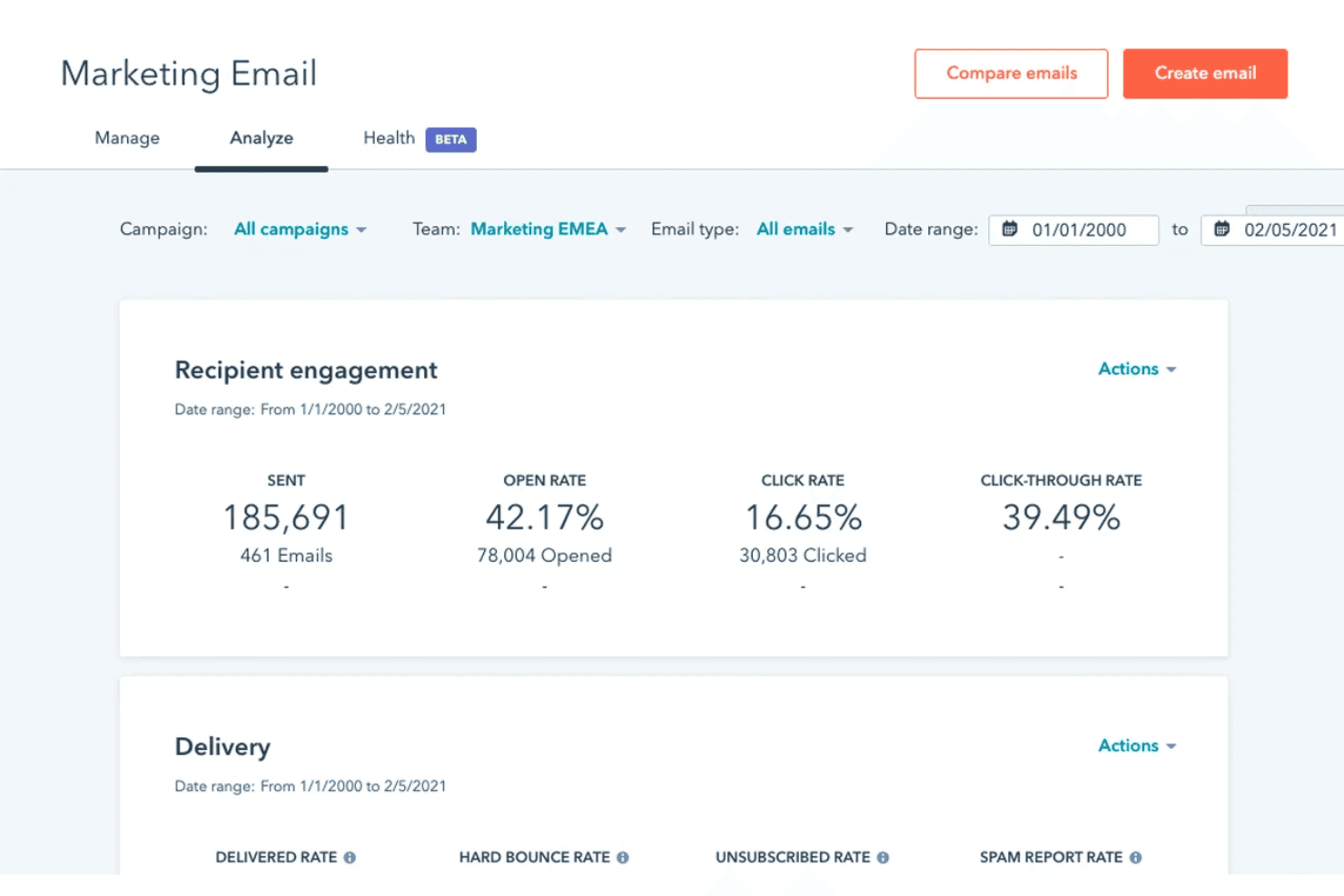
HubSpot is known for its intuitive interface and straightforward navigation, making it accessible for users at all skill levels. Your team can quickly adapt to its tools, thanks to the drag-and-drop editors and user-friendly dashboards. With clear tutorials and responsive customer support, you won’t face steep learning curves. These features help you focus on your marketing goals without getting bogged down by complicated processes, setting it apart from many other solutions.
Integrations
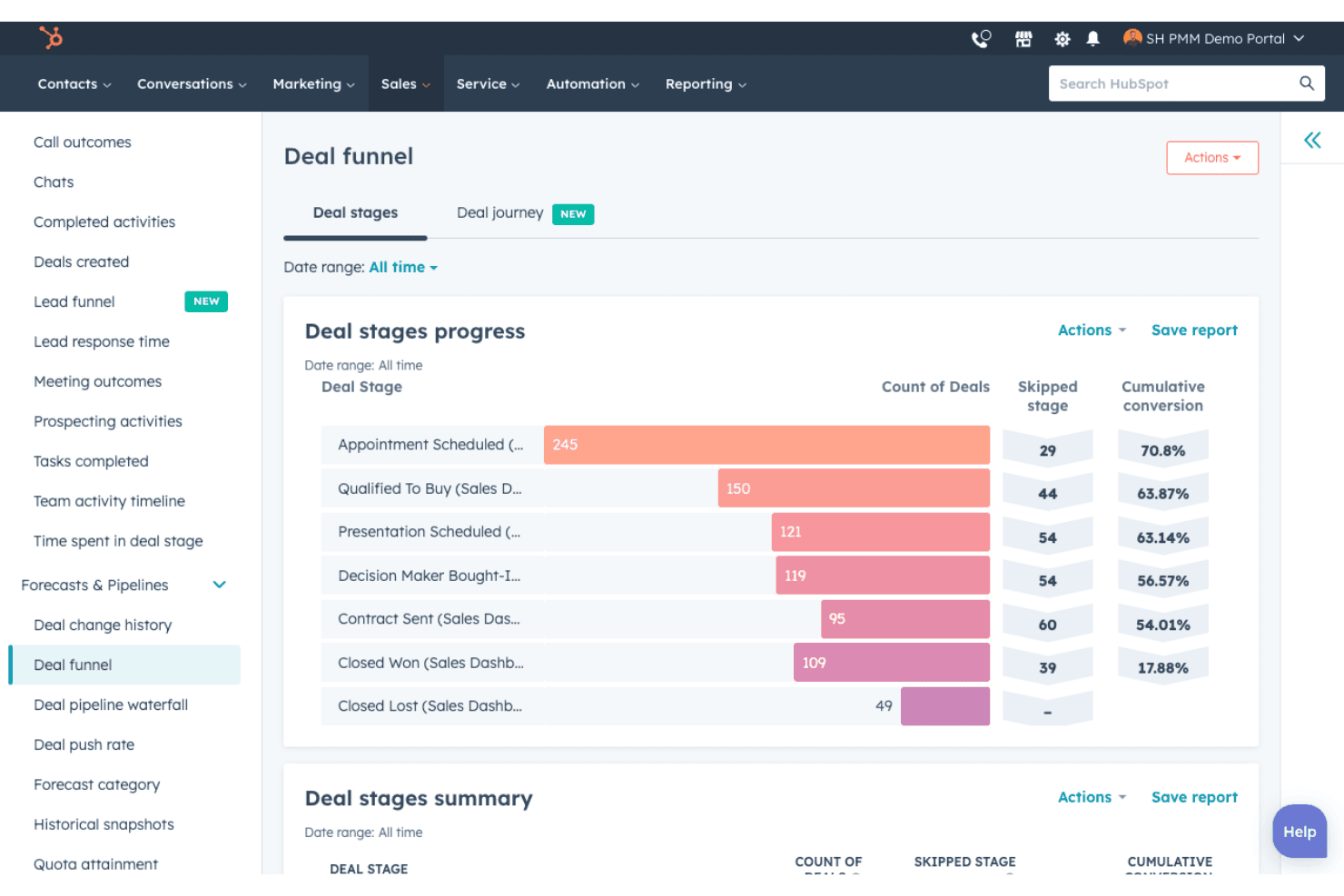
Integrations are available with 1,000+ apps, including Gmail, Google Calendar, Meta Ads, Slack, Zoom, Microsoft Teams, Make, Typeform, Google Search Console, Salesforce, Mailchimp, and Instagram. They also offer an API for custom integrations.
HubSpot Specs
- 2-Factor Authentication: Yes
- API: Yes
- Calendar Management: Yes
- Call Tracking: Yes
- Campaign Management: Yes
- Click-to-Dial: Yes
- Contact Management: Yes
- Contact Sharing: Yes
- Custom Data Forms: Yes
- Customer Management: Yes
- Dashboard: Yes
- Data Export: Yes
- Data Import: Yes
- Data Visualization: Yes
- Email Integration: Yes
- External Integrations: Yes
- File Sharing: Yes
- File Transfer: Yes
- Google Apps Integration: Yes
- Lead Management: Yes
- Lead Scoring: Yes
- Marketing Automation: Yes
- Mobile App: Yes
- Multi-User: Yes
- Notifications: Yes
- Pipeline Management: Yes
- Sales Automation: Yes
- Scheduling: Yes
- Social-Media Integration: Yes
- Task Scheduling/Tracking: Yes
- Third-Party Plugins/Add-Ons: Yes
Alternatives to HubSpot


HubSpot FAQs
Cosa succede dopo
Iscriviti alla newsletter di CMO per ulteriori approfondimenti sui più recenti strumenti di marketing, leadership di pensiero nel settore e consigli di esperti.