

I builder di email con funzionalità di trascinamento rendono semplice creare email visivamente curate e in linea con il brand, senza dipendere dalle risorse degli sviluppatori o da editor macchinosi. Che tu stia progettando annunci di prodotto, newsletter o sequenze di nurturing, questi strumenti possono far risparmiare tempo e ridurre gli ostacoli per il tuo team.
Con 10 anni di esperienza alla guida di team di marketing e dopo aver testato decine di piattaforme attraverso il nostro sistema di valutazione interno, ho selezionato i migliori builder di email con funzionalità di trascinamento, capaci di bilanciare flessibilità, facilità d'uso e prestazioni. Ecco cosa funziona davvero.
Perché fidarsi dei nostri consigli sui software
6,700+
Reviews
20
Industry experts
16+
Evaluation factors
14
Years
Il nostro team testa e recensisce software dal 2012. In quanto leader del marketing noi stessi, sappiamo quanto sia difficile — e importante — scegliere il software giusto.
Per questa guida, abbiamo valutato gli strumenti attraverso test pratici e ricerche indipendenti, assegnando un punteggio agli strumenti in base ai nostri criteri di selezione.
Le nostre recensioni riflettono il nostro giudizio editoriale umano, non un discorso di vendita.
Revisori esperti:
 Gui DrusinaDirettore creativo
- Shriya GhateSenior Marketing Lead
 Amanda JacquesResponsabile Marketing Ops

Riepilogo dei migliori builder di email con trascinamento
Questa tabella comparativa riassume i dettagli dei prezzi delle mie migliori selezioni di builder di email con trascinamento, per aiutarti a trovare quello più adatto al tuo budget e alle esigenze della tua azienda.
| Tool | Best For | Trial Info | Price | ||
|---|---|---|---|---|---|
| 1 | Ideale per il marketing via email nell'e-commerce con blocchi di prodotti in tempo reale | Piano gratuito + demo gratuita disponibile | A partire da $11.20/mese | Website | |
| 2 | Ideale per la personalizzazione dinamica dei contenuti | Demo gratuita + piano gratuito disponibile | A partire da $45/mese | Website | |
| 3 | Ideale per la personalizzazione del design | Piano gratuito + prova gratuita disponibile | Da $19/utente/mese (fatturazione annuale) | Website | |
| 4 | Ideale per elementi interattivi | Versione gratuita disponibile | Da $12.50/mese | Website | |
| 5 | Ideale per le piccole imprese | Prova gratuita di 14 giorni + piano gratuito + demo gratuita disponibile | Da $4/mese (fatturato annualmente) | Website | |
| 6 | Ideale per modelli email creati con IA | Piano gratuito disponibile | A partire da $19/mese | Website | |
| 7 | Ideale per la promozione di eventi | Prova gratuita di 14 giorni + demo gratuita disponibile | Da $12/mese | Website | |
| 8 | Ideale per email transazionali | Piano gratuito + demo gratuita disponibile | A partire da $8.08/mese (fatturazione annuale) | Website | |
| 9 | Ideale per il marketing cross-canale | Prova gratuita di 14 giorni + demo gratuita disponibile | Prezzo su richiesta | Website | |
| 10 | Ideale per modelli creativi | Piano gratuito + prova gratuita disponibile | A partire da $25/mese (fatturazione annuale) | Website |


Recensione dei migliori builder di email con trascinamento
Di seguito trovi i miei riepiloghi dettagliati dei migliori builder di email con trascinamento entrati nella mia selezione. Le mie recensioni offrono uno sguardo approfondito sulle funzionalità principali, sui pro & contro, sulle integrazioni e sui casi d’uso ideali di ogni strumento, per aiutarti a trovare quello più adatto a te.
 Ideale per il marketing via email nell'e-commerce con blocchi di prodotti in tempo reale
- Piano gratuito + demo gratuita disponibile
- A partire da $11.20/mese
Visit WebsiteCustomer Rating:4.6/5This rating combines scores from multiple user review sites to reflect overall customer sentiment about the product.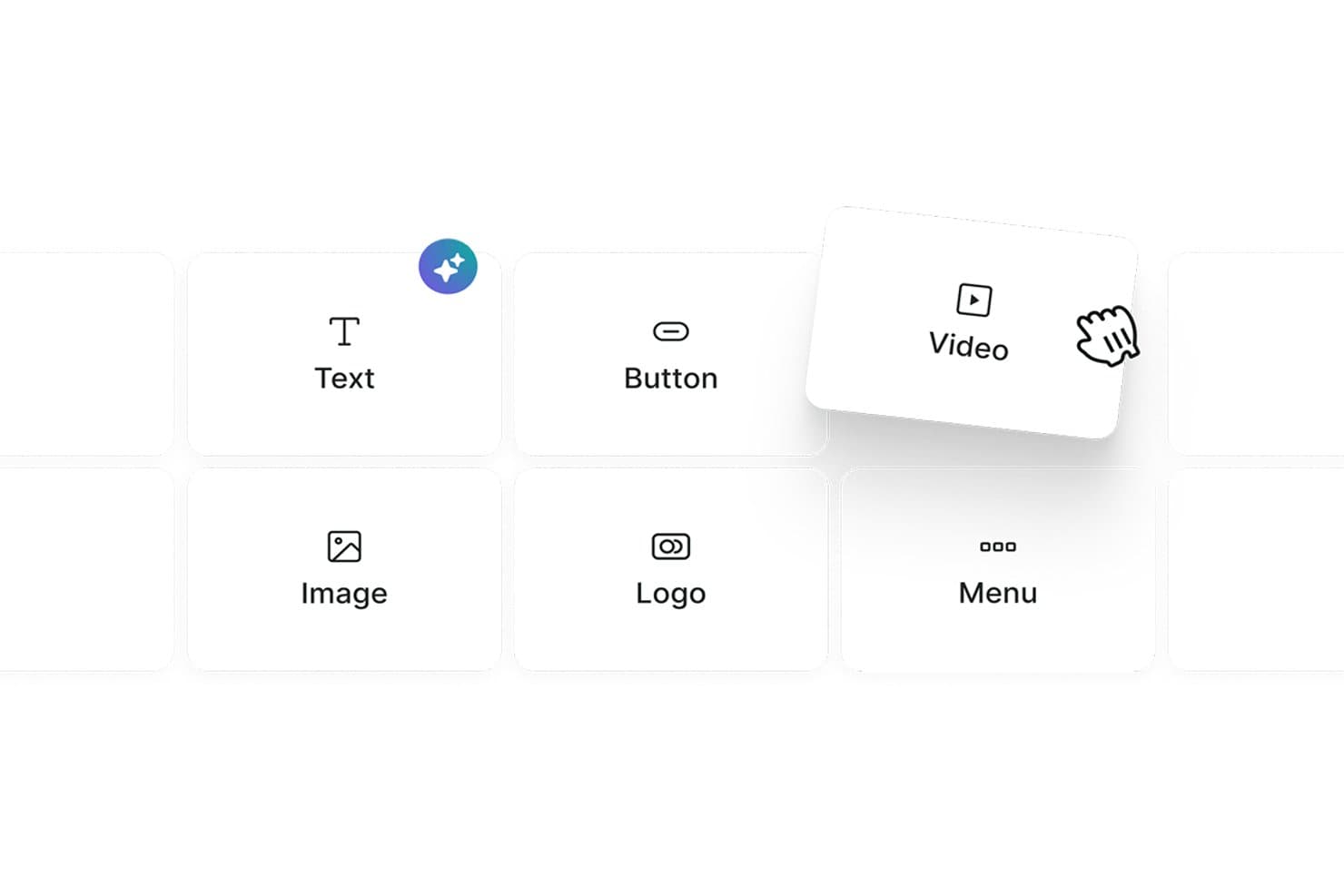
Omnisend consente agli utenti di trascinare e rilasciare blocchi di contenuto come Testo, Pulsante e Video. Omnisend è una piattaforma di marketing via email focalizzata sull'e-commerce, con un editor a trascinamento che include blocchi di prodotti in tempo reale, codici sconto, blocchi per la raccomandazione dei prodotti e automazione omnicanale tramite email, SMS e notifiche push web.
Per chi è più adatto Omnisend?
Omnisend è ideale per i marketer del settore e-commerce che desiderano trascinare blocchi di prodotti in tempo reale, codici sconto e consigli personalizzati sui prodotti direttamente nelle loro email.
Perché ho scelto Omnisend
Omnisend è entrato nella mia selezione ristretta grazie ai suoi blocchi di prodotti in tempo reale, che mi consentono di trascinare prodotti reali del negozio, completi di immagini, prezzi e link sincronizzati, direttamente in un'email. Utilizzo anche il blocco per i codici sconto e lo strumento di raccomandazione dei prodotti basato sull'IA, che propone suggerimenti personalizzati in base al comportamento dei singoli acquirenti senza alcuna configurazione manuale. Nessun altro editor che ho testato permette di creare così rapidamente un'email promozionale già precaricata con i prodotti giusti.
Funzionalità principali di Omnisend
- Generatore di oggetti basato sull'IA: Genera e sottopone a test A/B varianti dell'oggetto e del preheader utilizzando l'IA direttamente nel flusso di lavoro della campagna.
- Blocchi di contenuto condizionale: Mostra o nasconde intere sezioni dell'email per ciascun destinatario in base alla cronologia degli acquisti, ai tag o alla fonte di iscrizione.
- Controlli di visibilità per dispositivo: Attiva o disattiva singoli blocchi di contenuto per la visualizzazione su dispositivi mobili o desktop direttamente nell'editor.
- Automazione omnicanale: Crea flussi di lavoro unificati che organizzano email, SMS e notifiche push web da un unico editor di automazioni.
Integrazioni di Omnisend
Omnisend offre oltre 280 integrazioni testate, incluse connessioni native a Shopify, WooCommerce, BigCommerce, Wix, Canva, Facebook Custom Audiences, Google Customer Match, Gorgias e Yotpo. La sua API aperta supporta integrazioni personalizzate.
Pros and Cons
Pros:
- I blocchi di prodotti in tempo reale si sincronizzano con i negozi e-commerce
- Il sistema di raccomandazione dei prodotti basato sull'IA personalizza istantaneamente i contenuti delle email
- Controlli di visibilità per dispositivo nell'editor
Cons:
- Nessuna anteprima nativa della posta in arrivo per più clienti
- Mancano funzionalità di collaborazione del team in tempo reale
Learn more about Omnisend: Ideale per la personalizzazione dinamica dei contenuti
- Demo gratuita + piano gratuito disponibile
- A partire da $45/mese
Visit WebsiteCustomer Rating:4.6/5This rating combines scores from multiple user review sites to reflect overall customer sentiment about the product.
Il builder di Klaviyo inserisce blocchi prodotto dinamici da feed in tempo reale. Klaviyo è progettato per supportare i marketer che desiderano creare campagne email efficaci senza necessità di programmazione. Come builder email drag-and-drop per la personalizzazione dinamica dei contenuti, aiuta le aziende di diversi settori a creare email su misura in base al comportamento e alle preferenze dei clienti. Affrontando sfide come l'unificazione dei dati e la segmentazione, Klaviyo offre gli strumenti necessari per sviluppare campagne mirate che si allineano alle attività e agli interessi del pubblico.
Perché ho scelto Klaviyo
Ho scelto Klaviyo per la personalizzazione dinamica dei contenuti offerta dal suo builder drag-and-drop. Permette di inserire feed di prodotti, blocchi condizionali e dettagli specifici del cliente direttamente nelle email, così ogni destinatario visualizza contenuti in base al proprio comportamento e ai dati del profilo. L'interfaccia rende semplice organizzare questi elementi senza alcuna programmazione, mentre l'automazione integrata collega i tuoi design a flussi e campagne segmentate.
Funzionalità chiave di Klaviyo
Oltre alla personalizzazione dinamica dei contenuti, Klaviyo offre:
- Modelli personalizzabili: Adatta facilmente sfondi, stili di testo e font per rispecchiare l'estetica del tuo brand.
- Design responsivo: Garantisce che le tue email abbiano un aspetto ottimale su qualsiasi dispositivo grazie all'ottimizzazione mobile integrata.
- Blocchi di contenuto dinamico: Personalizza le email con diversi blocchi come testo, immagini e pulsanti.
- Anteprima e test: Visualizza in anteprima come appariranno le email nelle caselle di posta dei destinatari prima dell'invio.
Integrazioni Klaviyo
Le integrazioni includono Shopify, Magento, WooCommerce, BigCommerce, Salesforce Commerce Cloud, Stripe, Facebook, Instagram, Google Ads ed Eventbrite (tramite Zapier o connessioni API).
Pros and Cons
Pros:
- L'attivazione dati in tempo reale migliora il coinvolgimento dei clienti
- Il builder di campagne supporta trigger avanzati e logica condizionale
- Funzionalità omnicanale supportano un contatto clienti variegato
- Segnalati supporto clienti incoerente e lento
Cons:
- Il prezzo può risultare elevato per le aziende in crescita
Learn more about Klaviyo: Ideale per la personalizzazione del design
- Piano gratuito + prova gratuita disponibile
- Da $19/utente/mese (fatturazione annuale)
Visit WebsiteCustomer Rating:4.7/5This rating combines scores from multiple user review sites to reflect overall customer sentiment about the product.
Flodesk aiuta i creativi a progettare email sorprendenti e coerenti con il brand con facilità. Flodesk offre un elegante editor di email drag and drop che consente agli utenti di creare email visivamente sorprendenti con facilità. L'editor enfatizza la flessibilità del design, permettendo a proprietari di piccole imprese e creativi di realizzare layout coerenti con il loro brand senza bisogno di codice.
Perché ho scelto Flodesk: L'editor drag and drop di Flodesk rende semplice creare email sorprendenti e in linea con il brand anche senza esperienza di design. Puoi personalizzare facilmente font, colori e layout utilizzando una varietà di template eleganti. L'attenzione al design visivo rende Flodesk ideale per chi dà priorità all'aspetto estetico nelle campagne di email marketing.
Funzionalità principali & integrazioni:
Funzionalità comprendono template personalizzabili, un semplice editor drag and drop e email illimitate. La piattaforma permette di creare email visivamente d'impatto senza sforzo. Puoi inoltre gestire la tua lista contatti e monitorare il coinvolgimento con strumenti di analisi di base.
Integrazioni includono Shopify, Instagram, Facebook, WordPress, Zapier, Squarespace, Stripe, Google Sheets, Acuity Scheduling e HoneyBook.
Pros and Cons
Pros:
- Eccellente flessibilità di design
- Interfaccia semplice per principianti
- Forte attenzione all'estetica
Cons:
- Manca di automazioni avanzate
- Non ideale per grandi aziende
Learn more about Flodesk: Ideale per elementi interattivi
- Versione gratuita disponibile
- Da $12.50/mese
Visit WebsiteCustomer Rating:4.8/5This rating combines scores from multiple user review sites to reflect overall customer sentiment about the product.
Stripo aiuta i team a creare email dinamiche e visivamente accattivanti con facilità. Stripo offre un editor drag and drop flessibile che rende semplice progettare email visivamente accattivanti. Gli utenti possono personalizzare i layout semplicemente trascinando elementi come testo, immagini e pulsanti nella posizione desiderata.
Perché ho scelto Stripo: Questo strumento presenta un editor drag and drop che facilita l'aggiunta e la disposizione di contenuti dinamici, come caroselli di immagini e timer per il conto alla rovescia, senza necessità di competenze tecniche. Puoi costruire visivamente design complessi e salvare moduli personalizzati per utilizzi futuri, ottimizzando il tuo flusso di lavoro. L'editor offre anche anteprime responsive per assicurare che le tue email siano perfette su qualsiasi dispositivo.
Funzionalità principali & integrazioni:
Le funzionalità includono una libreria di modelli pronti all'uso, supporto AMP per email dinamiche e un editor HTML integrato. Puoi personalizzare i modelli per adattarli allo stile del tuo brand con facilità. L'editor HTML permette una personalizzazione avanzata, dandoti maggior controllo sul design delle tue email.
Le integrazioni includono Mailchimp, HubSpot, Salesforce, Gmail, Outlook, SendGrid, Constant Contact, GetResponse, Campaign Monitor e ActiveCampaign.
Pros and Cons
Pros:
- Supporta contenuti interattivi
- Supporto AMP per email dinamiche
- Editor HTML integrato
Cons:
- Supporto clienti con orari limitati
- Funzionalità di automazione limitate
Learn more about Stripo: Ideale per le piccole imprese
- Prova gratuita di 14 giorni + piano gratuito + demo gratuita disponibile
- Da $4/mese (fatturato annualmente)
Visit WebsiteCustomer Rating:4.3/5This rating combines scores from multiple user review sites to reflect overall customer sentiment about the product.
Zoho Campaigns ti permette di progettare facilmente email professionali senza programmazione. Zoho Campaigns offre un potente editor drag and drop che rende la creazione di email rapida e semplice. Gli utenti possono personalizzare i layout utilizzando elementi predefiniti come blocchi di testo, immagini, pulsanti e colonne.
Perché ho scelto Zoho Campaigns: Zoho Campaigns propone un editor drag and drop intuitivo, ideale per le piccole imprese. Consente di creare email professionali e curate con facilità utilizzando elementi predefiniti—senza necessità di competenze di design. Il builder semplifica il processo di impaginazione, aiutando i team a risparmiare tempo e a mantenere la coerenza del brand. Grazie alla sua semplicità e flessibilità, è uno strumento prezioso per creare rapidamente e con efficacia campagne coinvolgenti.
Funzionalità e integrazioni principali:
Le funzionalità includono modelli personalizzabili, A/B testing e segmentazione avanzata. È possibile personalizzare le email tramite contenuti dinamici, utili per raggiungere gruppi di pubblico specifici. Le funzioni di automazione supportano drip campaign e email attivate da eventi, migliorando il coinvolgimento degli utenti.
Le integrazioni includono Zoho CRM, Shopify, WordPress, G Suite, Salesforce, Slack, Eventbrite, SurveyMonkey, Zendesk e QuickBooks.
Pros and Cons
Pros:
- Facile da usare anche per principianti
- Modelli personalizzabili
- Supporta più lingue
Cons:
- Ritardi occasionali nella consegna delle email
- Orari di assistenza clienti limitati
Learn more about Zoho Campaigns: Ideale per modelli email creati con IA
- Piano gratuito disponibile
- A partire da $19/mese
Visit WebsiteCustomer Rating:4.2/5This rating combines scores from multiple user review sites to reflect overall customer sentiment about the product.
Elastic Email ti aiuta a creare email pulite rapidamente utilizzando modelli costruiti con intelligenza artificiale. Per i team che desiderano migliorare le proprie strategie di email marketing con uno strumento versatile, Elastic Email offre una soluzione che unisce facilità d'uso a funzionalità avanzate. Particolarmente interessante per marketer e aziende di diversi settori, questa piattaforma risponde all'esigenza di campagne email visivamente accattivanti ed efficaci senza richiedere competenze tecniche approfondite. Grazie a un editor drag-and-drop, Elastic Email semplifica la creazione di email di marketing, assicurando che le tue comunicazioni si distinguano nelle caselle di posta affollate.
Perché ho scelto Elastic Email
Ho scelto Elastic Email per i suoi modelli email creati tramite intelligenza artificiale, che rendono facile generare design pronti all'uso senza dover partire da zero. Il suo editor drag-and-drop intuitivo consente inoltre di modificare i layout e creare email visivamente chiare con il minimo sforzo. Inoltre, i flussi email automatizzati aiutano a ottimizzare i tuoi processi di marketing, garantendo comunicazioni puntuali e pertinenti con il tuo pubblico. Insieme, queste funzionalità rendono Elastic Email una scelta pratica per chi cerca un editor email affidabile per le proprie esigenze di marketing.
Caratteristiche principali di Elastic Email
Oltre ai modelli email creati con IA, Elastic Email offre:
- Moduli di iscrizione personalizzabili: Ti consente di creare moduli che si integrano senza difficoltà con le tue campagne email, acquisendo lead direttamente dal tuo sito web.
- Supporto 24/7: Fornisce assistenza continua per assicurare che eventuali problemi vengano risolti tempestivamente.
- API per sviluppatori: Offre opzioni di scalabilità e personalizzazione per aziende con esigenze di integrazione specifiche.
- Sicurezza e conformità: Garantisce che il tuo email marketing sia conforme alle ultime normative sulla protezione dei dati, salvaguardando le informazioni dei tuoi clienti.
Integrazioni di Elastic Email
Le integrazioni includono Hubspot, Shopify, WooCommerce, WordPress, Magento, Salesforce, Mailchimp, Google Analytics, Microsoft Dynamics e Zapier. Inoltre, Elastic Email offre un'API pensata per gli sviluppatori per esigenze di integrazione personalizzate.
Pros and Cons
Pros:
- Offre potenti strumenti di analisi per approfondimenti sulle campagne
- Include flussi email automatizzati per un marketing efficiente
- Supporta l'integrazione API per sviluppatori in modo semplice
Cons:
- Integrazioni native limitate rispetto ai concorrenti
- Occasionali problemi di recapito con email che finiscono nello spam
Learn more about Elastic Email: Ideale per la promozione di eventi
- Prova gratuita di 14 giorni + demo gratuita disponibile
- Da $12/mese
Visit WebsiteCustomer Rating:4.2/5This rating combines scores from multiple user review sites to reflect overall customer sentiment about the product.
Constant Contact aiuta le aziende a creare rapidamente email con il proprio marchio in modo semplice. Constant Contact è una piattaforma di email marketing progettata per piccole e medie imprese, dotata di un intuitivo editor di email drag and drop. Permette agli utenti di creare rapidamente email visivamente accattivanti organizzando testo, immagini e pulsanti senza alcuna codifica.
Perché ho scelto Constant Contact: Questo strumento eccelle nel semplificare la creazione di email grazie al suo editor drag and drop, rendendo facile progettare layout personalizzati per qualsiasi campagna. Puoi creare velocemente inviti per eventi utilizzando modelli predefiniti ed elementi visivi, senza bisogno di competenze di design. L’editor permette una personalizzazione fluida, aiutandoti a catturare l’attenzione e aumentare l’engagement. La sua interfaccia intuitiva consente di modificare in modo efficiente, così potrai lanciare campagne più rapidamente e con sicurezza.
Caratteristiche distintive & integrazioni:
Le funzionalità includono modelli personalizzabili, condivisione sui social media e strumenti per sondaggi. Puoi anche usare la libreria di immagini per arricchire le email con elementi visuali. Gli strumenti di reportistica forniscono informazioni sulle performance delle campagne, aiutandoti a perfezionare le tue strategie.
Le integrazioni includono Shopify, WordPress, QuickBooks, Salesforce, Eventbrite, Facebook, Instagram, Google Ads, Hootsuite e Canva.
Pros and Cons
Pros:
- Configurazione semplice delle campagne
- Funzionalità di reportistica dettagliate
- Buoni tassi di recapito
Cons:
- Personalizzazione limitata dei modelli
- Curva di apprendimento per principianti
Learn more about Constant Contact: Ideale per email transazionali
- Piano gratuito + demo gratuita disponibile
- A partire da $8.08/mese (fatturazione annuale)

Brevo aiuta le aziende a progettare email transazionali in modo rapido e professionale. Brevo offre un intuitivo editor drag and drop che consente alle aziende di creare email professionali con facilità. Gli utenti possono progettare messaggi transazionali come conferme d'ordine e reimpostazioni password semplicemente disponendo gli elementi visivamente.
Perché ho scelto Brevo: Il suo editor drag and drop rende semplice creare e personalizzare email transazionali come conferme d'ordine e reset delle password. È possibile progettare i layout visivamente utilizzando elementi predefiniti, garantendo coerenza e professionalità in tutti i messaggi. La semplicità dell'editor permette a team di qualsiasi dimensione di configurare e gestire rapidamente i contenuti delle email senza competenze tecniche.
Caratteristiche principali & integrazioni:
Caratteristiche includono un editor email drag and drop, analisi avanzate e flussi di lavoro automatizzati. L'editor permette di progettare facilmente email professionali. Le analisi consentono di ottenere approfondimenti sulle prestazioni delle email e prendere decisioni basate sui dati.
Integrazioni includono Shopify, WooCommerce, Magento, Salesforce, WordPress, PrestaShop, Zapier, Slack, Google Analytics e Facebook.
Pros and Cons
Pros:
- Configurazione semplice dell'automazione
- Interfaccia intuitiva
- Supporta test A/B
Cons:
- Può risultare troppo ricco di funzionalità per i principianti
- Richiede una configurazione tecnica per funzionalità avanzate
Learn more about Brevo: Ideale per il marketing cross-canale
- Prova gratuita di 14 giorni + demo gratuita disponibile
- Prezzo su richiesta

Braze consente ai team di creare email coinvolgenti e coerenti con il brand senza bisogno di codifica. Braze include un editor di email drag and drop che aiuta i team di marketing a progettare email coinvolgenti e coerenti con il brand in modo semplice. L'editor consente agli utenti di personalizzare blocchi di contenuti, immagini e CTA senza necessità di codifica, semplificando il processo di creazione delle email.
Perché ho scelto Braze: Il suo editor di email drag and drop facilita la progettazione di campagne email personalizzate e guidate dai dati, come parte di una strategia cross-canale. Puoi creare rapidamente layout dinamici su misura per segmenti di utenti specifici utilizzando dati in tempo reale. La flessibilità dell'editor supporta un'integrazione fluida nelle iniziative di coinvolgimento su diversi canali di marketing.
Funzionalità e integrazioni principali:
Le funzionalità includono analisi in tempo reale, messaggistica personalizzata e orchestrazione delle campagne. Puoi monitorare le interazioni degli utenti e adattare le tue strategie in base ai dati in tempo reale. La piattaforma offre anche strumenti per creare percorsi utente personalizzati, migliorando il coinvolgimento e la fidelizzazione.
Le integrazioni includono Salesforce, Shopify, Segment, Amplitude, mParticle, Adjust, Branch, AppsFlyer, Adobe Analytics e Mixpanel.
Pros and Cons
Pros:
- Funzionalità di messaggistica in tempo reale
- Personalizzazione guidata dai dati
- Scalabile per grandi team
Cons:
- Ripida curva di apprendimento iniziale
- Procedura di configurazione complessa
Learn more about Braze : 10Ideale per modelli creativi
Beefree
- Piano gratuito + prova gratuita disponibile
- A partire da $25/mese (fatturazione annuale)

Beefree consente ai marketer di progettare email sorprendenti, senza codice e con facilità. Beefree è una piattaforma per la progettazione di email costruita attorno a un editor drag and drop flessibile che permette a marketer e designer di creare email sorprendenti con facilità. Il builder offre un'ampia varietà di blocchi e modelli personalizzabili per una progettazione rapida del layout.
Perché ho scelto Beefree: Questo strumento è ideale per chi dà priorità alla creatività nella progettazione di email, grazie al suo editor drag and drop intuitivo. Consente di sperimentare facilmente con layout e blocchi di contenuto, permettendo campagne uniche e di grande impatto visivo. L'editor supporta una rapida personalizzazione, rendendo semplice realizzare la propria visione creativa senza bisogno di codice.
Caratteristiche principali & integrazioni:
Caratteristiche includono design mobile-responsive, collaborazione in tempo reale e funzione di anteprima. Puoi vedere come appariranno le tue email su diversi dispositivi, assicurandoti che siano sempre professionali. Le funzioni di collaborazione consentono al tuo team di lavorare insieme in modo fluido, accelerando il processo di progettazione.
Integrazioni includono Mailchimp, HubSpot, Gmail, ActiveCampaign, Constant Contact, Mailgun, SendGrid, Amazon SES, GetResponse e Salesforce.
Pros and Cons
Pros:
- Ideale per team creativi
- Funzionalità di collaborazione in tempo reale
- Design mobile-responsive
Cons:
- Opzioni di analisi basilari
- Supporto limitato per campagne di grandi dimensioni
Learn more about Beefree:
Altri builder di email con trascinamento
Ecco alcune ulteriori opzioni di builder di email con trascinamento che non sono entrate nella mia selezione, ma che vale comunque la pena prendere in considerazione:
Come Valuto i Builder Email Drag and Drop
Valuto ogni strumento in base a un criterio di base: permette davvero a chi non sa programmare di creare una campagna pronta per l'invio? Successivamente, esamino cosa lo distingue per specifici tipi di team e casi d'uso.
Funzionalità Principali (Requisiti Minimi per Questa Lista)
Quando seleziono gli strumenti per la mia lista, valuto ciascuno su una scala da 0 (non offre la funzionalità) a 5 (eccelle in quest'area) per ciascuna delle funzionalità principali elencate di seguito. Poi, calcolo il punteggio totale dello strumento in percentuale. Ogni strumento deve raggiungere un punteggio minimo totale del 65% per essere considerato per l'inclusione.
- Editor Visivo Drag-and-Drop: Valuto quanto sia naturale l'allineamento dei blocchi—se posso inserire un'immagine principale, riordinare le CTA e regolare il padding senza toccare il codice.
- Template Email Predefiniti: Una buona libreria di modelli deve coprire reali esigenze di campagna come lanci di prodotto, inviti a eventi e newsletter settimanali, non solo una manciata di layout generici.
- Output a Design Responsive: Controllo se le email vengono visualizzate correttamente su mobile e desktop, effettuando l'anteprima su diversi client, poiché un layout a due colonne che si rompe male su uno smartphone compromette il coinvolgimento.
- Blocchi di Contenuto Riutilizzabili: I team che inviano grandi volumi hanno bisogno di moduli salvati—intestazioni, piè di pagina, schede prodotto—che possono inserire in qualsiasi nuova campagna senza doverli ricostruire ogni volta da zero.
- Gestione Immagini e Assets: Cerco una libreria multimediale integrata che consenta di caricare, organizzare e ridimensionare gli asset del brand direttamente nel builder, senza passare a uno strumento esterno.
- Esportazione HTML o Integrazione con Invio: Che si esporti il codice HTML su Mailchimp o si invii nativamente tramite HubSpot, valuto quanto sia semplice trasferire l'email finita dal builder alla casella di posta.
Dopo aver stilato una lista di strumenti che soddisfano questi criteri, considero cosa distingue ciascuna piattaforma.
Fattori di Differenziazione (Cosa Distingue i Fornitori)
Ecco come confronto le diverse soluzioni:
Funzionalità Distintive
La personalizzazione dinamica è un grande fattore di differenziazione—cerco blocchi condizionali che sostituiscono immagini o CTA in base ai dati del destinatario, non solo i semplici merge tag. L'applicazione del kit di branding si abbina bene alle funzioni di collaborazione, soprattutto quando più marketer o stakeholder lavorano sulle email prima dell'invio. Template bloccati e workflow di approvazione mantengono le campagne coerenti senza creare colli di bottiglia nella produzione. Anche la generazione di testo assistita dall'IA merita una valutazione per i team che inviano grandi volumi e necessitano di suggerimenti rapidi per l'oggetto o il testo del corpo.
Oltre le Funzionalità
La profondità delle integrazioni è importante—valuto se il builder si collega nativamente con l'ESP, il CRM o il CDP già in uso in modo che le email finiscano direttamente nei workflow di campagna. Anche il rendering sui client email è un aspetto che considero attentamente, poiché un'email che appare perfetta nel builder ma si rompe in Outlook vanifica lo scopo. La struttura dei prezzi conta, in particolare come i piani si adattano in base alle dimensioni del team o al volume di invii mentre il programma email cresce.
Come scegliere un builder di email con trascinamento
È facile perdersi in lunghi elenchi di funzionalità e strutture di prezzi complesse. Per aiutarti a mantenere la concentrazione mentre affronti il tuo specifico processo di selezione del software, ecco un elenco di fattori da tenere a mente:
| Fattore | Cosa considerare |
| Scalabilità | Lo strumento può crescere insieme alla tua azienda? Considera i limiti sul numero di utenti e verifica se supporta un aumento del volume di email. |
| Integrazioni | Si collega agli strumenti che già utilizzi, come CRM o piattaforme di e-commerce? Verifica la compatibilità e la facilità di integrazione. |
| Personalizzazione | Quanto puoi adattare i modelli e i flussi di lavoro al tuo brand? Cerca opzioni di progettazione flessibili. |
| Facilità d'uso | L'interfaccia è intuitiva per il tuo team? Una curva di apprendimento ripida può ostacolare la produttività. |
| Implementazione e onboarding | Quanto rapidamente il tuo team può iniziare a utilizzarlo in modo efficace? Cerca risorse come tutorial e assistenza durante la configurazione. |
| Costo | I piani tariffari rientrano nel tuo budget? Considera i costi a lungo termine e confronta le funzionalità incluse in ogni livello. |
| Misure di sicurezza | Offre crittografia e protezione dei dati? Assicurati che sia conforme agli standard del settore per proteggere le informazioni sensibili. |
| Disponibilità dell'assistenza | Quali opzioni di assistenza sono disponibili in caso di problemi? Cerca un supporto attivo 24 ore su 24, 7 giorni su 7 e diversi metodi di contatto. |
Cos'è un builder di email con trascinamento?
Gli strumenti per creare email con funzionalità di trascinamento consentono agli utenti di creare modelli di email semplicemente trascinando e rilasciando gli elementi in uno strumento di modifica visivo, senza dover scrivere codice HTML. I professionisti del marketing, i titolari di piccole imprese e i designer utilizzano generalmente questi strumenti per semplificare la progettazione delle email e migliorare la comunicazione del marchio. Funzionalità come la personalizzazione dei modelli, la progettazione responsiva e le opzioni di integrazione aiutano a creare email visivamente accattivanti e funzionali senza richiedere competenze di programmazione. Nel complesso, questi strumenti consentono agli utenti di progettare e gestire le campagne email in modo più efficiente.
Funzionalità degli strumenti per creare email con trascinamento
Quando selezioni uno strumento per creare email con funzionalità di trascinamento, presta attenzione alle seguenti caratteristiche principali:
- Strumento di modifica con trascinamento: consente agli utenti di creare e modificare facilmente le strutture delle email spostando gli elementi senza dover scrivere codice.
- Personalizzazione dei modelli: offre modelli predefiniti che possono essere adattati allo stile e all'immagine del tuo marchio.
- Progettazione responsiva: garantisce che le email abbiano un aspetto ottimale su tutti i dispositivi, contribuendo a migliorare il coinvolgimento degli utenti e la leggibilità.
- Flussi di lavoro automatizzati: consente di creare campagne email automatizzate basate su eventi attivatori, facendo risparmiare tempo e mantenendo una comunicazione coerente.
- Test A/B: offre la possibilità di testare diverse versioni delle email per ottimizzare le prestazioni e il coinvolgimento.
- Analisi avanzate: fornisce informazioni sulle prestazioni delle campagne email, aiutando a perfezionare le strategie e migliorare i risultati.
- Opzioni di personalizzazione: consentono di utilizzare contenuti dinamici e personalizzati per aumentare il coinvolgimento e le risposte dei destinatari.
- Funzionalità di integrazione: si connette ad altri strumenti, come piattaforme CRM ed e-commerce, per semplificare i flussi di lavoro e la gestione dei dati.
- Collaborazione in tempo reale: supporta la collaborazione del team nella progettazione delle email, accelerando il processo di creazione.
- Programmazione delle email: consente agli utenti di pianificare e programmare l'invio delle email negli orari più efficaci, massimizzandone l'impatto.
Vantaggi degli strumenti per creare email con trascinamento
L'implementazione di uno strumento per creare email con funzionalità di trascinamento offre diversi vantaggi al tuo team e alla tua azienda. Ecco alcuni dei benefici che puoi aspettarti:
- Risparmio di tempo: progetta e invia rapidamente le email senza scrivere codice, grazie allo strumento di modifica con trascinamento.
- Maggiore coerenza della progettazione: utilizza modelli personalizzabili per mantenere un'immagine del marchio coerente in tutte le comunicazioni.
- Maggiore coinvolgimento: le opzioni di personalizzazione e la progettazione responsiva assicurano che le tue email siano pertinenti per i destinatari e abbiano un aspetto ottimale su qualsiasi dispositivo.
- Produttività migliorata: i flussi di lavoro automatizzati e le funzionalità di programmazione consentono al tuo team di concentrarsi su altre attività mentre le email vengono inviate automaticamente.
- Decisioni basate sui dati: le analisi avanzate forniscono informazioni preziose sulle prestazioni delle campagne, aiutandoti a perfezionare le strategie.
- Collaborazione: le funzionalità di collaborazione in tempo reale consentono ai membri del team di lavorare insieme in modo efficiente ai progetti email.
- Integrazione con gli strumenti: connettiti facilmente a CRM e altre piattaforme per migliorare le attività di marketing e la gestione dei dati.
Costi e prezzi degli strumenti per creare email con trascinamento
La scelta di uno strumento per creare email con funzionalità di trascinamento richiede la comprensione dei vari modelli di prezzo e dei piani disponibili. I costi variano in base alle funzionalità, alle dimensioni del team, ai componenti aggiuntivi e ad altri fattori. La tabella seguente riepiloga i piani più comuni, i relativi prezzi medi e le funzionalità tipicamente incluse nelle soluzioni per creare email con trascinamento:
Tabella comparativa dei piani per strumenti per creare email con trascinamento
| Tipo di piano | Prezzo medio | Funzionalità comuni |
| Piano gratuito | $0 | Modelli di base, invii email limitati e analisi di base. |
| Piano personale | $10-$30/ utente/mese | Modelli personalizzabili, strumento di modifica con trascinamento e automazione di base. |
| Piano aziendale | $40-$100/ utente/mese | Analisi avanzate, test A/B e funzionalità di integrazione. |
| Piano per grandi aziende | $150-$300/ utente/mese | Assistenza personalizzata, automazione avanzata e rapporti completi. |
Domande frequenti sui creatori di email con trascinamento
Ecco alcune risposte alle domande comuni sui creatori di email con trascinamento:
Come posso creare una firma email utilizzando un creatore di email con trascinamento?
Creare una firma email in un creatore di email con trascinamento è semplice. Di solito puoi trovare una sezione o un modulo per le firme all’interno dell’editor. Personalizzalo con il tuo nome, il tuo ruolo e le tue informazioni di contatto. Alcuni strumenti consentono di aggiungere immagini o collegamenti ai profili sui social media per un tocco più personale.
Come posso aggiungere o rimuovere collegamenti ipertestuali al testo?
Per aggiungere o rimuovere collegamenti ipertestuali nel testo, evidenzia il testo a cui vuoi aggiungere o da cui vuoi rimuovere il collegamento nel tuo creatore di email con trascinamento. Utilizza l’icona del collegamento nella barra degli strumenti per inserire un URL o rimuovere un collegamento esistente. Controlla attentamente che i collegamenti conducano alle pagine corrette prima di finalizzare l’email.
Perché i miei pulsanti hanno un aspetto diverso in Outlook?
I pulsanti possono avere un aspetto diverso in Outlook a causa del modo in cui il programma visualizza le email HTML. Per garantire uniformità, utilizza caratteri standard ed evita stili complessi. Testa le tue email in più client per verificare come vengono visualizzate. Alcuni creatori offrono opzioni per personalizzare le email per specifici client, incluso Outlook.
Che cos'è la modalità scura per le email?
La modalità scura è un’impostazione di visualizzazione che modifica lo sfondo utilizzando colori scuri, riducendo l’affaticamento degli occhi negli ambienti con poca luce. Alcuni creatori di email consentono di progettare le email tenendo conto della modalità scura. Controlla le impostazioni del tuo creatore per trovare le opzioni che consentono di visualizzare in anteprima e adattare le email alla compatibilità con la modalità scura.
Posso modificare le immagini in un creatore DD?
Sì, la maggior parte dei creatori di email con trascinamento offre strumenti di base per la modifica delle immagini. Puoi ridimensionare, ritagliare o aggiungere filtri direttamente nell’editor. Per modifiche più avanzate, potrebbe essere necessario utilizzare un software esterno prima di caricare l’immagine nel tuo creatore di email.
Qual è il prossimo passo?
Pronto a crescere? Iscriviti alla newsletter di The CMO per rimanere aggiornato sulle tendenze e ricevere direttamente nella tua casella di posta gli ultimi consigli, risorse e guide dalla nostra community di esperti leader del marketing.