
Avis sur Moz : Avantages, Inconvénients, Fonctionnalités et Tarifs Expliqués
Moz se distingue par ses outils SEO faciles à utiliser et ses données fiables, ce qui en fait un choix idéal pour les débutants et les petites équipes, bien que les utilisateurs avancés puissent trouver ses fonctionnalités moins complètes que certains concurrents.

Nous évaluons les outils de manière indépendante, et les commissions aident à financer nos tests. Consultez notre politique de transparence, notre méthodologie ou suggérez un outil.
Moz is an SEO tool built for marketing teams that need keyword research, rank tracking, link analysis, and on-page site auditing. I'd recommend it if you want more approachable reporting and a cleaner interface than Semrush, without giving up the data depth your team needs to make informed decisions.
Moz Evaluation Summary
4.4/5
- From $79/month (billed annually)
- 7-day free trial
Pourquoi faire confiance à nos recommandations de logiciels
6,700+
Reviews
20
Industry experts
16+
Evaluation factors
14
Years
Notre équipe teste et évalue des logiciels depuis 2012. En tant que leaders marketing nous-mêmes, nous savons à quel point il est difficile — et important — de choisir le bon logiciel.
Pour ce guide, nous avons évalué les outils grâce à des tests pratiques et une recherche indépendante, en notant les outils selon nos critères de sélection.
Nos avis reflètent notre jugement éditorial humain, et non un argumentaire de vente.
Réviseurs experts:
 Gui DrusinaDirecteur de la création
- Shriya GhateSenior Marketing Lead
 Amanda JacquesResponsable Marketing Ops

Moz Overview
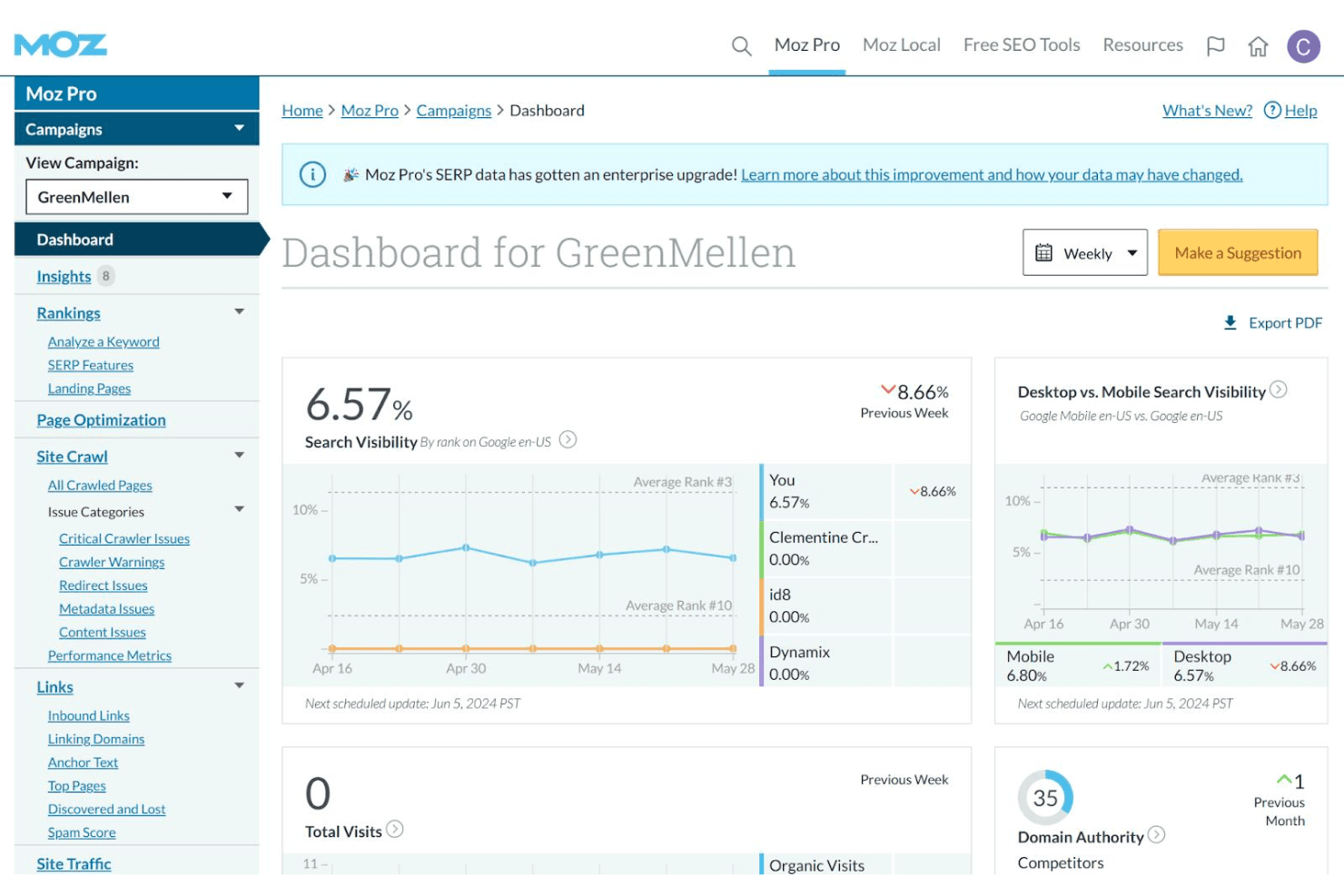
When judging Moz as a SEO solution, its clean interface, strong keyword research, and reliable site audits make it a top pick for teams new to SEO or those seeking a straightforward SEO platform. Pricing is competitive, and onboarding is simple, but integrations and advanced reporting are less extensive than some alternatives. If you're selecting a toolkit for in-house marketing or small agencies that value ease of use and responsive support, Moz is a smart choice. For example, its Keyword Explorer surfaces useful keyword suggestions and is easy to learn, while the Link Explorer offers clear, actionable insights for link building.
Pros
- Keyword Explorer provides accurate, up-to-date keyword data
- Site audits identify technical SEO issues with clear recommendations
- Link Explorer offers detailed backlink analysis and metrics
Cons
- Rank tracking updates less frequently than some competitors
- Limited advanced reporting and data export options
- Fewer integrations with third-party marketing platforms
Is Moz Right For Your Needs?
Who Would be a Good Fit for Moz?
Moz is a strong choice for teams that need reliable keyword research, clear site audits, and accessible SEO data without a steep learning curve. Its functions are especially useful for smaller organizations, agencies, and marketing departments that want actionable insights and straightforward reporting. If you're a business owner or a marketing leader in a role where SEO matters but you don't need highly advanced integrations or custom reporting, Moz's platform and support can help you strengthen your online presence and improve visibility.
- Small Marketing TeamsMoz's simple interface and clear reporting help teams with limited resources.
- Local BusinessesLocal SEO tools and citation management support location-based marketing.
- Digital AgenciesWhite-label reporting and site audits fit agency client needs.
- Content MarketersKeyword Explorer and SERP analysis support content planning and optimization.
- E-Commerce StartupsSite audits and backlink tracking help new stores build authority.
- Higher EducationMoz's educational resources and clear metrics support non-technical users.
Who Would be a Bad Fit for Moz?
Moz may not be the best option for large enterprises, highly technical SEO teams, or organizations that require deep integrations and advanced analytics. If your business relies on custom workflows, frequent rank tracking, or complex reporting, you may find Moz's feature set limiting compared to other platforms with broader capabilities.
- Large EnterprisesMoz lacks advanced workflow automation and enterprise-level integrations.
- Technical SEO TeamsLimited crawl customization and fewer technical diagnostics restrict flexibility.
- International BrandsMoz's keyword data and local SEO tools focus mainly on US markets.
- Data AnalystsReporting and export options are less robust than analytics-focused tools.
- Multi-Channel RetailersFew integrations with paid media or CRM platforms limit cross-channel insights.
- In-House IT DepartmentsMoz's platform is not built for custom development or API-heavy environments.
Comment nous testons et évaluons les outils
Nous avons passé des années à construire, affiner et améliorer notre système de test et de notation des logiciels. Notre grille d’évaluation est conçue pour prendre en compte toutes les nuances du choix logiciel et ce qui rend un outil efficace, en mettant l’accent sur les aspects critiques du processus de décision. Ci-dessous, vous pouvez découvrir précisément comment nos tests et notations fonctionnent selon sept critères. Cela nous permet d’offrir une évaluation impartiale des logiciels en fonction de la fonctionnalité principale, des fonctionnalités différenciantes, de la facilité d’utilisation, de l’onboarding, du support client, des intégrations, des avis clients et du rapport qualité-prix.
Fonctionnalité principale (25% de la note finale)
Le point de départ de notre évaluation est toujours la fonctionnalité principale de l’outil. Dispose-t-il des fonctions de base attendues ? Certaines de ces fonctionnalités sont-elles bloquées dans des offres tarifaires supérieures ? Nous attendons d’un outil qu’il soit à la hauteur des capacités fondamentales de ses concurrents.
Fonctionnalités différenciantes (25% de la note finale)
Ensuite, nous évaluons les fonctionnalités spéciales qui vont au-delà de ce que l’on trouve habituellement chez ce type d’outils. Un score élevé indique des fonctionnalités uniques ou spécialisées qui rendent le produit plus rapide, plus efficace, ou offrent une valeur ajoutée à l’utilisateur. Nous évaluons également la facilité d’intégration avec d’autres outils couramment utilisés pour élargir les possibilités et l’utilité du logiciel. Les outils offrant de nombreuses intégrations natives, des connexions tierces et un accès API pour bâtir des intégrations personnalisées obtiennent les meilleures notes.
Facilité d’utilisation (10% de la note finale)
Nous considérons la rapidité et la facilité d’exécution des tâches principales via l’outil. Les logiciels les mieux notés sont bien conçus, intuitifs à utiliser, proposent des applications mobiles, des modèles prêts à l’emploi, et simplifient des tâches parfois complexes.
Onboarding (10% de la note finale)
Nous savons combien l’adoption rapide par l’équipe est cruciale pour une nouvelle plateforme. Nous évaluons donc la facilité avec laquelle il est possible d’apprendre et d’utiliser un outil sans formation poussée. On mesure aussi la vitesse à laquelle un membre de l’équipe peut être opérationnel, sans expérience préalable. Les solutions bien notées requièrent peu ou pas d’assistance.
Support client (10% de la note finale)
Nous examinons la rapidité et la facilité avec lesquelles on peut obtenir de l’aide par téléphone, chat en direct ou base de connaissances. Les outils et sociétés offrant un support en temps réel sont favorisés ; les chatbots sont pénalisés.
Avis clients (10% de la note finale)
Au-delà de nos propres tests et évaluations, nous prenons en compte le score de recommandation nette des clients actuels et passés. Nous étudions leur propension, si l’occasion se présente, à réutiliser l’outil pour sa fonctionnalité principale. Un score élevé reflète donc un bon taux de recommandation.
Rapport qualité-prix (10% de la note finale)
Enfin, après avoir pris en compte tous les autres critères, nous confrontons le prix moyen des offres de base aux fonctionnalités principales et prenons en compte la valeur apportée par les autres éléments d’évaluation. Les logiciels qui offrent plus pour moins obtiennent une note supérieure.
Core Features
Keyword Explorer
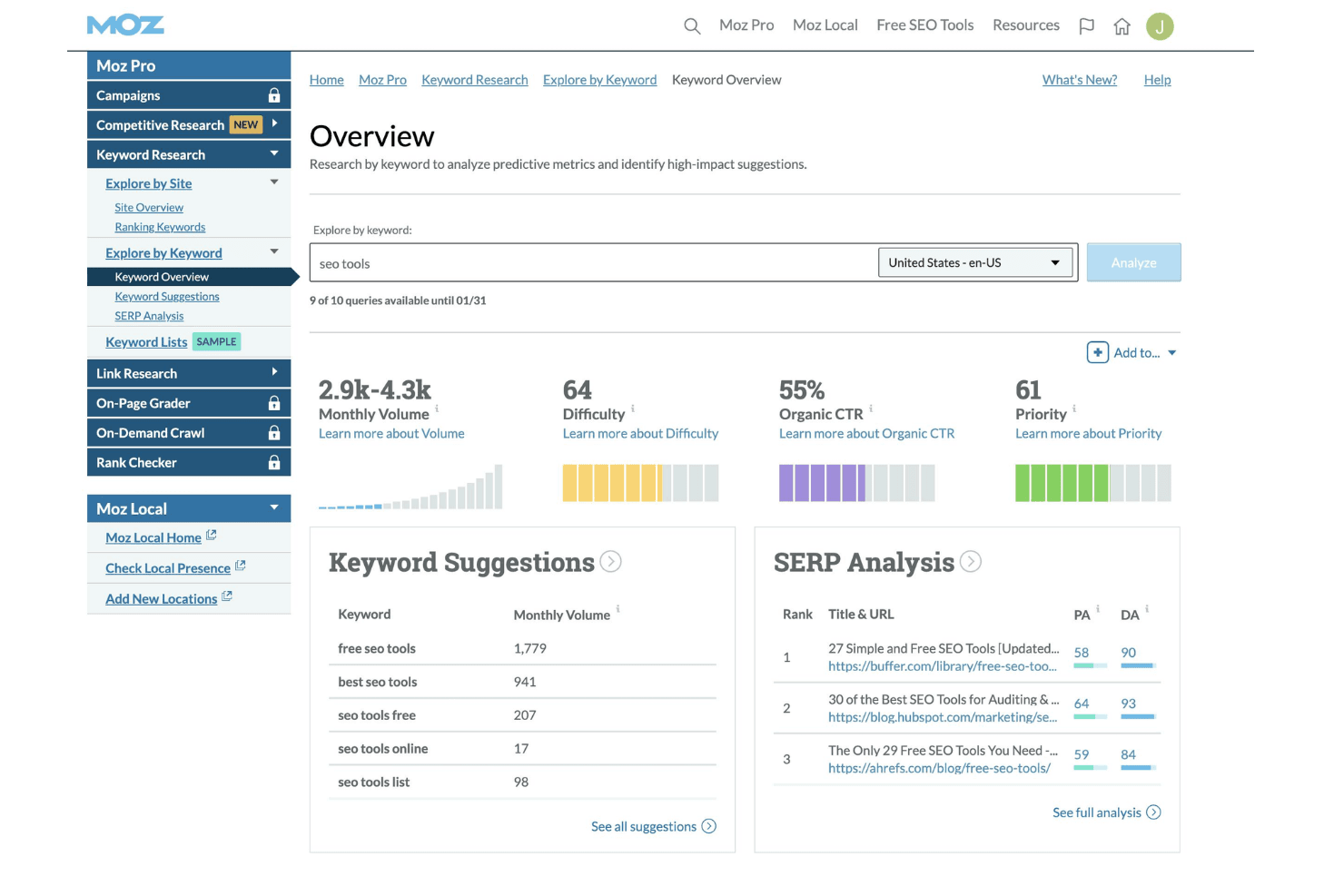
Research keyword opportunities, analyze search volume, and assess difficulty scores. Users can build and save keyword lists for ongoing SEO campaigns.
Site Crawler
Scan websites for technical SEO issues like broken links and duplicate content. The tool provides prioritized recommendations for fixes.
Link Explorer
Analyze backlink profiles, track new and lost links, and evaluate domain authority. Users can compare their link metrics to competitors.
Rank Tracking
Monitor keyword rankings across search engines and locations. Scheduled reports show changes in position over time.
On-Page Optimization
Get page-level suggestions for improving SEO elements like titles, meta descriptions, and headings. The tool highlights specific issues and opportunities.
Local SEO Tools
Manage business listings, track local rankings, and monitor reviews. Moz helps users optimize for location-based searches and citations.
Ease of Use
Moz is widely recognized for its intuitive interface and clear navigation, making it approachable for users with varying SEO experience. Most features are easy to find, and setup is straightforward, with helpful tooltips and onboarding guides. Users often mention that reports are simple to interpret and actionable, which reduces time spent on training. While some advanced features are less customizable, Moz's focus on clarity and accessibility sets it apart for teams seeking a no-fuss SEO solution.
Integrations
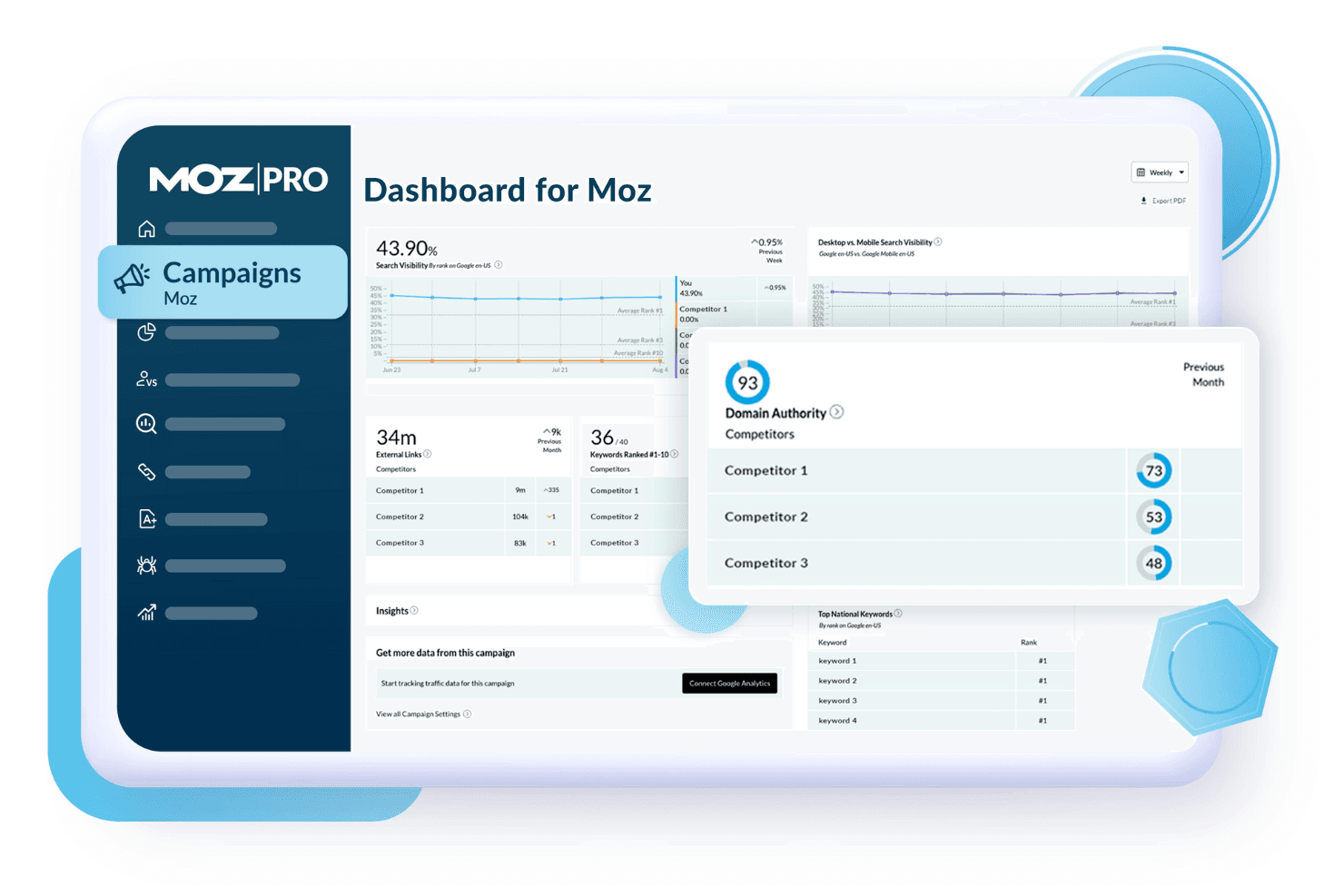
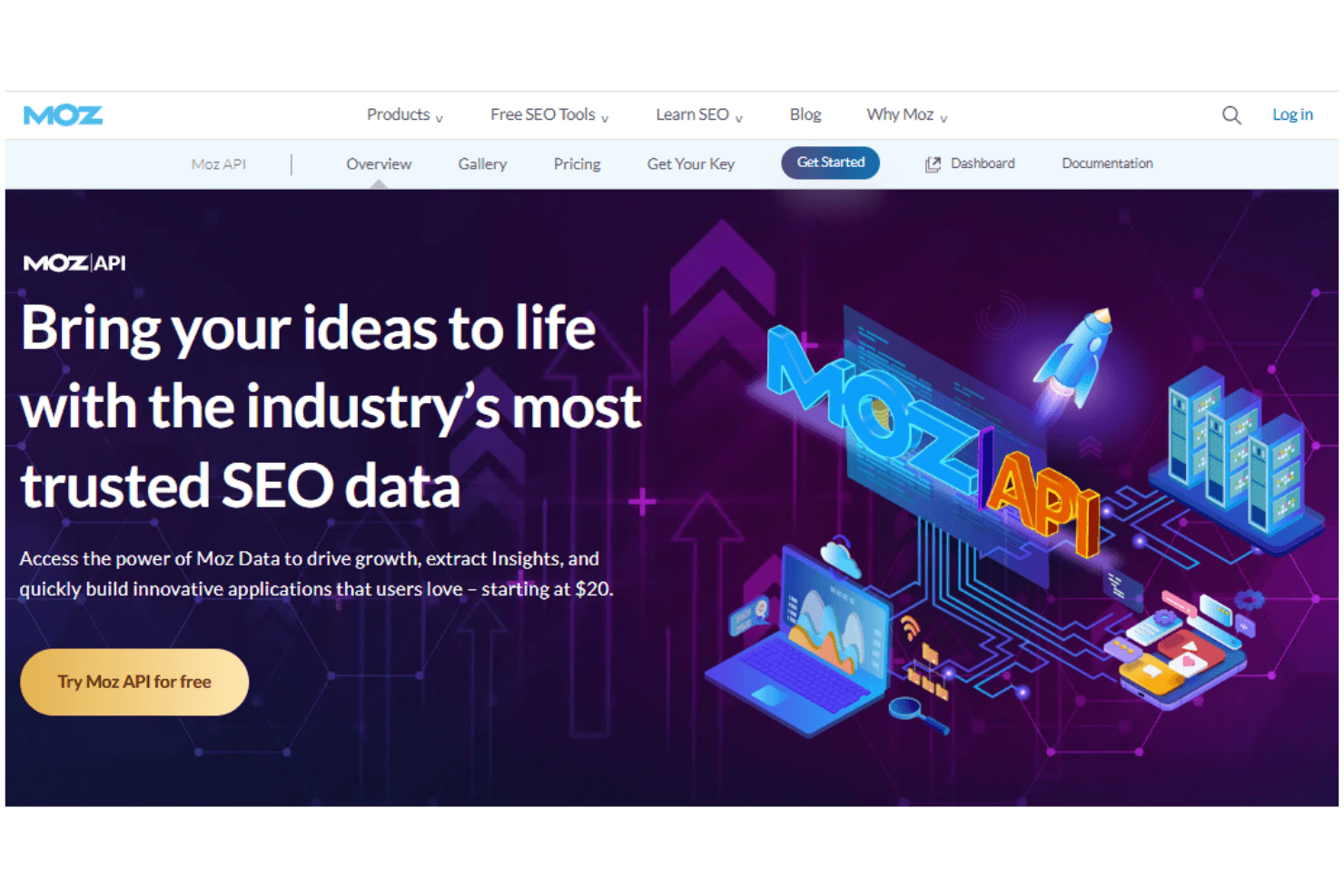
Moz integrates with Google Analytics, Google Search Console, and Google Data Studio for reporting and performance tracking. It also offers an API for custom integrations and data extraction.
Native integrations are limited, and there is no dedicated marketplace or broad third-party connector ecosystem.
Moz Specs
- API: Yes
- Audience Targeting: Yes
- Brand Management: Yes
- Conversion Tracking: Yes
- Data Export: Yes
- Data Import: Yes
- External Integrations: Yes
- Keyword Tracking: Yes
- Lead Management: Yes
- Lead Scoring: Yes
- Link Tracking: Yes
- Marketing Automation: Yes
- Multi-User: Yes
- Net Promoter Score: Yes
- Notifications: Yes
- Social-Media Integration: Yes
Alternatives to Moz


- 10 meilleures alternatives à Moz évaluées en 2026Opens new window
- 10 meilleurs logiciels de promotion client pour 2026Opens new window
- Avis sur Moz : Avantages, Inconvénients, Fonctionnalités et Tarifs ExpliquésOpens new window
- Les 10 meilleurs logiciels de mobilisation des employés en 2026Opens new window