
Moz-arvostelu: hyvät ja huonot puolet, ominaisuudet ja hinnoittelu selitettynä
Moz erottuu helppokäyttöisillä SEO-työkaluillaan ja luotettavilla tiedoillaan, mikä tekee siitä ihanteellisen aloittelijoille ja pienille tiimeille, vaikka edistyneet käyttäjät saattavat pitää sen ominaisuuksia vähemmän kattavina kuin joidenkin kilpailijoiden.

We review tools independently, and commissions help fund our testing. See our transparency policy, our methodology, or suggest a tool.
Moz is an SEO tool built for marketing teams that need keyword research, rank tracking, link analysis, and on-page site auditing. I'd recommend it if you want more approachable reporting and a cleaner interface than Semrush, without giving up the data depth your team needs to make informed decisions.
Moz Evaluation Summary
4.4/5
- From $79/month (billed annually)
- 7-day free trial
Miksi luottaa ohjelmistosuosituksiimme
6,700+
Reviews
20
Industry experts
16+
Evaluation factors
14
Years
Tiimimme on testannut ja arvioinut ohjelmistoja vuodesta 2012 lähtien. Markkinointijohtajina tiedämme itse, kuinka vaikeaa — ja tärkeää — oikean ohjelmiston valitseminen on.
Tätä opasta varten arvioimme työkaluja käytännön testauksen ja itsenäisen tutkimuksen avulla, pisteyttäen työkalut valintakriteeriemme perusteella.
Arvostelumme perustuvat inhimilliseen toimitukselliseen harkintaamme, eivät myyntipuheeseen.
Asiantuntija-arvioijat:
 Gui DrusinaCreative Director
- Shriya GhateSenior Marketing Lead
 Amanda JacquesMarketing Ops Leader

Moz Overview
When judging Moz as a SEO solution, its clean interface, strong keyword research, and reliable site audits make it a top pick for teams new to SEO or those seeking a straightforward SEO platform. Pricing is competitive, and onboarding is simple, but integrations and advanced reporting are less extensive than some alternatives. If you're selecting a toolkit for in-house marketing or small agencies that value ease of use and responsive support, Moz is a smart choice. For example, its Keyword Explorer surfaces useful keyword suggestions and is easy to learn, while the Link Explorer offers clear, actionable insights for link building.
Pros
- Keyword Explorer provides accurate, up-to-date keyword data
- Site audits identify technical SEO issues with clear recommendations
- Link Explorer offers detailed backlink analysis and metrics
Cons
- Rank tracking updates less frequently than some competitors
- Limited advanced reporting and data export options
- Fewer integrations with third-party marketing platforms
Is Moz Right For Your Needs?
Who Would be a Good Fit for Moz?
Moz is a strong choice for teams that need reliable keyword research, clear site audits, and accessible SEO data without a steep learning curve. Its functions are especially useful for smaller organizations, agencies, and marketing departments that want actionable insights and straightforward reporting. If you're a business owner or a marketing leader in a role where SEO matters but you don't need highly advanced integrations or custom reporting, Moz's platform and support can help you strengthen your online presence and improve visibility.
- Small Marketing TeamsMoz's simple interface and clear reporting help teams with limited resources.
- Local BusinessesLocal SEO tools and citation management support location-based marketing.
- Digital AgenciesWhite-label reporting and site audits fit agency client needs.
- Content MarketersKeyword Explorer and SERP analysis support content planning and optimization.
- E-Commerce StartupsSite audits and backlink tracking help new stores build authority.
- Higher EducationMoz's educational resources and clear metrics support non-technical users.
Who Would be a Bad Fit for Moz?
Moz may not be the best option for large enterprises, highly technical SEO teams, or organizations that require deep integrations and advanced analytics. If your business relies on custom workflows, frequent rank tracking, or complex reporting, you may find Moz's feature set limiting compared to other platforms with broader capabilities.
- Large EnterprisesMoz lacks advanced workflow automation and enterprise-level integrations.
- Technical SEO TeamsLimited crawl customization and fewer technical diagnostics restrict flexibility.
- International BrandsMoz's keyword data and local SEO tools focus mainly on US markets.
- Data AnalystsReporting and export options are less robust than analytics-focused tools.
- Multi-Channel RetailersFew integrations with paid media or CRM platforms limit cross-channel insights.
- In-House IT DepartmentsMoz's platform is not built for custom development or API-heavy environments.
How We Test & Score Tools
We’ve spent years building, refining, and improving our software testing and scoring system. The rubric is designed to capture the nuances of software selection and what makes a tool effective, focusing on critical aspects of the decision-making process.
Below, you can see exactly how our testing and scoring works across seven criteria. It allows us to provide an unbiased evaluation of the software based on core functionality, standout features, ease of use, onboarding, customer support, integrations, customer reviews, and value for money.
Core Functionality (25% of final scoring)
The starting point of our evaluation is always the core functionality of the tool. Does it have the basic features and functions that a user would expect to see? Are any of those core features locked to higher-tiered pricing plans? At its core, we expect a tool to stand up against the baseline capabilities of its competitors.
Standout Features (25% of final scoring)
Next, we evaluate uncommon standout features that go above and beyond the core functionality typically found in tools of its kind. A high score reflects specialized or unique features that make the product faster, more efficient, or offer additional value to the user.
We also evaluate how easy it is to integrate with other tools typically found in the tech stack to expand the functionality and utility of the software. Tools offering plentiful native integrations, 3rd party connections, and API access to build custom integrations score best.
Ease of Use (10% of final scoring)
We consider how quick and easy it is to execute the tasks defined in the core functionality using the tool. High scoring software is well designed, intuitive to use, offers mobile apps, provides templates, and makes relatively complex tasks seem simple.
Onboarding (10% of final scoring)
We know how important rapid team adoption is for a new platform, so we evaluate how easy it is to learn and use a tool with minimal training. We evaluate how quickly a team member can get set up and start using the tool with no experience. High scoring solutions indicate little or no support is required.
Customer Support (10% of final scoring)
We review how quick and easy it is to get unstuck and find help by phone, live chat, or knowledge base. Tools and companies that provide real-time support score best, while chatbots score worst.
Customer Reviews (10% of final scoring)
Beyond our own testing and evaluation, we consider the net promoter score from current and past customers. We review their likelihood, given the option, to choose the tool again for the core functionality. A high scoring software reflects a high net promoter score from current or past customers.
Value for Money (10% of final scoring)
Lastly, in consideration of all the other criteria, we review the average price of entry level plans against the core features and consider the value of the other evaluation criteria. Software that delivers more, for less, will score higher.
Core Features
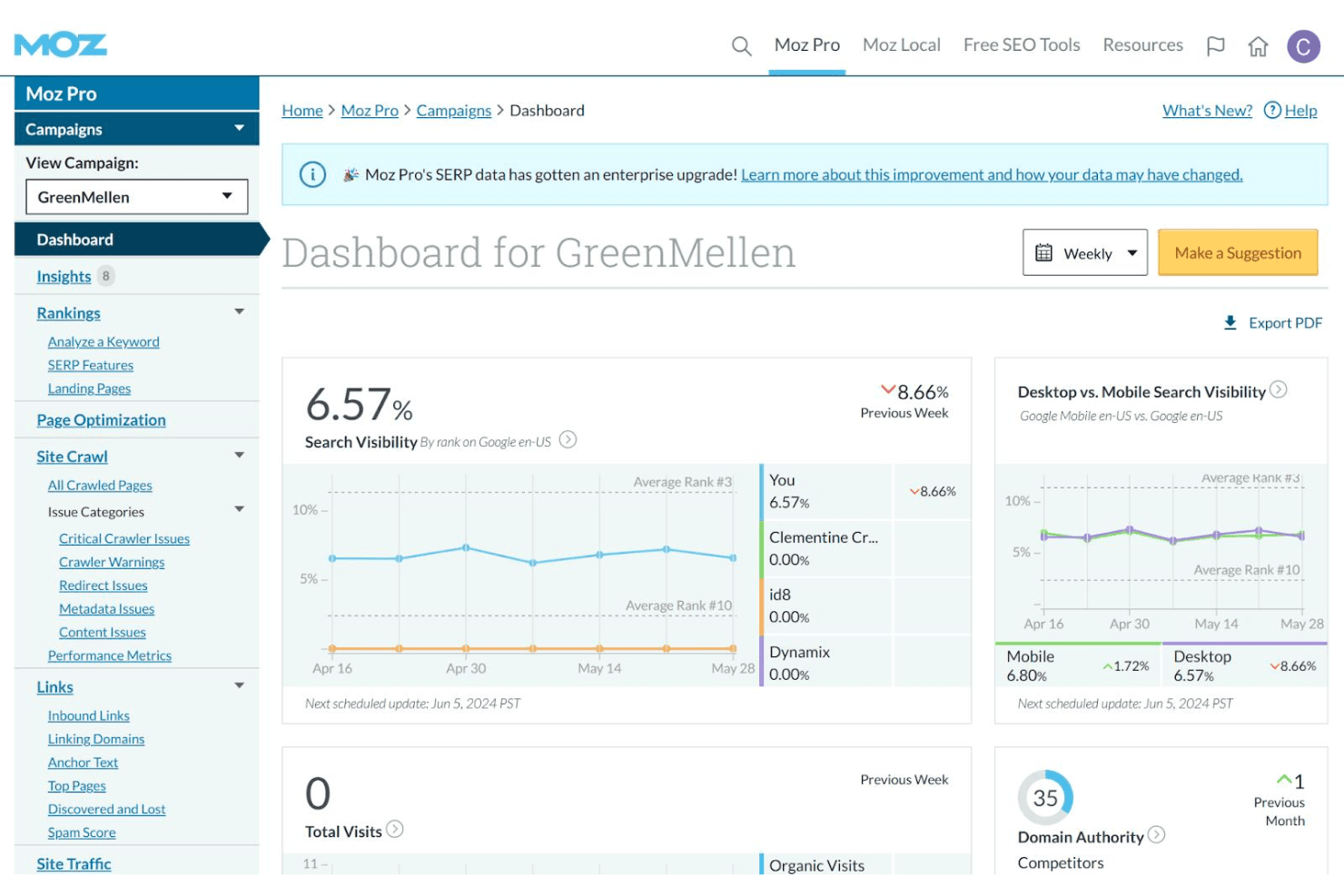
Keyword Explorer
Research keyword opportunities, analyze search volume, and assess difficulty scores. Users can build and save keyword lists for ongoing SEO campaigns.
Site Crawler
Scan websites for technical SEO issues like broken links and duplicate content. The tool provides prioritized recommendations for fixes.
Link Explorer
Analyze backlink profiles, track new and lost links, and evaluate domain authority. Users can compare their link metrics to competitors.
Rank Tracking
Monitor keyword rankings across search engines and locations. Scheduled reports show changes in position over time.
On-Page Optimization
Get page-level suggestions for improving SEO elements like titles, meta descriptions, and headings. The tool highlights specific issues and opportunities.
Local SEO Tools
Manage business listings, track local rankings, and monitor reviews. Moz helps users optimize for location-based searches and citations.
Ease of Use
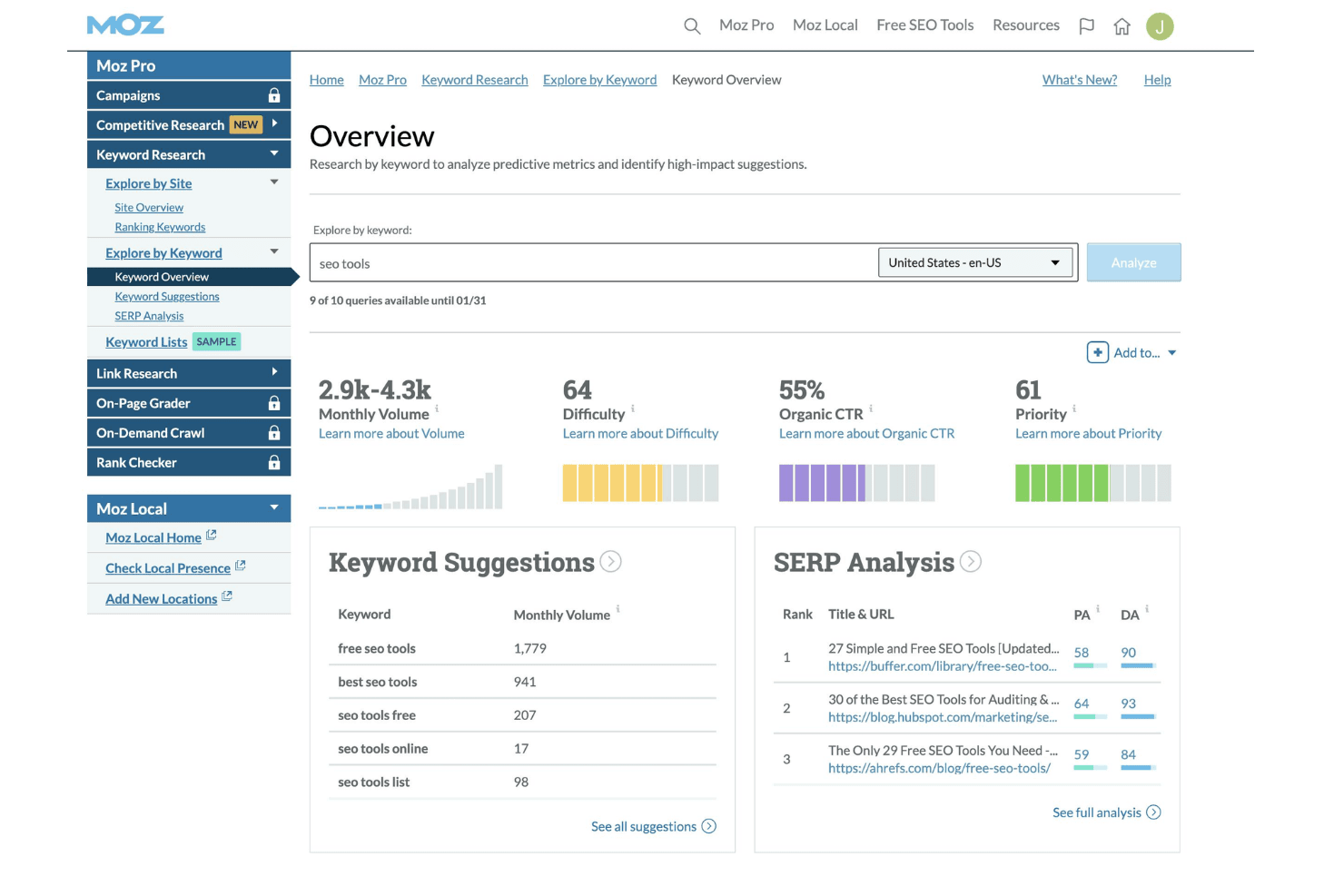
Moz is widely recognized for its intuitive interface and clear navigation, making it approachable for users with varying SEO experience. Most features are easy to find, and setup is straightforward, with helpful tooltips and onboarding guides. Users often mention that reports are simple to interpret and actionable, which reduces time spent on training. While some advanced features are less customizable, Moz's focus on clarity and accessibility sets it apart for teams seeking a no-fuss SEO solution.
Integrations
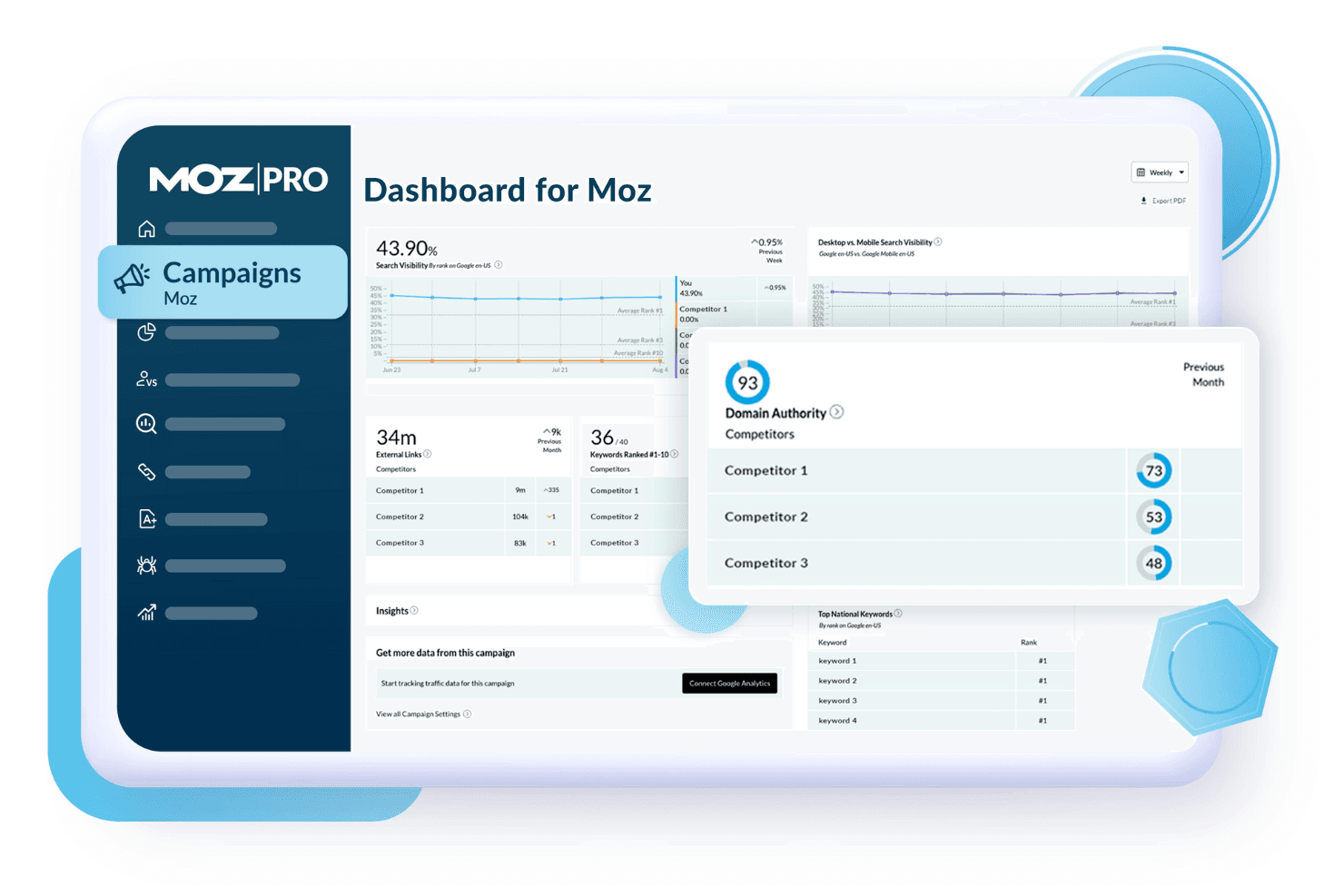
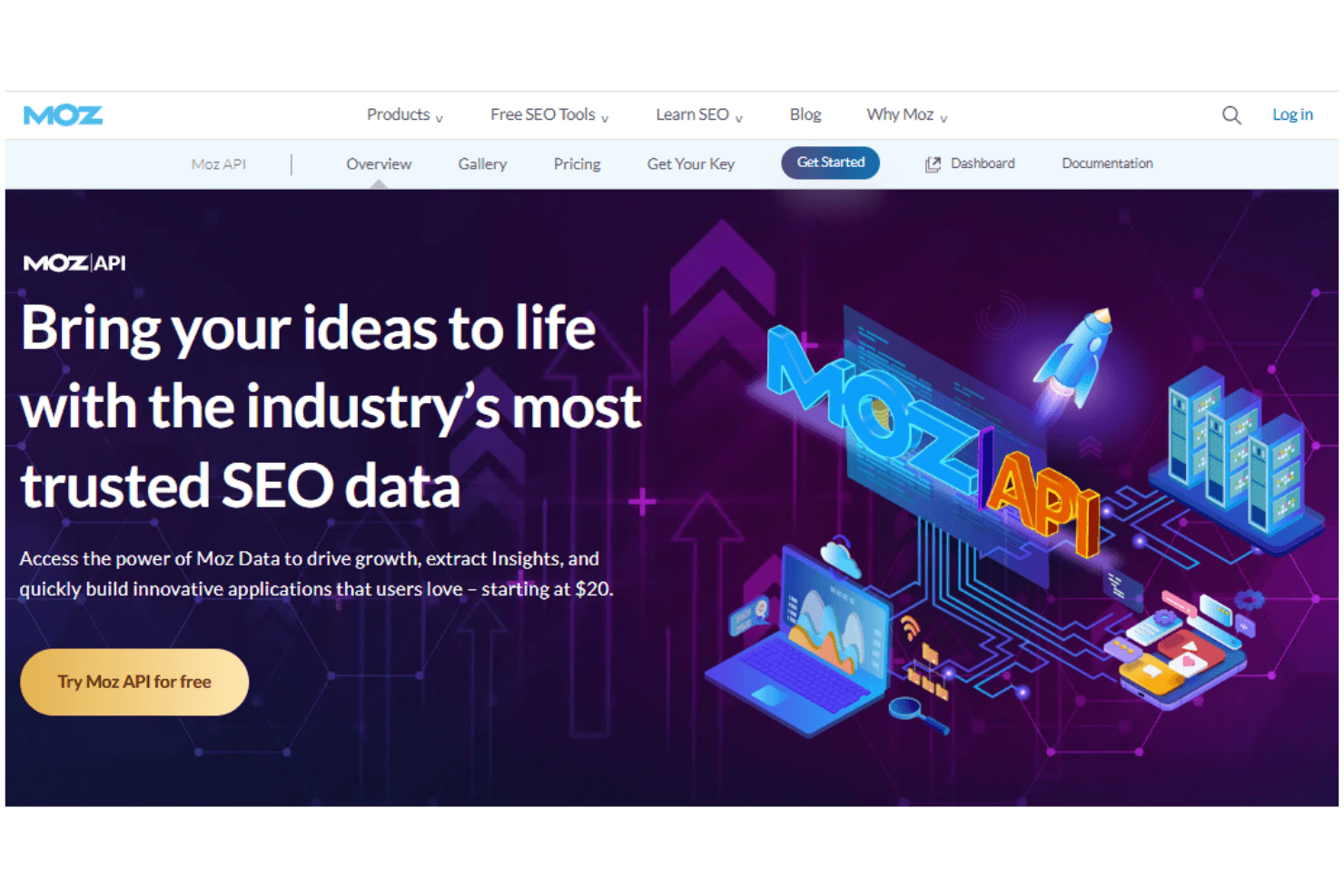
Moz integrates with Google Analytics, Google Search Console, and Google Data Studio for reporting and performance tracking. It also offers an API for custom integrations and data extraction.
Native integrations are limited, and there is no dedicated marketplace or broad third-party connector ecosystem.
Moz Specs
- API: Yes
- Audience Targeting: Yes
- Brand Management: Yes
- Conversion Tracking: Yes
- Data Export: Yes
- Data Import: Yes
- External Integrations: Yes
- Keyword Tracking: Yes
- Lead Management: Yes
- Lead Scoring: Yes
- Link Tracking: Yes
- Marketing Automation: Yes
- Multi-User: Yes
- Net Promoter Score: Yes
- Notifications: Yes
- Social-Media Integration: Yes
Alternatives to Moz


- 10 parasta asiakaslähettiläisyysohjelmistoa vuodelle 2026Opens new window
- 10 parasta Moz-vaihtoehtoa arvioituna vuonna 2026Opens new window
- 10 parasta työntekijälähettilyysohjelmistoa vuonna 2026Opens new window
- Moz-arvostelu: hyvät ja huonot puolet, ominaisuudet ja hinnoittelu selitettynäOpens new window