

Google Analytics -arvostelu 2026: hyvät ja huonot puolet, ominaisuudet ja hinnoittelu
Google Analytics on edelleen vankkojen ja maksuttomien markkinointitietojen ensisijainen työkalu, mutta sen monimutkaisuus ja tietosuojaan liittyvät huolenaiheet tarkoittavat, että se sopii parhaiten dataohjautuville tiimeille, jotka ovat valmiita panostamaan oppimiseen.

We review tools independently, and commissions help fund our testing. See our transparency policy, our methodology, or suggest a tool.
Google Analytics is a marketing software for teams that need to track website traffic, audience behavior, and campaign performance across digital channels. I'd consider it if you want native integration with Google Ads and Search Console built in from day one—without the licensing costs and implementation overhead that come with enterprise tools like Adobe Analytics.
Google Analytics Evaluation Summary
4.6/5
- From $50,000/year (billed annually)
- Free plan available
Why Trust Our Software Recommendations
6,700+
Reviews
20
Industry experts
16+
Evaluation factors
14
Years
Our team has been testing and reviewing software since 2012. As marketing leaders ourselves, we know how difficult—and important—it is to choose the right software.
For this guide, we evaluated tools using hands-on testing and independent research, scoring tools using our selection criteria.
Our reviews reflect our human editorial judgment, not a sales pitch.
Expert reviewers:
 Gui DrusinaCreative Director
- Shriya GhateSenior Marketing Lead
 Amanda JacquesMarketing Ops Leader

Google Analytics Overview
If you’re judging Google Analytics as marketing software, I think its free tier, flexible reporting, and deep integrations set it apart for teams that want granular data and custom dashboards. The interface can feel overwhelming at first, and onboarding takes time, but the documentation and community support help bridge the gap.
I’d suggest it’s best for marketers who need to compare multi-channel performance or segment audiences in detail. While some features require technical setup, the ability to connect with ad platforms and automate reporting makes it a top pick for data-driven environments.
Pros
- Free tier offers advanced analytics for most users
- Deep audience segmentation and funnel analysis tools
- Free tier offers advanced analytics for most users
Cons
- Data sampling can limit accuracy for large datasets
- Privacy and consent management require extra configuration
- Real-time reporting is limited compared to some competitors
Is Google Analytics Right For Your Needs?
Who Would be a Good Fit for Google Analytics?
Google Analytics is a strong choice for teams that need detailed website and campaign tracking, especially in industries where digital performance drives business outcomes. I think it’s best for organizations with technical resources and a focus on data-driven marketing, as its advanced segmentation, funnel analysis, and integration with ad platforms support complex strategies. If your team values granular reporting and multi-channel attribution, you’ll get a lot from Google Analytics.
- Large EnterprisesLeverage custom dashboards and advanced reporting for multiple business units.
- Content PublishersMeasure audience growth, top content, and referral traffic sources.
- Higher EducationAnalyze student recruitment campaigns and website engagement by source.
- SaaS CompaniesMonitor user engagement, onboarding flows, and conversion events.
- Digital Marketing AgenciesManage multiple client accounts and compare campaign performance across channels.
- Ecommerce BrandsTrack sales funnels, product performance, and customer journeys in detail.
Who Would be a Bad Fit for Google Analytics?
Google Analytics isn’t ideal for teams that need simple, out-of-the-box reporting or have strict privacy requirements. If your organization lacks technical support or operates in environments where data sampling and consent management are major concerns, you may find it limiting. Smaller teams or those with limited digital presence might not benefit from its advanced features.
- Government AgenciesData privacy and security requirements often exceed Google Analytics capabilities.
- HR DepartmentsEmployee engagement and internal metrics aren’t tracked by Google Analytics.
- Brick-and-Mortar RetailMinimal online activity means less actionable data from analytics.
- Nonprofit OrganizationsLimited resources may not justify the technical setup required.
- Healthcare ProvidersStrict privacy regulations make configuration and compliance challenging.
- Small Local BusinessesSetup complexity outweighs the value for basic website tracking.
How We Test & Score Tools
We’ve spent years building, refining, and improving our software testing and scoring system. The rubric is designed to capture the nuances of software selection and what makes a tool effective, focusing on critical aspects of the decision-making process.
Below, you can see exactly how our testing and scoring works across seven criteria. It allows us to provide an unbiased evaluation of the software based on core functionality, standout features, ease of use, onboarding, customer support, integrations, customer reviews, and value for money.
Core Functionality (25% of final scoring)
The starting point of our evaluation is always the core functionality of the tool. Does it have the basic features and functions that a user would expect to see? Are any of those core features locked to higher-tiered pricing plans? At its core, we expect a tool to stand up against the baseline capabilities of its competitors.
Standout Features (25% of final scoring)
Next, we evaluate uncommon standout features that go above and beyond the core functionality typically found in tools of its kind. A high score reflects specialized or unique features that make the product faster, more efficient, or offer additional value to the user.
We also evaluate how easy it is to integrate with other tools typically found in the tech stack to expand the functionality and utility of the software. Tools offering plentiful native integrations, 3rd party connections, and API access to build custom integrations score best.
Ease of Use (10% of final scoring)
We consider how quick and easy it is to execute the tasks defined in the core functionality using the tool. High scoring software is well designed, intuitive to use, offers mobile apps, provides templates, and makes relatively complex tasks seem simple.
Onboarding (10% of final scoring)
We know how important rapid team adoption is for a new platform, so we evaluate how easy it is to learn and use a tool with minimal training. We evaluate how quickly a team member can get set up and start using the tool with no experience. High scoring solutions indicate little or no support is required.
Customer Support (10% of final scoring)
We review how quick and easy it is to get unstuck and find help by phone, live chat, or knowledge base. Tools and companies that provide real-time support score best, while chatbots score worst.
Customer Reviews (10% of final scoring)
Beyond our own testing and evaluation, we consider the net promoter score from current and past customers. We review their likelihood, given the option, to choose the tool again for the core functionality. A high scoring software reflects a high net promoter score from current or past customers.
Value for Money (10% of final scoring)
Lastly, in consideration of all the other criteria, we review the average price of entry level plans against the core features and consider the value of the other evaluation criteria. Software that delivers more, for less, will score higher.
Core Features
Real-Time Reporting
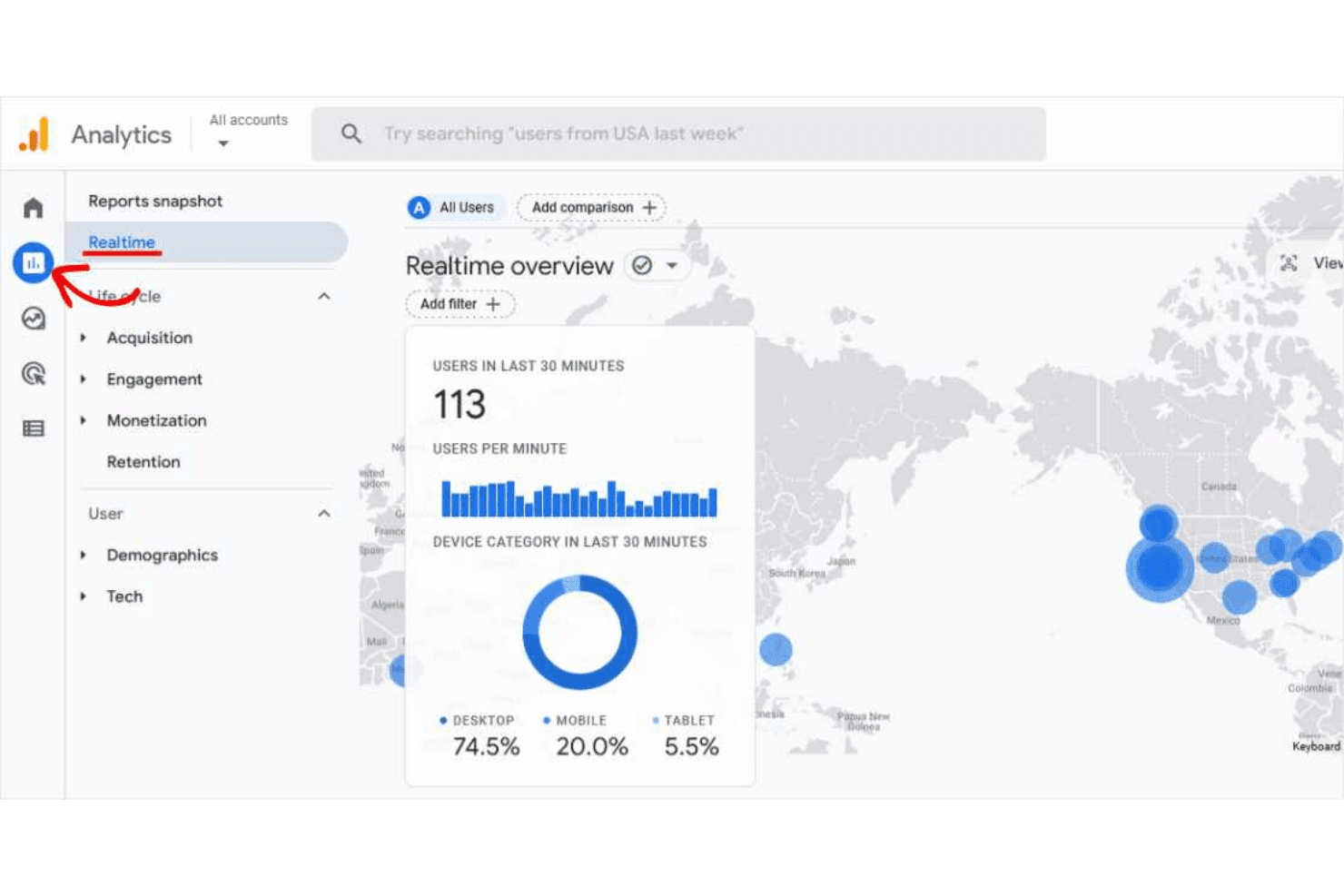
See live user activity, traffic sources, and top-performing pages as they happen. This helps you monitor campaign launches and sudden traffic spikes instantly.
Audience Segmentation
Group users by demographics, behavior, or custom criteria for targeted analysis. You can compare how different segments interact with your site or campaigns.
Conversion Tracking
Set up goals and events to measure sign-ups, purchases, or downloads. Track the full customer journey from first visit to conversion.
Multi-Channel Attribution
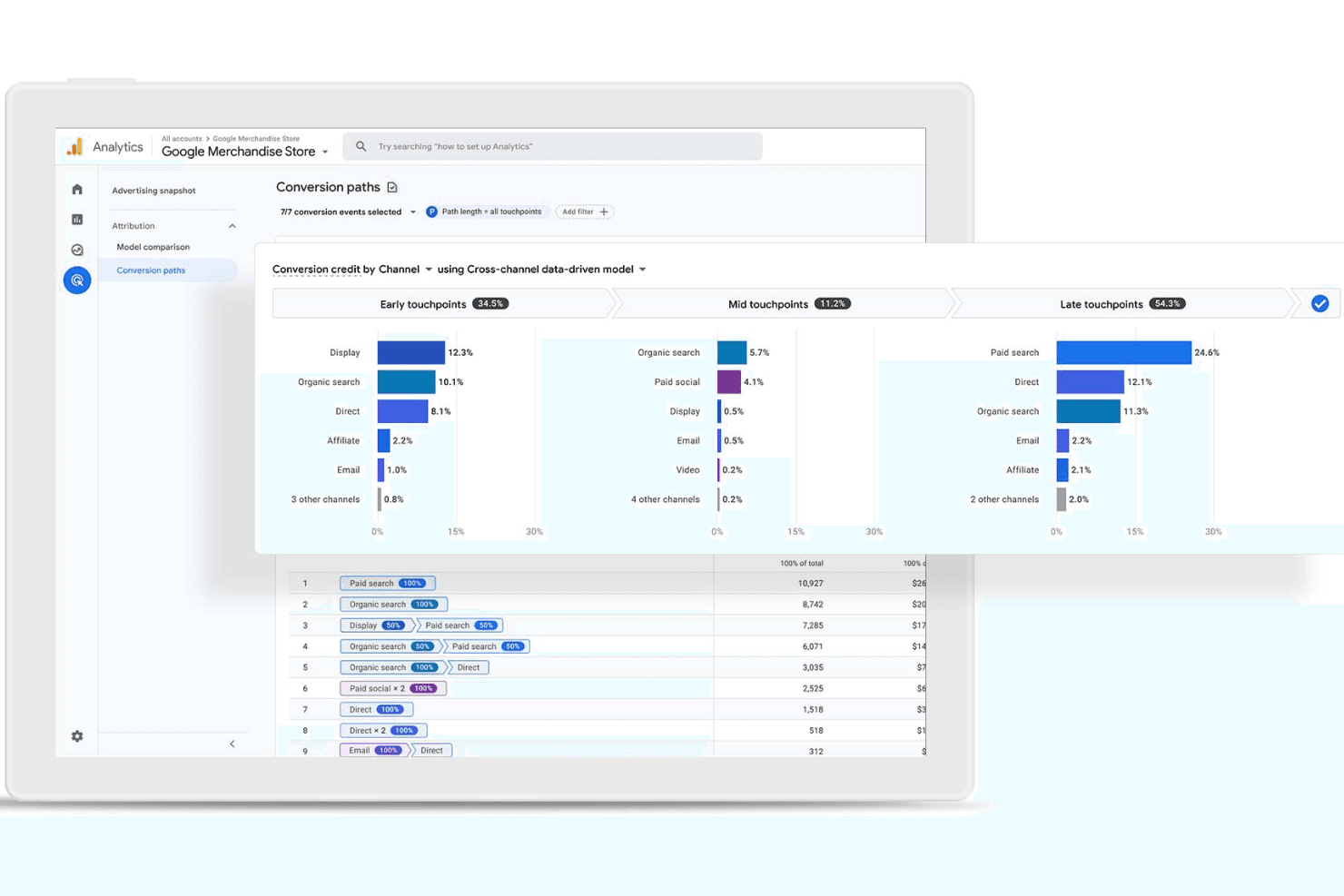
Analyze how different marketing channels contribute to conversions. Attribute value across paid, organic, referral, and direct sources.
Custom Dashboards
Build personalized dashboards with the metrics and visualizations you care about most. Share these dashboards with your team for focused reporting.
Funnel Analysis
Visualize user drop-off at each stage of your sales or signup process. Identify bottlenecks and optimize steps to improve conversion rates.
Ease of Use
Google Analytics offers powerful tools, but the interface can feel overwhelming for new users, especially when setting up custom reports or advanced tracking. Many users mention that navigating menus and finding specific metrics takes practice. However, once you’re familiar with the layout, the depth of data and customization options make it a strong choice for marketers who want detailed insights and control over their analytics environment.
Integrations
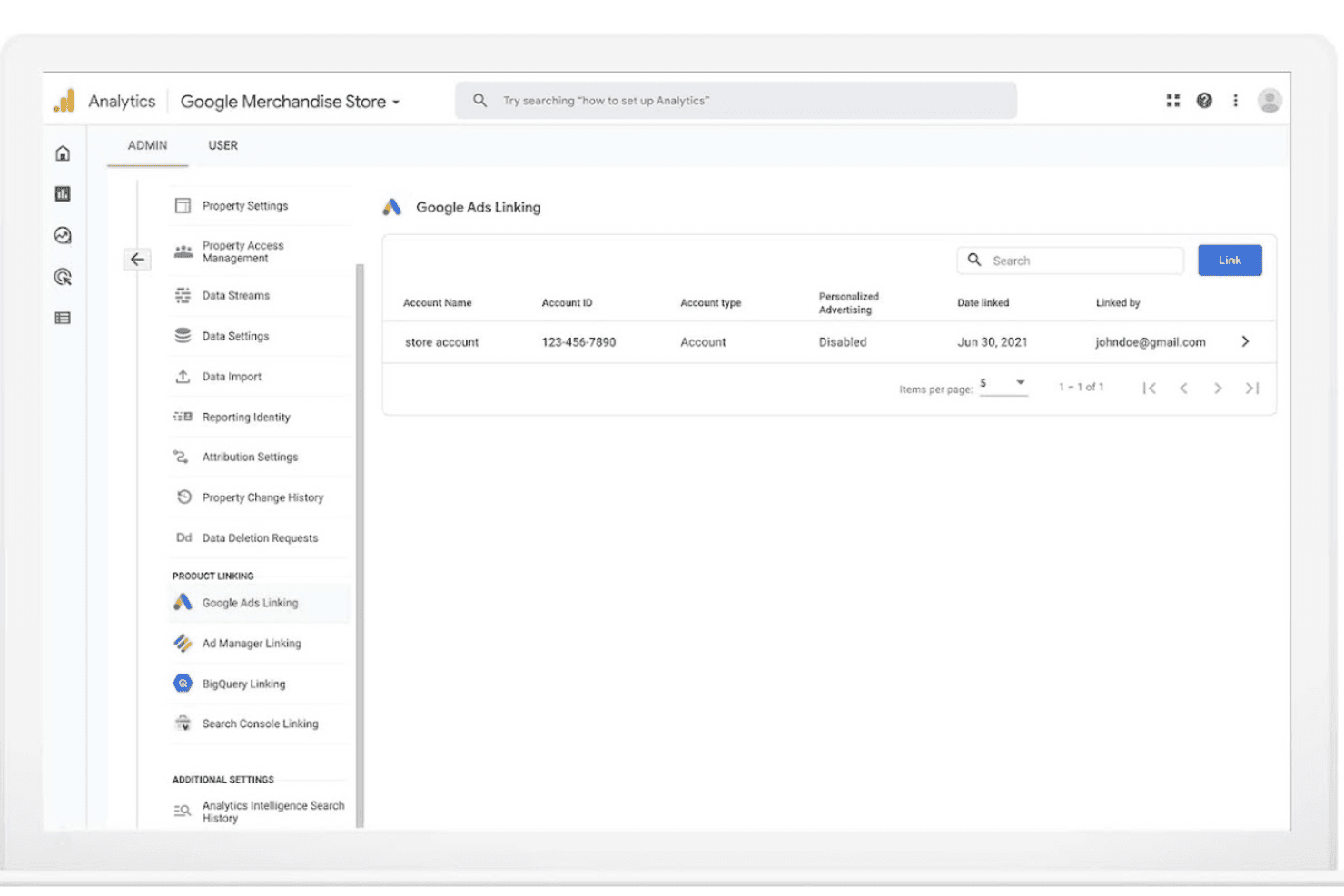
Google Analytics integrates with Google Ads, Search Ads 360, Display & Video 360, Google Cloud, Google Search Console, Google Tag Manager, Google Optimize, Google Data Studio, Firebase, and BigQuery, among others.
Google Analytics also offers a robust API and connects with third-party integration tools.

Google Analytics Specs
- A/B Testing: Yes
- AI Integration: No
- Analytics: Yes
- API: Yes
- Big Data: No
- Campaign Management: No
- Conversion Tracking: Yes
- Custom Reports: No
- Dashboard: Yes
- Data Export: Yes
- Data Import: Yes
- Data Visualization: Yes
- External Integrations: Yes
- Feedback Management: No
- Keyword Tracking: Yes
- Landing Pages: No
- Link Tracking: Yes
- Multi-User: Yes
- Notifications: Yes
- Process Reporting: No
- Referral Tracking: Yes
- Sentiment Analysis: No
- SEO: Yes
- Workflow Management: No


