
Google Analytics vs. Google Ads: 2026 Comparison

Marketing ops leader specializing in strategy, systems, and audience growth.

We review tools independently, and commissions help fund our testing. See our transparency policy, our methodology, or suggest a tool.

Google Analytics helps you understand what your audience does on your site, while Google Ads puts your brand in front of new prospects—so choosing between these digital marketing software options often comes down to whether you need deeper insights or more reach. If you’re weighing where to invest your time and budget, you’re not alone. Marketers everywhere face the challenge of connecting the dots between campaign performance and user behavior, and both tools promise to fill different gaps. In this article, you’ll get a clear, side-by-side look at digital marketing software from Google, with expert insights to help you decide which platform fits your strategy, goals, and reporting needs

Google Analytics helps you understand what your audience does on your site, while Google Ads puts your brand in front of new prospects—so choosing between these digital marketing software options often comes down to whether you need deeper insights or more reach. If you’re weighing where to invest your time and budget, you’re not alone. Marketers everywhere face the challenge of connecting the dots between campaign performance and user behavior, and both tools promise to fill different gaps. In this article, you’ll get a clear, side-by-side look at digital marketing software from Google, with expert insights to help you decide which platform fits your strategy, goals, and reporting needs.

Google Analytics
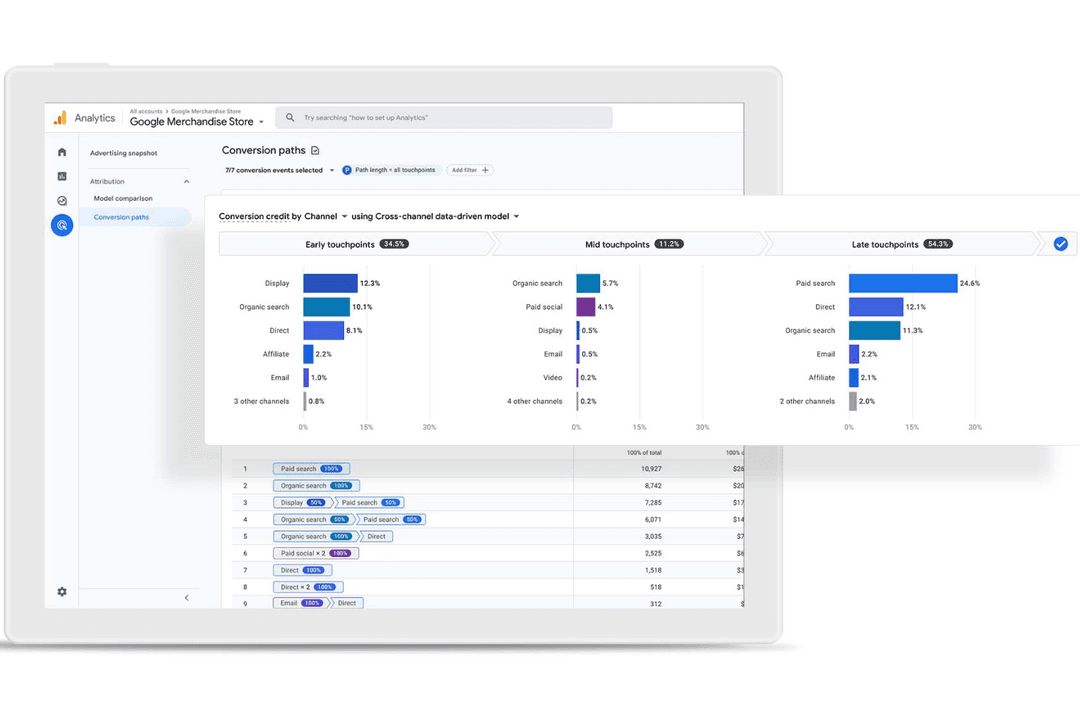
Google Analytics helps teams track and analyze website and campaign data.
Customer rating

4.6/5

Pricing
  • Free plan available
  • From $50,000/year (billed annually)

Google Ads
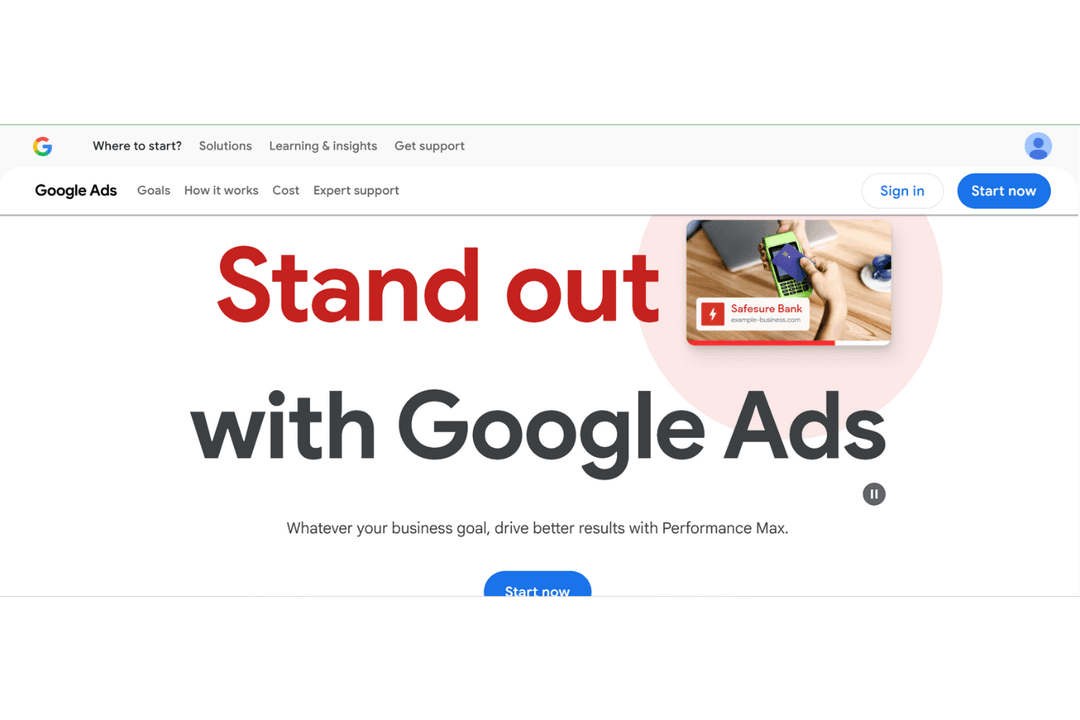
Google Ads is a PPC platform that helps businesses reach targeted users across Google Search and YouTube.
Customer rating

0/5

Pricing
  • Not available
  • Pricing upon request

Why Trust Our Software Recommendations

6,700+

Reviews

20

Industry experts

16+

Evaluation factors

14

Years

Our team has been testing and reviewing software since 2012. As marketing leaders ourselves, we know how difficult—and important—it is to choose the right software.

For this guide, we evaluated tools using hands-on testing and independent research, scoring tools using our selection criteria.

Our reviews reflect our human editorial judgment, not a sales pitch.

Expert reviewers:

Google AnalyticsGoogle Ads
Free TrialFree plan availableNot available
PricingFrom $50,000/year (billed annually)Pricing upon request

Google Analytics vs. Google Ads Pricing & Hidden Costs

Google Analytics offers a free version with core features, while its premium tier targets enterprise users with advanced analytics and support. Google Ads, on the other hand, operates on a pay-per-click model, so costs depend on your ad spend, bidding strategy, and competition for keywords. With both tools, you might encounter hidden costs—like implementation resources, integration with other platforms, or the need for expert help to get the most out of advanced features.

To choose the right pricing model, look beyond the sticker price and consider your team’s technical skills, campaign goals, and the level of support you’ll need. Evaluate how each tool’s pricing structure fits with your expected usage, reporting requirements, and the complexity of your marketing efforts. It’s also smart to factor in the potential costs of training, third-party integrations, and scaling up as your needs grow.

Google Analytics gives you detailed traffic analysis and user journey tracking, helping you spot trends and optimize site content based on real visitor behavior. In contrast, Google Ads lets you create, manage, and refine ad campaigns with tools for keyword targeting and performance tracking, so you can reach new audiences and adjust spend in real time.

Google AnalyticsGoogle Ads
A/B TestingYesYes
AnalyticsYesYes
APIYesYes
Campaign ManagementNoYes
Conversion TrackingYesYes
Data ExportYesYes
Data ImportYesYes
External IntegrationsYesYes
Keyword TrackingYesYes
Landing PagesNoNo
Link TrackingYesYes
Multi-UserYesYes
NotificationsYesYes

IntegrationGoogle Tag ManagerGoogle Analytics✅Google Ads✅
IntegrationSalesforceGoogle Analytics✅Google Ads✅
IntegrationHubSpotGoogle Analytics✅Google Ads✅
IntegrationShopifyGoogle Analytics✅Google Ads❌
IntegrationWordPressGoogle Analytics✅Google Ads❌
IntegrationMailchimpGoogle Analytics✅Google Ads❌
IntegrationFacebook AdsGoogle Analytics✅Google Ads✅
IntegrationLinkedIn AdsGoogle Analytics✅Google Ads✅
IntegrationAPIGoogle Analytics✅Google Ads✅
IntegrationZapierGoogle Analytics✅Google Ads✅

Connecting Google Analytics with Shopify lets you track ecommerce performance and user behavior in one place, making it easier to spot what’s driving sales. Meanwhile, integrating Google Ads with Salesforce helps you link ad campaigns directly to lead and revenue data, so you can see which ads actually drive business results.

FactorData PrivacyGoogle AnalyticsOffers IP anonymization, customizable data retention, and consent mode for GDPR.Google AdsLimits personal data use and provides privacy controls for ad targeting.
FactorRegulatory ComplianceGoogle AnalyticsSupports GDPR, CCPA, and integrates with consent management tools.Google AdsEnforces compliance with ad policies and aligns with global ad regulations.
FactorAccess ControlsGoogle AnalyticsUses role-based permissions and detailed audit logs for user actions.Google AdsProvides multi-user access with customizable permission levels.
FactorData EncryptionGoogle AnalyticsEncrypts all data in transit and at rest using industry standards.Google AdsSecures ad data with encryption both in transit and at rest.
FactorService ReliabilityGoogle AnalyticsMaintains high uptime and offers real-time status dashboards for transparency.Google AdsDelivers consistent uptime and communicates incidents through status pages.

Google Analytics gives you more granular privacy and access controls, while Google Ads is recognized for its strict regulatory compliance and reliable uptime. In my experience, Google Analytics stands out for its detailed user management and privacy features, while Google Ads is trusted for its policy enforcement and consistent service reliability.

FactorUser InterfaceGoogle AnalyticsFeatures a data-rich dashboard with customizable reports, but can feel overwhelming to new users.Google AdsOffers a guided, campaign-focused interface that’s straightforward for launching and managing ads.
FactorOnboardingGoogle AnalyticsProvides step-by-step setup guides and in-app tips, but advanced features require extra learning.Google AdsIncludes interactive tutorials and recommendations for first-time advertisers.
FactorSetup ProcessGoogle AnalyticsRequires code installation and property configuration, which may need technical support.Google AdsLets you launch campaigns quickly with pre-set templates and automated suggestions.
FactorOngoing SupportGoogle AnalyticsOffers a help center, community forums, and email support for troubleshooting.Google AdsProvides live chat, phone support, and a robust help center for campaign issues.
FactorCustomizationGoogle AnalyticsAllows deep customization of dashboards and reports for granular analysis.Google AdsEnables ad and audience customization, but reporting is less flexible than Analytics.

Google Ads is generally easier for beginners to pick up, while Google Analytics offers more customization but comes with a steeper learning curve. Google Analytics shines for users who want to dig into data and tailor reports, while Google Ads is built for quick campaign setup and hands-on guidance.

Google Analytics

Pros
  • Free tier offers advanced analytics for most users
  • Deep audience segmentation and funnel analysis tools
  • Free tier offers advanced analytics for most users
Cons
  • Data sampling can limit accuracy for large datasets
  • Privacy and consent management require extra configuration
  • Real-time reporting is limited compared to some competitors

Google Ads

Pros
  • Precise targeting across audience segments and search intent
  • Extensive reach through Google Search, YouTube, and partner sites
  • Strong optimization tools and real-time performance insights
Cons
  • Complex interface that can overwhelm beginners
  • Customer support response times can vary
  • Ongoing optimization is required to control ad spend

Google Analytics

Google Analytics helps teams track and analyze website and campaign data.
  1. Large EnterprisesLeverage custom dashboards and advanced reporting for multiple business units.
  2. Content PublishersMeasure audience growth, top content, and referral traffic sources.
  3. Higher EducationAnalyze student recruitment campaigns and website engagement by source.
  4. SaaS CompaniesMonitor user engagement, onboarding flows, and conversion events.
  5. Digital Marketing AgenciesManage multiple client accounts and compare campaign performance across channels.
  6. Ecommerce BrandsTrack sales funnels, product performance, and customer journeys in detail.

Google Ads

Google Ads is a PPC platform that helps businesses reach targeted users across Google Search and YouTube.
  1. Retail BusinessesReach high-intent shoppers through search ads tied to Google Search queries.
  2. E-commerce PlatformsDrive sales by directing traffic to optimized landing page experiences.
  3. Marketing AgenciesManage multiple ad groups, audience segments, and Google Ads accounts from a single dashboard.
  4. Local BusinessesAttract nearby customers using location targeting, extensions, and phone number visibility.
  5. Tech StartupsSupport rapid lead generation and brand awareness through scalable PPC campaigns.
  6. Travel AgenciesPromote packages to users actively researching trips across search engine networks.

Who Should Use Google Analytics, and Who Should Use Google Ads?

Google Analytics is the right fit for data-driven marketers, analysts, and teams who need to understand user behavior, optimize digital experiences, and report on website or app performance. It’s especially valuable for ecommerce, content, and SaaS businesses that rely on deep insights to guide strategy. Google Ads, on the other hand, is best for growth-focused teams, agencies, and brands looking to drive immediate traffic, leads, or sales through targeted advertising. If your priority is reaching new audiences and scaling campaigns quickly, Google Ads is the tool to put at the center of your digital marketing stack.

AutomationGoogle Analytics

Automates data collection and reporting, but requires manual setup for most insights.

Google Ads

Automates bidding, targeting, and budget allocation for campaigns.

Core FunctionalityGoogle Analytics

Provides detailed traffic analysis, conversion tracking, and custom reporting.

Google Ads

Delivers ad creation, keyword targeting, and real-time campaign management.

Pricing ModelGoogle Analytics

Offers a free tier and enterprise pricing for advanced analytics.

Google Ads

Uses a pay-per-click or pay-per-impression ad spend model.

Primary Platform FocusGoogle Analytics

Focuses on tracking, analyzing, and reporting user behavior and site performance.

Google Ads

Designed for creating, managing, and optimizing paid ad campaigns.

User InterfaceGoogle Analytics

Data-rich dashboards with customizable reports, but a steeper learning curve.

Google Ads

Guided, campaign-focused interface designed for quick setup and adjustments.

API Access

Each platform provides robust APIs, enabling custom integrations and automated data transfers to other tools.

Data Visualization

Each provides real-time data—Analytics for live user activity, Ads for up-to-the-minute campaign performance—helping teams make timely decisions.

Google Ecosystem

Both integrate natively with other Google products like Google Tag Manager and Google Data Studio, streamlining workflows for marketing teams.

Reporting

Both offer customizable reporting tools, allowing users to tailor dashboards and export data for deeper analysis.

User Permissions

Both support role-based access controls, so teams can manage who can view, edit, or administer accounts and data.
