

WebCEO Review: Pros, Cons, Features, and Pricing Explained
WebCEO stands out for its customizable toolset and agency-friendly features, making it ideal for teams needing scalable SEO solutions, though it may be complex for solo users.

We review tools independently, and commissions help fund our testing. See our transparency policy, our methodology, or suggest a tool.
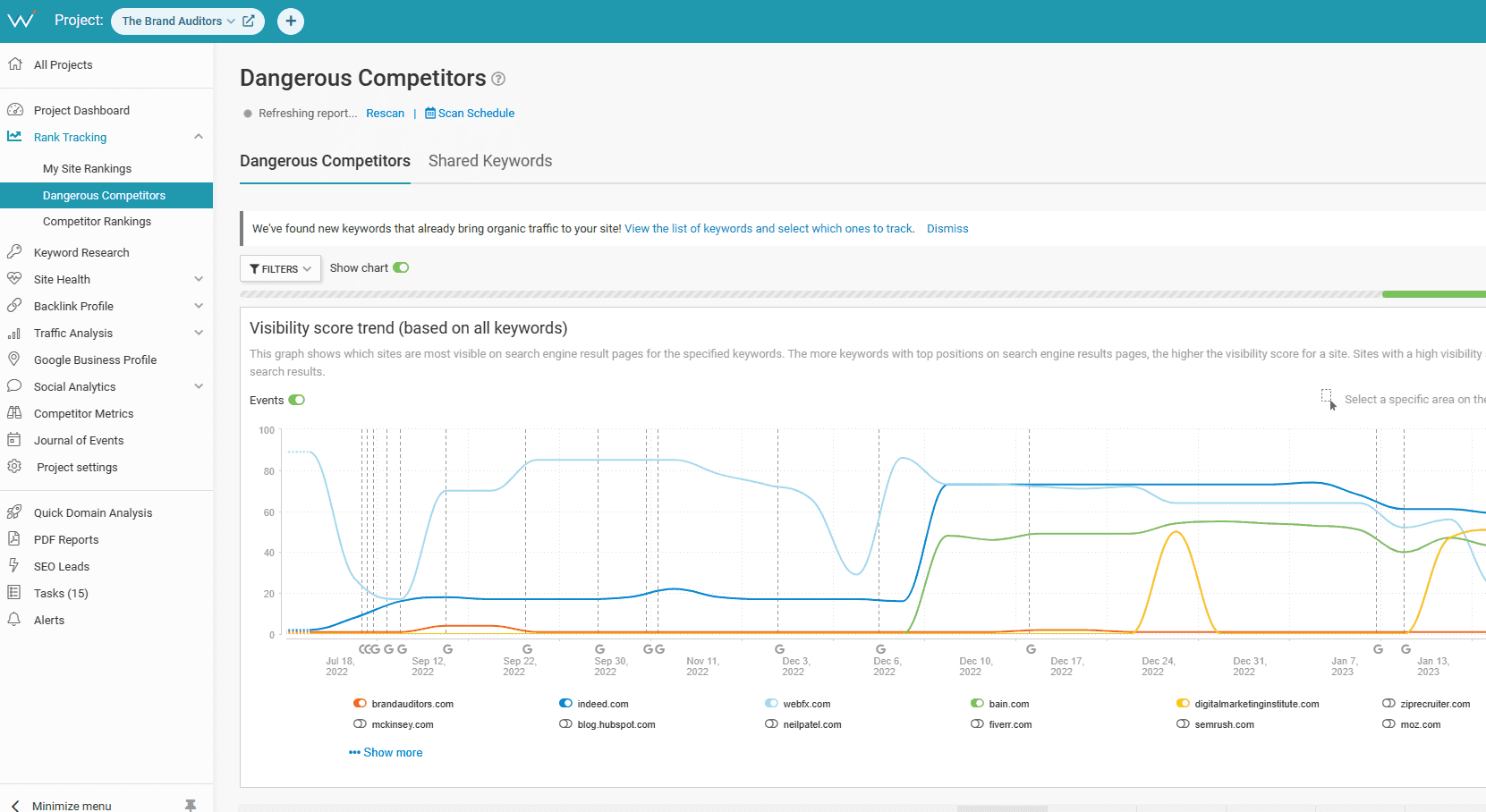
WebCEO is an SEO tool built for agencies managing SEO across multiple client accounts. It covers rank tracking, site audits, keyword research, and backlink analysis, with white-label reporting included. If you've been using Ahrefs and need more agency-specific infrastructure, WebCEO's client access controls and branded dashboards fill the gap that general-purpose tools leave open.
WebCEO Evaluation Summary
4.8/5
- From $99/month (billed annually)
- 14-day free trial
Why Trust Our Software Recommendations
6,700+
Reviews
20
Industry experts
16+
Evaluation factors
14
Years
Our team has been testing and reviewing software since 2012. As marketing leaders ourselves, we know how difficult—and important—it is to choose the right software.
For this guide, we evaluated tools using hands-on testing and independent research, scoring tools using our selection criteria.
Our reviews reflect our human editorial judgment, not a sales pitch.
Expert reviewers:
 Gui DrusinaCreative Director
- Shriya GhateSenior Marketing Lead
 Amanda JacquesMarketing Ops Leader

WebCEO Overview
When judging WebCEO as an SEO platform, its modular dashboard, white-label reporting, and deep site audit features set it apart for agencies and multi-site teams. The interface is more customizable than most, and onboarding is straightforward, but pricing can climb quickly as you add users or advanced modules.
While integrations are solid, some automation features lag behind competitors. If you’re selecting a solution for client reporting, scalable workflows, or need granular control over tool access, WebCEO is a strong contender—especially for agencies managing multiple brands or marketing managers overseeing complex site portfolios.
Pros
- White-label reporting supports agency and client branding needs
- Bulk site management tools handle dozens of projects at once
- Task manager converts audit issues into actionable to-dos
Cons
- Pricing increases quickly with more users or modules
- Some automation features are less advanced than competitors
- Social analytics are less detailed than dedicated platforms
Is WebCEO Right For Your Needs?
Who Would be a Good Fit for WebCEO?
Semrush is best suited for businesses and teams that need deep digital marketing insights, especially those focused on search engine visibility and competitive analysis. Its suite of tools is ideal for ecommerce brands, digital marketing agencies, and content-driven organizations that rely on data to drive strategy.
Retailers with large product catalogs, marketing departments managing multiple channels, and SEO specialists will find its analytics and reporting tools especially valuable. Teams that regularly use Semrush for organic research, backlink analysis, and keyword gap identification will get the most out of the platform's depth.
- Digital Marketing AgenciesWhite-label reporting and multi-site management support client-facing workflows.
- Enterprise Marketing TeamsBulk project tools and granular permissions fit large, distributed teams.
- SEO ConsultantsCustomizable dashboards and branded reports enhance client deliverables.
- Franchise BusinessesCentralized monitoring and reporting work well for multi-location brands.
- E-commerce CompaniesSite audit and backlink tools help manage large product catalogs.
- In-House Marketing DepartmentsTask manager and workflow tools support collaboration across teams.
Who Would be a Bad Fit for WebCEO?
Semrush may not be the best choice for businesses with limited digital marketing needs or those seeking simple, campaign-focused tools. Small retailers, brick-and-mortar-only stores, and teams with minimal SEO or PPC requirements may find the platform's depth unnecessary. Its pricing and complexity can also be a barrier for startups or those with basic marketing operations.
- Solo FreelancersPricing and feature depth exceed most single-user needs.
- Small Local BusinessesCost and complexity are high for basic SEO requirements.
- Social Media TeamsSocial analytics features are limited compared to dedicated tools.
- Content-First PublishersContent optimization tools are less advanced than niche platforms.
- Startups on BudgetsModular pricing can quickly exceed early-stage budgets.
- Technical SEO SpecialistsAutomation and advanced crawling features lag behind some competitors.
How We Test & Score Tools
We’ve spent years building, refining, and improving our software testing and scoring system. The rubric is designed to capture the nuances of software selection and what makes a tool effective, focusing on critical aspects of the decision-making process.
Below, you can see exactly how our testing and scoring works across seven criteria. It allows us to provide an unbiased evaluation of the software based on core functionality, standout features, ease of use, onboarding, customer support, integrations, customer reviews, and value for money.
Core Functionality (25% of final scoring)
The starting point of our evaluation is always the core functionality of the tool. Does it have the basic features and functions that a user would expect to see? Are any of those core features locked to higher-tiered pricing plans? At its core, we expect a tool to stand up against the baseline capabilities of its competitors.
Standout Features (25% of final scoring)
Next, we evaluate uncommon standout features that go above and beyond the core functionality typically found in tools of its kind. A high score reflects specialized or unique features that make the product faster, more efficient, or offer additional value to the user.
We also evaluate how easy it is to integrate with other tools typically found in the tech stack to expand the functionality and utility of the software. Tools offering plentiful native integrations, 3rd party connections, and API access to build custom integrations score best.
Ease of Use (10% of final scoring)
We consider how quick and easy it is to execute the tasks defined in the core functionality using the tool. High scoring software is well designed, intuitive to use, offers mobile apps, provides templates, and makes relatively complex tasks seem simple.
Onboarding (10% of final scoring)
We know how important rapid team adoption is for a new platform, so we evaluate how easy it is to learn and use a tool with minimal training. We evaluate how quickly a team member can get set up and start using the tool with no experience. High scoring solutions indicate little or no support is required.
Customer Support (10% of final scoring)
We review how quick and easy it is to get unstuck and find help by phone, live chat, or knowledge base. Tools and companies that provide real-time support score best, while chatbots score worst.
Customer Reviews (10% of final scoring)
Beyond our own testing and evaluation, we consider the net promoter score from current and past customers. We review their likelihood, given the option, to choose the tool again for the core functionality. A high scoring software reflects a high net promoter score from current or past customers.
Value for Money (10% of final scoring)
Lastly, in consideration of all the other criteria, we review the average price of entry level plans against the core features and consider the value of the other evaluation criteria. Software that delivers more, for less, will score higher.
Core Features
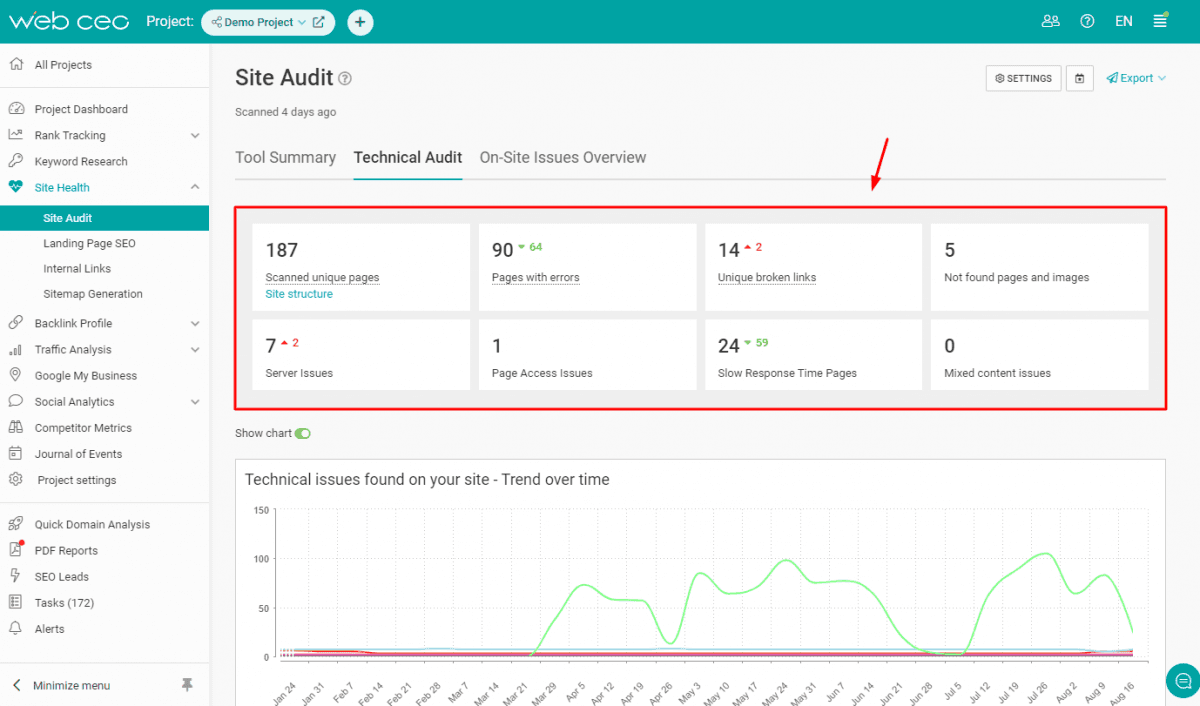
Site Audit Tool
Scan websites for technical SEO issues, broken links, and on-page errors. Get prioritized recommendations and export detailed audit reports.
Keyword Rank Tracking
Monitor keyword positions across multiple search engines and locations. Track ranking changes over time for unlimited projects.
Backlink Analysis
Analyze backlink profiles, spot toxic links, and monitor new or lost backlinks. Visualize link data and export reports for client presentations.
Competitor Analysis
Compare your site’s SEO metrics with competitors on keywords, backlinks, and site health. Identify gaps and opportunities for targeted campaigns.
White-Label Reporting
Customize and brand automated SEO reports for clients or stakeholders. Schedule delivery and include your agency’s logo and colors.
Task Manager
Convert audit findings into actionable tasks and assign them to team members. Track progress and manage SEO workflows within the platform.
Ease of Use
WebCEO offers a clean, modular interface that’s easy to navigate, especially for users managing multiple projects. Onboarding is straightforward, with guided setup and in-app tips that help new users get started quickly. Some users note that the depth of features can feel overwhelming at first, but the customizable dashboard and clear reporting tools make it easier to focus on what matters. Overall, it balances advanced functionality with accessible design for most marketing teams.
Integrations
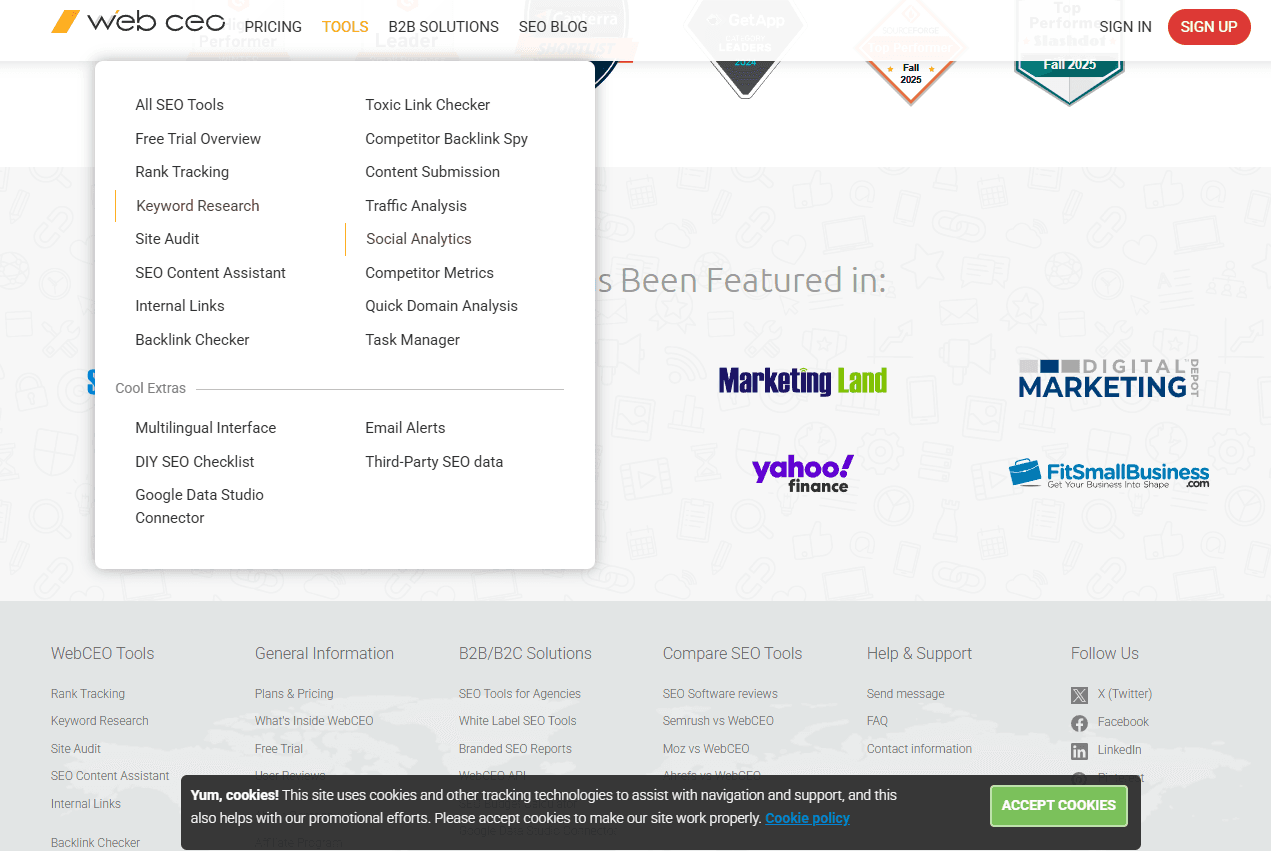
WebCEO integrates with Google Analytics, Google Search Console, Google Business Profile, Google Ads, Majestic, and Moz, among others.
WebCEO also offers an API for custom integrations and connects with third-party tools for expanded functionality.
WebCEO Specs
- API: Yes
- Audience Targeting: Yes
- Brand Management: Yes
- Conversion Tracking: Yes
- Dashboard: Yes
- Data Export: Yes
- Data Import: Yes
- Data Visualization: Yes
- External Integrations: Yes
- Keyword Tracking: Yes
- Link Tracking: Yes
- Marketing Automation: Yes
- Multi-Account: Yes
- Multi-User: Yes
- Notifications: Yes
- Social-Media Integration: Yes


