

Keyhole Review: Pros, Cons, Features, and Pricing Explained
Keyhole stands out for its user-friendly interface and real-time analytics, making it ideal for teams seeking fast, actionable social insights, though advanced users may find its customization options limited.

We review tools independently, and commissions help fund our testing. See our transparency policy, our methodology, or suggest a tool.
Keyhole is a social listening tool built for hashtag tracking, campaign monitoring, and influencer analytics. It's a solid fit for marketing teams that need to measure brand mentions and campaign performance across social channels in real time. If you've looked at Brandwatch but found it too enterprise-heavy for your team's setup, Keyhole delivers comparable tracking depth and historical data in a much more accessible package—without the onboarding overhead that comes with larger platforms.
Keyhole Evaluation Summary
4.3/5
- From $79/user/month
- 7-day free trial
Why Trust Our Software Recommendations
6,700+
Reviews
20
Industry experts
16+
Evaluation factors
14
Years
Our team has been testing and reviewing software since 2012. As marketing leaders ourselves, we know how difficult—and important—it is to choose the right software.
For this guide, we evaluated tools using hands-on testing and independent research, scoring tools using our selection criteria.
Our reviews reflect our human editorial judgment, not a sales pitch.
Expert reviewers:
 Gui DrusinaCreative Director
- Shriya GhateSenior Marketing Lead
 Amanda JacquesMarketing Ops Leader

Keyhole Overview
If you’re judging Keyhole against other social listening tools, I think you’ll appreciate its clean interface, quick onboarding, and real-time reporting. It’s priced in the mid-range, so you get solid analytics and hashtag tracking without the complexity or cost of enterprise platforms. I find its integrations and support responsive, but advanced customization and deep historical data are limited.
For teams selecting a tool for campaign tracking, influencer monitoring, or brand health, Keyhole is a strong pick—especially if you want to get up and running fast without a steep learning curve.
Pros
- You get real-time insights that help you make quick decisions.
- The intuitive interface makes it easy for your team to navigate.
- Detailed analytics reports enhance your understanding of audience behavior.
Cons
- You might find limited customization options for reports.
- The platform sometimes experiences data syncing delays.
- It could offer more advanced competitor analysis tools.
Is Keyhole Right For Your Needs?
Who Would be a Good Fit for Keyhole?
Keyhole is ideal for marketing agencies, digital marketing teams, and social media managers who need to track and analyze social media performance efficiently. Its real-time data insights help you make informed decisions quickly, which is crucial for campaigns that require immediate adjustments. The intuitive interface means your team can get up to speed without a steep learning curve, making it a practical choice for fast-paced environments.
- Marketing AgenciesYou can leverage Keyhole’s real-time tracking to optimize your clients’ social media campaigns effectively.
- Small BusinessesKeyhole’s user-friendly interface makes it easy for your team to monitor social media performance without extensive training.
- Social Media ManagersYou benefit from detailed analytics reports that enhance your understanding of audience behavior.
- PR DepartmentsKeyhole helps you track brand mentions, offering insights into public perception and media impact.
- Event PlannersReal-time data allows you to monitor social media buzz during live events, helping you engage more effectively.
- Content CreatorsKeyhole helps you understand which content resonates with audiences, allowing you to tailor your strategy accordingly.
Who Would be a Bad Fit for Keyhole?
Keyhole may not suit large enterprises with complex social media needs that require extensive customization options and advanced competitor analysis tools. If your team demands highly tailored reports and comprehensive data syncing, you might find Keyhole’s offerings limited. Organizations that rely heavily on in-depth competitor insights might find Keyhole lacking in that area, making it less ideal for strategic analysis-heavy roles.
- Large EnterprisesKeyhole’s limited customization options may not meet the complex needs of your large-scale operations.
- Data AnalystsYou might find Keyhole’s competitor analysis tools insufficient for deep analytical insights.
- Tech-Savvy TeamsYour team may desire more advanced features than Keyhole currently offers.
- Complex CampaignsIf your campaigns require extensive data syncing, Keyhole’s occasional delays could be a hindrance.
- Multi-Departmental OrganizationsKeyhole might not offer the level of integration needed for seamless cross-departmental collaboration.
- Custom Report SeekersIf you need highly tailored reporting, Keyhole’s standard options might not suffice.
How We Test & Score Tools
We’ve spent years building, refining, and improving our software testing and scoring system. The rubric is designed to capture the nuances of software selection and what makes a tool effective, focusing on critical aspects of the decision-making process.
Below, you can see exactly how our testing and scoring works across seven criteria. It allows us to provide an unbiased evaluation of the software based on core functionality, standout features, ease of use, onboarding, customer support, integrations, customer reviews, and value for money.
Core Functionality (25% of final scoring)
The starting point of our evaluation is always the core functionality of the tool. Does it have the basic features and functions that a user would expect to see? Are any of those core features locked to higher-tiered pricing plans? At its core, we expect a tool to stand up against the baseline capabilities of its competitors.
Standout Features (25% of final scoring)
Next, we evaluate uncommon standout features that go above and beyond the core functionality typically found in tools of its kind. A high score reflects specialized or unique features that make the product faster, more efficient, or offer additional value to the user.
We also evaluate how easy it is to integrate with other tools typically found in the tech stack to expand the functionality and utility of the software. Tools offering plentiful native integrations, 3rd party connections, and API access to build custom integrations score best.
Ease of Use (10% of final scoring)
We consider how quick and easy it is to execute the tasks defined in the core functionality using the tool. High scoring software is well designed, intuitive to use, offers mobile apps, provides templates, and makes relatively complex tasks seem simple.
Onboarding (10% of final scoring)
We know how important rapid team adoption is for a new platform, so we evaluate how easy it is to learn and use a tool with minimal training. We evaluate how quickly a team member can get set up and start using the tool with no experience. High scoring solutions indicate little or no support is required.
Customer Support (10% of final scoring)
We review how quick and easy it is to get unstuck and find help by phone, live chat, or knowledge base. Tools and companies that provide real-time support score best, while chatbots score worst.
Customer Reviews (10% of final scoring)
Beyond our own testing and evaluation, we consider the net promoter score from current and past customers. We review their likelihood, given the option, to choose the tool again for the core functionality. A high scoring software reflects a high net promoter score from current or past customers.
Value for Money (10% of final scoring)
Lastly, in consideration of all the other criteria, we review the average price of entry level plans against the core features and consider the value of the other evaluation criteria. Software that delivers more, for less, will score higher.
Core Features
Hashtag Tracking
Monitor hashtags in real time to measure campaign reach and engagement. This feature helps you see which conversations are gaining traction and where.
Brand Monitoring
Track brand mentions across major social platforms to stay on top of reputation. Get instant alerts when your brand is mentioned, so you can respond quickly.
Competitor Analysis
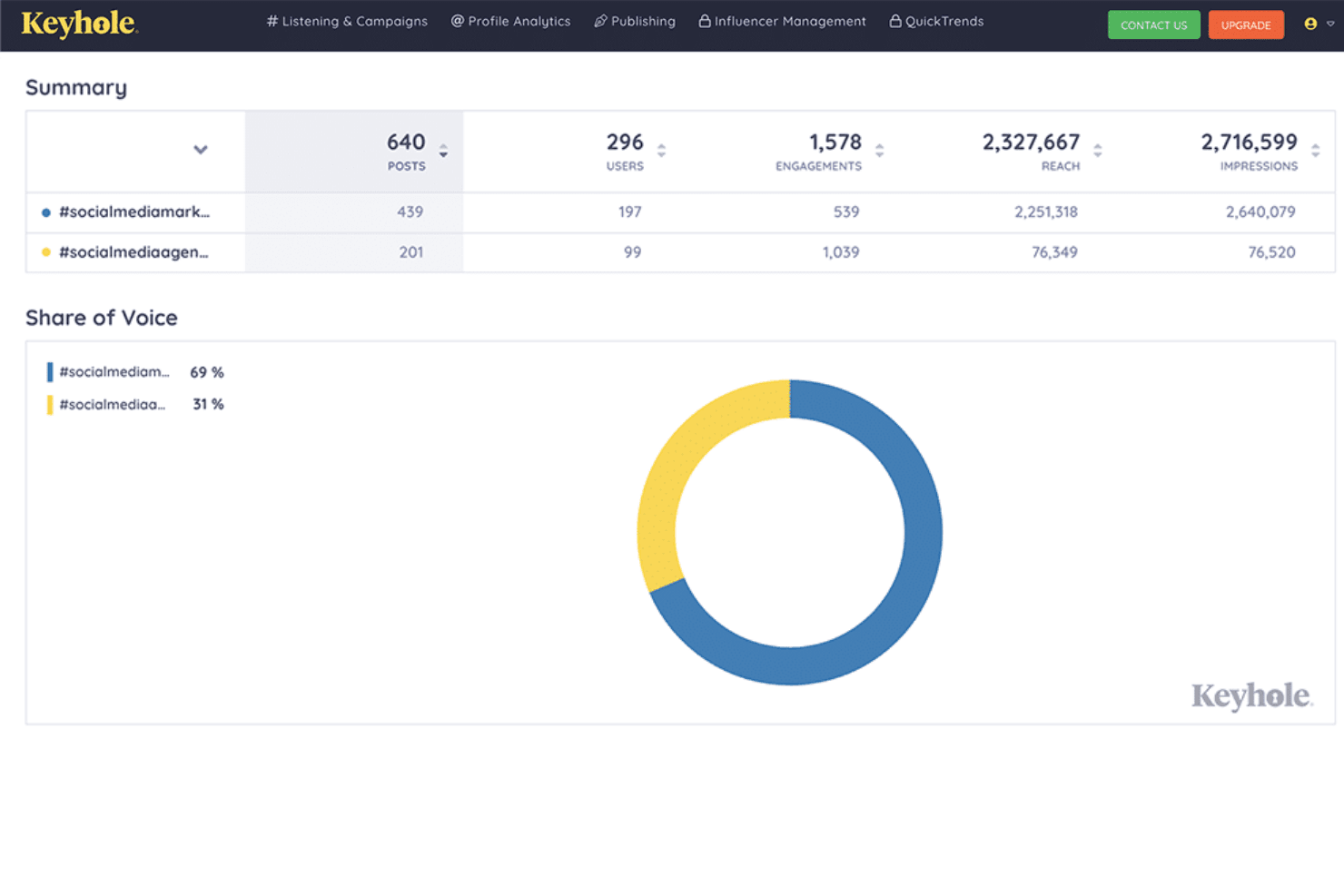
Compare your brand’s performance to competitors using side-by-side analytics. Identify gaps and opportunities by tracking competitor campaigns and share of voice.
Social Media Analytics
Access visual dashboards that break down audience growth, engagement, and content performance. Reports are easy to share with stakeholders and clients.
Historical Insights
Explore past conversations and trends to inform future strategy. Use historical data to benchmark performance and spot emerging topics.
Sentiment Analysis
Gauge public sentiment around your brand or campaigns. This helps you understand how audiences feel and adjust messaging as needed.
Ease of Use
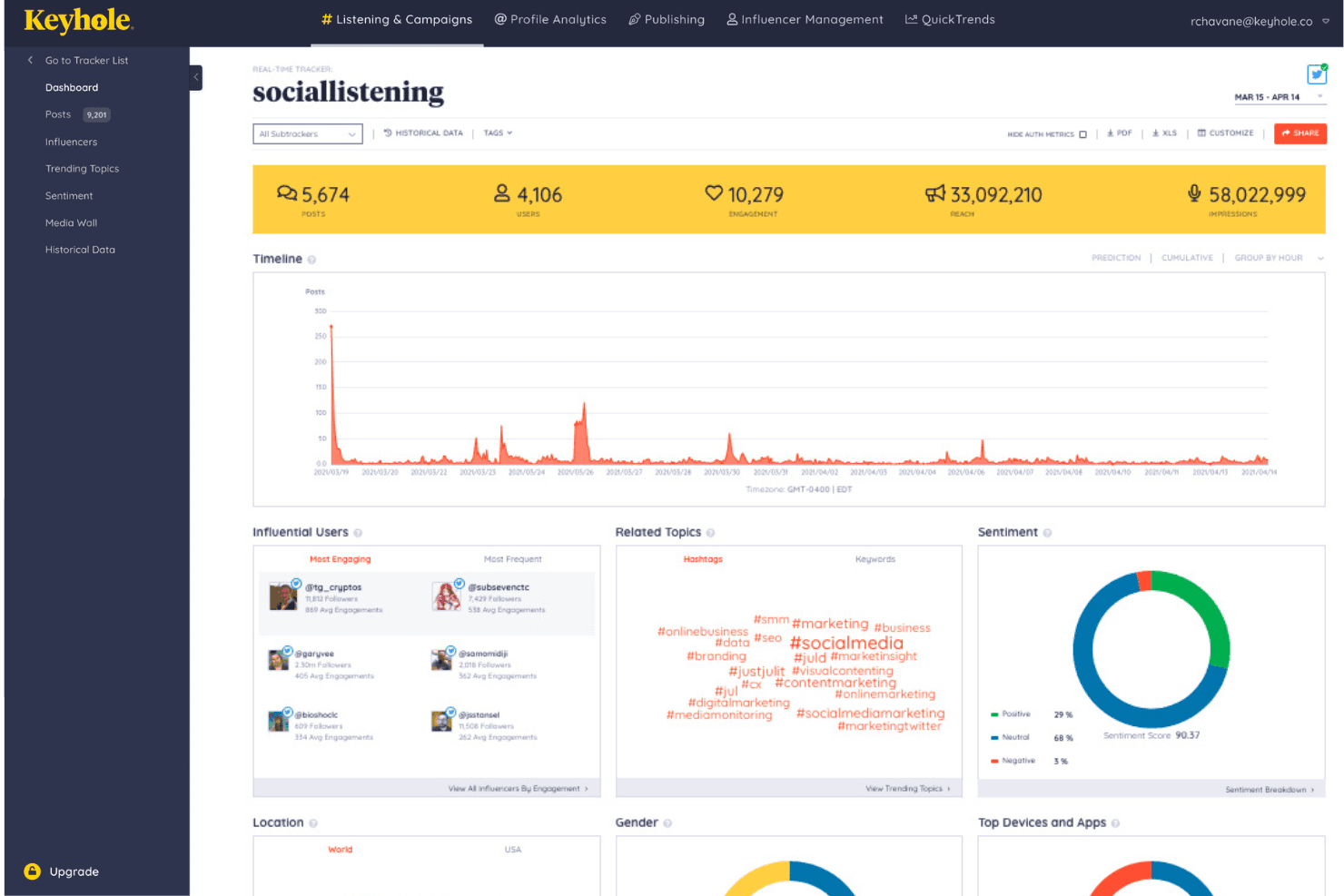
Keyhole is one of the more approachable social listening tools, with a clean dashboard and intuitive navigation that lets you set up tracking in minutes. Users often mention how quickly they can generate reports and visualize data without digging through menus.
The platform’s guided onboarding and clear labeling make it easy for new team members to get started, while real-time updates and alerts keep everyone informed without extra effort.
Integrations
Keyhole integrates with X (Twitter), Facebook, Instagram, YouTube, LinkedIn, TikTok, news sites, blogs, forums, and online publications, among others.
Keyhole also offers an API for custom data access, but does not connect with third-party integration tools like Zapier.
Keyhole Specs
- Analytics: Yes
- API: Yes
- Approval Workflows: No
- Audience Targeting: No
- Brand Management: No
- Calendar Management: No
- Campaign Management: Yes
- Collaboration Support: Yes
- Conversion Tracking: Yes
- Custom Reports: Yes
- Dashboard: Yes
- Data Export: Yes
- Data Import: Yes
- Data Visualization: Yes
- External Integrations: Yes
- Feedback Management: Yes
- Keyword Tracking: Yes
- Knowledge Base: Yes
- Landing Pages: No
- Link Tracking: Yes
- Marketing Automation: No
- Multi-Account: Yes
- Multi-User: Yes
- Notifications: Yes
- Review Monitoring: Yes
- Scheduling: Yes
- Sentiment Analysis: Yes
- Social Media Monitoring: Yes
- Social-Media Integration: Yes
- Third-Party Plugins/Add-Ons: Yes
- Workflow Management: Yes


