

Basecamp Review: Pros, Cons, Features and Pricing
Basecamp stands out by offering an intuitive, easy-to-learn interface that simplifies project management for teams of all sizes.

We review tools independently, and commissions help fund our testing. See our transparency policy, our methodology, or suggest a tool.
Basecamp is a marketing project management software that combines to-do lists, file sharing, messaging, and scheduling into one centralized workspace. It's worth a close look if your team is managing projects across too many disconnected tools and wants a single, low-friction hub. I'd choose Basecamp over Asana if per-seat pricing is a real concern—Basecamp runs on a flat monthly fee, which makes it far easier to budget as your headcount grows without costs scaling out of control.
Basecamp Evaluation Summary
4.2/5
- From $25/month
- 30-day free trial + free demo available
Why Trust Our Software Recommendations
6,700+
Reviews
20
Industry experts
16+
Evaluation factors
14
Years
Our team has been testing and reviewing software since 2012. As marketing leaders ourselves, we know how difficult—and important—it is to choose the right software.
For this guide, we evaluated tools using hands-on testing and independent research, scoring tools using our selection criteria.
Our reviews reflect our human editorial judgment, not a sales pitch.
Expert reviewers:
 Gui DrusinaCreative Director
- Shriya GhateSenior Marketing Lead
 Amanda JacquesMarketing Ops Leader

Basecamp Overview
In my opinion, Basecamp is a solid choice for small to mid-sized teams looking for straightforward project management. It excels in ease of use and offers a seamless onboarding experience, making it ideal for teams without a dedicated IT department. However, it might not satisfy larger enterprises that require advanced features and integrations. Basecamp's pricing and simplicity are appealing, but it lacks the depth found in more sophisticated tools like Asana or Trello. If you're seeking a no-frills, intuitive platform to organize tasks and communications, Basecamp is worth considering.
Pros
- Basecamp's interface is user-friendly, making it easy for your team to adopt quickly.
- The seamless onboarding process helps you start managing projects without hassle.
- It centralizes communication, replacing multiple external tools for your team.
Cons
- Basecamp lacks advanced features that might be necessary for larger projects.
- It doesn't offer detailed reporting tools found in other project management software.
- Your team might find the limited customization options restrictive.
Is Basecamp Right For Your Needs?
Who Would be a Good Fit for Basecamp?
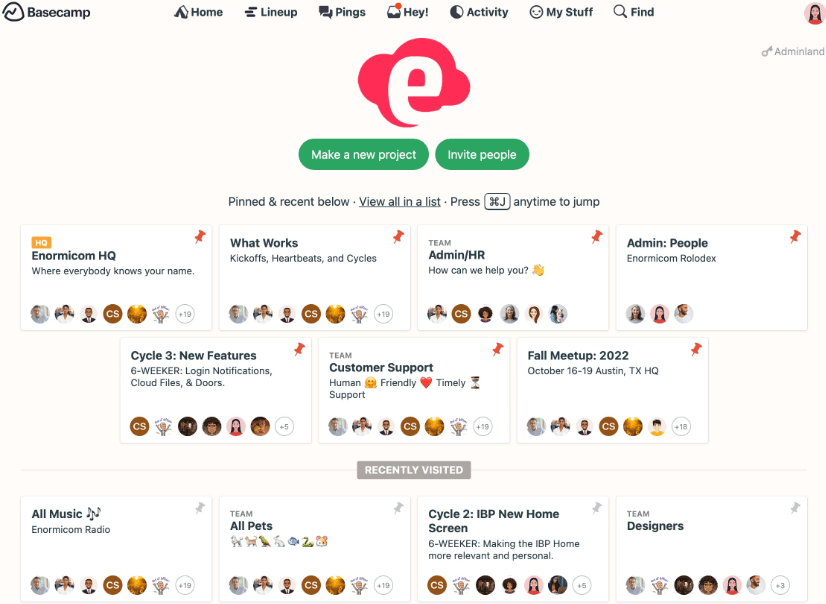
Basecamp is ideal for small to mid-sized businesses and teams that need a straightforward project management tool. If your team values simplicity and quick onboarding, Basecamp’s user-friendly interface makes it a great choice. Marketing departments that need a central hub for communication and task management will find it useful. Its ability to replace multiple communication tools with one platform helps streamline your team's workflow efficiently.
- Small BusinessesBasecamp offers simplicity and ease of use, perfect for small teams needing efficient task management.
- Remote TeamsThe centralized communication features make it easy for your remote team to stay connected and organized.
- StartupsStartups benefit from Basecamp's quick setup and user-friendly design, allowing you to focus on growth.
- Marketing DepartmentsBasecamp's centralized communication and task management features suit marketing teams coordinating multiple campaigns.
- Creative AgenciesFor creative agencies, Basecamp simplifies project tracking and communication, enhancing your team's productivity.
- NonprofitsNonprofits appreciate Basecamp's straightforward tools for managing projects and volunteers without complex features.
Who Would be a Bad Fit for Basecamp?
Basecamp may not suit large enterprises or teams needing advanced project management features. If your work requires detailed reporting, time tracking, or tools like Gantt charts, Basecamp's simplicity can be a drawback. Companies that rely heavily on integrations with other software tools may find Basecamp lacking. Complex projects needing granular task tracking and resource management won't benefit much from its limited feature set.
- Large EnterprisesBasecamp lacks advanced features and customization options that large enterprises need for complex project management.
- IT DepartmentsFor IT departments, the lack of integrations and technical features makes Basecamp less suitable.
- Financial ServicesBasecamp's limited reporting features don't meet the extensive data tracking needs of financial services.
- Manufacturing CompaniesManufacturing companies may find Basecamp too simplistic for managing intricate supply chain processes.
- Healthcare OrganizationsHealthcare organizations might need more robust security and compliance features than Basecamp offers.
- Consulting FirmsConsulting firms requiring deep analytics and client reporting tools will find Basecamp insufficient.
How We Test & Score Tools
We’ve spent years building, refining, and improving our software testing and scoring system. The rubric is designed to capture the nuances of software selection and what makes a tool effective, focusing on critical aspects of the decision-making process.
Below, you can see exactly how our testing and scoring works across seven criteria. It allows us to provide an unbiased evaluation of the software based on core functionality, standout features, ease of use, onboarding, customer support, integrations, customer reviews, and value for money.
Core Functionality (25% of final scoring)
The starting point of our evaluation is always the core functionality of the tool. Does it have the basic features and functions that a user would expect to see? Are any of those core features locked to higher-tiered pricing plans? At its core, we expect a tool to stand up against the baseline capabilities of its competitors.
Standout Features (25% of final scoring)
Next, we evaluate uncommon standout features that go above and beyond the core functionality typically found in tools of its kind. A high score reflects specialized or unique features that make the product faster, more efficient, or offer additional value to the user.
We also evaluate how easy it is to integrate with other tools typically found in the tech stack to expand the functionality and utility of the software. Tools offering plentiful native integrations, 3rd party connections, and API access to build custom integrations score best.
Ease of Use (10% of final scoring)
We consider how quick and easy it is to execute the tasks defined in the core functionality using the tool. High scoring software is well designed, intuitive to use, offers mobile apps, provides templates, and makes relatively complex tasks seem simple.
Onboarding (10% of final scoring)
We know how important rapid team adoption is for a new platform, so we evaluate how easy it is to learn and use a tool with minimal training. We evaluate how quickly a team member can get set up and start using the tool with no experience. High scoring solutions indicate little or no support is required.
Customer Support (10% of final scoring)
We review how quick and easy it is to get unstuck and find help by phone, live chat, or knowledge base. Tools and companies that provide real-time support score best, while chatbots score worst.
Customer Reviews (10% of final scoring)
Beyond our own testing and evaluation, we consider the net promoter score from current and past customers. We review their likelihood, given the option, to choose the tool again for the core functionality. A high scoring software reflects a high net promoter score from current or past customers.
Value for Money (10% of final scoring)
Lastly, in consideration of all the other criteria, we review the average price of entry level plans against the core features and consider the value of the other evaluation criteria. Software that delivers more, for less, will score higher.
Core Features
To-Do Lists
Basecamp helps you organize tasks with simple to-do lists, allowing your team members to check off completed items easily. This keeps everyone on the same page and boosts productivity.
Message Boards
You can centralize discussions with message boards, making it easy to track conversations and decisions. It reduces the need for endless email chains.
Card Table
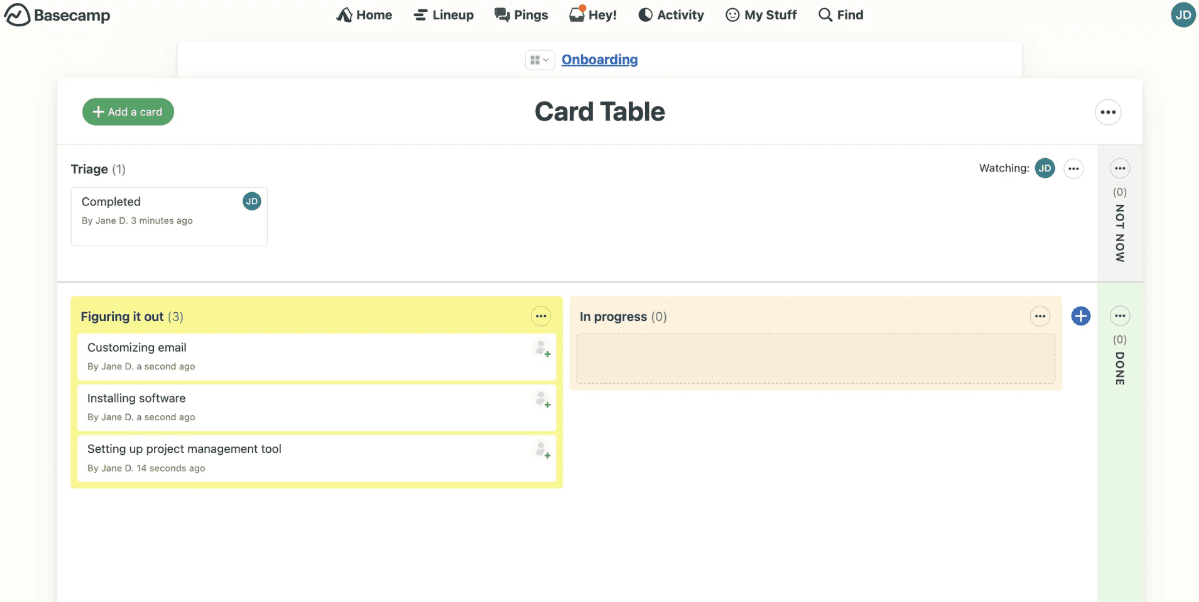
Basecamp includes a Card Table feature that functions similarly to Kanban boards, allowing your team to visualize progress and assign tasks. This provides a flexible way to manage workflows.
File Storage
Store and share files directly in Basecamp, keeping all your necessary documents in one place. It simplifies access and collaboration.
Group Chat
Basecamp's chat feature lets your team communicate in real time, facilitating quick discussions and decisions. It’s perfect for instant feedback and updates.
Automatic Check-ins
You can use automatic check-ins to gather regular updates from your team without scheduling meetings. This saves time and keeps everyone informed.
Ease of Use
Basecamp is easy for your team to pick up, thanks to its intuitive interface and simple navigation. You don't need extensive training to start managing projects, making it ideal for teams without tech expertise. The user-friendly design helps you focus on tasks rather than figuring out complex systems. Basecamp's straightforward features like to-do lists and message boards ensure your work stays organized and accessible, enhancing overall productivity.
Integrations
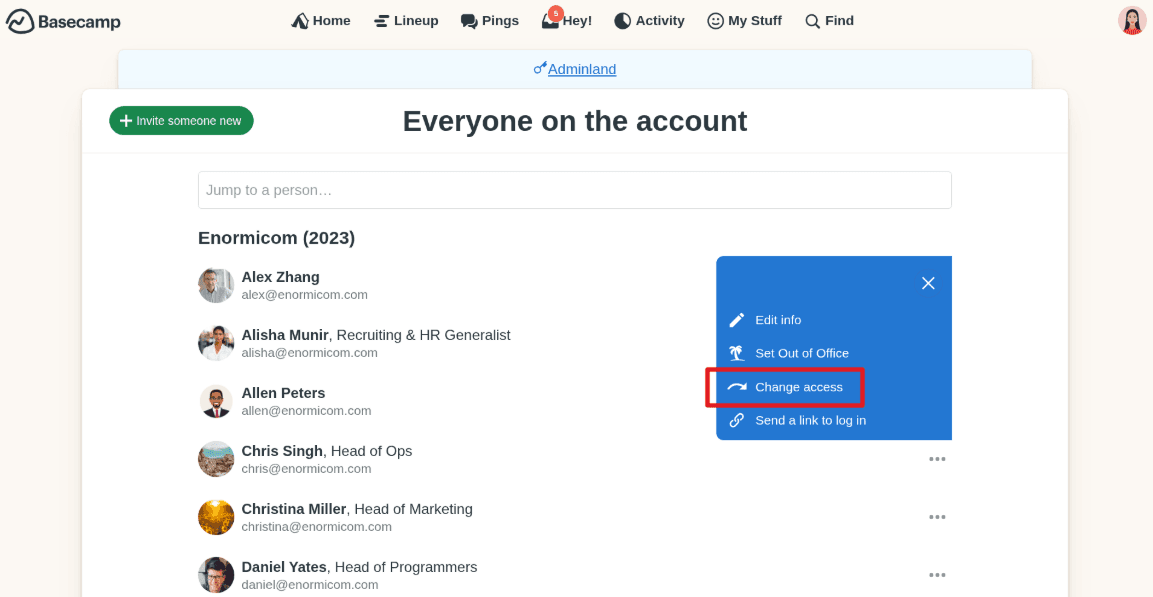
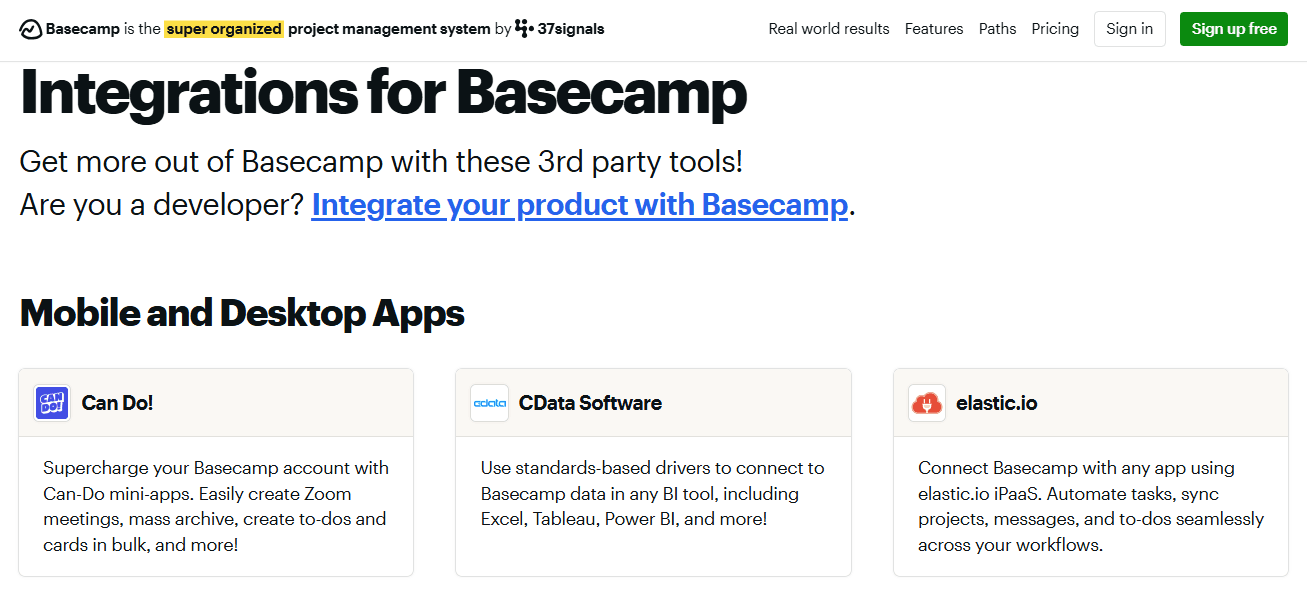
Basecamp integrates with Miro, Hubspot, Adobe Creative Cloud, Slack, Notion, Salesforce, Zendesk, and Calendly.
Basecamp also offers an API and connects with third-party integration tools.
Basecamp Specs
- API: Yes
- Batch Permissions & Access: No
- Budgeting: No
- Calendar Management: Yes
- Collaboration Support: Yes
- Contact Management: No
- Contact Sharing: No
- Customer Management: No
- Dashboard: No
- Dashboards: No
- Data Export: Yes
- Data Import: Yes
- Data Visualization: No
- Dependency Tracking: No
- Document Sharing: Yes
- Expense Tracking: No
- External Integrations: Yes
- File Sharing: Yes
- Gantt Charts: No
- Kanban Boards: Yes
- Multi-User: Yes
- Notifications: Yes
- Project Management: Yes
- Resource Management: No
- Scheduling: Yes
- Task Scheduling/Tracking: Yes
- Third-Party Plugins/Add-Ons: No
- Time Management: Yes
- Travel Management: No
- Workflow Management: No


