

O software de compra de meios para pequenas agências ajuda as equipas a planear e gerir compras de publicidade, orçamentos e relatórios de campanhas para vários clientes. A escolha certa depende dos seus canais e do seu fluxo de trabalho: algumas ferramentas gerem planos de meios tradicionais e digitais, enquanto outras se concentram na compra programática, nas ordens de inserção ou nos painéis de controlo para clientes. Esta lista compara as opções com base nos seus pontos fortes e na sua escala, para que possa encontrar o software que corresponde às necessidades de compra e aos requisitos de elaboração de relatórios da sua agência.
Why Trust Our Software Recommendations
6,700+
Reviews
20
Industry experts
16+
Evaluation factors
14
Years
Our team has been testing and reviewing software since 2012. As marketing leaders ourselves, we know how difficult—and important—it is to choose the right software.
For this guide, we evaluated tools using hands-on testing and independent research, scoring tools using our selection criteria.
Our reviews reflect our human editorial judgment, not a sales pitch.
Expert reviewers:
 Gui DrusinaCreative Director
- Shriya GhateSenior Marketing Lead
 Amanda JacquesMarketing Ops Leader

Tabela comparativa: software de compra de meios para pequenas agências
Compare lado a lado os preços e as especificações do software de compra de meios para pequenas agências que entrou na minha lista restrita.
| Tool | Best For | Trial Info | Price | ||
|---|---|---|---|---|---|
| 1 | Best for post-campaign client reporting across channels | Free demo + 14-day free trial | From $20/client/month (billed annually) | Website | |
| 2 | Best for programmatic buys without spend minimums | Not available | Pricing upon request | Website | |
| 3 | Best for cross-channel client reporting | Free trial available | From $39/user/month (billed annually) | Website | |
| 4 | Best for cross-channel client reporting dashboards | Free demo + 14-day free trial | Pricing upon request | Website | |
| 5 | Best for retargeting across display and social channels | Free demo available | Pricing upon request | Website | |
| 6 | Best for omnichannel reach across publishers | Free demo available | From $114,000/year | Website | |
| 7 | Best for omnichannel plan-to-actual reporting | Not available | Pricing upon request | Website | |
| 8 | Best for omnichannel plans and vendor IO workflows | Not available | Pricing upon request | Website | |
| 9 | Best for cross-channel buys at enterprise scale | Free demo available | Pricing upon request | Website | |
| 10 | Best for omnichannel planning across media channels | Free demo available + 14-day free trial available | From $995/month | Website |


Avaliações de software de compra de meios para pequenas agências
Seguem-se as minhas avaliações do melhor software de compra de meios para pequenas agências incluído na minha lista restrita. Analiso o planeamento de meios, os fluxos de trabalho de compra e as funcionalidades de elaboração de relatórios de cada plataforma, para o ajudar a encontrar a opção certa.
 Best for post-campaign client reporting across channels
- Free demo + 14-day free trial
- From $20/client/month (billed annually)
Visit WebsiteCustomer Rating:4.7/5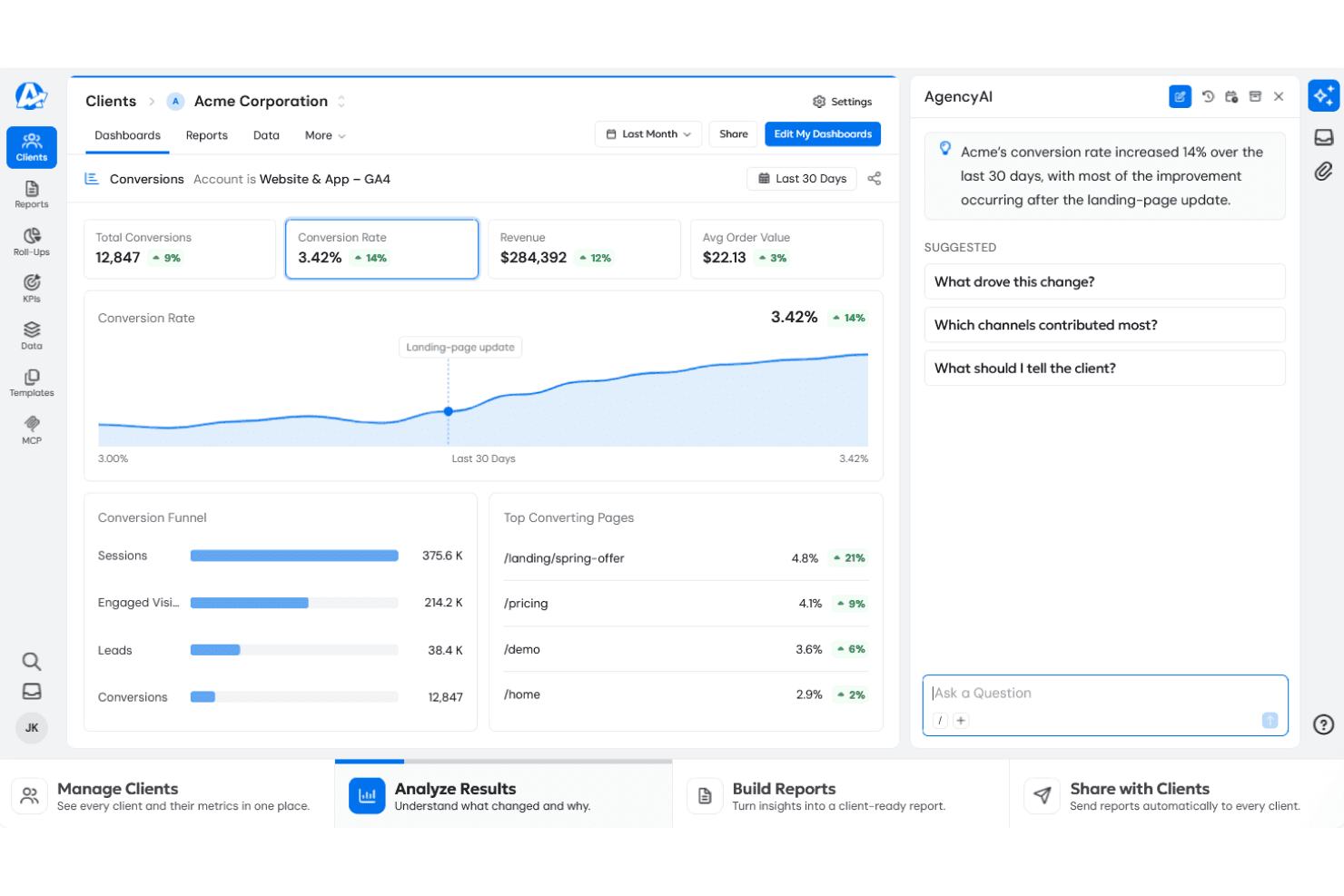
AgencyAnalytics surfaces AI-driven conversion insights tied to landing-page updates. AgencyAnalytics is a marketing reporting platform for agencies that pulls data from 85+ connected channels—including paid, social, search, and web—into customizable dashboards, automated client reports, and roll-up views across accounts.
Who Is AgencyAnalytics Best For?
AgencyAnalytics is a strong fit for agencies that need to consolidate cross-channel performance data into polished, branded client reports without building dashboards from scratch.
Why I Picked AgencyAnalytics
I picked AgencyAnalytics as one of the best because it does post-campaign client reporting better than almost any other tool in this category. Once a campaign wraps, I can pull paid, social, search, and web data into a single roll-up dashboard across all my clients, then use Smart Reports to auto-generate polished, white-labeled summaries without building anything from scratch. The report scheduling and approval workflow means I'm not chasing anyone to sign off before reports go out.
AgencyAnalytics Key Features
- Cross-channel dashboard views: Combine paid, social, search, and web data from 85+ connected integrations into a single reporting view.
- KPI goal tracking and alerts: Set metric targets with custom conditions and receive alerts when performance thresholds are met or missed.
- Roll-up reports and dashboards: Aggregate campaign data across multiple client accounts into a single consolidated report or dashboard.
- White-label client portal: Give clients branded access to live dashboards and reports served from your agency's own domain.
AgencyAnalytics Integrations
AgencyAnalytics offers 85+ native integrations, including Google Ads, Amazon Ads, Facebook, Google Ad Manager, Adform, AdRoll, Basis Platform, and Google Sheets. It also provides a JSON API for custom reporting integrations, but connections pull data for reporting rather than executing media buys.
Pros and Cons
Pros:
- Branded reports support agency reviews
- Roll-up views compare client accounts
- Client-ready cross-channel performance summaries
Cons:
- No insertion-order or budget reconciliation tools
- No media-plan or buy-execution workflow
Learn more about AgencyAnalytics: Best for programmatic buys without spend minimums
- Not available
- Pricing upon request
Visit WebsiteCustomer Rating:4.4/5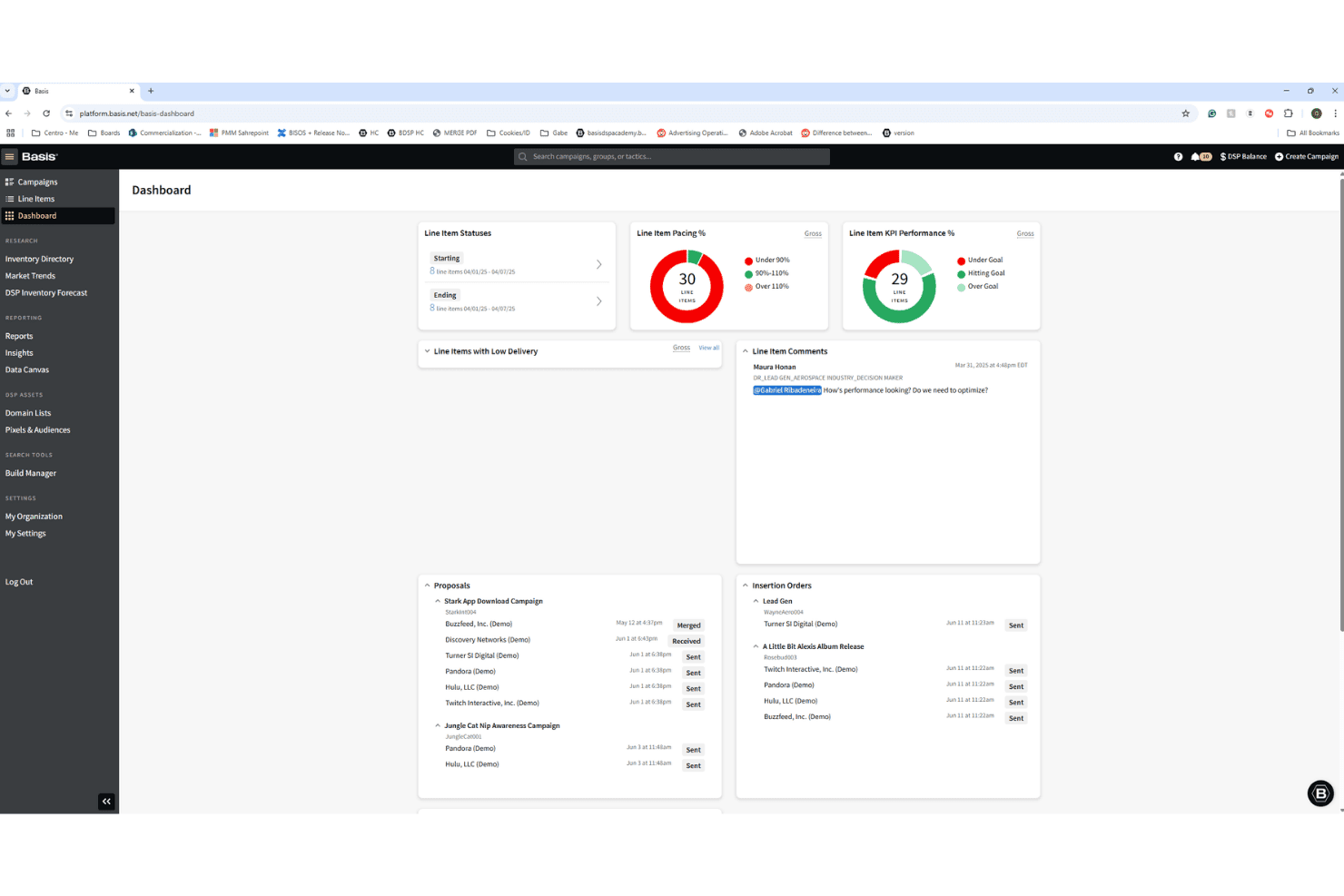
Basis centralizes campaign pacing, KPIs, and IO statuses in one dashboard. Basis is a demand-side platform (DSP) that lets you plan, buy, and manage programmatic campaigns across display, video, CTV, audio, native, DOOH, search, social, and site-direct media in one place.
Who Is Basis Best For?
Basis suits agencies that run programmatic campaigns for smaller clients who don't meet the minimum spend thresholds of larger DSPs.
Why I Picked Basis
I've included Basis in my top picks because it's one of the few DSPs where agencies can run programmatic buys for smaller clients without hitting a spend floor. In practice, that means I can activate campaigns across display, video, CTV, audio, native, and DOOH from a single platform without needing a big-budget client to justify access. I also rely on Basis's contextual targeting, which uses natural-language processing to place ads in relevant environments, and its private marketplace library of 2,000+ active deals across hundreds of publishers.
Basis Key Features
- SmartBid campaign optimization: An AI-driven bidding tool that analyzes live campaign signals to adjust bids, pacing, and budget allocation across channels in real time.
- DataBridge reporting export: Sends campaign performance data to third-party dashboard tools including TapClicks, NinjaCat, Datorama, Looker, and Funnel.
- Communication Portal: A built-in messaging hub for coordinating campaign work among internal teams, vendors, and clients, with automated alerts for campaigns needing attention.
- Document Storage: A centralized library for storing vendor insertion orders, legal documents, and campaign attachments, each tagged with campaign, parties, and sharing context.
Basis Integrations
Basis documents 170+ industry API integrations, including Google Campaign Manager, Facebook, Instagram, LinkedIn, TikTok, Looker, and Funnel. Its DSP Enterprise API supports custom campaign, audience, conversion tracking, and reporting workflows.
Pros and Cons
Pros:
- Responsive support for agency teams
- Strong audience targeting and optimization
- Broad digital channel activation
Cons:
- CTV deals and premium inventory can disappoint
- Reporting can lack useful dimensions
Learn more about Basis: Best for cross-channel client reporting
- Free trial available
- From $39/user/month (billed annually)
Visit WebsiteCustomer Rating:4.4/5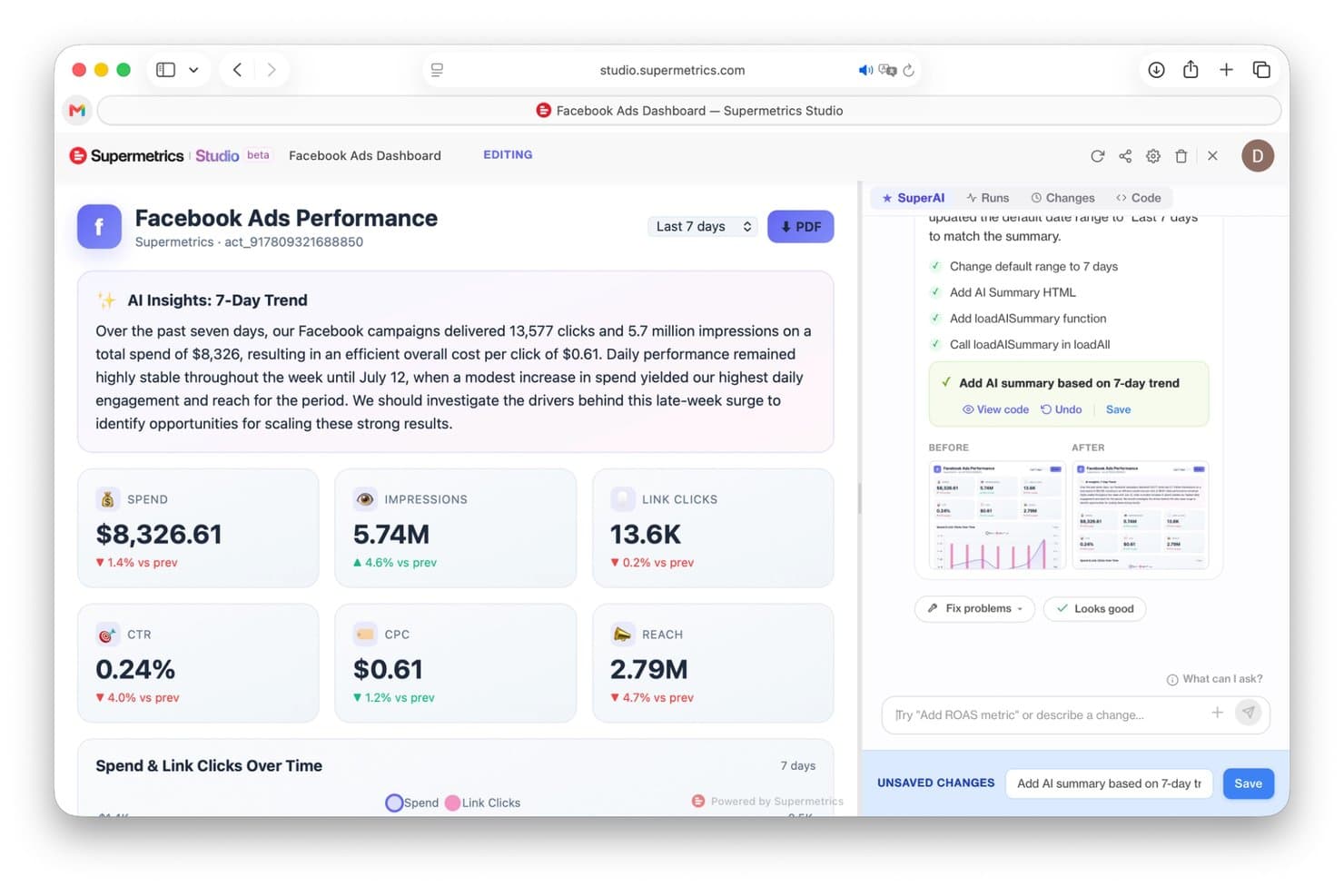
Supermetrics lets users build AI-powered Meta Ads dashboards. Supermetrics is a marketing intelligence platform that pulls data from 150+ ad platforms, analytics tools, and CRM sources into reporting destinations like Google Sheets, Looker Studio, Power BI, and data warehouses, with added AI chat and campaign management capabilities.
Who Is Supermetrics Best For?
Supermetrics is a strong fit for agency teams managing multi-client reporting across digital ad platforms who need consolidated performance data in tools like Looker Studio, Google Sheets, or Power BI.
Why I Picked Supermetrics
I've included Supermetrics in my top picks because it pulls performance data from 150+ ad platforms, including Google Ads, Meta, TikTok, and LinkedIn, into a single reporting layer across Google Sheets, Looker Studio, and Power BI. What I genuinely like is the dedicated client workspace setup: each client's data lives in a separated environment, so cross-channel reports stay clean and permissioned correctly. The budget pacing dashboard also shows target spend, actual spend, and pacing status per campaign, which keeps client conversations grounded in live numbers.
Supermetrics Key Features
- White-label reporting: Generate branded client reports with custom logos and colors, then schedule delivery to client inboxes or shared workspaces.
- Campaign change approvals: Configure approval requirements for ad launches and budget changes, with each change logged against the user who made it.
- Cross-client benchmarking: Standardize metrics like ROAS, CTR, and CPA across clients and channels in a single view for side-by-side comparison.
- AI chat queries: Connect live marketing data to Claude, ChatGPT, Gemini Enterprise, or Microsoft Copilot to query performance data in natural language.
Supermetrics Integrations
Supermetrics offers 150+ native data-source integrations, including Google Ads, Facebook Ads, LinkedIn Ads, Microsoft Advertising, TikTok Ads, Google Sheets, and BigQuery. Its Marketing Data API supports custom integrations and scheduled data syncs.
Pros and Cons
Pros:
- Pacing dashboards compare spend against plan
- Client workspaces keep reporting data separate
- Cross-channel reports cut manual data compilation
Cons:
- Campaign actions cover only select digital channels
- No insertion-order or publisher-buying workflow
Learn more about Supermetrics: Best for cross-channel client reporting dashboards
- Free demo + 14-day free trial
- Pricing upon request
Visit WebsiteCustomer Rating:4.3/5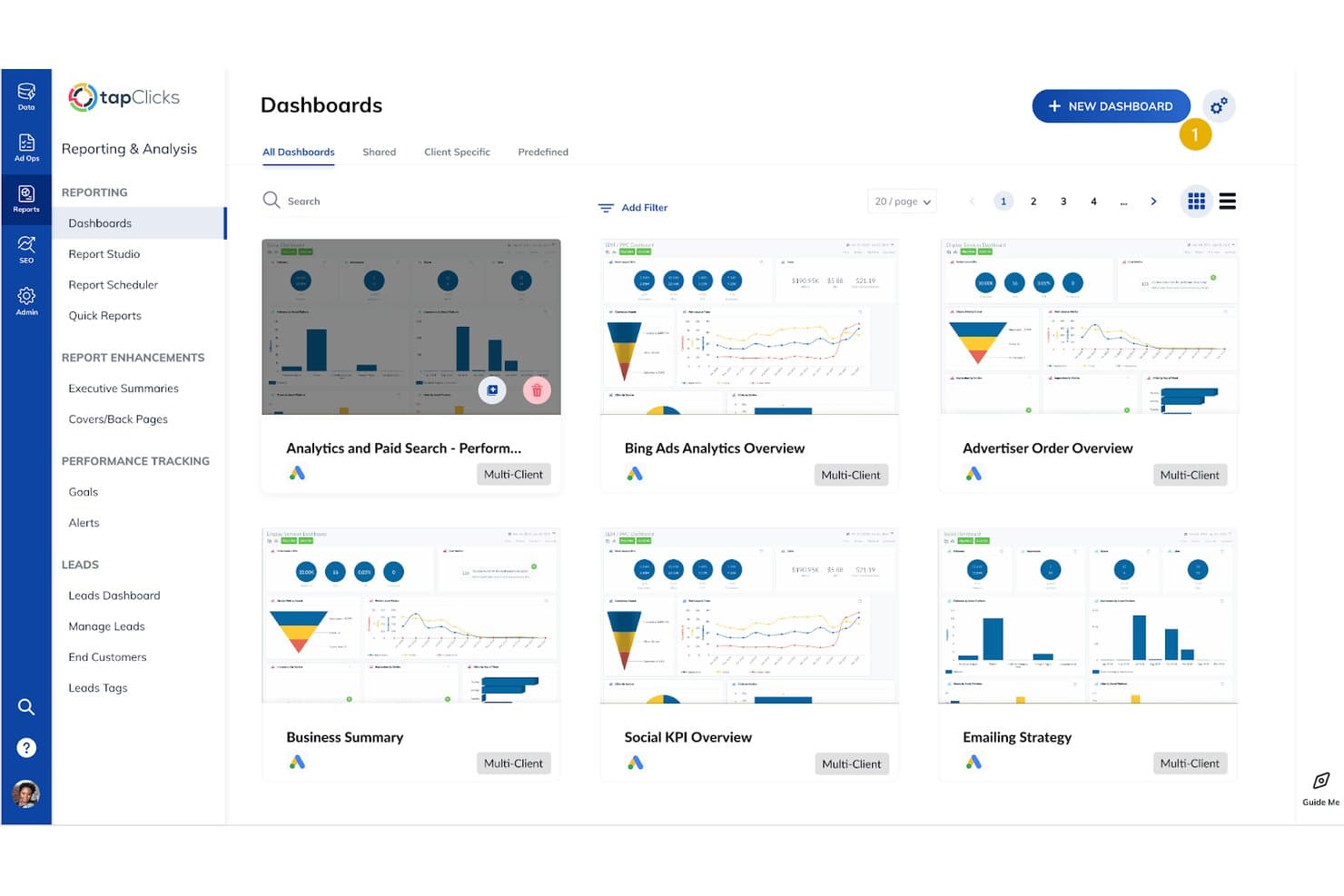
TapClicks centralizes multiple client dashboards for easy campaign oversight. TapClicks is a marketing intelligence platform that pulls data from 250+ ad platform connectors into unified cross-channel dashboards, automated client reports, and AI-generated campaign insights.
Who Is TapClicks Best For?
TapClicks is a strong fit for mid-sized and larger marketing agencies that manage reporting across many clients and ad platforms simultaneously.
Why I Picked TapClicks
I've included TapClicks in my top picks because it handles cross-channel client reporting dashboards better than most tools I've tested at this scale. SmartAnalytics combines data from platforms like Google Ads, Meta, and LinkedIn into a single interactive dashboard, while SmartReports lets you schedule branded, white-labeled reports to go out automatically. I also find the AI Insights Agents genuinely useful, surfacing campaign highlights and red flags without me having to dig through the data manually.
TapClicks Key Features
- TapOrders campaign management: Capture and organize campaign details across orders, line items, and flights, with configurable forms and built-in budget guardrails.
- Goals tracking: Set budget, impression, or click goals for individual clients or client groups, with forecasting and performance variance filters built in.
- Automated pacing alerts: Configure rule-based email alerts tied to specific data sources, metrics, and evaluation schedules to flag performance changes.
- Custom branding controls: Apply your agency's logos, colors, vanity URLs, and login screens across reports and the client-facing application.
TapClicks Integrations
TapClicks offers 250+ native integrations, including Google Ads, Meta Ads, LinkedIn Ads, Google Analytics 4, and HubSpot. TapAPI supports custom data extraction, while TapOrders and TapWorkflow provide push connectors for Google Ad Manager, Google Ads, and Facebook Ads.
Pros and Cons
Pros:
- Budget goals and pacing alerts track campaigns
- Branded dashboards give clients direct visibility
- Cross-channel client reporting consolidates campaign data
Cons:
- Complex multi-channel reports can take work to build
- Publisher-facing insertion order workflows remain limited
Learn more about TapClicks: Best for retargeting across display and social channels
- Free demo available
- Pricing upon request
Visit WebsiteCustomer Rating:3.9/5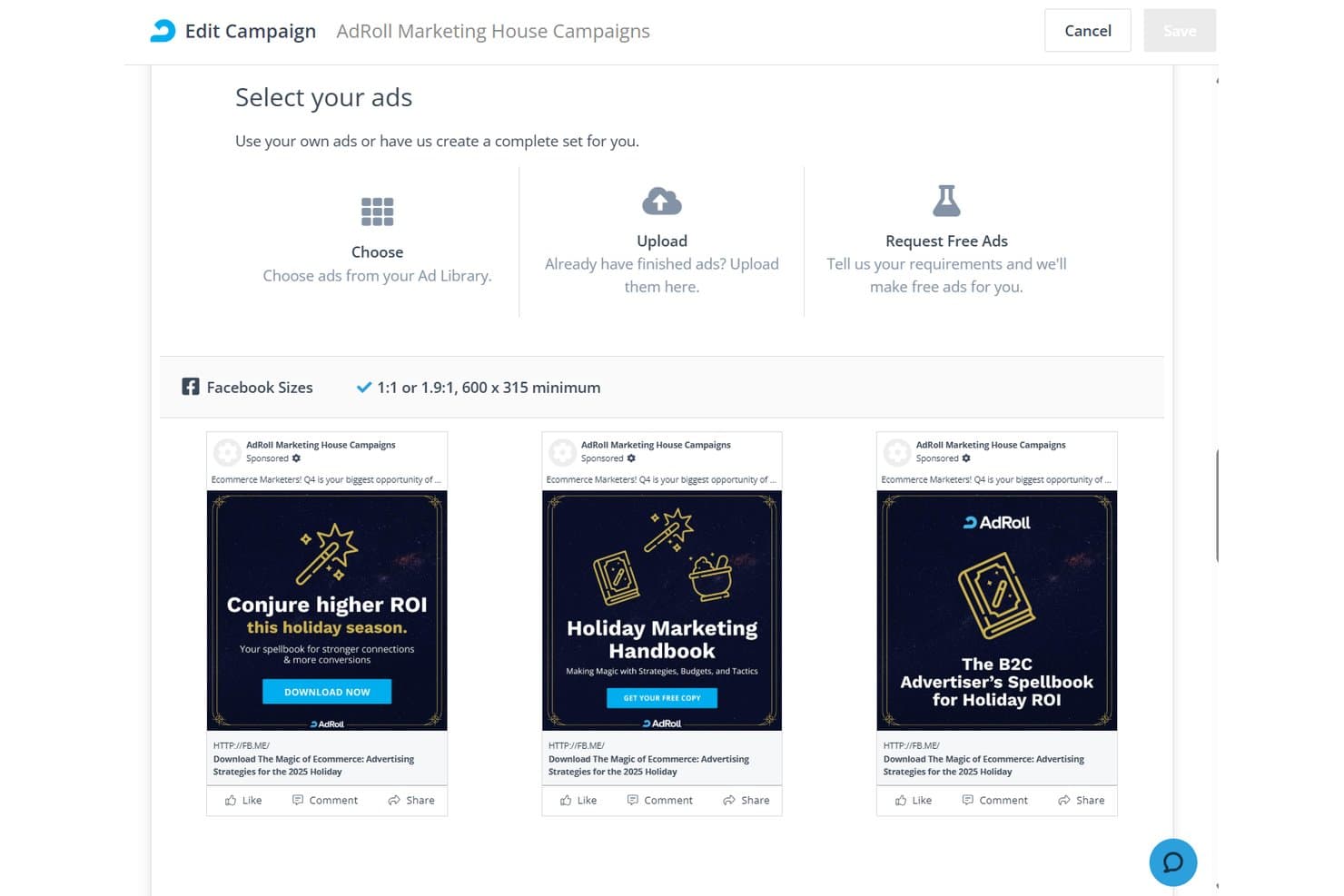
AdRoll lets users select and preview Facebook ads within a campaign. AdRoll is a self-serve digital advertising platform that lets you run retargeting, brand awareness, and dynamic ad campaigns across display, social, connected TV, video, native, in-app mobile, and digital out-of-home channels.
Who Is AdRoll Best For?
AdRoll is a good fit for digital marketers and small agency teams who need to run retargeting campaigns across display and social channels without managing separate platforms for each.
Why I Picked AdRoll
I've included AdRoll in my top picks because it lets you run retargeting campaigns across display networks, social platforms like Facebook, Instagram, TikTok, and Pinterest, and connected TV from a single campaign setup rather than managing separate accounts on each channel. I particularly like BidIQ, its AI-driven bidding engine, which optimizes impression-level buying in real time so you're not manually adjusting bids across every channel. You can also layer in dynamic ads that automatically personalize creative based on products a visitor previously viewed, which keeps retargeting relevant without rebuilding ads from scratch for each audience segment.
AdRoll Key Features
- Multi-channel campaign setup: Build retargeting and brand-awareness campaigns across display, video, native, connected TV, in-app mobile, and social channels from a single campaign workflow.
- HeroIQ AI optimization: A coordinated system of AI agents that handles recommendations and tasks across campaign creation, optimization, and reporting workflows.
- Contextual targeting: Target ads by content category and up to 100 keywords per ad group across 56 contextual categories.
- Scheduled report sharing: Export or schedule campaign reports daily, weekly, or monthly and send them directly to selected recipients.
AdRoll Integrations
AdRoll lists 70+ marketing platform integrations, including Shopify, WooCommerce, BigCommerce, Meta, TikTok, Pinterest, Google Ads, Klaviyo, and HubSpot. It also offers APIs for custom audience, campaign, targeting, and reporting connections.
Pros and Cons
Pros:
- Dynamic retargeting ads based on browsing behavior
- Campaign reports combine cross-channel performance
- Retargeting spans display and social channels
Cons:
- Social advertising requires an add-on for self-service users
- Cross-channel attribution requires a paid add-on
Learn more about AdRoll:
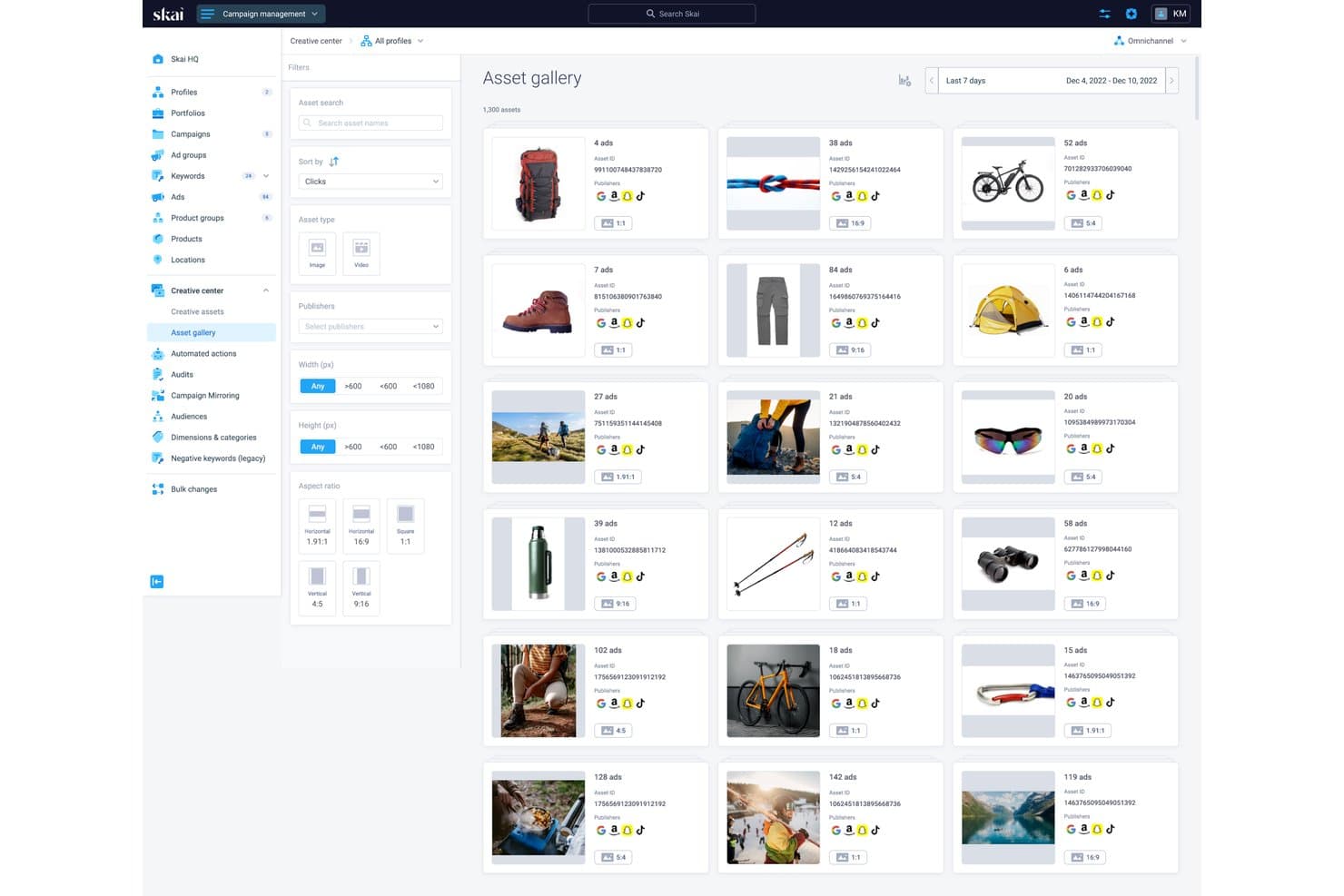
Skai's asset gallery centralizes creative assets across ad publishers. Skai is an omnichannel advertising platform that lets you plan, activate, optimize, and measure paid search, paid social, and retail media campaigns across 300+ publishers from a single interface.
Who Is Skai Best For?
Skai is a strong fit for large advertisers and enterprise agency teams managing significant media budgets across retail media, paid search, and paid social simultaneously.
Why I Picked Skai
I've included Skai in my top picks because no other platform on this list connects you to as many publishers in one place: 300+ retail media networks, paid search, and paid social channels all managed from a single interface. What I find genuinely impressive is Budget Navigator, which regenerates daily forecasts and automatically adjusts bids and budgets against your KPI goals, cutting out the manual pacing work. Celeste AI layers on top of that, letting you query performance across channels in plain language and surface recommendations without digging through dashboards.
Skai Key Features
- Celeste AI assistant: Query campaign performance across channels in plain language to surface trends, anomalies, and recommendations without manually digging through dashboards.
- Search Term Analysis: Get machine-learning-generated negative keyword recommendations alongside estimated savings, available on Advanced plans and above.
- Creative Center: Organize, brief, review, and analyze creative assets across retailers and social publishers from a single location.
- Automated actions and workflows: Configure condition-based rules to apply bid, budget, status, and campaign setting changes across publishers automatically.
Skai Integrations
Skai offers native connections to Amazon Ads, Facebook, Instagram, TikTok, Walmart Connect, YouTube, Google Sheets, Google BigQuery, and Amazon S3. It also supports REST API custom integrations and Zapier marketplace integrations.
Pros and Cons
Pros:
- Dashboards support cross-channel client reporting
- Daily automated budget and pacing adjustments
- Cross-channel campaign management across 300+ publishers
Cons:
- Reported spend discrepancies complicate client reconciliation
- No insertion-order or buy-confirmation tracking
Learn more about Skai: Best for omnichannel plan-to-actual reporting
- Not available
- Pricing upon request
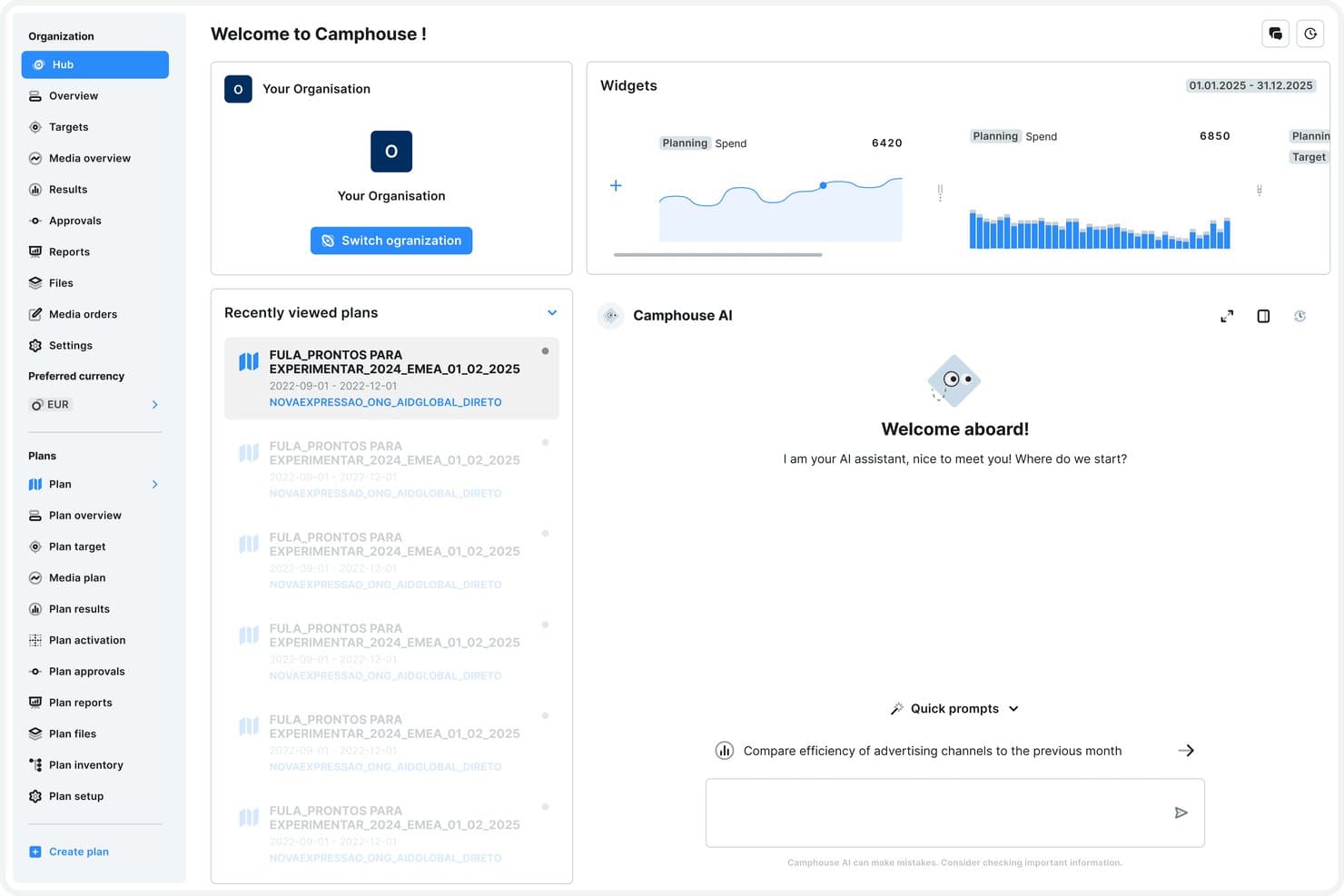
Camphouse centralizes media plans, budgets, and AI insights in one hub. Camphouse is a media planning and reporting platform that connects multi-channel plan building, budget allocation, campaign activation, and planned-versus-actual reporting in a single system of record.
Who Is Camphouse Best For?
Camphouse suits media teams at mid-to-large advertisers and agencies managing multi-market campaigns who need a single system connecting plans, budgets, and channel actuals.
Why I Picked Camphouse
I picked Camphouse as one of the best because its Planned vs. Actuals reporting is genuinely useful when you're managing campaigns across digital, TV, OOH, and print in a single view. Every plan line carries its own tracked actuals, so I can see budget leakage the moment spend outpaces what was planned, without exporting anything to a spreadsheet. I also like that the reporting module supports 60+ custom dimensions, which means I can cut performance data by audience, creative theme, or market without rebuilding the report each time.
Camphouse Key Features
- Multi-channel plan building: Build media plans line by line across digital, TV, OOH, print, radio, retail media, and sponsorship in a single configurable sheet view.
- Budget cap controls: Set authorized spend caps at global, regional, brand, or campaign level, with real-time validation that blocks over-allocation before it happens.
- 20+ native ad platform connectors: Pull daily actuals from Google Ads, Meta, LinkedIn, TikTok, Amazon Ads, The Trade Desk, and more directly into your media plan.
- Custom data hierarchy: Configure the taxonomy used to organize campaigns, markets, and brands to match how your team actually structures its work.
Camphouse Integrations
Camphouse offers 20+ native integrations, including Google Ads, Meta Ads, LinkedIn Ads, TikTok Ads, Amazon Ads, The Trade Desk, Google Analytics 4, and Google Sheets. It also supports SFTP, Amazon S3, a REST API, and Camphouse MCP, plus 50+ partner platforms.
Pros and Cons
Pros:
- Multi-market campaigns share one planning structure
- Budget visibility supports cross-client allocation
- Planned-versus-actual reporting reduces spreadsheet reconciliation
Cons:
- Buying still happens outside the platform
- No insertion-order workflow for publisher buys
Learn more about Camphouse: Best for omnichannel plans and vendor IO workflows
- Not available
- Pricing upon request
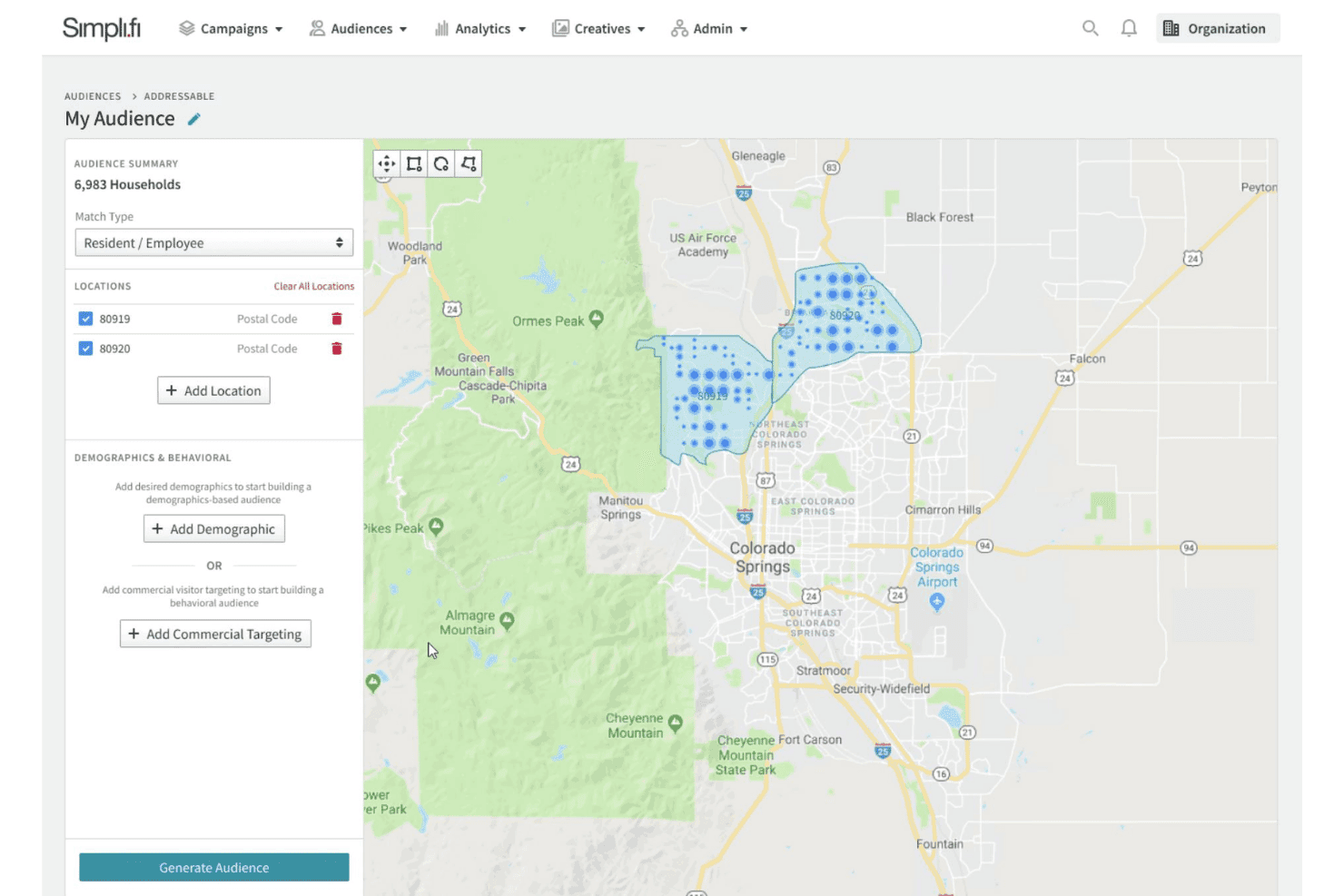
Simpli.fi lets users build addressable audiences by ZIP code on a map. Simpli.fi is a programmatic advertising and media planning platform that combines omnichannel campaign activation, insertion order management, budget tracking, and agency finance tools across digital, broadcast, print, and out-of-home channels.
Who Is Simpli.fi Best For?
Simpli.fi is a strong fit for media planning teams that manage omnichannel campaigns spanning broadcast, print, digital, and out-of-home alongside complex vendor IO workflows.
Why I Picked Simpli.fi
I've included Simpli.fi in my top picks because it handles omnichannel media planning and vendor IO workflows in a way that few platforms match. You can build plans across broadcast, digital, print, and out-of-home, then send insertion orders electronically directly from the live plan, with vendors approving placements without needing a platform login. I also like that broadcast workflows include rate cards organized by client, market, and demographic alongside negotiation worksheets, which keeps the full buying process centralized.
Simpli.fi Key Features
- Unified budget and KPI tracking: Build media plans across digital, print, broadcast, and out-of-home with centralized budgets, KPIs, and flowcharts in a single view.
- Agency finance and billing automation: Configure billing rules, run media-spend reconciliation, match vendor invoices, and generate GAAP-compliant general-ledger reports across multiple clients and offices.
- Client-ready flowcharts: Generate flowcharts that pull real-time campaign data directly from the live plan for client-facing reporting.
- Cross-channel campaign activation: Run campaigns across CTV, paid search, paid social, programmatic display, video, audio, native, and digital out-of-home from one platform.
Simpli.fi Integrations
Simpli.fi offers an API with thousands of reporting options for custom integrations.
Pros and Cons
Pros:
- Finance tools reconcile spend across clients
- Vendors approve electronic placements without platform logins
- Plans span digital and traditional media
Cons:
- Single-user registrations complicate multi-client team access
- Client reporting lacks a customer-facing dashboard
Learn more about Simpli.fi: Best for cross-channel buys at enterprise scale
- Free demo available
- Pricing upon request
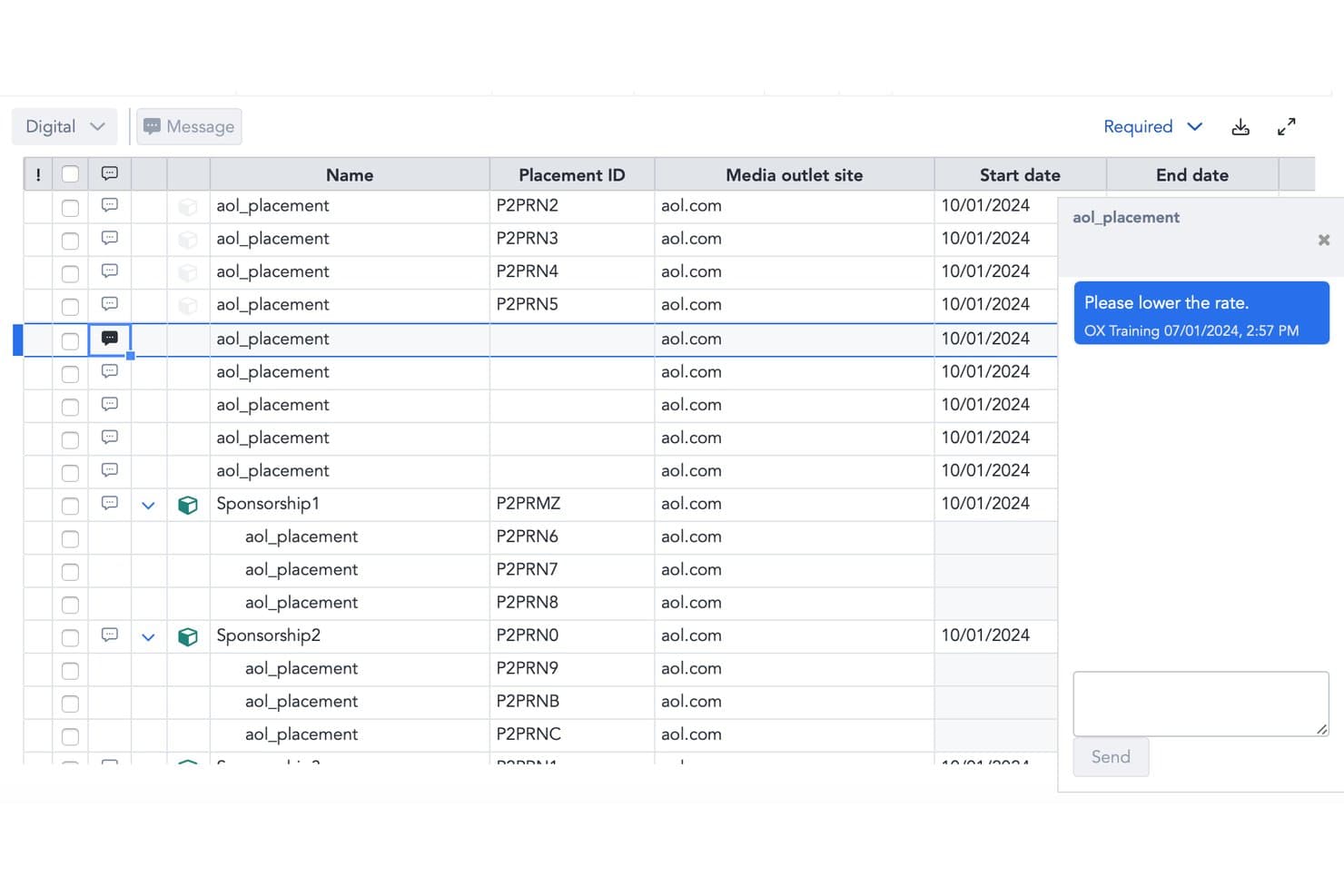
Prisma lets users annotate placements with inline messaging for rate negotiation. Prisma is an enterprise media buying platform by Mediaocean that centralizes planning, buying, trafficking, reporting, and reconciliation across digital and traditional channels through a unified workflow and API-connected partner ecosystem.
Who Is Prisma Best For?
Prisma is built for enterprise media teams and large agencies that manage high-volume, cross-channel buys across digital and traditional media from a single platform.
Why I Picked Prisma
I've included Prisma in my top picks because it's one of the few platforms that genuinely handles the full media buy lifecycle, from seller negotiation and proposal management to trafficking, actualization, and invoice reconciliation, across digital and traditional channels in one place. I particularly like how it connects directly to publisher sell systems like Boostr, Operative, and Salesforce to sync spend and delivery data, then matches that back to orders automatically. The planned-versus-actual delivery tracking with configurable variance rules is what makes it especially valuable at enterprise scale.
Prisma Key Features
- Seller proposal and negotiation management: Request proposals from sellers, manage negotiations, and keep all campaign communications in one centralized workflow.
- Traditional media trafficking: Send broadcast, cable, print, radio, and spot schedules along with order data like ISCI codes directly to trafficking queues.
- Machine learning-based TV forecasting: Use ML trained on historical data to forecast national and local TV performance and optimize schedules against campaign goals.
- Accounting system integration: Connect to Acumatica or MYOB Acumatica for billing, payment workflows, transaction validation, and month-end accruals.
Prisma Integrations
Prisma connects via APIs with hundreds of partners, including Google Ads, Meta, Amazon Ads, Display & Video 360, The Trade Desk, Acumatica, Boostr, and Operative. These integrations support campaign data, budgets, delivery reporting, invoice matching, and custom connectivity.
Pros and Cons
Pros:
- Automated campaign trafficking and order management
- Seller proposals and actuals share workflows
- Cross-medium campaign monitoring in one place
Cons:
- Multi-client workspace management remains undocumented
- Navigation across tabs can slow work
Learn more about Prisma: 10Best for omnichannel planning across media channels
Bionic
- Free demo available + 14-day free trial available
- From $995/month
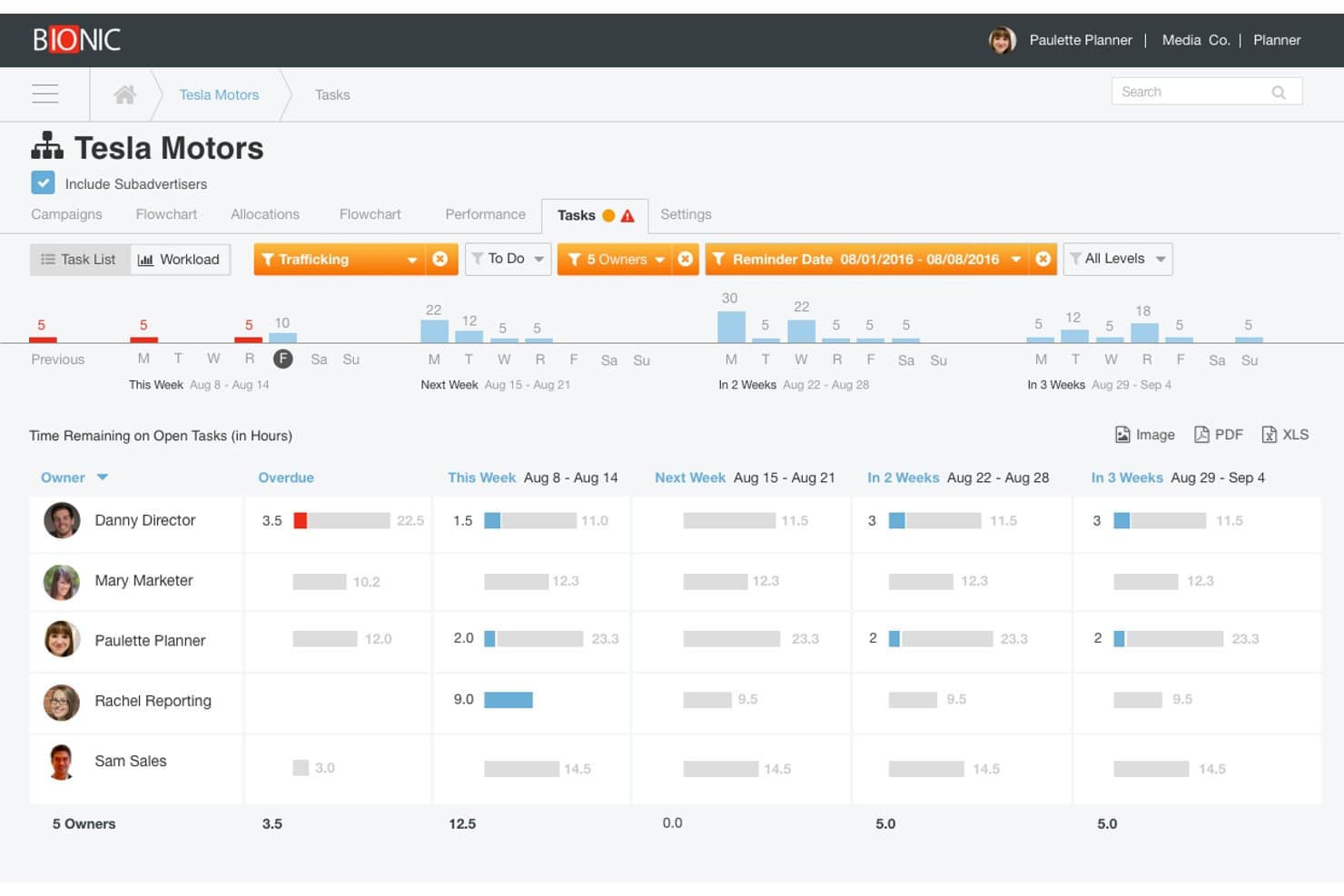
Bionic tracks team workload and task hours across upcoming weeks. Bionic is a media planning and buying platform that covers the full agency workflow—from omnichannel plan creation and RFP management to electronic insertion orders, performance monitoring, and vendor bill reconciliation.
Who Is Bionic Best For?
Bionic is a strong fit for media planners and buyers at small-to-mid-sized agencies who need to manage omnichannel campaigns across traditional and digital media without spreadsheets.
Why I Picked Bionic
I picked Bionic as one of the best because no other tool on my shortlist covers 34 media channels in a single plan the way it does, letting my team combine TV, radio, OOH, connected TV, and digital placements without juggling separate spreadsheets. I especially like how Bionic auto-generates flowcharts directly from the media plan and sends electronic insertion orders for online vendor acceptance, both in one workflow.
Bionic Key Features
- RFP batch sending: Create RFPs from templates and send them to multiple vendors at once, then track opens, responses, and proposal status in one place.
- Vendor bill reconciliation: Bionic calculates expected reconciliation amounts from ordered, fulfilled, and previously billed data, with full bill history showing who made changes and when.
- Performance pacing views: Compare planned versus actual KPIs, spend, and delivery at the organization, advertiser, campaign, or placement level to spot variance early.
- Advertiser hierarchy and access controls: Organize clients in nested hierarchies and restrict user access to specific advertisers or campaigns within the structure.
Bionic Integrations
Bionic lists integrations with Google Ads, Google Analytics 4, Google Campaign Manager 360, Facebook Ads, The Trade Desk, and Amazon Ads. It also supports managed API connections, email or flat-file imports, and scheduled exports, but doesn’t offer a public API.
Pros and Cons
Pros:
- Present plans with generated flowcharts
- Track client budgets against campaign spending
- Combine traditional and digital media plans
Cons:
- RFP workflows depend on vendor participation
- Large plans can lag during data entry
Learn more about Bionic:
Outro software de compra de meios para pequenas agências
Eis algumas opções adicionais que não entraram na minha lista restrita, mas que vale a pena conhecer:
- 11GaleForceMediaBest for traditional and digital media buyers
- 12SwydoBest for agency client reporting across ad channels
- 13ImprovadoBest for cross-channel campaign analytics reporting
- 14MadgicxBest for Meta ad optimization on a small-agency budget
- 15Marin SoftwareBest for cross-channel PPC across search and social
- 16OptmyzrBest for PPC budget pacing across Google and Meta
- 17StrataBest for broadcast and cable buy reconciliation
- 18BriefBidBest for free vendor discovery and RFP planning
- 19AdManage.aiBest for bulk ad launches across digital channels
How I Evaluate Media Buying Software for Small Agencies
I split my evaluation into three parts. Core functionality carries the most weight: I look for tools that let you plan buys across multiple channels and track budgets against live campaigns. I also check for standout features like automated pacing alerts, then consider onboarding speed and pricing fit for small teams.
Core Functionality (Table Stakes for This List)
When I'm selecting tools for my list, I score each one on a scale from 0 (does not offer the functionality) to 5 (excels in this area) for each core functionality listed below. I then convert the total into a percentage to help assess each tool's overall fit, with extra weight on any functionalities I've deemed essential.
- Multi-Channel Campaign Management (Essential): I check whether a platform lets you plan and buy across channel types—digital, social, OOH, broadcast—inside one workflow rather than siloed views.
- Media Plan & Budget Tracking (Essential): I evaluate how plans and budgets connect, looking for automated pacing alerts and real-time spend visibility so you're not reconciling flight dates in a spreadsheet.
- Insertion Order & Vendor Management: The IO lifecycle matters—I look at whether you can create, send, and track buy confirmations with vendors inside the platform instead of managing status over email.
- Performance Reporting & Reconciliation: I look for consolidated cross-channel reporting that reconciles delivered spend against planned budgets, since accurate billing data is what keeps client trust intact.
- Multi-Client Workspace Management: Agencies juggle multiple accounts, so I evaluate how cleanly a platform separates client data, permissions, and reporting across workspaces.
- Agency-Ready Pricing & Scale: Entry-level pricing and minimum spend thresholds vary widely across tools like Basis, Mediatool, and Mediaocean, so I check whether small teams can access core features without enterprise-level commitments.
Once I have a list of tools that meet the criteria, I consider what sets each platform apart.
Differentiating Factors (What Sets Vendors Apart)
Here's how I compare and contrast different vendors:
Standout Features
I check whether a platform offers automated pacing alerts that flag over- or under-delivering budgets before a client ever notices—tools like Bionic and Mediaocean handle this differently, and the threshold customization matters. White-label client reports also save real time; I evaluate whether dashboards can carry your agency's branding without manual deck-building after every flight. I also look at API and ad platform connectors, since native integrations with Google, Meta, and programmatic DSPs that pull spend and delivery data automatically cut hours of manual reconciliation each week.
Beyond Features
I check how quickly a small team can get running—vendors like Bionic and Mediatool offer guided onboarding and spreadsheet migration, which matters when you don't have dedicated ops staff. Integration depth is equally important: I look for native connections to ad platforms and invoicing tools like QuickBooks so you're not re-entering spend data across systems. I also evaluate whether pricing scales with your client roster without forcing a jump to an enterprise tier.
Como escolher software de compra de meios para pequenas agências
Escolha uma plataforma testando se o seu fluxo de trabalho de compra se adequa aos seus canais, aos limites dos clientes e aos controlos orçamentais — não contando os logótipos dos canais.
| Se a sua prioridade for… | Procure… |
|---|---|
| Se a sua prioridade for…Planear através de meios variados | Procure…Cobertura para os tipos de canais incluídos nos seus planos atuais |
| Se a sua prioridade for…Manter os orçamentos associados às campanhas | Procure…Uma forma clara de comparar os orçamentos planeados com a despesa realizada |
| Se a sua prioridade for…Gerir compromissos com fornecedores | Procure…Um fluxo de trabalho de ordens de inserção que registe aprovações e estados |
| Se a sua prioridade for…Separar o trabalho dos clientes | Procure…Espaços de trabalho, permissões e relatórios distintos para cada cliente |
Como avaliar a sua lista restrita
- Faça um teste de planeamento: Crie um plano de amostra utilizando três canais que compre regularmente e, em seguida, exporte-o para verificar se os orçamentos e as datas de veiculação continuam claros por canal.
- Peça um documento de ordem de inserção: Solicite uma ordem de inserção com os dados confidenciais ocultados e o histórico de estados e, em seguida, compare os respetivos campos com os detalhes que a sua equipa acompanha atualmente.
- Teste a separação dos clientes: Durante um período de teste, crie dois espaços de trabalho de clientes e utilize dois níveis de acesso; registe se cada utilizador consegue ver apenas os dados do cliente que lhe foi atribuído.
- Obtenha os preços por escrito: Solicite uma proposta que discrimine os custos de configuração, os lugares, os limites de clientes, os gastos mínimos e o momento em que as taxas ou os níveis são alterados.
- Utilize a sua matriz de canais como critério de decisão: Escolha um planeamento omnicanal abrangente quando for mais importante ter um único plano partilhado; prefira um fluxo de trabalho de compra especializado quando os seus canais ou processos com fornecedores exigirem um tratamento mais aprofundado.
O que é o software de compra de meios para pequenas agências?
O software de compra de meios para pequenas agências ajuda as equipas a planear a colocação de anúncios, gerir orçamentos e acompanhar campanhas entre clientes e canais. Dependendo da plataforma, pode suportar planos de meios tradicionais e digitais, compras programáticas, ordens de inserção e relatórios. Estas ferramentas permitem às agências associar o investimento planeado à execução das campanhas e organizar os fluxos de trabalho dos clientes, embora as funcionalidades e a cobertura de canais variem.
Funcionalidades
Eis as principais funcionalidades que procuro num software de compra de meios para pequenas agências:
- Gestão de campanhas multicanal: Planeie e gira compras nos canais utilizados pela sua agência, como meios digitais, redes sociais, televisão e rádio ou publicidade exterior. Um fluxo de trabalho partilhado ajuda a sua equipa a perceber o papel de cada canal numa campanha de cliente.
- Planeamento de meios e orçamentação: Crie planos com colocações, datas de veiculação e investimento planeado e, em seguida, compare os orçamentos com a execução da campanha. Isto proporciona à sua equipa uma referência clara ao rever os custos planeados e reais.
- Gestão de ordens de inserção: Crie e acompanhe ordens de inserção que registem o fornecedor, a colocação, as datas, os preços e o estado de aprovação. Manter estas informações juntamente com o plano facilita o acompanhamento dos compromissos e a verificação dos detalhes das ordens.
- Gestão de fornecedores: Guarde os dados dos fornecedores e acompanhe as comunicações ou confirmações de compra juntamente com os registos das campanhas. A sua equipa pode utilizar estas informações para verificar quem é responsável por cada colocação e se uma compra está confirmada.
- Alertas de evolução do orçamento: Monitorize o investimento face aos orçamentos das campanhas e às datas de veiculação, com alertas para campanhas que estejam adiantadas ou atrasadas em relação ao plano. Defina limites adequados aos requisitos de evolução de cada cliente.
- Relatórios de desempenho e reconciliação: Inclua a execução e o investimento das campanhas nos relatórios e compare os resultados com o plano original. A reconciliação ajuda a sua equipa a detetar discrepâncias antes de preparar relatórios para clientes ou faturas.
- Áreas de trabalho e permissões de clientes: Separe os registos e relatórios das campanhas por cliente, com controlos de acesso para diferentes membros da equipa. Isto ajuda a manter as informações dos clientes organizadas e limita o acesso às contas atribuídas.
- Integrações de plataformas e conectores de dados: Ligue plataformas de publicidade ou outras ferramentas para incluir dados de investimento e execução nos fluxos de trabalho das campanhas. Verifique se os conectores abrangem os seus canais reais e os campos de dados de que necessita.
Vantagens
Na minha experiência, o software de compra de meios para pequenas agências pode oferecer várias vantagens práticas:
- Planeamento entre canais: Os fluxos de trabalho de planeamento partilhados permitem à sua equipa organizar compras digitais, em redes sociais, televisão e rádio ou publicidade exterior num só lugar.
- Visibilidade do orçamento: Os planos de meios associados ao investimento das campanhas permitem comparar os orçamentos planeados com os custos executados.
- Alertas antecipados sobre a evolução: Os alertas automáticos assinalam as campanhas que estão adiantadas ou atrasadas em relação ao plano, dando à sua equipa tempo para rever a execução.
- Compromissos mais claros com os fornecedores: Os fluxos de trabalho das ordens de inserção registam o fornecedor, a colocação, as datas, os preços e o estado de aprovação juntamente com os detalhes da campanha.
- Reconciliação mais fiável: Os relatórios de desempenho consolidados ajudam a comparar o investimento executado com o plano original antes de preparar relatórios para clientes ou faturas.
- Acesso organizado dos clientes: As áreas de trabalho e as permissões separadas ajudam a sua equipa a manter distintas as campanhas e os relatórios dos clientes.
Preços
Os custos variam consoante as funcionalidades, a dimensão da equipa e o acesso a ferramentas avançadas. Muitas plataformas utilizam propostas personalizadas, por isso considere estes valores como estimativas ao comparar software de compra de meios para pequenas agências.
Tabela de comparação de planos para software de compra de meios para pequenas agências
| Tipo de plano | Preço médio | Funcionalidades comuns |
|---|---|---|
| Tipo de planoPlano gratuito | Preço médio$0 | Funcionalidades comunsPlaneamento básico de campanhas, registos de clientes limitados, acompanhamento manual do orçamento e acesso experimental a funcionalidades pagas. |
| Tipo de planoPlano pessoal | Preço médio$10–$50/utilizador/mês | Funcionalidades comunsPlaneamento de campanhas, acompanhamento do orçamento, relatórios básicos e integrações limitadas. |
| Tipo de planoPlano empresarial | Preço médio$100–$500/mês | Funcionalidades comunsVárias contas de clientes, permissões de equipa, acompanhamento de ordens de inserção e relatórios automatizados. |
| Tipo de planoPlano empresarial avançado | Preço médio$500–$2,000+/mês | Funcionalidades comunsFluxos de trabalho personalizados, permissões avançadas, integrações ampliadas e assistência dedicada. |
Perguntas frequentes
Algumas respostas a perguntas comuns sobre software de compra de meios para pequenas agências:
O software de compra de meios substitui o Google Ads ou o Gestor de Anúncios da Meta?
Não, o software de compra de meios normalmente funciona em conjunto com as plataformas de publicidade, em vez de as substituir. Pode ajudar a organizar planos, orçamentos, dados dos fornecedores e relatórios, enquanto pode continuar a lançar ou ajustar campanhas em ferramentas como o Google Ads ou o Gestor de Anúncios da Meta. O fluxo de trabalho exato depende do produto. Antes de se comprometer, verifique se este permite compras diretas, se estabelece ligação às suas plataformas de publicidade ou se depende da introdução manual de dados para atualizar as campanhas.
As pequenas agências precisam de software separado para cada canal de meios?
Não, mas uma ferramenta pode não gerir todos os canais com o mesmo nível de profundidade. Uma plataforma pode permitir um planeamento partilhado entre meios digitais e tradicionais, oferecendo simultaneamente execução ou relatórios limitados para alguns canais. Comece pelos canais que compra com mais frequência e, em seguida, confirme o que o software suporta para cada um deles. Peça aos fornecedores que demonstrem um fluxo de trabalho real, incluindo a forma como a sua equipa regista os espaços publicitários, acompanha os gastos e analisa a veiculação nesses canais.
Como deve uma agência transferir os planos de meios existentes para um novo software?
Comece pelas campanhas ativas e, em seguida, verifique quais os detalhes dos planos que o software consegue importar. Uniformize campos como cliente, canal, fornecedor, espaço publicitário, datas da campanha e gastos planeados antes de transferir os registos. Mantenha os planos históricos disponíveis para consulta e compare os orçamentos e as datas importados com os seus ficheiros de origem. Teste o processo com um cliente antes de migrar os restantes. Pergunte ao fornecedor sobre modelos de folhas de cálculo, limites de dados e se o apoio à configuração está incluído no preço apresentado.