

Hootsuite-beoordeling: voordelen, nadelen, functies & prijzen
Het kiezen van software voor beheer van sociale media kan een uitdaging zijn. Dit is mijn grondige Hootsuite-beoordeling ter overweging.

We review tools independently, and commissions help fund our testing. See our transparency policy, our methodology, or suggest a tool.
Hootsuite is a social media management software built for teams that need to schedule content, monitor brand mentions, and measure performance across multiple social channels from a single dashboard. I'd consider it over Buffer if your team manages more than a handful of profiles and needs stronger analytics and multi-user collaboration features without stepping up to an enterprise-tier price point.
Hootsuite Evaluation Summary
4.1/5
- From $99/month (billed annually)
- 14-day free trial
Waarom u onze softwareaanbevelingen kunt vertrouwen
6,700+
Reviews
20
Industry experts
16+
Evaluation factors
14
Years
Ons team test en beoordeelt software sinds 2012. Als marketingleiders weten we zelf hoe moeilijk — en belangrijk — het is om de juiste software te kiezen.
Voor deze gids hebben we tools geëvalueerd met behulp van praktijktests en onafhankelijk onderzoek, waarbij we tools beoordeelden aan de hand van onze selectiecriteria.
Onze reviews weerspiegelen ons menselijke redactionele oordeel, geen verkooppraatje.
Deskundige beoordelaars:
 Gui DrusinaCreatief directeur
- Shriya GhateSenior Marketing Lead
 Amanda JacquesMarketing Ops Leader

Hootsuite Overview
Hootsuite excels with its comprehensive analytics and social listening capabilities, making it ideal for businesses aiming to enhance their social media strategy.
Pros
- Hootsuite's analytics tools help you understand your audience better.
- The social listening feature lets your team engage effectively with your audience.
- You can manage multiple social media accounts from a single dashboard.
Cons
- The interface can feel cluttered and overwhelming to new users.
- Some users find the mobile app less intuitive than the desktop version.
- Advanced features come with a learning curve, especially for smaller teams.
Is Hootsuite Right For Your Needs?
Who Would be a Good Fit for Hootsuite?
Marketing teams in industries like retail, hospitality, and tech would benefit from Hootsuite. Its analytics tools help you understand your audience, making it ideal for businesses that need to track performance across multiple platforms. The social listening feature is great for customer service teams who need to engage with audiences promptly. If you’re managing multiple social accounts, Hootsuite’s centralized dashboard streamlines your workflow, saving time and effort.
- Retail MarketingHootsuite helps you schedule and track promotions across various social platforms, boosting your sales.
- Tech StartupsIt lets your team manage social media presence efficiently, crucial for brand building.
- Customer Service TeamsThe social listening feature helps your team respond quickly to customer inquiries.
- Public Relations AgenciesHootsuite’s analytics tools offer insights into campaign performance, helping you adjust strategies.
- Content CreatorsYou can plan and schedule posts in advance, ensuring consistent content delivery.
- Event PlannersHootsuite allows you to engage with attendees in real-time, enhancing event experiences.
Who Would be a Bad Fit for Hootsuite?
Small businesses with limited social media activity might find Hootsuite overwhelming and unnecessary. If your team only manages one or two social accounts and doesn’t need extensive analytics, Hootsuite’s comprehensive features could be more than you need. New users might struggle with the interface, and simpler tools could serve you better without the learning curve.
- Small Local ShopsWith minimal social media needs, you might find Hootsuite’s features excessive.
- FreelancersManaging single accounts won’t require Hootsuite’s extensive capabilities.
- Non-Tech Savvy TeamsThe interface can be confusing, making it hard for you to navigate.
- Budget-Conscious StartupsIf you’re looking to minimize costs, simpler solutions might fit your needs.
- Occasional Social Media UsersYou won’t need Hootsuite’s advanced features if you rarely post.
- One-Person Marketing TeamsManaging basic social tasks could be simpler with less complex tools.
Core Features
Post Scheduling
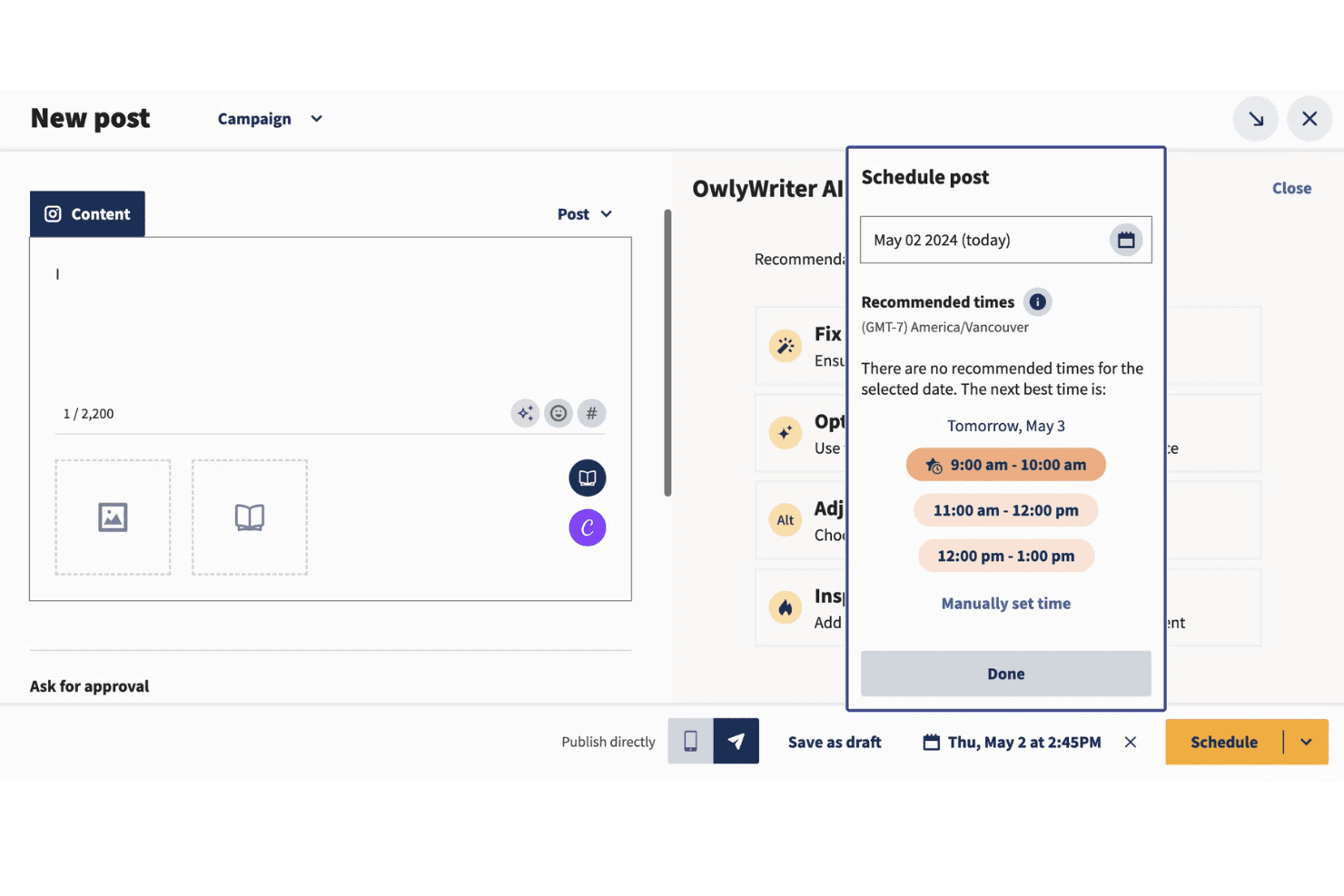
Hootsuite's social media scheduling tool lets you schedule posts across multiple platforms, ensuring consistent content delivery. You can plan weeks in advance, keeping your social media presence active even when you're busy.
Content Calendar
This feature provides a visual overview of your scheduled posts, helping you manage timing and content strategy effectively. It makes it easy for your team to collaborate and adjust plans as needed.
Analytics Reports
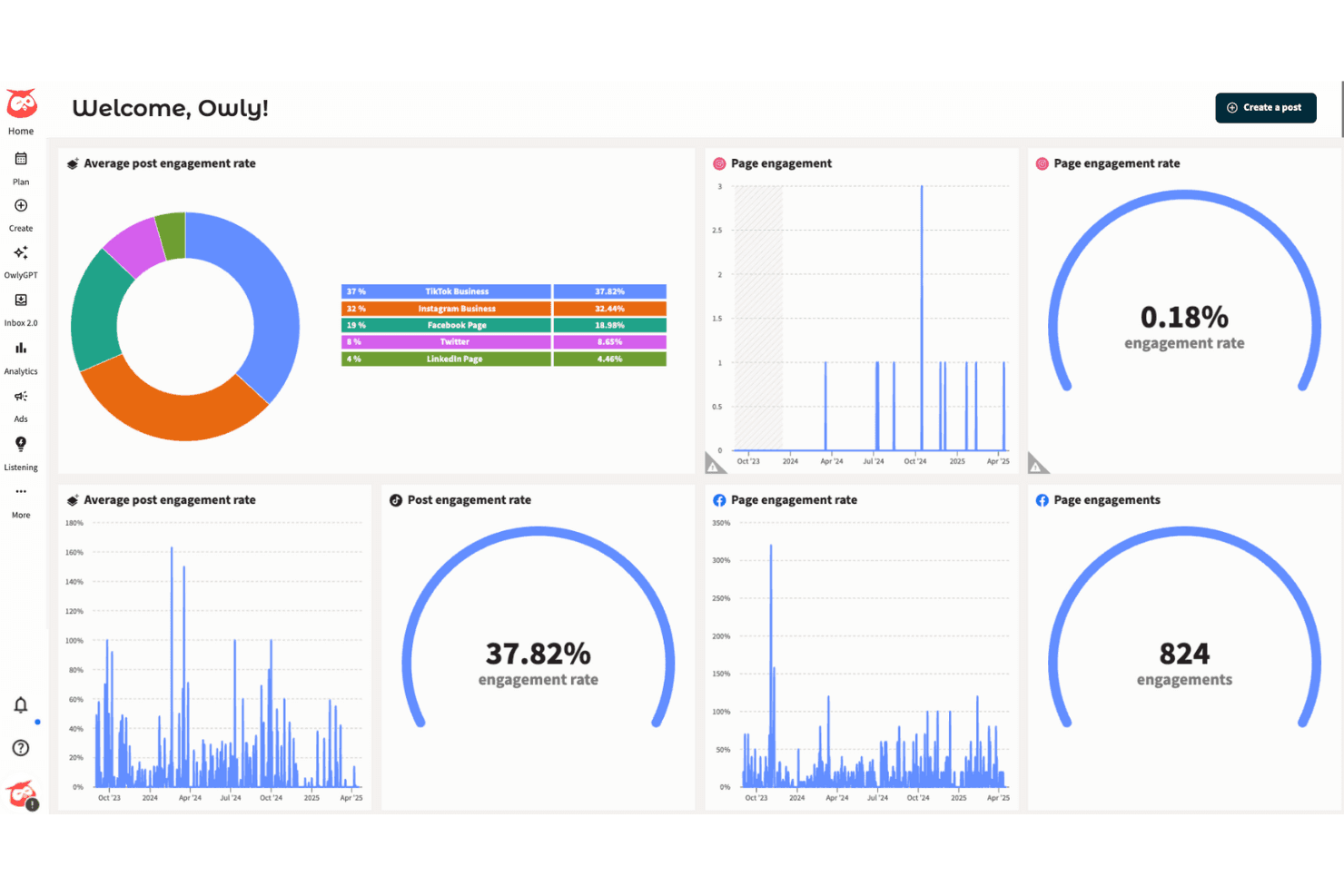
Hootsuite's tools give you insights into your social media performance, helping you understand what works and what doesn't. You can track metrics like engagement and reach to refine your strategy.
Social Listening
This tool lets you monitor conversations about your brand, allowing you to engage with your audience in real time. It's invaluable for customer service and reputation management.
Team Collaboration
Hootsuite supports multiple users, enabling your team to work together efficiently on social media tasks. You can assign roles and permissions, ensuring everyone knows their responsibilities.
Streamlined Dashboard
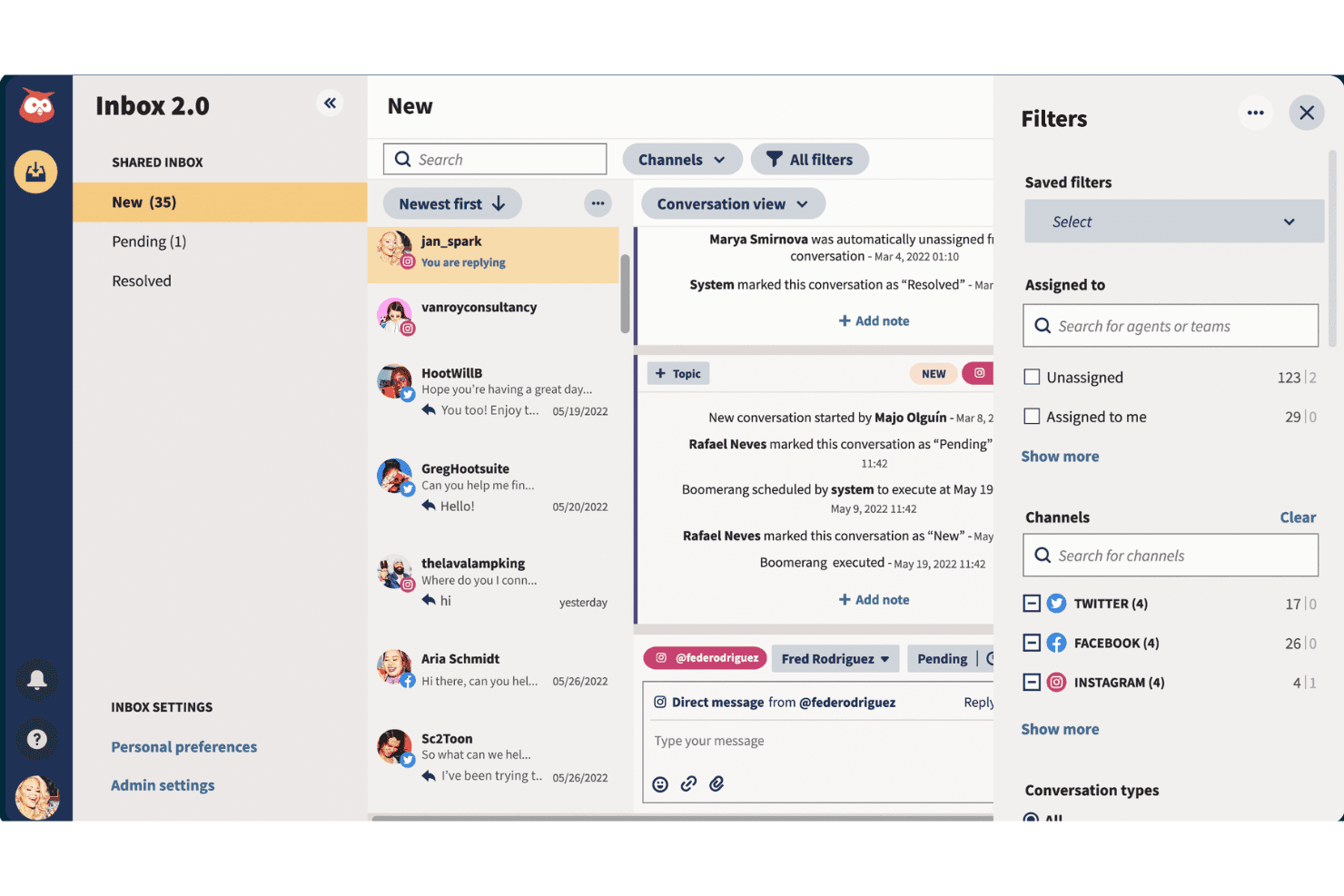
Manage all your social accounts from one place, simplifying your workflow and saving time. The dashboard's user-friendly design helps you navigate tasks quickly.
Ease of Use
Hootsuite offers a robust set of features that can initially feel overwhelming, especially for new users. Its interface is packed with tools, which might require some time to navigate comfortably. However, once you get the hang of it, the centralized dashboard simplifies managing multiple social accounts. The visual content calendar and drag-and-drop functionality make planning posts straightforward. Your team will appreciate the efficiency it brings, though a learning curve is expected.
Integrations
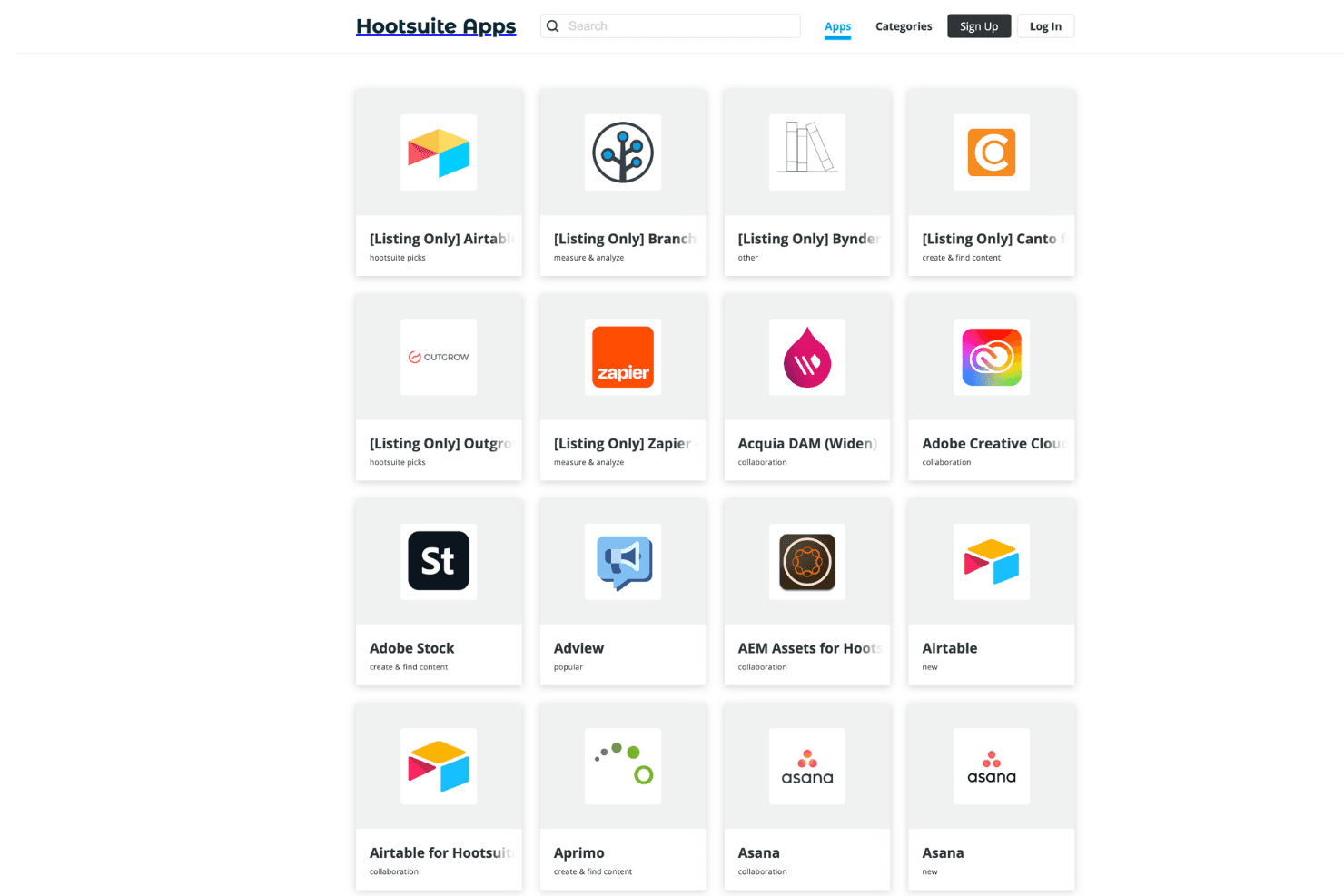
Integrations include Instagram, Facebook, TikTok, X (Twitter), YouTube, LinkedIn, Pinterest, Threads, Google My Business, Salesforce, Vidyard, and Dropbox.
Hootsuite Specs
- Analytics: No
- API: No
- Approval Workflows: No
- Audience Targeting: No
- Brand Management: No
- Calendar Management: Yes
- Campaign Management: No
- Collaboration Support: No
- Conversion Tracking: No
- Custom Reports: No
- Dashboard: No
- Data Export: No
- Data Import: No
- Data Visualization: No
- External Integrations: No
- Feedback Management: No
- Keyword Tracking: No
- Knowledge Base: No
- Landing Pages: No
- Link Tracking: No
- Marketing Automation: No
- Multi-Account: No
- Multi-User: No
- Notifications: No
- Review Monitoring: No
- Scheduling: No
- Sentiment Analysis: No
- Social Media Monitoring: No
- Social-Media Integration: No
- Third-Party Plugins/Add-Ons: No
- Workflow Management: No
Alternatives to Hootsuite


Hootsuite FAQs
Wat is de volgende stap?
Abonneer je op de nieuwsbrief van The CMO voor meer inzichten in de nieuwste marketingtools, toonaangevend gedachtegoed in de sector en deskundig advies.