

Avis Livestorm : Avantages, Inconvénients, Fonctionnalités et Tarification Expliqués pour 2026
Livestorm se distingue par sa facilité d’utilisation et son automatisation, ce qui en fait un choix idéal pour les équipes recherchant des webinaires interactifs et des événements virtuels fluides.

Nous évaluons les outils de manière indépendante, et les commissions aident à financer nos tests. Consultez notre politique de transparence, notre méthodologie ou suggérez un outil.
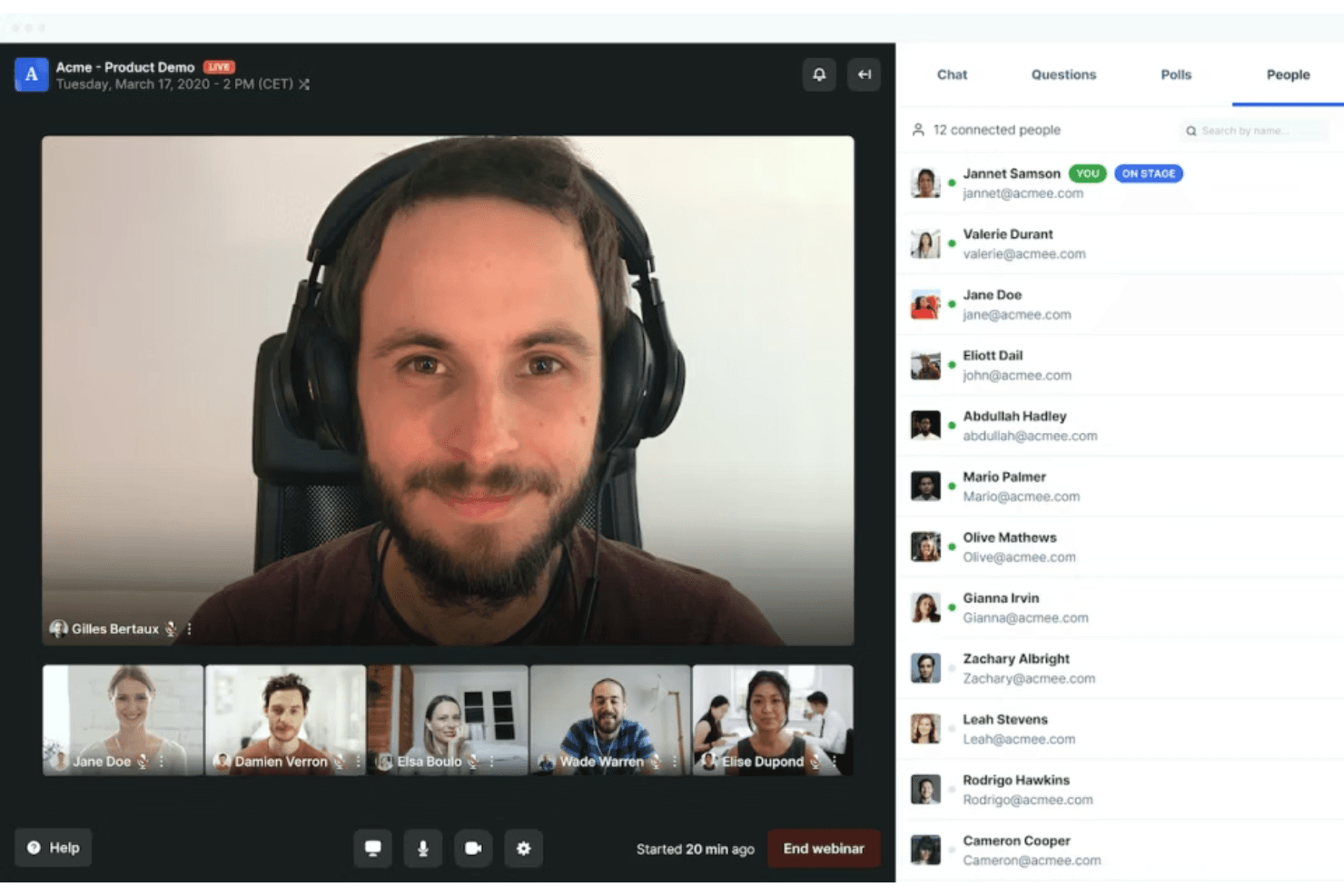
Livestorm is a webinar software built for marketing and sales teams that need to run live events, product demos, and on-demand sessions without requiring attendees to download anything. I'd consider it over Zoom Webinars if registration workflows, attendee engagement tools, and post-event analytics matter as much to you as the broadcast itself—Livestorm gives you more control over the full attendee journey, from signup to follow-up, in a single platform.
Livestorm Evaluation Summary
4.5/5
- From $3/attendee
- Free trial + free demo available
Pourquoi faire confiance à nos recommandations de logiciels
6,700+
Reviews
20
Industry experts
16+
Evaluation factors
14
Years
Notre équipe teste et évalue des logiciels depuis 2012. En tant que leaders marketing nous-mêmes, nous savons à quel point il est difficile — et important — de choisir le bon logiciel.
Pour ce guide, nous avons évalué les outils grâce à des tests pratiques et une recherche indépendante, en notant les outils selon nos critères de sélection.
Nos avis reflètent notre jugement éditorial humain, et non un argumentaire de vente.
Réviseurs experts:
 Gui DrusinaDirecteur de la création
- Shriya GhateSenior Marketing Lead
 Amanda JacquesResponsable Marketing Ops

Livestorm Overview
Overall, Livestorm offers an intuitive interface, quick onboarding, and a fully browser-based experience—no downloads required. Its built-in automation, analytics, and integrations make it a strong choice for marketing teams focused on lead capture and audience engagement. While pricing may scale with audience size and advanced features, and customization is somewhat limited compared to more design-heavy platforms, its ease of use and all-in-one functionality stand out. If you’re selecting a solution for recurring webinars, product demos, or training sessions where reliability and simplicity matter most, Livestorm is a strong contender.
Pros
- Fully browser-based platform with no downloads required for attendees.
- Strong analytics and data export for tracking event performance.
- Built-in automation, including scheduled events and on-demand (evergreen) webinars.
Cons
- Customization options for registration pages and branding are somewhat limited compared to specialized tools.
- Pricing can increase with larger audiences or advanced features.
- Some advanced capabilities (e.g., interpretation, PPT embedding) are restricted to higher-tier plans.
Is Livestorm Right For Your Needs?
Who Would be a Good Fit for Livestorm?
Livestorm is a strong choice for teams that prioritize interactive, browser-based webinars with minimal IT involvement and need reliable analytics for lead generation or training. Its user experience, responsive support, and event automation features make it especially appealing for marketing, sales, and education-focused roles in mid-sized organizations. If your business values attendee engagement tools and wants to avoid software downloads, Livestorm’s video conferencing platform is well-suited for you.
- Marketing TeamsLivestorm’s built-in analytics, UTM tracking, and engagement tools help teams capture, qualify, and nurture leads through webinars.
- SaaS Product DemosBrowser-based access and quick join links make it easy for prospects to attend live demos without friction.
- Higher EducationInteractive features like polls, chat, and Q&A support virtual classes and improve student participation.
- HR and TrainingAutomated reminders, attendance tracking, and on-demand replays streamline employee onboarding and internal training.
- Agencies Hosting EventsCustom branding, registration pages, and multi-session events support scalable, client-facing webinars.
- Customer Success TeamsLive chat, Q&A, and replay capabilities help deliver onboarding, training, and retention-focused sessions.
Who Would be a Bad Fit for Livestorm?
Livestorm may not be the best choice for organizations that require deep customization, highly advanced production control, or enterprise-grade scale for large global events. While it offers built-in automation, integrations, and on-demand webinars, teams with complex marketing automation workflows or highly specialized requirements may find it limiting. If your use case involves large-scale broadcasting, highly customized event environments, or advanced technical setups, you may want to consider more specialized platforms.
- Large Enterprises & Global EventsLivestorm may not scale as efficiently for very large audiences or high-frequency global events compared to enterprise-grade broadcasting platforms.
- Highly Customized Brand ExperiencesWhile branding is supported, teams needing fully custom-designed event environments or landing pages may find it restrictive.
- Event Production & Broadcast CompaniesLimited control over video production, staging, and broadcast quality makes it less suitable for highly produced or studio-level events.
- Budget-Constrained Teams at ScaleCosts can increase quite a bit with audience size and advanced features, which may be challenging for teams running frequent or large events.
- Always-On WebinarsLivestorm is designed for scheduled or on-demand events—not continuous, always-on webinar rooms or virtual environments.
- Advanced Marketing AutomationLivestorm includes automation, but it may not match the depth of dedicated marketing automation platforms for complex, multi-step campaigns.
Comment nous testons et évaluons les outils
Nous avons passé des années à construire, affiner et améliorer notre système de test et de notation des logiciels. Notre grille d’évaluation est conçue pour prendre en compte toutes les nuances du choix logiciel et ce qui rend un outil efficace, en mettant l’accent sur les aspects critiques du processus de décision. Ci-dessous, vous pouvez découvrir précisément comment nos tests et notations fonctionnent selon sept critères. Cela nous permet d’offrir une évaluation impartiale des logiciels en fonction de la fonctionnalité principale, des fonctionnalités différenciantes, de la facilité d’utilisation, de l’onboarding, du support client, des intégrations, des avis clients et du rapport qualité-prix.
Fonctionnalité principale (25% de la note finale)
Le point de départ de notre évaluation est toujours la fonctionnalité principale de l’outil. Dispose-t-il des fonctions de base attendues ? Certaines de ces fonctionnalités sont-elles bloquées dans des offres tarifaires supérieures ? Nous attendons d’un outil qu’il soit à la hauteur des capacités fondamentales de ses concurrents.
Fonctionnalités différenciantes (25% de la note finale)
Ensuite, nous évaluons les fonctionnalités spéciales qui vont au-delà de ce que l’on trouve habituellement chez ce type d’outils. Un score élevé indique des fonctionnalités uniques ou spécialisées qui rendent le produit plus rapide, plus efficace, ou offrent une valeur ajoutée à l’utilisateur. Nous évaluons également la facilité d’intégration avec d’autres outils couramment utilisés pour élargir les possibilités et l’utilité du logiciel. Les outils offrant de nombreuses intégrations natives, des connexions tierces et un accès API pour bâtir des intégrations personnalisées obtiennent les meilleures notes.
Facilité d’utilisation (10% de la note finale)
Nous considérons la rapidité et la facilité d’exécution des tâches principales via l’outil. Les logiciels les mieux notés sont bien conçus, intuitifs à utiliser, proposent des applications mobiles, des modèles prêts à l’emploi, et simplifient des tâches parfois complexes.
Onboarding (10% de la note finale)
Nous savons combien l’adoption rapide par l’équipe est cruciale pour une nouvelle plateforme. Nous évaluons donc la facilité avec laquelle il est possible d’apprendre et d’utiliser un outil sans formation poussée. On mesure aussi la vitesse à laquelle un membre de l’équipe peut être opérationnel, sans expérience préalable. Les solutions bien notées requièrent peu ou pas d’assistance.
Support client (10% de la note finale)
Nous examinons la rapidité et la facilité avec lesquelles on peut obtenir de l’aide par téléphone, chat en direct ou base de connaissances. Les outils et sociétés offrant un support en temps réel sont favorisés ; les chatbots sont pénalisés.
Avis clients (10% de la note finale)
Au-delà de nos propres tests et évaluations, nous prenons en compte le score de recommandation nette des clients actuels et passés. Nous étudions leur propension, si l’occasion se présente, à réutiliser l’outil pour sa fonctionnalité principale. Un score élevé reflète donc un bon taux de recommandation.
Rapport qualité-prix (10% de la note finale)
Enfin, après avoir pris en compte tous les autres critères, nous confrontons le prix moyen des offres de base aux fonctionnalités principales et prenons en compte la valeur apportée par les autres éléments d’évaluation. Les logiciels qui offrent plus pour moins obtiennent une note supérieure.
Core Features
Browser-Based Access
Attendees join events directly from their browser with no downloads required, making participation frictionless.
Custom Registration Pages
Create branded registration forms and landing pages to capture attendee information and reinforce your company identity.
Interactive Engagement Tools
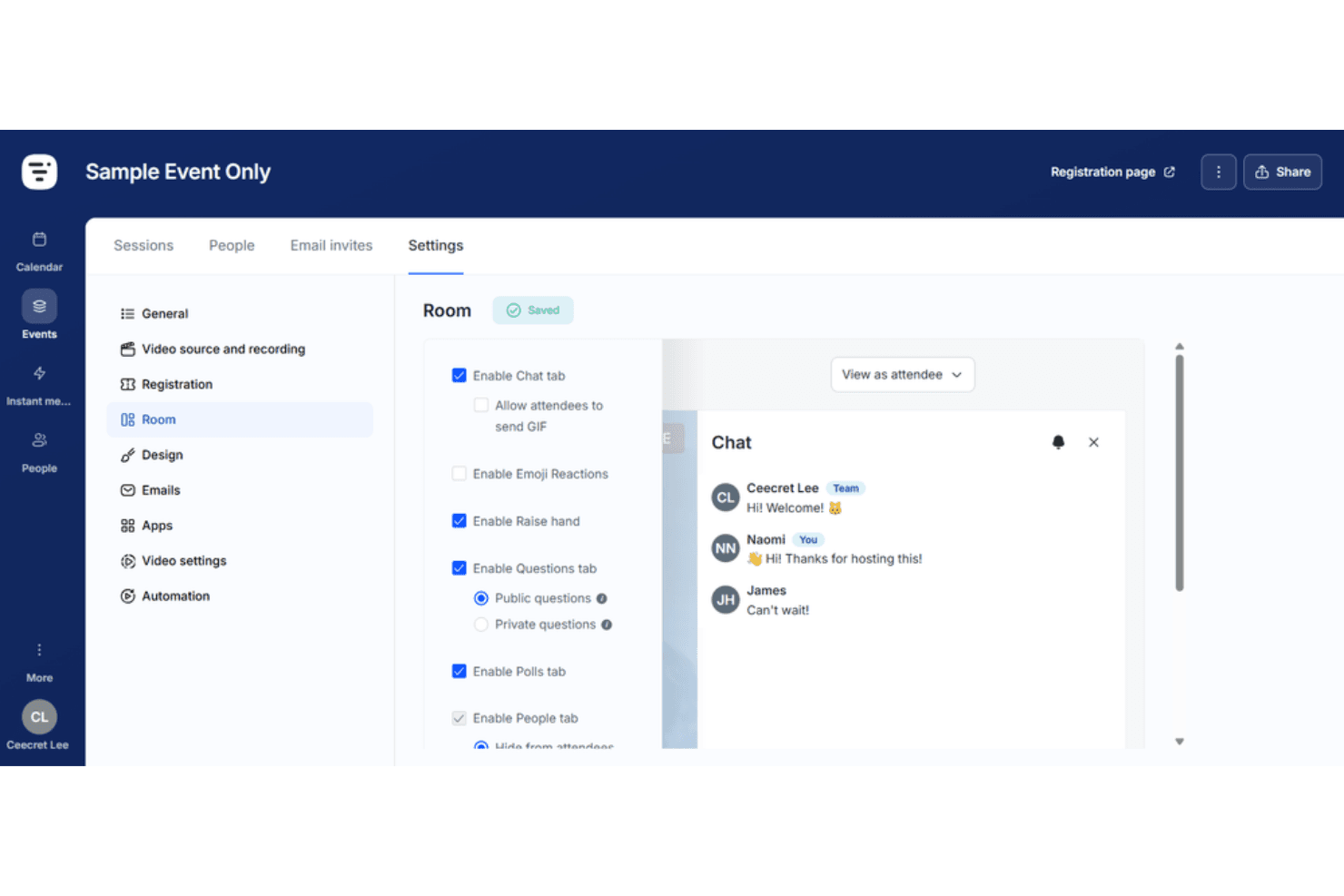
Use Livestorm for polls, Q&A, chat, screen sharing, and emoji reactions to boost audience participation during live sessions.
Automated Email Cadences
Schedule and send event reminders, confirmations, and follow-ups automatically to keep registrants informed.
Advanced Analytics and Reporting
Track attendance, engagement, and event performance with detailed dashboards and exportable reports.
On-Demand and Replay Options
Offer instant replays and on-demand access so attendees can view sessions at their convenience.
Ease of Use
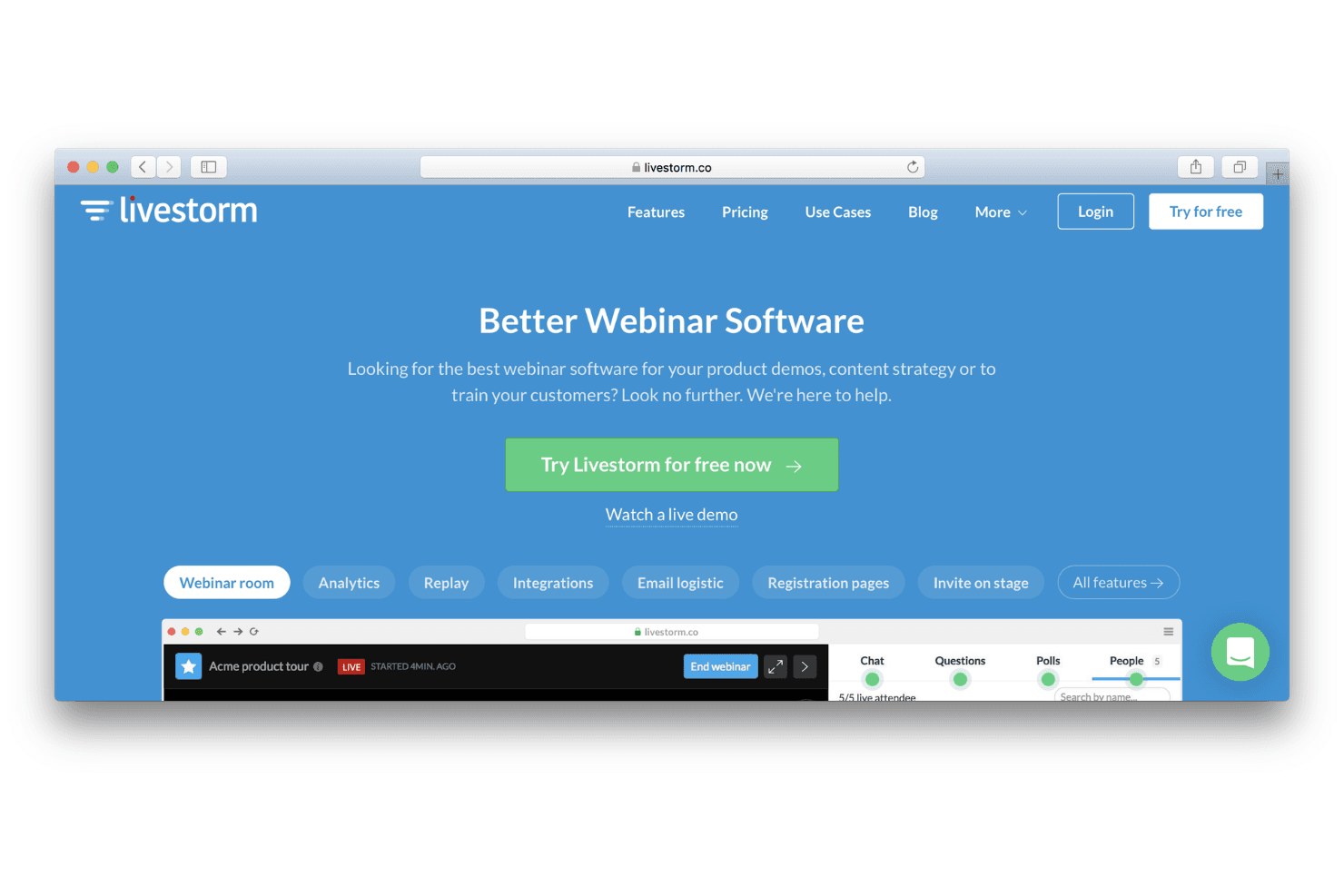
Livestorm is widely praised for its intuitive, browser-based interface that requires no downloads for hosts or attendees. Users highlight the straightforward event setup, clear navigation, and minimal technical barriers, making it accessible even for non-technical teams. Features like drag-and-drop registration page builders and automated email workflows further reduce manual effort. Overall, Livestorm’s usability stands out for teams seeking quick onboarding and hassle-free live webinar management.
Integrations
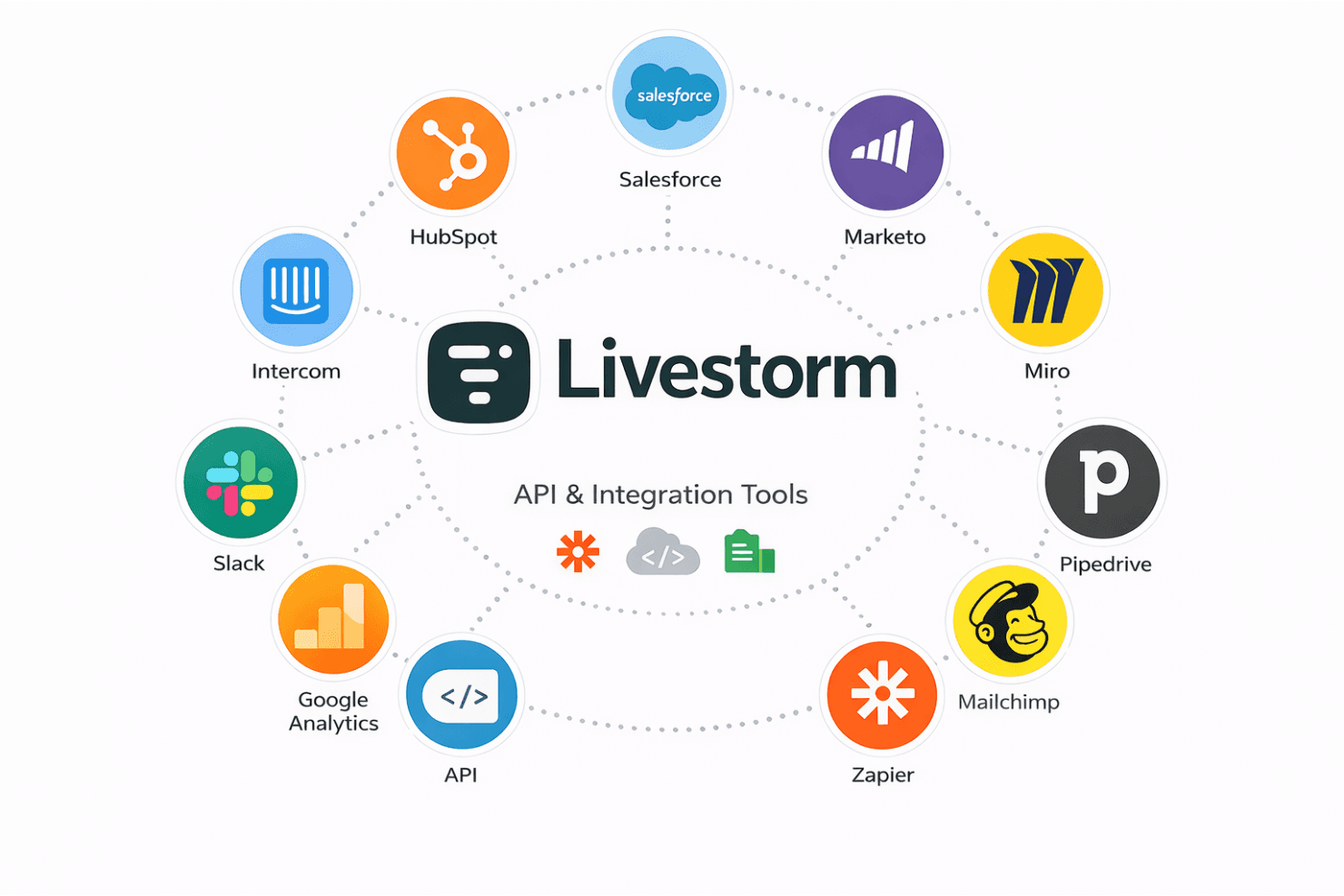
Livestorm integrates with HubSpot, Salesforce, Slack, Google Analytics, Zapier, Intercom, Marketo, Miro, Pipedrive, and Mailchimp, among others.
Livestorm also offers an API and connects with third-party integration tools for expanded automation and data syncing.
Livestorm Specs
- API: Yes
- Calendar Management: Yes
- Chat: Yes
- Contact Management: Yes
- Contact Sharing: Yes
- Email Integration: Yes
- External Integrations: Yes
- Google Apps Integration: Yes
- History/Version Control: Yes
- Multi-User: Yes
- Notifications: Yes
- Project Management: Yes
- Scheduling: Yes


