


WebinarGeek vs. Livestorm: Comparison and Expert Reviews for 2026

We review tools independently, and commissions help fund our testing. See our transparency policy, our methodology, or suggest a tool.
Juggling audience engagement, technical hiccups, and post-event reporting can make choosing the right webinar tools feel more complicated than it should be. With so many tools promising “all-in-one” simplicity, it’s not always clear which one actually delivers for your specific needs.
WebinarGeek and Livestorm are two popular options that aim to streamline the entire webinar experience—from registration and branding to live delivery and analytics—but they take noticeably different approaches in how they get you there.
In this article, you’ll get a clear, side-by-side look at how these two webinar platforms compare—so you can confidently pick the best fit for your next big event.
WebinarGeek
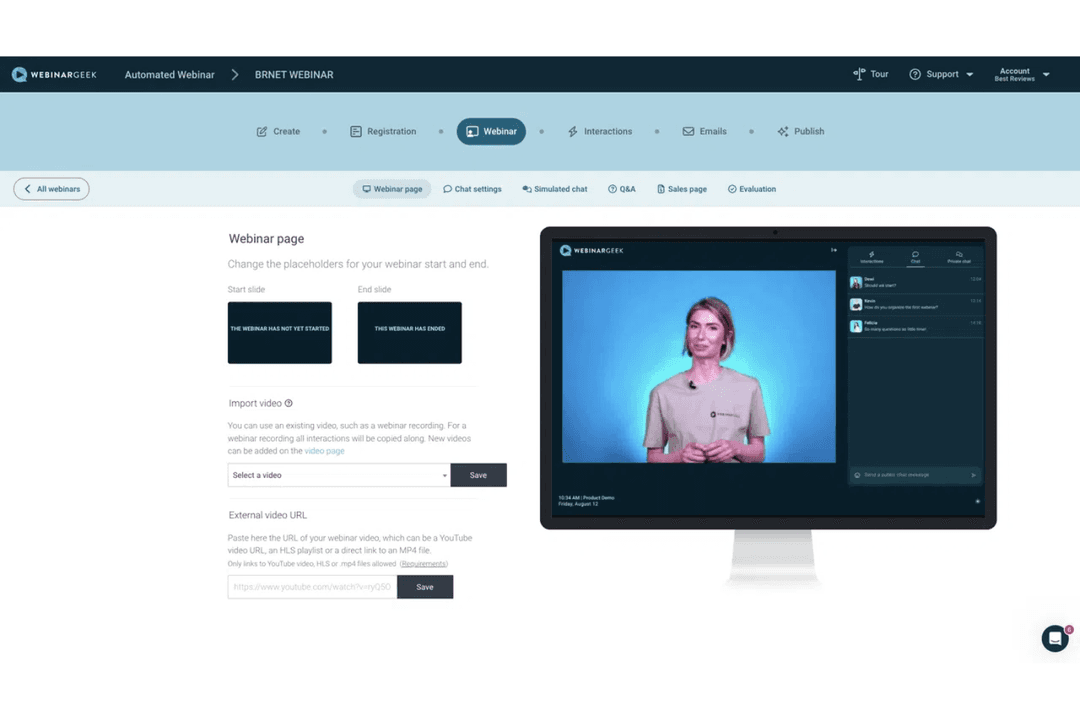


4.5/5
- 14-day free trial + free demo available
- From $85/presenter/month (billed annually)
Livestorm
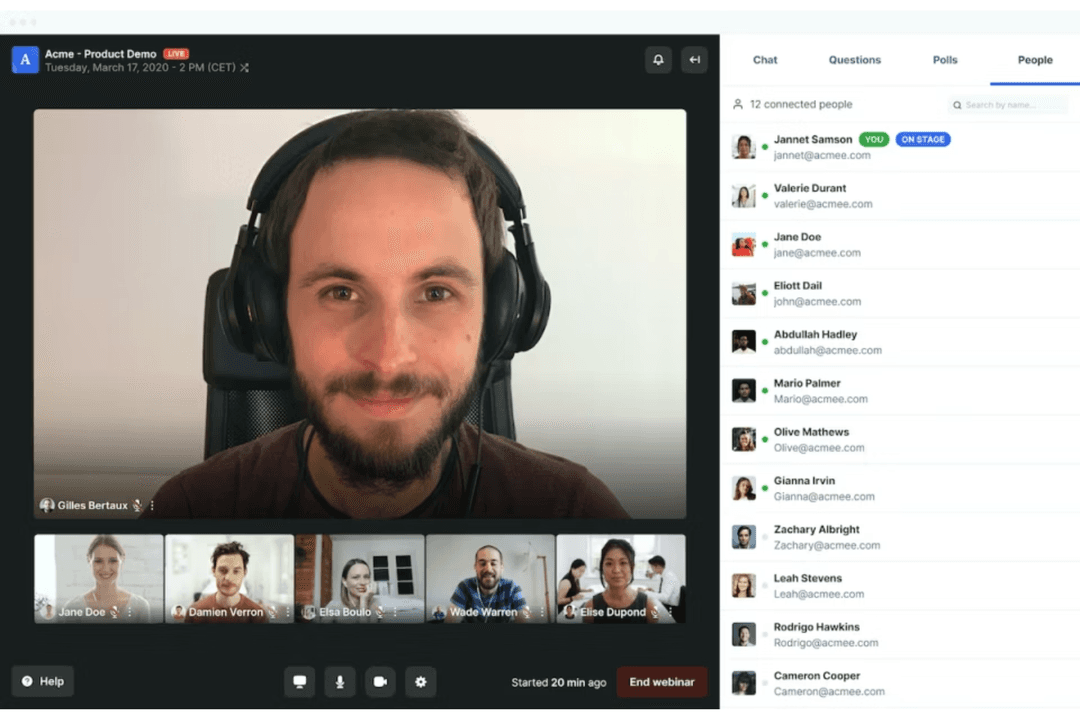
4.5/5
- Free trial + free demo available
- From $3/attendee
Why Trust Our Software Recommendations
6,700+
Reviews
20
Industry experts
16+
Evaluation factors
14
Years
Our team has been testing and reviewing software since 2012. As marketing leaders ourselves, we know how difficult—and important—it is to choose the right software.
For this guide, we evaluated tools using hands-on testing and independent research, scoring tools using our selection criteria.
Our reviews reflect our human editorial judgment, not a sales pitch.
Expert reviewers:
 Gui DrusinaCreative Director
- Shriya GhateSenior Marketing Lead
 Amanda JacquesMarketing Ops Leader

| WebinarGeek | Livestorm | |
|---|---|---|
| Free Trial | 14-day free trial + free demo available | Free trial + free demo available |
| Pricing | From $85/presenter/month (billed annually) | From $3/attendee |
WebinarGeek vs. Livestorm Pricing & Hidden Costs
WebinarGeek uses a tiered subscription model based on the number of viewers, session duration, and included features. You can upgrade, downgrade, or cancel at any time, and there’s a free trial to test things out. However, some advanced features—like extra users, localization, premium integrations (such as HubSpot or Salesforce), and RTMP streaming—are only available in higher tiers or as paid add-ons, so your total cost may increase if you need these extras.
Livestorm takes a different approach with usage-based pricing, built around attendee credits or “active contacts.” In most cases, you prepay for a set number of attendees, and one credit is used each time someone participates in a session—whether live, replay, or on-demand. Internal team members don’t consume credits, but costs scale with usage, meaning higher attendance or more frequent events can increase your spend over time.This way, you can avoid surprises and choose the vendor that matches your event strategy and growth plans.
At a high level, WebinarGeek and Livestorm share a strong overlap in core functionality. Each webinar solution is browser-based, supports live and on-demand events, and includes built-in tools for registration pages, email automation, audience engagement (like private chat, polls, and Q&A), and post-event analytics—making them solid all-in-one solutions for teams running webinars end to end.
However, they both stand out in unique ways. WebinarGeek leans more into marketing and evergreen webinar performance, with unique features like simulated chat and interactions for automated webinars and AI-powered replay enhancements that make recorded sessions feel more dynamic and conversion-focused.
Livestorm, on the other hand, differentiates with features like AI content repurposing from event transcripts and embedded streaming (via iFrame), which make it easier to turn webinars into reusable content and integrate events directly into your website or product experience.
| WebinarGeek | Livestorm | |
|---|---|---|
| API | Yes | Yes |
| Calendar Management | Yes | Yes |
| Chat | Yes | Yes |
| Contact Management | Yes | Yes |
| Contact Sharing | Yes | Yes |
| Email Integration | Yes | Yes |
| External Integrations | Yes | Yes |
| Google Apps Integration | Yes | Yes |
| History/Version Control | Yes | Yes |
| Multi-User | Yes | Yes |
| Notifications | Yes | Yes |
| Project Management | No | Yes |
| Scheduling | Yes | Yes |
| Integration | WebinarGeek | Livestorm |
| HubSpot | ✅ | ✅ |
| Salesforce | ✅ | ✅ |
| Mailchimp | ✅ | ✅ |
| ActiveCampaign | ✅ | ✅ |
| Slack | ❌ (via Zapier) | ✅ |
| Microsoft Teams | ❌ | ❌ |
| Pipedrive | ✅ | ❌ |
| Marketo | ✅ | ✅ |
| API | ✅ | ✅ |
| Zapier | ✅ | ✅ |
Both WebinarGeek and Livestorm cover the most common marketing tools and CRM integrations, including HubSpot, Marketo, Mailchimp, and ActiveCampaign. While Livestorm generally has a broader set of native integrations, both platforms are equally accommodating for custom connections with Zapier and their APIs. It’s worth noting that both platforms may require higher-tier plans or paid add-ons to access specific integrations, like Salesforce.
| Factor | WebinarGeek | Livestorm |
| Data Privacy | Stores data in the EU and complies with GDPR, with configurable privacy controls and DPA options. | Fully GDPR-compliant with EU data handling and privacy controls. |
| Encryption | Uses standard web security practices for data transmission. | Secures data and streams with modern encryption protocols (e.g., TLS) for transmission. |
| Uptime Guarantee | Reports high availability (target ~99.95%+) and publishes uptime metrics, though SLA details may vary by plan. | Provides enterprise-grade reliability with uptime targets and monitoring (exact SLA depends on plan). |
| Access Controls | Offers user roles, two-factor authentication, IP restrictions, and webinar-level access controls. | Supports workspace roles, session roles, and enterprise-grade access controls, including SSO. |
| Compliance | GDPR-focused, with DPA and EU data residency; no widely published SOC 2 or ISO certifications. | GDPR-compliant and ISO 27001 certified, with additional enterprise security options. |
Both WebinarGeek and Livestorm offer strong security foundations with GDPR compliance and a range of access controls to protect user data. WebinarGeek emphasizes EU data residency, configurable privacy settings, and practical security features for everyday use, while Livestorm highlights formal certifications like ISO 27001 alongside enterprise-focused access management. In practice, both platforms will meet the needs of most organizations, with the main difference being whether you prioritize straightforward privacy controls or additional certification-backed assurances.
| Factor | WebinarGeek | Livestorm |
| User Interface | Clean, straightforward dashboard with clear navigation, though feature depth can feel overwhelming at first. | Modern, polished interface with intuitive controls and a strong visual design. |
| Onboarding | Guided, self-serve onboarding with demo webinars, checklists, and in-app guidance to help users get started quickly. | Interactive onboarding with in-app prompts and tutorials that help users launch events quickly. |
| Setup Process | Quick setup with structured steps for creating, branding, and testing webinars. | Streamlined event creation with pre-configured workflows and smart defaults. |
| Customer Support | Live chat support, extensive help center, and optional onboarding support for higher-tier plans. | Live chat, help center, and additional resources like webinars and documentation. |
| Learning Curve | Easy to get started, but depth of features may require some initial learning. | Generally easy to use, with a smooth experience for both new and experienced users. |
Both providers are designed to make hosting webinars easy, with browser-based access and guided onboarding that help teams get up and running quickly. WebinarGeek stands out for its structured onboarding and user-friendly setup process, making it especially approachable for first-time webinar hosts or teams building repeatable webinar programs, while Livestorm offers a polished interface and a smooth, streamlined workflow. In practice, both platforms offer a beginner-friendly user experience and are accessible for teams with varying levels of expertise.
WebinarGeek
- Supports multiple webinar formats, including live, automated, hybrid, and on-demand.
- Strong branding and customization options (pages, emails, domains).
- Provides detailed viewer-level analytics and performance insights within the webinar tool.
- Some key integrations (e.g., HubSpot, Salesforce) require paid add-ons on lower-tier plans.
- No native breakout rooms (workarounds required).
- The number of features can feel overwhelming for first-time users, though the basic plan lets you start small.
Livestorm
- Fully browser-based platform with no downloads required for attendees.
- Strong analytics and data export for tracking event performance.
- Built-in automation, including scheduled events and on-demand (evergreen) webinars.
- Customization options for registration pages and branding are somewhat limited compared to specialized tools.
- Pricing can increase with larger audiences or advanced features.
- Some advanced capabilities (e.g., interpretation, PPT embedding) are restricted to higher-tier plans.
WebinarGeek
- Demand Generation & Sales TeamsWebinarGeek is well-suited for generating and nurturing leads through webinars, with built-in registration pages, automated emails, integrations, and analytics that help track engagement and conversion.
- Customer EnablementTeams can use live or hybrid webinars to deliver product demos, onboard customers, and share knowledge at scale, combining pre-recorded content with live interaction where needed.
- Evergreen Webinar ProgramsAutomated and on-demand professional webinars—enhanced with simulated chat and interactions—make it easier to scale repeatable content while maintaining an engaging experience.
- Education & TrainingInteractive features like polls, Q&A, and assessments support learning and participation, making WebinarGeek a good fit for training programs, courses, and internal knowledge sharing.
- Internal CommunicationWebinarGeek can be used for internal updates, live event town halls, and company-wide communication, especially when broadcasting to larger audiences is more important than small-group collaboration.
- Healthcare & Professional ServicesWebinars provide a low-cost, accessible way to share expertise, connect with peers, and deliver live streaming and informational sessions without requiring in-person events.
Livestorm
- Marketing TeamsLivestorm’s built-in analytics, UTM tracking, and engagement tools help teams capture, qualify, and nurture leads through webinars.
- SaaS Product DemosBrowser-based access and quick join links make it easy for prospects to attend live demos without friction.
- Higher EducationInteractive features like polls, chat, and Q&A support virtual classes and improve student participation.
- HR and TrainingAutomated reminders, attendance tracking, and on-demand replays streamline employee onboarding and internal training.
- Agencies Hosting EventsCustom branding, registration pages, and multi-session events support scalable, client-facing webinars.
- Customer Success TeamsLive chat, Q&A, and replay capabilities help deliver onboarding, training, and retention-focused sessions.
Who Should Use WebinarGeek, and Who Should Use Livestorm?
WebinarGeek is best suited for small business use cases and mid-sized organizations that want a purpose-built webinar platform with deep control over the full webinar lifecycle. It works well for use cases like customer education, training sessions, product demos, ongoing webinar programs, and even internal communications like town halls or company updates. Its feature set is particularly strong around webinar formats (live, automated, pre-recorded, hybrid, on-demand, and paid), along with built-in engagement tools, branding, and detailed analytics—making it a strong choice for teams that want to manage everything in one place without relying heavily on external tools.
Livestorm, by contrast, is better positioned for organizations that want a broader, multi-purpose video platform that can support webinars alongside other types of online events. While it can handle similar use cases—like product demos, training, and internal communication—it stands out for teams that need flexibility across different formats, such as multi-session events, embedded webinars, and cross-functional collaboration. It’s a strong fit for companies looking to standardize on a single platform for webinars, meetings, and virtual events, especially when integrating video into existing workflows or digital experiences is a priority.
| WebinarGeek | Livestorm | |
|---|---|---|
| Automation | WebinarGeek Strong automation for webinars, including automated, hybrid, and on-demand flows with simulated interactions. | Livestorm Automation for event workflows (reminders, on-demand, basic automation), but less focused on simulated webinar experiences. |
| Compliance | WebinarGeek GDPR-focused with EU data residency; no widely published certifications. | Livestorm GDPR-compliant and ISO 27001 certified. |
| Content Repurposing | WebinarGeek Focus on replay optimization (AI summaries, chapters, evergreen conversion). | Livestorm AI-driven content repurposing from transcripts into multi-channel assets. |
| Engagement Tools | WebinarGeek Deep real-time engagement features, including screen sharing, polls, quizzes, assessments, CTAs, and on-stage participation. | Livestorm Strong engagement tools (chat, polls, Q&A), but fewer built-in assessment or conversion-focused features. |
| Pricing Model | WebinarGeek Tiered subscription based on viewers, duration, and features. | Livestorm Usage-based pricing tied to attendees/active contacts. |
| Automated Emails | Both include built-in email capabilities for confirmations, reminders, and follow-ups. |
|---|---|
| Branding | Both platforms allow customization of webinar pages, emails, and event environments. |
| Browser-Based Access | Both platforms run entirely in the browser with no downloads required for hosts or attendees. |
| Live Webinar Hosting | Both platforms let you host high-quality live events with interactive features like polls and Q&A. |
| On-Demand Webinars | Each offers on-demand and automated webinar options for flexible audience engagement and lead generation. |