

WordPress-arvostelu: hyvät ja huonot puolet, ominaisuudet ja hinnoittelu selitettynä
WordPress erottuu joustavuutensa ja laajan ekosysteeminsä ansiosta, joten se sopii erinomaisesti käyttäjille, jotka etsivät mukautettavaa sisällönhallintaa, mutta se saattaa tuntua aloittelijoista ylivoimaiselta yksinkertaisempiin sisällönhallintajärjestelmiin verrattuna.

We review tools independently, and commissions help fund our testing. See our transparency policy, our methodology, or suggest a tool.
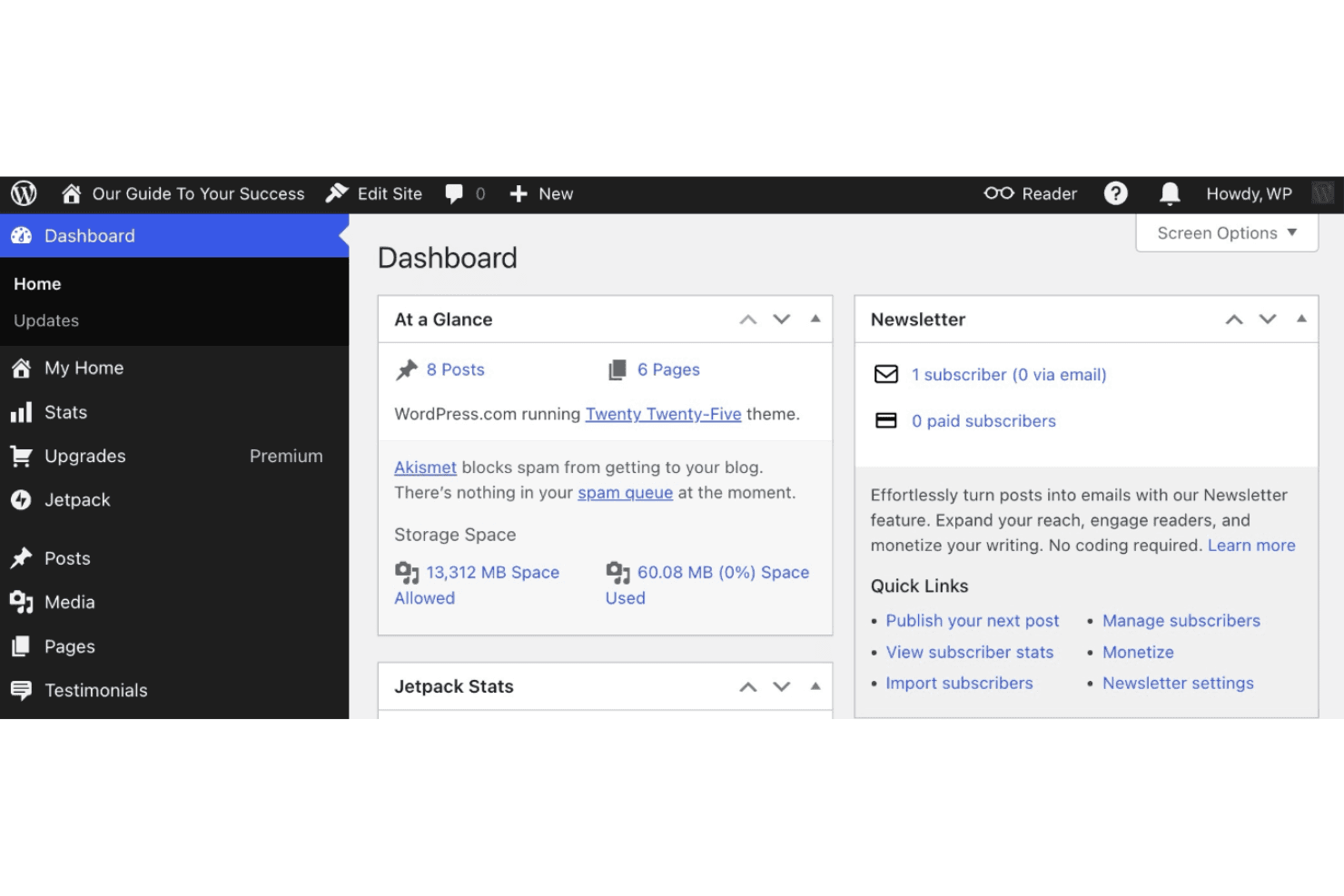
WordPress is a content management software for teams that need full control over how they build, manage, and publish content online. I'd reach for it over Squarespace when your site needs more than templates and basic blogging. Its plugin ecosystem, open-source codebase, and flexible theme system give your team room to build without hitting platform limits.
WordPress Evaluation Summary
4.3/5
- From $39/month (billed annually)
- Free plan available
Why Trust Our Software Recommendations
6,700+
Reviews
20
Industry experts
16+
Evaluation factors
14
Years
Our team has been testing and reviewing software since 2012. As marketing leaders ourselves, we know how difficult—and important—it is to choose the right software.
For this guide, we evaluated tools using hands-on testing and independent research, scoring tools using our selection criteria.
Our reviews reflect our human editorial judgment, not a sales pitch.
Expert reviewers:
 Gui DrusinaCreative Director
- Shriya GhateSenior Marketing Lead
 Amanda JacquesMarketing Ops Leader

WordPress Overview
Pros
- Extensive plugin library for advanced site functionality.
- Wide range of customizable themes and templates.
- Strong SEO features built into the platform.
Cons
- Security vulnerabilities require frequent updates and monitoring.
- Performance can suffer on large or complex sites.
- Support relies heavily on community forums, not direct help.
Is WordPress Right For Your Needs?
Who Would be a Good Fit for WordPress?
WordPress is a strong choice for organizations that need flexibility, scalability, and full control over their website design and content structure. Its extensive plugin library, customizable themes, and strong SEO tools make it ideal for marketing teams, publishers, and businesses with evolving content needs. WordPress works especially well for those who want to manage multiple contributors, publish frequently, or build a branded online presence with advanced features. Whether you're using WordPress.com or managing your own WordPress hosting, the platform adapts to varied requirements across industries.
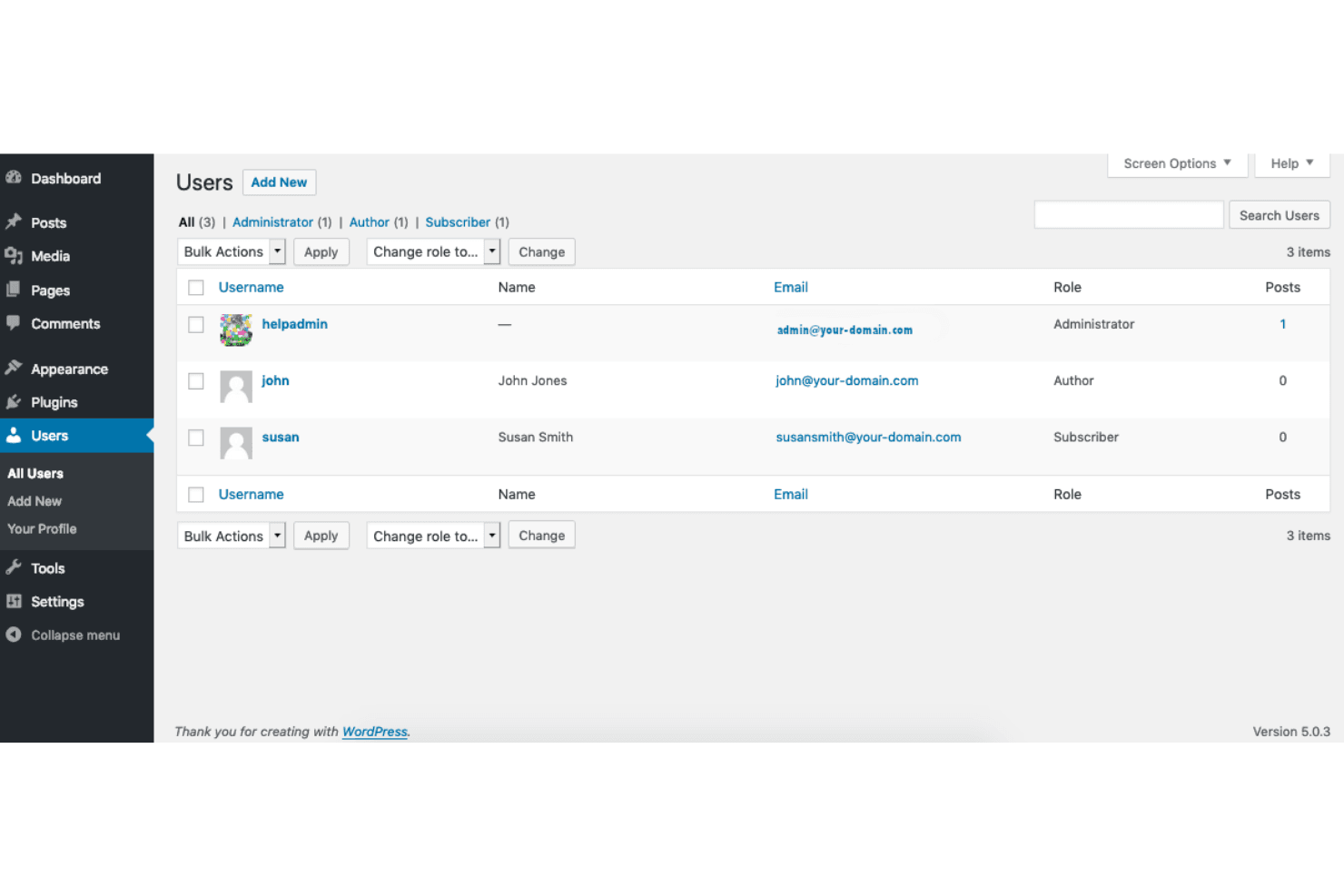
- Digital PublishersWordPress supports high-volume publishing and editorial workflows with user roles and scheduling.
- Marketing AgenciesAgencies can deliver custom client sites using themes, plugins, and multisite management.
- Nonprofit OrganizationsNonprofits benefit from donation plugins, event calendars, and storytelling tools.
- Small BusinessesSmall businesses can launch professional sites with e-commerce and booking features.
- Higher EducationUniversities use WordPress for departmental sites, faculty blogs, and resource hubs.
- Content TeamsTeams managing blogs, news, or resource libraries can leverage WordPress's editorial tools.
Who Would be a Bad Fit for WordPress?
WordPress may not suit organizations that need strict security, minimal maintenance, or highly specialized workflows. Its open-source nature requires ongoing updates and technical oversight, which can be a challenge for teams without dedicated IT support. Businesses with niche compliance needs or those seeking a simple, all-in-one solution may find WordPress less practical. For those prioritizing simplicity over customization, a hosted platform with built-in maintenance might be a better match.
- Regulated IndustriesIndustries with strict compliance needs may struggle with WordPress's security demands.
- Enterprise IT DepartmentsLarge IT teams may prefer platforms with centralized support and governance.
- Solo EntrepreneursIndividuals seeking a simple, maintenance-free site may find WordPress overwhelming.
- Government AgenciesAgencies needing advanced security and accessibility may require more specialized solutions.
- Ecommerce GiantsLarge online retailers may outgrow WordPress's performance and inventory management.
- Internal CommunicationsTeams needing private, intranet-style collaboration may find WordPress lacking built-in tools.
How We Test & Score Tools
We’ve spent years building, refining, and improving our software testing and scoring system. The rubric is designed to capture the nuances of software selection and what makes a tool effective, focusing on critical aspects of the decision-making process.
Below, you can see exactly how our testing and scoring works across seven criteria. It allows us to provide an unbiased evaluation of the software based on core functionality, standout features, ease of use, onboarding, customer support, integrations, customer reviews, and value for money.
Core Functionality (25% of final scoring)
The starting point of our evaluation is always the core functionality of the tool. Does it have the basic features and functions that a user would expect to see? Are any of those core features locked to higher-tiered pricing plans? At its core, we expect a tool to stand up against the baseline capabilities of its competitors.
Standout Features (25% of final scoring)
Next, we evaluate uncommon standout features that go above and beyond the core functionality typically found in tools of its kind. A high score reflects specialized or unique features that make the product faster, more efficient, or offer additional value to the user.
We also evaluate how easy it is to integrate with other tools typically found in the tech stack to expand the functionality and utility of the software. Tools offering plentiful native integrations, 3rd party connections, and API access to build custom integrations score best.
Ease of Use (10% of final scoring)
We consider how quick and easy it is to execute the tasks defined in the core functionality using the tool. High scoring software is well designed, intuitive to use, offers mobile apps, provides templates, and makes relatively complex tasks seem simple.
Onboarding (10% of final scoring)
We know how important rapid team adoption is for a new platform, so we evaluate how easy it is to learn and use a tool with minimal training. We evaluate how quickly a team member can get set up and start using the tool with no experience. High scoring solutions indicate little or no support is required.
Customer Support (10% of final scoring)
We review how quick and easy it is to get unstuck and find help by phone, live chat, or knowledge base. Tools and companies that provide real-time support score best, while chatbots score worst.
Customer Reviews (10% of final scoring)
Beyond our own testing and evaluation, we consider the net promoter score from current and past customers. We review their likelihood, given the option, to choose the tool again for the core functionality. A high scoring software reflects a high net promoter score from current or past customers.
Value for Money (10% of final scoring)
Lastly, in consideration of all the other criteria, we review the average price of entry level plans against the core features and consider the value of the other evaluation criteria. Software that delivers more, for less, will score higher.
Core Features
Block Editor
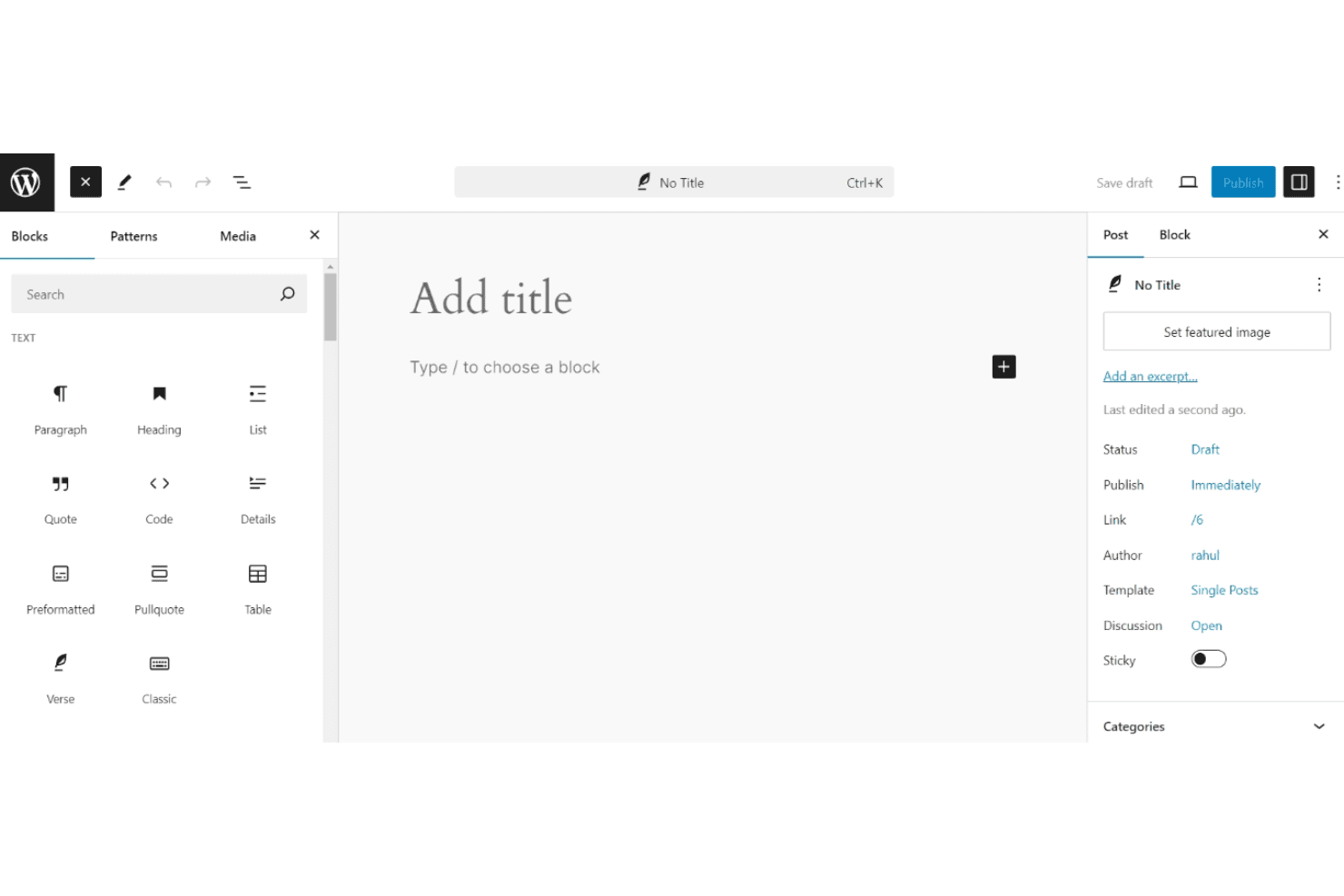
Drag-and-drop editing lets you arrange content and media visually. This editor supports reusable blocks for faster page creation.
Customizable Themes
Choose from hundreds of professionally designed templates. Each theme can be tailored with colors, fonts, and layouts to suit your web design goals.
SEO Tools
Built-in SEO and marketing tools help optimize your site for search engines. Access advanced plugins for deeper control.
User Roles and Permissions
Assign roles like editor, author, or contributor to manage access. This supports collaborative publishing and workflows.
Media Management
Upload, organize, and display images, videos, and documents with built-in galleries. WordPress optimizes images for performance.
Post Scheduling
Schedule posts to publish at specific dates and times. This supports consistent content delivery and campaign planning.
Ease of Use
WordPress offers a user-friendly interface for basic tasks like publishing posts and updating pages, but its depth and customization options can be daunting for new users. Many reviewers note that while setup is straightforward, managing plugins, themes, and security requires ongoing attention. The block editor simplifies content creation, yet advanced site management often demands technical know-how or developer support. Overall, WordPress balances flexibility with usability, but it's best suited for users willing to invest time in learning the platform.
Integrations
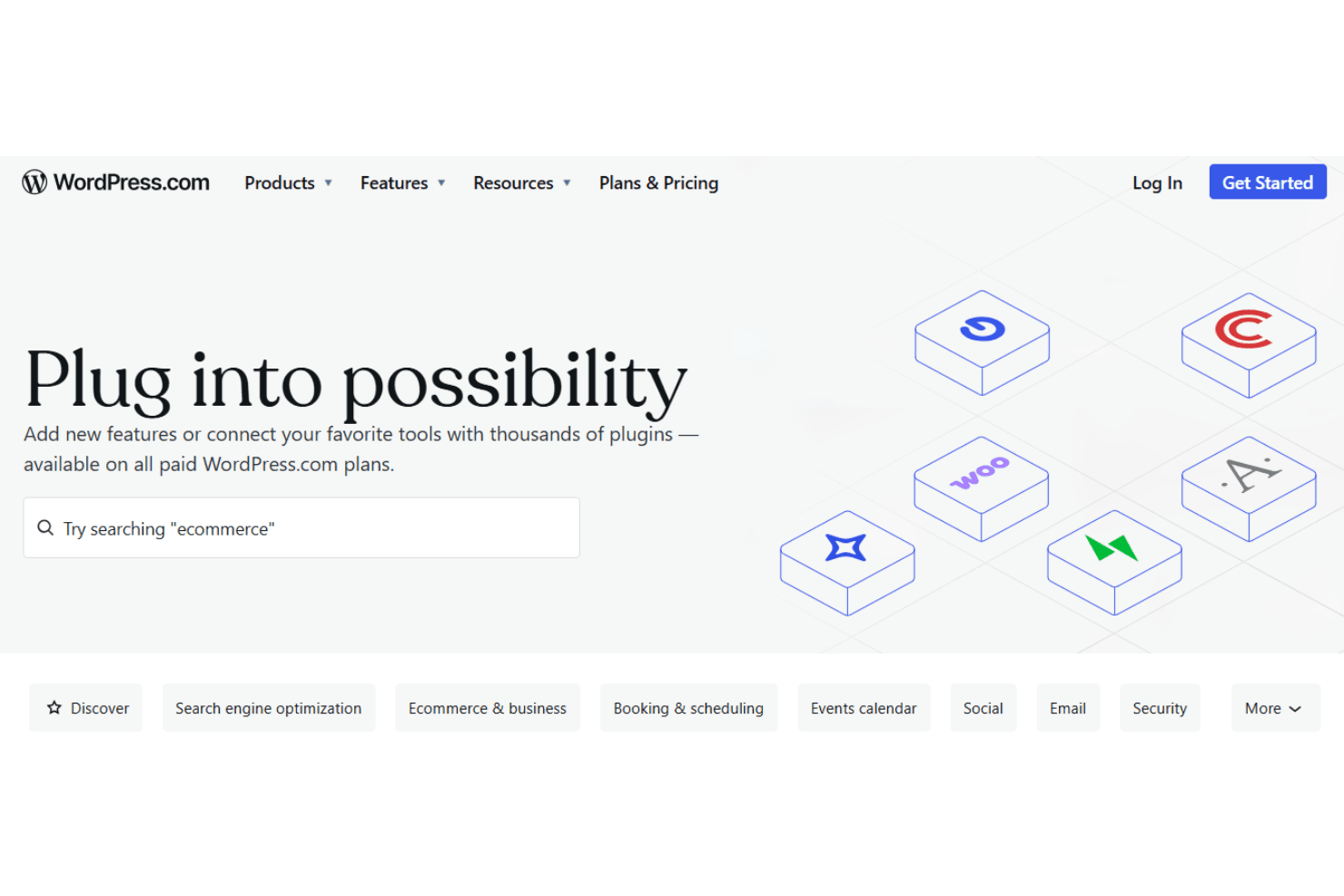
WordPress integrates with Google Analytics, Mailchimp, WooCommerce, Jetpack, Yoast SEO, Akismet, PayPal, HubSpot, Facebook, and Twitter, among others. It also connects with thousands of plugins developed specifically for the WordPress platform.
WordPress also offers a REST API and connects with third-party integration tools for expanded functionality.
WordPress Specs
- A/B Testing: No
- API: Yes
- Data Export: Yes
- Data Import: Yes
- External Integrations: Yes
- Landing Pages: Yes
- Multi-User: Yes
- Third-Party Plugins/Add-Ons: Yes


