

Livestorm-arvostelu: hyvät ja huonot puolet, ominaisuudet ja hinnoittelu selitettynä vuonna 2026
Livestorm erottuu edukseen helppokäyttöisyydellään ja automaatiollaan, mikä tekee siitä ihanteellisen valinnan tiimeille, jotka etsivät sujuvia ja vuorovaikutteisia verkkoseminaareja sekä virtuaalitapahtumia.

We review tools independently, and commissions help fund our testing. See our transparency policy, our methodology, or suggest a tool.
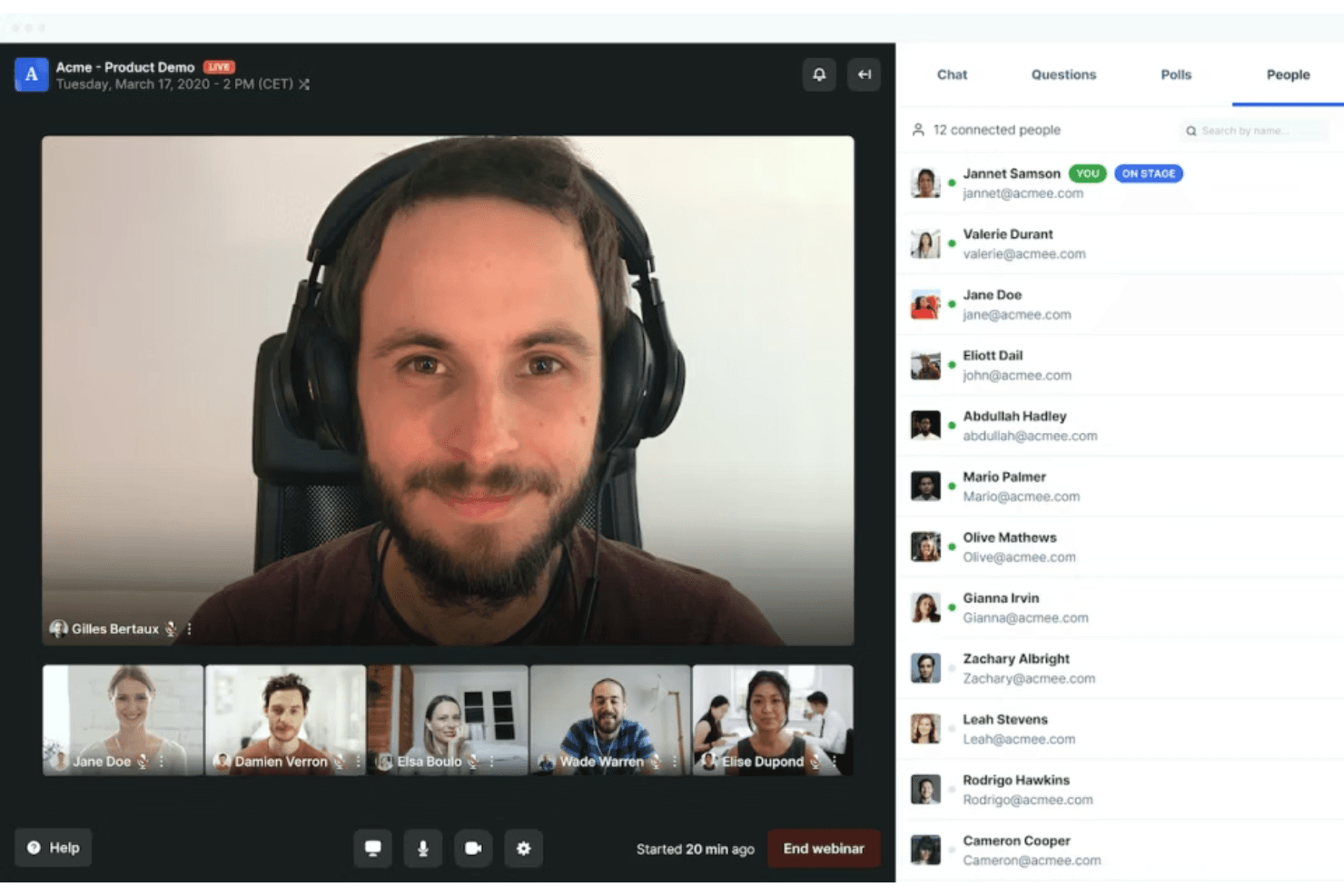
Livestorm is a webinar software built for marketing and sales teams that need to run live events, product demos, and on-demand sessions without requiring attendees to download anything. I'd consider it over Zoom Webinars if registration workflows, attendee engagement tools, and post-event analytics matter as much to you as the broadcast itself—Livestorm gives you more control over the full attendee journey, from signup to follow-up, in a single platform.
Livestorm Evaluation Summary
4.5/5
- From $3/attendee
- Free trial + free demo available
Miksi luottaa ohjelmistosuosituksiimme
6,700+
Reviews
20
Industry experts
16+
Evaluation factors
14
Years
Tiimimme on testannut ja arvioinut ohjelmistoja vuodesta 2012 lähtien. Markkinointijohtajina tiedämme itse, kuinka vaikeaa — ja tärkeää — oikean ohjelmiston valitseminen on.
Tätä opasta varten arvioimme työkaluja käytännön testauksen ja itsenäisen tutkimuksen avulla, pisteyttäen työkalut valintakriteeriemme perusteella.
Arvostelumme perustuvat inhimilliseen toimitukselliseen harkintaamme, eivät myyntipuheeseen.
Asiantuntija-arvioijat:
 Gui DrusinaCreative Director
- Shriya GhateSenior Marketing Lead
 Amanda JacquesMarketing Ops Leader

Livestorm Overview
Overall, Livestorm offers an intuitive interface, quick onboarding, and a fully browser-based experience—no downloads required. Its built-in automation, analytics, and integrations make it a strong choice for marketing teams focused on lead capture and audience engagement. While pricing may scale with audience size and advanced features, and customization is somewhat limited compared to more design-heavy platforms, its ease of use and all-in-one functionality stand out. If you’re selecting a solution for recurring webinars, product demos, or training sessions where reliability and simplicity matter most, Livestorm is a strong contender.
Pros
- Fully browser-based platform with no downloads required for attendees.
- Strong analytics and data export for tracking event performance.
- Built-in automation, including scheduled events and on-demand (evergreen) webinars.
Cons
- Customization options for registration pages and branding are somewhat limited compared to specialized tools.
- Pricing can increase with larger audiences or advanced features.
- Some advanced capabilities (e.g., interpretation, PPT embedding) are restricted to higher-tier plans.
Is Livestorm Right For Your Needs?
Who Would be a Good Fit for Livestorm?
Livestorm is a strong choice for teams that prioritize interactive, browser-based webinars with minimal IT involvement and need reliable analytics for lead generation or training. Its user experience, responsive support, and event automation features make it especially appealing for marketing, sales, and education-focused roles in mid-sized organizations. If your business values attendee engagement tools and wants to avoid software downloads, Livestorm’s video conferencing platform is well-suited for you.
- Marketing TeamsLivestorm’s built-in analytics, UTM tracking, and engagement tools help teams capture, qualify, and nurture leads through webinars.
- SaaS Product DemosBrowser-based access and quick join links make it easy for prospects to attend live demos without friction.
- Higher EducationInteractive features like polls, chat, and Q&A support virtual classes and improve student participation.
- HR and TrainingAutomated reminders, attendance tracking, and on-demand replays streamline employee onboarding and internal training.
- Agencies Hosting EventsCustom branding, registration pages, and multi-session events support scalable, client-facing webinars.
- Customer Success TeamsLive chat, Q&A, and replay capabilities help deliver onboarding, training, and retention-focused sessions.
Who Would be a Bad Fit for Livestorm?
Livestorm may not be the best choice for organizations that require deep customization, highly advanced production control, or enterprise-grade scale for large global events. While it offers built-in automation, integrations, and on-demand webinars, teams with complex marketing automation workflows or highly specialized requirements may find it limiting. If your use case involves large-scale broadcasting, highly customized event environments, or advanced technical setups, you may want to consider more specialized platforms.
- Large Enterprises & Global EventsLivestorm may not scale as efficiently for very large audiences or high-frequency global events compared to enterprise-grade broadcasting platforms.
- Highly Customized Brand ExperiencesWhile branding is supported, teams needing fully custom-designed event environments or landing pages may find it restrictive.
- Event Production & Broadcast CompaniesLimited control over video production, staging, and broadcast quality makes it less suitable for highly produced or studio-level events.
- Budget-Constrained Teams at ScaleCosts can increase quite a bit with audience size and advanced features, which may be challenging for teams running frequent or large events.
- Always-On WebinarsLivestorm is designed for scheduled or on-demand events—not continuous, always-on webinar rooms or virtual environments.
- Advanced Marketing AutomationLivestorm includes automation, but it may not match the depth of dedicated marketing automation platforms for complex, multi-step campaigns.
How We Test & Score Tools
We’ve spent years building, refining, and improving our software testing and scoring system. The rubric is designed to capture the nuances of software selection and what makes a tool effective, focusing on critical aspects of the decision-making process.
Below, you can see exactly how our testing and scoring works across seven criteria. It allows us to provide an unbiased evaluation of the software based on core functionality, standout features, ease of use, onboarding, customer support, integrations, customer reviews, and value for money.
Core Functionality (25% of final scoring)
The starting point of our evaluation is always the core functionality of the tool. Does it have the basic features and functions that a user would expect to see? Are any of those core features locked to higher-tiered pricing plans? At its core, we expect a tool to stand up against the baseline capabilities of its competitors.
Standout Features (25% of final scoring)
Next, we evaluate uncommon standout features that go above and beyond the core functionality typically found in tools of its kind. A high score reflects specialized or unique features that make the product faster, more efficient, or offer additional value to the user.
We also evaluate how easy it is to integrate with other tools typically found in the tech stack to expand the functionality and utility of the software. Tools offering plentiful native integrations, 3rd party connections, and API access to build custom integrations score best.
Ease of Use (10% of final scoring)
We consider how quick and easy it is to execute the tasks defined in the core functionality using the tool. High scoring software is well designed, intuitive to use, offers mobile apps, provides templates, and makes relatively complex tasks seem simple.
Onboarding (10% of final scoring)
We know how important rapid team adoption is for a new platform, so we evaluate how easy it is to learn and use a tool with minimal training. We evaluate how quickly a team member can get set up and start using the tool with no experience. High scoring solutions indicate little or no support is required.
Customer Support (10% of final scoring)
We review how quick and easy it is to get unstuck and find help by phone, live chat, or knowledge base. Tools and companies that provide real-time support score best, while chatbots score worst.
Customer Reviews (10% of final scoring)
Beyond our own testing and evaluation, we consider the net promoter score from current and past customers. We review their likelihood, given the option, to choose the tool again for the core functionality. A high scoring software reflects a high net promoter score from current or past customers.
Value for Money (10% of final scoring)
Lastly, in consideration of all the other criteria, we review the average price of entry level plans against the core features and consider the value of the other evaluation criteria. Software that delivers more, for less, will score higher.
Core Features
Browser-Based Access
Attendees join events directly from their browser with no downloads required, making participation frictionless.
Custom Registration Pages
Create branded registration forms and landing pages to capture attendee information and reinforce your company identity.
Interactive Engagement Tools
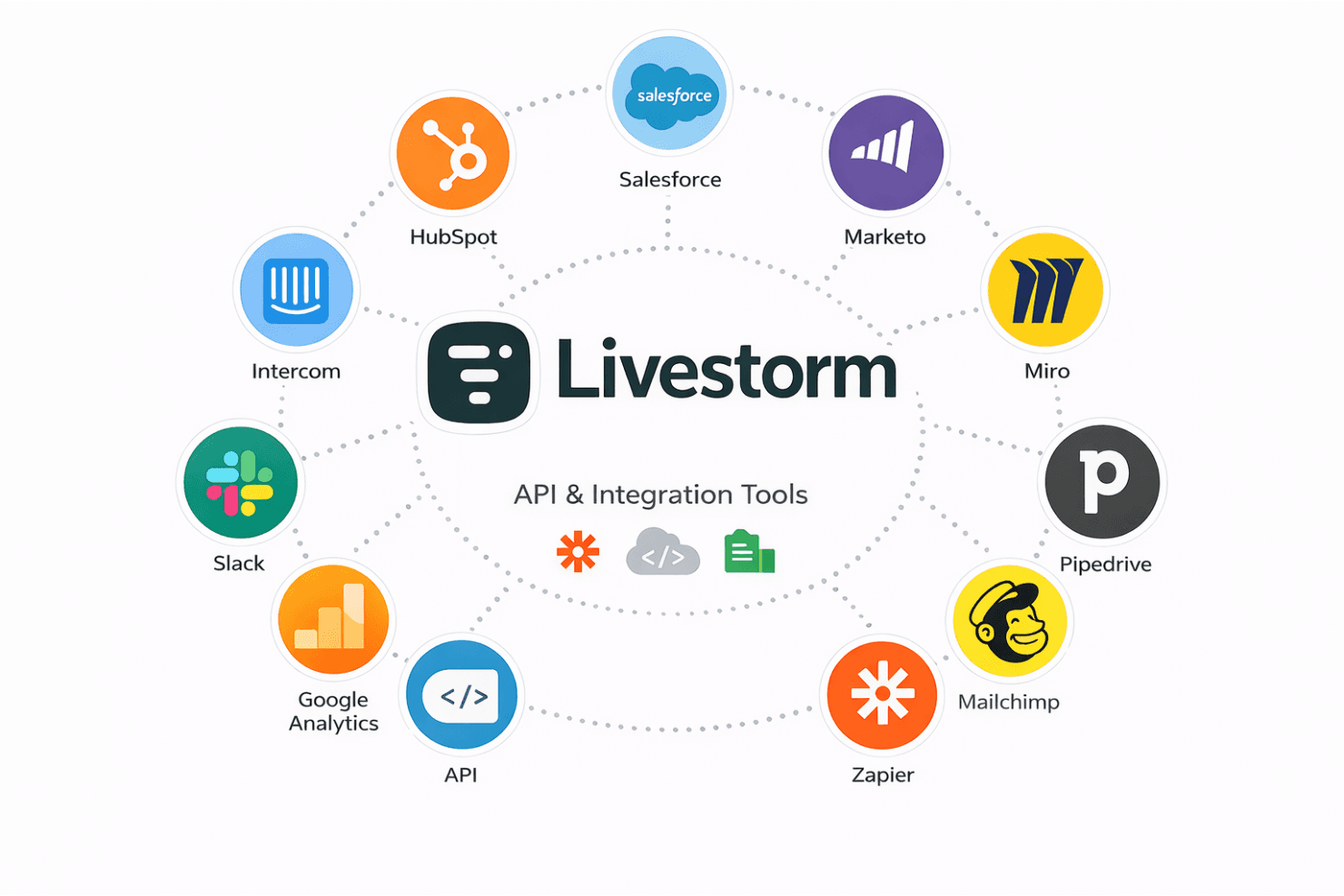
Use Livestorm for polls, Q&A, chat, screen sharing, and emoji reactions to boost audience participation during live sessions.
Automated Email Cadences
Schedule and send event reminders, confirmations, and follow-ups automatically to keep registrants informed.
Advanced Analytics and Reporting
Track attendance, engagement, and event performance with detailed dashboards and exportable reports.
On-Demand and Replay Options
Offer instant replays and on-demand access so attendees can view sessions at their convenience.
Ease of Use
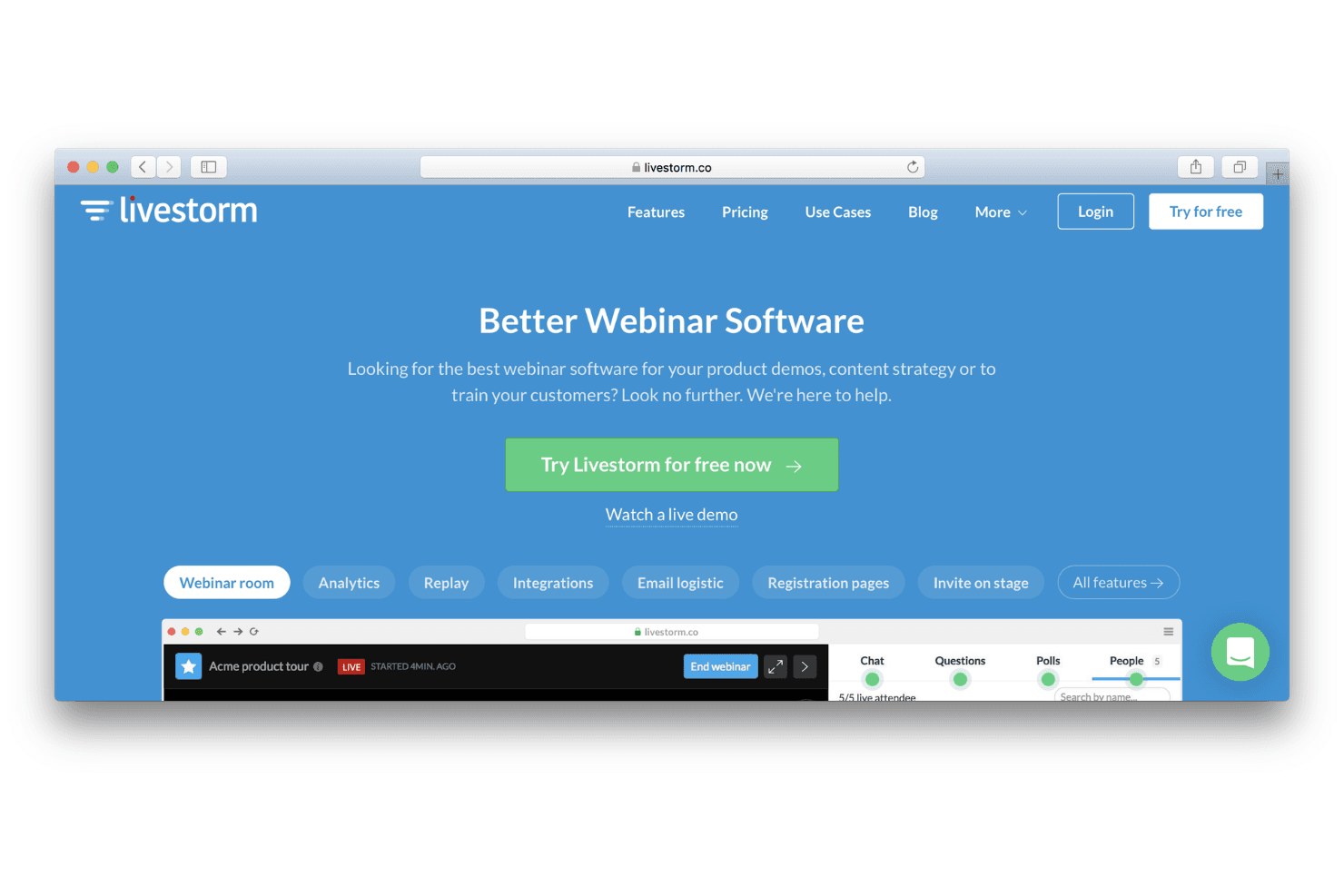
Livestorm is widely praised for its intuitive, browser-based interface that requires no downloads for hosts or attendees. Users highlight the straightforward event setup, clear navigation, and minimal technical barriers, making it accessible even for non-technical teams. Features like drag-and-drop registration page builders and automated email workflows further reduce manual effort. Overall, Livestorm’s usability stands out for teams seeking quick onboarding and hassle-free live webinar management.
Integrations
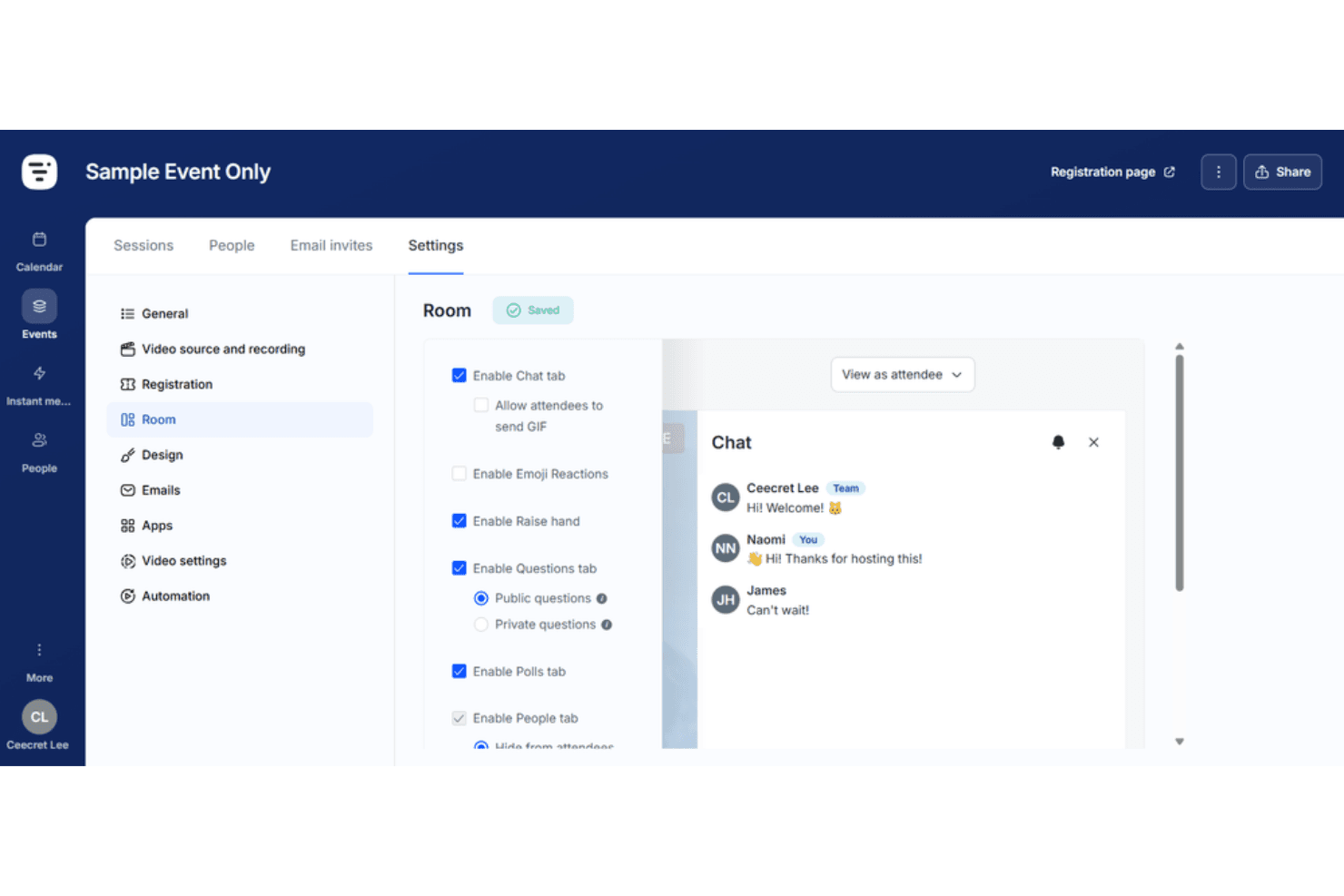
Livestorm integrates with HubSpot, Salesforce, Slack, Google Analytics, Zapier, Intercom, Marketo, Miro, Pipedrive, and Mailchimp, among others.
Livestorm also offers an API and connects with third-party integration tools for expanded automation and data syncing.
Livestorm Specs
- API: Yes
- Calendar Management: Yes
- Chat: Yes
- Contact Management: Yes
- Contact Sharing: Yes
- Email Integration: Yes
- External Integrations: Yes
- Google Apps Integration: Yes
- History/Version Control: Yes
- Multi-User: Yes
- Notifications: Yes
- Project Management: Yes
- Scheduling: Yes


