

Kit Review: Pros, Cons, Features, and Pricing Explained
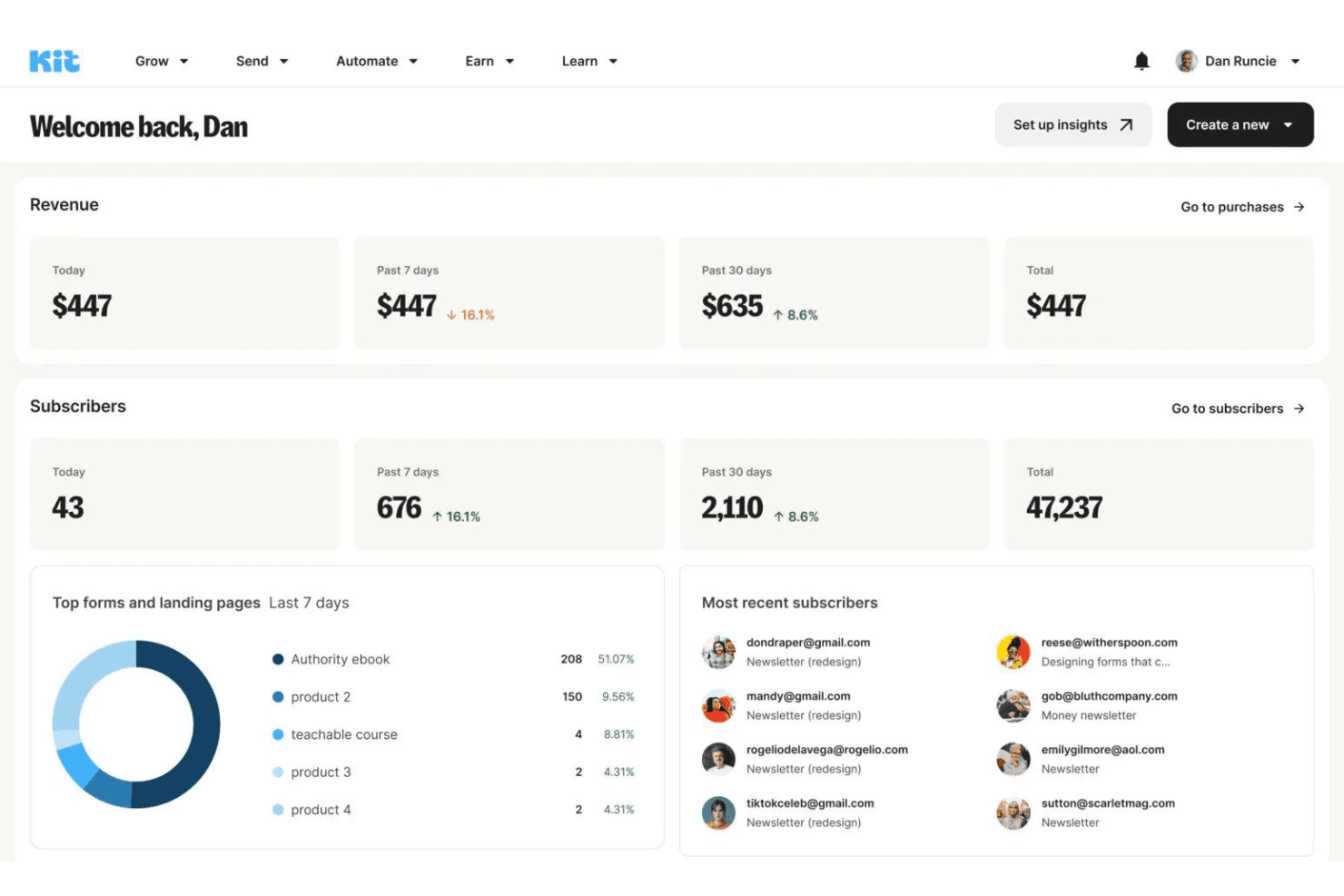
Kit stands out for creators seeking simple, powerful email marketing, but may lack advanced automation for larger businesses. Ideal for content-driven brands prioritizing ease of use.

We review tools independently, and commissions help fund our testing. See our transparency policy, our methodology, or suggest a tool.
Kit is an email marketing software built for creators, bloggers, and independent businesses that need to grow an audience, send newsletters, and sell digital products through email. I'd consider it over Mailchimp if your priority is creator-focused features—like subscriber tagging, visual automation sequences, and built-in paid newsletter monetization—rather than broad ecommerce campaign tools.
Kit Evaluation Summary
4.5/5
- From $33/month (billed annually)
- 14-day free trial available
Why Trust Our Software Recommendations
6,700+
Reviews
20
Industry experts
16+
Evaluation factors
14
Years
Our team has been testing and reviewing software since 2012. As marketing leaders ourselves, we know how difficult—and important—it is to choose the right software.
For this guide, we evaluated tools using hands-on testing and independent research, scoring tools using our selection criteria.
Our reviews reflect our human editorial judgment, not a sales pitch.
Expert reviewers:
 Gui DrusinaCreative Director
- Shriya GhateSenior Marketing Lead
 Amanda JacquesMarketing Ops Leader

Kit Overview
When evaluating Kit, its intuitive interface and creator-focused features make it easy to select for solo marketers or small teams. Pricing is transparent, onboarding is quick, and support is responsive, which helps new users get started fast. While automation is solid, it's less advanced than some competitors, and integrations are mostly geared toward content platforms. If you're comparing options for a content-driven business or creator brand, Kit's simplicity and clear workflow stand out, but larger teams needing complex segmentation may find it limiting. For email newsletters, product launches, and audience engagement, it's a strong pick.
Pros
- Visual automation builder supports complex subscriber journeys
- Broadcast and sequence tools fit content-driven campaigns well
- Deliverability rates are consistently high for most users
Cons
- Reporting features lack advanced segmentation and analytics
- A/B testing is limited to subject lines only
- No built-in CRM or sales pipeline management


How We Test & Score Tools
We’ve spent years building, refining, and improving our software testing and scoring system. The rubric is designed to capture the nuances of software selection and what makes a tool effective, focusing on critical aspects of the decision-making process.
Below, you can see exactly how our testing and scoring works across seven criteria. It allows us to provide an unbiased evaluation of the software based on core functionality, standout features, ease of use, onboarding, customer support, integrations, customer reviews, and value for money.
Core Functionality (25% of final scoring)
The starting point of our evaluation is always the core functionality of the tool. Does it have the basic features and functions that a user would expect to see? Are any of those core features locked to higher-tiered pricing plans? At its core, we expect a tool to stand up against the baseline capabilities of its competitors.
Standout Features (25% of final scoring)
Next, we evaluate uncommon standout features that go above and beyond the core functionality typically found in tools of its kind. A high score reflects specialized or unique features that make the product faster, more efficient, or offer additional value to the user.
We also evaluate how easy it is to integrate with other tools typically found in the tech stack to expand the functionality and utility of the software. Tools offering plentiful native integrations, 3rd party connections, and API access to build custom integrations score best.
Ease of Use (10% of final scoring)
We consider how quick and easy it is to execute the tasks defined in the core functionality using the tool. High scoring software is well designed, intuitive to use, offers mobile apps, provides templates, and makes relatively complex tasks seem simple.
Onboarding (10% of final scoring)
We know how important rapid team adoption is for a new platform, so we evaluate how easy it is to learn and use a tool with minimal training. We evaluate how quickly a team member can get set up and start using the tool with no experience. High scoring solutions indicate little or no support is required.
Customer Support (10% of final scoring)
We review how quick and easy it is to get unstuck and find help by phone, live chat, or knowledge base. Tools and companies that provide real-time support score best, while chatbots score worst.
Customer Reviews (10% of final scoring)
Beyond our own testing and evaluation, we consider the net promoter score from current and past customers. We review their likelihood, given the option, to choose the tool again for the core functionality. A high scoring software reflects a high net promoter score from current or past customers.
Value for Money (10% of final scoring)
Lastly, in consideration of all the other criteria, we review the average price of entry level plans against the core features and consider the value of the other evaluation criteria. Software that delivers more, for less, will score higher.
Core Features
Visual Automation Builder
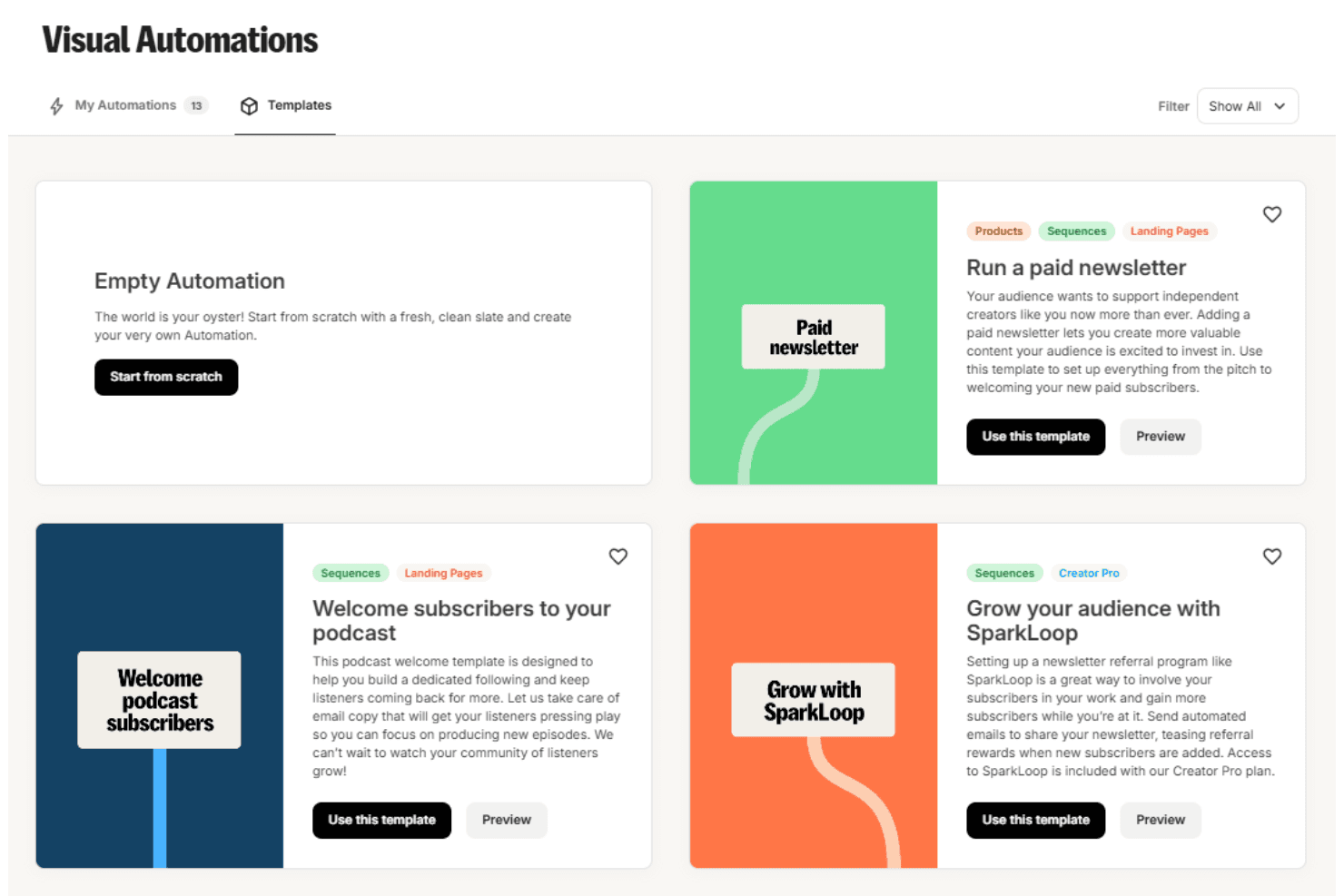
Design subscriber journeys with a drag-and-drop interface and set triggers for emails, tags, or sequences. This helps users automate onboarding, launches, and nurture flows without coding.
Broadcast Emails
Send one-time email blasts to your entire list or targeted segments. Schedule email newsletters, announcements, or promotions with deliverability tracking.
Email Sequences
Create automated drip campaigns that deliver content over time. Use sequences for onboarding, courses, or product launches with customizable timing.
Subscriber Tagging
Organize contacts with tags based on actions, interests, or purchases. This enables targeted messaging and better list management.
Landing Page Builder
Build and publish branded landing pages for lead capture without extra tools. Choose from landing page templates and customize opt-in forms to grow your list.
A/B Subject Line Testing
Test two subject lines for each broadcast to optimize open rates. Kit automatically sends the winning subject to the rest of your audience.
Ease of Use
Kit is widely recognized for its clean, intuitive interface and straightforward navigation, making it easy for beginner and experienced users alike to launch email campaigns quickly. The visual automation builder and simple tagging system reduce setup time and confusion, especially for content creators and small teams. Users often mention that onboarding is fast and documentation is clear, so you can focus on content and strategy rather than technical hurdles. This simplicity is a key reason many choose Kit over more complex platforms like Mailchimp or ActiveCampaign.
Integrations
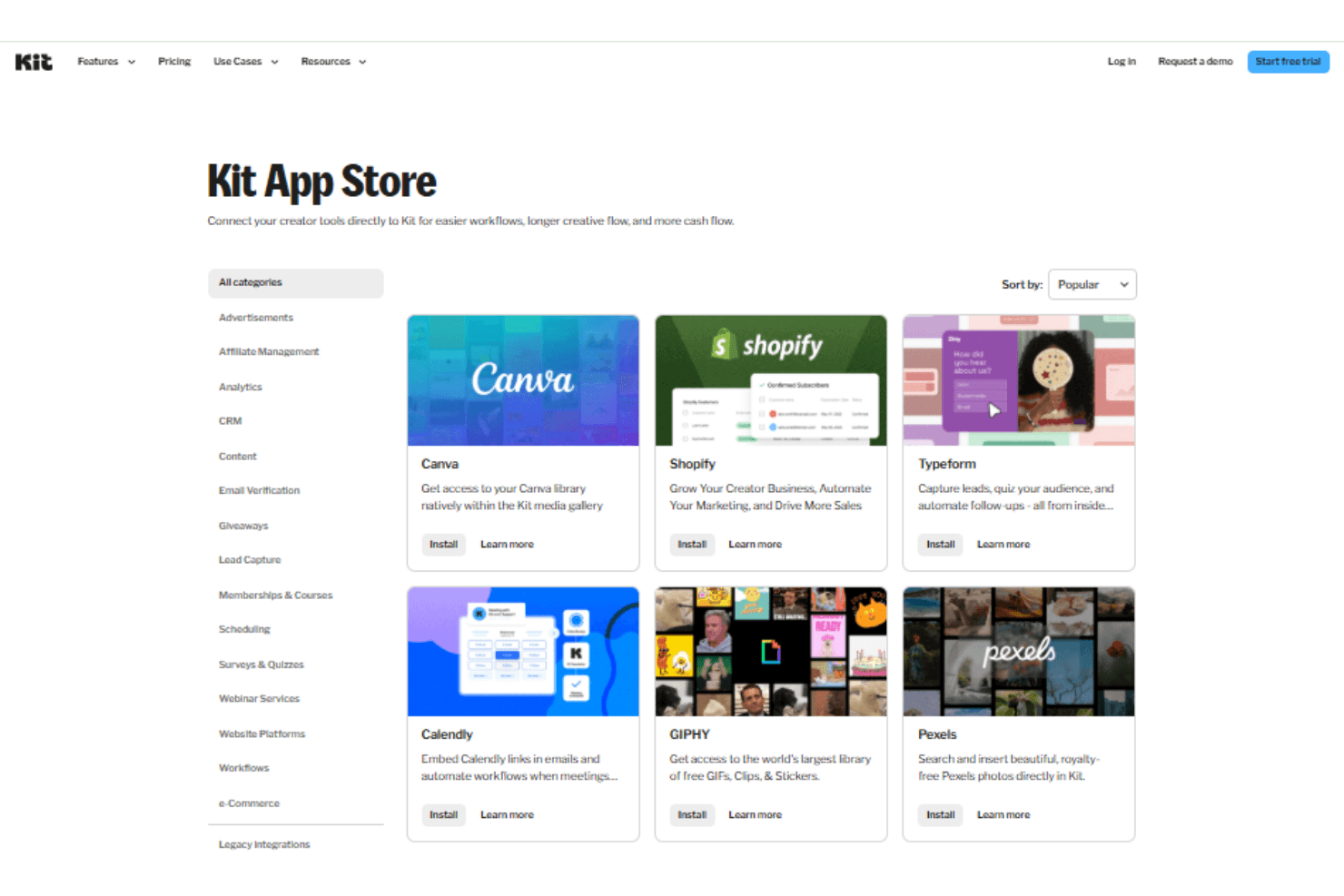
Kit integrates with Shopify, Canva, Calendly, Notion, Wix, Kajabi, and Databox, among others.
Kit also offers an API and connects with third-party integration tools for expanded functionality.
Kit Specs
- Accounts Payable: Yes
- Accounts Receivable: Yes
- API: Yes
- Batch Permissions & Access: Yes
- Budgeting: Yes
- Calendar Management: Yes
- Customer Management: Yes
- Dashboard: Yes
- Data Export: Yes
- Data Import: Yes
- Data Visualization: Yes
- Expense Tracking: Yes
- External Integrations: Yes
- Forecasting: Yes
- General Account Ledger: Yes
- Inventory Tracking: Yes
- Lead Management: Yes
- Lead Scoring: Yes
- Marketing Automation: Yes
- Multi-User: Yes
- Notifications: Yes
- Password & Access Management: Yes
- Payroll: Yes
- Project Management: Yes
- Scheduling: Yes
- Supplier Management: Yes
- Tax Management: Yes
- Third-Party Plugins/Add-Ons: Yes
- Travel Management: Yes
Alternatives to Kit


- 11 Marketing Campaign Types To Try (+ Examples And Tips)Opens new window
- CMO Building An AI-Native Marketing Organization Says Marketing Leaders Are Focused On The Wrong AI RisksOpens new window
- Kit Review: Pros, Cons, Features, and Pricing ExplainedOpens new window
- Marketing Tech Founder And CMO Stresses The Importance Of Context Before Integrating AIOpens new window