

monday.com Testbericht: Vorteile, Nachteile, Funktionen und Preise 2026 im Überblick
Ich habe monday.com als Kraftpaket für Marketingplanung auf die Probe gestellt – hier erfährst du, was Kampagnen wirklich antreibt, wo die Plattform Schwächen hat und wie ihre Werkzeuge für echte Teams abschneiden.

Wir bewerten Tools unabhängig, und Provisionen helfen, unsere Tests zu finanzieren. Siehe unsere Transparenz-Richtlinie, unsere Methodik oder schlagen Sie ein Tool vor.
monday AI Workspace is a marketing planning software that combines project boards, campaign tracking, and AI-assisted workflow management in one place. It's a strong fit for marketing teams coordinating across multiple campaigns and channels who need AI built directly into their planning workspace. I'd consider it over Asana if you want more customizable board structures and AI features woven into how you plan and execute work—rather than added on top of standard task management.
monday AI Workspace Evaluation Summary
4.6/5
- From $9/user/month (billed annually)
- Free plan + 14-day free trial available
Warum Sie unseren Software-Empfehlungen vertrauen können
6,700+
Reviews
20
Industry experts
16+
Evaluation factors
14
Years
Unser Team testet und bewertet Software seit 2012. Als Marketingführungskräfte wissen wir selbst, wie schwierig – und wichtig – es ist, die richtige Software auszuwählen.
Für diesen Leitfaden haben wir Tools mithilfe von praktischen Tests und unabhängiger Recherche bewertet und dabei unsere Bewertungskriterien angewendet.
Unsere Bewertungen spiegeln unser menschliches redaktionelles Urteilsvermögen wider, keine Verkaufsstrategie.
Expertenprüfer:
 Gui DrusinaKreativdirektor
- Shriya GhateSenior Marketing Lead
 Amanda JacquesMarketing Ops Leiterin

monday AI Workspace Overview
In my experience, monday.com stands out for its flexible boards, visual workflows, and unbeatable ease of onboarding—especially for teams with mixed technical skills. The pricing feels fair for what you get, though some advanced automation and integrations can add up. I find its interface cleaner and more user-friendly than many alternatives, and customer support is responsive. If you’re judging options for a fast-paced marketing team that juggles campaigns, assets, and approvals, monday.com is one of the easiest to recommend. I’d choose it for organizations that value visibility, customization, and quick ramp-up over deep niche marketing features.
Pros
- Visual campaign timelines simplify deadline tracking for teams
- Multiple board views make team progress transparent at a glance
- Built-in automations reduce repetitive campaign coordination tasks
Cons
- Advanced reporting features require higher-tier subscriptions
- Campaign budget management tools are limited for marketing teams
- Task dependencies can be confusing and need clearer documentation
Is monday AI Workspace Right For Your Needs?
Who Would be a Good Fit for monday AI Workspace?
monday.com really shines for marketing teams, agencies, and project-driven companies that want a highly visual, collaborative way to plan, track, and adjust campaigns or projects. Its feature set works best for organizations that rely on creative handoffs, require big-picture timelines, and need frequent task updates, all without heavy IT lift or custom development.
- Marketing AgenciesYou get campaign dashboards, automated client updates, and file sharing that streamline client collaboration.
- In-House Marketing TeamsEasy campaign calendars, approval tracking, and shared assets make it simple to run multi-channel campaigns.
- Creative TeamsVisual timelines and clear review cycles help manage content, design projects, and feedback loops.
- Event PlannersHandle task assignments, venue logistics, and vendor communication with customizable templates and automations.
- Small to Medium BusinessesYou benefit from fast setup, intuitive workflows, and the ability to scale processes as you grow.
- Project ManagersGantt charts, resource planning, and workload views support simultaneous campaign management and clear reporting.
Who Would be a Bad Fit for monday AI Workspace?
monday.com isn’t built for compliance-heavy industries, complex corporate hierarchies, or teams in need of deep financial and budget controls baked into their workflow. If you require classic project management methodologies or work in regulated fields, you’ll probably find its focus on flexibility and marketing-style collaboration lacking.
- Highly Regulated IndustriesLacks advanced compliance tracking and validation features required for sectors like healthcare or finance.
- Enterprises With Legacy SystemsLimited support for deep, custom integrations with old on-premise business software.
- Finance DepartmentsBudget tracking and fiscal reporting tools aren’t robust enough for teams needing granular control.
- Construction CompaniesDoesn’t offer built-in resource scheduling, blueprint management, or field data collection specifics.
- Heavy ManufacturingNo modules for inventory management, shop floor automation, or supply chain logistics.
- Legal PracticesMissing advanced document management, case tracking, and confidentiality controls specific to law firms.
Wie wir Tools testen und bewerten
Wir haben jahrelang unser Software-Test- und Bewertungssystem aufgebaut, verfeinert und verbessert. Das Bewertungsraster wurde entwickelt, um die Feinheiten der Softwareauswahl zu erfassen und aufzuzeigen, was ein Tool effektiv macht. Dabei konzentrieren wir uns auf kritische Aspekte des Entscheidungsprozesses. Im Folgenden können Sie genau nachvollziehen, wie unsere Tests und Bewertungen über sieben Kriterien hinweg funktionieren. Dies ermöglicht eine unparteiische Bewertung der Software basierend auf Kernfunktionen, besonderen Merkmalen, Benutzerfreundlichkeit, Onboarding, Kundenservice, Integrationen, Kundenrezensionen und Preis-Leistung.
Kernfunktionen (25% der Gesamtbewertung)
Der Ausgangspunkt unserer Bewertung ist stets die Kernfunktionalität des Tools. Verfügt es über die grundlegenden Merkmale und Funktionen, die ein Nutzer erwarten würde? Sind einige dieser Kernfunktionen nur in hochpreisigen Tarifen verfügbar? Im Kern erwarten wir, dass ein Tool den Basisfunktionen der Konkurrenz standhält.
Besondere Merkmale (25% der Gesamtbewertung)
Als nächstes bewerten wir außergewöhnliche, herausragende Funktionen, die über die übliche Kernfunktionalität hinausgehen. Eine hohe Punktzahl spiegelt spezialisierte oder einzigartige Merkmale wider, die das Produkt schneller, effizienter oder wertvoller für den Nutzer machen. Wir bewerten außerdem, wie einfach es ist, das Tool in andere häufig verwendete Anwendungen im Tech-Stack zu integrieren, um die Funktionalität und den Nutzen der Software zu erweitern. Tools, die viele native Integrationen, Drittanbieter-Anbindungen sowie API-Zugriff für eigene Integrationen bieten, schneiden am besten ab.
Benutzerfreundlichkeit (10% der Gesamtbewertung)
Wir berücksichtigen, wie schnell und einfach sich Aufgaben, die zu den Kernfunktionen gehören, mit dem Tool ausführen lassen. Hoch bewertete Software ist gut gestaltet, intuitiv bedienbar, bietet mobile Apps, Vorlagen und lässt auch komplexe Aufgaben einfach erscheinen.
Onboarding (10% der Gesamtbewertung)
Uns ist bewusst, wie wichtig eine schnelle Akzeptanz im Team für eine neue Plattform ist. Daher bewerten wir, wie leicht sich das Tool mit minimaler Einweisung erlernen und anwenden lässt und wie schnell Teammitglieder auch ohne Vorerfahrung loslegen können. Eine hohe Punktzahl deutet darauf hin, dass kaum oder gar keine Unterstützung notwendig ist.
Kundenservice (10% der Gesamtbewertung)
Wir prüfen, wie schnell und einfach es ist, bei Problemen Hilfe per Telefon, Live-Chat oder Wissensdatenbank zu erhalten. Tools und Unternehmen, die Support in Echtzeit anbieten, erhalten die besten Bewertungen; Chatbots schneiden am schlechtesten ab.
Kundenrezensionen (10% der Gesamtbewertung)
Neben unseren eigenen Tests und Bewertungen berücksichtigen wir den Net Promoter Score aktueller und ehemaliger Kunden. Wir prüfen, wie wahrscheinlich sie sich erneut für das Tool bezüglich der Kernfunktionen entscheiden würden. Hoch bewertete Software spiegelt einen hohen Net Promoter Score der Nutzer wider.
Preis-Leistung (10% der Gesamtbewertung)
Abschließend bewerten wir unter Berücksichtigung aller anderen Kriterien den Durchschnittspreis der Einsteiger-Tarife im Verhältnis zu den Kernfunktionen sowie den Wert der anderen bewerteten Aspekte. Software, die mehr für weniger bietet, wird besser bewertet.
Core Features
Campaign Timeline Views
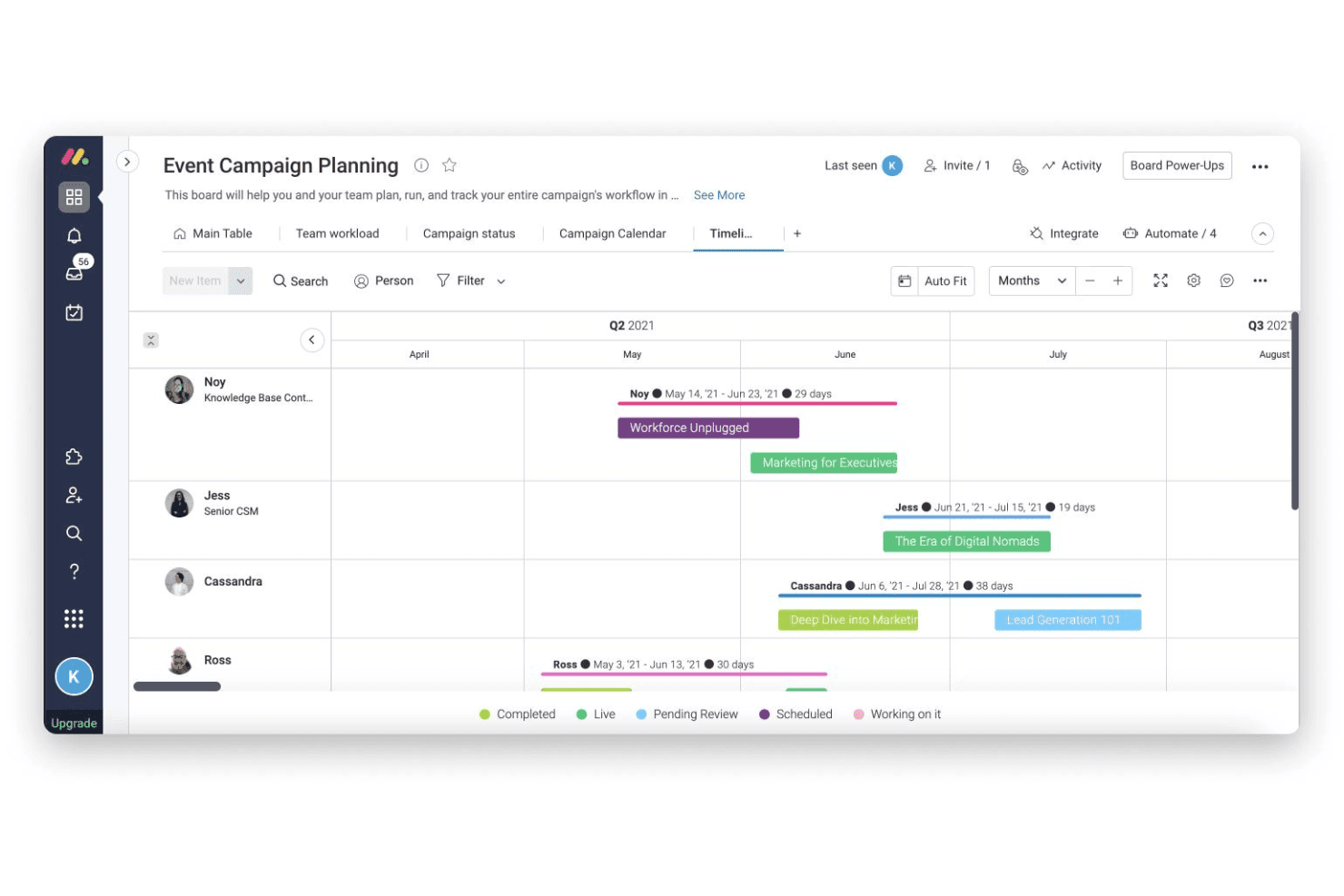
Plan, view, and adjust campaign schedules using Gantt or calendar views. Easily spot dependencies and shift deadlines for multiple campaigns.
Automated Workflows
Set up trigger-based automations to assign tasks and send updates. This cuts down manual follow-ups and keeps campaigns moving.
Custom Dashboards
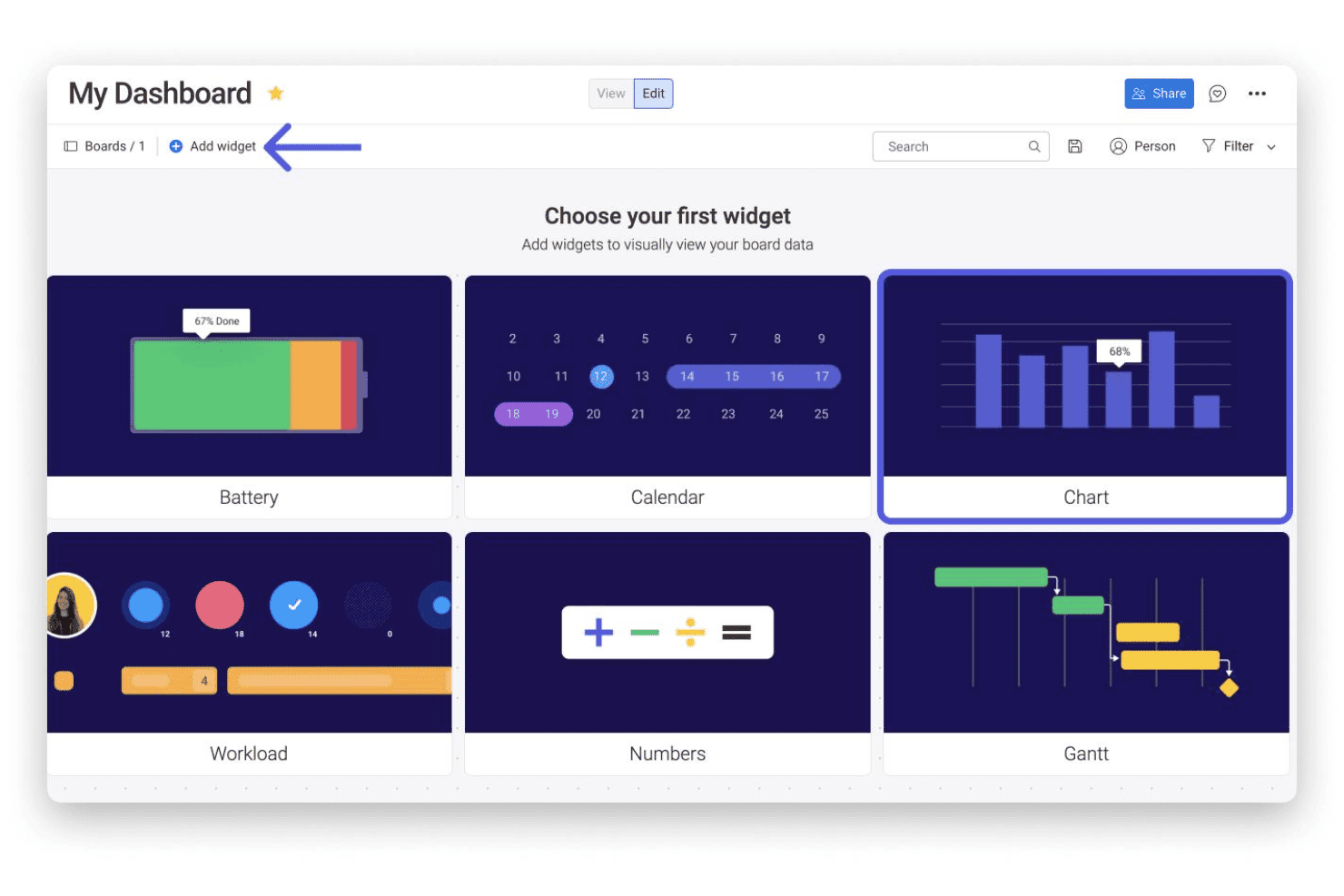
Build dashboards to track campaign KPIs, leads, and spend. Drag-and-drop widgets let you visualize results for fast reporting.
Shared Content Libraries
Store and share campaign assets, graphics, and files in one place. Collaborators can access and update materials without leaving their workflow.
Approval Tracking
Manage requests for creative or budget sign-offs directly in task boards. See what’s pending and nudge reviewers with one click.
Form-Based Intake
Capture project briefs and content requests through customizable intake forms. Submissions land on your board ready to be prioritized and assigned.
Standout Features
Customizable Board Templates
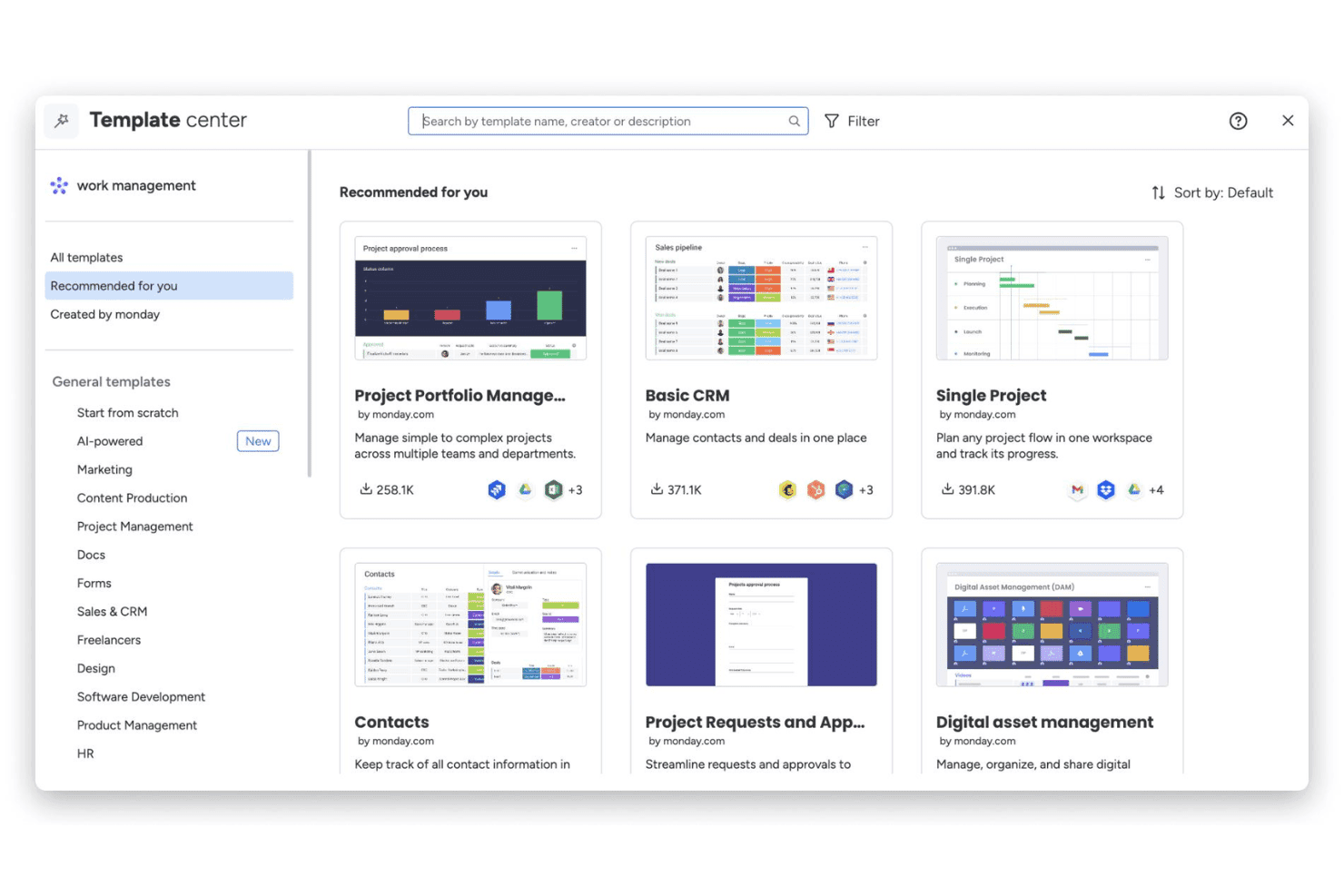
Choose from dozens of marketing-specific board templates built for launches, events, and content calendars. Teams can launch new projects in minutes, not hours.
Workload Management and Resource View
Monitor team bandwidth and see who’s overloaded across all campaigns. Easily reassign tasks to balance workloads for better project delivery.
Ease of Use
monday.com’s drag-and-drop boards, intuitive navigation, and quick-start templates make it one of the easiest marketing planning tools to set up and use. I see users call out how quickly non-technical team members adapt, and I find campaign tracking, updates, and approvals feel genuinely simple—no extra training or complicated workflows needed.
Onboarding
monday.com’s onboarding stands out for its step-by-step in-app guides, marketing-focused templates, and instant access to a help center full of video tutorials. I’ve seen users mention getting a project up and running within an hour, and the live chat and quick email support add even more confidence for new teams looking to get value right away.
Customer Support
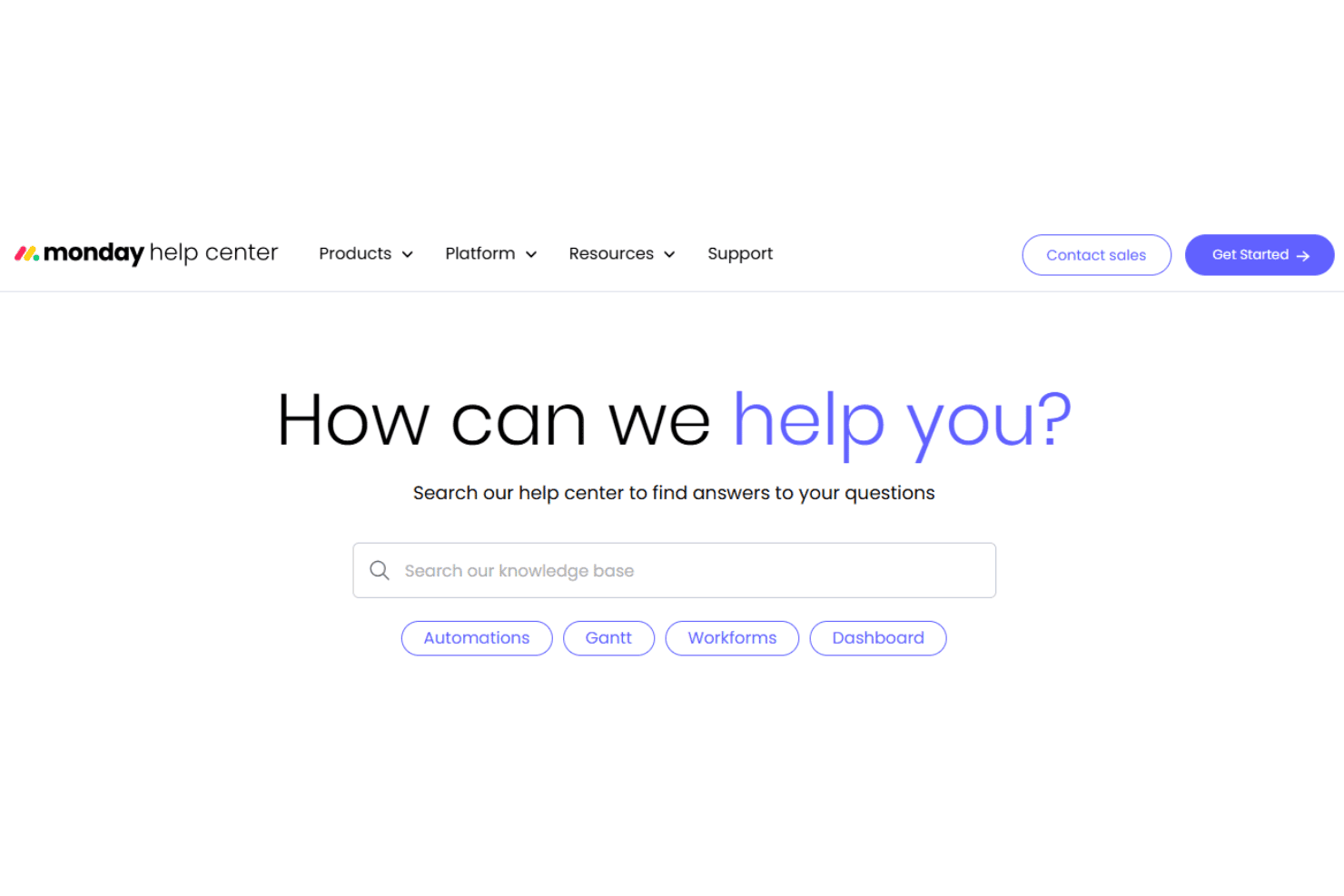
monday.com offers responsive live chat, email support, and a well-populated online knowledge base, which I think puts it ahead for customer care. Users frequently mention fast ticket responses and clear, helpful troubleshooting from the support team—even on lower-tier plans—which helps keep marketing projects on track.
Integrations
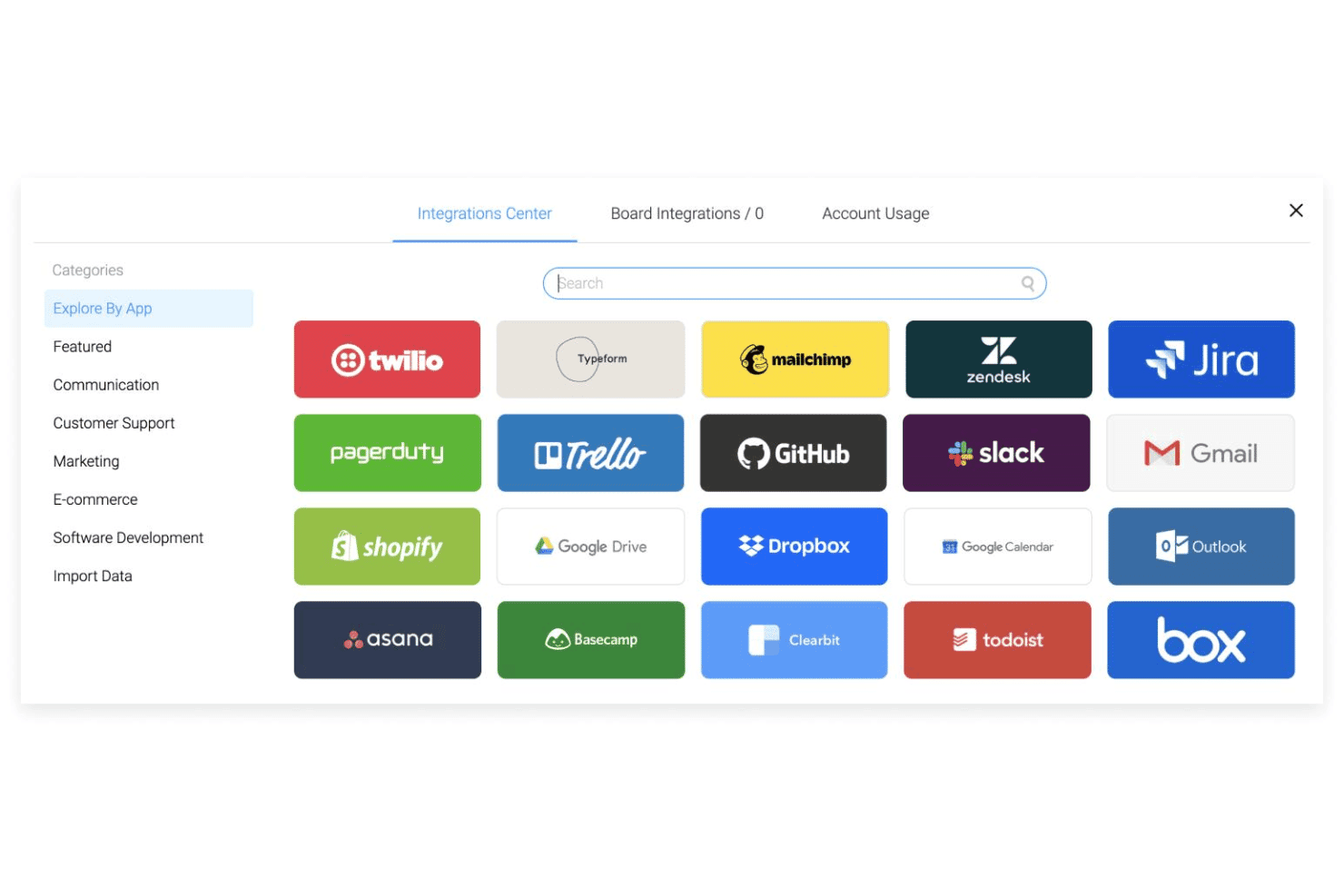
monday.com natively integrates with Slack, QuickBooks, Salesforce, Asana, GitHub, Outlook, Zoom, and Dropbox, among others.
monday.com also offers an open API and connects with third-party integration tools like Zapier and Make.
Value for Money
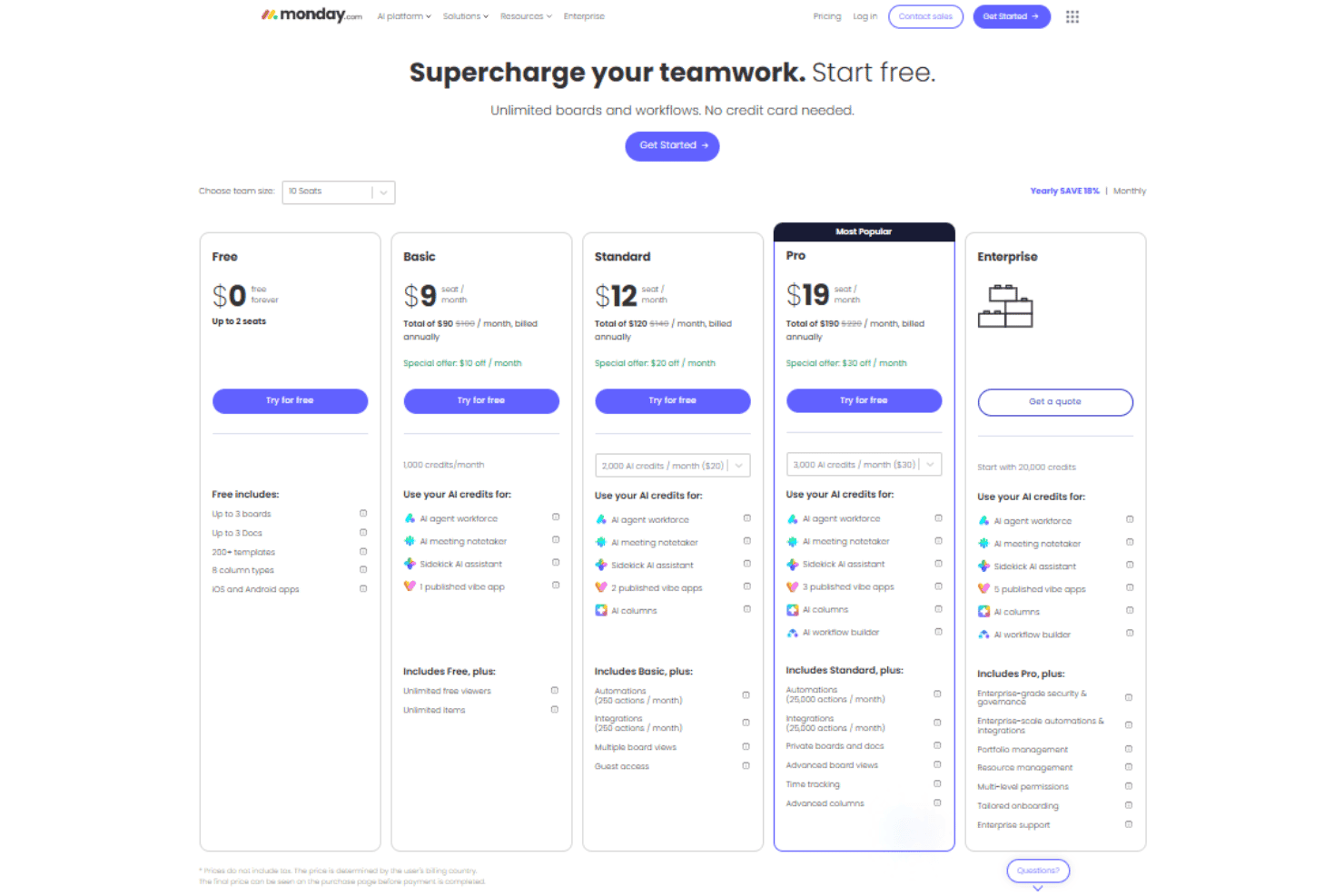
monday.com’s pricing feels fair for the depth of features, and most users say they see real value, especially when managing large teams or projects. The free and basic plans suit small teams, while premium tiers unlock workflow automation, reporting, and advanced permissioning.
- Free: Includes up to two seats, three boards, three docs, over 200 templates, and eight column types.
- Basic: Adds unlimited seats, unlimited boards & items, and 5 GB of file storage.
- Standard: Provides timeline, calendar, and map views, 20 GB of file storage, and Zoom integration.
- Pro: Includes time tracking, formula column, dependency column, and board administrators.
- Enterprise: Offers resource planner, capacity maanger, portfolio management, and AI risk insights.
monday AI Workspace Specs
- API: Yes
- Batch Permissions & Access: Yes
- Budgeting: No
- Calendar Management: Yes
- Collaboration Support: Yes
- Contact Management: No
- Contact Sharing: No
- Customer Management: No
- Dashboard: Yes
- Dashboards: Yes
- Data Export: Yes
- Data Import: Yes
- Data Visualization: Yes
- Dependency Tracking: Yes
- Document Sharing: Yes
- Expense Tracking: No
- External Integrations: Yes
- File Sharing: Yes
- Gantt Charts: Yes
- Kanban Boards: Yes
- Multi-User: Yes
- Notifications: Yes
- Project Management: Yes
- Resource Management: Yes
- Scheduling: Yes
- Task Scheduling/Tracking: Yes
- Third-Party Plugins/Add-Ons: Yes
- Time Management: Yes
- Travel Management: No
- Workflow Management: Yes
monday AI Workspace FAQs
monday AI Workspace Company Overview & History
monday.com is a work management platform headquartered in Tel Aviv, Israel, with offices in New York, London, and other major cities. Founded in 2012 by Roy Mann and Eran Zinman, monday.com employs over 1,700 people worldwide. The company went public on the NASDAQ in 2021 under the ticker MNDY. monday.com is used by teams at Coca-Cola, Hulu, Universal, and numerous other global brands.
monday.com Major Milestones
- 2012: Company founded in Tel Aviv, Israel
- 2014: Core platform launched to the public
- 2019: Reaches unicorn status after $150M Series D, valued at $1.9 billion
- 2021: IPO on the NASDAQ under ticker symbol MNDY
- 2022: Surpasses $400 million in annual recurring revenue
- 2023: Expands product offering with monday sales CRM and monday dev