

Zoho Marketing Plus Review: Pros, Cons, Features, and Pricing
Zoho Marketing Plus stands out for unifying multichannel marketing tools in one platform, making it ideal for teams seeking affordable, integrated campaign management

We review tools independently, and commissions help fund our testing. See our transparency policy, our methodology, or suggest a tool.
Zoho Marketing Plus is a marketing software that consolidates email, social media, SMS, surveys, and webinar management into a single platform. It's worth a close look if your team runs campaigns across multiple channels and wants one shared workspace instead of several disconnected tools. I'd suggest it over HubSpot if budget is a real constraint—you get multi-channel campaign management without paying for separate hubs or premium add-ons to unlock the features you actually need.
Zoho Marketing Plus Evaluation Summary
4.2/5
- From $25/month (billed annually)
- 15-day free trial available
Why Trust Our Software Recommendations
6,700+
Reviews
20
Industry experts
16+
Evaluation factors
14
Years
Our team has been testing and reviewing software since 2012. As marketing leaders ourselves, we know how difficult—and important—it is to choose the right software.
For this guide, we evaluated tools using hands-on testing and independent research, scoring tools using our selection criteria.
Our reviews reflect our human editorial judgment, not a sales pitch.
Expert reviewers:
 Gui DrusinaCreative Director
- Shriya GhateSenior Marketing Lead
 Amanda JacquesMarketing Ops Leader

Zoho Marketing Plus Overview
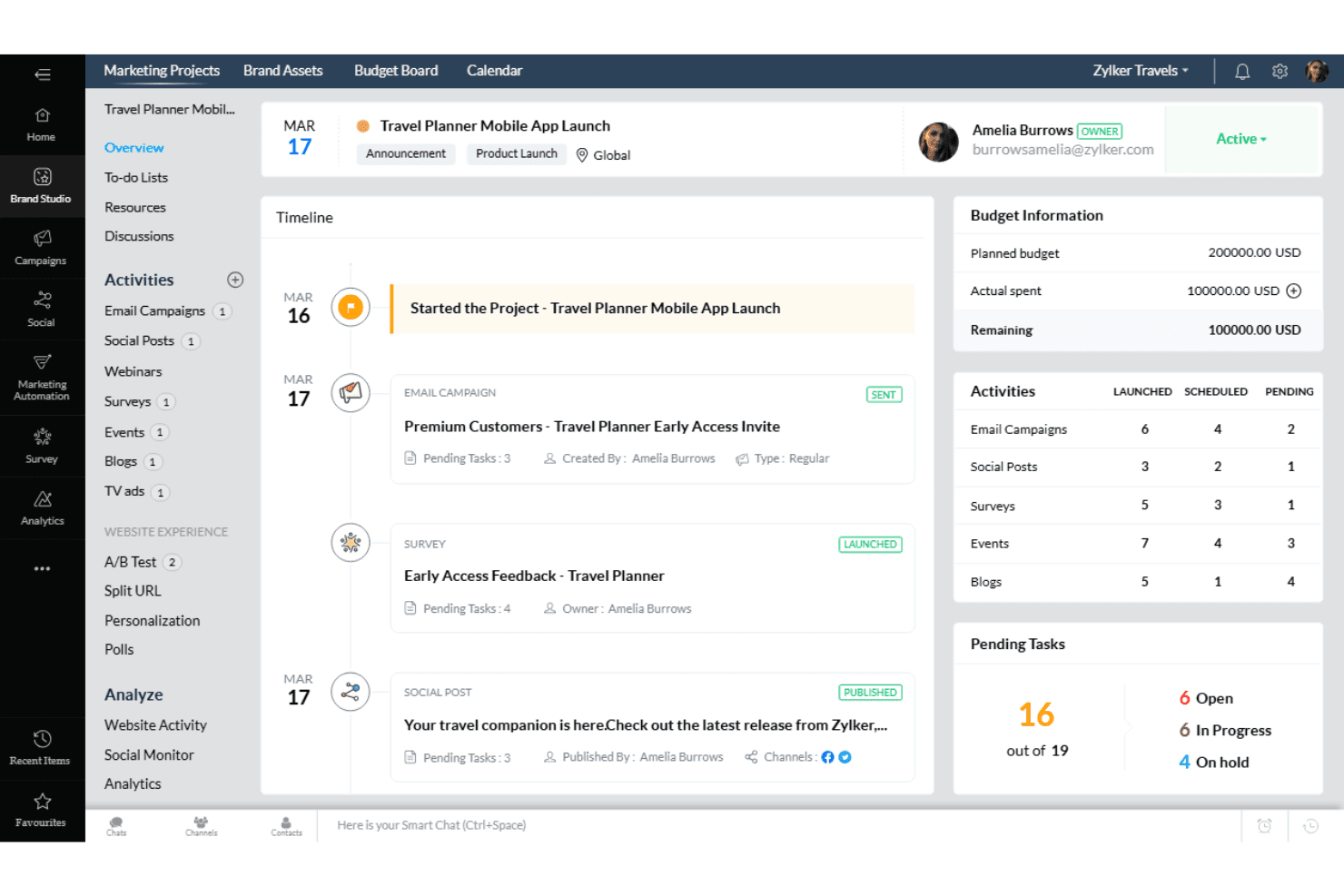
When judging Zoho Marketing Plus, its unified dashboard, affordable pricing, and broad channel coverage make it a strong choice for teams wanting to consolidate marketing efforts. The interface is approachable, onboarding is straightforward, and integrations cover most common needs, though advanced automation and analytics can feel limited compared to some competitors. Support is responsive, and the platform suits small to midsize businesses or agencies managing multiple brands.
If you’re selecting a marketing software that balances cost, usability, and core features, Zoho Marketing Plus is worth considering, especially for teams prioritizing collaboration and centralized campaign management.
Pros
- Includes built-in tools for webinars, surveys, and landing pages
- Offers strong value for price with broad feature coverage
- Centralizes multichannel campaigns in one unified dashboard
Cons
- Some users report occasional delays in customer support
- Automation workflows lack depth compared to some competitors
- Advanced analytics and reporting options are limited
Is Zoho Marketing Plus Right For Your Needs?
Who Would be a Good Fit for Zoho Marketing Plus?
Zoho Marketing Plus is a strong choice for teams that need to manage multichannel campaigns, collaborate across departments, and centralize marketing assets without a high price tag. Its unified dashboard, built-in webinar and survey tools, and campaign management features make it especially useful for small to midsize businesses, agencies, and organizations with distributed teams. If your marketing department values integrated tools and straightforward onboarding, Zoho Marketing Plus can help streamline your workflow and improve campaign coordination.
- Event Marketing TeamsIntegrated event management and analytics support end-to-end campaign execution.
- Distributed Marketing DepartmentsCollaboration features and asset libraries aid remote team coordination.
- Retail Marketing TeamsUnified dashboard supports email, SMS, and social campaigns for promotions.
- NonprofitsAffordable pricing and multichannel tools help maximize limited budgets.
- Higher EducationBuilt-in webinar and survey tools support student engagement and outreach.
- Small AgenciesCentralized campaign management and client workspaces simplify handling multiple brands.
Who Would be a Bad Fit for Zoho Marketing Plus?
Zoho Marketing Plus may not suit organizations with highly complex automation needs, large enterprise requirements, or those needing deep analytics and custom integrations. Its automation and reporting features are less advanced than some competitors, and teams with specialized needs may find the platform limiting. If your business relies on advanced segmentation, custom workflows, or industry-specific compliance, you may need a more specialized solution.
- Agencies With Custom NeedsCustomization options and integrations may not support unique client demands.
- Data-Driven Marketing TeamsReporting and analytics capabilities are less granular than alternatives.
- Healthcare MarketingDoes not offer HIPAA-compliant tools or industry-specific integrations.
- B2B SaaS CompaniesAdvanced lead scoring and custom workflow automation are limited.
- Financial ServicesLacks advanced compliance and security features for regulated industries.
- Large EnterprisesLimited automation and analytics may not meet complex requirements.
How We Test & Score Tools
We’ve spent years building, refining, and improving our software testing and scoring system. The rubric is designed to capture the nuances of software selection and what makes a tool effective, focusing on critical aspects of the decision-making process.
Below, you can see exactly how our testing and scoring works across seven criteria. It allows us to provide an unbiased evaluation of the software based on core functionality, standout features, ease of use, onboarding, customer support, integrations, customer reviews, and value for money.
Core Functionality (25% of final scoring)
The starting point of our evaluation is always the core functionality of the tool. Does it have the basic features and functions that a user would expect to see? Are any of those core features locked to higher-tiered pricing plans? At its core, we expect a tool to stand up against the baseline capabilities of its competitors.
Standout Features (25% of final scoring)
Next, we evaluate uncommon standout features that go above and beyond the core functionality typically found in tools of its kind. A high score reflects specialized or unique features that make the product faster, more efficient, or offer additional value to the user.
We also evaluate how easy it is to integrate with other tools typically found in the tech stack to expand the functionality and utility of the software. Tools offering plentiful native integrations, 3rd party connections, and API access to build custom integrations score best.
Ease of Use (10% of final scoring)
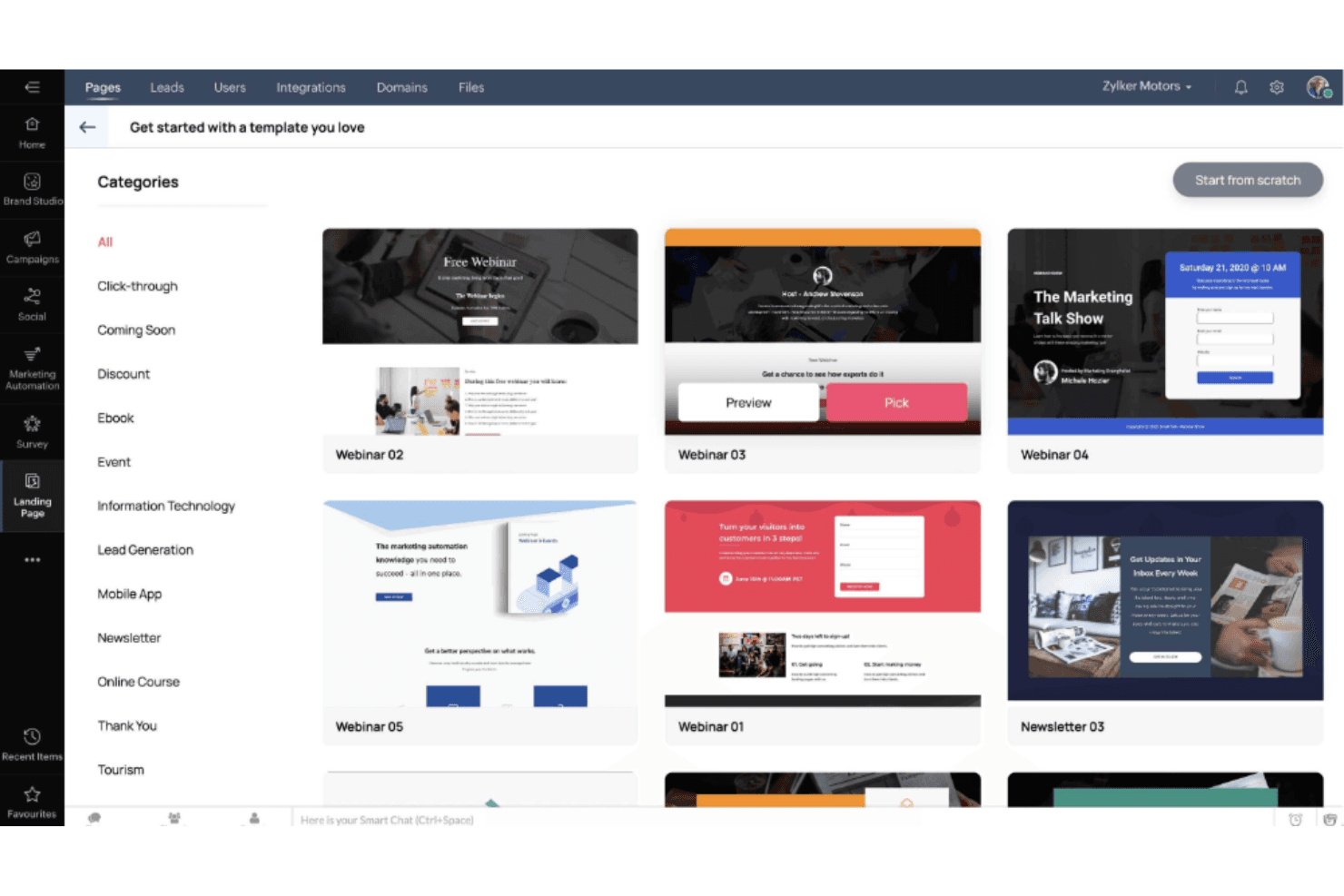
We consider how quick and easy it is to execute the tasks defined in the core functionality using the tool. High scoring software is well designed, intuitive to use, offers mobile apps, provides templates, and makes relatively complex tasks seem simple.
Onboarding (10% of final scoring)
We know how important rapid team adoption is for a new platform, so we evaluate how easy it is to learn and use a tool with minimal training. We evaluate how quickly a team member can get set up and start using the tool with no experience. High scoring solutions indicate little or no support is required.
Customer Support (10% of final scoring)
We review how quick and easy it is to get unstuck and find help by phone, live chat, or knowledge base. Tools and companies that provide real-time support score best, while chatbots score worst.
Customer Reviews (10% of final scoring)
Beyond our own testing and evaluation, we consider the net promoter score from current and past customers. We review their likelihood, given the option, to choose the tool again for the core functionality. A high scoring software reflects a high net promoter score from current or past customers.
Value for Money (10% of final scoring)
Lastly, in consideration of all the other criteria, we review the average price of entry level plans against the core features and consider the value of the other evaluation criteria. Software that delivers more, for less, will score higher.
Core Features
Unified Campaign Dashboard
Manage email, social, SMS, webinars, and events from a single interface. This centralizes campaign planning and tracking for better team visibility.
Asset Management Library
Store, organize, and share marketing assets like images, documents, and videos. Teams can quickly access approved content for campaigns.
Webinar and Event Tools
Host, promote, and analyze webinars and virtual events directly within the platform. Built-in registration and engagement analytics simplify event follow-up.
Survey Creation and Distribution
Design and send surveys to collect customer feedback or conduct market research. Responses are tracked and visualized in real time.
Marketing Automation
Set up automated workflows for lead nurturing, follow-ups, and campaign triggers. Automation options cover basic sequences and scheduled actions.
Analytics and Reporting
Track campaign performance, engagement, and ROI with customizable dashboards. Users can monitor key metrics across all channels in one place.
Ease of Use
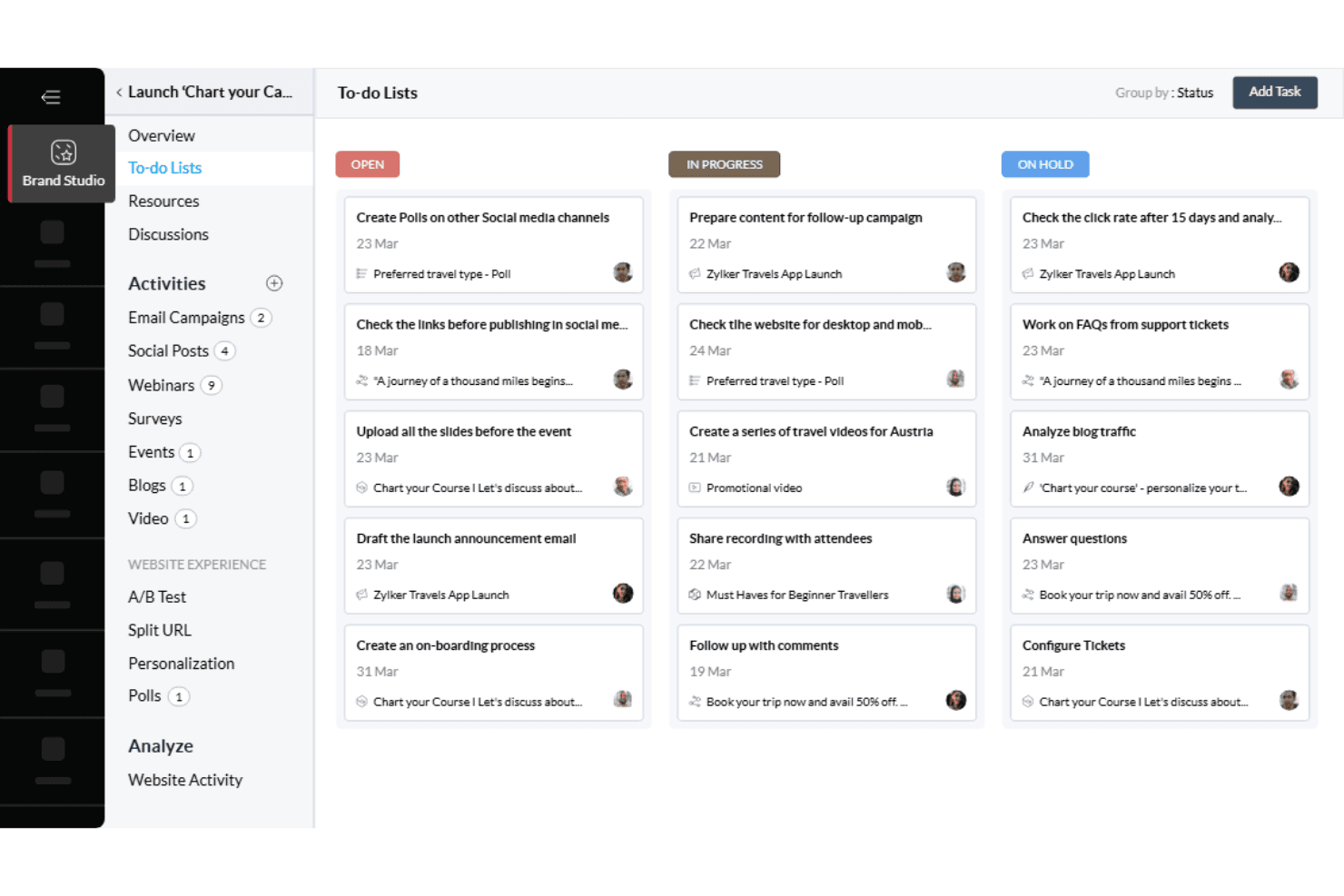
Zoho Marketing Plus is widely regarded as approachable, with a clean interface and logical navigation that helps new users get started quickly. The unified dashboard and drag-and-drop tools simplify campaign setup and asset management.
Users appreciate the guided onboarding and in-app tips, which reduce the time needed to become productive. While some advanced features require exploration, most teams find the platform intuitive for daily marketing tasks and collaboration.
Integrations
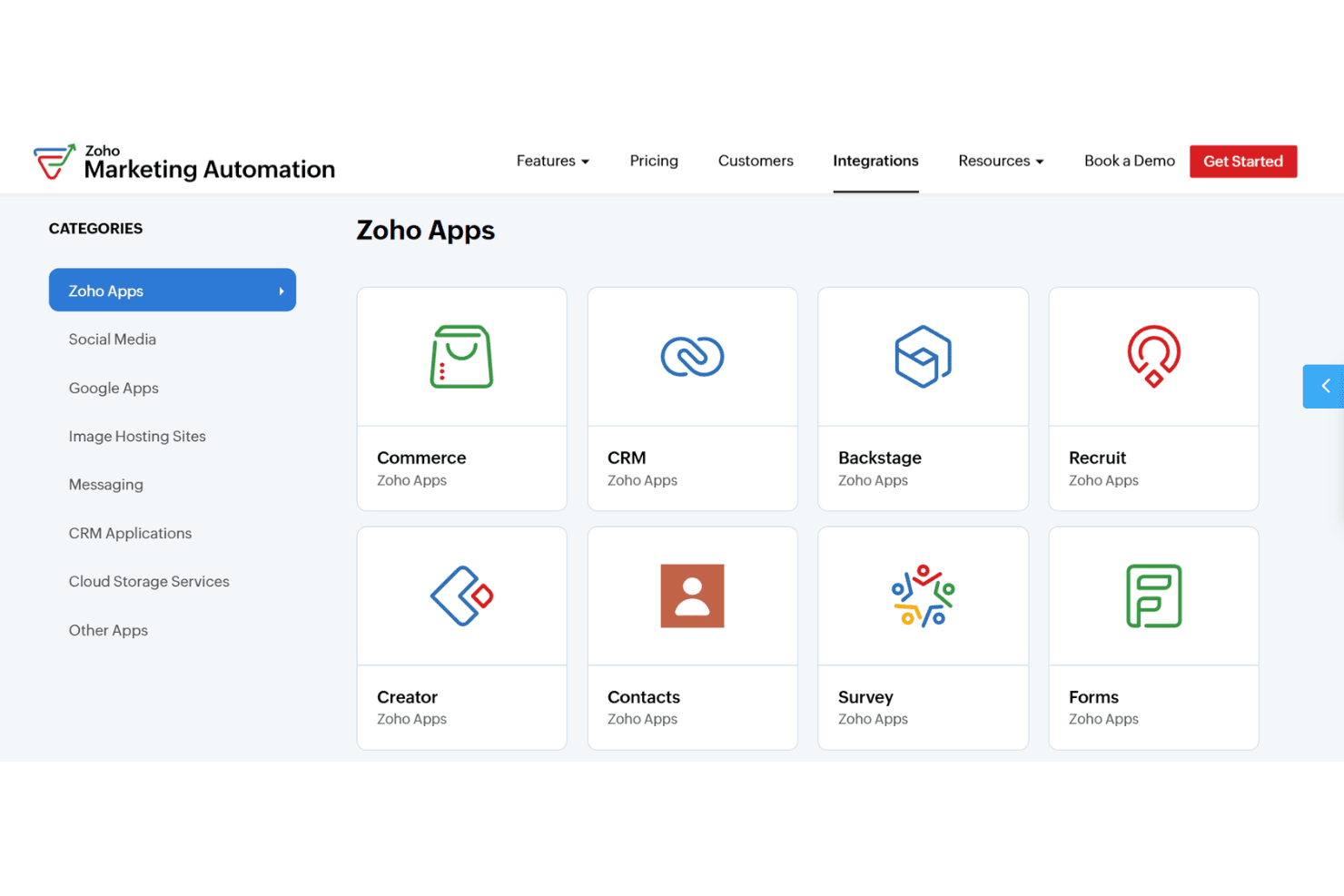
Zoho Marketing Plus integrates with Zoho CRM, Salesforce, Google Analytics, Facebook, Twitter, LinkedIn, Shopify, Eventbrite, SurveyMonkey, and Mailchimp, among others.
Zoho Marketing Plus also offers an API and connects with third-party integration tools like Zapier and Zoho Flow.
Zoho Marketing Plus Specs
- Analytics: Yes
- Brand Asset Creation: Yes
- Brand Management: Yes
- Campaign Management: Yes
- Data Export: Yes
- Data Import: Yes
- Database: Yes
- Document Comparison: No
- External Integrations: Yes
- Feedback Management: No
- File Format Conversion: No
- File Sharing: Yes
- File Transfer: Yes
- Knowledge Base: No
- Marketing Automation: Yes
- Multi-App: Yes
- Multi-Site: Yes
- Multi-User: Yes
- Net Promoter Score: Yes
- Notifications: Yes
- Optimized Search Processing: No
- Review Monitoring: Yes
- Scheduling: Yes
- Sentiment Analysis: Yes
- Social Media Monitoring: Yes
- Social-Media Integration: Yes
- Template Designer: Yes
- Third-Party Plugins/Add-Ons: Yes
- White-label: No
- Workflow Management: No


