If webinars are a key part of how you generate leads, educate customers, or drive revenue, the platform you choose matters more than you think. You need something that’s easy to use, reliable when it counts, and flexible enough to support everything from live events to automated campaigns.
In this article, you’ll get a side-by-side look at two popular webinar software solutions: WebinarGeek and GoTo Webinar, so you can confidently pick the platform that fits your goals, team, and audience.
WebinarGeek
Hosts, automates, and analyzes webinars with built-in engagement tools.
Our team has been testing and reviewing software since 2012. As marketing leaders ourselves, we know how difficult—and important—it is to choose the right software.
WebinarGeek vs. GoTo Webinar Pricing & Hidden Costs
WebinarGeek uses a tiered subscription model with plans based on the number of viewers, session duration, and included features. You can upgrade, downgrade, or cancel at any time. Some advanced features—like extra users, localization, branding profiles, and certain integrations—are available as add-ons for an extra fee. This means your costs can increase if you need more customization or advanced integrations as your webinars grow.
GoTo Webinar also uses tiered pricing, but its structure is more closely tied to attendee limits and the number of organizers. For example, entry-level plans start around 500 participants with one organizer, while higher tiers increase both capacity and team access. Most core features—such as registration pages, automated emails, analytics, and engagement tools—are included in the base plans, with more advanced capabilities (like breakout rooms, AI summaries, or higher storage limits) available in higher tiers.
To choose the right pricing model, start by mapping out your expected webinar size, frequency, and must-have features. List any integrations or branding needs you can’t compromise on. Then, compare what’s included in each vendor’s base plan versus what requires an upgrade or add-on. This approach helps you avoid surprise costs and ensures you’re investing in a platform that fits your current needs and future growth.
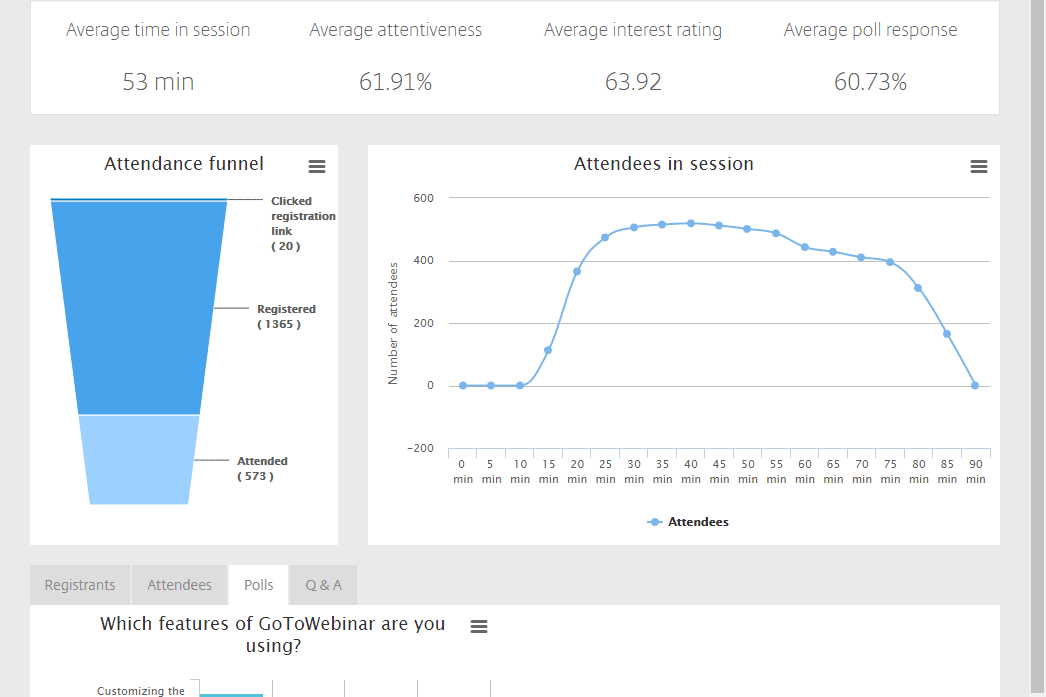
Both WebinarGeek and GoTo Webinar cover the core features you’d expect from a modern all-in-one webinar platform. You can host live and automated sessions, build registration pages, send automated emails, and engage audiences with tools like screen sharing, polls, Q&A, and chat. Both also offer analytics to track attendance and engagement, along with integrations that connect webinar data to your marketing and sales workflows.
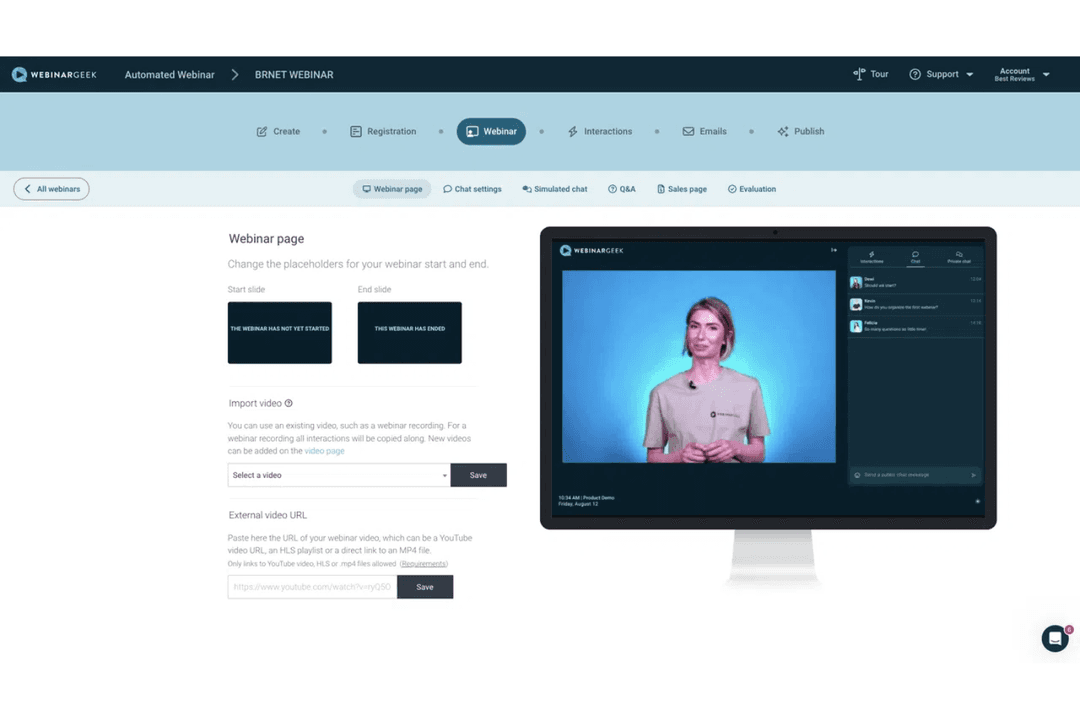
Where they start to differ is in how they approach specific functionality. WebinarGeek leans into marketing and automation, with unique features like simulated engagement (chat, polls, and quizzes) for automated webinars and highly customizable, branded webinar experiences. GoTo Webinar, on the other hand, stands out with tools like GoToStage—a built-in platform for sharing and promoting recorded webinars to a broader audience—and webcast mode for large-scale browser-based events.
WebinarGeek and GoTo Webinar both integrate with key CRM and marketing tools, and both offer API access and Zapier connections to extend functionality across hundreds of other apps. WebinarGeek stands out for its native integrations with tools like Mailchimp and ActiveCampaign—making it especially strong for marketing automation workflows—though some integrations like HubSpot and Salesforce require paid add-ons. GoTo Webinar, on the other hand, offers native integrations with tools like Slack and Microsoft Teams and generally offers a broader set of out-of-the-box options for general business and communication ecosystems.
Factor
WebinarGeek
GoTo Webinar
Data Privacy
GDPR-compliant, with data stored in the EU and strong privacy controls.
Supports GDPR compliance and operates across multiple regions.
Encryption
Uses end-to-end encryption for all webinar streams and recordings.
Provides encryption in transit and at rest for all data and sessions.
Uptime Guarantee
Offers a 99.9% uptime SLA on the enterprise plan, with real-time status monitoring.
Delivers high uptime and robust failover systems for reliability.
Access Controls
Includes 2FA, IP restrictions, and registration-based access controls.
Supports role-based access and secure attendee entry with authentication.
Compliance Audits
Focuses on GDPR and DPA agreements but does not publicly list certifications like SOC 2 or ISO 27001.
Offers enterprise-grade security practices, though certification details should be confirmed with the vendor.
Both providers offer solid security foundations, but they differ in how transparent and enterprise-focused their posture is. WebinarGeek emphasizes GDPR compliance, EU data residency, and practical access controls, making it a strong choice for privacy-focused teams. GoTo Webinar, meanwhile, is built on more established infrastructure with broader enterprise positioning, which may appeal to organizations with stricter compliance or global deployment needs—but specific certifications should be verified during procurement.
Factor
WebinarGeek
GoTo Webinar
User Interface
Features a clean, modern dashboard with user-friendly drag-and-drop editors for pages and emails.
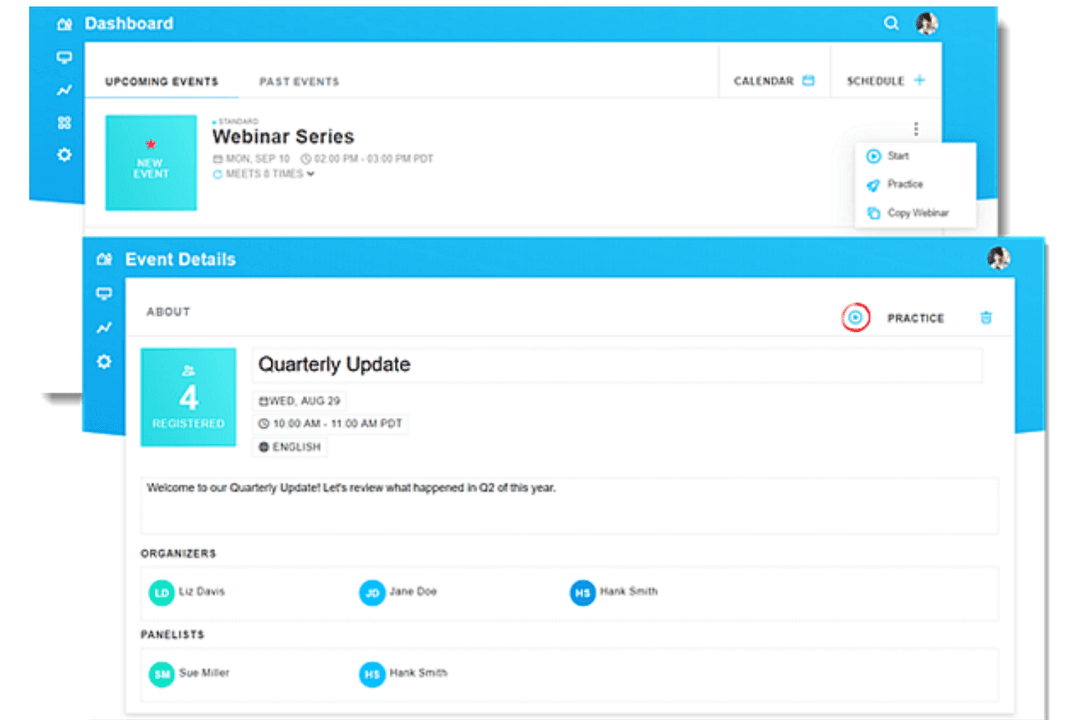
Uses a more traditional interface that’s familiar to experienced users but may feel less modern.
Onboarding
Offers a self-serve onboarding experience with guided tutorials, demo webinars, and in-app walkthroughs.
Provides setup guidance, templates, and extensive help documentation.
Setup Process
Lets you launch and host webinars quickly with simple scheduling, branding tools, and built-in workflows.
Setup is straightforward but can involve more configuration depending on event complexity.
Customer Support
Provides live chat and support during business hours, along with a detailed help center.
Offers support resources including documentation and customer support, with availability depending on plan.
Customization
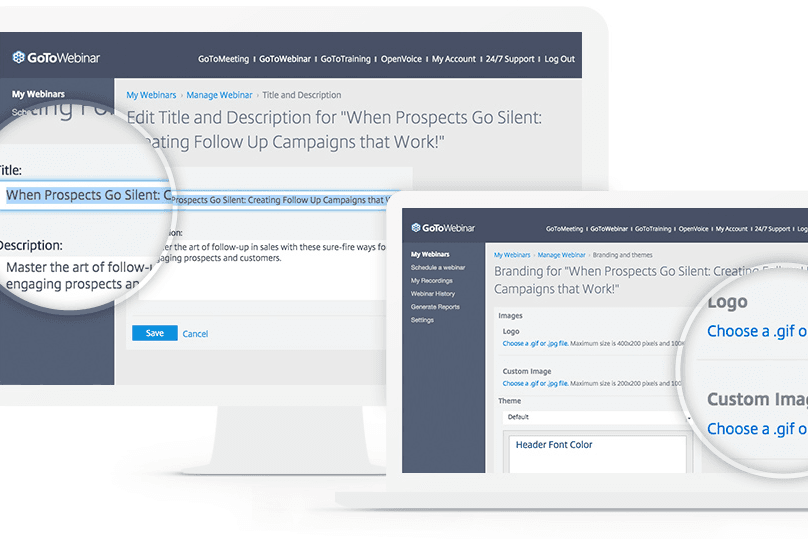
Allows easy branding and interactive elements without technical skills.
Supports customization and event configuration, though some features may require more setup.
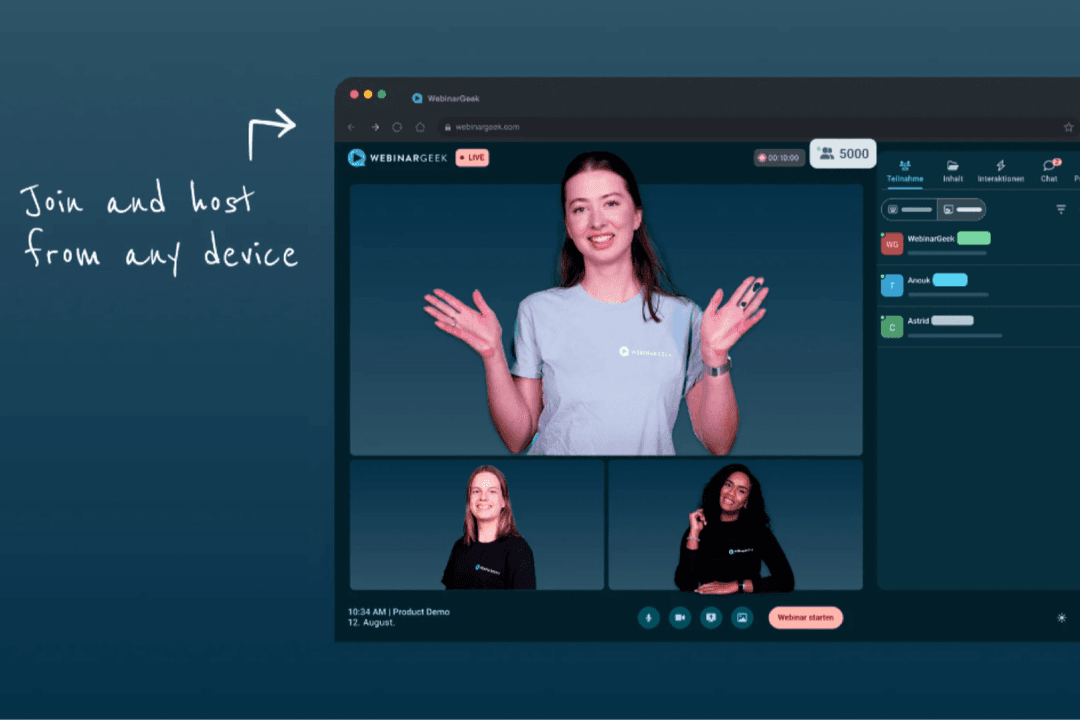
WebinarGeek is generally easier for beginners, small teams, and mid-sized organizations, thanks to its browser-based setup, guided onboarding, and focus on simplicity. GoTo Webinar, on the other hand, offers a more traditional experience that can feel familiar to experienced
WebinarGeek
Pros
Supports multiple webinar formats, including live, automated, hybrid, and on-demand.
Strong branding and customization options (pages, emails, domains).
Provides detailed viewer-level analytics and performance insights within the webinar tool.
Cons
Some key integrations (e.g., HubSpot, Salesforce) require paid add-ons on lower-tier plans.
No native breakout rooms (workarounds required).
The number of features can feel overwhelming for first-time users, though the basic plan lets you start small.
Hosts, automates, and analyzes webinars with built-in engagement tools.
Demand Generation & Sales TeamsWebinarGeek is well-suited for generating and nurturing leads through webinars, with built-in registration pages, automated emails, integrations, and analytics that help track engagement and conversion.
Customer EnablementTeams can use live or hybrid webinars to deliver product demos, onboard customers, and share knowledge at scale, combining pre-recorded content with live interaction where needed.
Evergreen Webinar ProgramsAutomated and on-demand professional webinars—enhanced with simulated chat and interactions—make it easier to scale repeatable content while maintaining an engaging experience.
Education & TrainingInteractive features like polls, Q&A, and assessments support learning and participation, making WebinarGeek a good fit for training programs, courses, and internal knowledge sharing.
Internal CommunicationWebinarGeek can be used for internal updates, live event town halls, and company-wide communication, especially when broadcasting to larger audiences is more important than small-group collaboration.
Healthcare & Professional ServicesWebinars provide a low-cost, accessible way to share expertise, connect with peers, and deliver live streaming and informational sessions without requiring in-person events.
GoTo Webinar
Hosts live webinars with tools for engagement, automation, and analytics.
Enterprise TrainingGoTo Webinar supports high attendee counts and robust video conferencing registration management.
Who Should Use WebinarGeek, and Who Should Use GoTo Webinar?
If you want a webinar platform that makes smart use of AI (e.g., AI-powered subtitles and insights) and is easy to launch, simple to manage, and built for marketing-driven results, WebinarGeek is likely the better fit. It works especially well if you’re running repeatable webinar campaigns, need strong branding and automation, and don’t want to rely on technical support to get things live. You’ll get the most value if you’re a small business or mid-sized team focused on lead generation, customer (or general) education, or ongoing webinar programs.
GoTo Webinar makes more sense if you need a platform that can handle larger-scale virtual events and fits into a broader business or enterprise environment. If you’re managing bigger audiences, multiple organizers, or more structured internal and external events, its setup and feature depth may suit you better. It’s a stronger choice when reliability, scale, and alignment with existing business tools matter more than ease of use alone.
WebinarGeek
GoTo Webinar
Artificial Intelligence
WebinarGeek
More powerful uses of AI, with AI analysis, captions, and automated summaries.
GoTo Webinar
Offers AI summaries and transcripts in higher tiers.
Automation
WebinarGeek
Strong support for automated, hybrid, and on-demand webinars with built-in tools.
GoTo Webinar
Supports pre-recorded and on-demand webinars, but less focused on automation workflows.
Engagement Tools
WebinarGeek
Includes chat, polls, quizzes, CTAs, and simulated engagement for automated webinars.
GoTo Webinar
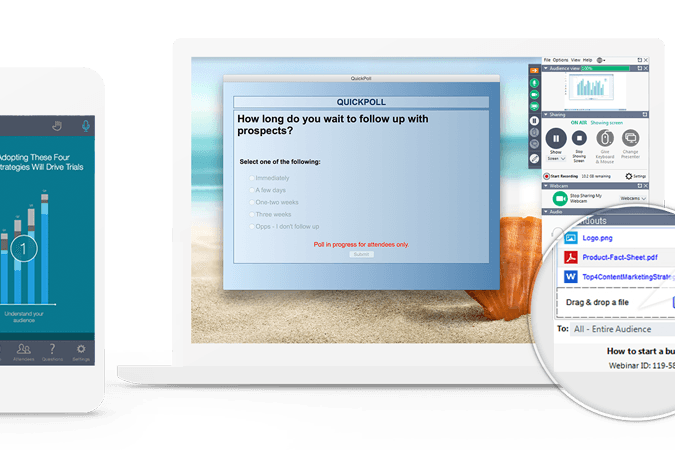
Includes polls, Q&A, handouts, and engagement dashboards.
User Interface
WebinarGeek
Modern, intuitive dashboard designed for quick setup and ease of use.
GoTo Webinar
Classic interface with more options, but a steeper learning curve.
Webinar Formats
WebinarGeek
Supports live streaming, automated, hybrid, on-demand, and paid webinars.
GoTo Webinar
Supports online events that are live, pre-recorded, and on-demand.




 Gui DrusinaCreative Director
 Amanda JacquesMarketing Ops Leader