


Synup Vs. Moz Local: Comparison & Expert Reviews for 2026
Cut through the noise: here’s my hands-on breakdown of Synup vs. Moz Local, so you can confidently choose the local SEO tool that fits your 2026 business goals.

We review tools independently, and commissions help fund our testing. See our transparency policy, our methodology, or suggest a tool.
Synup
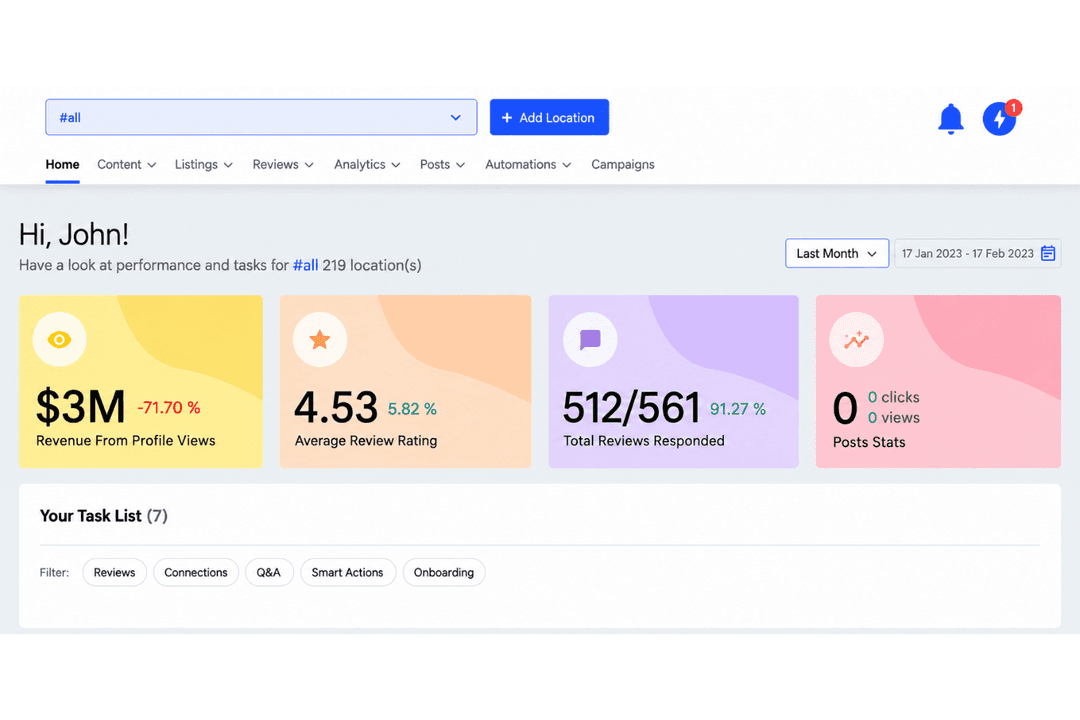
4.5/5
- Free demo available
- From $79/month (billed annually)
Moz Local
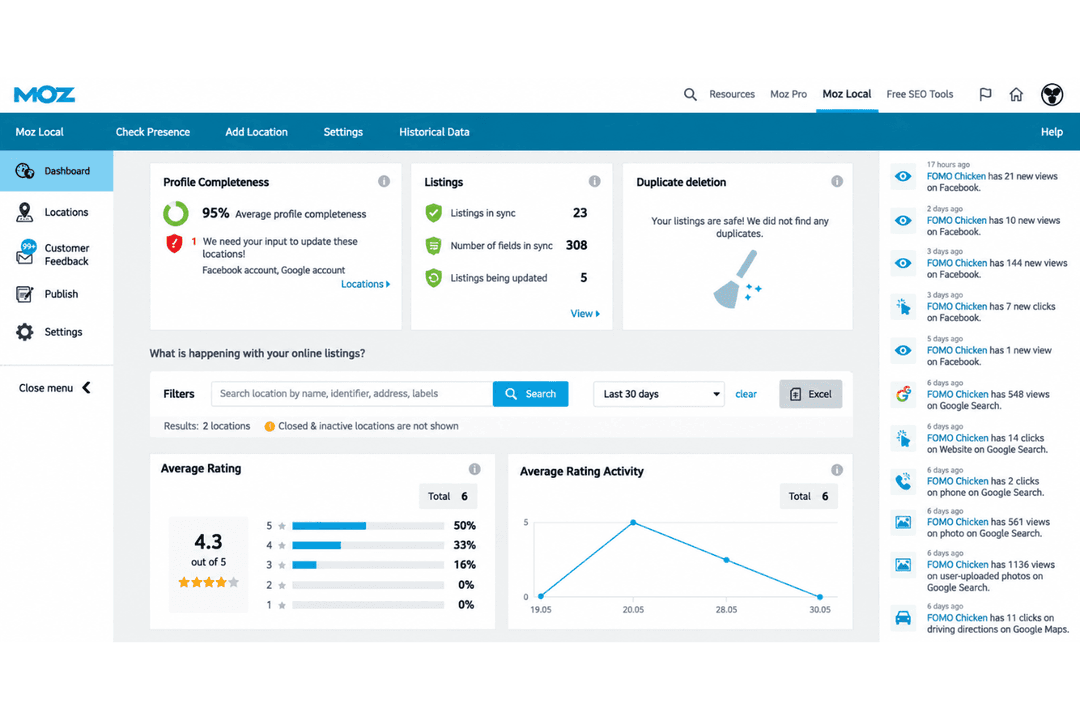
4.4/5
- 7-day free trial available
- From $39/month (billed annually)
Why Trust Our Software Recommendations
6,700+
Reviews
20
Industry experts
16+
Evaluation factors
14
Years
Our team has been testing and reviewing software since 2012. As marketing leaders ourselves, we know how difficult—and important—it is to choose the right software.
For this guide, we evaluated tools using hands-on testing and independent research, scoring tools using our selection criteria.
Our reviews reflect our human editorial judgment, not a sales pitch.
Expert reviewers:
 Gui DrusinaCreative Director
- Shriya GhateSenior Marketing Lead
 Amanda JacquesMarketing Ops Leader

| Synup | Moz Local | |
|---|---|---|
| Free Trial | Free demo available | 7-day free trial available |
| Pricing | From $79/month (billed annually) | From $39/month (billed annually) |
Synup vs. Moz Local Pricing & Hidden Costs
Synup publishes its pricing per location, in tiers that climb from a single storefront to enterprise portfolios, and every tier carries the full feature set rather than holding listings or reviews back for an upgrade. A free trial gets you started without a sales call, and billing runs monthly unless you take the annual discount. Moz Local also publishes its rates, across three stacked tiers priced by location, with a discount for paying annually. The catch is what sits outside them: review features open up as you climb the tiers, and the AI capabilities for listings and reviews are sold as add-ons rather than bundled, so the entry price and the working price can be two different numbers.
To pick the right tool for your budget, dig into what’s actually covered at the tier you’d buy and what only arrives as a paid extra. With Synup the only real variable is location count. With Moz Local you’re choosing a tier and then deciding which add-ons you need on top, so price it with those included rather than without. Check contract terms and renewal conditions either way, and confirm what happens to your rate when you add locations mid term.
| Synup | Moz Local | |
|---|---|---|
| API | Yes | Yes |
| Brand Management | Yes | Yes |
| Dashboard | Yes | Yes |
| External Integrations | Yes | Yes |
| Multi-User | Yes | Yes |
| Notifications | Yes | Yes |
| Social-Media Integration | Yes | Yes |
| Integration | Synup | Moz Local |
|---|---|---|
| IntegrationGoogle Business Profile | Synup✅ | Moz Local✅ |
| IntegrationFacebook | Synup✅ | Moz Local✅ |
| IntegrationBing | Synup✅ | Moz Local✅ |
| IntegrationData aggregator networks | Synup❌ | Moz Local✅ |
| IntegrationWaze | Synup✅ | Moz Local❌ |
| IntegrationAPI | Synup✅ | Moz Local✅ |
| IntegrationMCP connector for AI assistants | Synup✅ | Moz Local❌ |
The two take opposite routes to the same destination. Synup pushes one record directly to publishers, including search, maps, navigation, and in-car systems, and connects to CRMs so review requests fire off the back of a real customer visit. Moz Local works through data aggregators, which is a lighter lift to set up and a slower path to seeing changes land, with the major search and social profiles connected directly. Both offer an API, though enterprise users regularly run into the limits of Moz Local’s, and only Synup ships a connector that lets an AI assistant act on what it finds rather than just read it.
| Factor | Synup | Moz Local |
|---|---|---|
| FactorCertifications & Compliance | SynupHolds SOC 2 Type II, ISO 27001, and ISO 42001 covering AI management systems, and operates under GDPR. | Moz LocalPublishes little for a security review to work from, so request compliance documentation before signing. |
| FactorAccess Controls | SynupRoles and permissions per workspace, client portals for external access, and approvals before anything publishes. | Moz LocalStraightforward account level user management that suits small teams and rates well for ease of administration. |
| FactorService Reliability | SynupCloud only, with listing changes pushed directly to publishers and visible as they land. | Moz LocalCloud only, with recurring user reports of slow propagation and listings dropping off over time. |
| FactorAuditability | SynupA complete audit trail covering every action taken by a user or by the agent. | Moz LocalChanges are visible in the dashboard, with no equivalent action level history reported by users. |
Synup is the one with paperwork to hand procurement, holding SOC 2 Type II, ISO 27001, and an ISO 42001 certification covering AI management systems, which is the one that matters when an agent is publishing on your behalf. Moz Local is a long-established product from a well known SEO company, and nothing in the user record suggests security problems, but it also publishes little that a security review could lean on, so ask for its compliance documentation before you sign. Where Moz Local does take reputational damage is reliability of a different kind: users report listings quietly dropping off and updates taking far longer than expected to propagate.
| Factor | Synup | Moz Local |
|---|---|---|
| FactorUser Interface | SynupOne workspace across listings, reviews, social, and rankings, with plain language chat as the way in. | Moz LocalPlain and uncluttered, though moving between it and the wider Moz suite adds clicks. |
| FactorSetup Process | SynupThe agent pulls existing listing data, flags conflicts, and proposes fixes, with bulk import from a spreadsheet, the API, or a connected Google Business Profile. | Moz LocalFast and self-directed, with teams reporting dozens of locations loaded in a single sitting. |
| FactorReview Management | SynupMonitor, reply, and request reviews from one place, with drafts written in your brand voice and held for approval. | Moz LocalMonitoring and replies from one dashboard, with AI reply help arriving as a paid add-on rather than as standard. |
| FactorSupport Access | SynupKnowledge base and email for self-serve users, a dedicated onboarding contact on larger accounts, and consistently strong marks from users. | Moz LocalHelp center, chat, and training material, though inconsistent support is the complaint raised most often. |
| FactorLearning Curve | SynupBriefing the agent takes no training, while the deeper reporting and playbooks reward time spent. | Moz LocalMinimal, and the main reason smaller teams pick it in the first place. |
Moz Local is the easier first hour. The dashboard is plain in a good way, setup is quick enough that teams report loading dozens of locations in a single sitting, and nothing about it demands prior local SEO experience. Synup asks for less ongoing work rather than less learning: the agent handles first run setup, pulls your existing listing data, flags what conflicts, and proposes fixes for approval, which pays off as location count climbs. Support is the sharper divide. Synup’s is consistently well rated, while inconsistent support is the most frequent complaint raised against Moz Local.
Synup
- Automates listing fixes, review replies, and social posts through a built in AI agent.
- Covers listings, reputation, social, and AI answer visibility in one workspace.
- Flat published pricing, a free trial with no minimum contract.
- No paid search or local services ads management beyond boosted posts on Meta.
- Social listening and brand mention tracking aren’t part of the platform yet.
- Store locator and location pages come through a managed service rather than self serve.
Moz Local
- Pushes listings to major data aggregators automatically
- Tracks listing status across Google, Facebook, Apple, and Bing
- Supports bulk location management for multi-site businesses
- Cannot reply to reviews directly from the dashboard
- Lacks deep local search analytics or reporting
- No local rank tracking feature included
Synup
- Multi-Location RetailBulk updates, alerts, and agent driven corrections keep store listings and review replies moving across dozens or hundreds of sites without a dedicated team behind them.
- Restaurant ChainsHours, service details, and seasonal changes push out in one pass, and reviews from Google, Yelp, and TripAdvisor land in a single queue instead of five browser tabs.
- Franchise OperatorsPer location workspaces, API access, and client facing reporting give franchisors oversight without taking the keyboard away from individual operators.
- Local Marketing AgenciesAgencies onboard clients quickly, work every account from one place, and hand each client a branded portal that never mentions the platform behind it.
- Healthcare NetworksProvider and practice details stay consistent across directories, which matters when a stale address or a wrong hours field quietly costs appointments.
- Vertical Software ProvidersSoftware companies serving local businesses can embed listings and location data through the public APIs and resell the full presence stack under their own brand.
Moz Local
- Multi-Location RetailYou get bulk location tools and instant updates, making it easy to maintain consistent business information everywhere at once.
- Marketing AgenciesMoz Local lets you manage listings and review monitoring for multiple client brands without complicated onboarding or manual syncing.
- Healthcare NetworksAccurate listings on Google, Apple Maps, and review alerts help healthcare groups keep details current for all facilities with less manual work.
- Hospitality ChainsThe automated listing distribution simplifies updates for hotels and restaurants spread across multiple sites.
- Franchise OperatorsCentralized control over each location’s presence ensures branding and NAP details stay consistent on major platforms.
- Small Marketing TeamsClean navigation and automated distribution make Moz Local approachable for resource-strapped teams who need fast, error-free local updates.
Who Should Use Synup, and Who Should Use Moz Local?
Synup is the better fit when the locations are the business: agencies and resellers carrying many clients, franchise groups, multi-location brands, and software companies selling local presence under their own name, especially where the work never really stops and nobody has the hours for it by hand. Moz Local suits the opposite end, and its user base reflects that, sitting overwhelmingly with small businesses and lean teams who want location data handled correctly, cheaply, and without a project attached. If you need listings, reviews, and social running continuously across a large estate, Synup is the one built for it. If you need a single location or a handful kept accurate on a modest budget, Moz Local does that job without asking much of you.
| Synup | Moz Local | |
|---|---|---|
| AI Approach | Synup An agent that executes across listings, reviews, social, and rankings, with an approvals inbox and an audit trail. | Moz Local Add-on AI aimed at assisting with listings and review replies rather than running the work. |
| Channel Coverage | Synup Adds social publishing, review generation, and AI answer visibility on top of listings and reviews. | Moz Local Stays close to listings and review monitoring, by design. |
| Distribution Approach | Synup Pushes one record directly to publishers across search, maps, navigation, and in-car systems, with duplicate resolution built in. | Moz Local Feeds data aggregators and lets it filter down to the directories they supply, which is simpler to run and slower to land. |
| Pricing Model | Synup Published per location tiers with every feature included, a free trial, and monthly or annual billing. | Moz Local Three published tiers priced by location with an annual discount, and AI capability sold separately as add-ons. |
| Who It Suits | Synup Agencies, resellers, franchises, and multi-location brands managing continuous work at volume. | Moz Local Small businesses and lean teams, which is where the overwhelming majority of its users sit. |
| Core Listing Management | Both keep business information current across the places customers actually search, and both remove the job of editing each profile by hand. |
|---|---|
| Local Performance Reporting | Both report on visibility, listing accuracy, and review activity, and both are built so you can show a client or a boss what changed. |
| Published Pricing | Both put their rates in public and price by location, which is more than much of this category does. You can size either one against your own location count before you ever speak to a salesperson. |
| Review Management | Each platform pulls reviews into one place and lets you reply without hopping between sites. |