

SEO PowerSuite Review: Pros, Cons, Features and Pricing
SEO PowerSuite offers a robust suite of SEO tools that stand out for their affordability and comprehensive feature set, making it ideal for both beginners and seasoned marketers.

We review tools independently, and commissions help fund our testing. See our transparency policy, our methodology, or suggest a tool.
SEO PowerSuite is a desktop-based SEO reporting tool that covers rank tracking, backlink analysis, site auditing, and white-label report generation. I'd consider it if your team needs agency-grade SEO capabilities without paying Semrush's recurring subscription fees. You get comparable core functionality at a significantly lower cost, which makes it a practical pick for agencies or in-house teams managing multiple sites on a tighter budget.
SEO PowerSuite Evaluation Summary
4.6/5
- From $29.10/month (billed annually)
- Free plan available
Why Trust Our Software Recommendations
6,700+
Reviews
20
Industry experts
16+
Evaluation factors
14
Years
Our team has been testing and reviewing software since 2012. As marketing leaders ourselves, we know how difficult—and important—it is to choose the right software.
For this guide, we evaluated tools using hands-on testing and independent research, scoring tools using our selection criteria.
Our reviews reflect our human editorial judgment, not a sales pitch.
Expert reviewers:
 Gui DrusinaCreative Director
- Shriya GhateSenior Marketing Lead
 Amanda JacquesMarketing Ops Leader

SEO PowerSuite Overview
In my opinion, SEO PowerSuite is a solid choice for SEO professionals and small to medium businesses looking for a well-rounded toolset without breaking the bank. It offers excellent value for its price, especially with its comprehensive features. You might find its interface less intuitive compared to other SEO tools, like Semrush and Ahrefs, but it compensates with robust reporting capabilities. Onboarding can be a bit challenging, but their support team is quite responsive. For those who prioritize features over a sleek interface, SEO PowerSuite stands out. It's particularly well-suited for agencies and in-house teams that need detailed analysis and reporting without the high costs of more premium tools.
Pros
- You can perform detailed SEO analysis with its diverse toolset.
- It offers excellent reporting capabilities for tracking progress.
- Your team gets responsive customer support when needed.
Cons
- The interface can feel outdated compared to other tools.
- Onboarding might be challenging for new users.
- You may find the software less intuitive than other options.
Is SEO PowerSuite Right For Your Needs?
Who Would be a Good Fit for SEO PowerSuite?
SEO PowerSuite is a great fit for small to medium businesses and digital marketing agencies needing comprehensive technical SEO tools without high costs. If your team requires detailed SEO reporting and analysis, SEO PowerSuite's diverse toolset can meet those needs. Its affordability and robust features make it ideal for in-house SEO teams and freelancers who want to enhance their SEO strategies without breaking the bank. The software's ability to track progress and offer responsive support is perfect for those who value data-driven decisions.
- Digital Marketing AgenciesYour agency benefits from its detailed reporting and analysis tools, helping you track and improve client outcomes.
- Small BusinessesSEO PowerSuite offers affordable SEO solutions, perfect for small businesses wanting to enhance their online presence.
- Freelance SEO SpecialistsFreelancers can leverage its comprehensive toolset to deliver high-quality SEO services without hefty software costs.
- In-House SEO TeamsYour team will appreciate the extensive features and support, enabling effective management of SEO campaigns.
- E-commerce BusinessesE-commerce sites can track search rankings and site audits, helping improve visibility and drive more traffic.
- Content CreatorsContent creators use its analysis tools to optimize content for better search engine performance and audience reach.
Who Would be a Bad Fit for SEO PowerSuite?
SEO PowerSuite might not suit large enterprises or tech-savvy teams looking for cloud-based solutions that offer seamless integrations with other software. If your team relies heavily on real-time collaboration or requires a sleek, modern interface, you might find SEO PowerSuite lacking. Its desktop-based nature could hinder teams that need access from multiple devices or locations. Additionally, if you expect a highly intuitive user experience, SEO PowerSuite's interface might feel cumbersome, especially for those accustomed to more user-friendly platforms.
- Large EnterprisesYour enterprise may find it lacks the scalability and integration options needed for complex operations.
- Tech-Savvy TeamsTeams expecting advanced, cloud-based features and seamless integrations might find its desktop-based approach limiting.
- Remote WorkforcesIf your team needs real-time collaboration across locations, SEO PowerSuite's desktop nature could be a barrier.
- Design AgenciesAgencies prioritizing sleek, modern interfaces might find its interface outdated compared to other solutions.
- Startups with Limited IT SupportStartups without dedicated IT support could struggle with its onboarding and setup requirements.
- Mobile-First CompaniesCompanies that need mobile accessibility won't find SEO PowerSuite's desktop-only setup accommodating.
How We Test & Score Tools
We’ve spent years building, refining, and improving our software testing and scoring system. The rubric is designed to capture the nuances of software selection and what makes a tool effective, focusing on critical aspects of the decision-making process.
Below, you can see exactly how our testing and scoring works across seven criteria. It allows us to provide an unbiased evaluation of the software based on core functionality, standout features, ease of use, onboarding, customer support, integrations, customer reviews, and value for money.
Core Functionality (25% of final scoring)
The starting point of our evaluation is always the core functionality of the tool. Does it have the basic features and functions that a user would expect to see? Are any of those core features locked to higher-tiered pricing plans? At its core, we expect a tool to stand up against the baseline capabilities of its competitors.
Standout Features (25% of final scoring)
Next, we evaluate uncommon standout features that go above and beyond the core functionality typically found in tools of its kind. A high score reflects specialized or unique features that make the product faster, more efficient, or offer additional value to the user.
We also evaluate how easy it is to integrate with other tools typically found in the tech stack to expand the functionality and utility of the software. Tools offering plentiful native integrations, 3rd party connections, and API access to build custom integrations score best.
Ease of Use (10% of final scoring)
We consider how quick and easy it is to execute the tasks defined in the core functionality using the tool. High scoring software is well designed, intuitive to use, offers mobile apps, provides templates, and makes relatively complex tasks seem simple.
Onboarding (10% of final scoring)
We know how important rapid team adoption is for a new platform, so we evaluate how easy it is to learn and use a tool with minimal training. We evaluate how quickly a team member can get set up and start using the tool with no experience. High scoring solutions indicate little or no support is required.
Customer Support (10% of final scoring)
We review how quick and easy it is to get unstuck and find help by phone, live chat, or knowledge base. Tools and companies that provide real-time support score best, while chatbots score worst.
Customer Reviews (10% of final scoring)
Beyond our own testing and evaluation, we consider the net promoter score from current and past customers. We review their likelihood, given the option, to choose the tool again for the core functionality. A high scoring software reflects a high net promoter score from current or past customers.
Value for Money (10% of final scoring)
Lastly, in consideration of all the other criteria, we review the average price of entry level plans against the core features and consider the value of the other evaluation criteria. Software that delivers more, for less, will score higher.
Core Features
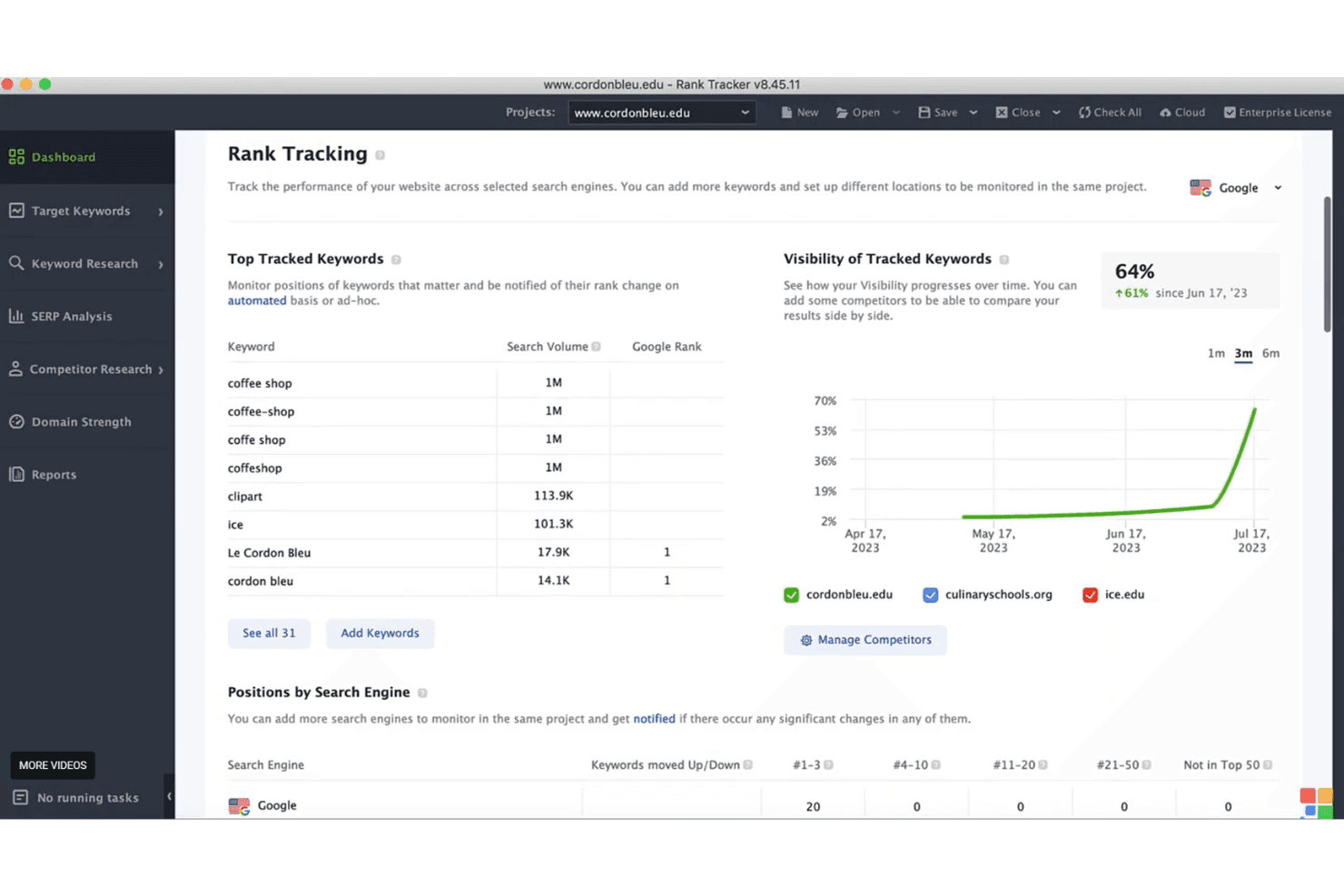
Rank Tracking
Monitor your website's keyword rankings over time with detailed graphs and reports. It helps your team changes in the SERP and adjust strategies quickly.
Website Audit
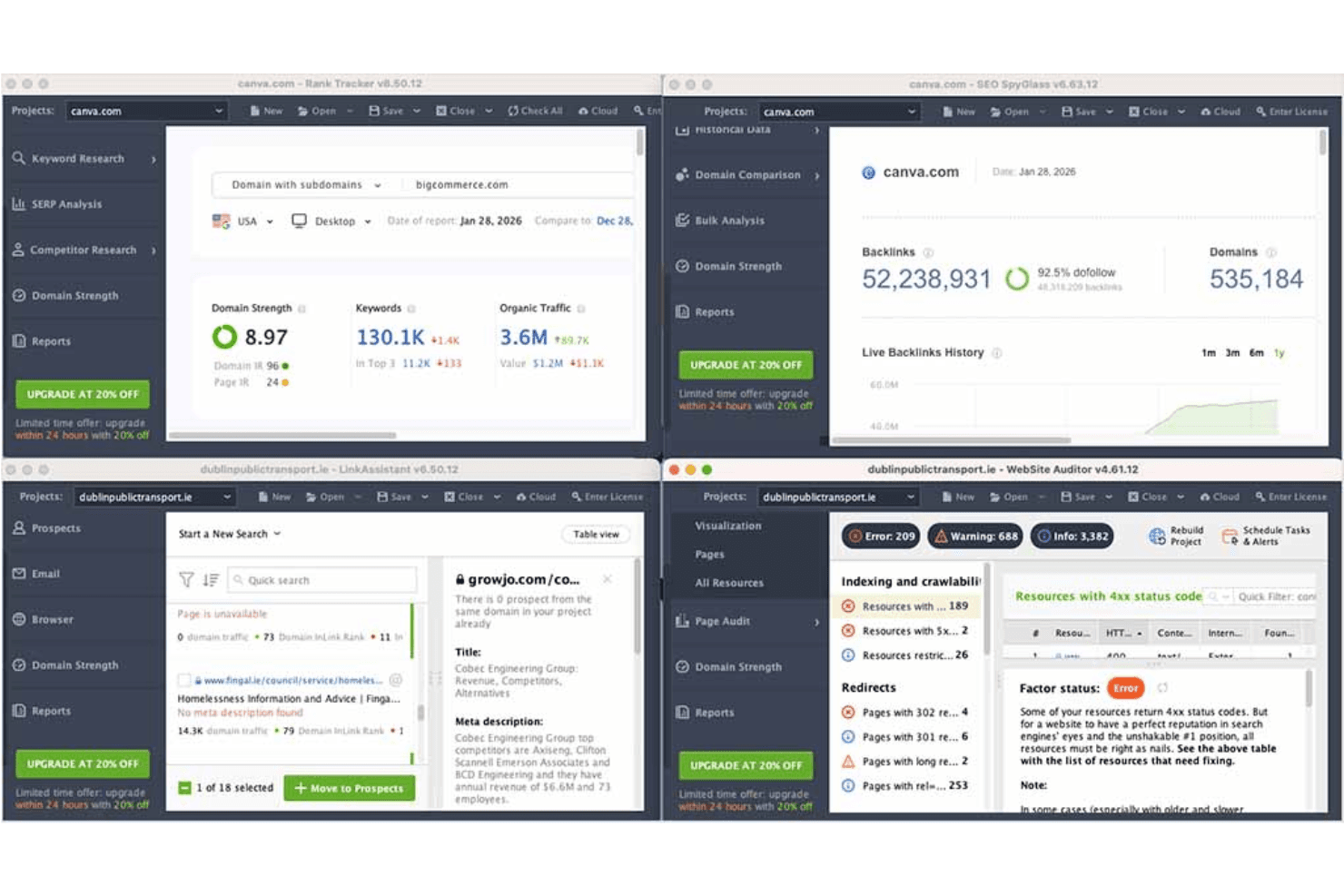
Analyze your site's health with comprehensive audits that pinpoint technical issues, like broken links. This feature ensures your site performs well in search engines.
Backlink Analysis
Discover and evaluate backlinks with SEO SpyGlass, helping you understand your link profile. It lets you spot opportunities and risks in your link-building strategy.
Keyword Research
Track keywords using advanced research tools that uncover search volume and competition. It empowers your team to target the right audience effectively.
Competitor Analysis
Uncover competitors' strategies and compare your site's performance with theirs. This insight helps your team stay ahead in the SEO race.
Reporting
Generate detailed, customizable SEO reports to keep stakeholders informed. These reports allow you to track key metrics and showcase results effectively.
Ease of Use
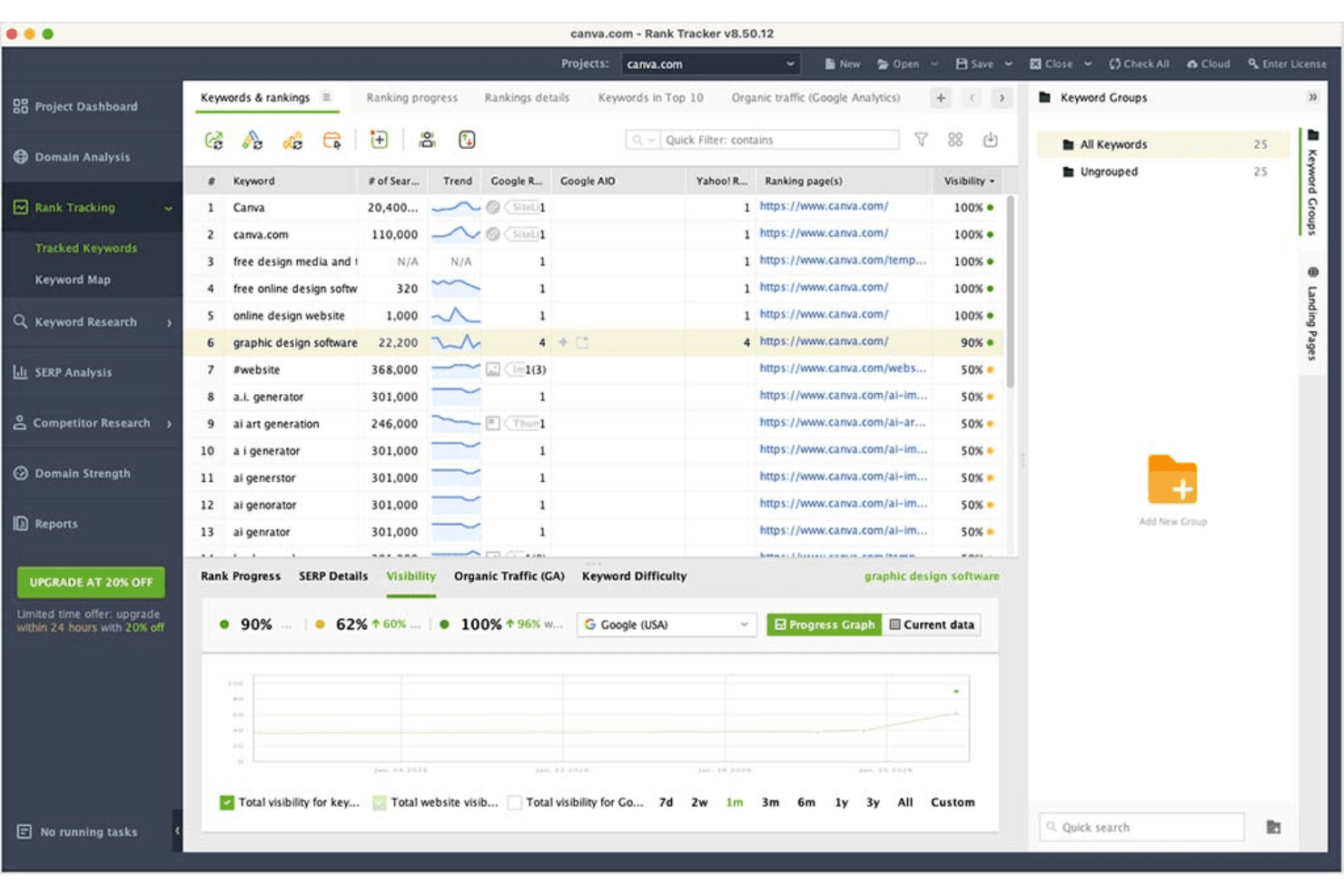
SEO PowerSuite offers a decent user experience but may feel less intuitive compared to some other tools. Its desktop-based nature requires a learning curve, especially for those new to SEO software. However, once you get the hang of it, the comprehensive features and detailed reports can significantly enhance your SEO campaigns. The interface might seem outdated, but it delivers the necessary functionalities to help your team manage SEO tasks effectively.
Integrations
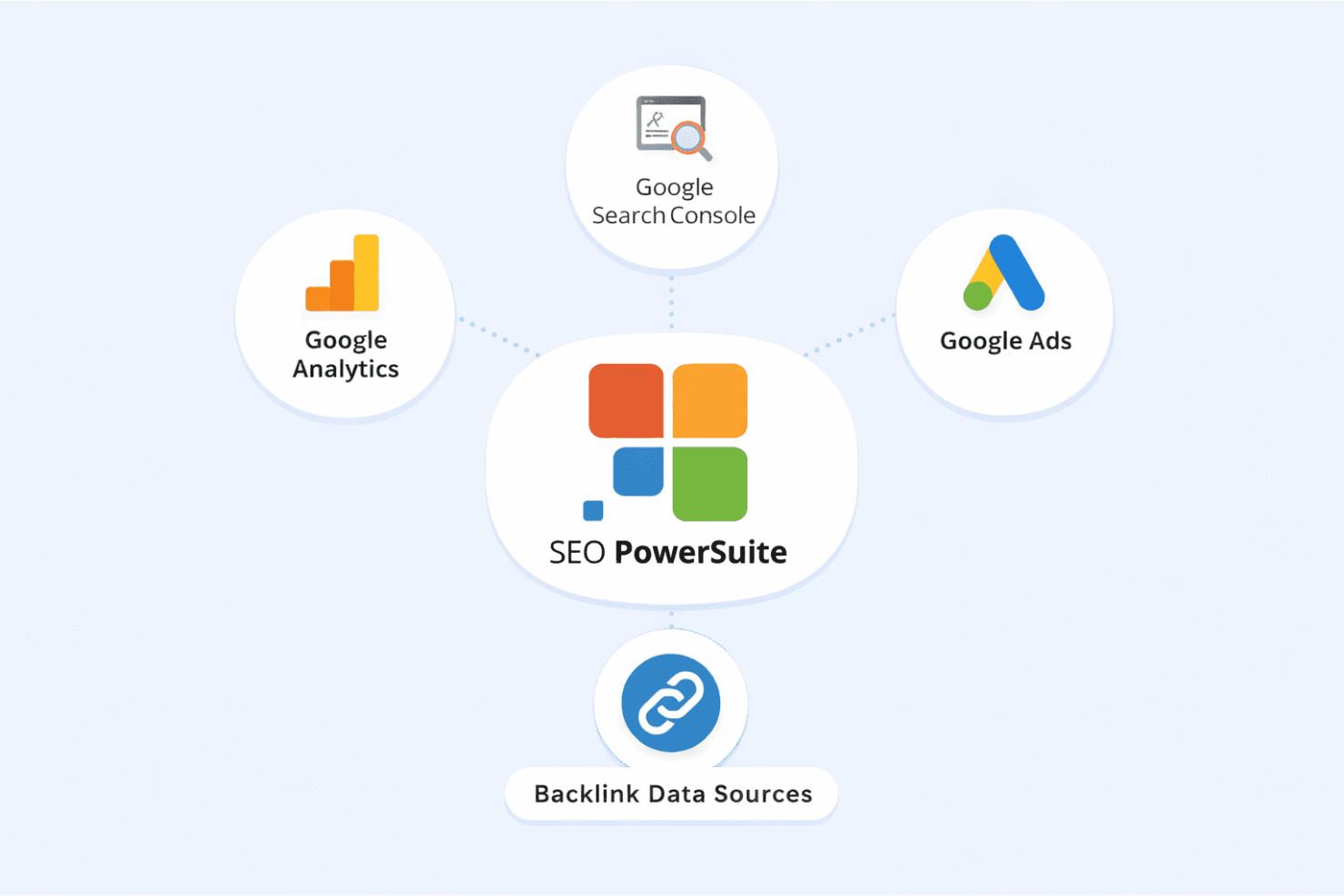
SEO PowerSuite integrates with Google Analytics, Google Search Console, and Google Ads to bring search and traffic data into the platform. It uses backlink data sources for in-depth link analysis, but it does not offer native connections to other third-party tools like CRM, Slack, or Trello.
SEO PowerSuite Specs
- API: Yes
- Audience Targeting: Yes
- Brand Management: No
- Conversion Tracking: No
- Dashboard: Yes
- Data Export: Yes
- Data Import: Yes
- Data Visualization: Yes
- External Integrations: Yes
- Keyword Tracking: Yes
- Link Tracking: Yes
- Marketing Automation: No
- Multi-Account: No
- Multi-User: No
- Notifications: Yes
- Social-Media Integration: No


