

Mailchimp vs. HubSpot: Comparison and Expert Reviews for 2026

We review tools independently, and commissions help fund our testing. See our transparency policy, our methodology, or suggest a tool.
Choosing between Mailchimp and HubSpot can feel overwhelming when you’re trying to boost engagement, automate campaigns, and prove ROI. You want email marketing software that’s easy to use, fits your budget, and actually helps you reach your goals. Both platforms promise powerful features, but which one truly delivers for your team?
In this article, you’ll get a clear comparison of Mailchimp and HubSpot—including pros and cons, use cases, pricing, security, and usability. I’ll help you cut through the noise so you can confidently pick the right solution for your business.
Mailchimp
4.5/5
- Free plan available
- From $13/month
HubSpot
4.4/5
- Free plan available
- From $20/user/month
Why Trust Our Software Recommendations
6,700+
Reviews
20
Industry experts
16+
Evaluation factors
14
Years
Our team has been testing and reviewing software since 2012. As marketing leaders ourselves, we know how difficult—and important—it is to choose the right software.
For this guide, we evaluated tools using hands-on testing and independent research, scoring tools using our selection criteria.
Our reviews reflect our human editorial judgment, not a sales pitch.
Expert reviewers:
 Gui DrusinaCreative Director
- Shriya GhateSenior Marketing Lead
 Amanda JacquesMarketing Ops Leader

| Mailchimp | HubSpot | |
|---|---|---|
| Free Trial | Free plan available | Free plan available |
| Pricing | From $13/month | From $20/user/month |
Mailchimp vs. HubSpot Pricing & Hidden Costs
Mailchimp uses a tiered pricing model based on the number of contacts and features you need, with a free plan for basic use and paid plans that unlock advanced automation and analytics. Pricing can also vary based on email send limits, and you may incur overage charges if you exceed those limits or add-ons like SMS marketing.
HubSpot, on the other hand, bundles email marketing into its broader marketing platform, so pricing depends on your contact list size, selected tools, and the number of users (seats). Higher-tier plans can also require one-time onboarding fees and scale quickly as you add contacts or features.
To choose the right vendor, map out your current and future needs—like list growth, automation complexity, and integration requirements. Review each platform’s feature limits, contact tiers, and upgrade triggers, and factor in potential add-ons or onboarding costs as your marketing matures. This approach helps you avoid surprise costs and ensures your investment supports your long-term strategy.
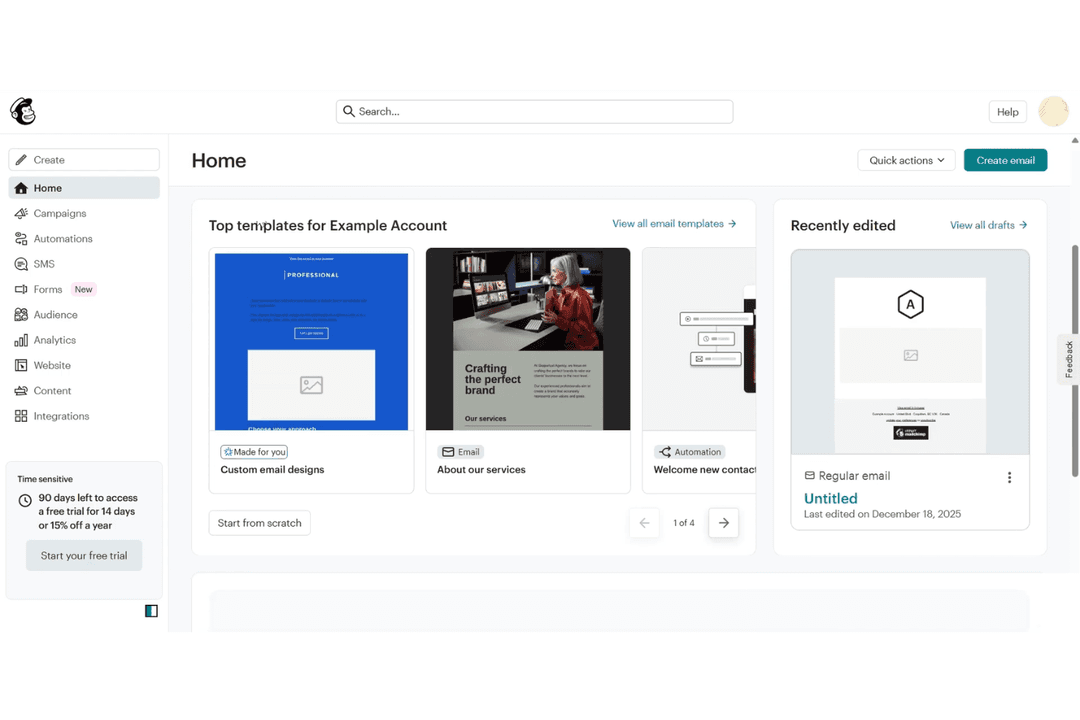
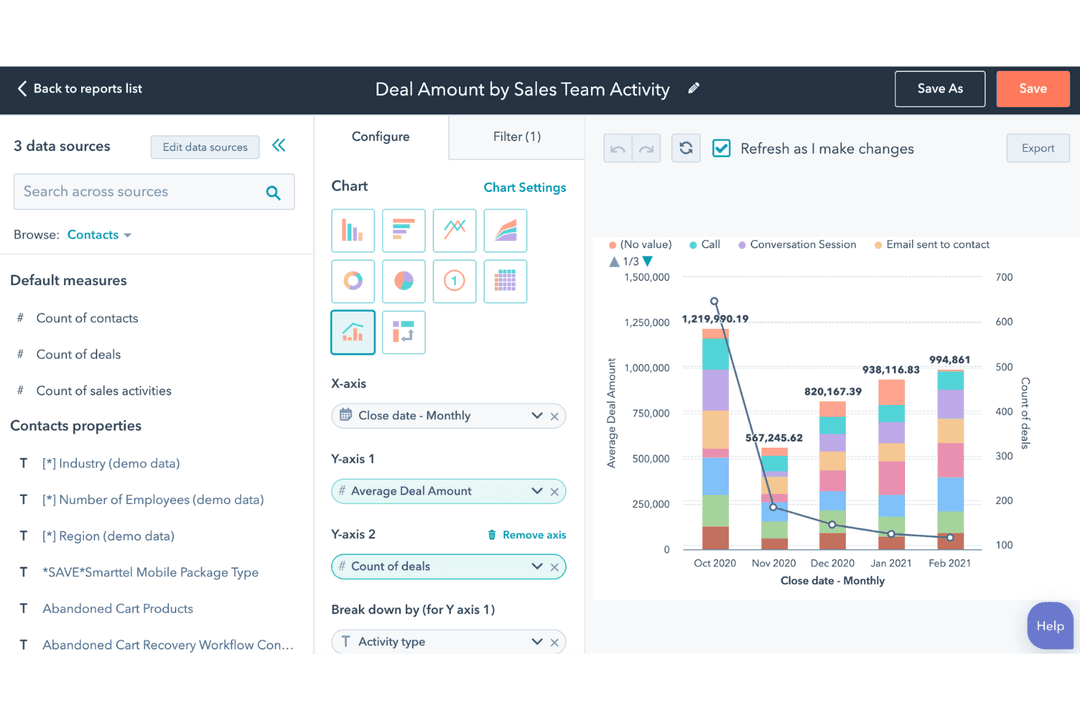
Mailchimp and HubSpot both offer essential email marketing features like drag-and-drop email builders, audience segmentation, automation workflows, and detailed analytics. You can create targeted campaigns, personalize content, and track performance on both platforms, making them strong choices for growing your email strategy.
Mailchimp stands out with its user-friendly design and creative tools, including a built-in content studio and AI-powered recommendations. HubSpot, meanwhile, shines with its deep CRM integration and advanced marketing automation, letting you connect email with your entire customer journey. These unique strengths can make a big difference depending on your team’s needs and goals.
| Mailchimp | HubSpot | |
|---|---|---|
| API | Yes | Yes |
| Calendar Management | Yes | Yes |
| Campaign Management | Yes | Yes |
| Contact Management | Yes | Yes |
| Contact Sharing | No | Yes |
| Customer Management | Yes | Yes |
| Dashboard | Yes | Yes |
| Data Export | Yes | Yes |
| Data Import | Yes | Yes |
| Data Visualization | Yes | Yes |
| Email Integration | Yes | Yes |
| External Integrations | Yes | Yes |
| Google Apps Integration | Yes | Yes |
| Lead Management | Yes | Yes |
| Lead Scoring | Yes | Yes |
| Marketing Automation | Yes | Yes |
| Multi-User | Yes | Yes |
| Notifications | Yes | Yes |
| Scheduling | Yes | Yes |
| Social-Media Integration | No | Yes |
| Third-Party Plugins/Add-Ons | Yes | Yes |
| Integration | Mailchimp | HubSpot |
| Shopify | ✅ | ✅ |
| WooCommerce | ✅ | ✅ |
| Canva | ✅ | ✅ |
| Salesforce | ✅ | ✅ |
| Wix | ✅ | ✅ |
| Squarespace | ✅ | ❌ |
| Stripe | ✅ | ✅ |
| ✅ | ✅ | |
| ✅ | ✅ | |
| WordPress | ✅ | ✅ |
| API | ✅ | ✅ |
| Zapier | ✅ | ✅ |
Both HubSpot and Mailchimp offer strong integrations, including APIs and Zapier support, but HubSpot has a broader, more tightly integrated ecosystem. HubSpot provides 1,000+ native integrations with deep, two-way data syncing across its CRM and marketing tools, making it better for complex, all-in-one workflows. That said, Mailchimp still has a strong library of native integrations (300+), but it may be less robust for advanced, niche use cases.
| Factor | Mailchimp | HubSpot |
| Data Privacy | Follows GDPR, CCPA, and offers data processing agreements for users. | Complies with GDPR, CCPA, and provides customizable data privacy tools. |
| Encryption | Uses TLS encryption for data in transit and at rest. | Secures data with TLS encryption in transit and at rest. |
| Uptime Guarantee | Maintains high uptime with real-time status updates and redundancy. | Offers 99.99% uptime SLA and transparent status monitoring. |
| Access Controls | Provides multi-factor authentication and user permission settings. | Includes SSO, multi-factor authentication, and granular user controls. |
| Regulatory Audits | Undergoes regular third-party audits and maintains SOC 2 compliance. | Holds SOC 2 Type II certification and completes regular security audits. |
Both Mailchimp and HubSpot deliver strong security and compliance, but HubSpot stands out with its more advanced access controls and uptime guarantees. Mailchimp’s reliability and privacy features are solid, while HubSpot’s enterprise-grade certifications and granular controls give extra peace of mind for larger teams.
| Factor | Mailchimp | HubSpot |
| User Interface | Features a clean, intuitive dashboard with drag-and-drop editing. | Offers a modern interface with customizable dashboards and guided steps. |
| Onboarding | Provides interactive tutorials and a simple setup process for beginners. | Includes in-depth onboarding, tooltips, and a robust knowledge base. |
| Campaign Creation | Streamlines campaign building with pre-made templates and easy navigation. | Supports multi-channel campaigns with step-by-step wizards and templates. |
| Support Access | Offers chat and email support, plus a searchable help center. | Delivers 24/7 support, live chat, and dedicated onboarding specialists. |
| Learning Curve | Quick to learn for new users, even with limited marketing experience. | Slightly steeper learning curve due to advanced features and integrations. |
Mailchimp is easier for beginners and small teams, while HubSpot’s guided workflows and support make it a strong fit for users who want more depth and customization. Mailchimp’s simplicity stands out for fast setup, but HubSpot’s comprehensive resources and support help users master more complex marketing tasks.
Mailchimp
- Easy-to-use email builder and templates make campaign creation fast.
- All-in-one platform (email, automation, landing pages, ads, social) reduces tool sprawl.
- 300+ integrations support e-commerce, analytics, and workflow automation.
- Pricing scales quickly as your contact list grows.
- Deeper segmentation and advanced automation require higher-tier plans.
- Unsubscribed and inactive contacts still count toward billing.
HubSpot
- The intuitive interface makes it easy for your team to navigate and manage marketing tasks.
- Exceptional customer support ensures you get help quickly when needed.
- The onboarding process is smooth, getting your team up to speed in no time.
- Some users find it lacks certain financial-related features like budgets and expenses.
- Occasional glitches in allocations may require you to double-check assignments.
- Advanced users might find HubSpot's templated options limiting for unique customizations.
Mailchimp
- Ecommerce BusinessesMailchimp’s integrations with platforms like Shopify and WooCommerce let you sync customer and order data, making it easier to run automations like abandoned cart emails and post-purchase follow-ups.
- Small to Midsize Businesses (SMBs)If you’re looking for an all-in-one marketing platform without a steep learning curve, Mailchimp gives you the core tools—email, automation, and audience management—in a single, easy-to-use system.
- Startups and Lean TeamsWith prebuilt templates, simple signup forms, and guided setup, Mailchimp helps you get campaigns live quickly without needing dedicated marketing ops or technical support.
- Professional Services FirmsMailchimp helps you stay top of mind with clients through newsletters, updates, and automated follow-ups without requiring a complex marketing setup. Its email templates, audience segmentation, and simple automation flows make it easy to nurture relationships.
- Nonprofit OrganizationsEngage supporters with email campaigns, newsletters, and updates using prebuilt templates and simple audience management tools. You can segment donors and subscribers, automate outreach, and run campaigns without needing extensive technical resources.
- Marketing DepartmentsMailchimp allows you to manage email, landing pages, social posts, and ads from one place, making it easier to coordinate campaigns without switching between platforms.
HubSpot
- Digital AgenciesHubSpot Marketing’s automation tools help your team manage multiple client campaigns efficiently.
- SaaS StartupsIts detailed analytics empower you to track user engagement and optimize marketing strategies.
- E-commerce BusinessesPersonalized email marketing features allow you to enhance customer engagement and boost sales.
- Educational InstitutionsHubSpot’s CRM integration helps you manage student outreach and engagement effectively.
- Healthcare ProvidersThe platform’s content management tools aid in maintaining a strong online presence.
- Non-Profit OrganizationsIts easy-to-use interface and support make managing campaigns and donor relationships straightforward.
Who Should Use Mailchimp, And Who Should Use HubSpot?
Mailchimp is best suited for small to mid-sized businesses, creators, and e-commerce brands that want a simple, email-first marketing tool without a steep learning curve. It excels for teams with shorter sales cycles that primarily rely on campaigns, newsletters, and basic automation rather than complex funnel management. If your focus is ease of use, affordability, and getting campaigns out quickly, Mailchimp is typically the better fit.
HubSpot is better for growing businesses and larger teams that need a full CRM platform to manage marketing, sales, and customer relationships in one place. It’s designed for longer, more complex buying cycles where lead nurturing, pipeline tracking, and deep multi-channel automation are critical. If you need deep customer data, advanced automation, and alignment between marketing and sales, HubSpot is the stronger choice.
| Mailchimp | HubSpot | |
|---|---|---|
| Automation Depth | Mailchimp Supports pre-built and custom automations, but limited in complexity on lower tiers. | HubSpot Advanced, multi-step automation across channels with branching logic and deep personalization. |
| CRM Integrations | Mailchimp Includes a lightweight CRM for audience management and basic tracking. | HubSpot Built around a full-featured, native CRM powering all marketing, sales, and service tools. |
| Multi-Channel Tools | Mailchimp Email-first, with social posting, SMS (add-on), and basic ads. | HubSpot Deep omnichannel platform including email, ads, social, landing pages, CRM, and sales tools. |
| Sales Features | Mailchimp Limited—primarily marketing-focused with minimal sales tools. | HubSpot Full sales pipeline management, deal tracking, and sales automation built in. |
| User Interface | Mailchimp Intuitive and beginner-friendly, optimized for quick campaign setup. | HubSpot More robust and customizable, but with a steeper learning curve. |
| A/B Testing | Both support A/B testing for emails and campaigns to optimize performance. |
|---|---|
| Email Builder | Both offer drag-and-drop email builders with customizable templates, making it easy to design campaigns. |
| Landing Pages | Each platform includes tools to build and publish landing pages for lead generation campaigns. |
| Reporting & Analytics | Each platform provides detailed campaign analytics, including open rates, click rates, attribution, and engagement data. |
| Segmentation | Both allow you to segment audiences based on behavior, demographics, or engagement for targeted messaging. |