

HubSpot vs. Marketo: Comparison and Expert Reviews for 2026

We review tools independently, and commissions help fund our testing. See our transparency policy, our methodology, or suggest a tool.
Choosing between HubSpot and Adobe Marketo Engage can feel overwhelming when you’re under pressure to prove ROI, streamline campaigns, and keep your team productive. You want marketing automation software that’s powerful, easy to use, and fits your budget—but the differences between these two giants aren’t always obvious. From integration headaches to learning curves, the stakes are high for your next move.
In this article, you’ll get a clear, side-by-side comparison of HubSpot and Marketo. I’ll break down the pros and cons, use cases, pricing, security, and usability so you can make the best decision for your team.
HubSpot
4.4/5
- Free plan available
- From $45/user/month (billed annually)
Adobe Marketo Engage
4.1/5
- Free demo available
- Pricing upon request
Why Trust Our Software Recommendations
6,700+
Reviews
20
Industry experts
16+
Evaluation factors
14
Years
Our team has been testing and reviewing software since 2012. As marketing leaders ourselves, we know how difficult—and important—it is to choose the right software.
For this guide, we evaluated tools using hands-on testing and independent research, scoring tools using our selection criteria.
Our reviews reflect our human editorial judgment, not a sales pitch.
Expert reviewers:
 Gui DrusinaCreative Director
- Shriya GhateSenior Marketing Lead
 Amanda JacquesMarketing Ops Leader

| HubSpot | Adobe Marketo Engage | |
|---|---|---|
| Free Trial | Free plan available | Free demo available |
| Pricing | From $45/user/month (billed annually) | Pricing upon request |
HubSpot vs. Marketo Pricing & Hidden Costs
HubSpot uses a tiered pricing model with transparent packages based on features, seats, and contact limits, and it stands out by offering a free CRM plan and free trial options for paid tiers. However, costs can rise quickly as your database grows or you upgrade tiers. Marketo, on the other hand, offers packaged tiers but requires custom quotes, making it harder to predict total spend upfront. Both platforms may introduce extra costs for onboarding, advanced features, or add-ons like additional data, integrations, and support.
To choose the right vendor, map out your current and projected contact list size, required features, and integration needs. Ask each provider for a detailed quote that includes onboarding fees, usage limits, and any add-ons. This approach helps you avoid surprises and ensures you’re comparing the true total cost of ownership for each platform.
Both HubSpot and Marketo offer essential marketing automation features like email marketing, lead nurturing, campaign management, analytics, and CRM integration. You’ll also find tools for landing page creation, workflow automation, and robust reporting in both platforms. These shared features cover the basics most marketing teams need to run and measure campaigns.
HubSpot stands out with its all-in-one approach, combining marketing, sales, and service tools in a single, user-friendly platform. Marketo, meanwhile, is known for its advanced customization and powerful lead scoring, making it a favorite for complex, enterprise-level marketing operations. Each platform’s unique strengths can make a big difference depending on your team’s goals and technical needs.
| HubSpot | Adobe Marketo Engage | |
|---|---|---|
| API | Yes | Yes |
| Campaign Management | Yes | Yes |
| Contact Management | Yes | Yes |
| Contact Sharing | Yes | Yes |
| Customer Management | Yes | Yes |
| Data Export | Yes | Yes |
| Data Import | Yes | Yes |
| Email Integration | Yes | Yes |
| External Integrations | Yes | Yes |
| Lead Management | Yes | Yes |
| Lead Scoring | Yes | Yes |
| Marketing Automation | Yes | Yes |
| Multi-User | Yes | Yes |
| Notifications | Yes | Yes |
| Social-Media Integration | Yes | Yes |
| Integration | HubSpot | Marketo |
| Salesforce | ✅ | ✅ |
| Microsoft Dynamics | ✅ | ✅ |
| Shopify | ✅ | ❌ |
| Slack | ✅ | ✅ |
| Zoom | ✅ | ✅ |
| Google Ads | ✅ | ✅ |
| Eventbrite | ✅ | ❌ |
| Adobe Analytics | ❌ | ✅ |
| Oracle Eloqua | ❌ | ✅ |
| API | ✅ | ✅ |
| Zapier | ✅ | ✅ |
HubSpot and Marketo both cover the most popular integrations, but HubSpot offers more out-of-the-box connections for ecommerce and event tools, while Marketo shines with enterprise and Adobe ecosystem integrations. Both platforms support API and Zapier, so you can connect to almost any tool your team relies on.
| Factor | HubSpot | Marketo |
| Data Privacy | Offers GDPR, CCPA, and SOC 2 compliance with built-in privacy tools. | Provides GDPR, CCPA, and HIPAA compliance with advanced privacy controls. |
| Encryption | Uses TLS encryption for data in transit and at rest. | Secures data with TLS/SSL encryption and granular access controls. |
| Uptime Guarantee | Delivers a 99.99% uptime SLA and real-time status updates. | Maintains a 99.9% uptime SLA with robust disaster recovery protocols. |
| Access Controls | Supports SSO, 2FA, and customizable user permissions. | Offers SSO, 2FA, and detailed role-based access management. |
| Audit Logging | Provides detailed activity logs and exportable audit trails. | Includes comprehensive audit logs and monitoring for all user actions. |
Marketo edges ahead with more advanced compliance options and granular controls, while HubSpot impresses with its transparency and ease of use for security management. Both platforms deliver strong reliability and privacy features, but Marketo is often favored by enterprises with strict regulatory needs.
| Factor | HubSpot | Marketo |
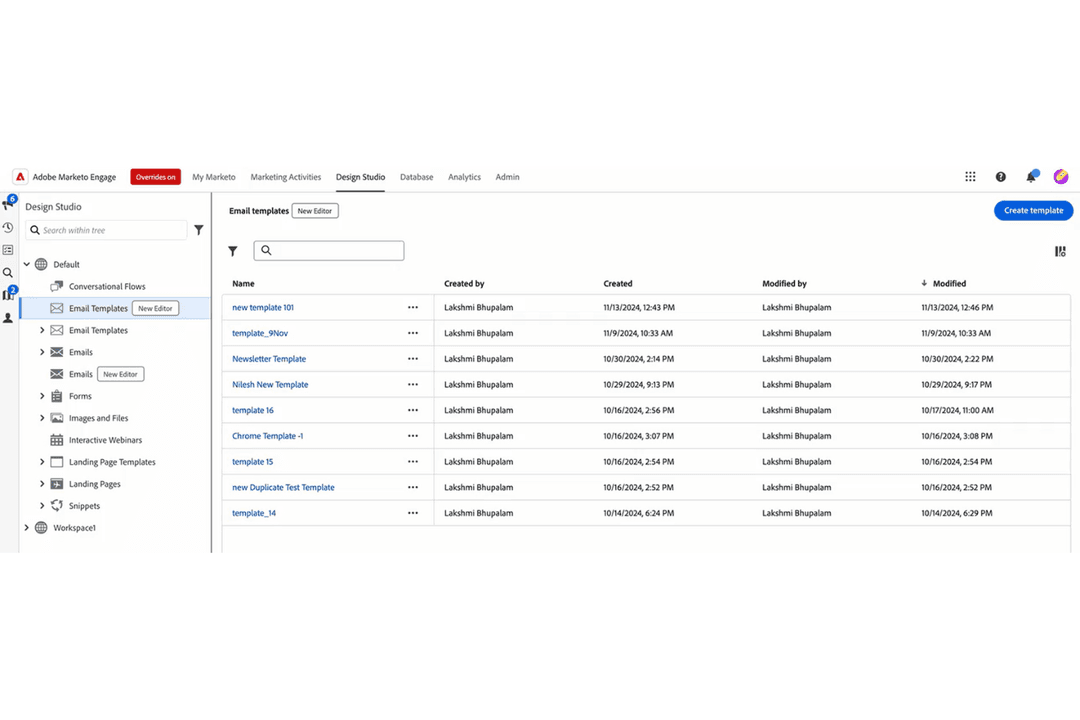
| User Interface | Features a clean, intuitive dashboard with drag-and-drop functionality. | Offers a powerful but complex interface that can feel overwhelming. |
| Onboarding | Provides guided onboarding, tutorials, and a helpful knowledge base. | Requires more self-guided learning and often benefits from expert help. |
| Setup Process | Quick to set up with step-by-step wizards and templates. | Setup is more technical and time-consuming, especially for integrations. |
| Customer Support | Delivers responsive chat, email, and phone support with live help. | Offers support, but response times and depth can vary by plan. |
| Learning Curve | Easy for beginners to pick up and use right away. | Steeper learning curve, best suited for experienced marketing teams. |
HubSpot is much easier for new users and small teams, while Marketo’s complexity pays off for advanced users who need deep customization. HubSpot’s approachable design and support make it a favorite for fast onboarding, but Marketo’s flexibility rewards those willing to invest the time to master it.
HubSpot
- The intuitive interface makes it easy for your team to navigate and manage marketing tasks.
- Exceptional customer support ensures you get help quickly when needed.
- The onboarding process is smooth, getting your team up to speed in no time.
- Some users find it lacks certain financial-related features like budgets and expenses.
- Occasional glitches in allocations may require you to double-check assignments.
- Advanced users might find HubSpot's templated options limiting for unique customizations.
Adobe Marketo Engage
- Advanced segmentation and targeting for complex campaigns
- Strong analytics and multi-touch attribution reporting
- Flexible campaign automation with AI-powered personalization
- High total cost of ownership for most organizations
- Batch-based processing can delay real-time campaign updates
- Outdated user interface compared to newer platforms
HubSpot
- Digital AgenciesHubSpot Marketing’s automation tools help your team manage multiple client campaigns efficiently.
- SaaS StartupsIts detailed analytics empower you to track user engagement and optimize marketing strategies.
- E-commerce BusinessesPersonalized email marketing features allow you to enhance customer engagement and boost sales.
- Educational InstitutionsHubSpot’s CRM integration helps you manage student outreach and engagement effectively.
- Healthcare ProvidersThe platform’s content management tools aid in maintaining a strong online presence.
- Non-Profit OrganizationsIts easy-to-use interface and support make managing campaigns and donor relationships straightforward.
Adobe Marketo Engage
- Dedicated Marketing OpsTeams with technical resources can fully customize and automate campaigns.
- Healthcare OrganizationsHIPAA-ready features and secure data handling are available.
- Higher EducationMulti-channel engagement and segmentation support diverse student journeys.
- Regulated IndustriesCompliance tools and audit trails help meet strict regulatory requirements.
- B2B Technology CompaniesAccount-based marketing and lead scoring features align with long sales cycles.
- Enterprise Marketing TeamsMarketo supports complex workflows, global campaigns, and advanced reporting.
Who Should Use HubSpot, And Who Should Use Adobe Marketo Engage?
HubSpot is best suited for small to mid-sized businesses and growing marketing teams that want an all-in-one platform without heavy technical complexity. While it combines CRM, sales, and service tools, its real strength for marketers lies in its unified Marketing Hub—where you can manage content, SEO, email campaigns, social media, and automation from a single dashboard. This makes it ideal for teams focused on inbound marketing, lead generation, and campaign execution, since all tools work together seamlessly to attract, nurture, and convert leads without needing multiple integrations.
Marketo, on the other hand, is better suited for mid-market to enterprise organizations with complex marketing operations and dedicated technical resources. It excels in advanced automation, account-based marketing, and multi-channel orchestration, making it a strong fit for large B2B teams with long sales cycles and sophisticated segmentation needs. However, its depth and flexibility come with a steeper learning curve, so it’s best for organizations that can invest in marketing ops and fully leverage its advanced capabilities.
| HubSpot | Adobe Marketo Engage | |
|---|---|---|
| All-in-One Platform | HubSpot Full CRM platform combining marketing, sales, service, and CMS tools. | Adobe Marketo Engage Primarily a marketing automation platform that relies on external CRM integrations. |
| Automation Depth | HubSpot Strong but more structured automation suited for common workflows. | Adobe Marketo Engage Highly advanced, customizable automation for complex, multi-step journeys. |
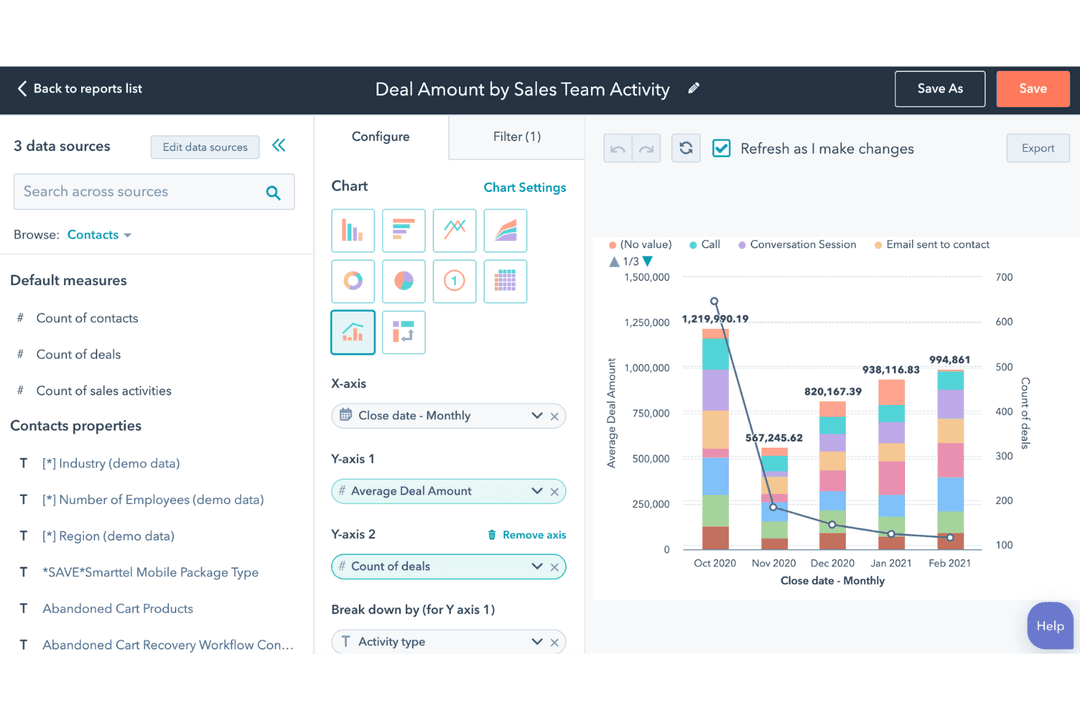
| Reporting & Analytics | HubSpot Strong reporting with user-friendly dashboards. | Adobe Marketo Engage More advanced analytics, attribution, and revenue modeling capabilities. |
| Scalability | HubSpot Scales well but can become expensive at higher contact tiers. | Adobe Marketo Engage Built for large-scale, global operations with complex data and campaign needs. |
| User Interface | HubSpot Intuitive, beginner-friendly UI with quick onboarding. | Adobe Marketo Engage More complex interface with a steeper learning curve and need for training. |
| CRM Integrations | HubSpot and Marketo integrate with major CRMs like Salesforce and Microsoft Dynamics for unified data management. |
|---|---|
| Email Campaigns | Both offer robust email campaign creation, automation, and analytics, with customizable templates and A/B testing. |
| Landing Pages | Both include tools to build landing pages and capture leads through customizable forms. |
| Lead Management | Each platform provides lead scoring, segmentation, and nurturing tools to help teams qualify and convert leads. |
| Multi-Channel Campaigns | Both support multi-channel campaigns, including email, web, and paid media integrations. |