

Channel Fusion Review: Pros, Cons, Features, and Pricing
I put Channel Fusion under the microscope to see whether its local marketing tools justify the cost—and where its strengths may not fit every business.

We review tools independently, and commissions help fund our testing. See our transparency policy, our methodology, or suggest a tool.
Channel Fusion is local marketing software for brands that need to equip dealers and distributors with localized digital campaigns, brand-approved assets, reputation management, and marketing support. I’d choose it over BrandMuscle when you want a managed local marketing program that combines partner-ready tools with services such as SEO, email marketing, paid search, social media, and directory management.
Channel Fusion Evaluation Summary
4.8/5
- Pricing upon request
- Free demo available
Why Trust Our Software Recommendations
6,700+
Reviews
20
Industry experts
16+
Evaluation factors
14
Years
Our team has been testing and reviewing software since 2012. As marketing leaders ourselves, we know how difficult—and important—it is to choose the right software.
For this guide, we evaluated tools using hands-on testing and independent research, scoring tools using our selection criteria.
Our reviews reflect our human editorial judgment, not a sales pitch.
Expert reviewers:
 Gui DrusinaCreative Director
- Shriya GhateSenior Marketing Lead
 Amanda JacquesMarketing Ops Leader

Channel Fusion Overview
I’d choose Channel Fusion for brands managing dealers or distributors that need brand-approved assets, localized campaigns, reputation management, SEO, email marketing, paid search, social media, and directory management in one program. Its managed functionality and marketing support give it an edge when teams need guidance beyond a self-serve interface. However, selecting it requires judging the service model, onboarding process, support coverage, pricing, interface, and integration requirements against your workflow. I think it fits multi-location organizations with distributed partners better than small teams seeking low-cost software and complete control over every campaign setting.
Pros
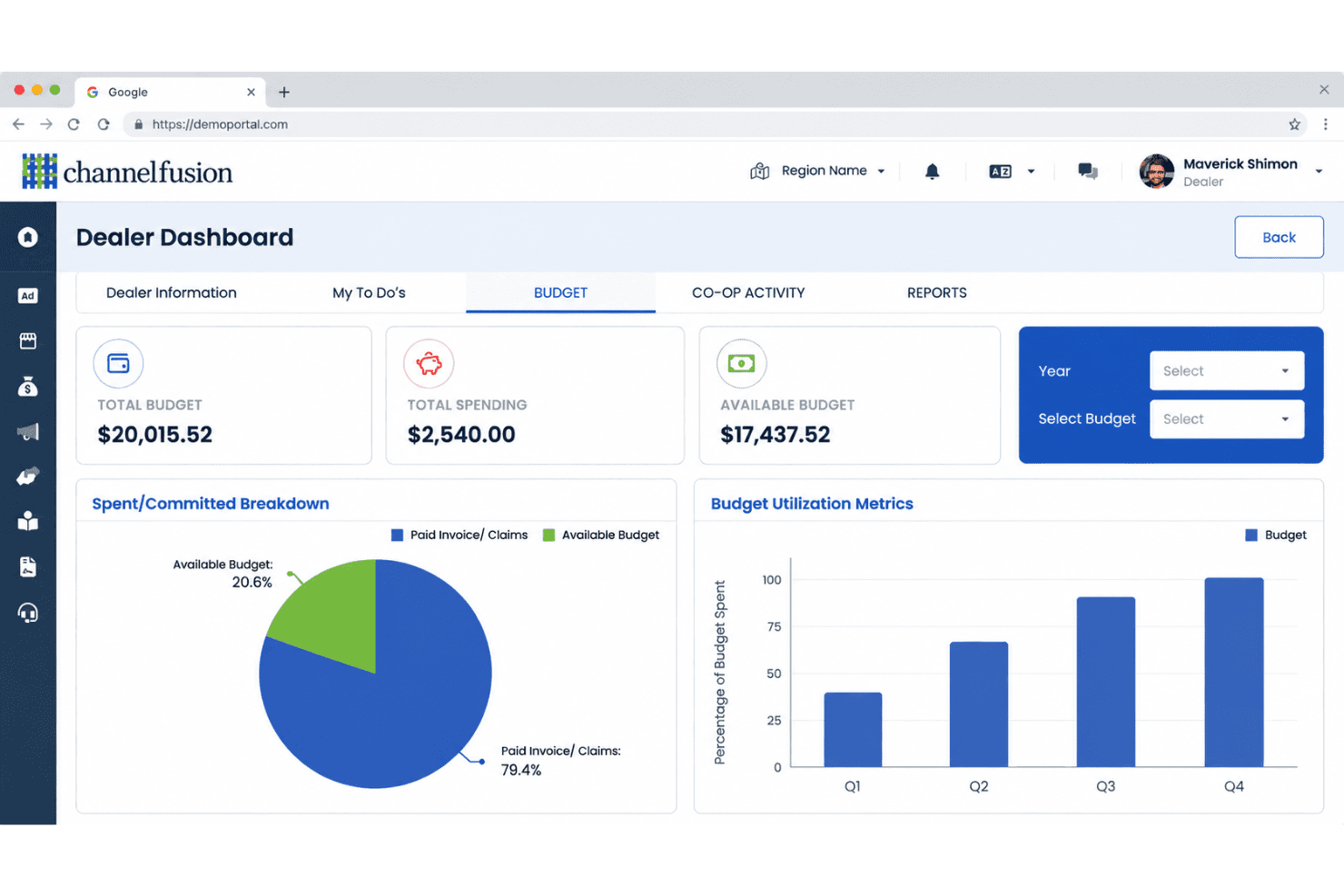
- Channel Fusion centralizes partner campaigns, leads, incentives, and fund workflows.
- Digital Fusion covers websites, SEO, paid media, listings, and reviews.
- Reviewers praise responsive support during onboarding and ongoing campaign management.
Cons
- Backend issues have disrupted workflows for some reviewers.
- Limited training materials can slow partner adoption initially.
- Undisclosed pricing makes cost comparisons difficult before contacting sales.
Is Channel Fusion Right For Your Needs?
Who Would be a Good Fit for Channel Fusion?
Channel Fusion is a good fit for organizations coordinating marketing across dealers, distributors, or local branches. Its shared workspace combines campaigns, approved assets, leads, incentives, and marketing funds. Managed onboarding and campaign support also suit teams that want guided execution instead of a fully self-serve platform.
- Dealer NetworksAutomotive and equipment dealer networks can coordinate approved campaigns, local assets, leads, incentives, and marketing funds through one workspace.
- Distributor BrandsManufacturers with distributor partners can manage partner campaigns while supporting advertising across Google Ads, Meta Ads, radio, direct mail, and DOOH.
- Franchise MarketingFranchise marketing departments can distribute approved materials and coordinate local campaign activity with hands-on implementation support.
- Channel ManagersChannel marketing managers can oversee partner campaigns, fund workflows, incentives, and lead activity from a centralized system.
- Midmarket ManufacturersMidmarket manufacturers with external sales partners can combine campaign management and partner support without assembling separate local marketing tools.
- Managed AgenciesAgencies supporting dealer or distributor marketing can use Channel Fusion’s managed campaign setup and channel connections for client programs.
Who Would be a Bad Fit for Channel Fusion?
Channel Fusion is a poor fit for teams needing low-cost, fully self-serve software with transparent pricing. Its quote-based model, limited training materials, and reported backend disruptions can create friction for smaller teams or users requiring independent administration. The public materials also don’t identify Zapier or Make connections.
- Solo MarketersSolo marketers may find Channel Fusion excessive when they only need basic campaign planning, asset storage, or advertising management.
- Single LocationsA single-location business won’t need partner campaign coordination, dealer workflows, incentives, or marketing fund management.
- Ecommerce BrandsEcommerce-only brands may find limited value because Channel Fusion focuses on dealer and distributor marketing rather than standalone online selling.
- Self Serve TeamsTeams demanding independent setup may dislike the managed onboarding and campaign support model, especially with limited training materials.
- Budget StartupsEarly-stage startups needing published pricing may reject Channel Fusion because the vendor provides custom quotes instead of public plans.
- No Code StacksTeams dependent on Zapier or Make should look elsewhere because Channel Fusion’s public materials don’t identify integrations with those tools.
How We Test & Score Tools
We’ve spent years building, refining, and improving our software testing and scoring system. The rubric is designed to capture the nuances of software selection and what makes a tool effective, focusing on critical aspects of the decision-making process.
Below, you can see exactly how our testing and scoring works across seven criteria. It allows us to provide an unbiased evaluation of the software based on core functionality, standout features, ease of use, onboarding, customer support, integrations, customer reviews, and value for money.
Core Functionality (25% of final scoring)
The starting point of our evaluation is always the core functionality of the tool. Does it have the basic features and functions that a user would expect to see? Are any of those core features locked to higher-tiered pricing plans? At its core, we expect a tool to stand up against the baseline capabilities of its competitors.
Standout Features (25% of final scoring)
Next, we evaluate uncommon standout features that go above and beyond the core functionality typically found in tools of its kind. A high score reflects specialized or unique features that make the product faster, more efficient, or offer additional value to the user.
We also evaluate how easy it is to integrate with other tools typically found in the tech stack to expand the functionality and utility of the software. Tools offering plentiful native integrations, 3rd party connections, and API access to build custom integrations score best.
Ease of Use (10% of final scoring)
We consider how quick and easy it is to execute the tasks defined in the core functionality using the tool. High scoring software is well designed, intuitive to use, offers mobile apps, provides templates, and makes relatively complex tasks seem simple.
Onboarding (10% of final scoring)
We know how important rapid team adoption is for a new platform, so we evaluate how easy it is to learn and use a tool with minimal training. We evaluate how quickly a team member can get set up and start using the tool with no experience. High scoring solutions indicate little or no support is required.
Customer Support (10% of final scoring)
We review how quick and easy it is to get unstuck and find help by phone, live chat, or knowledge base. Tools and companies that provide real-time support score best, while chatbots score worst.
Customer Reviews (10% of final scoring)
Beyond our own testing and evaluation, we consider the net promoter score from current and past customers. We review their likelihood, given the option, to choose the tool again for the core functionality. A high scoring software reflects a high net promoter score from current or past customers.
Value for Money (10% of final scoring)
Lastly, in consideration of all the other criteria, we review the average price of entry level plans against the core features and consider the value of the other evaluation criteria. Software that delivers more, for less, will score higher.
Core Features
Localized Website Management
Digital Fusion provides WordPress websites with mobile-responsive design, hosting, security, maintenance, and multi-location support. You can maintain brand consistency while giving each dealer localized pages, content, and campaign landing pages.
Directory And Review Management
Channel Fusion manages business listings across platforms such as Google Business Profile, Google Maps, and Yelp while helping partners respond to reviews. This gives each location consistent directory information and a defined process for addressing customer feedback.
Search Engine Optimization And Blogging
Digital Fusion combines SEO work with original blog content designed around each dealer’s market and customer needs. Your partners get locally relevant pages and articles that support organic discovery without relying on syndicated copy.
Paid Digital Advertising
Channel Fusion manages search engine marketing, programmatic advertising, retargeting, and paid campaigns across platforms such as Facebook, Instagram, and LinkedIn. Teams can target local audiences with campaign-specific ads, then review performance through monthly reporting.
Social Media Content And Advertising
Digital Fusion creates custom social posts and targeted social campaigns for local partners. This gives dealers brand-approved content for ongoing publishing alongside paid promotions tailored to their audiences.
Email Marketing
Channel Fusion supports email campaigns for service reminders, product announcements, special offers, and repeat-customer outreach. Partners can use audience-specific messages to continue conversations after an initial visit or purchase.
Ease of Use
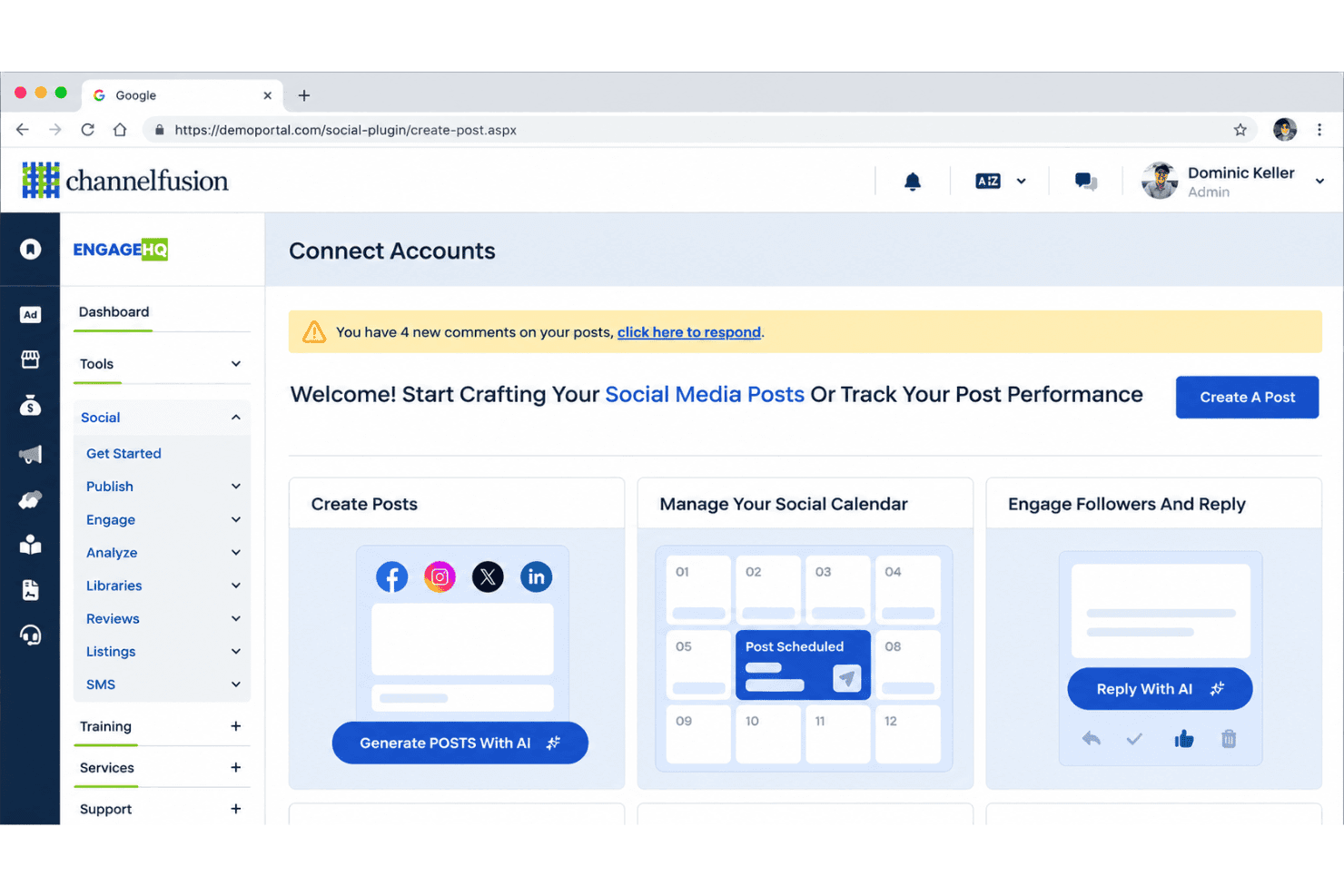
I find Channel Fusion reasonably user-friendly for teams managing dealer and distributor marketing, especially with managed support during onboarding and campaign setup. Its centralized workspace for campaigns, approved assets, leads, incentives, and marketing funds gives teams one place to coordinate local activity. However, backend issues have disrupted workflows for some reviewers, while limited training materials can slow partner adoption. Overall, it suits teams wanting guided execution more than those seeking a fully self-serve interface.
Integrations
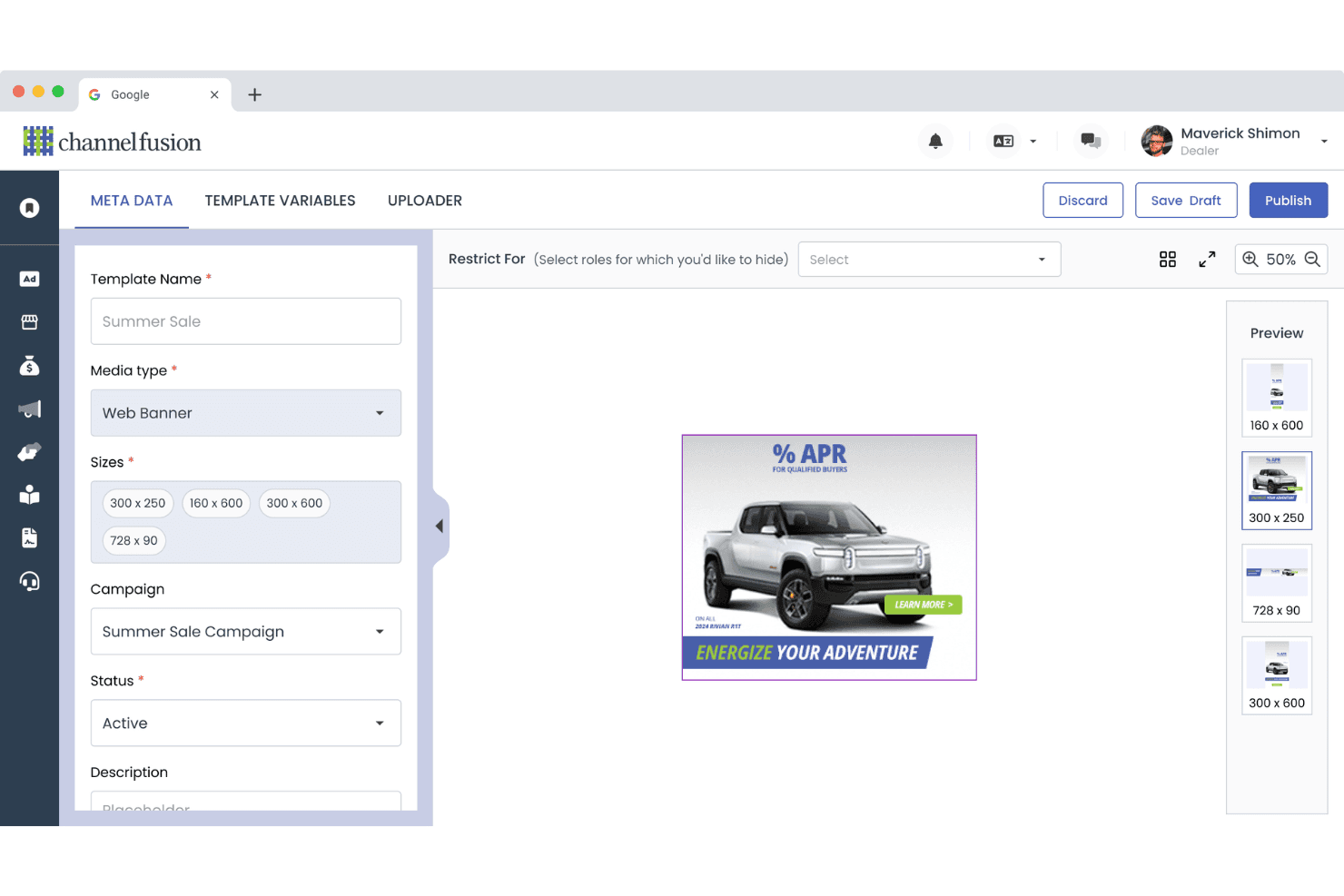
Channel Fusion supports Google Ads, Facebook and Instagram advertising, direct mail, radio, and other digital and offline marketing channels.
Channel Fusion also supports API and custom integrations with third-party providers.
Channel Fusion Specs
- A/B Testing: Yes
- API: Yes
- Audience Targeting: Yes
- BitCoin: Yes
- Brand Management: Yes
- Budgeting: Yes
- Calendar Management: Yes
- Conversion Tracking: Yes
- Dashboard: Yes
- Data Export: Yes
- Data Import: Yes
- Data Visualization: Yes
- External Integrations: Yes
- Forecasting: Yes
- Marketing Automation: Yes
- Multi-User: Yes
- Notifications: Yes
- PayPal: Yes
- Scheduling: Yes
- Social-Media Integration: Yes
- Stripe: Yes
- Third-Party Plugins/Add-Ons: Yes


