

Awario Review: Pros, Cons, Features, and Pricing Explained
Awario stands out for real-time social listening and competitive pricing, making it ideal for brands seeking actionable insights, though it may lack advanced analytics found in pricier tools.

We review tools independently, and commissions help fund our testing. See our transparency policy, our methodology, or suggest a tool.
Awario is a brand management software that tracks brand mentions across social media, news sites, blogs, and the web in real time. It's worth considering if your team needs to monitor what people are saying about your brand without committing to an enterprise-level platform. Compared to Brandwatch, Awario is far more accessible for mid-market budgets, while still giving you sentiment analysis, Boolean search filtering, and influencer tracking.
Awario Evaluation Summary
3.9/5
- From $29/user/month (billed annually)
- 7-day free trial
Why Trust Our Software Recommendations
6,700+
Reviews
20
Industry experts
16+
Evaluation factors
14
Years
Our team has been testing and reviewing software since 2012. As marketing leaders ourselves, we know how difficult—and important—it is to choose the right software.
For this guide, we evaluated tools using hands-on testing and independent research, scoring tools using our selection criteria.
Our reviews reflect our human editorial judgment, not a sales pitch.
Expert reviewers:
 Gui DrusinaCreative Director
- Shriya GhateSenior Marketing Lead
 Amanda JacquesMarketing Ops Leader

Awario Overview
If you’re judging Awario against other brand management software, I think you’ll find its real-time monitoring, flexible pricing, and intuitive interface set it apart for small to midsize teams. The onboarding is quick, and the dashboard makes tracking mentions easy, even for new users. While its analytics aren’t as deep as some higher-end tools, and integrations are somewhat limited, Awario’s value shines for brands focused on social listening and reputation management.
I’d suggest it’s best for teams who want actionable insights without a steep learning curve or enterprise-level costs.
Pros
- You get real-time alerts for brand mentions, letting you react quickly.
- Awario's sentiment analysis helps your team understand public perception.
- It offers in-depth analytics that guide your PR strategies.
Cons
- The interface can feel cluttered, which might slow down your workflow.
- Some users find the initial setup a bit complex.
- You might experience occasional delays in data updates.
Is Awario Right For Your Needs?
Who Would be a Good Fit for Awario?
Awario is great for small to medium businesses and digital marketing teams focused on brand management. If your team needs real-time alerts and sentiment analysis to quickly respond to public perception, Awario’s capabilities will serve you well. PR departments will also find its in-depth analytics valuable for shaping strategies and improving brand awareness. You’ll appreciate Awario if you’re looking for a tool that offers comprehensive insights without breaking the bank.
- Small BusinessesAwario’s cost-effective analytics make it a smart choice for small businesses aiming to boost brand awareness.
- Digital Marketing TeamsYour team can leverage Awario’s real-time alerts to stay ahead in fast-paced digital campaigns.
- PR DepartmentsUse Awario’s sentiment analysis and in-depth reports to guide your PR strategies effectively.
- E-commerceTrack customer feedback and product mentions with Awario to improve your online reputation.
- StartupsAwario provides startups with the tools needed to monitor brand growth and manage public perception.
- AgenciesAgencies can use Awario to offer clients detailed brand monitoring and competitive analysis.
Who Would be a Bad Fit for Awario?
Awario might not suit large enterprises with complex brand monitoring needs. If your team requires advanced customization or highly detailed data analysis, Awario’s current feature set may fall short. Industries that demand extensive integrations with multiple platforms might also find limitations. If your primary focus is on highly specific niche markets, Awario’s broad approach may not provide the depth you need.
- Large EnterprisesAwario’s feature set may not offer the advanced customization needed for complex corporate monitoring.
- Tech GiantsIf your company relies on extensive integrations, Awario’s limitations might hinder your operations.
- Specialized IndustriesIndustries needing niche-specific insights might find Awario’s broad analysis insufficient.
- Financial InstitutionsAwario doesn’t provide the detailed data analysis often required in the financial sector.
- Government AgenciesAgencies requiring high security and specialized data handling might not find Awario suitable.
- Healthcare OrganizationsIf you need compliance with strict data privacy standards, Awario might not meet your requirements.
How We Test & Score Tools
We’ve spent years building, refining, and improving our software testing and scoring system. The rubric is designed to capture the nuances of software selection and what makes a tool effective, focusing on critical aspects of the decision-making process.
Below, you can see exactly how our testing and scoring works across seven criteria. It allows us to provide an unbiased evaluation of the software based on core functionality, standout features, ease of use, onboarding, customer support, integrations, customer reviews, and value for money.
Core Functionality (25% of final scoring)
The starting point of our evaluation is always the core functionality of the tool. Does it have the basic features and functions that a user would expect to see? Are any of those core features locked to higher-tiered pricing plans? At its core, we expect a tool to stand up against the baseline capabilities of its competitors.
Standout Features (25% of final scoring)
Next, we evaluate uncommon standout features that go above and beyond the core functionality typically found in tools of its kind. A high score reflects specialized or unique features that make the product faster, more efficient, or offer additional value to the user.
We also evaluate how easy it is to integrate with other tools typically found in the tech stack to expand the functionality and utility of the software. Tools offering plentiful native integrations, 3rd party connections, and API access to build custom integrations score best.
Ease of Use (10% of final scoring)
We consider how quick and easy it is to execute the tasks defined in the core functionality using the tool. High scoring software is well designed, intuitive to use, offers mobile apps, provides templates, and makes relatively complex tasks seem simple.
Onboarding (10% of final scoring)
We know how important rapid team adoption is for a new platform, so we evaluate how easy it is to learn and use a tool with minimal training. We evaluate how quickly a team member can get set up and start using the tool with no experience. High scoring solutions indicate little or no support is required.
Customer Support (10% of final scoring)
We review how quick and easy it is to get unstuck and find help by phone, live chat, or knowledge base. Tools and companies that provide real-time support score best, while chatbots score worst.
Customer Reviews (10% of final scoring)
Beyond our own testing and evaluation, we consider the net promoter score from current and past customers. We review their likelihood, given the option, to choose the tool again for the core functionality. A high scoring software reflects a high net promoter score from current or past customers.
Value for Money (10% of final scoring)
Lastly, in consideration of all the other criteria, we review the average price of entry level plans against the core features and consider the value of the other evaluation criteria. Software that delivers more, for less, will score higher.
Core Features
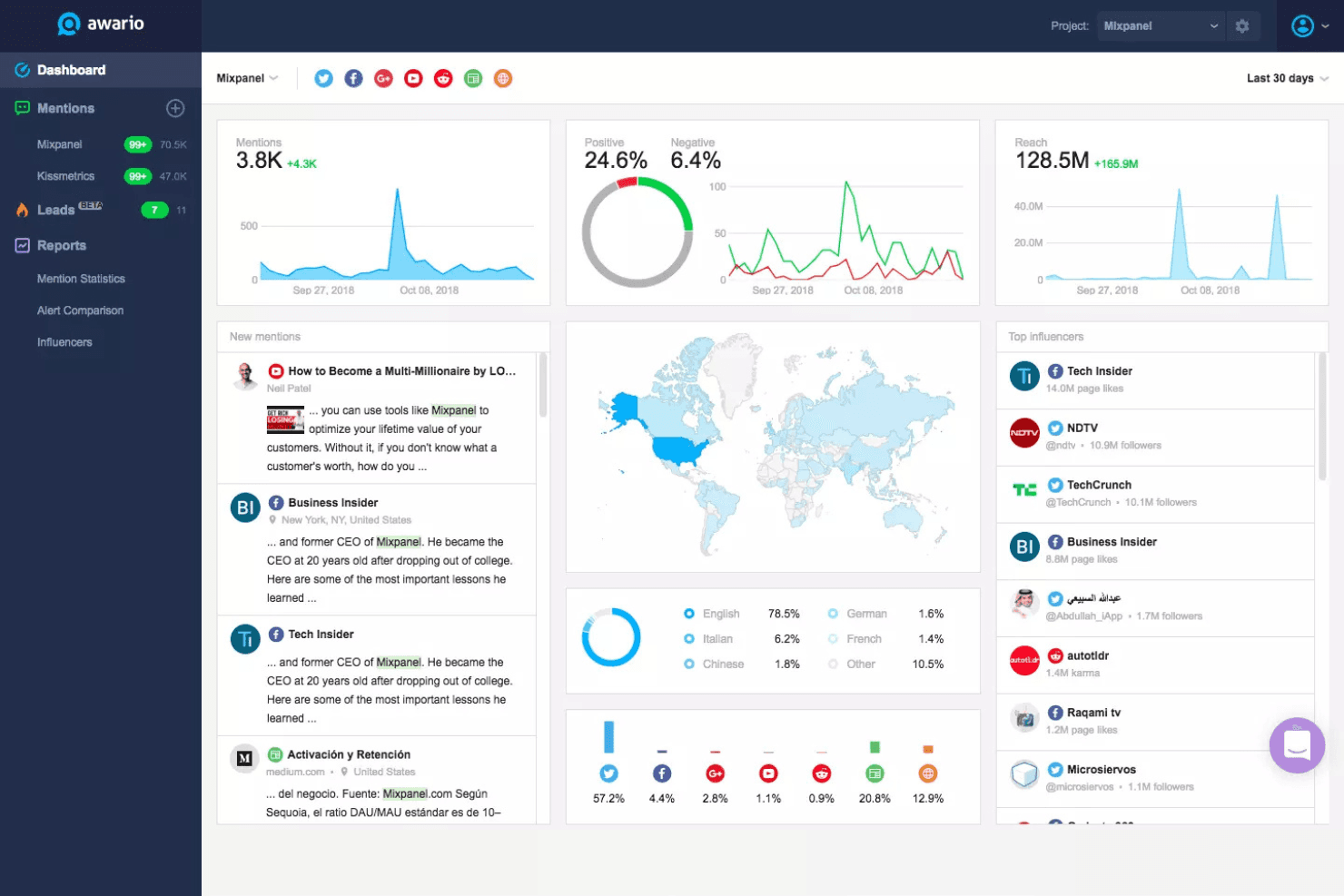
Real-Time Mention Monitoring
Track brand mentions instantly across social media, news, blogs, and the web. Get notified as soon as your brand is discussed online.
Boolean Search
Build custom queries to filter and pinpoint relevant conversations. This lets you monitor specific keywords, phrases, or competitor names with precision.
Sentiment Analysis
Automatically categorize mentions as positive, negative, or neutral. Spot reputation risks or celebrate wins by tracking sentiment trends over time.
Influencer Identification
Find and evaluate influential users talking about your brand or industry. Awario highlights top authors so you can prioritize outreach.
Shareable Reports
Generate visual, exportable reports to share insights with your team or clients. Reports include mention volume, reach, sentiment, and top sources.
Multi-Language Monitoring
Monitor mentions in multiple languages to track your brand globally. This helps international teams stay on top of conversations in any market.
Standout Features
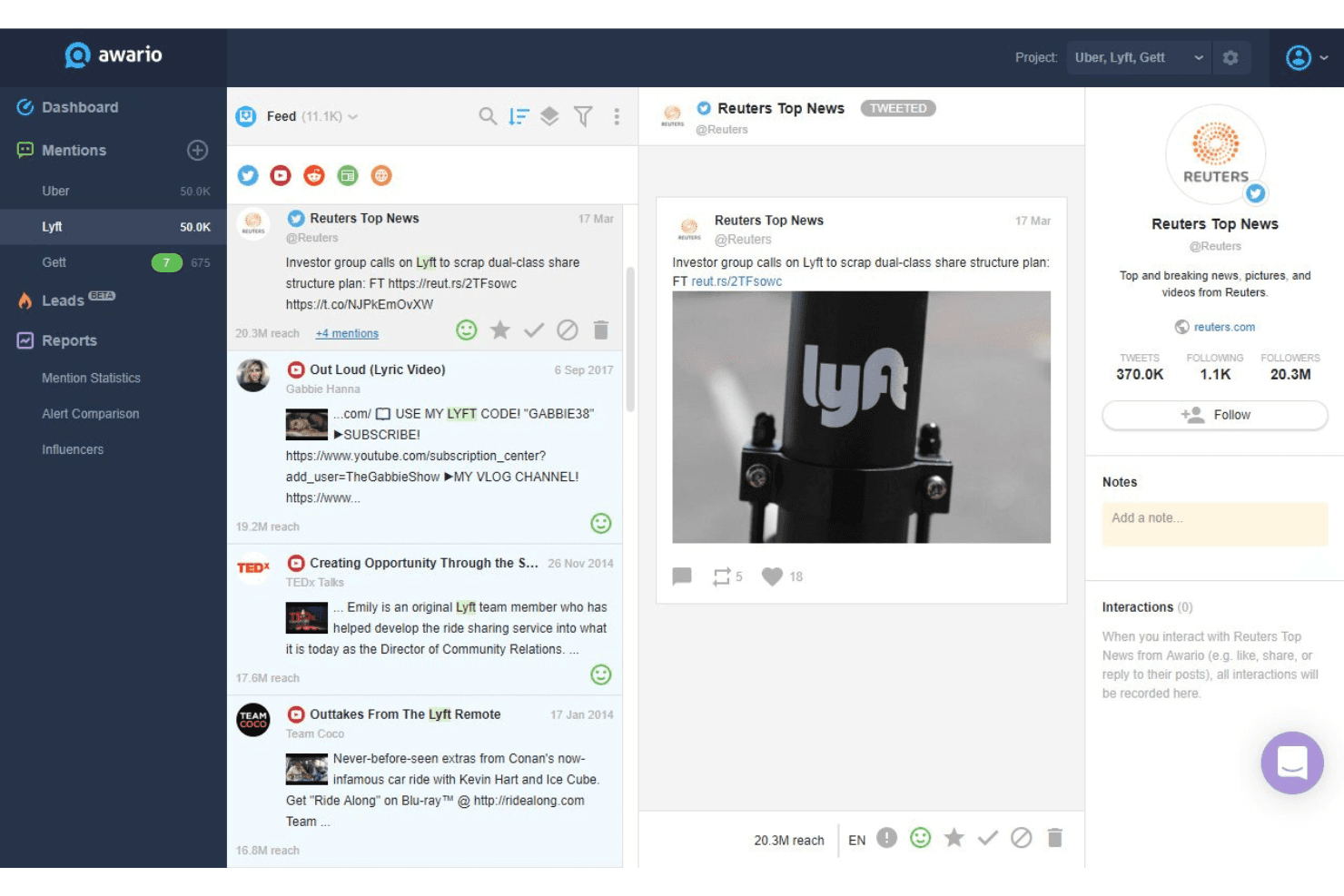
Awario Leads
Awario Leads automatically finds social posts where users are asking for product recommendations or complaining about competitors. This helps you discover sales opportunities and engage with potential customers in real time.
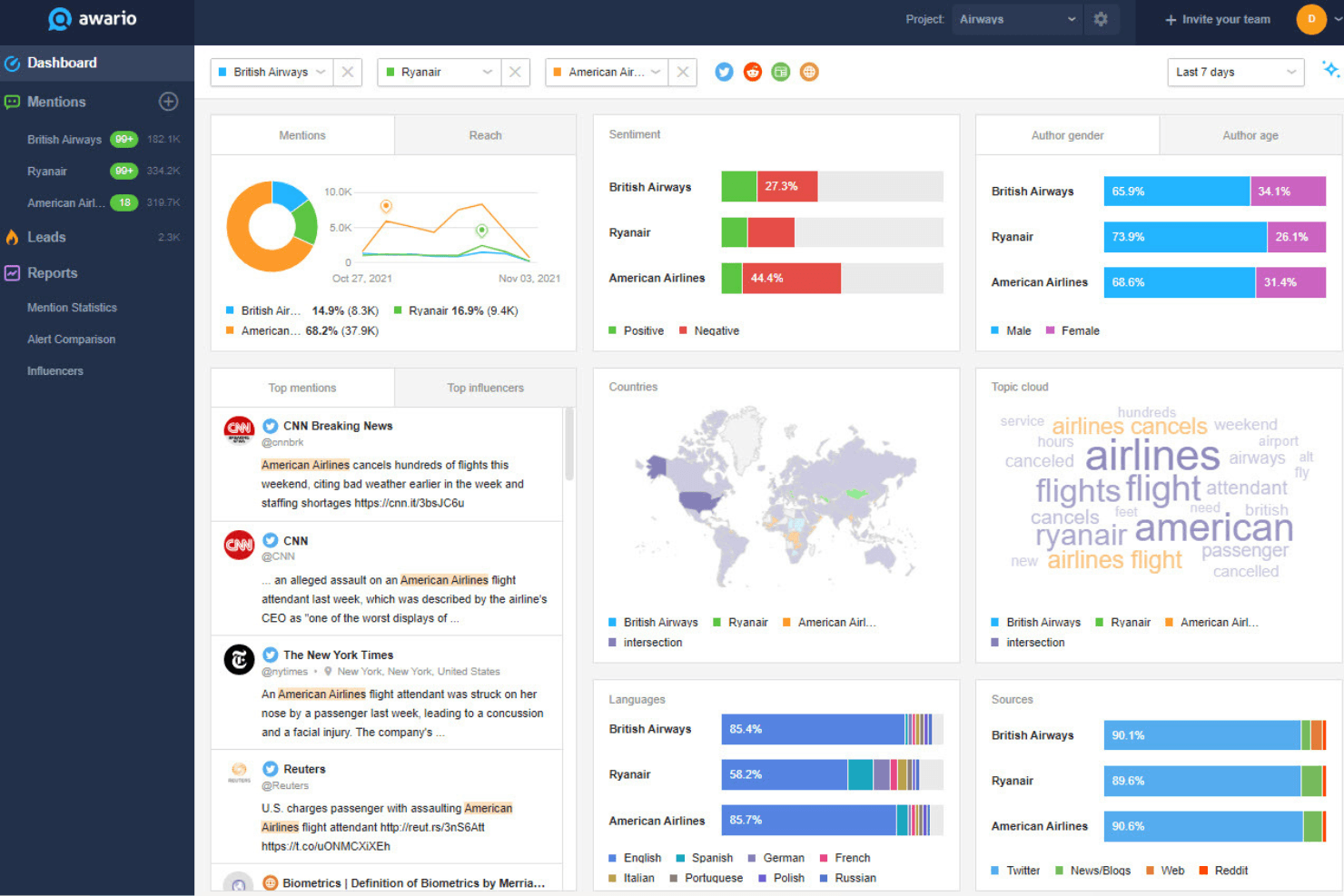
Topic Cloud
Topic Cloud visualizes the most popular keywords and themes from your brand’s mentions. You can quickly spot trending topics and adjust your messaging or campaigns based on what’s resonating.
Ease of Use
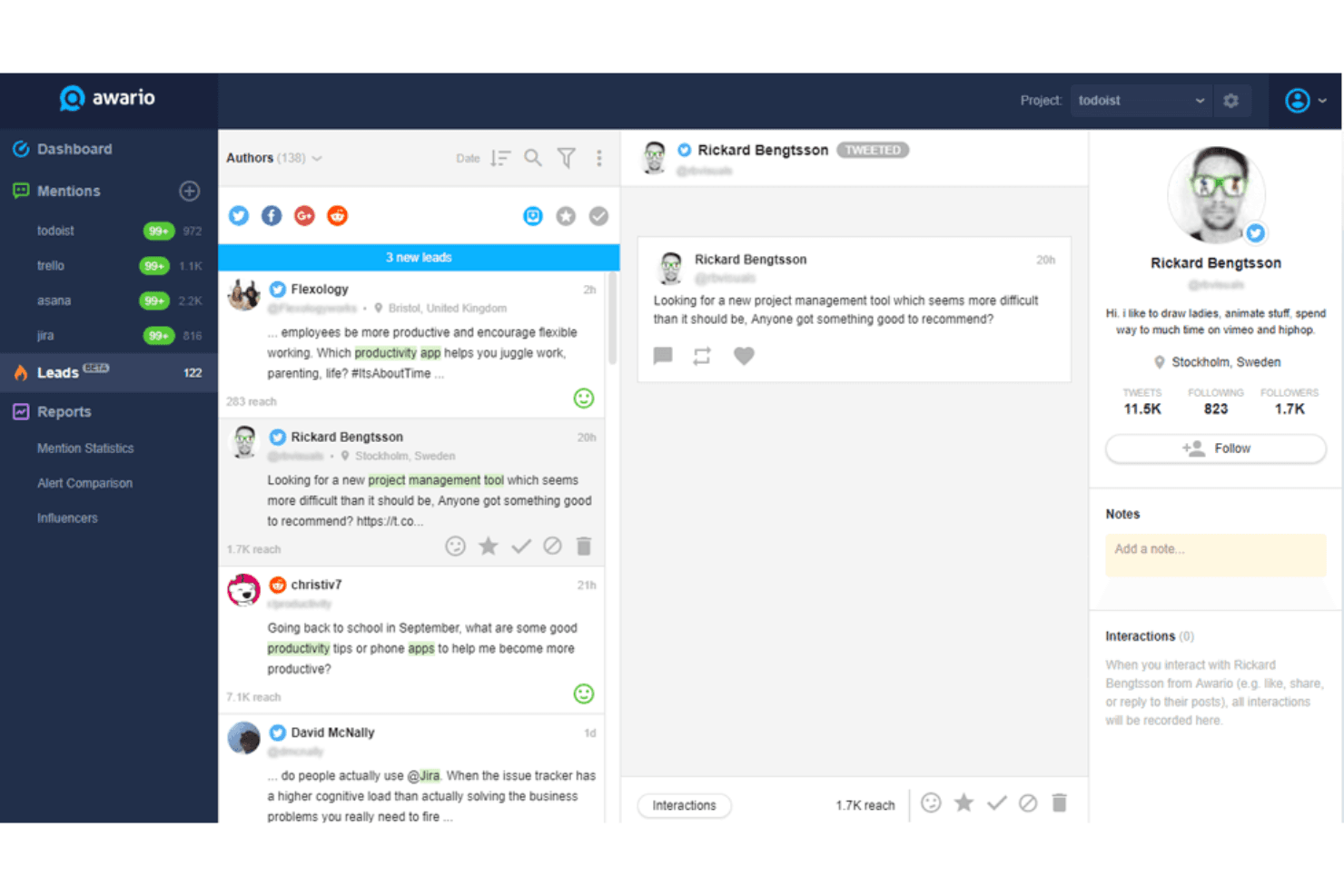
Awario is straightforward to set up and navigate, with a clean dashboard that makes tracking mentions and sentiment simple for new users. Most users say the interface feels intuitive, and features like Boolean search and instant alerts are easy to configure.
While some advanced analytics require a bit of exploration, I think most teams will find Awario’s usability strong, especially for daily monitoring and quick reporting without a steep learning curve.
Onboarding
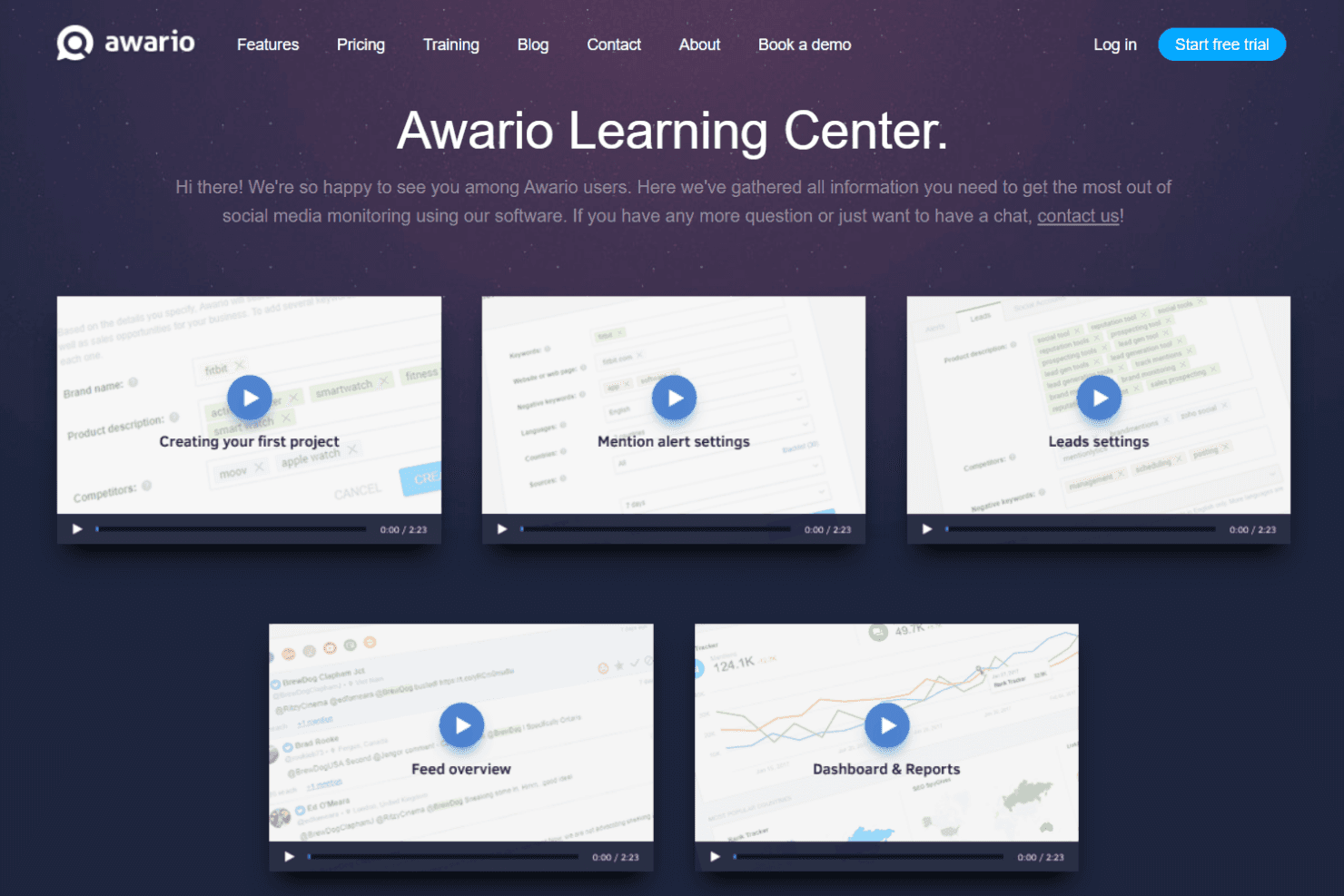
Awario’s onboarding is quick, with guided setup steps and helpful tooltips that walk you through creating your first alerts. Most users report getting value within the first day, thanks to clear documentation, video tutorials, and responsive live chat support. I think the combination of in-app guidance and accessible help resources makes it easy for new users to start monitoring their brand and understanding the platform’s core features right away.
Customer Support
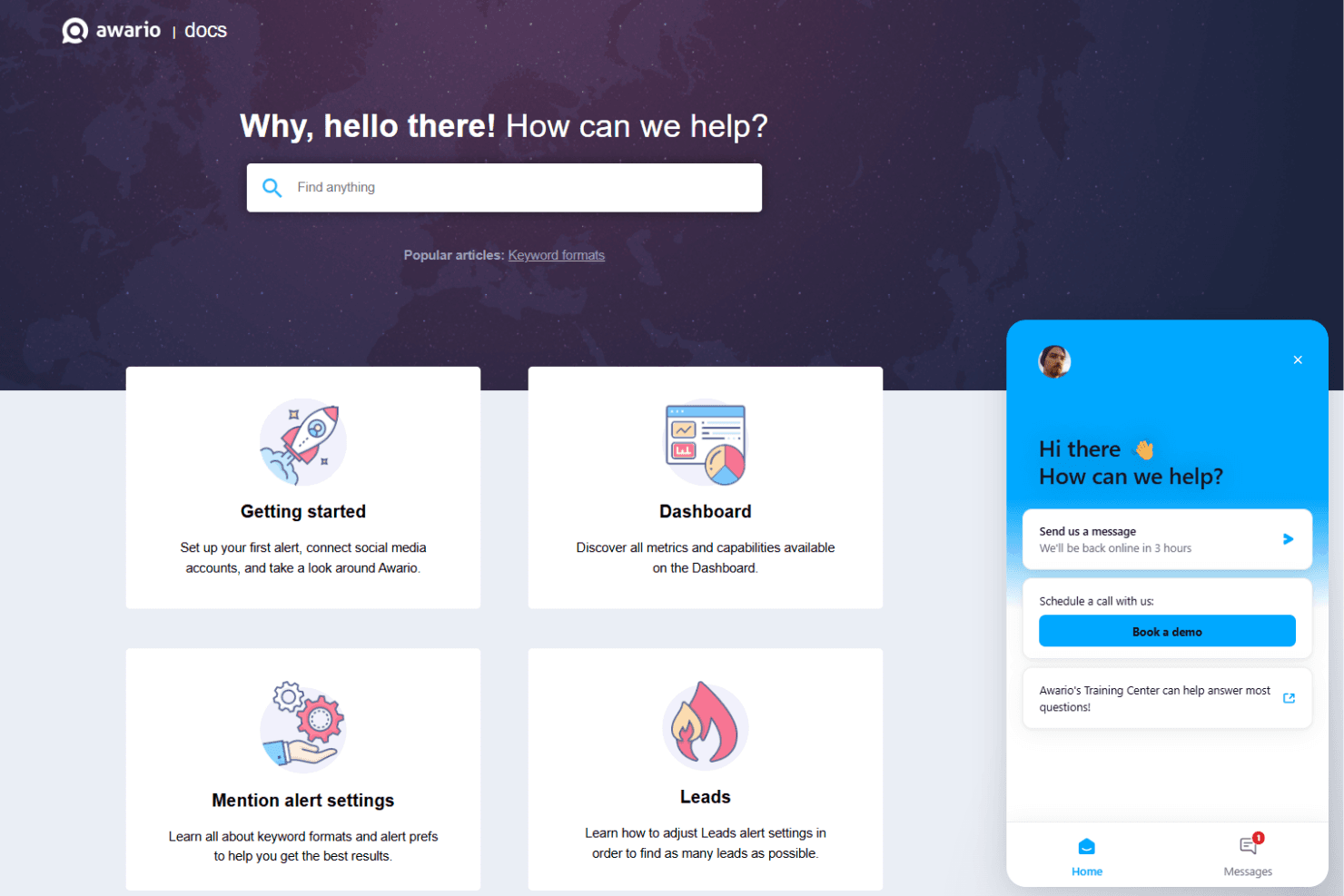
Awario offers responsive customer support through live chat and email, with most users noting quick, helpful replies from the team. The help center is well-organized, offering guides and FAQs that address common questions. I think the availability of real-time assistance and thorough documentation means users rarely feel stuck, and support is accessible whether you’re troubleshooting or just learning the platform.
Integrations
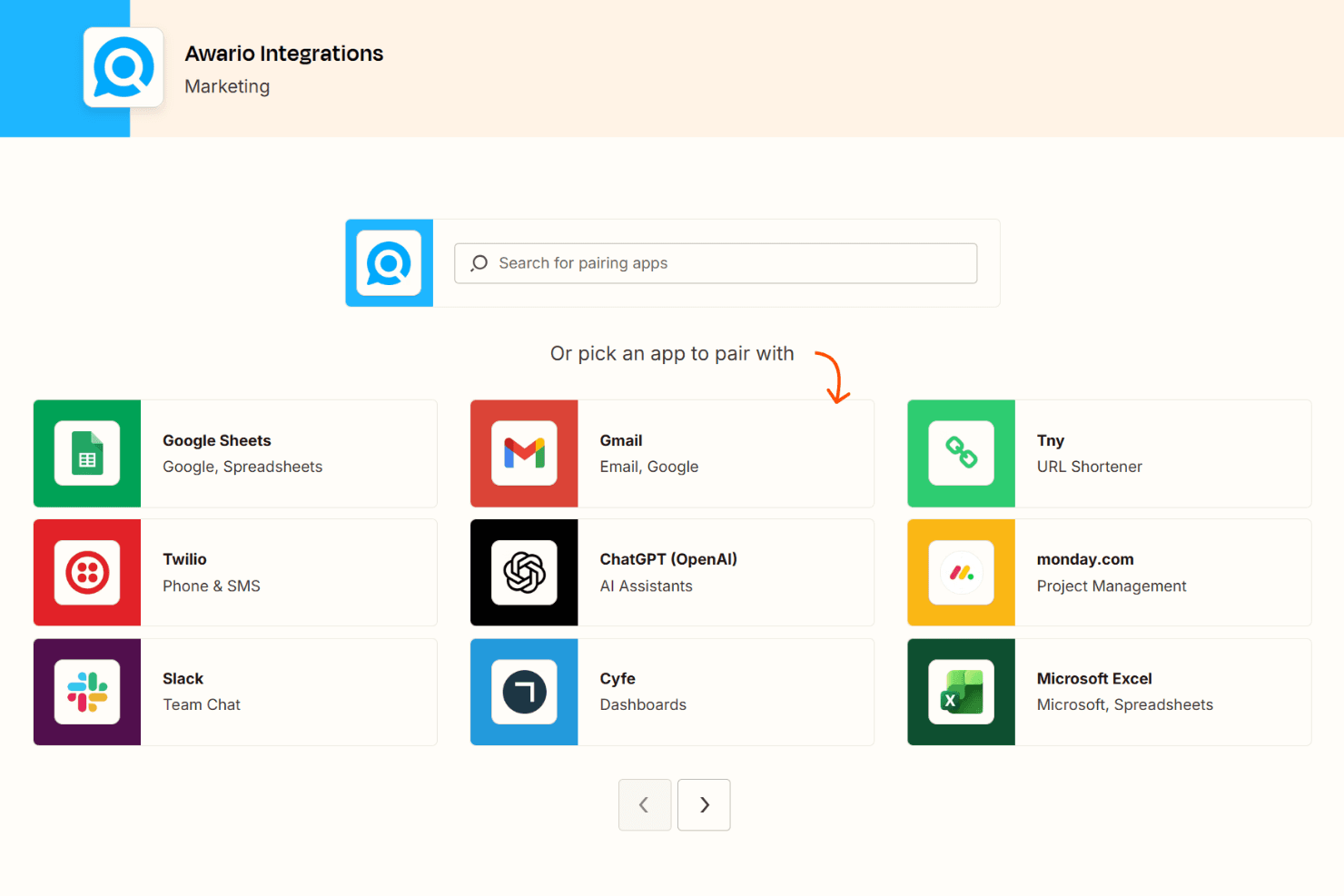
Awario integrates with Slack, Twitter, Facebook, Instagram, YouTube, Reddit, Vimeo, news sites, blogs, and web forums.
Awario also offers an API for custom integrations, but does not connect with third-party integration tools like Zapier.
Value for Money
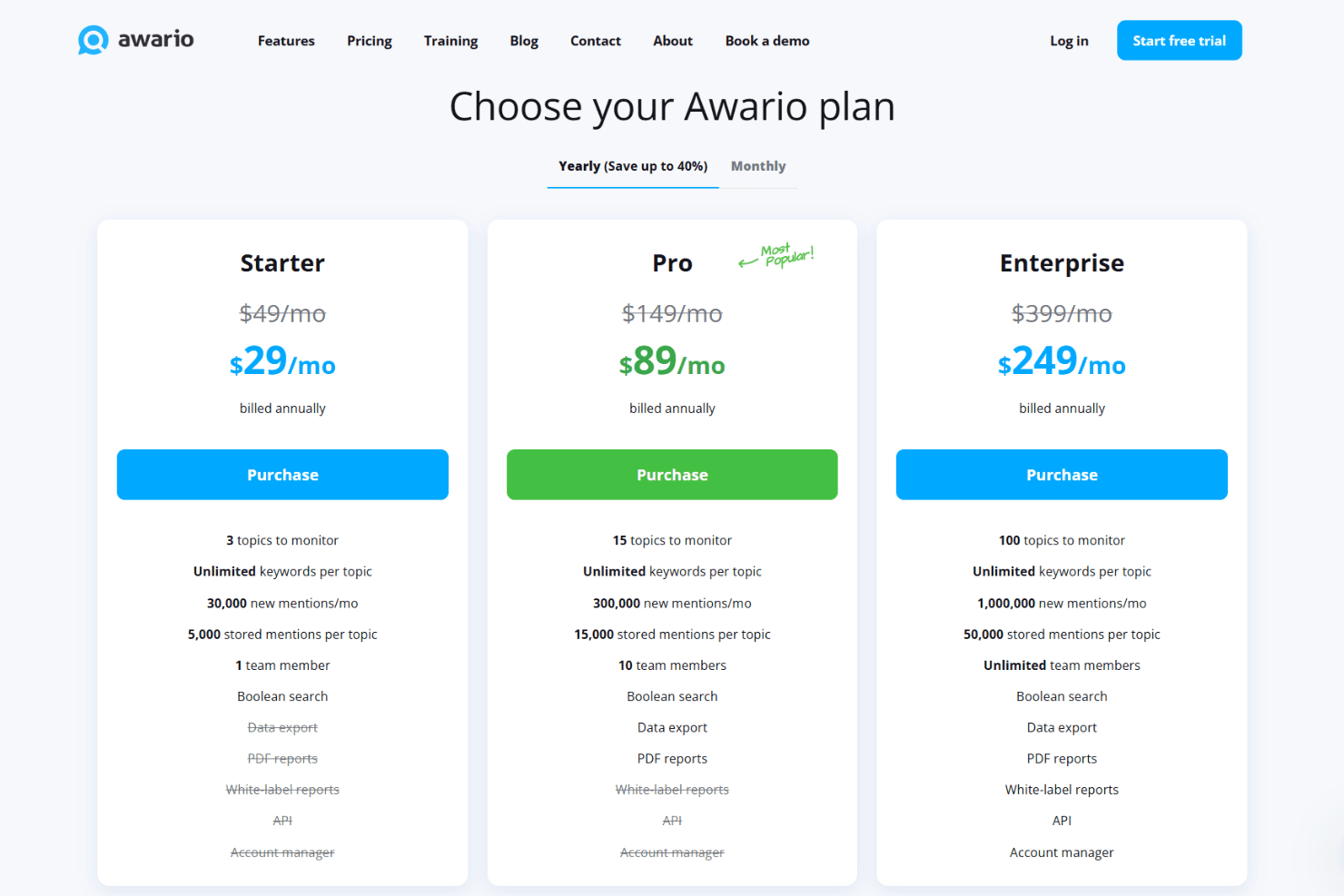
Awario is seen as affordable for small businesses and agencies, with flexible plans that scale as your monitoring needs grow. Users appreciate transparent pricing, no hidden fees, and access to core features even on entry-level plans, making it a practical choice for teams that want real-time monitoring without a big investment.
- Starter: Basic monitoring for a single user; limited alerts and mentions.
- Pro: Adds more alerts, higher mention limits, and multi-user access.
- Enterprise: Unlimited users, maximum alerts and mentions, and advanced reporting features.
Awario Specs
- A/B Testing: No
- Analytics: Yes
- API: Yes
- Audience Targeting: No
- Automated Conversion: No
- Batch Permissions & Access: No
- Behavioral Tracking: No
- Brand Management: Yes
- Campaign Management: Yes
- Contact Management: No
- Contact Sharing: No
- Conversion Tracking: Yes
- CRM Integration: No
- Customer Management: No
- Dashboards: Yes
- Data Export: Yes
- Data Import: Yes
- Email Integration: No
- External Integrations: Yes
- Keyword Tracking: Yes
- Landing Pages: No
- Lead Management: No
- Lead Scoring: No
- Link Tracking: No
- Marketing Automation: No
- Multi-User: Yes
- Notifications: Yes
- Password & Access Management: No
- Social-Media Integration: Yes
Awario FAQs
Awario Company Overview & History
Awario is a brand monitoring and social listening software company that helps businesses track online conversations across social media, news, blogs, and the web. The company is headquartered in Belarus, though its website does not specify the exact city or workforce size. Awario operates as a standalone product and does not publicly list affiliations with other companies or a broader product suite. Notable clients include Sulit.ph, Design & Develop, Content Amplified, and UpJourney, as highlighted in their case studies and testimonials. Financial details such as valuation, earnings, or stock information are not publicly available.
Awario Major Milestones
- 2015: Awario was founded and launched as a brand monitoring tool.
- 2017: Introduced advanced features like Boolean search and sentiment analysis.
- 2019: Released Awario Leads for social selling and sales opportunity discovery.
- 2021: Expanded integrations and API capabilities for enterprise users.
- 2023: Featured in industry publications and expanded global client base.