

adtribute Review: Pros, Cons, Key Features and Pricing for 2026
adtribute combines first-party tracking, customizable attribution, and marketing analytics for ecommerce and lead-generation businesses. Find out if it’s the right fit in my expert review.

We review tools independently, and commissions help fund our testing. See our transparency policy, our methodology, or suggest a tool.
Every ad platform seems eager to take credit for a conversion, but which channels are actually driving revenue? Between fragmented customer journeys and unreliable tracking, knowing where to spend your next marketing dollar isn't always straightforward.
adtribute is a marketing attribution software designed for ecommerce and lead-generation teams that need reliable insights into campaign performance. It combines first-party tracking, customizable attribution models, and tailored reporting to help marketers understand customer journeys, measure ROI, and make informed budget decisions. A dedicated data team also handles setup and ongoing customization.
In this detailed review, I'll examine adtribute's features, pricing, and limitations to help you decide whether it's the right fit for your marketing needs.
adtribute Evaluation Summary
4.8/5
- From €449/month
- Free demo available
Why Trust Our Software Recommendations
6,700+
Reviews
20
Industry experts
16+
Evaluation factors
14
Years
Our team has been testing and reviewing software since 2012. As marketing leaders ourselves, we know how difficult—and important—it is to choose the right software.
For this guide, we evaluated tools using hands-on testing and independent research, scoring tools using our selection criteria.
Our reviews reflect our human editorial judgment, not a sales pitch.
Expert reviewers:
 Gui DrusinaCreative Director
- Shriya GhateSenior Marketing Lead
 Amanda JacquesMarketing Ops Leader

adtribute Overview
In my opinion, adtribute stands out for its customizable approach to marketing attribution and analytics. Its Data Advantage approach combines first-party tracking, flexible attribution models, tailored BI dashboards, and data activation to help marketing teams make informed budget decisions. I particularly like the dedicated data-team support and AI-powered analysis through adtribute MCP, which make complex reporting easier to manage. However, its higher pricing and guided setup may not appeal to teams looking for a simple, self-serve solution.
Pros
- First-party tracking connects customer journeys across devices, browsers, and presale pages for accurate attribution.
- Custom attribution models support flexible lookback windows and channel-specific rules to reflect complex customer journeys.
- Dedicated data analysts build tailored reports, configure dashboards, and provide ongoing support without requiring developers.
Cons
- No self-serve onboarding; every customer must complete a guided setup process.
- Extensive customization options have a learning curve, often requiring assistance from the dedicated data team.
- No Google Ads Manager Chrome extension to view attribution data directly within the ad platform.


How We Test & Score Tools
We’ve spent years building, refining, and improving our software testing and scoring system. The rubric is designed to capture the nuances of software selection and what makes a tool effective, focusing on critical aspects of the decision-making process.
Below, you can see exactly how our testing and scoring works across seven criteria. It allows us to provide an unbiased evaluation of the software based on core functionality, standout features, ease of use, onboarding, customer support, integrations, customer reviews, and value for money.
Core Functionality (25% of final scoring)
The starting point of our evaluation is always the core functionality of the tool. Does it have the basic features and functions that a user would expect to see? Are any of those core features locked to higher-tiered pricing plans? At its core, we expect a tool to stand up against the baseline capabilities of its competitors.
Standout Features (25% of final scoring)
Next, we evaluate uncommon standout features that go above and beyond the core functionality typically found in tools of its kind. A high score reflects specialized or unique features that make the product faster, more efficient, or offer additional value to the user.
We also evaluate how easy it is to integrate with other tools typically found in the tech stack to expand the functionality and utility of the software. Tools offering plentiful native integrations, 3rd party connections, and API access to build custom integrations score best.
Ease of Use (10% of final scoring)
We consider how quick and easy it is to execute the tasks defined in the core functionality using the tool. High scoring software is well designed, intuitive to use, offers mobile apps, provides templates, and makes relatively complex tasks seem simple.
Onboarding (10% of final scoring)
We know how important rapid team adoption is for a new platform, so we evaluate how easy it is to learn and use a tool with minimal training. We evaluate how quickly a team member can get set up and start using the tool with no experience. High scoring solutions indicate little or no support is required.
Customer Support (10% of final scoring)
We review how quick and easy it is to get unstuck and find help by phone, live chat, or knowledge base. Tools and companies that provide real-time support score best, while chatbots score worst.
Customer Reviews (10% of final scoring)
Beyond our own testing and evaluation, we consider the net promoter score from current and past customers. We review their likelihood, given the option, to choose the tool again for the core functionality. A high scoring software reflects a high net promoter score from current or past customers.
Value for Money (10% of final scoring)
Lastly, in consideration of all the other criteria, we review the average price of entry level plans against the core features and consider the value of the other evaluation criteria. Software that delivers more, for less, will score higher.
Core Features
First-Party Tracking and Identity Resolution
adtribute uses client- and server-side first-party tracking to capture purchases and leads, with advanced custom event tracking available as an add-on. It connects customer activity across devices, browsers, and domains, including advertorial and presale pages, giving your team a clearer view of conversion journeys that browser restrictions and ad blockers might otherwise disrupt.
Cross-Channel Attribution Dashboards
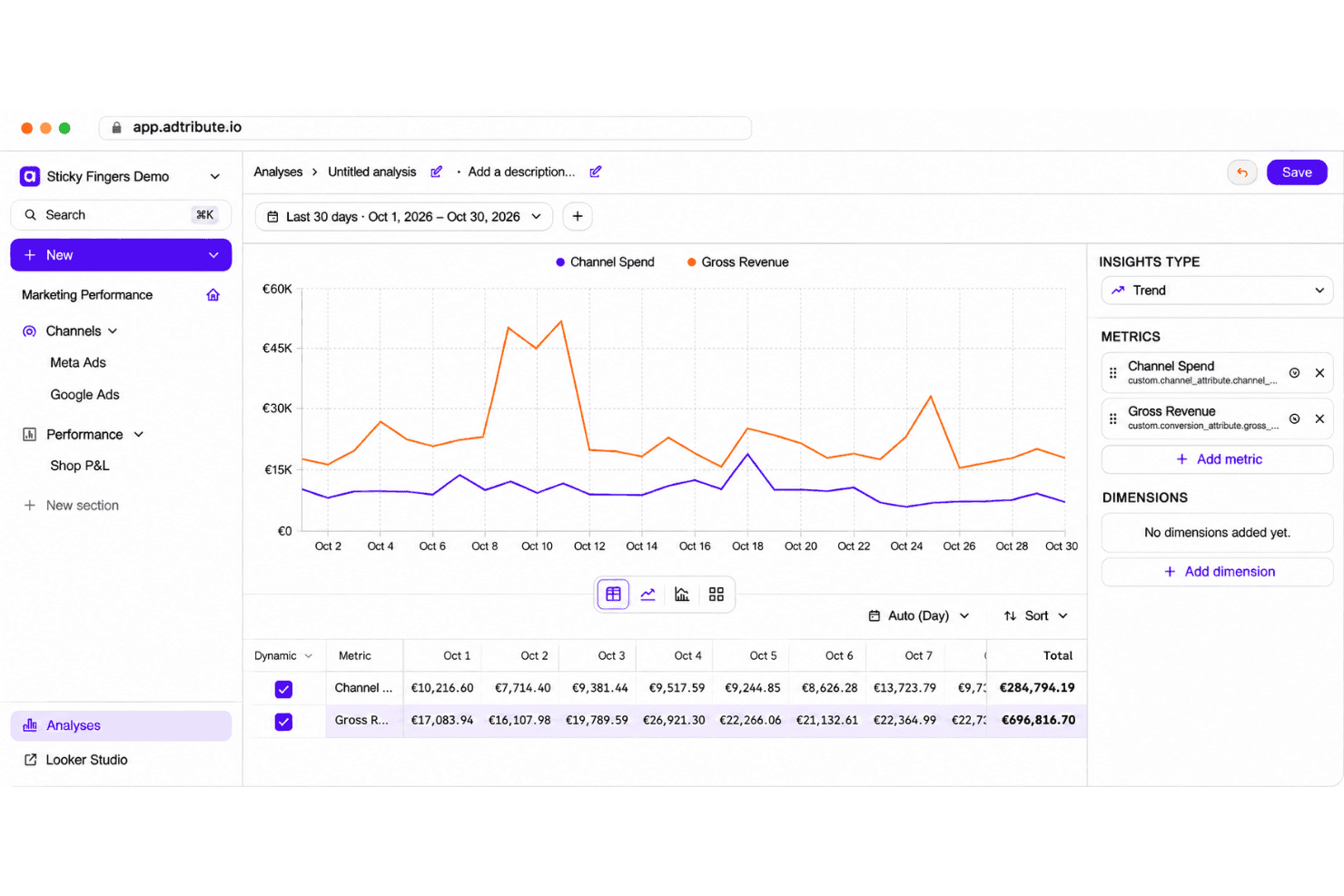
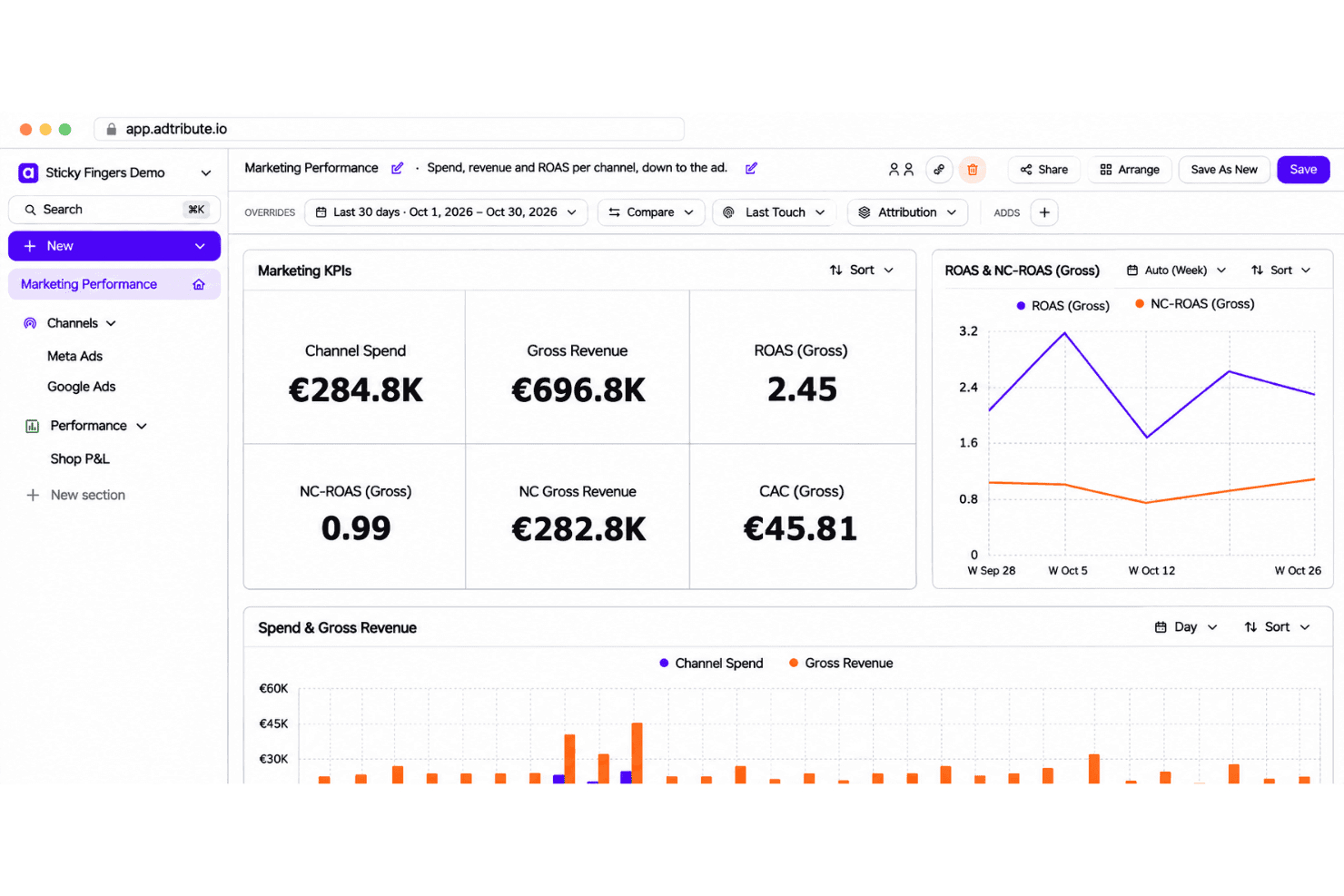
Compare attributed revenue, ROAS, CPA, and CAC across marketing channels, campaigns, and individual ads using dashboards that refresh every 30 minutes. Your team can evaluate channel performance, identify effective campaigns, and make informed advertising budget decisions.
Customer Journey and Landing Page Analytics
Journey analytics connect customer touchpoints across advertising channels, landing pages, and purchase paths to reveal how conversions happen. Your team can examine which pages and interactions contribute to sales and identify opportunities to improve campaign performance.
Custom BI Dashboards
Pre-built and customizable dashboards combine marketing performance with revenue, profitability, product, and customer data. Your team can create reports using specific metrics and dimensions to evaluate campaign profitability, customer retention, and business performance.
Semantic Layer
adtribute's semantic layer keeps metric definitions consistent across dashboards, exports, and AI analysis, with a simple formula builder included in Attribution. The Insights plan adds advanced SQL calculations, margin structures, and target setting, helping marketing teams evaluate performance using consistent business metrics.
Marketing Integrations and Data Activation
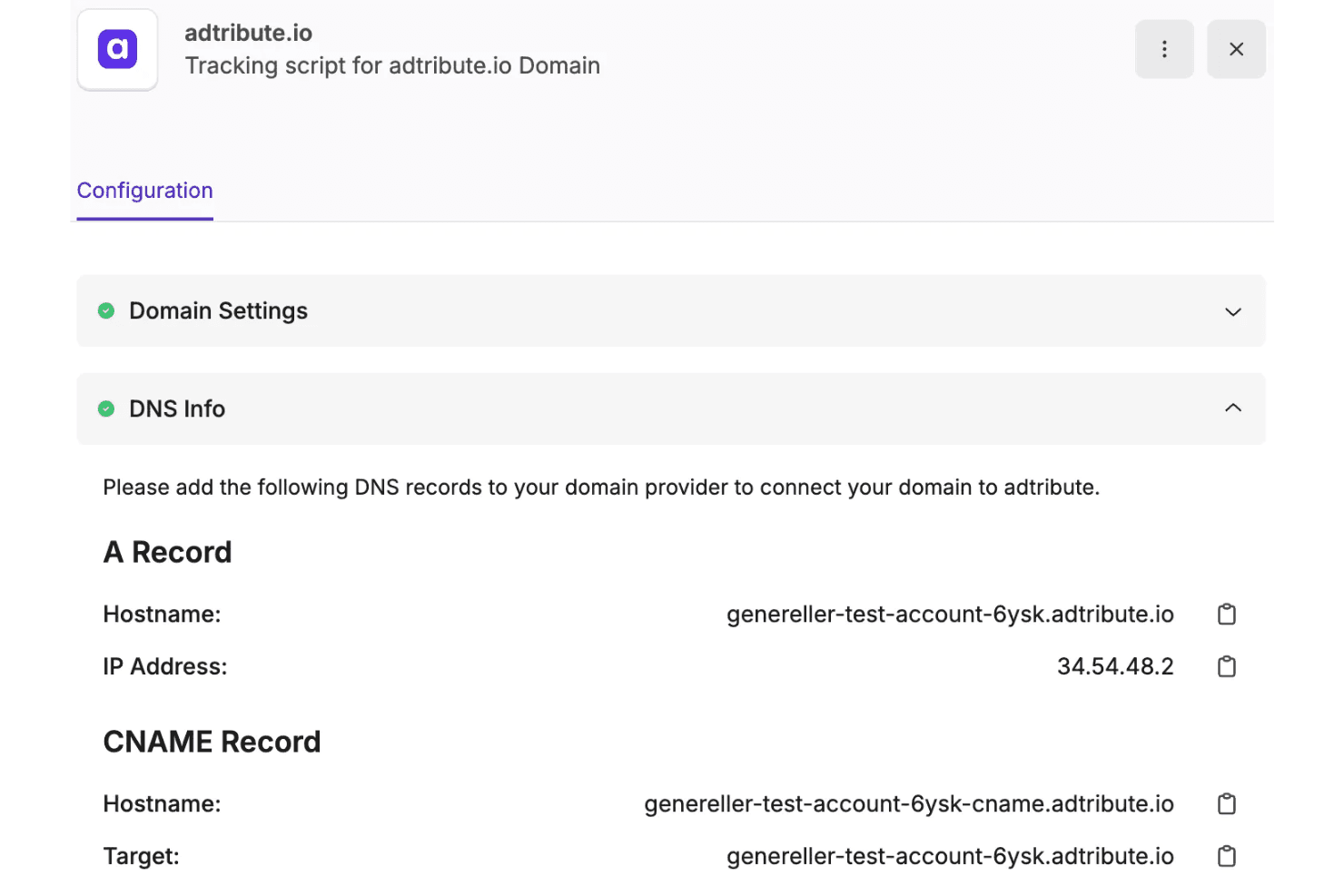
adtribute integrates with Shopify, WooCommerce, Shopware, Meta Ads, Google Ads, TikTok Ads, and other platforms to connect advertising and sales data. Through its Actions add-on, your team can send conversion events back to ad platforms, sync abandoned-cart activity to Klaviyo, and automate exports to Google Sheets and BigQuery to put attribution insights into action.
Ease of Use
adtribute gives you plenty of room to customize your reporting, but all that flexibility takes some getting used to. Between attribution rules, custom metrics, and dashboards, there's a learning curve if you want to make changes yourself. Thankfully, you don't have to figure everything out alone, as the data team can handle configurations while you focus on interpreting the numbers.
Integrations
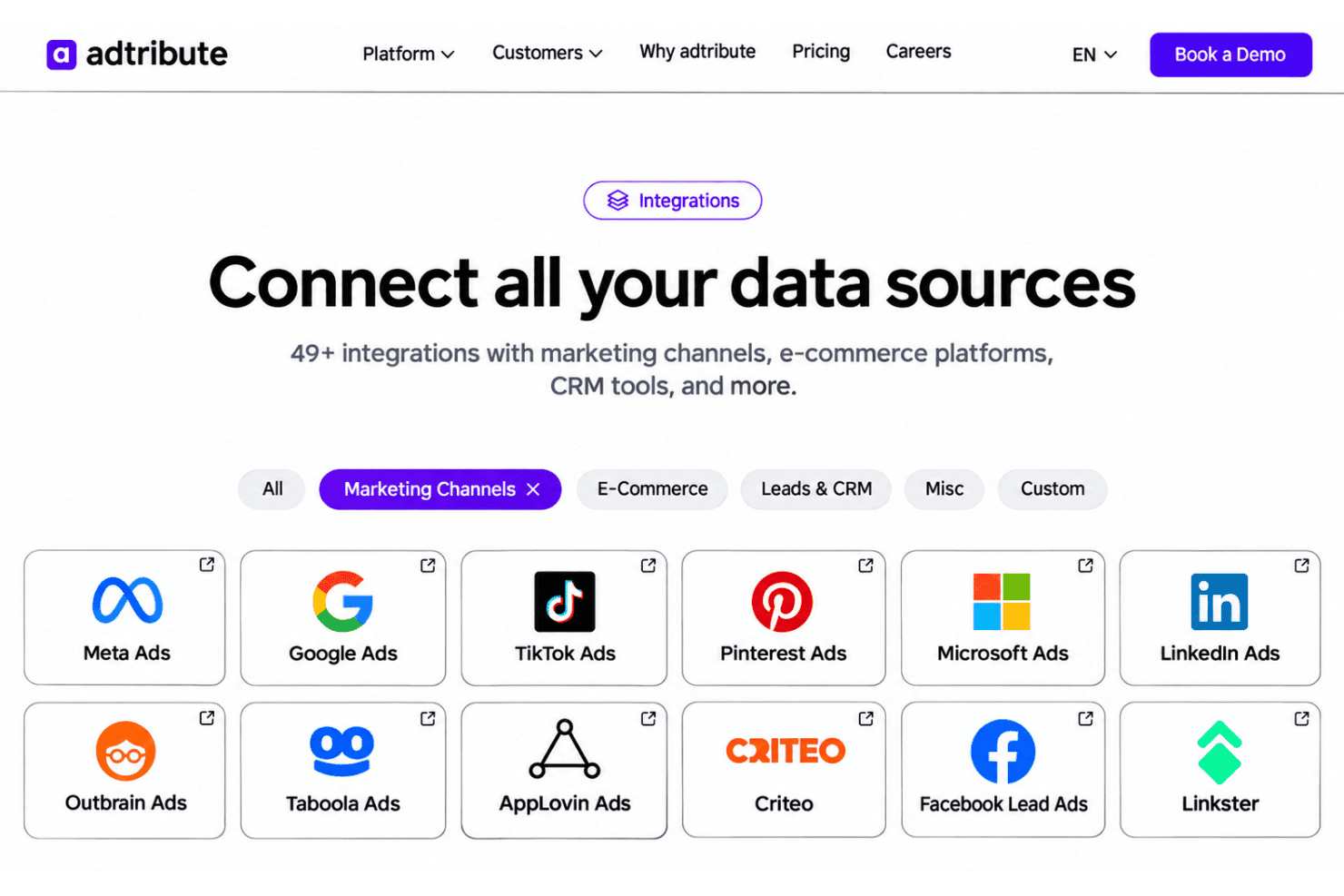
adtribute integrates with Meta Ads, Google Ads, TikTok Ads, Pinterest Ads, Microsoft Ads, LinkedIn Ads, Shopify, WooCommerce, Klaviyo, and Taboola, among others. It also offers REST APIs for tracking and querying attribution data, giving marketing teams flexibility to build custom data workflows.
adtribute Specs
- API: Yes
- Audience Targeting: Yes
- Brand Management: No
- Conversion Tracking: Yes
- Data Export: Yes
- Data Import: Yes
- External Integrations: Yes
- Keyword Tracking: Yes
- Lead Management: No
- Lead Scoring: No
- Link Tracking: Yes
- Marketing Automation: Yes
- Multi-User: Yes
- Net Promoter Score: No
- Notifications: Yes
- Social-Media Integration: Yes


