
Wrike-recension: För- och nackdelar, funktioner och prissättning
Wrike utmärker sig med sina anpassningsbara arbetsflöden, vilket gör plattformen till ett mångsidigt val för team som söker skräddarsydda lösningar för projektledning.

We review tools independently, and commissions help fund our testing. See our transparency policy, our methodology, or suggest a tool.
Wrike is a marketing resource management software built for marketing teams that need to plan campaigns, manage creative workflows, and track resource allocation across multiple projects at once. I'd consider it most seriously if you're moving away from a tool like Adobe Workfront—Wrike gives you similar cross-functional visibility and project tracking depth without the heavy implementation lift or enterprise price tag that comes with it.
Wrike Evaluation Summary
4.3/5
- From $10/user/month (billed annually)
- 14-day free trial
Varför du kan lita på våra programvarurekommendationer
6,700+
Reviews
20
Industry experts
16+
Evaluation factors
14
Years
Vårt team har testat och recenserat programvara sedan 2012. Som marknadsföringsledare själva vet vi hur svårt — och viktigt — det är att välja rätt programvara.
För den här guiden utvärderade vi verktyg genom praktisk testning och oberoende research, och betygsatte verktygen enligt våra urvalskriterier.
Våra recensioner speglar vårt mänskliga redaktionella omdöme, inte ett säljbudskap.
Expertgranskare:
 Gui DrusinaKreativ direktör
- Shriya GhateSenior Marketing Lead
 Amanda JacquesMarketing Ops Leader

Wrike Overview
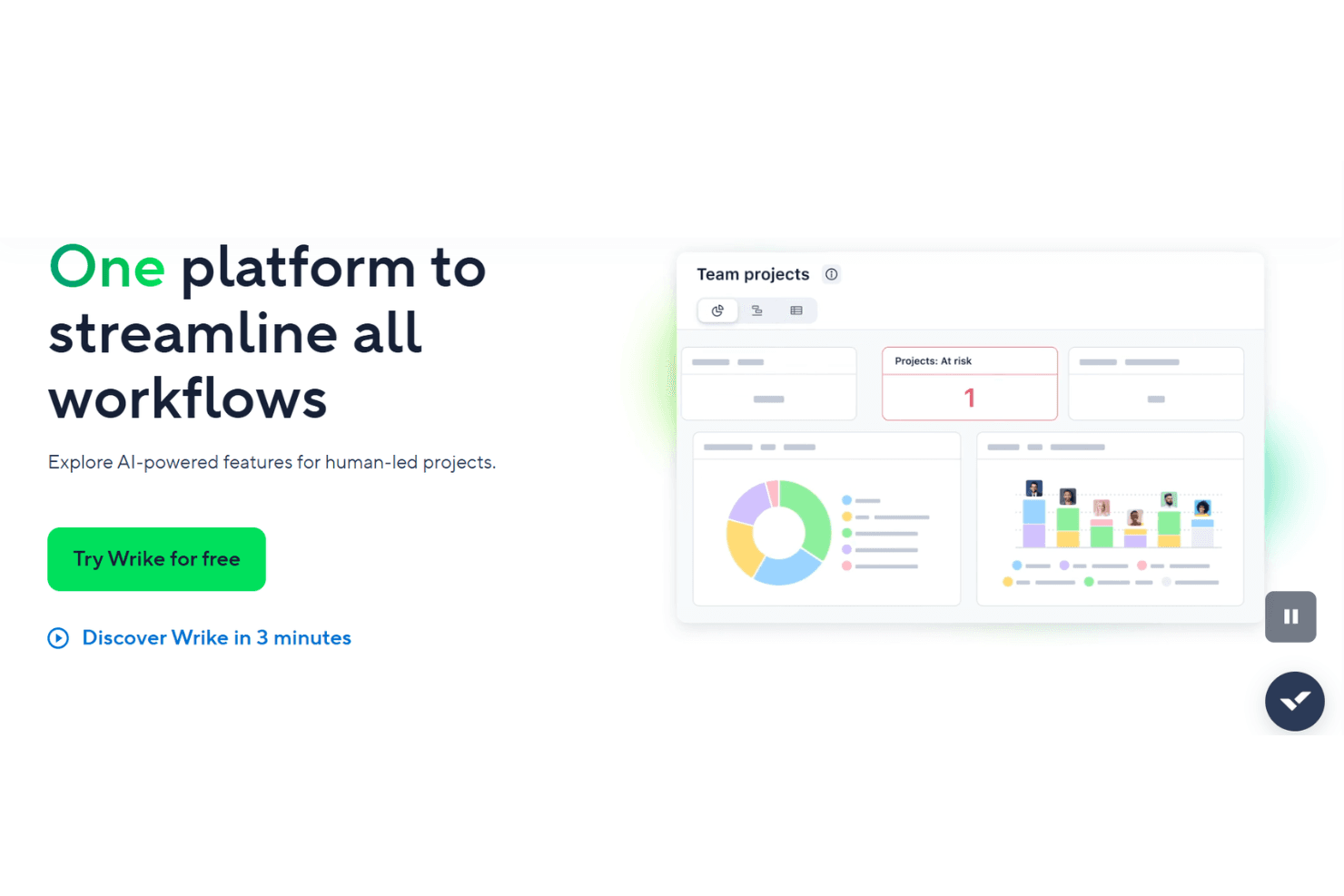
In my opinion, Wrike is a solid choice for teams needing a customizable project management platform. While it can feel pricey, its integration capabilities and customizable workflows make it worth considering. It stands out with features like time tracking and workload management, which benefit teams needing detailed oversight. However, smaller businesses might find its complexity overwhelming. Wrike excels in environments with cross-functional teams and is best suited for those willing to invest in a versatile tool to improve project visibility and coordination. If you're comparing project management tools, Wrike's flexibility and feature set position it well against competitors, although additional costs for integrations should be considered.
Pros
- You can customize workflows to fit your team's needs.
- The time tracking feature helps you manage project timelines effectively.
- Its task management tools improve collaboration across your team.
Cons
- The interface might feel overwhelming for new users.
- Some features require a steep learning curve.
- Your team might find it complex for simpler projects.
Is Wrike Right For Your Needs?
Who Would be a Good Fit for Wrike?
Wrike is ideal for marketing teams, creative agencies, and professional services needing detailed project tracking and collaboration. Its customizable workflows let you tailor processes to match your team's unique needs. The time tracking and workload management features help ensure projects stay on schedule. If you work in an environment that requires constant collaboration and detailed oversight, Wrike's capabilities can enhance your team's productivity and communication.
- Marketing TeamsWrike's campaign management and collaboration tools make it perfect for coordinating marketing projects efficiently.
- Creative AgenciesThe platform's customizable workflows and proofing tools help creative teams streamline their design and approval processes.
- Professional ServicesWrike's time tracking and project management features support detailed planning and execution for client-based projects.
- IT DepartmentsIts task automation and reporting tools assist IT teams in managing complex technical projects and resources effectively.
- Large EnterprisesWrike's scalability and robust feature set make it well-suited for large companies with diverse project management needs.
- Remote TeamsThe platform's collaboration and communication tools enhance coordination and productivity for teams working from different locations.
Who Would be a Bad Fit for Wrike?
Wrike might not suit small businesses or startups with limited resources and simple project management needs. Its complex interface and extensive features could overwhelm teams that don't require advanced project tracking or customization. If your team values simplicity and ease of use over detailed functionalities, Wrike's robust capabilities may not align with your goals and could lead to unnecessary complexity.
- Small BusinessesThe platform's complexity and cost might be excessive for small teams with straightforward project management needs.
- StartupsStartups with limited budgets and resources may find Wrike's advanced features unnecessary and overwhelming.
- FreelancersFreelancers needing simple task management could find Wrike's detailed features cumbersome and not worth the investment.
- Non-Technical TeamsTeams without technical expertise might struggle with Wrike's interface and require simpler tools for project management.
- Retail OperationsRetail teams focusing on day-to-day operations may not benefit from Wrike's project-focused capabilities.
- Event PlannersEvent planners needing quick and simple coordination might find Wrike's extensive features more than they need.
How We Test & Score Tools
We’ve spent years building, refining, and improving our software testing and scoring system. The rubric is designed to capture the nuances of software selection and what makes a tool effective, focusing on critical aspects of the decision-making process.
Below, you can see exactly how our testing and scoring works across seven criteria. It allows us to provide an unbiased evaluation of the software based on core functionality, standout features, ease of use, onboarding, customer support, integrations, customer reviews, and value for money.
Core Functionality (25% of final scoring)
The starting point of our evaluation is always the core functionality of the tool. Does it have the basic features and functions that a user would expect to see? Are any of those core features locked to higher-tiered pricing plans? At its core, we expect a tool to stand up against the baseline capabilities of its competitors.
Standout Features (25% of final scoring)
Next, we evaluate uncommon standout features that go above and beyond the core functionality typically found in tools of its kind. A high score reflects specialized or unique features that make the product faster, more efficient, or offer additional value to the user.
We also evaluate how easy it is to integrate with other tools typically found in the tech stack to expand the functionality and utility of the software. Tools offering plentiful native integrations, 3rd party connections, and API access to build custom integrations score best.
Ease of Use (10% of final scoring)
We consider how quick and easy it is to execute the tasks defined in the core functionality using the tool. High scoring software is well designed, intuitive to use, offers mobile apps, provides templates, and makes relatively complex tasks seem simple.
Onboarding (10% of final scoring)
We know how important rapid team adoption is for a new platform, so we evaluate how easy it is to learn and use a tool with minimal training. We evaluate how quickly a team member can get set up and start using the tool with no experience. High scoring solutions indicate little or no support is required.
Customer Support (10% of final scoring)
We review how quick and easy it is to get unstuck and find help by phone, live chat, or knowledge base. Tools and companies that provide real-time support score best, while chatbots score worst.
Customer Reviews (10% of final scoring)
Beyond our own testing and evaluation, we consider the net promoter score from current and past customers. We review their likelihood, given the option, to choose the tool again for the core functionality. A high scoring software reflects a high net promoter score from current or past customers.
Value for Money (10% of final scoring)
Lastly, in consideration of all the other criteria, we review the average price of entry level plans against the core features and consider the value of the other evaluation criteria. Software that delivers more, for less, will score higher.
Value for Money
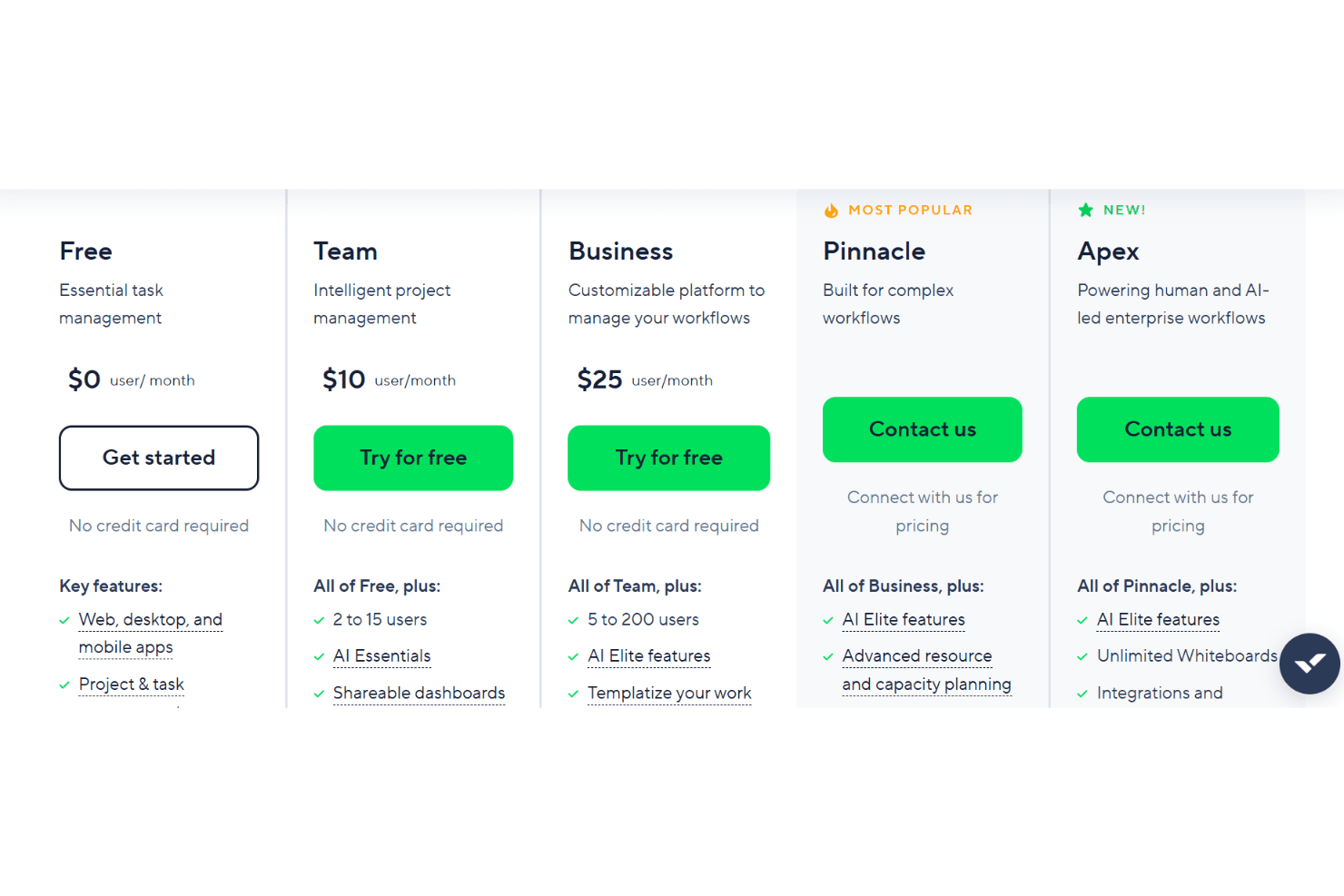
Wrike’s pricing reflects its advanced feature set, with many users finding strong value in its customization, automation, and reporting tools, especially at higher tiers. However, smaller teams or those with basic needs may find the cost high for features they won’t use, and some advanced capabilities are only available on premium plans. A free plan and trial is available to test out the features before committing to a paid plan.
- Free: No cost. Basic task and project management for small teams.
- Team: Adds dashboards, interactive Gantt charts, and up to 25 users.
- Business: Includes custom workflows, advanced reporting, and resource management.
- Enterprise: Offers advanced security, permissions, and scalability for large organizations.
- Apex: Top-tier for enterprise workflows with AI-led automation, unlimited whiteboards, with deeper automation and integration capabilities through Wrike add-ons.
Wrike Specs
- API: Yes
- Batch Permissions & Access: Yes
- Budgeting: Yes
- Calendar Management: Yes
- Collaboration Support: Yes
- Contact Management: Yes
- Contact Sharing: No
- Customer Management: No
- Dashboard: Yes
- Dashboards: Yes
- Data Export: Yes
- Data Import: Yes
- Data Visualization: Yes
- Dependency Tracking: Yes
- Document Sharing: Yes
- Expense Tracking: Yes
- External Integrations: Yes
- File Sharing: Yes
- Gantt Charts: Yes
- Kanban Boards: Yes
- Multi-User: Yes
- Notifications: Yes
- Project Management: Yes
- Resource Management: Yes
- Scheduling: Yes
- Task Scheduling/Tracking: Yes
- Third-Party Plugins/Add-Ons: Yes
- Time Management: Yes
- Travel Management: No
- Workflow Management: Yes
Wrike FAQs
Wrike Company Overview & History
Wrike, founded in 2006 by Andrew Filev, is headquartered in San Jose, California, and has expanded globally with offices in cities like Dublin, Prague, Tokyo, and Melbourne. Known for its collaborative work management platform, Wrike helps teams streamline their work processes. The company is recognized for its innovative approach to project management and has a strong reputation for a supportive work culture. Notable clients include major corporations across various industries, underscoring Wrike's versatile application.
Wrike Major Milestones
2006: Founded by Andrew Filev.
2006: Released the beta version of its software.
2021: Acquired by Citrix Systems.
2025: Named a Leader in the Gartner Magic Quadrant for Collaborative Work Management.