

Recension av Munch Studio: Fördelar, nackdelar, funktioner och priser
I put Munch Studio under the microscope, weighing its social media features, pricing, and trade-offs to reveal whether it earns a place in your marketing workflow.

We review tools independently, and commissions help fund our testing. See our transparency policy, our methodology, or suggest a tool.
Munch Studio is an AI-powered social media marketing software for businesses that need to create, schedule, and track branded content across social platforms without managing every post manually. I’d choose it over Buffer when you want AI to learn from your website and brand materials, repurpose videos, and build a content calendar alongside publishing and performance tracking.
Munch Studio Evaluation Summary
0/5
- From $38/month
- Free trial available
Varför du kan lita på våra programvarurekommendationer
6,700+
Reviews
20
Industry experts
16+
Evaluation factors
14
Years
Vårt team har testat och recenserat programvara sedan 2012. Som marknadsföringsledare själva vet vi hur svårt — och viktigt — det är att välja rätt programvara.
För den här guiden utvärderade vi verktyg genom praktisk testning och oberoende research, och betygsatte verktygen enligt våra urvalskriterier.
Våra recensioner speglar vårt mänskliga redaktionella omdöme, inte ett säljbudskap.
Expertgranskare:
 Gui DrusinaKreativ direktör
- Shriya GhateSenior Marketing Lead
 Amanda JacquesMarketing Ops Leader

Munch Studio Overview
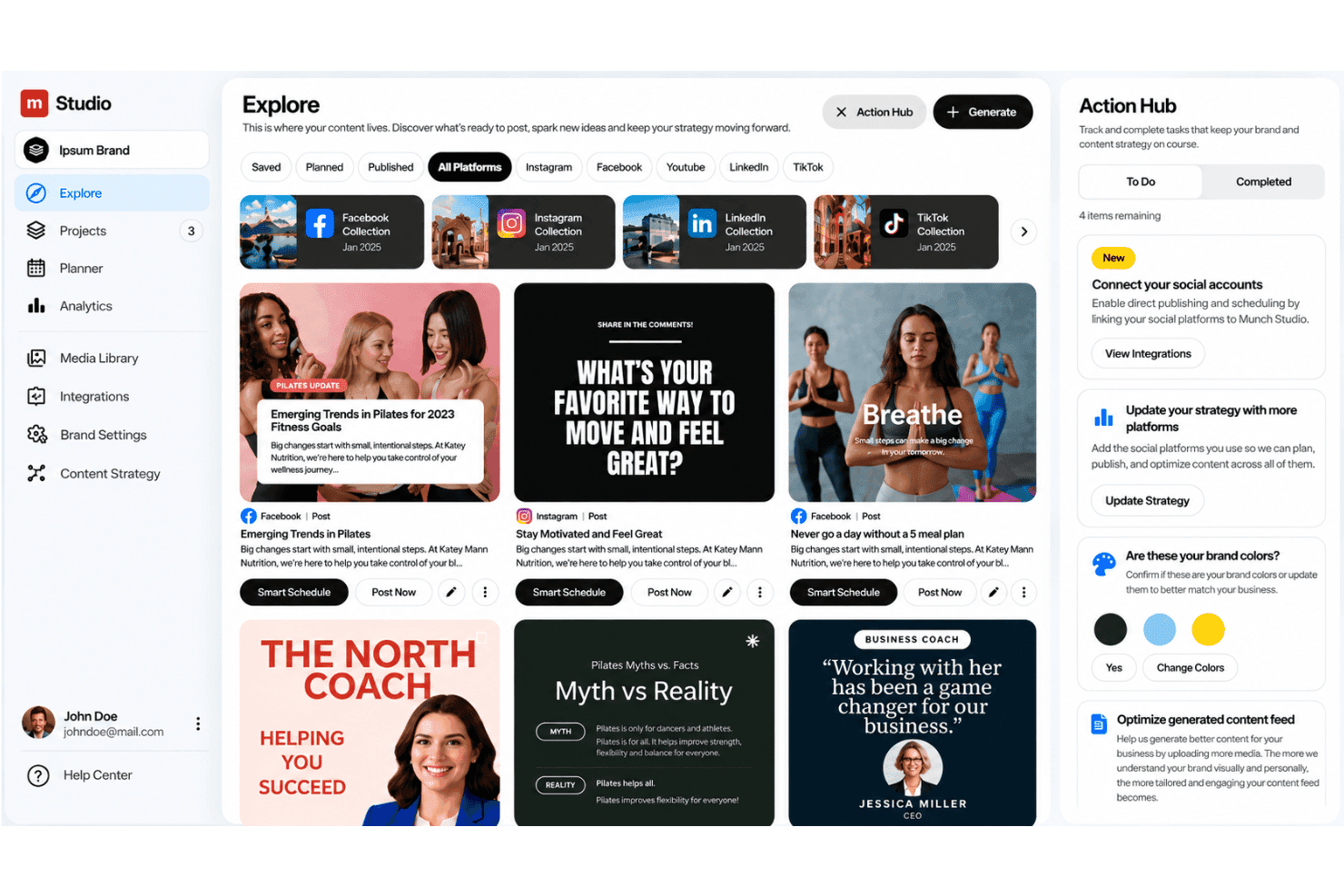
Munch Studio is my pick for teams that want AI to learn from website content, videos, photos, and recordings before creating branded posts. Its visual calendar, approvals, scheduling, auto-posting, performance metrics, and multi-brand workspaces compare well with conventional social schedulers, while agency concierge support makes onboarding approachable. However, pricing is less transparent, and its documented integrations appear narrower than larger platforms. I’d choose it for small businesses and agencies managing several brands, but judge it less suitable for teams needing extensive integrations, advanced analytics, or highly granular publishing controls.
Pros
- AI repurposes long videos into platform-ready clips and captions.
- Brand-trained content planning spans creation, scheduling, publishing, and analytics.
- Multi-brand workspaces and agency concierge support suit client portfolios.
Cons
- Users report slow processing and repeated reprocessing for additional clips.
- Reviewers want manual subtitle timing and finer resizing controls.
- Some users report irrelevant stock visuals and off-target content.
Is Munch Studio Right For Your Needs?
Who Would be a Good Fit for Munch Studio?
Munch Studio fits teams that repurpose video, manage scheduled publishing, and need approval workflows across brands. Its visual calendar, auto-publishing, AI-generated clips and captions, agency concierge support, and multi-brand plans suit structured digital marketing operations.
- Marketing AgenciesAgency teams can use concierge support, approval workflows, visual calendars, and multi-brand plans to manage publishing for several clients.
- Small BusinessesSmall businesses can use the Essential plan’s one-brand setup, 500 repurposing minutes, 10 generated videos, publishing tools, and 100 GB storage.
- Social ManagersSocial media managers can coordinate drafts, approvals, schedules, and auto-publishing from one workflow rather than separate publishing tools.
- Video PublishersTeams with long-form video can use Munch Studio to create shorter clips and captions for social distribution.
- Content DepartmentsContent departments can turn existing video libraries into scheduled social posts using repurposing minutes and generated videos.
- Multi Bran TeamsTeams managing several brands can use Studio for up to five brands or Scale for up to 15 brands, with larger content allowances.
Who Would be a Bad Fit for Munch Studio?
Munch Studio is a poor fit for teams that require detailed creative control, instant processing, broad platform coverage, or deep automation connections. User reviews also report slow processing, repeated reprocessing for extra clips, irrelevant stock visuals, and limited subtitle and resizing controls.
- Hands On CreatorsCreators who need detailed editing may dislike Munch Studio’s limited subtitle, resizing, and visual adjustment controls.
- Design Led TeamsDesign departments may need another editor when AI-selected stock visuals feel irrelevant or require frequent manual replacement.
- Pinterest TeamsTeams focused on Pinterest should look elsewhere because Munch Studio lists Facebook, Instagram, LinkedIn, and TikTok integrations instead.
- Zapier Dependent TeamsOperations teams that depend on Zapier or Make may find Munch Studio unsuitable because no confirmed third-party connections are listed.
- Real Time MarketersReal-time marketing teams may struggle with reported slow processing and repeated reprocessing before receiving additional clips.
- Large AgenciesAgencies managing more than 15 brands may outgrow Munch Studio because its largest listed plan supports up to 15 brands.
How We Test & Score Tools
We’ve spent years building, refining, and improving our software testing and scoring system. The rubric is designed to capture the nuances of software selection and what makes a tool effective, focusing on critical aspects of the decision-making process.
Below, you can see exactly how our testing and scoring works across seven criteria. It allows us to provide an unbiased evaluation of the software based on core functionality, standout features, ease of use, onboarding, customer support, integrations, customer reviews, and value for money.
Core Functionality (25% of final scoring)
The starting point of our evaluation is always the core functionality of the tool. Does it have the basic features and functions that a user would expect to see? Are any of those core features locked to higher-tiered pricing plans? At its core, we expect a tool to stand up against the baseline capabilities of its competitors.
Standout Features (25% of final scoring)
Next, we evaluate uncommon standout features that go above and beyond the core functionality typically found in tools of its kind. A high score reflects specialized or unique features that make the product faster, more efficient, or offer additional value to the user.
We also evaluate how easy it is to integrate with other tools typically found in the tech stack to expand the functionality and utility of the software. Tools offering plentiful native integrations, 3rd party connections, and API access to build custom integrations score best.
Ease of Use (10% of final scoring)
We consider how quick and easy it is to execute the tasks defined in the core functionality using the tool. High scoring software is well designed, intuitive to use, offers mobile apps, provides templates, and makes relatively complex tasks seem simple.
Onboarding (10% of final scoring)
We know how important rapid team adoption is for a new platform, so we evaluate how easy it is to learn and use a tool with minimal training. We evaluate how quickly a team member can get set up and start using the tool with no experience. High scoring solutions indicate little or no support is required.
Customer Support (10% of final scoring)
We review how quick and easy it is to get unstuck and find help by phone, live chat, or knowledge base. Tools and companies that provide real-time support score best, while chatbots score worst.
Customer Reviews (10% of final scoring)
Beyond our own testing and evaluation, we consider the net promoter score from current and past customers. We review their likelihood, given the option, to choose the tool again for the core functionality. A high scoring software reflects a high net promoter score from current or past customers.
Value for Money (10% of final scoring)
Lastly, in consideration of all the other criteria, we review the average price of entry level plans against the core features and consider the value of the other evaluation criteria. Software that delivers more, for less, will score higher.
Core Features
AI-Powered Content Creation
Munch Studio learns from your website, brand materials, photos, recordings, and videos to draft branded social posts. This gives marketers starting points that reflect existing messaging instead of generic copy.
Video Repurposing
Munch Studio turns long videos into platform-ready clips and creates captions for each version. For example, you can convert one webinar into several short-form posts for different social channels.
Visual Content Calendar
The visual calendar organizes planned posts by date, platform, and campaign. You can review your publishing mix before scheduling content, helping spot gaps or repetitive topics.
Content Review & Approval
Munch Studio lets teams review and edit generated social posts before approving them for scheduling. Role-based permissions can also allow team members to work on content without publishing it, giving agencies and marketing teams more control over what goes live.
Scheduling And Auto-Publishing
Munch Studio lets you schedule approved posts and automatically publish them to connected social channels. You can prepare a week of campaign content in one session instead of posting manually each day.
Social Media Analytics
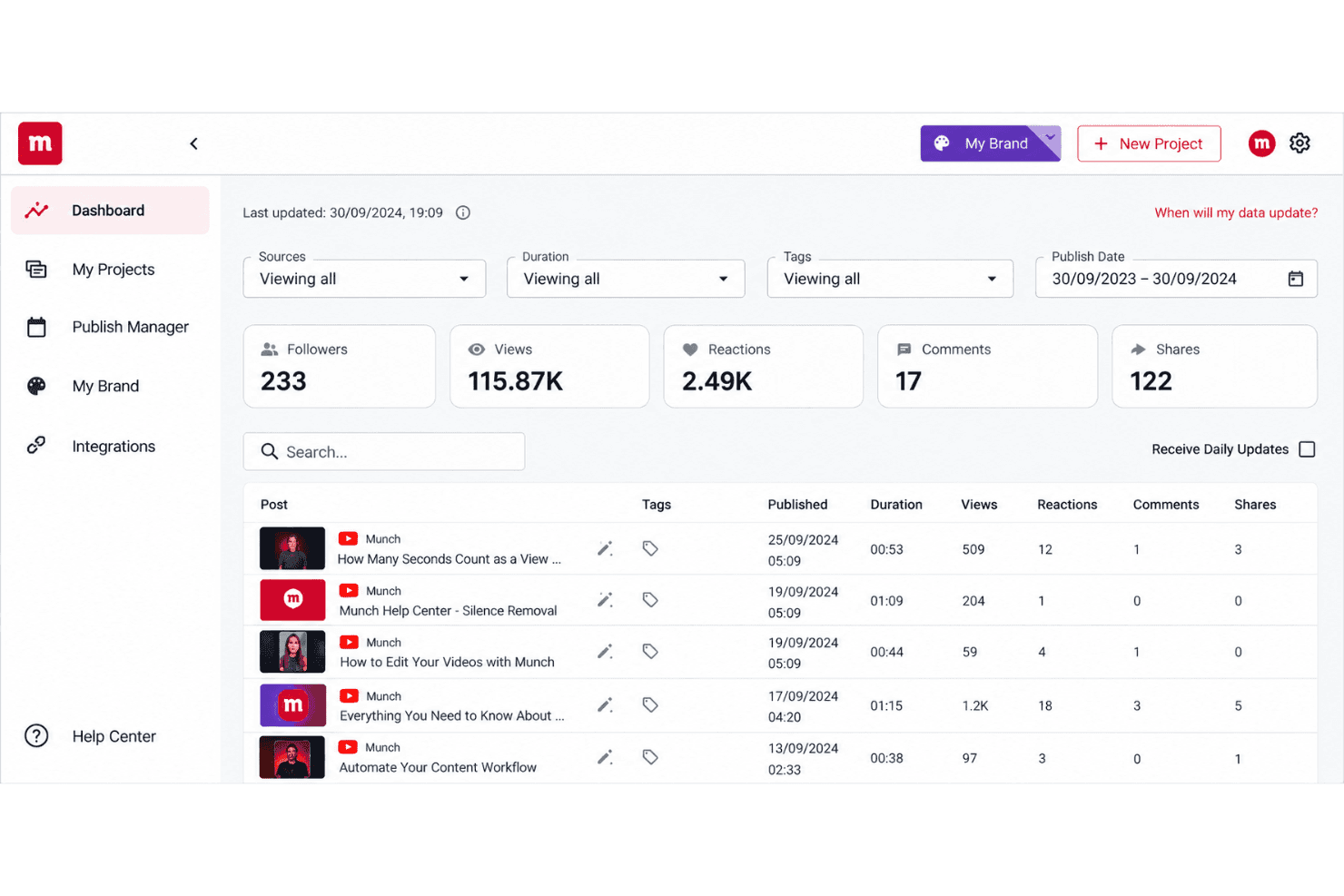
Munch Studio tracks performance metrics for published social content. Marketers can use those results to identify which posts, formats, or topics deserve more space in the next content plan.
Ease of Use
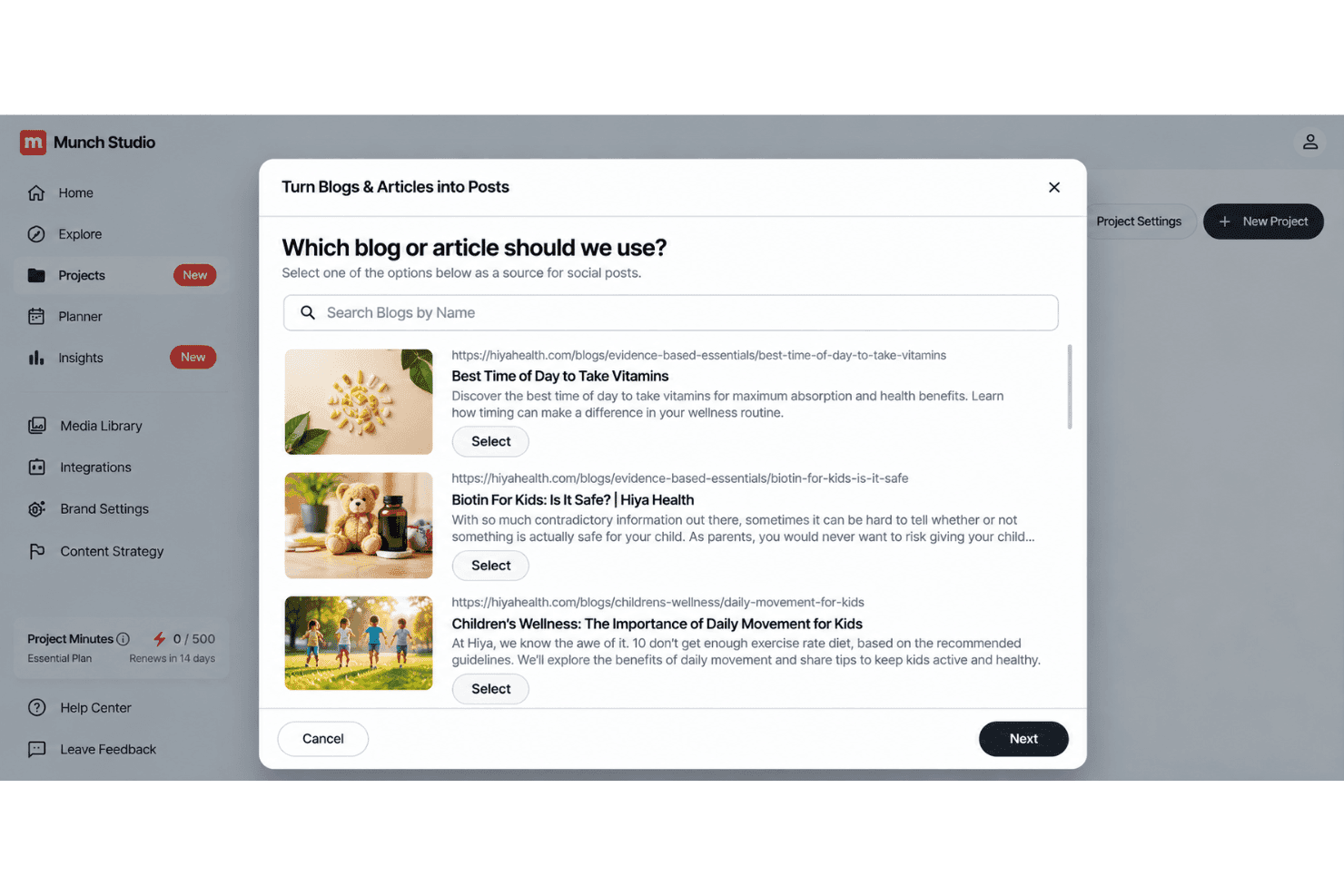
Munch Studio is easy to navigate for teams that want a guided publishing workflow. Its visual calendar, approval queue, scheduling, auto-publishing, and agency concierge support keep content moving from draft to live post. The AI also turns long videos into clips and captions without requiring separate tools. However, user reviews mention slow processing, repeated reprocessing, irrelevant stock visuals, and limited subtitle and resizing controls. Overall, it’s approachable, but advanced creators may find editing restrictive.
Integrations
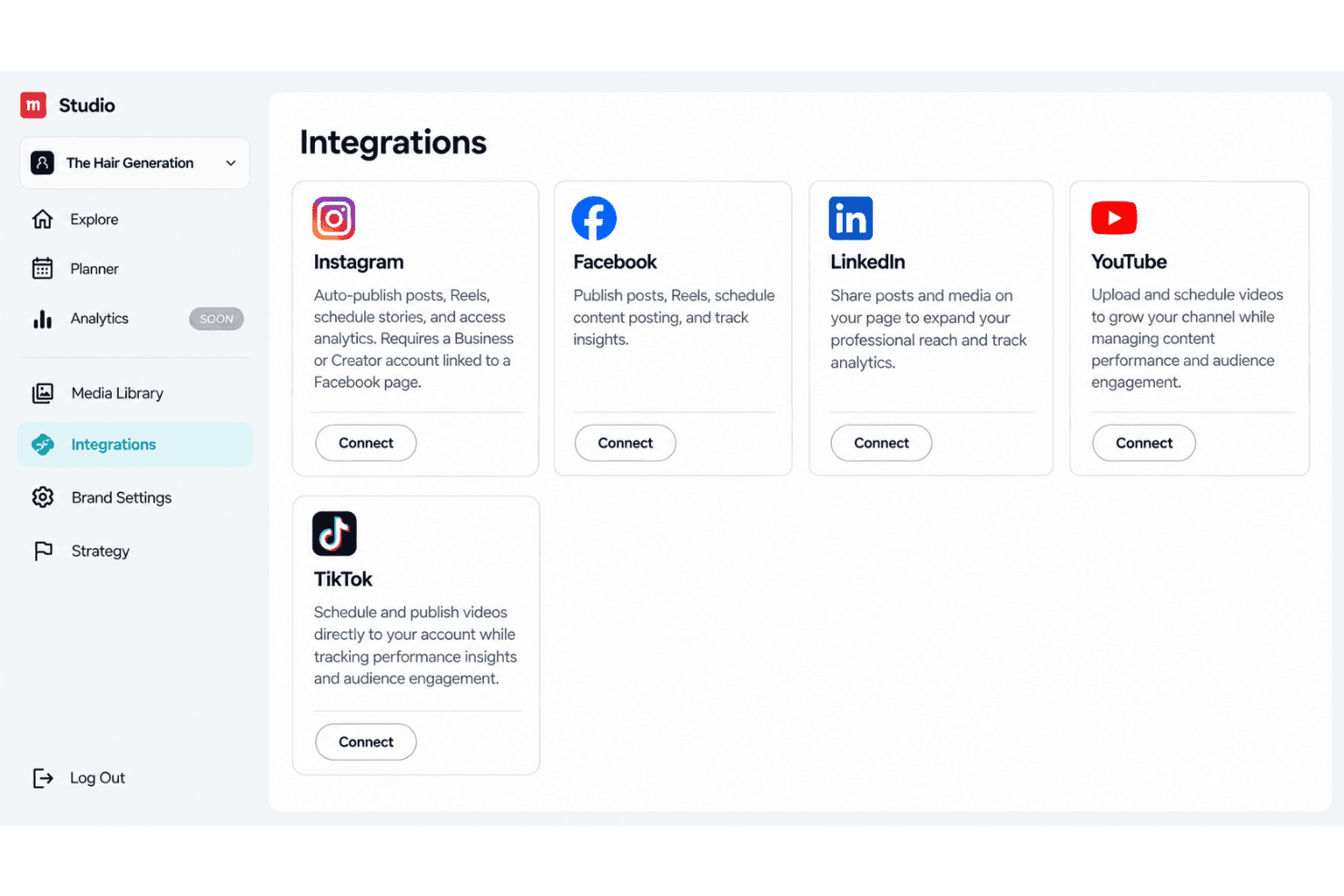
Munch Studio integrates with Facebook, Instagram Reels, Youtube Shorts, LinkedIn, and TikTok.
Munch Studio also offers an API and developer support for integration partners.
Munch Studio Specs
- CAD Tools: Yes
- Data Export: Yes
- Data Import: Yes
- Multi-User: Yes
- Pixel Graphics: Yes
- Third-Party Plugins/Add-Ons: Yes
- Vector File Support: Yes
- Video: Yes


