Most email marketing starts the same way: you set up a form, collect some leads, and then spend more time than you'd like manually sending follow-ups, welcome messages, and order confirmations. The tasks pile up, and the window for reaching people at the right moment quietly closes.
Hostinger Reach is built to handle that repetitive work for you. Beyond sending newsletters, it automates the moments that actually move the needle. That means everything from the first email a new subscriber receives to the message that brings a hesitant shopper back to their cart.
Reach also takes care of technical setup automatically, so your emails are more likely to land in inboxes rather than spam folders before you even hit send.
Here's what Reach can handle for you.
Automatically welcome every new subscriber
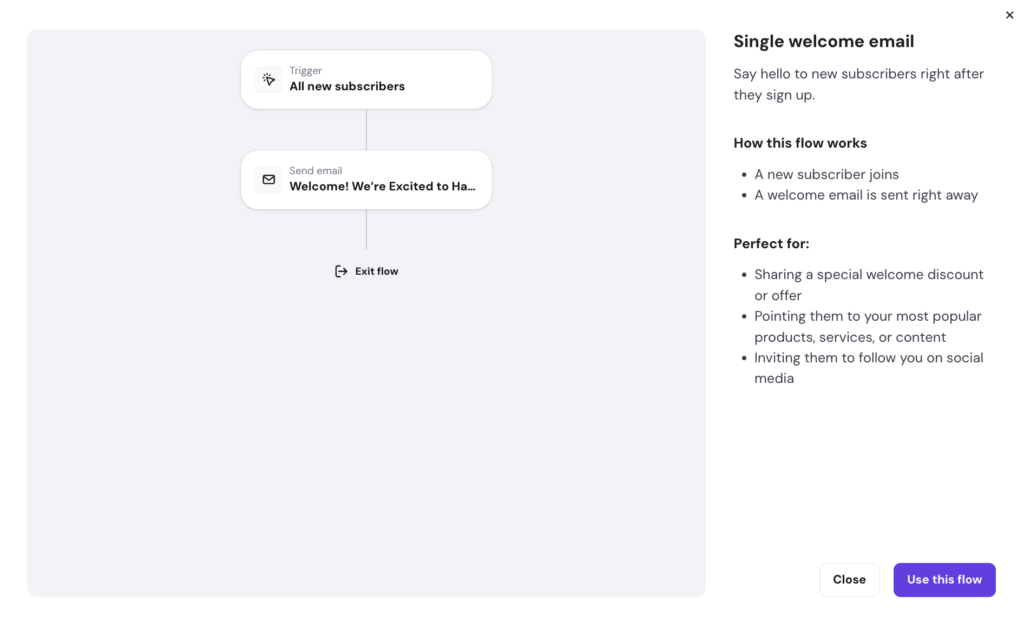
Every time someone joins your list, whether through a newsletter form, a lead magnet, or a discount signup, Reach sends them a pre-configured welcome email automatically, with no scheduling or manual sends needed. The email goes out the moment they subscribe, when their attention is at its highest.
Reach includes a ready-to-use welcome automation template, so you're not starting from scratch: your logo, brand colors, and business details are automatically applied to every email.
Reach can also pull in the subscriber's first name to personalize the greeting, if your form collects it. Something as simple as "Hey Alex, thanks for signing up! Here's the discount code you requested" might be a small touch, but consistently outperforms a generic “You're subscribed.”
Run a multi-email drip campaign
A single welcome email is a good start, but a sequence of them is even better.
A drip campaign sends emails automatically over a set period of time. It works well when you want to onboard subscribers gradually, deliver a short email course, introduce a product step by step, or build trust before making an offer. One email usually isn’t enough to do all of that well.
With a Reach plan, you set the emails and the delays once, and every new subscriber moves through the sequence automatically:
- Day 1: Welcome email introducing yourself and setting expectations
- Day 3: A useful tip, resource, or piece of content relevant to why they signed up
- Day 5: A product or service recommendation with a clear call to action
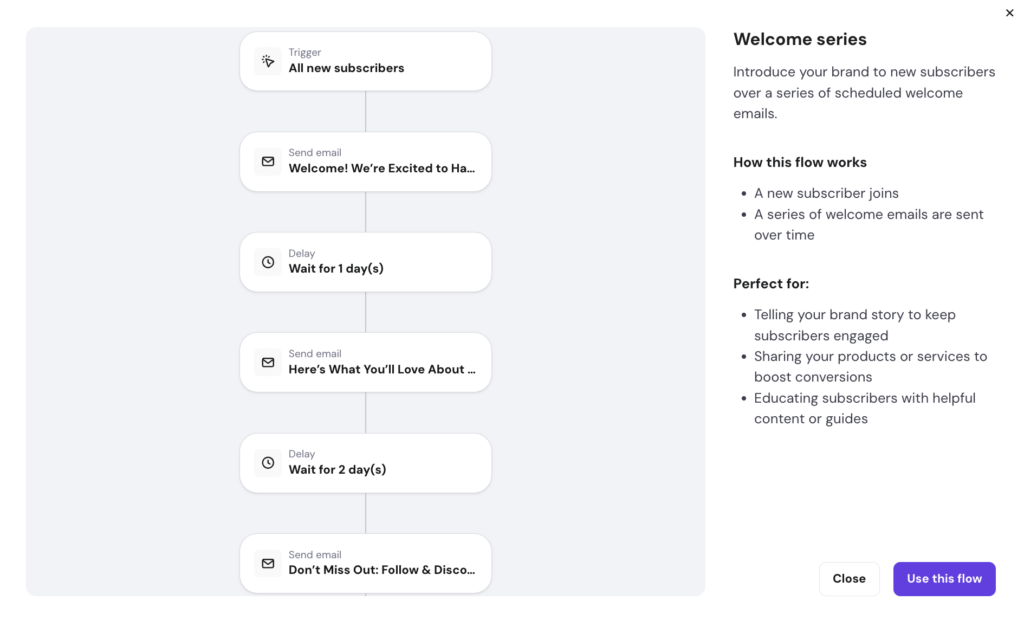
Reach provides pre-built automation templates for welcome series, trust-building sequences, and promotional campaigns, so you don't have to build from scratch.
If writing the emails feels intimidating, the AI email generator produces a complete email with content, layout, and design from a short description. You can start with a short prompt, then adjust the message to match your brand voice and audience.
The AI subject line writer and built-in spam checker are both available before every send, keeping open rates and deliverability strong without requiring separate tools.
Want to learn more about Hostinger Horizons?
Recover lost sales with abandoned cart emails
Shoppers abandon carts all the time. Usually, it’s not a hard no: it's a distraction, a moment of hesitation, or a price they want to think over. A well-timed reminder email brings some of them back.
Reach supports abandoned cart automation for both WooCommerce and Hostinger Website Builder ecommerce stores. You don't need to manually track who left without buying – Reach identifies those shoppers and automatically sends the recovery email.
A simple email usually works best. For example:
- A subject line like “You left something behind.”
- A short reminder about the product
- A direct link back to checkout
Avoid cramming the email with multiple offers or unrelated promotions. The goal is to make returning to the cart as easy as possible.
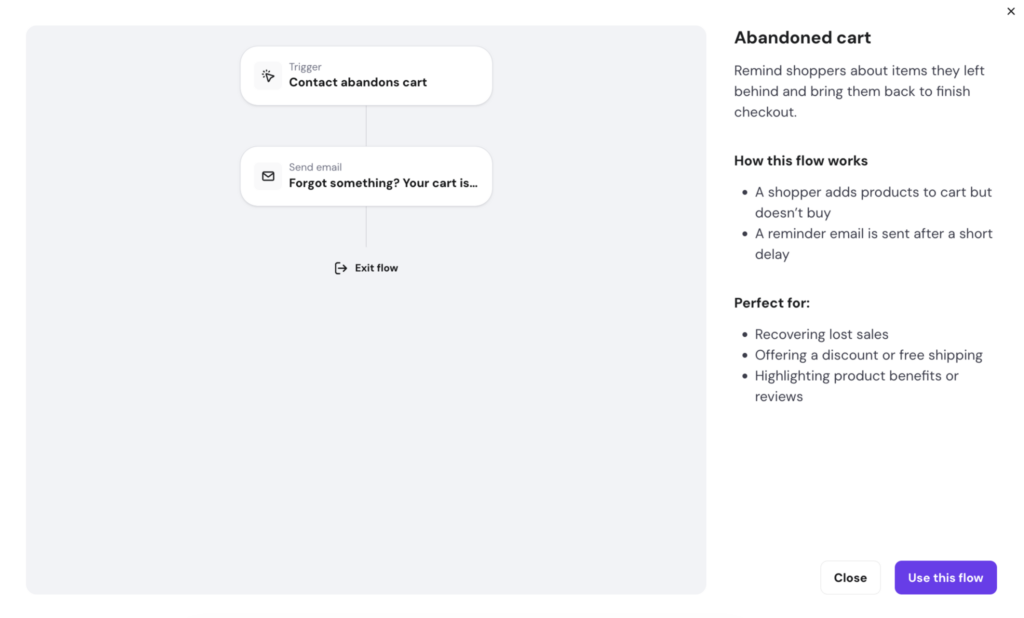
One thing to know upfront: recovery emails are sent only to subscribed contacts. The shopper must have actively opted in – through a checkout newsletter signup or a subscriber form – before Reach can follow up.
Send post-purchase emails after every order
The moment right after a purchase is often when customers are most likely to engage again. They’re checking for updates, looking for confirmation, or thinking about what happens next.
Post-purchase emails help you stay helpful without manually following up after every order.
Depending on what you sell, these emails can:
- Thank customers and confirm order details
- Explain shipping timelines, delivery estimates, or account access steps
- Request a review while the experience is still fresh
- Share setup tips, care instructions, or product guidance
- Recommend related products or useful add-ons
Reach supports post-purchase automation for WooCommerce and Hostinger Website Builder stores. You configure the email once, and it goes out after every qualifying order with no follow-up needed, as long as the buyer is a subscribed contact.
Automate replies after website form submissions
If you use the Hostinger Website Builder, form submissions automatically sync with Reach in real time. That means Reach can send an email the moment someone fills out a form on your website — no manual exports or contact imports required.
Speed matters here. Someone who just signed up for a newsletter, requested a resource, or contacted you is already paying attention. An instant reply keeps the conversation going while your business is still fresh in their mind.
For example, if a visitor downloads a free checklist, Reach can automatically send:
- A link to the file
- A short welcome message
- A related article or product recommendation
- A simple follow-up question like “What’s the biggest challenge you’re trying to solve?”
The trigger is the form submission, and what you say in the email is entirely up to you.
Re-engage inactive subscribers automatically
Over time, some subscribers stop opening emails. That’s normal, and it doesn’t always mean they’ve lost interest completely.
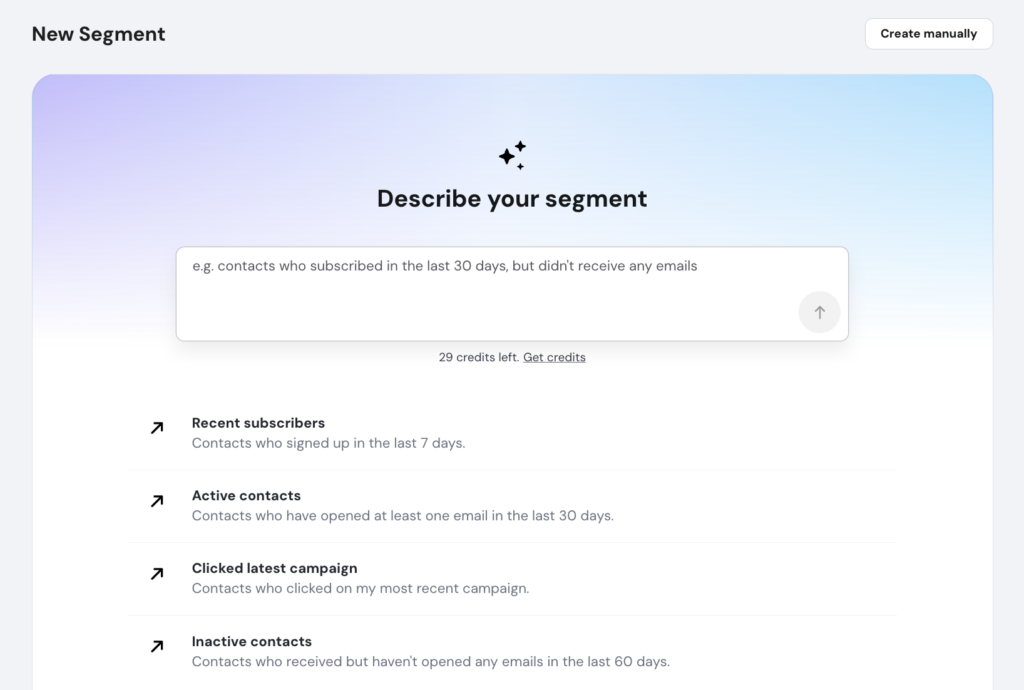
With Reach, you can create a segment of inactive contacts and automatically send a re-engagement email. You can build the segment manually, or describe the audience in plain language and let the AI segment builder handle it.
Before offering a discount, try reconnecting with something more useful or relevant, such as:
- A helpful resource or piece of content they haven't seen
- A product update or new feature announcement
- A roundup of what they've missed since they last engaged
- A direct question: "Do you still want to hear from us?"
Adobe's re-engagement guide covers additional tactics worth trying, but if a subscriber doesn't respond to a win-back message, removing them is the right call. A smaller, engaged list delivers better results than a large, unresponsive one.
Conclusion
Reach automation covers the full arc: welcoming new subscribers, nurturing leads over time, recovering carts, following up after purchases, and keeping your audience clean and segmented. Each automation runs on its own once it's configured.
The best starting point is one automation you'll actually use. A welcome email takes minutes to set up and starts delivering value the same day. An abandoned cart flow is the highest-return option for ecommerce stores. Pick one, let it run, and you'll have real data to build on before you configure the next one.
Once your automations are running, sending regular newsletter campaigns with Hostinger Reach is the natural next step to keep your audience engaged between triggers. You can start for free and upgrade as your list grows – paid plans start at $2.49 per month.