

Brightspot-beoordeling 2026: voordelen, nadelen, functies en prijzen
I put Brightspot through its paces to see whether its flexible, enterprise-focused CMS delivers enough power and polish to justify its investment.

We review tools independently, and commissions help fund our testing. See our transparency policy, our methodology, or suggest a tool.
Brightspot is flexible, enterprise-focused content management software for organizations managing high-volume, multi-site, and multi-channel publishing. I’d consider it over WordPress when your marketing team needs more structured content workflows, complex content models, and centralized control across a large digital operation.
Brightspot Evaluation Summary
4.5/5
- Pricing upon request
- Free demo available
Waarom u onze softwareaanbevelingen kunt vertrouwen
6,700+
Reviews
20
Industry experts
16+
Evaluation factors
14
Years
Ons team test en beoordeelt software sinds 2012. Als marketingleiders weten we zelf hoe moeilijk — en belangrijk — het is om de juiste software te kiezen.
Voor deze gids hebben we tools geëvalueerd met behulp van praktijktests en onafhankelijk onderzoek, waarbij we tools beoordeelden aan de hand van onze selectiecriteria.
Onze reviews weerspiegelen ons menselijke redactionele oordeel, geen verkooppraatje.
Deskundige beoordelaars:
 Gui DrusinaCreatief directeur
- Shriya GhateSenior Marketing Lead
 Amanda JacquesMarketing Ops Leader

Brightspot Overview
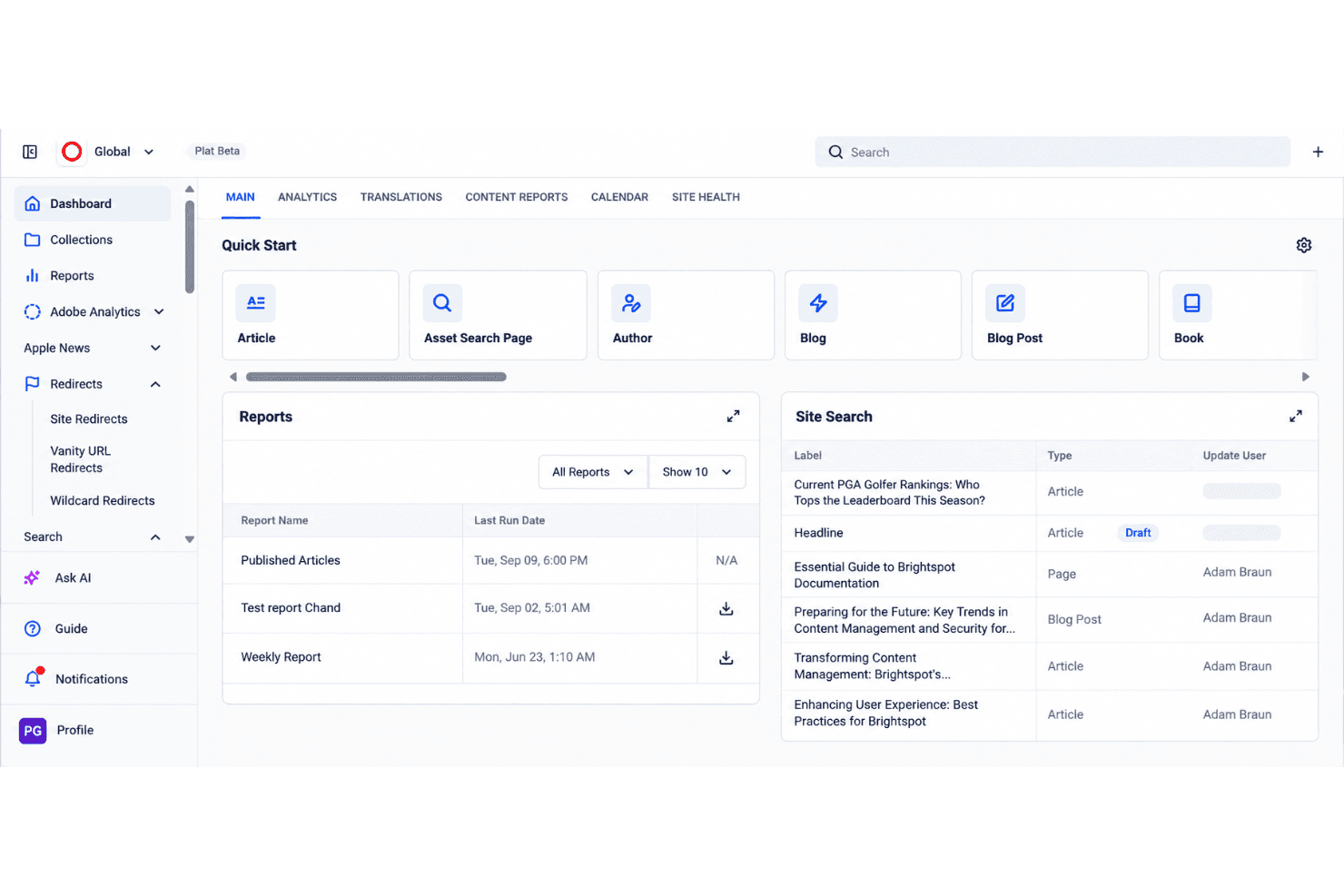
I’d choose Brightspot for large organizations managing high-volume, multi-site, and multi-channel publishing. Its structured content models, workflow controls, headless delivery, APIs, and integration options outperform lighter CMS platforms when teams need centralized governance, such as coordinating regional websites and mobile content. However, custom enterprise pricing, a complex interface, and implementation-led onboarding make it harder to evaluate and deploy than simpler alternatives. Support is suited to guided enterprise rollouts, but smaller teams may find the specifications and administration excessive. Overall, I judge Brightspot a strong fit when flexibility matters more than low cost or quick setup.
Pros
- Reusable content modeling supports complex workflows across channels.
- Role-based permissions govern content across multiple websites.
- Hybrid and headless delivery serve web, mobile, and other channels.
Cons
- Custom pricing obscures costs before enterprise requirements are scoped.
- Initial setup requires substantial configuration before teams can publish.
- Media library organization can hinder asset retrieval at scale.
Is Brightspot Right For Your Needs?
Who Would be a Good Fit for Brightspot?
Brightspot suits organizations with many contributors, structured publishing, and multiple digital properties. Its content types, role-based dashboards, approval workflows, REST Management API, integrations, and managed hosting support coordinated marketing operations.
- Enterprise Media TeamsBrightspot supports editorial organizations that manage structured content, multiple contributors, and frequent publishing workflows.
- Multi-Site PublishersBrightspot’s Premium, Enterprise, and Custom plans support multiple sites with shared governance and tailored user access.
- Higher Education TeamsUniversity marketing teams can use role-based dashboards and approval workflows to coordinate content across departments and websites.
- Distributed MarketingBrightspot gives regional marketing teams structured authoring and publishing controls without giving every contributor unrestricted access.
- Content OperationsContent operations teams can connect Brightspot with analytics, marketing automation, email, video, and social publishing tools.
- Enterprise DevelopersDevelopment teams can use Brightspot’s REST Management API and iPaaS connections, including Zapier, to connect publishing workflows.
Who Would be a Bad Fit for Brightspot?
Brightspot is a poor match for teams that need immediate setup, low pricing, or a simple publishing interface. Configuration, training, workflow design, and media-library management require more planning than lightweight CMS products.
- Small Startup TeamsBrightspot’s quote-based plans, configuration requirements, and guided onboarding can exceed the needs of a small team with one website.
- Solo CreatorsSolo publishers may find role-based workflows, structured content types, and enterprise administration unnecessary for personal publishing.
- Simple Brochure SitesA basic website may not justify Brightspot’s multi-site capabilities, integrations, managed hosting, and workflow configuration.
- Self-Service BuyersBrightspot is a weak choice for teams that expect extensive documentation and independent setup, since developers report documentation gaps.
- Fast Launch TeamsTeams needing a quick launch may face delays from implementation planning, training, workflow design, and initial configuration.
- Ecommerce MerchantsBrightspot connects with Shopify, but merchants needing a dedicated ecommerce platform should not treat Brightspot as their primary commerce system.
How We Test & Score Tools
We’ve spent years building, refining, and improving our software testing and scoring system. The rubric is designed to capture the nuances of software selection and what makes a tool effective, focusing on critical aspects of the decision-making process.
Below, you can see exactly how our testing and scoring works across seven criteria. It allows us to provide an unbiased evaluation of the software based on core functionality, standout features, ease of use, onboarding, customer support, integrations, customer reviews, and value for money.
Core Functionality (25% of final scoring)
The starting point of our evaluation is always the core functionality of the tool. Does it have the basic features and functions that a user would expect to see? Are any of those core features locked to higher-tiered pricing plans? At its core, we expect a tool to stand up against the baseline capabilities of its competitors.
Standout Features (25% of final scoring)
Next, we evaluate uncommon standout features that go above and beyond the core functionality typically found in tools of its kind. A high score reflects specialized or unique features that make the product faster, more efficient, or offer additional value to the user.
We also evaluate how easy it is to integrate with other tools typically found in the tech stack to expand the functionality and utility of the software. Tools offering plentiful native integrations, 3rd party connections, and API access to build custom integrations score best.
Ease of Use (10% of final scoring)
We consider how quick and easy it is to execute the tasks defined in the core functionality using the tool. High scoring software is well designed, intuitive to use, offers mobile apps, provides templates, and makes relatively complex tasks seem simple.
Onboarding (10% of final scoring)
We know how important rapid team adoption is for a new platform, so we evaluate how easy it is to learn and use a tool with minimal training. We evaluate how quickly a team member can get set up and start using the tool with no experience. High scoring solutions indicate little or no support is required.
Customer Support (10% of final scoring)
We review how quick and easy it is to get unstuck and find help by phone, live chat, or knowledge base. Tools and companies that provide real-time support score best, while chatbots score worst.
Customer Reviews (10% of final scoring)
Beyond our own testing and evaluation, we consider the net promoter score from current and past customers. We review their likelihood, given the option, to choose the tool again for the core functionality. A high scoring software reflects a high net promoter score from current or past customers.
Value for Money (10% of final scoring)
Lastly, in consideration of all the other criteria, we review the average price of entry level plans against the core features and consider the value of the other evaluation criteria. Software that delivers more, for less, will score higher.
Core Features
Structured Content Modeling
Brightspot lets teams create reusable content types, templates, and modules for articles, landing pages, forms, and other assets. This gives marketers consistent fields and content structures across channels without rebuilding each item.
Approval Workflows
The drag-and-drop workflow builder supports multiple stages, roles, and approvers for editorial, legal, and executive reviews. Teams can route content through defined approvals before publication and track ownership at every stage.
Multisite Management
Brightspot manages multiple brands, regions, or microsites from one CMS instance while allowing teams to share assets and modules. This gives marketing teams centralized governance without duplicating content across separate systems.
Role-Based Access Control
Role-based permissions let administrators tailor dashboards, tools, and content access for writers, editors, marketers, and developers. Teams can limit publishing rights and keep each user focused on the fields and actions relevant to their work.
Hybrid And Headless Publishing
Brightspot combines an editorial interface with API-based delivery to support websites, mobile experiences, OTT video, podcasts, and other channels. Teams can manage content once and deliver it through the presentation layer each channel requires.
Media Asset Management And Search
Brightspot organizes media assets within the CMS and provides search capabilities for locating content and files. Editors can reuse images, video, and other assets across sites while reducing time spent searching large content libraries.
Ease of Use
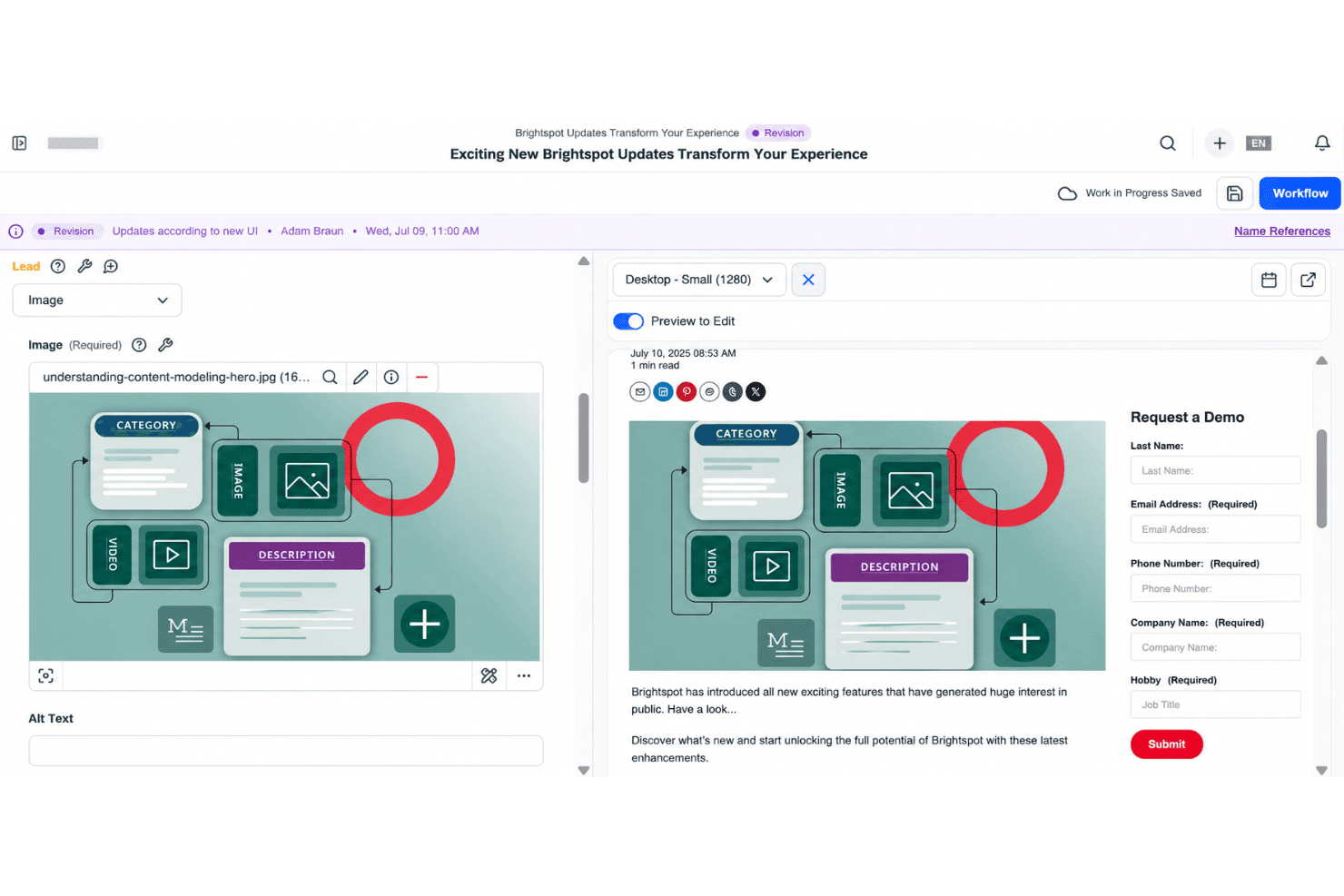
Brightspot is reasonably user-friendly for trained enterprise teams, but it isn’t a quick-start CMS. User reviews praise its intuitive interface, flexible authoring, and manageable publishing workflows. I agree for day-to-day editing: structured content types, role-based dashboards, and drag-and-drop approvals give teams clear controls. However, initial configuration takes substantial planning, and finding assets in large media libraries can feel cumbersome. Overall, it favors governance and flexibility over simplicity.
Integrations
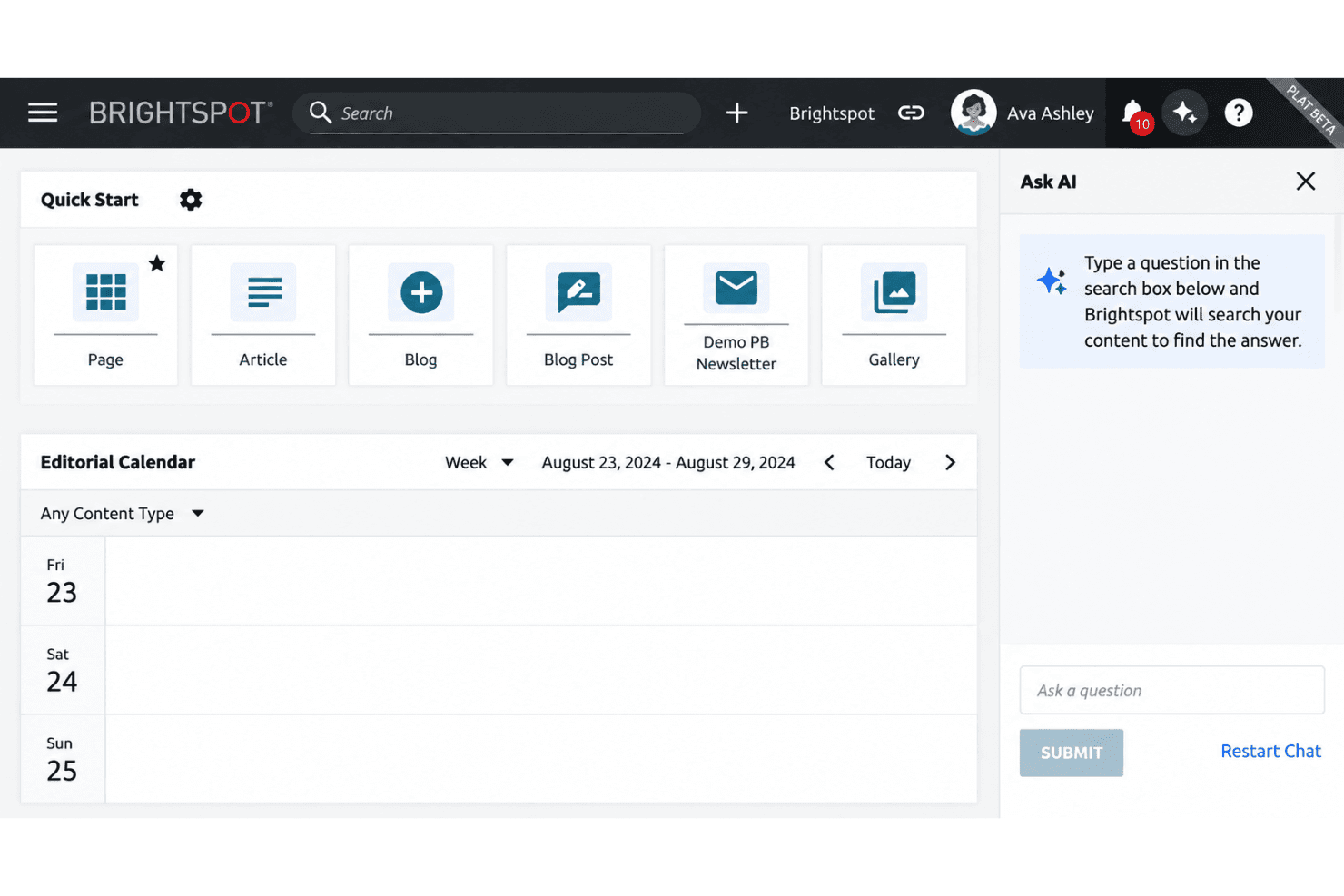
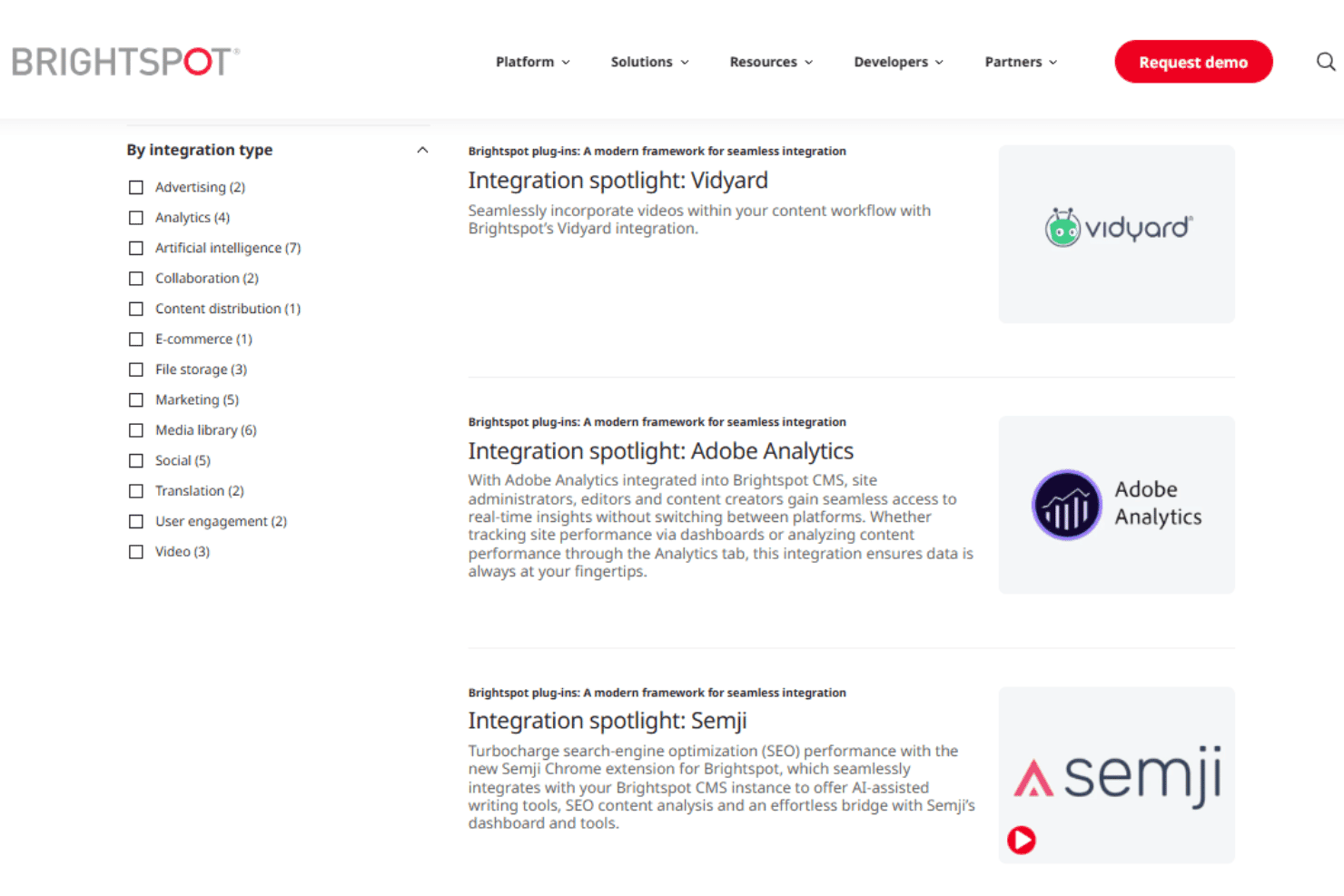
Brightspot integrates with Adobe Analytics, Google Analytics 4, Google Tag Manager, Marketo, Salesforce Marketing Cloud Account Engagement (Pardot), HubSpot, Mailchimp, Shopify, YouTube, and Vidyard, among others.
Brightspot also provides a REST Management API for custom integrations and supports connections with third-party applications through iPaaS configurations, including Zapier.
Brightspot Specs
- A/B Testing: Yes
- API: Yes
- Batch Permissions & Access: Yes
- Dashboard: Yes
- Data Export: Yes
- Data Import: Yes
- Data Visualization: Yes
- External Integrations: Yes
- File Sharing: Yes
- File Transfer: Yes
- Multi-User: Yes
- Notifications: Yes
- Third-Party Plugins/Add-Ons: Yes


