

AWeber-beoordeling: voordelen, nadelen, functies en prijzen
AWeber blinkt uit in gebruiksvriendelijke functionaliteit en betaalbaarheid, waardoor het een solide keuze is voor kleine bedrijven die hun e-mailmarketinginspanningen willen verbeteren.

We review tools independently, and commissions help fund our testing. See our transparency policy, our methodology, or suggest a tool.
AWeber is an email marketing software built for small businesses, creators, and solopreneurs who need to grow an email list, send newsletters, and automate follow-up sequences without a complicated setup. I'd consider it over something like Mailchimp if you want more predictable pricing as your list scales and don't want to lose access to core features the moment you outgrow a free plan.
AWeber Evaluation Summary
4.3/5
- From $12.50/month (billed annually)
- Free trial available
Waarom u onze softwareaanbevelingen kunt vertrouwen
6,700+
Reviews
20
Industry experts
16+
Evaluation factors
14
Years
Ons team test en beoordeelt software sinds 2012. Als marketingleiders weten we zelf hoe moeilijk — en belangrijk — het is om de juiste software te kiezen.
Voor deze gids hebben we tools geëvalueerd met behulp van praktijktests en onafhankelijk onderzoek, waarbij we tools beoordeelden aan de hand van onze selectiecriteria.
Onze reviews weerspiegelen ons menselijke redactionele oordeel, geen verkooppraatje.
Deskundige beoordelaars:
 Gui DrusinaCreatief directeur
- Shriya GhateSenior Marketing Lead
 Amanda JacquesMarketing Ops Leader

AWeber Overview
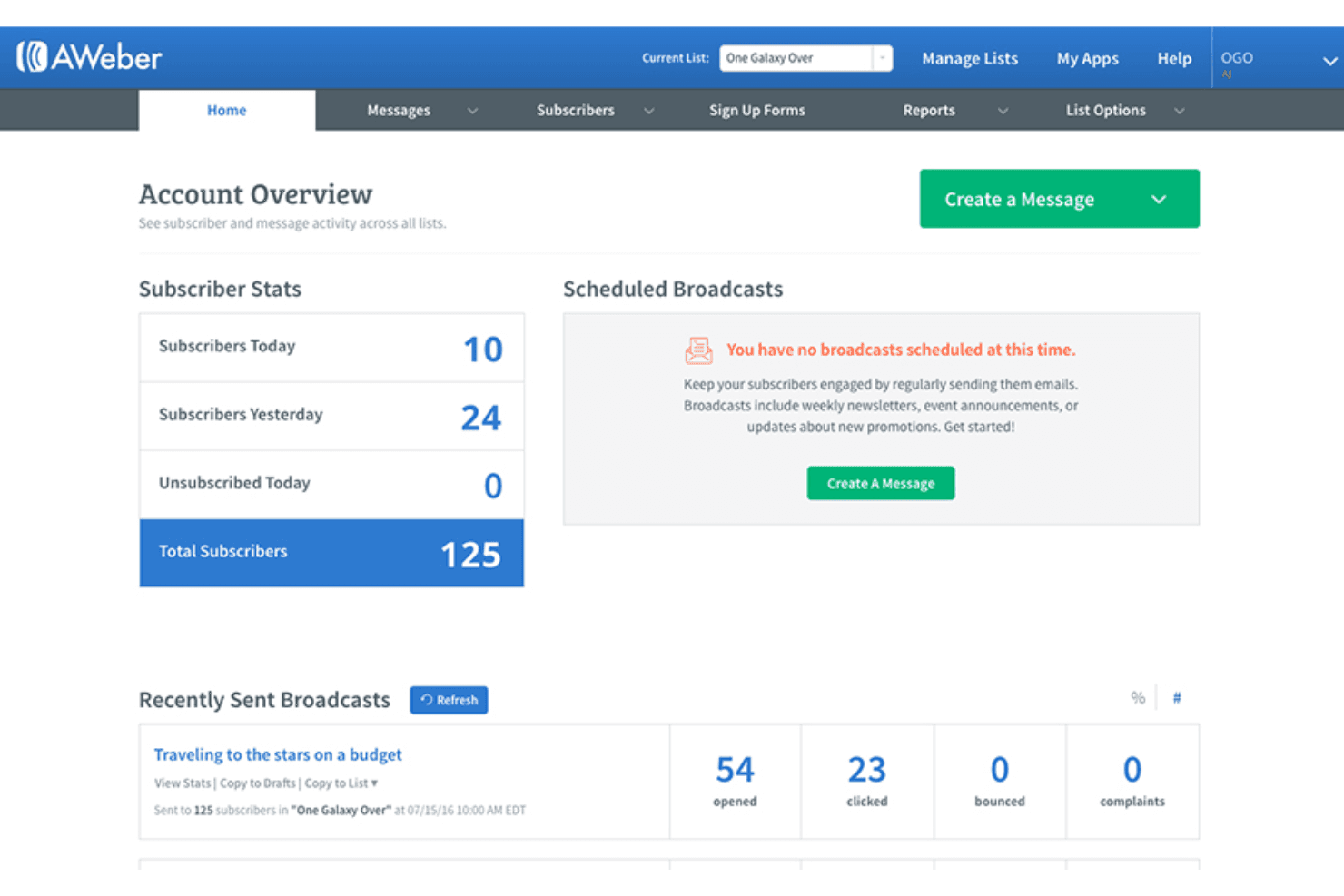
In my opinion, AWeber is a solid option for those seeking reliable email marketing software, especially small businesses and entrepreneurs. Its user-friendly interface, extensive knowledge base, and strong customer support make it appealing, though it might lack some advanced features found in competitors, such as Mailchimp or ActiveCampaign. It shines in ease of use and value for money, offering good functionality without breaking the bank. If you're looking for advanced automation or integration options, you might find it lacking, though it does include web push notification and webinar funnel features. AWeber is best for users who prioritize straightforward email marketing tasks over complex workflows.
Pros
- It's great for beginners working with basic HTML customizations.
- Customer support is responsive and helpful.
- It offers solid basic email automation features, including subject line testing and simple split testing.
Cons
- More advanced automation options are limited compared to competitors.
- Some users feel the design templates are outdated.
- Reporting features, such as transaction fee tracking, could be more detailed.
Is AWeber Right For Your Needs?
Who Would be a Good Fit for AWeber?
AWeber is a good fit for small businesses, freelancers, and entrepreneurs who need simple email marketing tools with effective opt-in management. Its ease of use and reliable customer support make it ideal for teams without dedicated marketing experts. If your work involves straightforward email campaigns, pop-up forms, page templates, Really Simple Syndication feeds, and basic automation, AWeber's features—such as responsive email templates and simple automation—will meet your needs.
- Small BusinessesAWeber is great for small businesses because it offers simple automation, a drag-and-drop email editor, and user-friendly design tools.
- FreelancersFreelancers can benefit from its ease of use, allowing them to manage their own marketing with AWeber's landing page builder.
- EntrepreneursEntrepreneurs find AWeber useful for its basic features that help kickstart email marketing without complexity.
- Local ShopsLocal shops appreciate AWeber's straightforward email templates and easy list management for community outreach.
- Online StoresOnline stores can use AWeber's automation to send timely promotions, transaction-style updates via Stripe integrations, and customer notifications.
- NonprofitsNonprofits can benefit from AWeber's simple email tools to engage donors and supporters effectively.
Who Would be a Bad Fit for AWeber?
AWeber isn't ideal for large enterprises or teams needing advanced automation and detailed reporting. If your work requires complex workflows, intricate segmentation, or sophisticated integrations, AWeber's core feature set might fall short. Marketing departments in tech companies or large-scale e-commerce platforms might find AWeber's limitations in automation and reporting a hindrance.
- Large EnterprisesLarge enterprises might find AWeber lacking in advanced features needed for complex marketing campaigns.
- Tech CompaniesTech companies often require intricate automation and integrations that AWeber doesn't fully support.
- E-Commerce GiantsE-commerce giants typically need more sophisticated reporting, transaction fee insights, and segmentation than AWeber offers.
- Marketing AgenciesMarketing agencies might find AWeber's feature set too basic for handling multiple, diverse client needs.
- Data-Driven TeamsData-driven teams often require detailed analytics and reporting that AWeber's current capabilities don't fulfill.
How We Test & Score Tools
We’ve spent years building, refining, and improving our software testing and scoring system. The rubric is designed to capture the nuances of software selection and what makes a tool effective, focusing on critical aspects of the decision-making process.
Below, you can see exactly how our testing and scoring works across seven criteria. It allows us to provide an unbiased evaluation of the software based on core functionality, standout features, ease of use, onboarding, customer support, integrations, customer reviews, and value for money.
Core Functionality (25% of final scoring)
The starting point of our evaluation is always the core functionality of the tool. Does it have the basic features and functions that a user would expect to see? Are any of those core features locked to higher-tiered pricing plans? At its core, we expect a tool to stand up against the baseline capabilities of its competitors.
Standout Features (25% of final scoring)
Next, we evaluate uncommon standout features that go above and beyond the core functionality typically found in tools of its kind. A high score reflects specialized or unique features that make the product faster, more efficient, or offer additional value to the user.
We also evaluate how easy it is to integrate with other tools typically found in the tech stack to expand the functionality and utility of the software. Tools offering plentiful native integrations, 3rd party connections, and API access to build custom integrations score best.
Ease of Use (10% of final scoring)
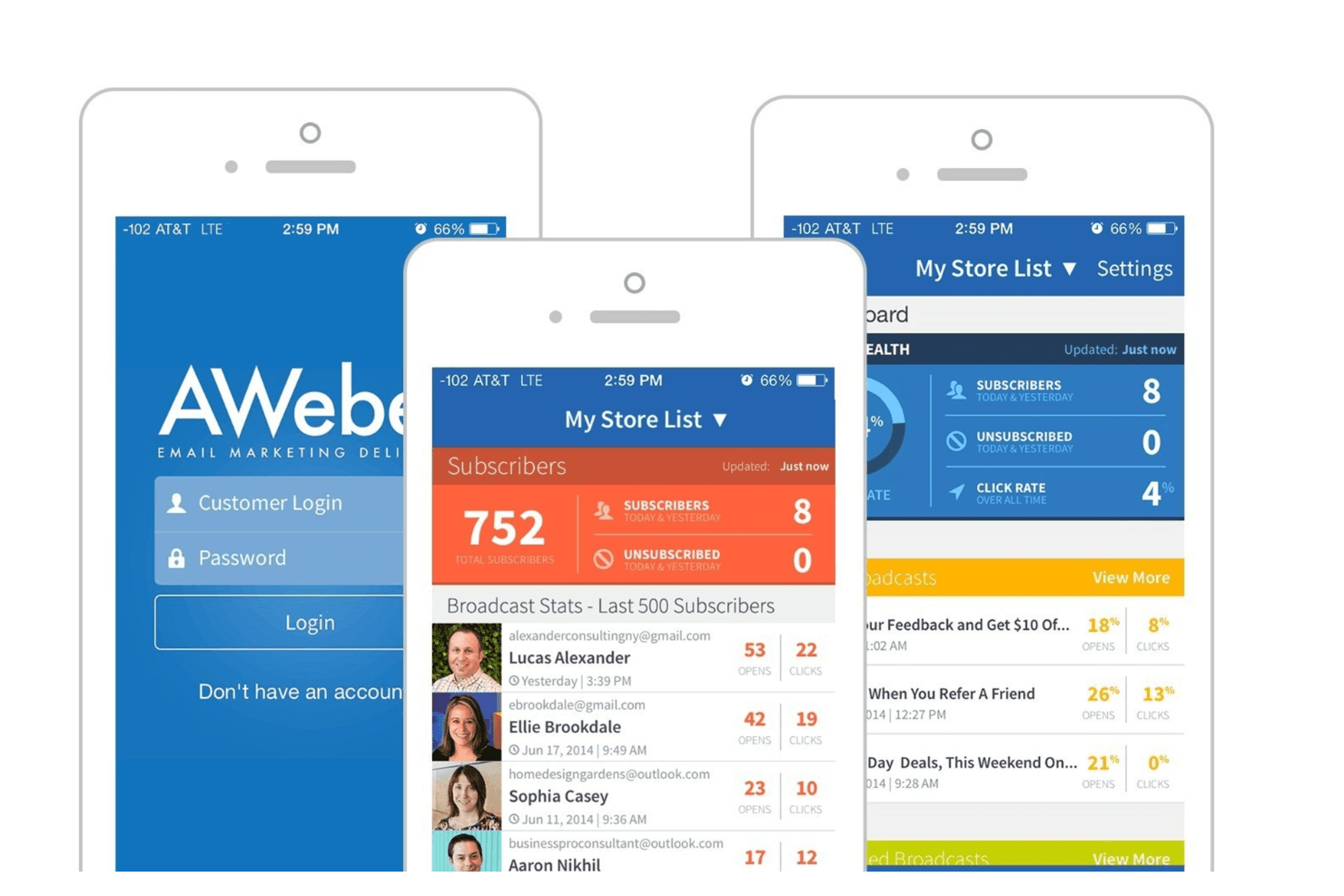
We consider how quick and easy it is to execute the tasks defined in the core functionality using the tool. High scoring software is well designed, intuitive to use, offers mobile apps, provides templates, and makes relatively complex tasks seem simple.
Onboarding (10% of final scoring)
We know how important rapid team adoption is for a new platform, so we evaluate how easy it is to learn and use a tool with minimal training. We evaluate how quickly a team member can get set up and start using the tool with no experience. High scoring solutions indicate little or no support is required.
Customer Support (10% of final scoring)
We review how quick and easy it is to get unstuck and find help by phone, live chat, or knowledge base. Tools and companies that provide real-time support score best, while chatbots score worst.
Customer Reviews (10% of final scoring)
Beyond our own testing and evaluation, we consider the net promoter score from current and past customers. We review their likelihood, given the option, to choose the tool again for the core functionality. A high scoring software reflects a high net promoter score from current or past customers.
Value for Money (10% of final scoring)
Lastly, in consideration of all the other criteria, we review the average price of entry level plans against the core features and consider the value of the other evaluation criteria. Software that delivers more, for less, will score higher.
Core Features
Email Templates: AWeber provides a variety of pre-designed email templates and landing page templates that allow you to create professional-looking emails quickly. You can customize them to fit your brand's style using basic HTML and stock photos, saving you time on design work.
Automation: AWeber allows you to set up basic email automation, such as welcome sequences and autoresponder follow-ups. This helps your team engage with subscribers without manual intervention.
Subscriber Management: You can organize your contacts with tags and segments to target specific audiences. This feature ensures your messages reach the right people.
Analytics: AWeber offers basic analytics to track open rates, click-throughs, and more. These insights help you understand your audience's behavior and improve your campaigns.
A/B Testing: You can test different email elements to see what resonates best with your audience. This feature helps optimize your email strategy for better results.
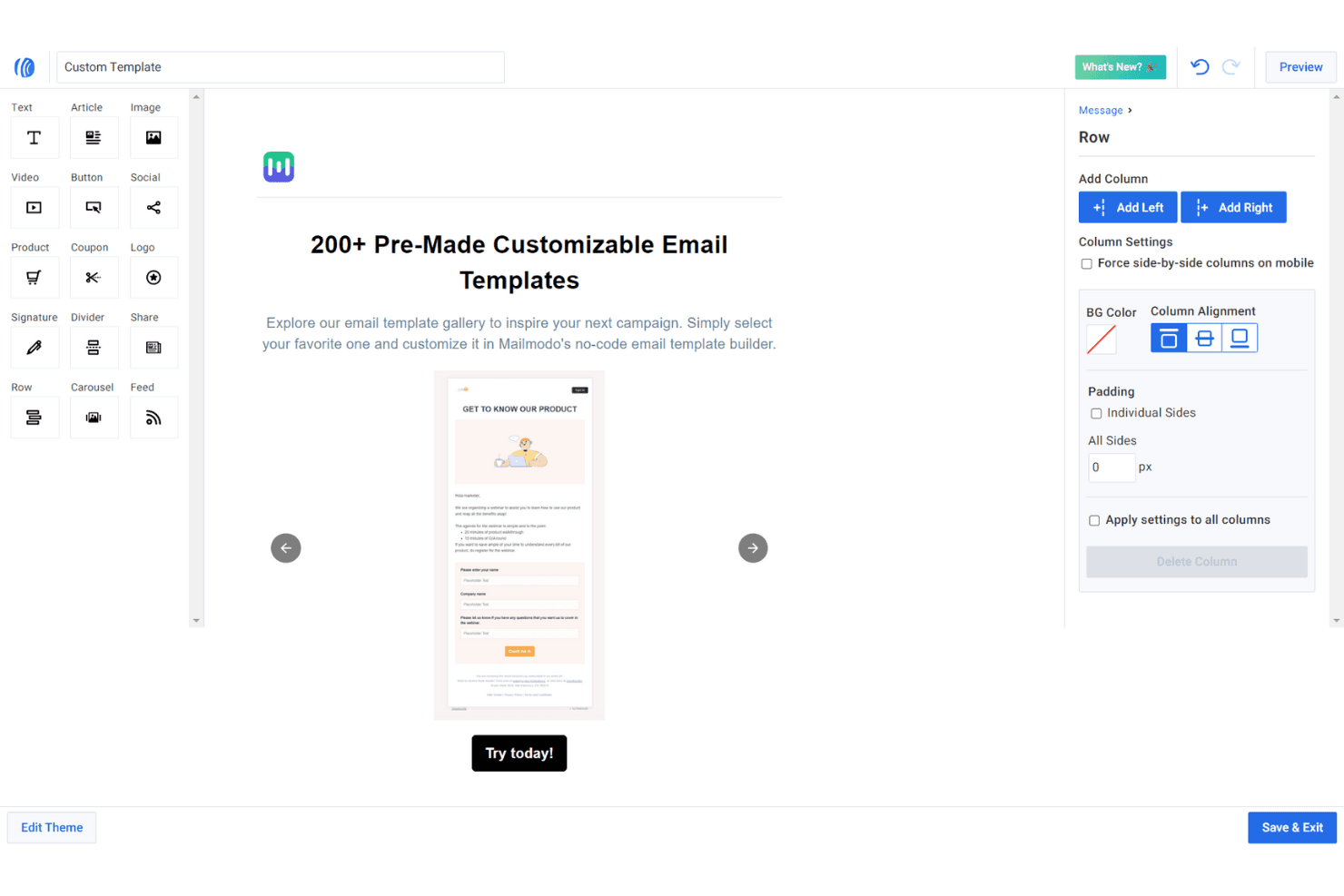
Drag-and-Drop Editor: AWeber's editor makes it simple to design emails without coding knowledge. You can quickly add images, text, and buttons to craft engaging messages.
Ease of Use
AWeber is user-friendly, making it a great option for beginners or small teams without technical expertise. The landing page builder and drag-and-drop editor simplify email design, while the automation setup is intuitive and straightforward. AWeber reviews appreciate the clean user interface, which allows for easy navigation and efficient campaign management. AWeber's responsive customer support further strengthens usability by providing quick assistance when needed, ensuring your small business can focus on creating effective email campaigns without technical hurdles.
Integrations
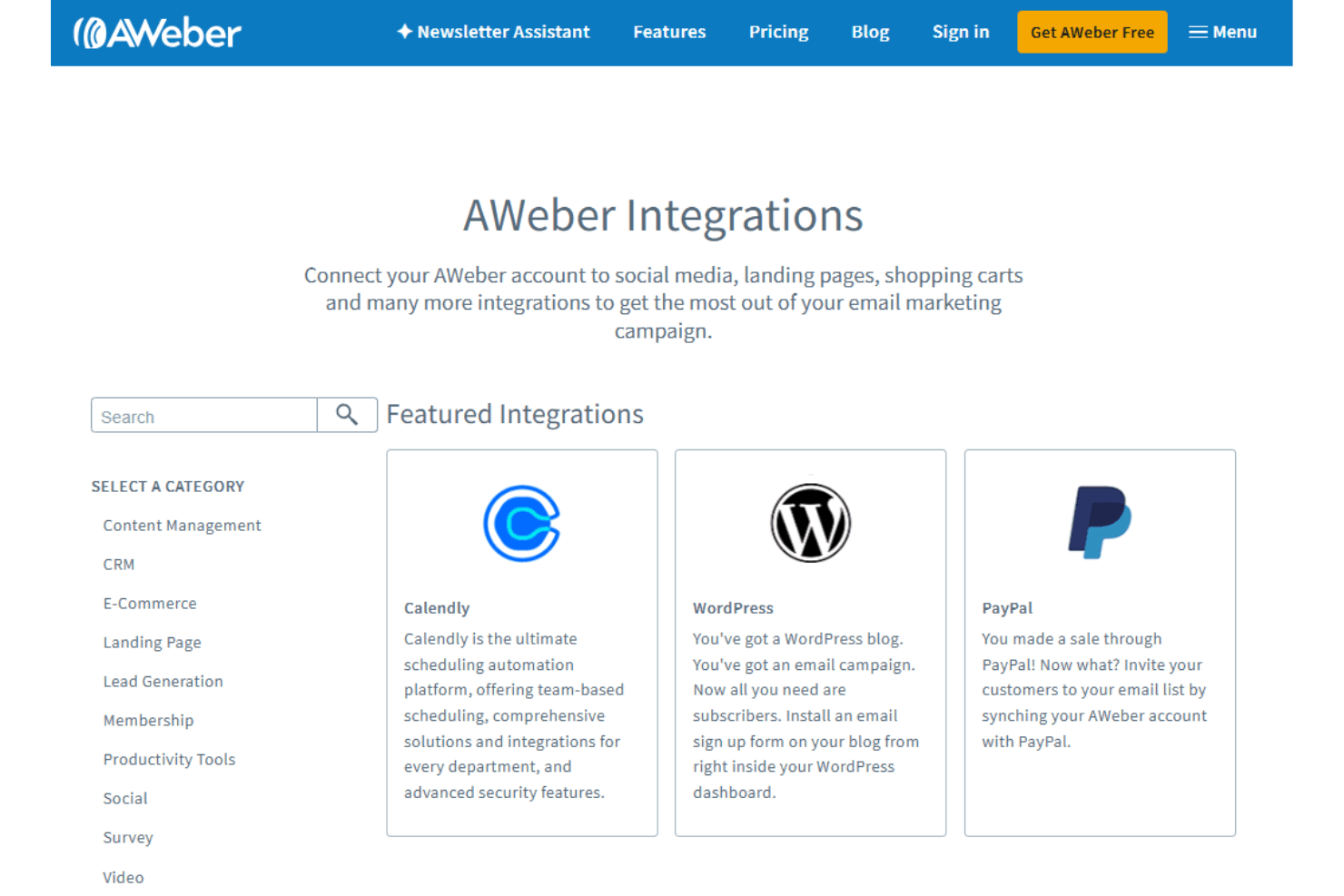
AWeber integrates with Salesforce, HubSpot CRM, Zoho CRM, Shopify, WooCommerce, PayPal, ClickFunnels, LeadPages, OptinMonster, Stripe, Canva, and Google Calendar.
AWeber also has an API and connects with third-party integration tools such as Zapier, WordPress, and Microsoft Power Platform.
AWeber Specs
- A/B Testing: Yes
- API: Yes
- Audience Targeting: Yes
- Brand Management: Yes
- Calendar Management: Yes
- Campaign Management: Yes
- Compliance Tracking: Yes
- Contact Management: Yes
- Contact Sharing: Yes
- Conversion Tracking: Yes
- CRM Integration: Yes
- Customer Management: Yes
- Dashboard: Yes
- Data Export: Yes
- Data Import: Yes
- Data Visualization: Yes
- Email Integration: Yes
- External Integrations: Yes
- Google Apps Integration: Yes
- Lead Management: Yes
- Lead Scoring: Yes
- Link Tracking: Yes
- Marketing Automation: Yes
- Multi-User: Yes
- Notifications: Yes
- Scheduling: Yes
- Social-Media Integration: Yes
- Third-Party Plugins/Add-Ons: Yes


