

Recensione di OpusClip: vantaggi, svantaggi, funzionalità e prezzi
I put OpusClip’s AI repurposing to the test, weighing its time-saving strengths, creative tradeoffs, standout features, and pricing to see who it’s really built for.

Recensiamo gli strumenti in modo indipendente, e le commissioni aiutano a finanziare i nostri test. Consulta la nostra politica sulla trasparenza, la nostra metodologia o suggerisci uno strumento.
OpusClip is an AI video editor that turns long-form videos, webinars, and podcasts into short, caption-ready clips for TikTok, Instagram Reels, YouTube Shorts, and LinkedIn. I'd reach for it when your team is sitting on hours of recorded content and needs a fast way to spin up social-ready cuts without staffing a dedicated editor.
Compared to a timeline-based tool like Descript, OpusClip is the better pick when your goal is high-volume short-form repurposing with auto-generated hooks, virality scoring, and face-tracking reframing, rather than full multitrack editing from scratch.
OpusClip Evaluation Summary
4.6/5
- From $15/month
- Free plan available
Perché fidarsi dei nostri consigli sui software
6,700+
Reviews
20
Industry experts
16+
Evaluation factors
14
Years
Il nostro team testa e recensisce software dal 2012. In quanto leader del marketing noi stessi, sappiamo quanto sia difficile — e importante — scegliere il software giusto.
Per questa guida, abbiamo valutato gli strumenti attraverso test pratici e ricerche indipendenti, assegnando un punteggio agli strumenti in base ai nostri criteri di selezione.
Le nostre recensioni riflettono il nostro giudizio editoriale umano, non un discorso di vendita.
Revisori esperti:
 Gui DrusinaDirettore creativo
- Shriya GhateSenior Marketing Lead
 Amanda JacquesResponsabile Marketing Ops

OpusClip Overview
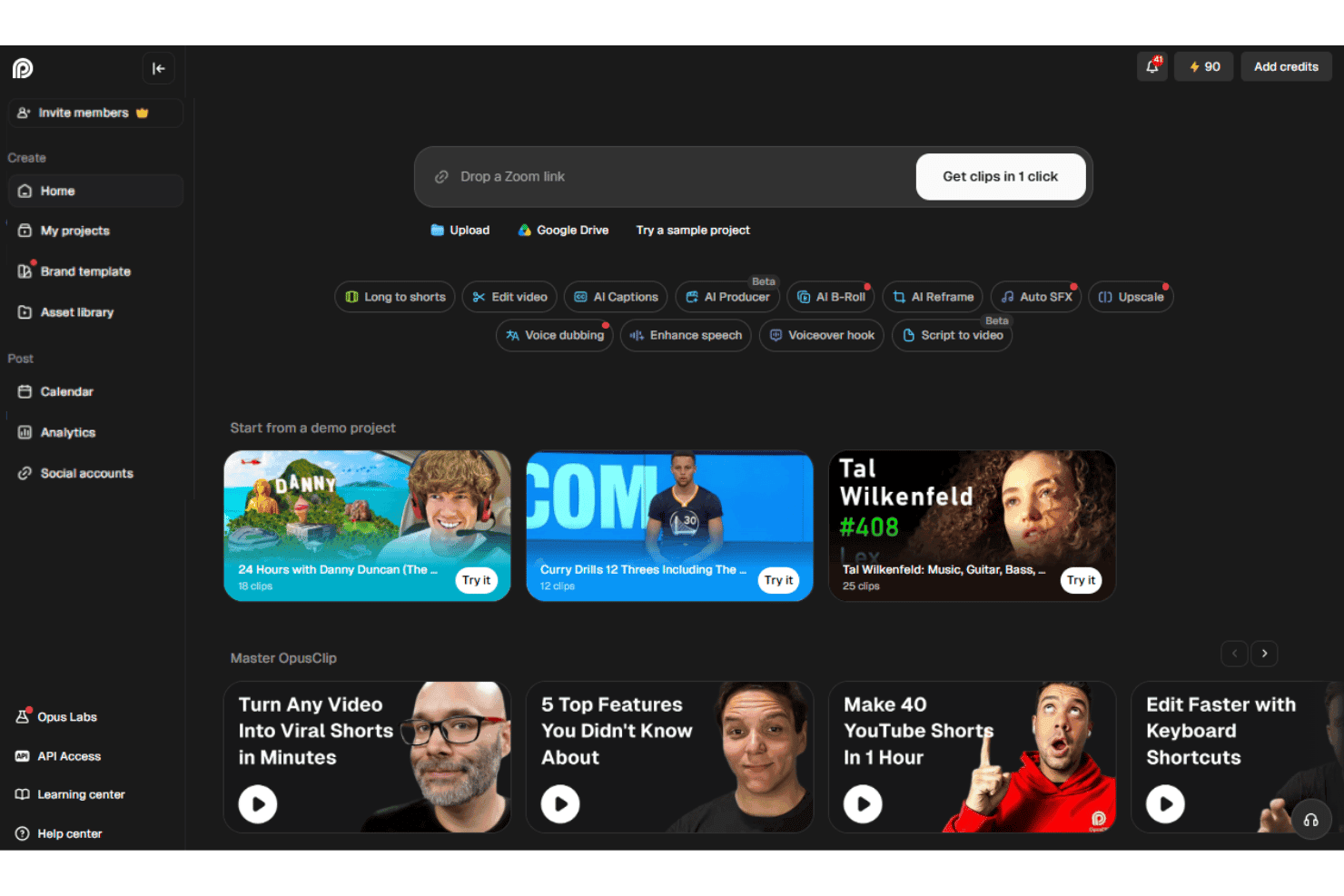
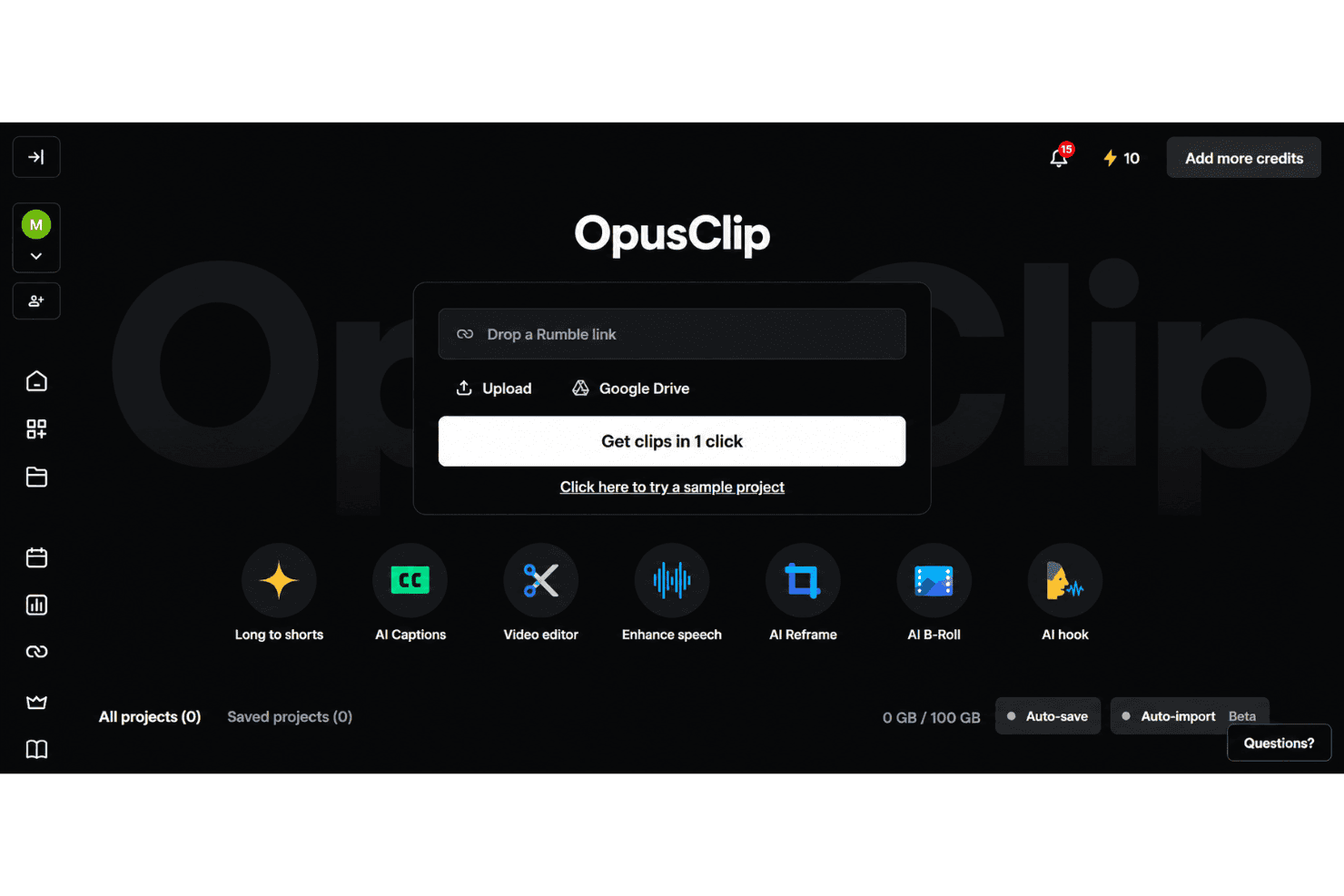
OpusClip is my pick for turning long recordings into social clips, not for full multitrack production. Its browser interface makes onboarding simple: upload a file or paste a supported source, then review AI-selected clips, captions, subtitles, and virality scores. Pricing is tiered, with a free plan for limited processing and paid plans that increase usage limits and unlock more advanced features. Higher tiers add capabilities such as scheduling, team seats, dubbing, B-roll, API access, and exports for professional editing tools. Support is available through chat on select plans.
Pros
- ClipAnything identifies moments using visual, audio, and sentiment cues.
- AI reframe feature keeps speakers centered across vertical social formats.
- Users report finding several usable clips without manual episode review.
Cons
- AI clip selection often produces only a few usable edits.
- Face tracking can distort guests during automatic reframing.
- Free exports carry watermarks and expire after three days.
Is OpusClip Right For Your Needs?
Who Would be a Good Fit for OpusClip?
OpusClip fits marketers and small content teams that turn long recordings into social clips. Its AI clip selection, animated captions, auto reframe, virality scores, and social integrations support repeatable repurposing workflows.
- Social TeamsSocial media teams can turn webinars, interviews, and podcasts into captioned clips with auto reframe, virality scores, and direct social posting.
- Solo CreatorsSolo creators can upload recordings in a browser and review AI-selected clips without managing a complex editing timeline.
- Demand GenerationDemand generation teams can repurpose webinars into short-form assets using captions, reframing, editing, and brand templates.
- Podcast TeamsPodcast teams can identify shareable moments from long recordings, then export clips formatted for channels such as TikTok, Instagram Reels, LinkedIn, and YouTube.
- Small AgenciesSmall agencies can manage recurring client repurposing through Pro features such as two team seats, scheduling, credit rollover, and multiple aspect ratios.
- Event MarketersEvent marketers can convert recorded talks and livestreams into promotional clips and distribute them through integrations with platforms such as LinkedIn, Facebook, X, and Instagram.
Who Would be a Bad Fit for OpusClip?
OpusClip is a weaker choice for teams that need offline production, detailed creative control, or highly consistent output quality. Its AI workflow can produce only a few usable clips, while free exports include watermarks and expire after three days.
- Complex PostproductionFilm and postproduction teams may outgrow OpusClip because AI-selected clips and browser timeline editing do not replace a full postproduction workflow.
- Offline Video TeamsTeams that cannot upload footage to a browser-based service should avoid OpusClip because its core workflow depends on online uploads and web editing.
- Exact Story EditorsEditors requiring precise narrative selection may find OpusClip unsuitable because reviewers report that the AI sometimes produces only a few usable clips.
- Brand StudiosBrand studios with strict visual systems may find the limited caption styles and single Starter brand template too restrictive.
- Free Client WorkAgencies delivering polished client assets cannot rely on the free tier because exports include watermarks and projects expire after three days.
- Hands-On SupportTeams needing detailed editing assistance may find OpusClip limiting because documentation and in-app guidance cover routine tasks, while chat support is available to Pro users.
Come Testiamo e Valutiamo gli Strumenti
Abbiamo passato anni a costruire, perfezionare e migliorare il nostro sistema di test e valutazione del software. Il nostro metodo è progettato per cogliere le sfumature nella selezione del software e ciò che rende uno strumento efficace, concentrandoci sugli aspetti critici del processo decisionale. Qui sotto puoi vedere esattamente come funziona il nostro sistema di test e valutazione su sette criteri. Questo ci permette di offrire una valutazione imparziale del software basata su funzionalità principali, funzioni distintive, facilità d’uso, onboarding, supporto clienti, integrazioni, recensioni dei clienti e rapporto qualità-prezzo.
Funzionalità principali (25% del punteggio finale)
Il punto di partenza della nostra valutazione è sempre la funzionalità principale dello strumento. Include le caratteristiche e le funzioni basilari che un utente si aspetterebbe di trovare? Alcune di queste funzionalità sono bloccate nei piani premium? Ci aspettiamo che ogni strumento soddisfi almeno le capacità di base dei suoi concorrenti.
Funzionalità distintive (25% del punteggio finale)
Successivamente, valutiamo le funzionalità uniche che vanno oltre la normale funzionalità principale, quelle poco comuni negli strumenti simili. Un punteggio alto riflette caratteristiche specializzate o uniche che rendono il prodotto più veloce, efficiente o offrono un valore aggiunto all’utente. Valutiamo anche quanto sia semplice integrare il software con altri strumenti abitualmente usati in una tech stack, per espandere le funzionalità e l’utilità del prodotto. Sono valutate positivamente soluzioni con molte integrazioni native, connessioni di terze parti e API per creare integrazioni personalizzate.
Facilità d’uso (10% del punteggio finale)
Consideriamo la rapidità e semplicità con cui si possono eseguire le attività principali tramite lo strumento. I software con punteggio più alto sono ben progettati, intuitivi, dispongono di app mobili, offrono template e semplificano compiti complessi.
Onboarding (10% del punteggio finale)
Sappiamo quanto sia importante l’adozione rapida in azienda, quindi valutiamo la facilità di apprendimento e utilizzo di uno strumento con formazione minima. Analizziamo quanto velocemente un utente senza esperienza può iniziare a usare il software. Le soluzioni migliori richiedono poco o nessun supporto.
Supporto clienti (10% del punteggio finale)
Analizziamo la rapidità e facilità nel trovare aiuto tramite telefono, chat dal vivo o knowledge base. Gli strumenti che offrono supporto in tempo reale ottengono il punteggio migliore: i chatbot invece i peggiori.
Recensioni dei clienti (10% del punteggio finale)
Oltre ai nostri test, consideriamo il net promoter score di attuali ed ex clienti. Valutiamo la probabilità che, potendo scegliere, l’utente decida di utilizzare ancora quello strumento per le funzionalità principali. Un software con un punteggio alto corrisponde ad un alto net promoter score tra clienti attuali o passati.
Rapporto qualità-prezzo (10% del punteggio finale)
Infine, tenendo conto di tutti gli altri criteri, confrontiamo il prezzo medio dei piani base rispetto alle funzionalità principali e agli altri fattori di valutazione. I software che offrono di più, a meno, ottengono i punteggi più alti.
Core Features
AI Clip Generation
OpusClip analyzes long videos and selects short segments with hooks, dialogue, and pacing suited to social content. You can turn a webinar or podcast into several draft clips without reviewing the entire recording manually.
ClipAnything
ClipAnything finds moments through visual, audio, and sentiment cues, rather than relying only on transcripts. This helps surface clips such as product demonstrations, reactions, or audience moments that keyword-based selection can miss.
AI Reframing
AI reframing automatically adjusts the crop for vertical, square, and landscape formats while keeping speakers in view. A two-person podcast can become a vertical clip with the active speaker positioned clearly for mobile viewers.
Animated Captions
OpusClip generates AI captions and applies animated styling to match short-form video formats. Captions keep the message readable when viewers watch a product explanation or interview without sound.
Virality Score
Virality scores estimate how likely each generated clip is to attract attention based on factors such as pacing, content structure, and audience interest. Your team can use the score to prioritize which clips to review first, while still applying human judgment.
AI B-Roll
AI B-roll adds relevant visual footage over spoken sections to support the clip’s topic. For example, a marketing interview about analytics can receive supporting visuals instead of showing the same speaker throughout.
Ease of Use
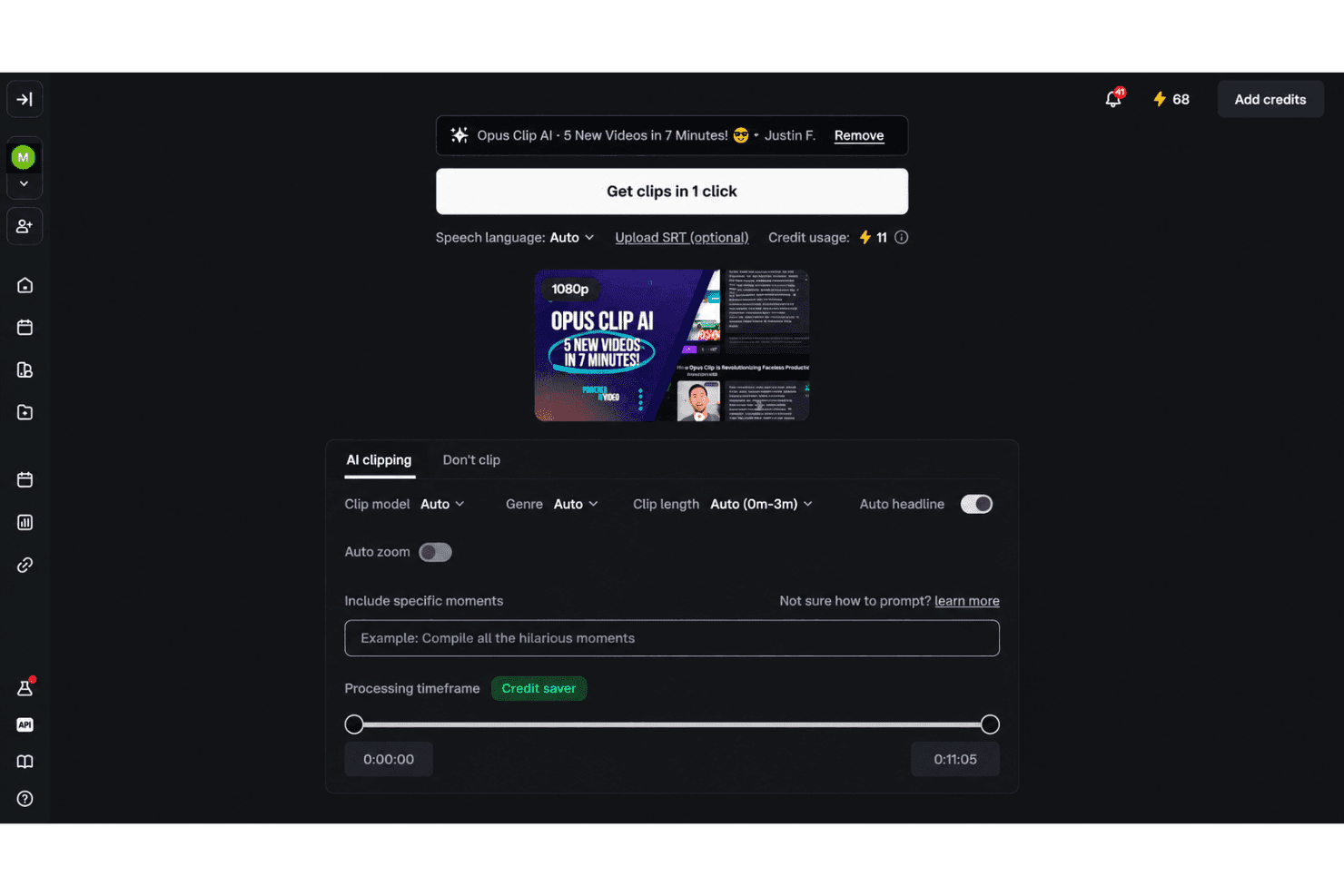
OpusClip is easy to use for fast social repurposing, especially if you prefer guided automation over manual editing. Upload a recording, then review AI-selected clips, animated captions, reframing, and virality scores in the browser. Text and timeline editing provide useful control afterward. User feedback supports the quick workflow, though reviewers often report only a few usable clips, occasional face-tracking distortion, and watermarked free exports that expire after three days.
Integrations
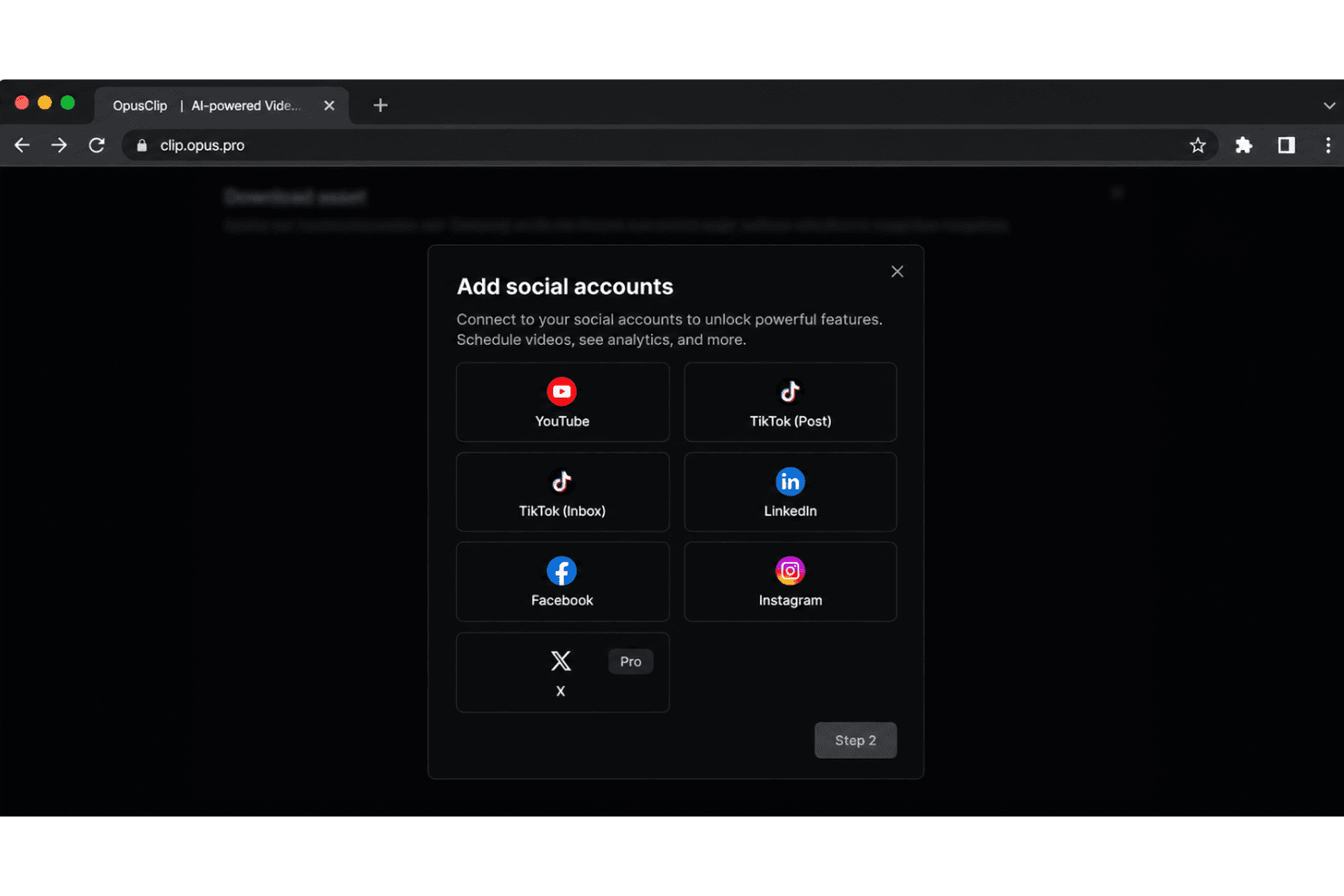
OpusClip integrates with YouTube, TikTok, Instagram Reels, Facebook, X, Google Drive, Vimeo, and Zoom, among others.
It also offers an API and connects with third-party integration tools including Zapier.
OpusClip Specs
- CAD Tools: Yes
- Data Export: Yes
- Data Import: Yes
- Multi-User: Yes
- Pixel Graphics: Yes
- Third-Party Plugins/Add-Ons: Yes
- Vector File Support: Yes
- Video: Yes


