

Recensione di Munch Studio: pro, contro, funzionalità e prezzi
I put Munch Studio under the microscope, weighing its social media features, pricing, and trade-offs to reveal whether it earns a place in your marketing workflow.

Recensiamo gli strumenti in modo indipendente, e le commissioni aiutano a finanziare i nostri test. Consulta la nostra politica sulla trasparenza, la nostra metodologia o suggerisci uno strumento.
Munch Studio is an AI-powered social media marketing software for businesses that need to create, schedule, and track branded content across social platforms without managing every post manually. I’d choose it over Buffer when you want AI to learn from your website and brand materials, repurpose videos, and build a content calendar alongside publishing and performance tracking.
Munch Studio Evaluation Summary
0/5
- From $38/month
- Free trial available
Perché fidarsi dei nostri consigli sui software
6,700+
Reviews
20
Industry experts
16+
Evaluation factors
14
Years
Il nostro team testa e recensisce software dal 2012. In quanto leader del marketing noi stessi, sappiamo quanto sia difficile — e importante — scegliere il software giusto.
Per questa guida, abbiamo valutato gli strumenti attraverso test pratici e ricerche indipendenti, assegnando un punteggio agli strumenti in base ai nostri criteri di selezione.
Le nostre recensioni riflettono il nostro giudizio editoriale umano, non un discorso di vendita.
Revisori esperti:
 Gui DrusinaDirettore creativo
- Shriya GhateSenior Marketing Lead
 Amanda JacquesResponsabile Marketing Ops

Munch Studio Overview
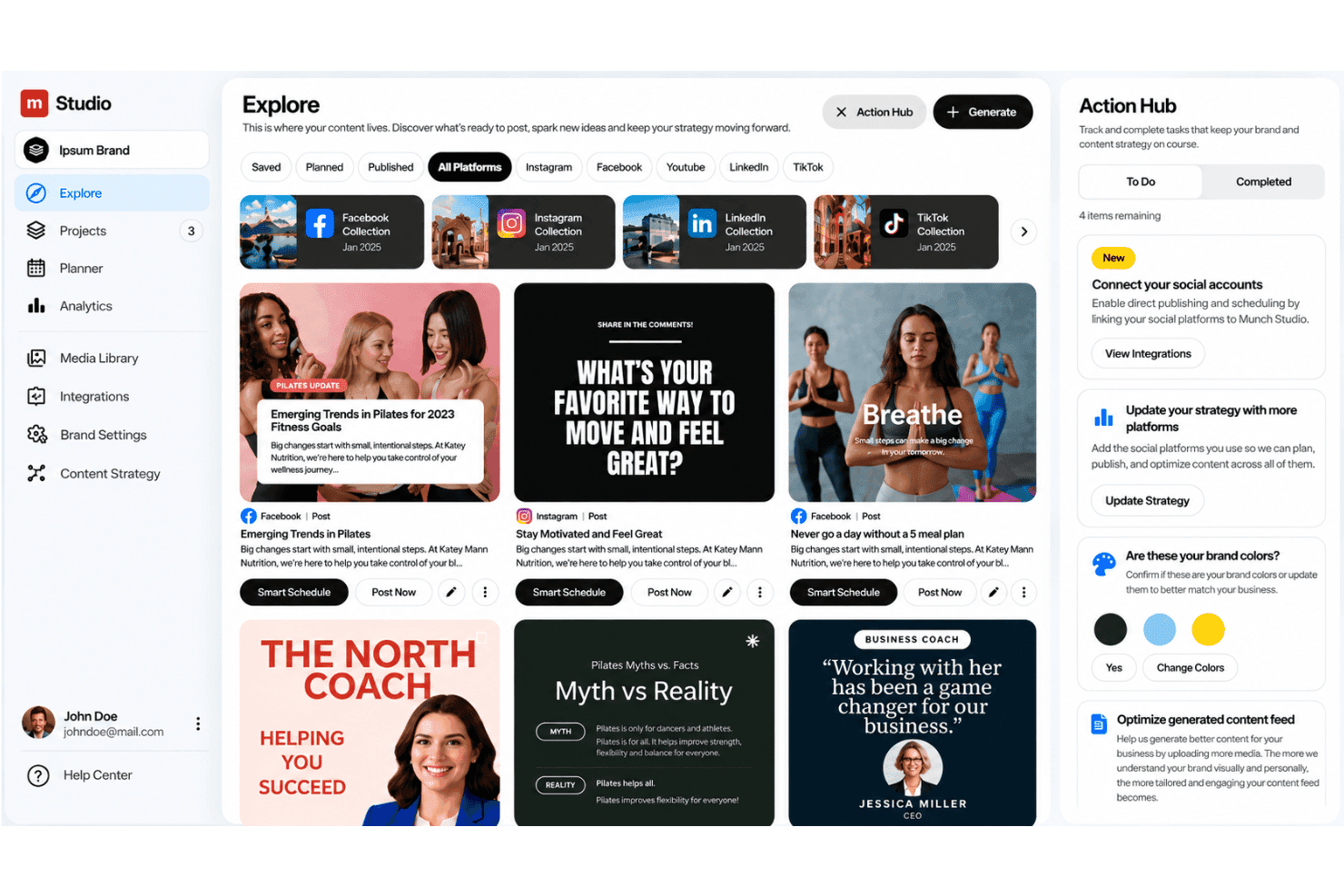
Munch Studio is my pick for teams that want AI to learn from website content, videos, photos, and recordings before creating branded posts. Its visual calendar, approvals, scheduling, auto-posting, performance metrics, and multi-brand workspaces compare well with conventional social schedulers, while agency concierge support makes onboarding approachable. However, pricing is less transparent, and its documented integrations appear narrower than larger platforms. I’d choose it for small businesses and agencies managing several brands, but judge it less suitable for teams needing extensive integrations, advanced analytics, or highly granular publishing controls.
Pros
- AI repurposes long videos into platform-ready clips and captions.
- Brand-trained content planning spans creation, scheduling, publishing, and analytics.
- Multi-brand workspaces and agency concierge support suit client portfolios.
Cons
- Users report slow processing and repeated reprocessing for additional clips.
- Reviewers want manual subtitle timing and finer resizing controls.
- Some users report irrelevant stock visuals and off-target content.
Is Munch Studio Right For Your Needs?
Who Would be a Good Fit for Munch Studio?
Munch Studio fits teams that repurpose video, manage scheduled publishing, and need approval workflows across brands. Its visual calendar, auto-publishing, AI-generated clips and captions, agency concierge support, and multi-brand plans suit structured digital marketing operations.
- Marketing AgenciesAgency teams can use concierge support, approval workflows, visual calendars, and multi-brand plans to manage publishing for several clients.
- Small BusinessesSmall businesses can use the Essential plan’s one-brand setup, 500 repurposing minutes, 10 generated videos, publishing tools, and 100 GB storage.
- Social ManagersSocial media managers can coordinate drafts, approvals, schedules, and auto-publishing from one workflow rather than separate publishing tools.
- Video PublishersTeams with long-form video can use Munch Studio to create shorter clips and captions for social distribution.
- Content DepartmentsContent departments can turn existing video libraries into scheduled social posts using repurposing minutes and generated videos.
- Multi Bran TeamsTeams managing several brands can use Studio for up to five brands or Scale for up to 15 brands, with larger content allowances.
Who Would be a Bad Fit for Munch Studio?
Munch Studio is a poor fit for teams that require detailed creative control, instant processing, broad platform coverage, or deep automation connections. User reviews also report slow processing, repeated reprocessing for extra clips, irrelevant stock visuals, and limited subtitle and resizing controls.
- Hands On CreatorsCreators who need detailed editing may dislike Munch Studio’s limited subtitle, resizing, and visual adjustment controls.
- Design Led TeamsDesign departments may need another editor when AI-selected stock visuals feel irrelevant or require frequent manual replacement.
- Pinterest TeamsTeams focused on Pinterest should look elsewhere because Munch Studio lists Facebook, Instagram, LinkedIn, and TikTok integrations instead.
- Zapier Dependent TeamsOperations teams that depend on Zapier or Make may find Munch Studio unsuitable because no confirmed third-party connections are listed.
- Real Time MarketersReal-time marketing teams may struggle with reported slow processing and repeated reprocessing before receiving additional clips.
- Large AgenciesAgencies managing more than 15 brands may outgrow Munch Studio because its largest listed plan supports up to 15 brands.
Come Testiamo e Valutiamo gli Strumenti
Abbiamo passato anni a costruire, perfezionare e migliorare il nostro sistema di test e valutazione del software. Il nostro metodo è progettato per cogliere le sfumature nella selezione del software e ciò che rende uno strumento efficace, concentrandoci sugli aspetti critici del processo decisionale. Qui sotto puoi vedere esattamente come funziona il nostro sistema di test e valutazione su sette criteri. Questo ci permette di offrire una valutazione imparziale del software basata su funzionalità principali, funzioni distintive, facilità d’uso, onboarding, supporto clienti, integrazioni, recensioni dei clienti e rapporto qualità-prezzo.
Funzionalità principali (25% del punteggio finale)
Il punto di partenza della nostra valutazione è sempre la funzionalità principale dello strumento. Include le caratteristiche e le funzioni basilari che un utente si aspetterebbe di trovare? Alcune di queste funzionalità sono bloccate nei piani premium? Ci aspettiamo che ogni strumento soddisfi almeno le capacità di base dei suoi concorrenti.
Funzionalità distintive (25% del punteggio finale)
Successivamente, valutiamo le funzionalità uniche che vanno oltre la normale funzionalità principale, quelle poco comuni negli strumenti simili. Un punteggio alto riflette caratteristiche specializzate o uniche che rendono il prodotto più veloce, efficiente o offrono un valore aggiunto all’utente. Valutiamo anche quanto sia semplice integrare il software con altri strumenti abitualmente usati in una tech stack, per espandere le funzionalità e l’utilità del prodotto. Sono valutate positivamente soluzioni con molte integrazioni native, connessioni di terze parti e API per creare integrazioni personalizzate.
Facilità d’uso (10% del punteggio finale)
Consideriamo la rapidità e semplicità con cui si possono eseguire le attività principali tramite lo strumento. I software con punteggio più alto sono ben progettati, intuitivi, dispongono di app mobili, offrono template e semplificano compiti complessi.
Onboarding (10% del punteggio finale)
Sappiamo quanto sia importante l’adozione rapida in azienda, quindi valutiamo la facilità di apprendimento e utilizzo di uno strumento con formazione minima. Analizziamo quanto velocemente un utente senza esperienza può iniziare a usare il software. Le soluzioni migliori richiedono poco o nessun supporto.
Supporto clienti (10% del punteggio finale)
Analizziamo la rapidità e facilità nel trovare aiuto tramite telefono, chat dal vivo o knowledge base. Gli strumenti che offrono supporto in tempo reale ottengono il punteggio migliore: i chatbot invece i peggiori.
Recensioni dei clienti (10% del punteggio finale)
Oltre ai nostri test, consideriamo il net promoter score di attuali ed ex clienti. Valutiamo la probabilità che, potendo scegliere, l’utente decida di utilizzare ancora quello strumento per le funzionalità principali. Un software con un punteggio alto corrisponde ad un alto net promoter score tra clienti attuali o passati.
Rapporto qualità-prezzo (10% del punteggio finale)
Infine, tenendo conto di tutti gli altri criteri, confrontiamo il prezzo medio dei piani base rispetto alle funzionalità principali e agli altri fattori di valutazione. I software che offrono di più, a meno, ottengono i punteggi più alti.
Core Features
AI-Powered Content Creation
Munch Studio learns from your website, brand materials, photos, recordings, and videos to draft branded social posts. This gives marketers starting points that reflect existing messaging instead of generic copy.
Video Repurposing
Munch Studio turns long videos into platform-ready clips and creates captions for each version. For example, you can convert one webinar into several short-form posts for different social channels.
Visual Content Calendar
The visual calendar organizes planned posts by date, platform, and campaign. You can review your publishing mix before scheduling content, helping spot gaps or repetitive topics.
Content Review & Approval
Munch Studio lets teams review and edit generated social posts before approving them for scheduling. Role-based permissions can also allow team members to work on content without publishing it, giving agencies and marketing teams more control over what goes live.
Scheduling And Auto-Publishing
Munch Studio lets you schedule approved posts and automatically publish them to connected social channels. You can prepare a week of campaign content in one session instead of posting manually each day.
Social Media Analytics
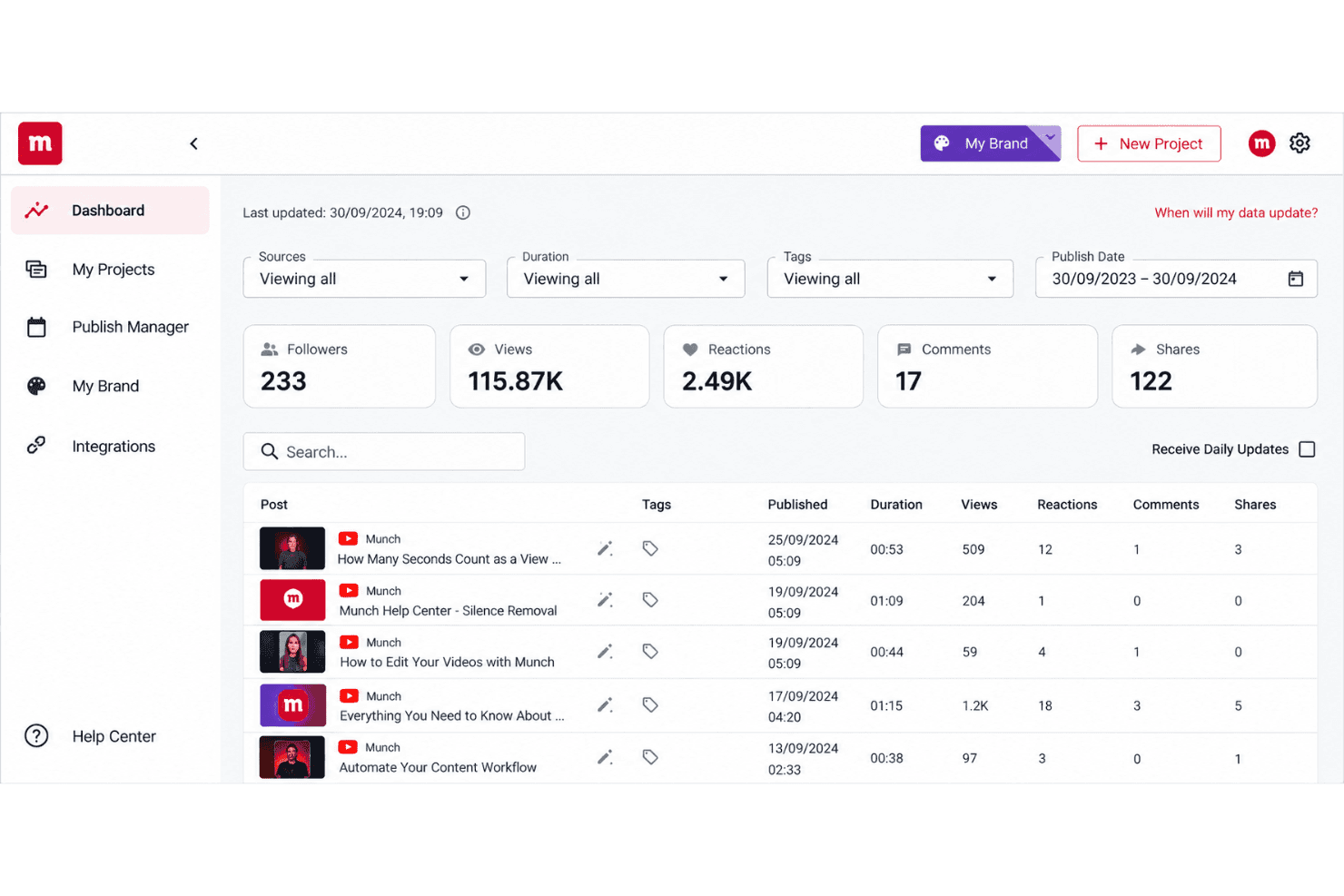
Munch Studio tracks performance metrics for published social content. Marketers can use those results to identify which posts, formats, or topics deserve more space in the next content plan.
Ease of Use
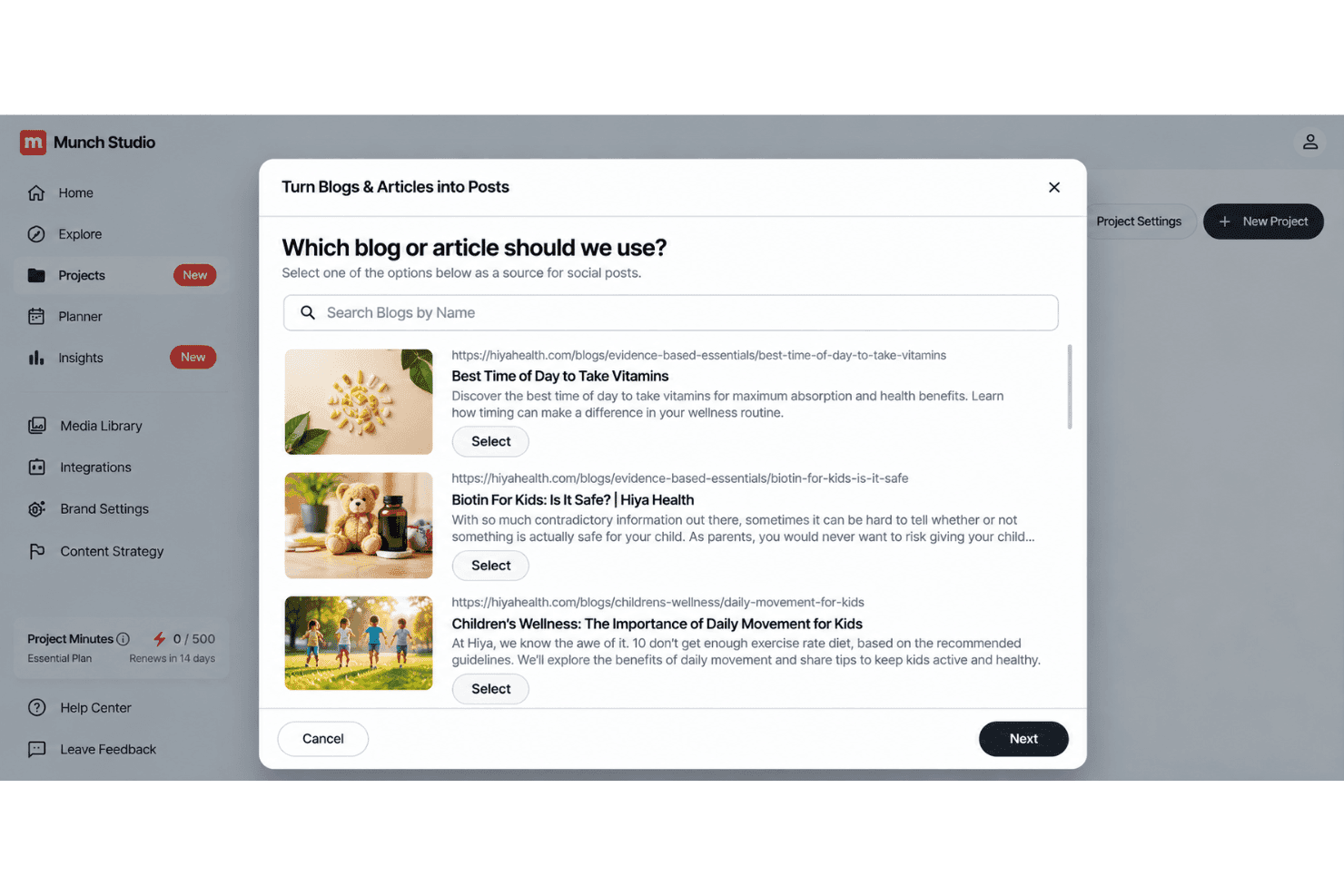
Munch Studio is easy to navigate for teams that want a guided publishing workflow. Its visual calendar, approval queue, scheduling, auto-publishing, and agency concierge support keep content moving from draft to live post. The AI also turns long videos into clips and captions without requiring separate tools. However, user reviews mention slow processing, repeated reprocessing, irrelevant stock visuals, and limited subtitle and resizing controls. Overall, it’s approachable, but advanced creators may find editing restrictive.
Integrations
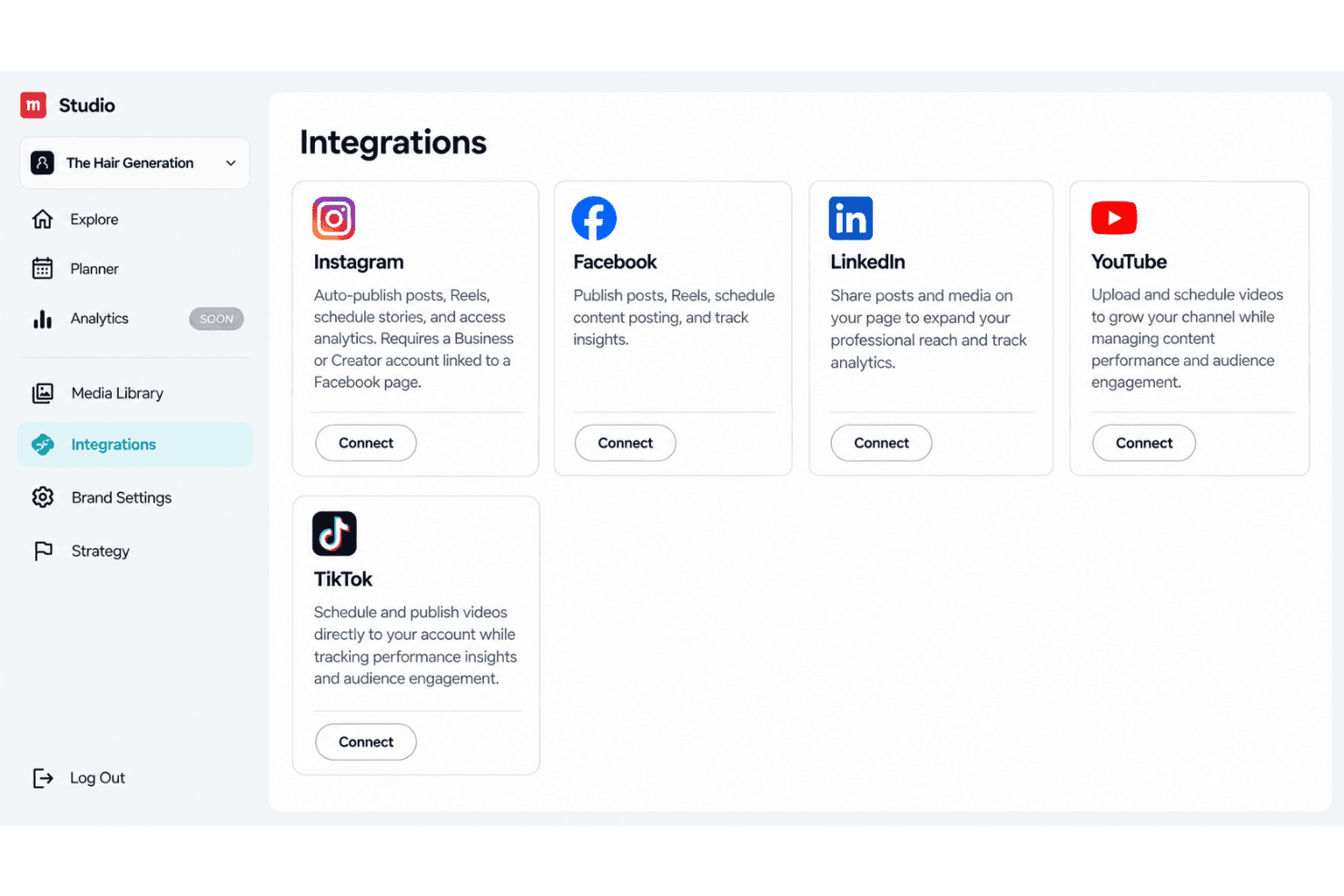
Munch Studio integrates with Facebook, Instagram Reels, Youtube Shorts, LinkedIn, and TikTok.
Munch Studio also offers an API and developer support for integration partners.
Munch Studio Specs
- CAD Tools: Yes
- Data Export: Yes
- Data Import: Yes
- Multi-User: Yes
- Pixel Graphics: Yes
- Third-Party Plugins/Add-Ons: Yes
- Vector File Support: Yes
- Video: Yes


