

Looker Studio Review: Pros, Cons, Features, and Pricing Explained
Looker Studio stands out for its seamless Google integration and flexible data visualization, but may fall short for advanced analytics compared to specialized marketing intelligence platforms.

We review tools independently, and commissions help fund our testing. See our transparency policy, our methodology, or suggest a tool.
Looker Studio is a marketing intelligence software built around data visualization and dashboard reporting, designed for teams that need to pull marketing data into a single, shareable view. I'd consider it most seriously if your stack is Google-heavy—it connects natively with GA4, Google Ads, and Search Console out of the box. It's also free, which puts it in a different category than Tableau for teams that need flexible, custom reporting without a licensing cost attached to every seat.
Looker Studio Evaluation Summary
4.4/5
- From $9/user/project/month
- Free plan available
Why Trust Our Software Recommendations
6,700+
Reviews
20
Industry experts
16+
Evaluation factors
14
Years
Our team has been testing and reviewing software since 2012. As marketing leaders ourselves, we know how difficult—and important—it is to choose the right software.
For this guide, we evaluated tools using hands-on testing and independent research, scoring tools using our selection criteria.
Our reviews reflect our human editorial judgment, not a sales pitch.
Expert reviewers:
 Gui DrusinaCreative Director
- Shriya GhateSenior Marketing Lead
 Amanda JacquesMarketing Ops Leader

Looker Studio Overview
If you’re judging Looker Studio against other marketing intelligence software, I think its Google ecosystem integration, free pricing tier, and easy onboarding make it a top pick for teams already using Google Workspace. The drag-and-drop interface and wide range of connectors help you quickly build dashboards, but advanced users may find its analytics depth limited compared to more specialized tools.
In my experience, it’s best for marketing teams that need fast, collaborative reporting and don’t require heavy-duty data modeling or complex automation. For example, campaign performance dashboards and cross-channel reporting are where Looker Studio shines.
Pros
- Looker Studio offers intuitive data visualization tools that are easy for your team to use.
- It provides real-time data updates, keeping your work current and accurate.
- The platform supports collaboration, making it simple for your team to work together on data projects.
Cons
- Some users find the learning curve a bit steep, which might slow your team's initial adoption.
- The customization options for visualizations are limited, which might not meet all your needs.
- Advanced users may find the depth of features lacking for highly specialized tasks.
Is Looker Studio Right For Your Needs?
Who Would be a Good Fit for Looker Studio?
Looker Studio is ideal for marketing teams, finance departments, and tech startups that need to turn data into actionable insights quickly. Its real-time data updates and collaborative features help your team stay informed and aligned. If you’re in an industry where data-driven decisions are key, like e-commerce or SaaS, Looker Studio’s intuitive visualizations and straightforward interface make it a solid choice for your team.
- Marketing TeamsLooker Studio helps your team visualize campaign performance data, making it easier to track KPIs and adjust strategies in real-time.
- Finance DepartmentsIts real-time data updates let your team monitor financial trends and make informed budgeting decisions.
- Tech StartupsThe platform supports rapid iteration and data-driven decision-making crucial for your fast-paced environment.
- E-commerce BusinessesLooker Studio’s visualizations help you track sales trends and customer behavior, enhancing your strategic planning.
- Product ManagersYou can leverage data insights to guide product development and align with user needs.
- Business AnalystsThe intuitive interface and visualization tools make it easier for you to analyze data and convey insights to stakeholders.
Who Would be a Bad Fit for Looker Studio?
Looker Studio might not suit large corporations with highly specialized data needs or industries requiring deep customization, like aerospace or pharmaceuticals. If your team needs complex, tailored visualizations or advanced analytics beyond the standard offerings, you might find Looker Studio’s customization options too limited. Additionally, if your organization lacks the resources for initial training, the learning curve could be a barrier.
- Aerospace CompaniesThe need for highly specialized and custom data visualizations might not be met by Looker Studio’s standard features.
- Pharmaceutical ResearchAdvanced analytics and customization required for clinical data might be beyond Looker Studio’s capabilities.
- Large EnterprisesComplex data environments and specific needs for customization might not be fully supported.
- Data ScientistsThe platform’s visualizations may not meet the depth of analysis and customization you require.
- Custom Analytics TeamsIf your work requires building highly tailored analytics solutions, Looker Studio’s limitations could be a hindrance.
- Government AgenciesThe need for highly secure, customized, and complex data handling might not align with Looker Studio’s offerings.
How We Test & Score Tools
We’ve spent years building, refining, and improving our software testing and scoring system. The rubric is designed to capture the nuances of software selection and what makes a tool effective, focusing on critical aspects of the decision-making process.
Below, you can see exactly how our testing and scoring works across seven criteria. It allows us to provide an unbiased evaluation of the software based on core functionality, standout features, ease of use, onboarding, customer support, integrations, customer reviews, and value for money.
Core Functionality (25% of final scoring)
The starting point of our evaluation is always the core functionality of the tool. Does it have the basic features and functions that a user would expect to see? Are any of those core features locked to higher-tiered pricing plans? At its core, we expect a tool to stand up against the baseline capabilities of its competitors.
Standout Features (25% of final scoring)
Next, we evaluate uncommon standout features that go above and beyond the core functionality typically found in tools of its kind. A high score reflects specialized or unique features that make the product faster, more efficient, or offer additional value to the user.
We also evaluate how easy it is to integrate with other tools typically found in the tech stack to expand the functionality and utility of the software. Tools offering plentiful native integrations, 3rd party connections, and API access to build custom integrations score best.
Ease of Use (10% of final scoring)
We consider how quick and easy it is to execute the tasks defined in the core functionality using the tool. High scoring software is well designed, intuitive to use, offers mobile apps, provides templates, and makes relatively complex tasks seem simple.
Onboarding (10% of final scoring)
We know how important rapid team adoption is for a new platform, so we evaluate how easy it is to learn and use a tool with minimal training. We evaluate how quickly a team member can get set up and start using the tool with no experience. High scoring solutions indicate little or no support is required.
Customer Support (10% of final scoring)
We review how quick and easy it is to get unstuck and find help by phone, live chat, or knowledge base. Tools and companies that provide real-time support score best, while chatbots score worst.
Customer Reviews (10% of final scoring)
Beyond our own testing and evaluation, we consider the net promoter score from current and past customers. We review their likelihood, given the option, to choose the tool again for the core functionality. A high scoring software reflects a high net promoter score from current or past customers.
Value for Money (10% of final scoring)
Lastly, in consideration of all the other criteria, we review the average price of entry level plans against the core features and consider the value of the other evaluation criteria. Software that delivers more, for less, will score higher.
Core Features
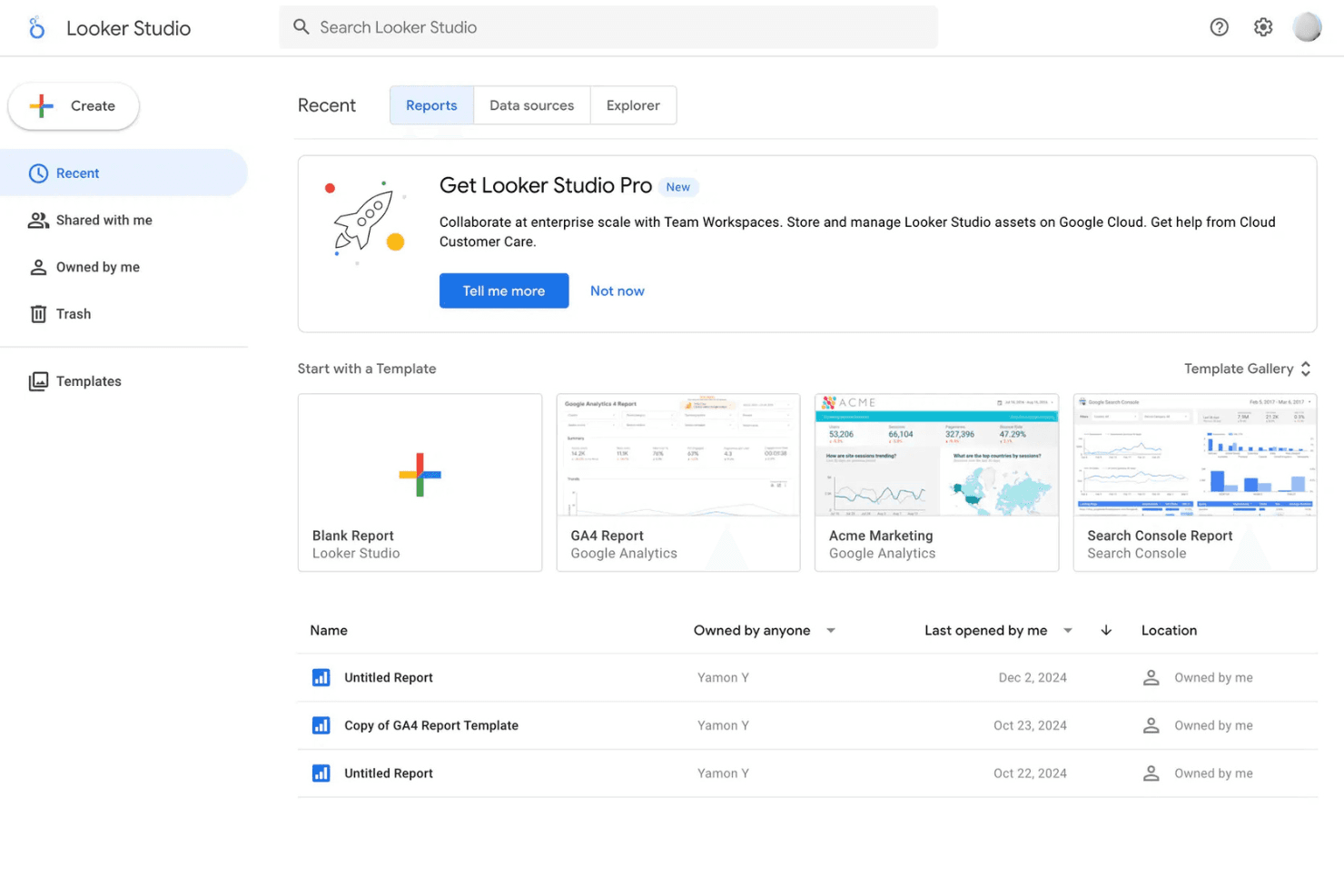
Customizable Dashboards
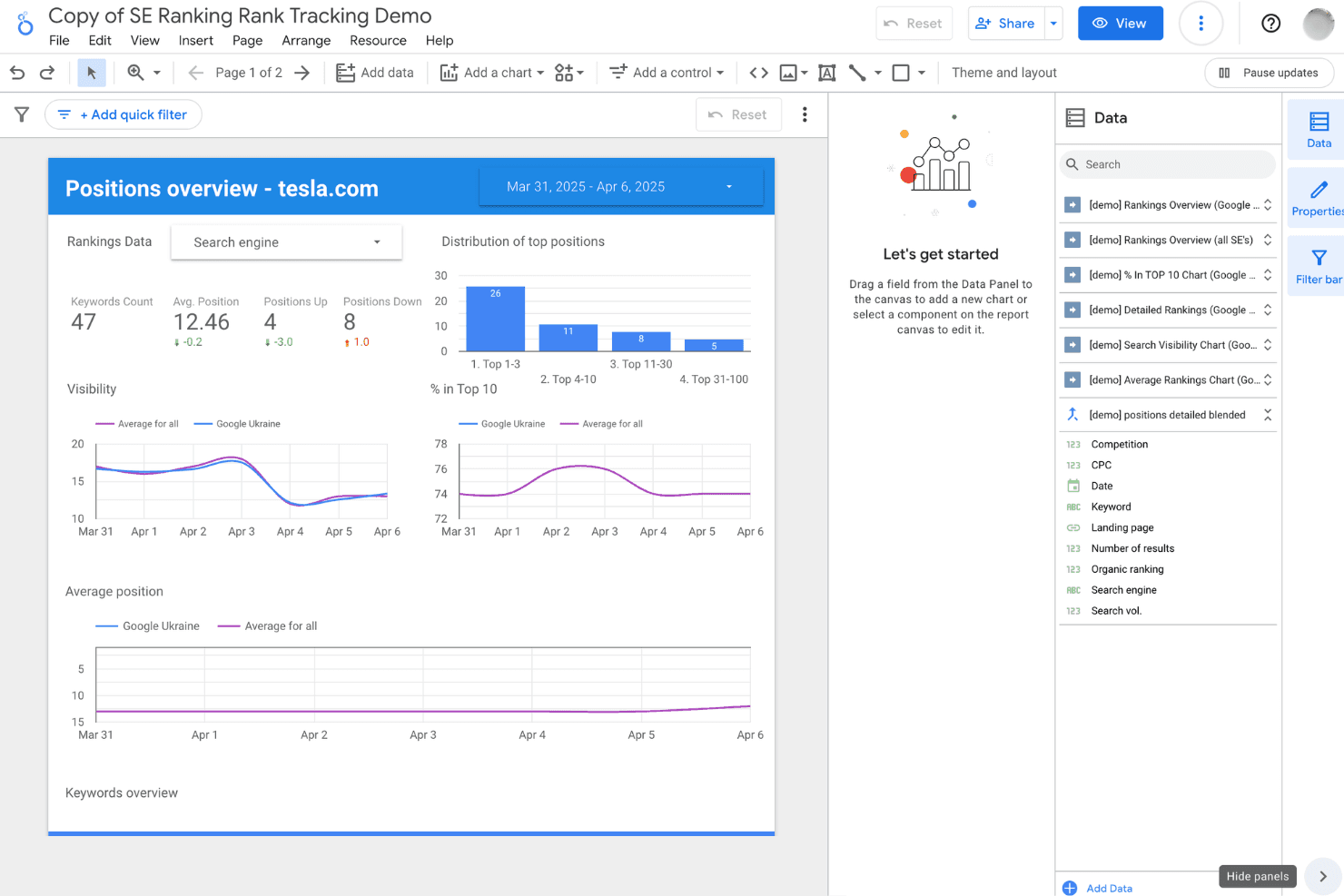
Build interactive dashboards with drag-and-drop widgets and charts. Users can tailor layouts to highlight KPIs and campaign metrics.
Data Blending
Combine data from multiple sources into a single report. This helps you compare performance across channels in one view.
Real-Time Collaboration
Share reports and dashboards with teammates for live editing. Multiple users can comment and update insights simultaneously.
Scheduled Report Delivery
Automate report distribution to stakeholders via email on a set schedule. This keeps teams and clients updated without manual effort.
Calculated Fields
Create custom metrics and formulas directly within reports. This lets you track unique business goals without exporting data.
Visualization Library
Access a wide range of charts, tables, and graphs for data storytelling. Choose from bar charts, geo maps, scorecards, and more to fit your reporting needs.
Standout Features
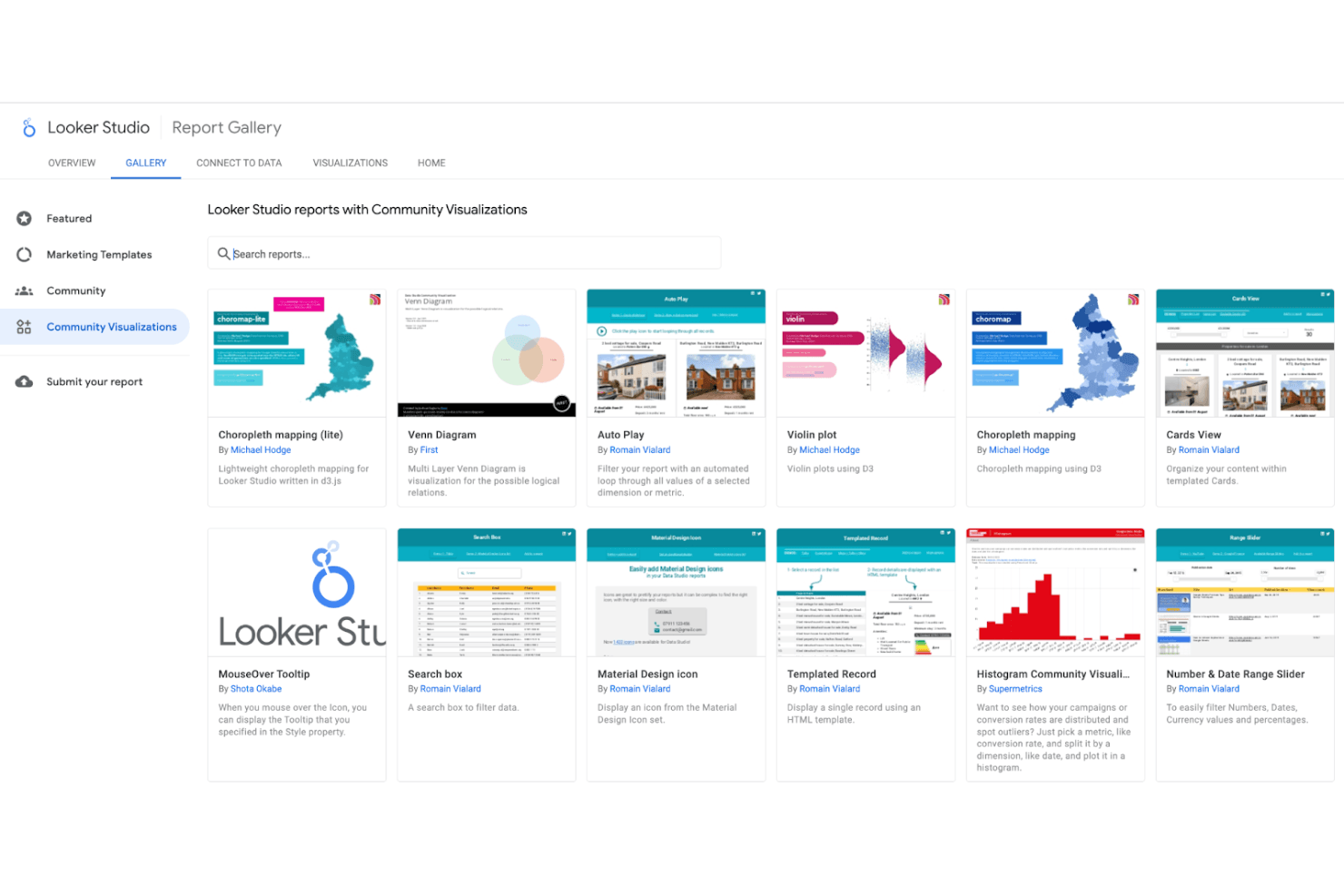
Community Visualizations
Looker Studio lets you use and build custom visualizations from the community gallery. This means you can add unique charts or widgets beyond the standard library, like funnel plots or advanced heatmaps.
Explorer Mode
Explorer Mode allows users to experiment with data and visualizations without affecting published reports. You can test new metrics, filters, or layouts privately before sharing insights with your team.
Ease of Use
Looker Studio is one of the most approachable marketing intelligence tools for non-technical users, thanks to its drag-and-drop dashboard builder and familiar Google interface. Most users can create and share reports quickly without coding or IT help. The onboarding process is straightforward, and the platform’s real-time collaboration feels intuitive. However, some users mention that managing very large datasets or highly customized reports can get clunky, especially as dashboards grow in complexity.
Onboarding
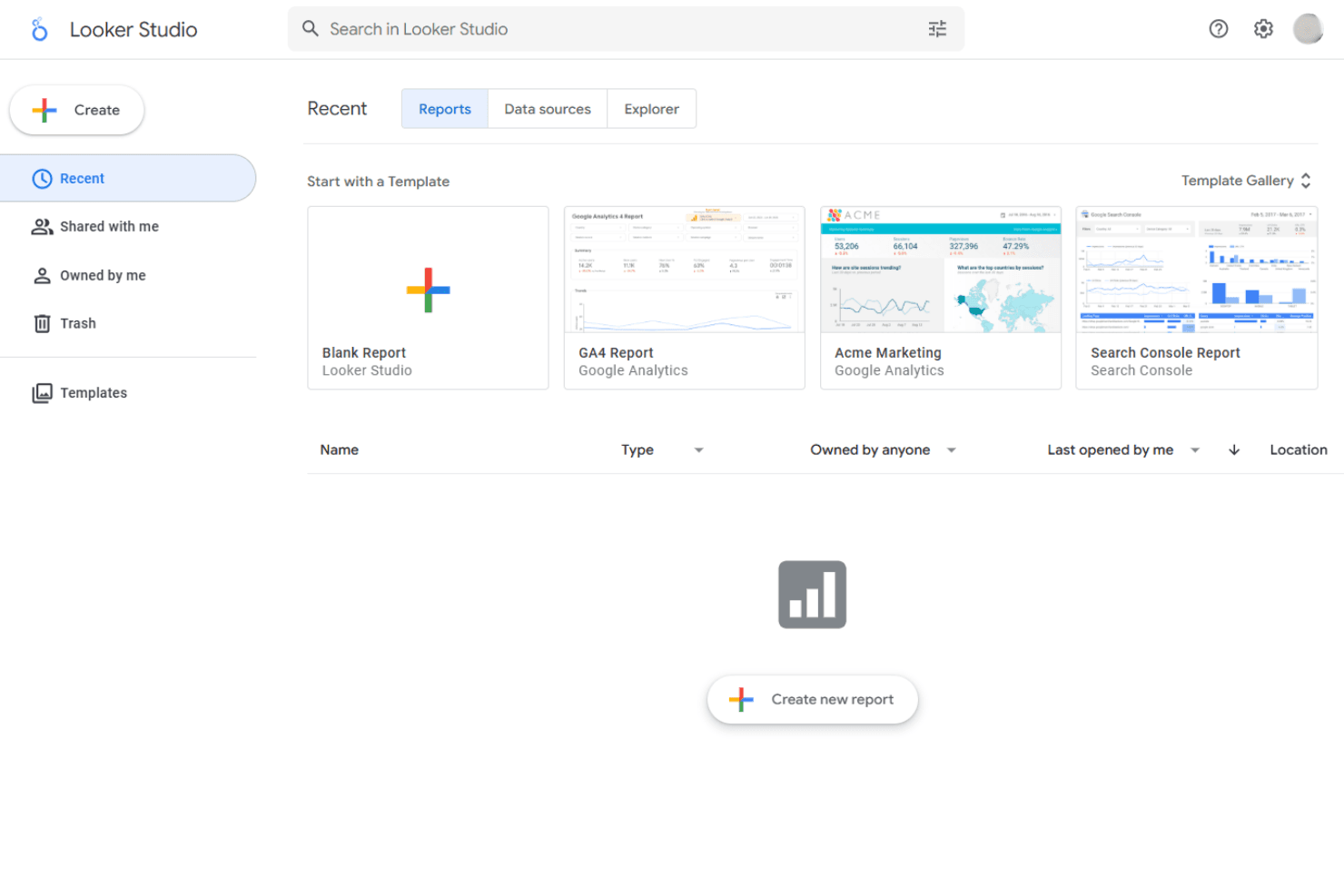
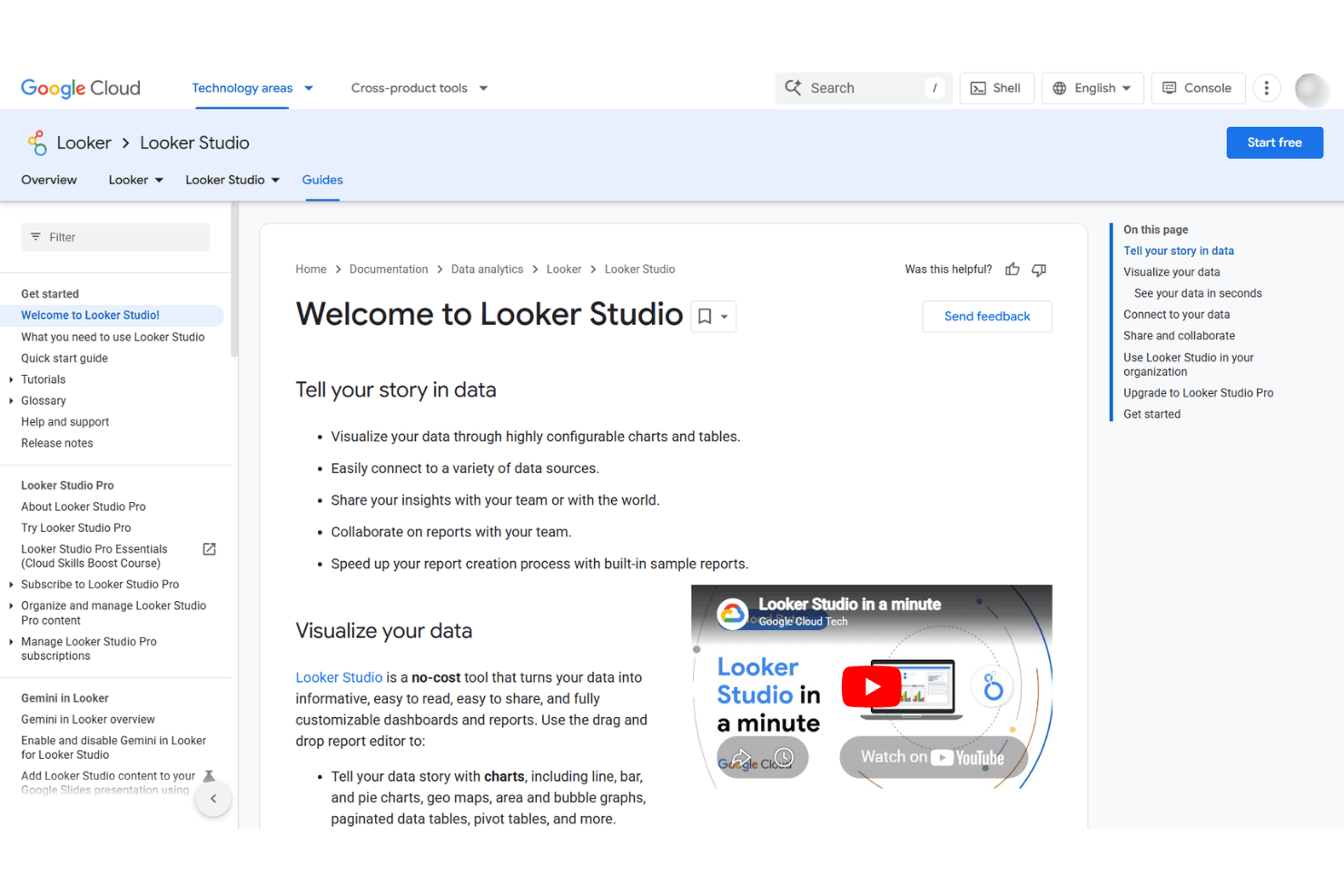
Looker Studio offers a fast onboarding experience, especially for anyone familiar with Google products. New users can access step-by-step tutorials, video guides, and a searchable help center, which helps most teams get up and running quickly. Many reviewers highlight the ease of connecting data sources and building first dashboards. However, support is limited to documentation and community forums unless you upgrade to the paid Pro plan, which may slow troubleshooting for complex issues.
Customer Support
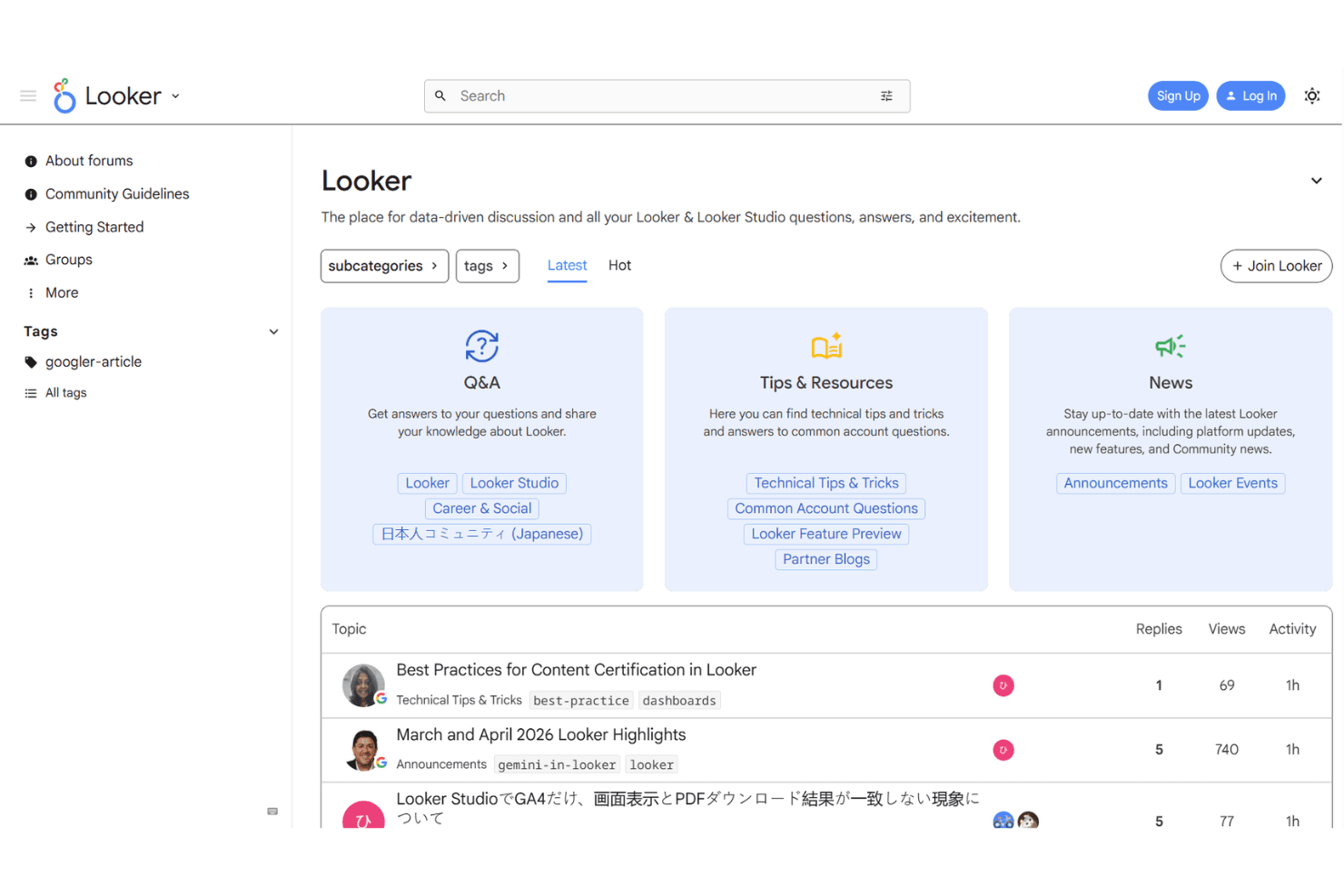
Looker Studio’s customer support is mostly self-serve, with users relying on documentation, community forums, and help articles for troubleshooting. Many users appreciate the depth of resources available, but some express frustration with the lack of direct support on the free plan. Only Pro plan subscribers get access to dedicated support channels, which can be a drawback for teams needing quick, personalized help. This setup works best for users comfortable with self-guided problem-solving.
Integrations
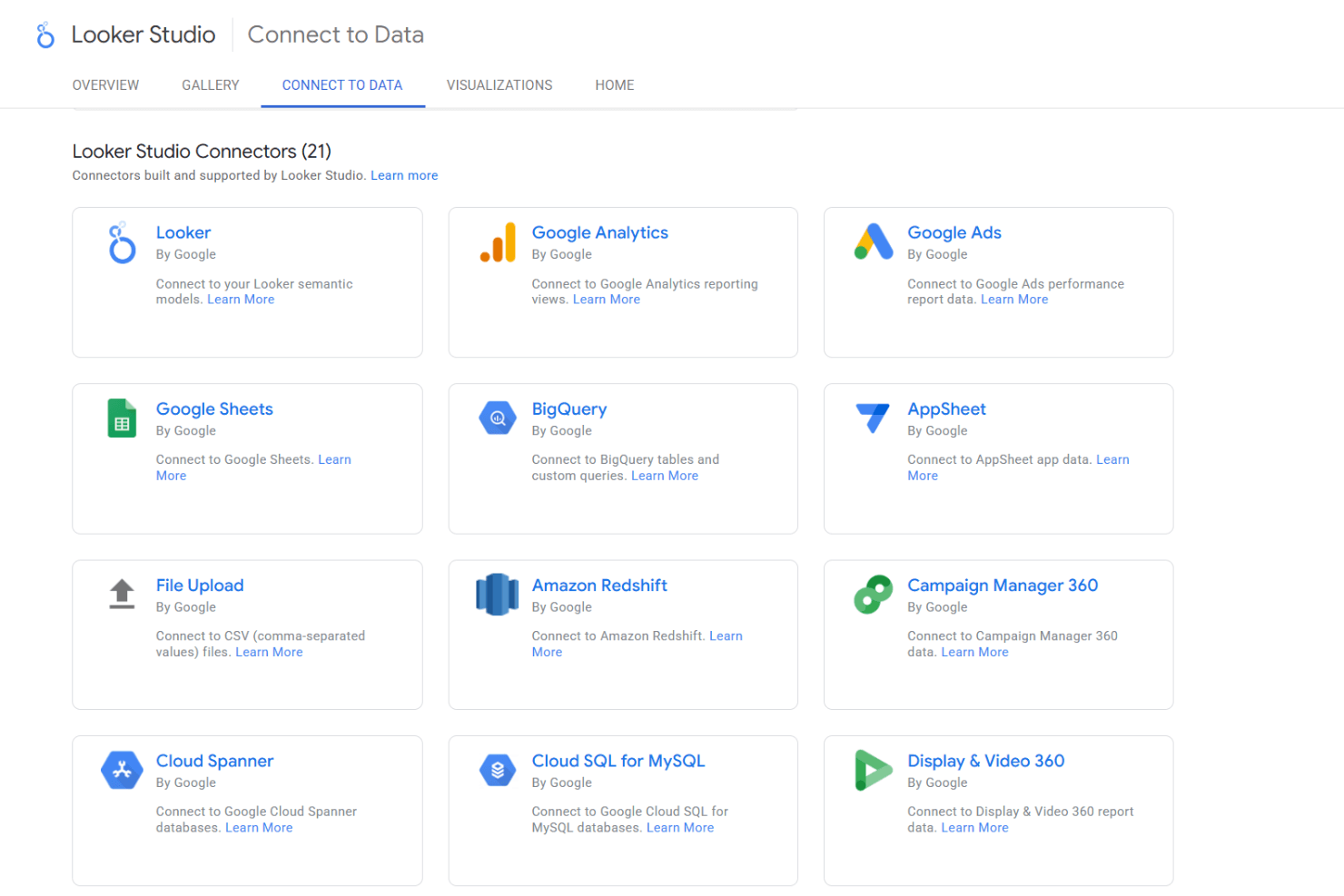
Looker Studio integrates with Google Analytics, Google Ads, Google Sheets, BigQuery, YouTube Analytics, Google Search Console, Campaign Manager, Display & Video 360, Google Ad Manager, and Cloud SQL, among others.
Looker Studio also supports community connectors, offers an API, and can connect with third-party integration tools for even broader data access.
Value for Money
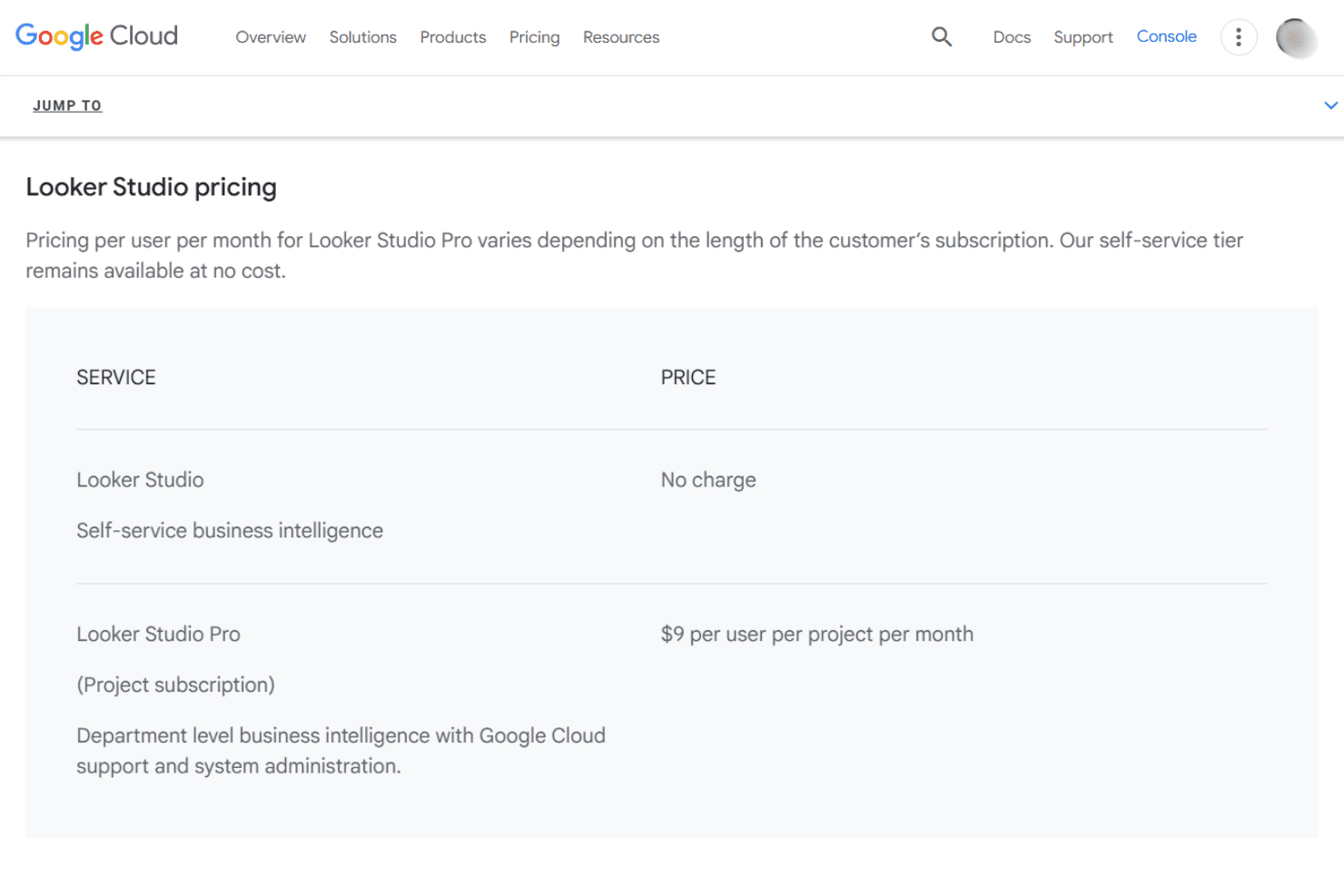
Looker Studio delivers strong value, especially with its generous free tier that covers unlimited reports and viewers. Many users feel the platform’s core features are accessible without cost, making it a top pick for budget-conscious teams. The Pro plan adds advanced admin controls and support, but most small businesses and agencies find the free version more than sufficient.
- Free: Unlimited reports, dashboards, and viewers; access to core features and Google connectors.
- Pro: Adds team workspaces, advanced admin controls, enhanced sharing, and priority support.
Looker Studio Specs
- A/B Testing: No
- Analytics: Yes
- API: Yes
- Audience Targeting: No
- Automated Conversion: No
- Batch Permissions & Access: No
- Behavioral Tracking: No
- Brand Management: No
- Campaign Management: No
- Contact Management: No
- Contact Sharing: No
- Conversion Tracking: No
- CRM Integration: Yes
- Customer Management: No
- Dashboards: Yes
- Data Export: Yes
- Data Import: Yes
- Email Integration: Yes
- External Integrations: Yes
- Keyword Tracking: No
- Landing Pages: No
- Lead Management: No
- Lead Scoring: No
- Link Tracking: No
- Marketing Automation: No
- Multi-User: Yes
- Notifications: Yes
- Password & Access Management: Yes
- Social-Media Integration: No
Looker Studio FAQs
Looker Studio Company Overview & History
Looker Studio is a self-service business intelligence and data visualization platform developed and operated by Google. It is part of Google Cloud, with headquarters in Mountain View, California, and benefits from Google’s global workforce and infrastructure. Looker Studio is closely integrated with other Google products and is widely used by organizations of all sizes to create interactive dashboards and reports. The platform is known for its intuitive interface, strong data connectivity, and deep integration with Google’s analytics and cloud ecosystem.
Looker Studio Major Milestones
- 2016: Initial launch of Google Data Studio (the original name for Looker Studio).
- 2022: Rebranded from Google Data Studio to Looker Studio as part of Google’s unified business intelligence strategy.
- 2022: Introduction of Looker Studio Pro, offering advanced admin features and support for enterprise users.