

Recensione di Mangools KWFinder: Pro, Contro, Caratteristiche e Prezzi Spiegati
Vado oltre il clamore—ecco come Mangools KWFinder offre dati concreti sulle parole chiave per una vera crescita SEO, senza travolgerti con rumore o complessità.

Recensiamo gli strumenti in modo indipendente, e le commissioni aiutano a finanziare i nostri test. Consulta la nostra politica sulla trasparenza, la nostra metodologia o suggerisci uno strumento.
Mangools KWFinder is a keyword research SEO tool built for marketers who need accurate keyword difficulty scores, search volume data, and SERP analysis without learning a complex platform. It's worth considering if keyword research is your primary focus and you don't need a full suite of technical auditing or backlink analysis features. Compared to Ahrefs, KWFinder is significantly more affordable and easier to get into quickly—making it a practical choice for content teams and smaller marketing operations that need reliable keyword data without the enterprise price tag.
Mangools KWFinder Evaluation Summary
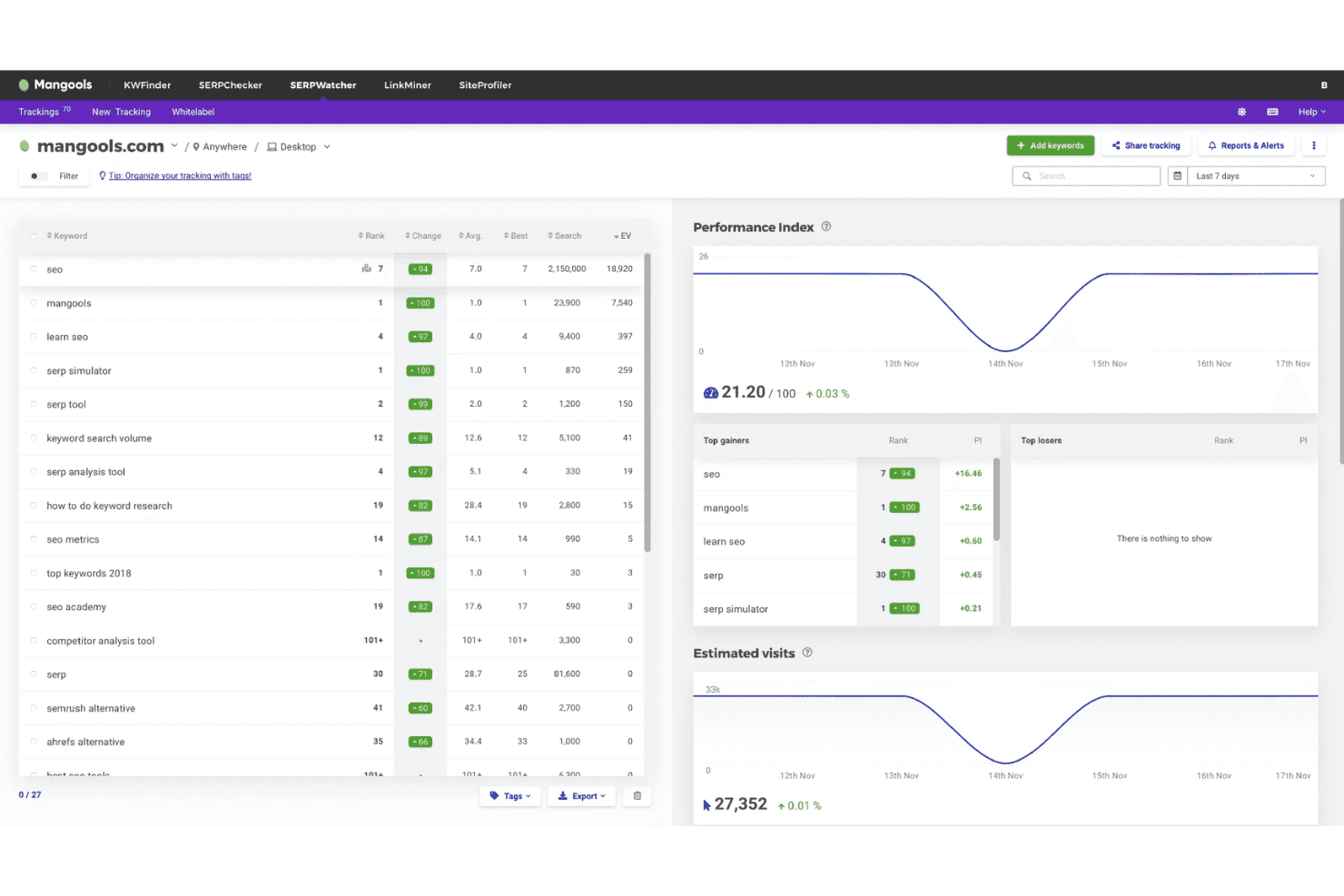
4.7/5
- From $18.85/month (billed annually)
- Free plan available
Perché fidarsi dei nostri consigli sui software
6,700+
Reviews
20
Industry experts
16+
Evaluation factors
14
Years
Il nostro team testa e recensisce software dal 2012. In quanto leader del marketing noi stessi, sappiamo quanto sia difficile — e importante — scegliere il software giusto.
Per questa guida, abbiamo valutato gli strumenti attraverso test pratici e ricerche indipendenti, assegnando un punteggio agli strumenti in base ai nostri criteri di selezione.
Le nostre recensioni riflettono il nostro giudizio editoriale umano, non un discorso di vendita.
Revisori esperti:
 Gui DrusinaDirettore creativo
- Shriya GhateSenior Marketing Lead
 Amanda JacquesResponsabile Marketing Ops

Mangools KWFinder Overview
When I'm judging SEO tools for usability and value, I find Mangools KWFinder stands out for its user-friendly interface, fast onboarding, and focused keyword research features at a fair price. It can't match the deep integrations or advanced reporting some pricier solutions offer, but if you're choosing for small marketing teams or solo marketers, it nails the essentials. I think beginners or growing teams will appreciate not getting lost in endless settings or cluttered dashboards. If straightforward keyword data and intuitive design matter most in your selection, Mangools KWFinder is a strong choice.
Pros
- Accurate local keyword suggestions with reliable search volumes
- SERP analysis includes historical ranking data for keywords
- Transparent pricing without hidden data limits or upsells
Cons
- No site auditing or backlink tracking features included
- Daily keyword lookup limits may restrict heavy use
- High-volume users report slower data refresh rates
Is Mangools KWFinder Right For Your Needs?
Who Would be a Good Fit for Mangools KWFinder?
Mangools KWFinder is ideal for marketers, bloggers, content teams, and small businesses seeking straightforward keyword research, fast onboarding, and local search targeting. It appeals to SEO agencies, freelancers, and in-house teams who want actionable keyword insights and a clear, affordable interface—without the complexity or high cost of larger tools.
- Freelance MarketersKWFinder's user-friendly onboarding and affordable plans enable freelancers to quickly identify keyword opportunities for multiple clients or projects, without significant upfront investments.
- Local BusinessesLocal search filters and geo-targeted keyword data help small businesses discover terms their nearby customers use, increasing their ability to attract targeted traffic.
- Content WritersEasy-to-use keyword and SERP analysis tools empower writers to craft articles around keywords with realistic ranking potential, improving content calendars and SEO impact.
- Solo EntrepreneursSolo founders or small startup teams benefit from KWFinder’s intuitive workflows and concise keyword lists to kickstart website growth.
- Small Marketing TeamsCompact teams get an easy workspace with scalable usage limits, letting them focus on keyword research without managing complex SEO tools.
- Digital AgenciesAgencies working with different clients appreciate fast domain analysis, export features, and simple project organization, making KWFinder a time-saver for multi-client management.
Who Would be a Bad Fit for Mangools KWFinder?
Mangools KWFinder is less suitable for those requiring technical audits, large-scale competitor analysis, or advanced link analysis. Enterprise brands, technical SEO professionals, high-volume ecommerce, and data-driven teams will find it too basic if they need all-in-one SEO platforms, extensive automation, or broad data integrations.
- Large EnterprisesCompanies needing complex SEO, large data volume handling, advanced audits, or robust reporting will find KWFinder's functionality too limited.
- International EcommerceBusinesses operating global stores with thousands of products need deep technical SEO and advanced automation, which are beyond KWFinder’s scope.
- Technical SEO SpecialistsProfessionals wishing to analyze crawl data, indexation, and site errors will require more diagnostic features than KWFinder offers.
- Data AnalystsThose who want granular data exports, custom analytics, or API-driven processes will outgrow KWFinder’s simpler data and reporting options.
- In-House SEO EngineersTeams building custom automations or needing third-party integrations will be hampered by the lack of API and limited data connection capabilities.
- Enterprise Content TeamsContent teams in large organizations seeking workflow automation, advanced planning tools, and multi-seat controls will find KWFinder lacking.
Come Testiamo e Valutiamo gli Strumenti
Abbiamo passato anni a costruire, perfezionare e migliorare il nostro sistema di test e valutazione del software. Il nostro metodo è progettato per cogliere le sfumature nella selezione del software e ciò che rende uno strumento efficace, concentrandoci sugli aspetti critici del processo decisionale. Qui sotto puoi vedere esattamente come funziona il nostro sistema di test e valutazione su sette criteri. Questo ci permette di offrire una valutazione imparziale del software basata su funzionalità principali, funzioni distintive, facilità d’uso, onboarding, supporto clienti, integrazioni, recensioni dei clienti e rapporto qualità-prezzo.
Funzionalità principali (25% del punteggio finale)
Il punto di partenza della nostra valutazione è sempre la funzionalità principale dello strumento. Include le caratteristiche e le funzioni basilari che un utente si aspetterebbe di trovare? Alcune di queste funzionalità sono bloccate nei piani premium? Ci aspettiamo che ogni strumento soddisfi almeno le capacità di base dei suoi concorrenti.
Funzionalità distintive (25% del punteggio finale)
Successivamente, valutiamo le funzionalità uniche che vanno oltre la normale funzionalità principale, quelle poco comuni negli strumenti simili. Un punteggio alto riflette caratteristiche specializzate o uniche che rendono il prodotto più veloce, efficiente o offrono un valore aggiunto all’utente. Valutiamo anche quanto sia semplice integrare il software con altri strumenti abitualmente usati in una tech stack, per espandere le funzionalità e l’utilità del prodotto. Sono valutate positivamente soluzioni con molte integrazioni native, connessioni di terze parti e API per creare integrazioni personalizzate.
Facilità d’uso (10% del punteggio finale)
Consideriamo la rapidità e semplicità con cui si possono eseguire le attività principali tramite lo strumento. I software con punteggio più alto sono ben progettati, intuitivi, dispongono di app mobili, offrono template e semplificano compiti complessi.
Onboarding (10% del punteggio finale)
Sappiamo quanto sia importante l’adozione rapida in azienda, quindi valutiamo la facilità di apprendimento e utilizzo di uno strumento con formazione minima. Analizziamo quanto velocemente un utente senza esperienza può iniziare a usare il software. Le soluzioni migliori richiedono poco o nessun supporto.
Supporto clienti (10% del punteggio finale)
Analizziamo la rapidità e facilità nel trovare aiuto tramite telefono, chat dal vivo o knowledge base. Gli strumenti che offrono supporto in tempo reale ottengono il punteggio migliore: i chatbot invece i peggiori.
Recensioni dei clienti (10% del punteggio finale)
Oltre ai nostri test, consideriamo il net promoter score di attuali ed ex clienti. Valutiamo la probabilità che, potendo scegliere, l’utente decida di utilizzare ancora quello strumento per le funzionalità principali. Un software con un punteggio alto corrisponde ad un alto net promoter score tra clienti attuali o passati.
Rapporto qualità-prezzo (10% del punteggio finale)
Infine, tenendo conto di tutti gli altri criteri, confrontiamo il prezzo medio dei piani base rispetto alle funzionalità principali e agli altri fattori di valutazione. I software che offrono di più, a meno, ottengono i punteggi più alti.
Core Features
Keyword Research
Get rich keyword ideas with precise monthly search volumes. Filter by location and language for actionable local targeting.
SERP Analysis
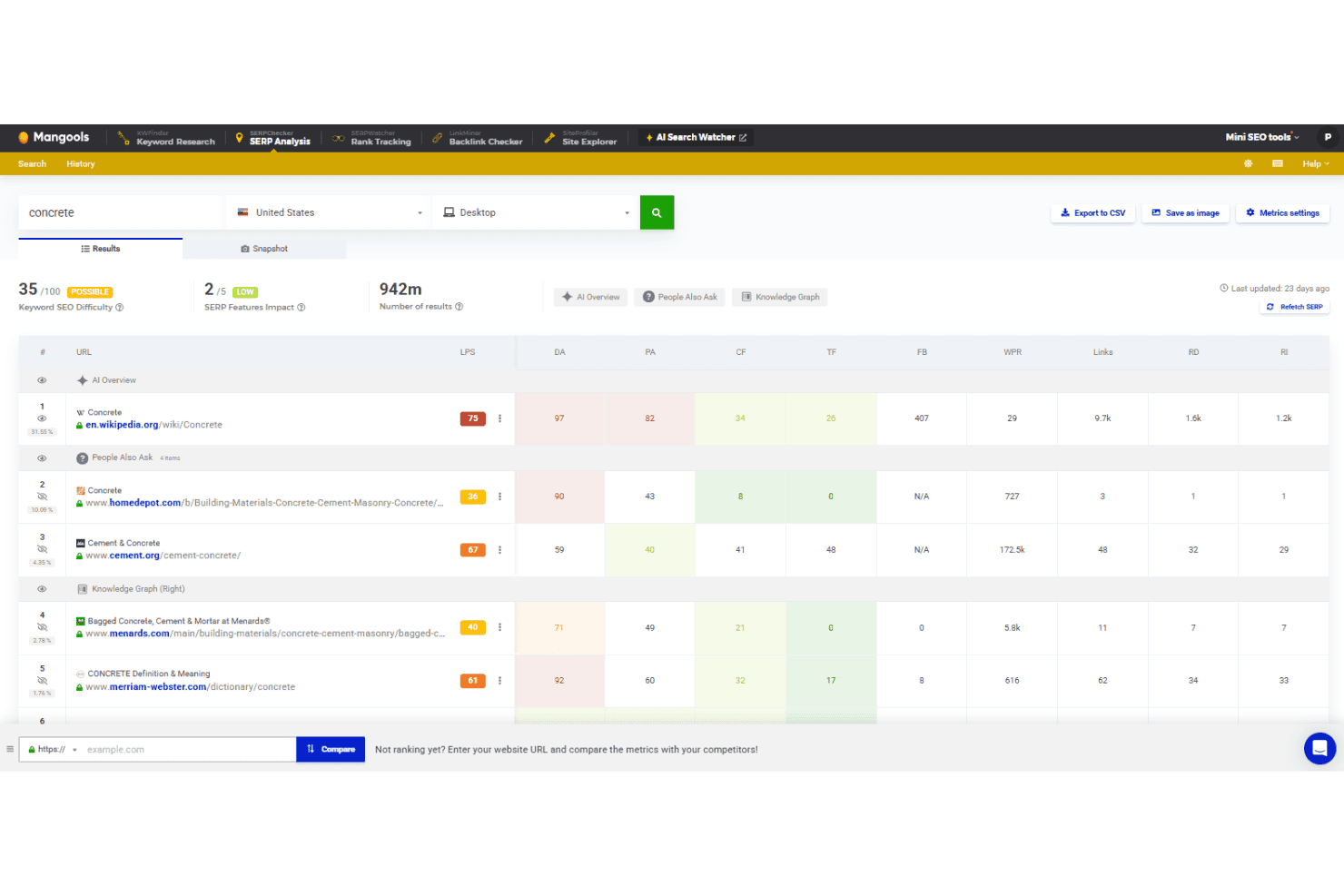
View the top 10 search engine results for any keyword. Assess keyword difficulty scores alongside real-time SERP metrics.
Search Volume Trend
Visualize historical keyword trends to spot seasonality or shifts. Graphs help you quickly judge which keywords are gaining traction.
Competitor Keyword Lookup
Enter any domain to see the keywords it ranks for. Instantly benchmark your targets against competitor strengths and gaps.
Keyword Lists
Save and categorize important keywords into lists for future campaigns. Manage research efficiently and revisit top opportunities anytime.
Google Suggest Integration
Explore hundreds of long-tail keywords pulled directly from search engine suggestions. Uncover new content topics and high-potential keyword variations.
Ease of Use
Mangools KWFinder is one of the most user-friendly SEO tools to pick up, thanks to its clean dashboard, color-coded difficulty scores, and step-by-step onboarding. I see many users call out how quickly they can dive into keyword research or export lists, making it especially usable for beginners or teams who hate cluttered, jargon-heavy software.
Integrations
Mangools KWFinder integrates with Slack. At this time, Slack is the main native integration promoted for Mangools KWFinder, and no other direct integrations are listed.
However, it does offer free API access that is useful for many tools under the Mangools umbrella, including SERPChecker and SiteProfiler.

Mangools KWFinder Specs
- API: Yes
- Audience Targeting: Yes
- Brand Management: Yes
- Conversion Tracking: Yes
- Dashboard: Yes
- Data Export: Yes
- Data Import: Yes
- Data Visualization: Yes
- External Integrations: Yes
- Keyword Tracking: Yes
- Link Tracking: Yes
- Marketing Automation: Yes
- Multi-Account: Yes
- Multi-User: Yes
- Notifications: Yes
- Social-Media Integration: Yes


