

Recensione di Elastic Email 2026: vantaggi, svantaggi, funzionalità e prezzi
I put Elastic Email’s features, pricing, and trade-offs under the microscope to see whether its value-focused approach beats pricier email marketing platforms.

Recensiamo gli strumenti in modo indipendente, e le commissioni aiutano a finanziare i nostri test. Consulta la nostra politica sulla trasparenza, la nostra metodologia o suggerisci uno strumento.
Elastic Email is an email marketing software platform for teams that need newsletters, automated campaigns, signup forms, landing pages, and transactional email through SMTP or an API. I’d choose it over Mailchimp when you need usage-based pricing, developer access, and marketing and transactional email in one platform.
Elastic Email Evaluation Summary
4.2/5
- From $19/month
- Free plan available
Perché fidarsi dei nostri consigli sui software
6,700+
Reviews
20
Industry experts
16+
Evaluation factors
14
Years
Il nostro team testa e recensisce software dal 2012. In quanto leader del marketing noi stessi, sappiamo quanto sia difficile — e importante — scegliere il software giusto.
Per questa guida, abbiamo valutato gli strumenti attraverso test pratici e ricerche indipendenti, assegnando un punteggio agli strumenti in base ai nostri criteri di selezione.
Le nostre recensioni riflettono il nostro giudizio editoriale umano, non un discorso di vendita.
Revisori esperti:
 Gui DrusinaDirettore creativo
- Shriya GhateSenior Marketing Lead
 Amanda JacquesResponsabile Marketing Ops

Elastic Email Overview
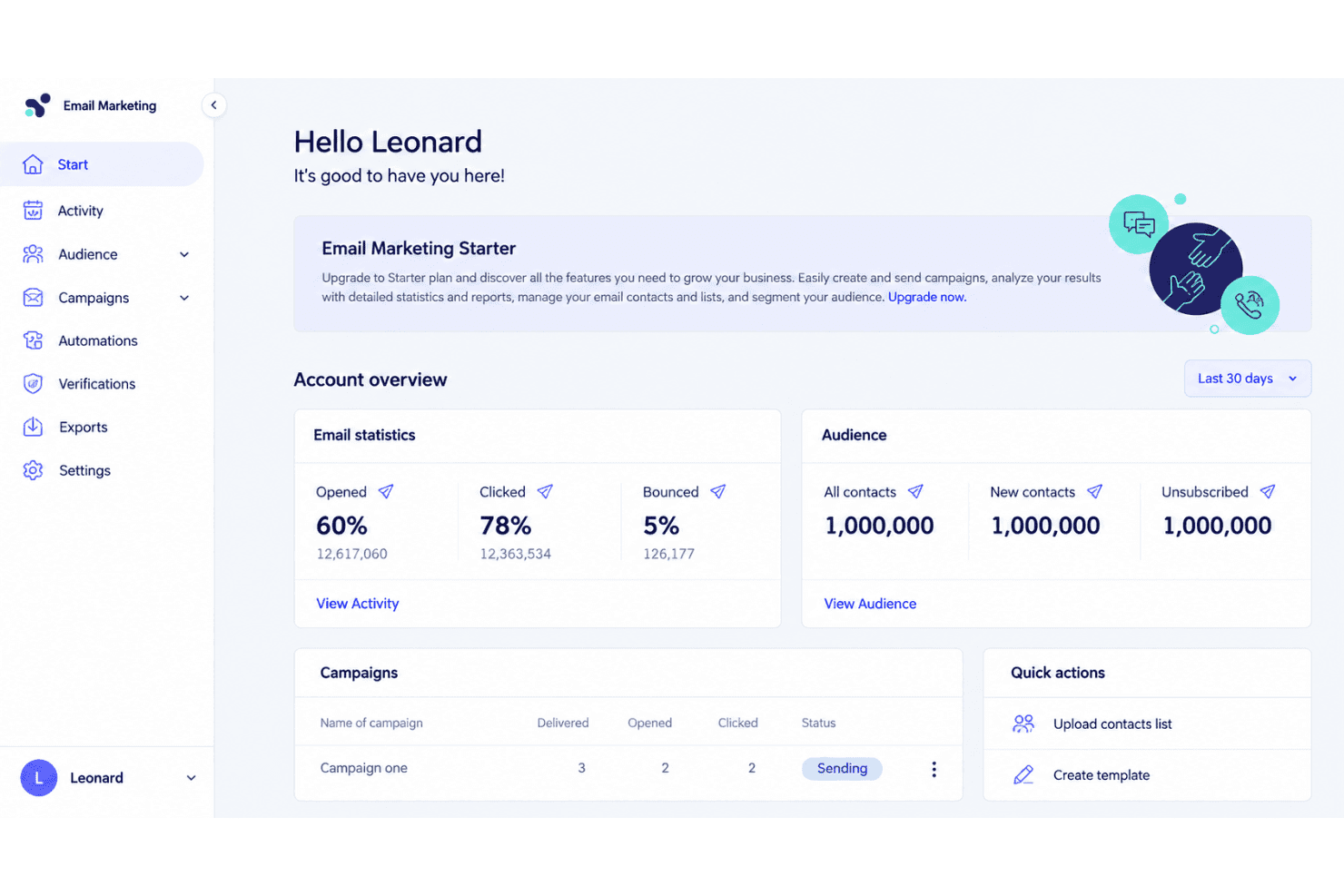
I’d choose Elastic Email when usage-based pricing, SMTP/API access, and marketing plus transactional email matter more than a polished interface. Its campaign tools, automations, signup forms, landing pages, reporting, and developer features cover core workflows, while API and SMTP connections support custom stacks. Onboarding is fairly approachable, though the interface feels less refined and support can be less hands-on than higher-priced platforms. I judge it best for startups, ecommerce teams, agencies, and developers sending variable volumes. Select another platform if you need advanced segmentation, extensive native integrations, or guided implementation.
Pros
- Low pricing supports high-volume marketing and transactional email sending.
- One platform combines campaigns, automations, forms, landing pages, and APIs.
- Users frequently praise deliverability and the well-documented sending API.
Cons
- Template editing offers less design flexibility than leading competitors.
- Reporting aggregates recurring sends instead of separating campaign results.
- Support response times vary during troubleshooting, according to reviewers.
Is Elastic Email Right For Your Needs?
Who Would be a Good Fit for Elastic Email?
Elastic Email suits teams that value usage-based pricing, SMTP or API access, and practical campaign features over a polished interface. It works especially well for high-volume senders, ecommerce brands, lean marketing teams, SaaS developers, agencies, and content creators.
- High Volume SendersElastic Email fits high-volume senders because its $19 API Starter plan includes 50,000 monthly emails through SMTP or API.
- Ecommerce BrandsEcommerce brands can connect Elastic Email with Shopify, WooCommerce, PayPal, and Poptin while using campaigns, signup forms, and automations.
- SaaS Engineering TeamsSaaS engineering teams can use Elastic Email’s REST API and SMTP relay for custom transactional and marketing email workflows.
- Small Marketing TeamsSmall marketing teams get templates, landing pages, signup forms, and visual automations without needing separate tools for basic campaign operations.
- Marketing AgenciesMarketing agencies can use API Pro features such as subaccounts and reseller functionality to manage email services across multiple clients.
- Content CreatorsContent creators can use landing pages, signup forms, templates, and visual automations to build subscriber campaigns without assembling several separate platforms.
Who Would be a Bad Fit for Elastic Email?
Elastic Email is less suitable for teams that need refined design controls, advanced reporting, extensive native integrations, or hands-on support. Enterprise marketing departments, design-led brands, analytics-focused teams, and less technical users should weigh these limitations before choosing it.
- Enterprise Marketing DepartmentsEnterprise marketing departments may find Elastic Email limiting because its interface feels less polished and its editor and reporting features are comparatively limited.
- Design Led BrandsDesign-led brands may prefer another platform because Elastic Email’s template editor restricts design flexibility for campaigns requiring precise visual control.
- Nontechnical BusinessesNontechnical businesses may struggle during setup or troubleshooting because Elastic Email’s technical documentation helps self-directed users, while support response times vary.
- Analytics Focused TeamsAnalytics-focused teams may find Elastic Email unsuitable because reviewers describe its reporting as limited, despite Marketing Pro adding advanced reporting features.
- Integration Heavy TeamsIntegration-heavy teams should verify connector coverage first because Elastic Email’s listed integrations do not guarantee a native connection for every required business system.
- Hands On Support TeamsTeams that need hands-on implementation assistance may prefer another provider because Elastic Email reviewers report inconsistent support during complex troubleshooting.
Come Testiamo e Valutiamo gli Strumenti
Abbiamo passato anni a costruire, perfezionare e migliorare il nostro sistema di test e valutazione del software. Il nostro metodo è progettato per cogliere le sfumature nella selezione del software e ciò che rende uno strumento efficace, concentrandoci sugli aspetti critici del processo decisionale. Qui sotto puoi vedere esattamente come funziona il nostro sistema di test e valutazione su sette criteri. Questo ci permette di offrire una valutazione imparziale del software basata su funzionalità principali, funzioni distintive, facilità d’uso, onboarding, supporto clienti, integrazioni, recensioni dei clienti e rapporto qualità-prezzo.
Funzionalità principali (25% del punteggio finale)
Il punto di partenza della nostra valutazione è sempre la funzionalità principale dello strumento. Include le caratteristiche e le funzioni basilari che un utente si aspetterebbe di trovare? Alcune di queste funzionalità sono bloccate nei piani premium? Ci aspettiamo che ogni strumento soddisfi almeno le capacità di base dei suoi concorrenti.
Funzionalità distintive (25% del punteggio finale)
Successivamente, valutiamo le funzionalità uniche che vanno oltre la normale funzionalità principale, quelle poco comuni negli strumenti simili. Un punteggio alto riflette caratteristiche specializzate o uniche che rendono il prodotto più veloce, efficiente o offrono un valore aggiunto all’utente. Valutiamo anche quanto sia semplice integrare il software con altri strumenti abitualmente usati in una tech stack, per espandere le funzionalità e l’utilità del prodotto. Sono valutate positivamente soluzioni con molte integrazioni native, connessioni di terze parti e API per creare integrazioni personalizzate.
Facilità d’uso (10% del punteggio finale)
Consideriamo la rapidità e semplicità con cui si possono eseguire le attività principali tramite lo strumento. I software con punteggio più alto sono ben progettati, intuitivi, dispongono di app mobili, offrono template e semplificano compiti complessi.
Onboarding (10% del punteggio finale)
Sappiamo quanto sia importante l’adozione rapida in azienda, quindi valutiamo la facilità di apprendimento e utilizzo di uno strumento con formazione minima. Analizziamo quanto velocemente un utente senza esperienza può iniziare a usare il software. Le soluzioni migliori richiedono poco o nessun supporto.
Supporto clienti (10% del punteggio finale)
Analizziamo la rapidità e facilità nel trovare aiuto tramite telefono, chat dal vivo o knowledge base. Gli strumenti che offrono supporto in tempo reale ottengono il punteggio migliore: i chatbot invece i peggiori.
Recensioni dei clienti (10% del punteggio finale)
Oltre ai nostri test, consideriamo il net promoter score di attuali ed ex clienti. Valutiamo la probabilità che, potendo scegliere, l’utente decida di utilizzare ancora quello strumento per le funzionalità principali. Un software con un punteggio alto corrisponde ad un alto net promoter score tra clienti attuali o passati.
Rapporto qualità-prezzo (10% del punteggio finale)
Infine, tenendo conto di tutti gli altri criteri, confrontiamo il prezzo medio dei piani base rispetto alle funzionalità principali e agli altri fattori di valutazione. I software che offrono di più, a meno, ottengono i punteggi più alti.
Core Features
Email Campaigns
Create and send newsletters or promotional emails to selected contact lists, with campaign controls for recurring or one-time sends. This supports regular audience communication without requiring a separate transactional email platform.
Email Automations
Build automated workflows that send messages based on subscriber actions or defined triggers. For example, you can create welcome or follow-up sequences that run after someone joins a list.
Email Templates And Editor
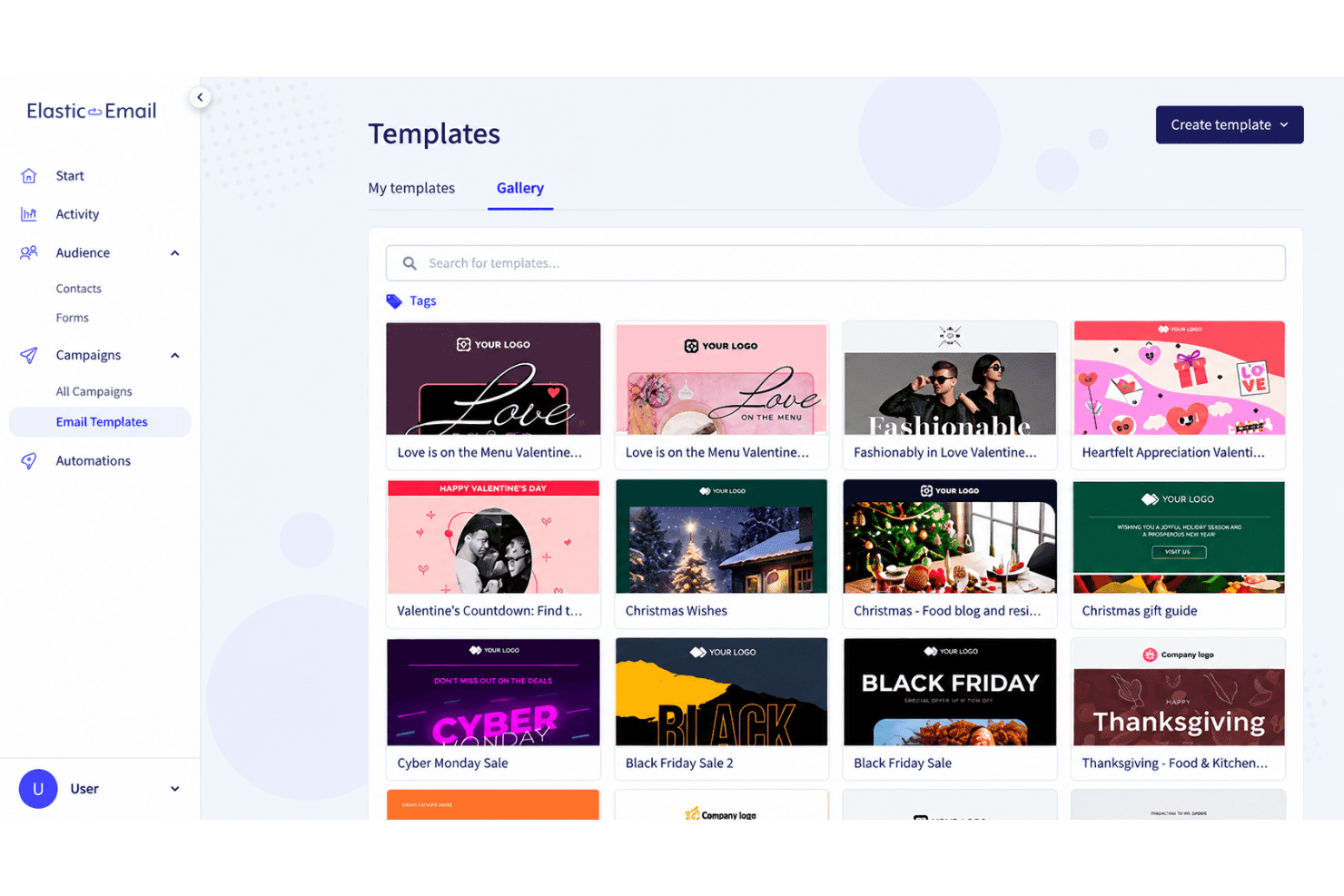
Use templates and the email editor to create campaign messages without coding each email from scratch. Elastic Email covers common campaign layouts, though its design flexibility is more limited than some leading competitors.
Signup Forms
Create signup forms to collect contacts and add them to your email lists. You can place forms on relevant pages to capture newsletter subscribers directly from your website.
Landing Pages
Build landing pages for campaigns, lead capture, or focused calls to action. Pairing a landing page with a signup form gives you a single workflow for attracting and collecting new subscribers.
Reporting And Analytics
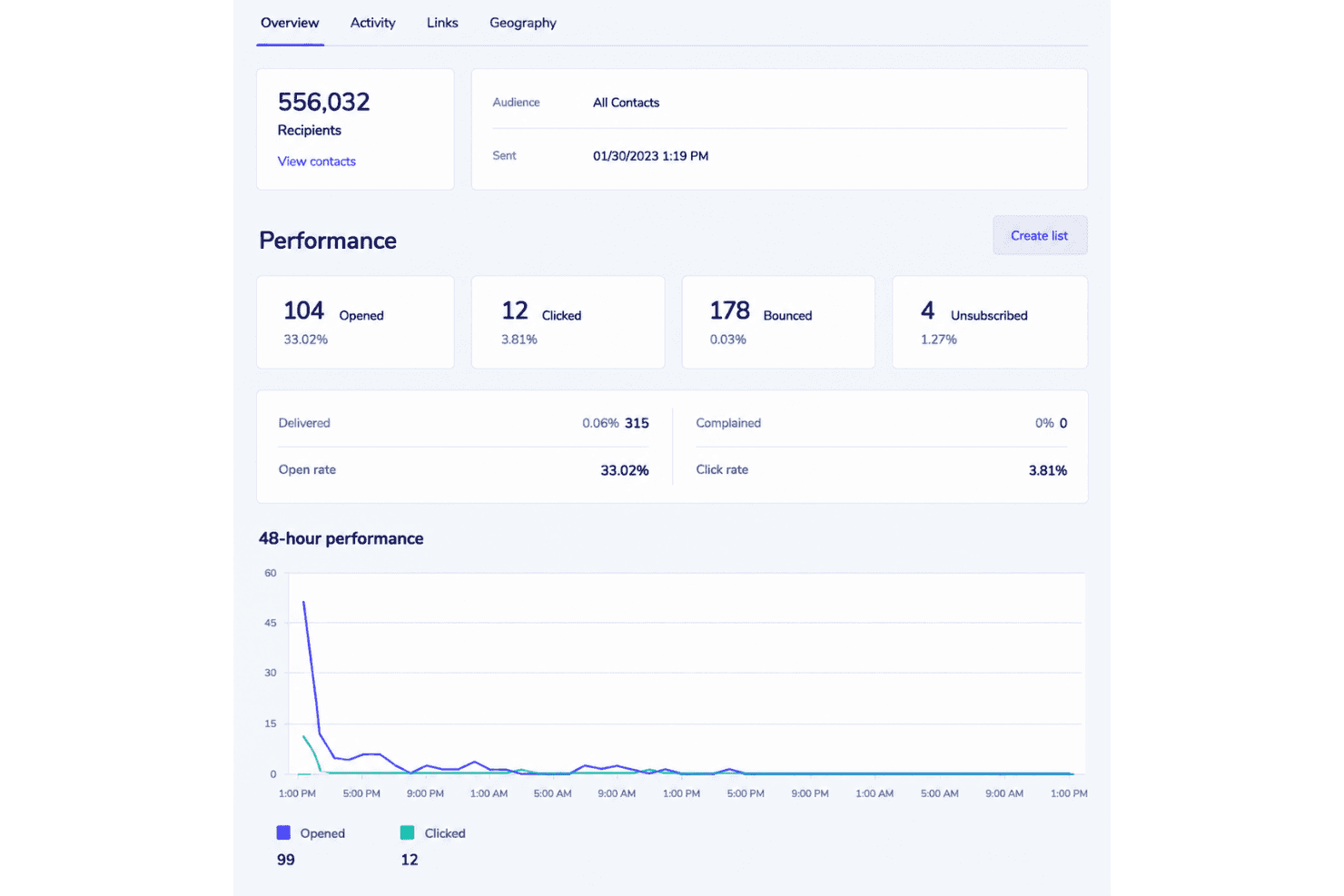
Review campaign metrics that show how recipients interact with your emails. Elastic Email also provides reporting for recurring sends, although aggregated results can make individual campaign comparisons harder.
Ease of Use
Elastic Email is fairly easy to use for core email marketing, with approachable onboarding, campaign templates, signup forms, landing pages, and visual automations. Its SMTP and API documentation also gives technical teams a clear path to custom sending workflows. However, the interface feels less polished than leading platforms, template editing limits design flexibility, and reviewers report inconsistent support during troubleshooting. I’d recommend it when functionality and usage-based pricing matter more than refined usability.
Integrations
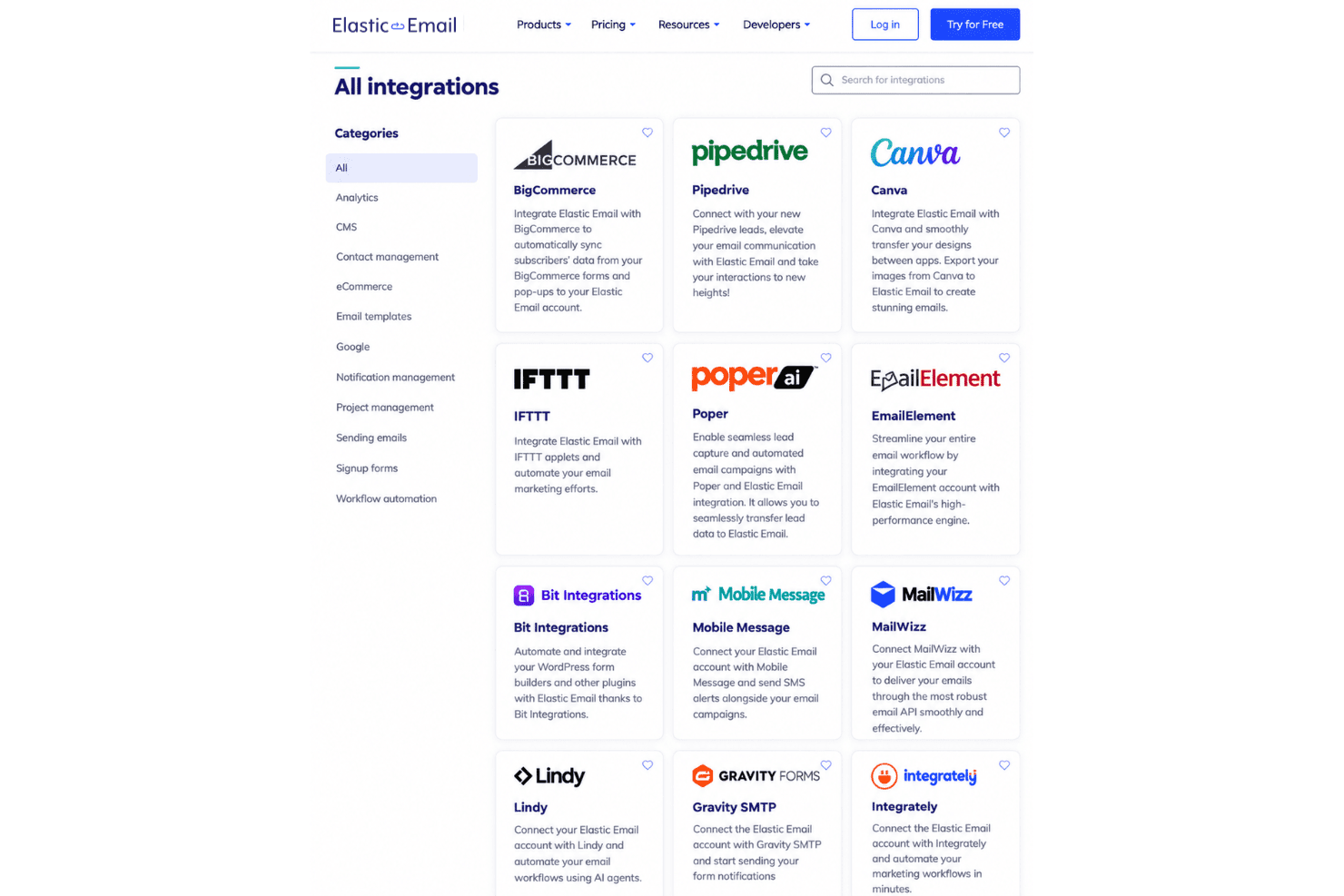
Elastic Email integrates with Cloudways, WordPress, HubSpot, ClickUp, PayPal, WooCommerce, Mautic, Shopify, and Poptin, among others.
It also offers a REST API and SMTP relay for custom integrations and supports third-party connections through Zapier and Pabbly Connect.
Elastic Email Specs
- A/B Testing: Yes
- API: Yes
- Audience Targeting: Yes
- Brand Management: No
- Calendar Management: No
- Campaign Management: Yes
- Compliance Tracking: Yes
- Contact Management: Yes
- Contact Sharing: No
- Conversion Tracking: No
- CRM Integration: Yes
- Customer Management: No
- Dashboard: Yes
- Data Export: Yes
- Data Import: Yes
- Data Visualization: Yes
- Email Integration: Yes
- External Integrations: Yes
- Google Apps Integration: Yes
- Lead Management: No
- Lead Scoring: No
- Link Tracking: Yes
- Marketing Automation: Yes
- Multi-User: Yes
- Notifications: Yes
- Scheduling: Yes
- Social-Media Integration: Yes
- Third-Party Plugins/Add-Ons: Yes


