

Recensione di Mailjet 2026: vantaggi, svantaggi, funzionalità e prezzi
I look beyond Mailjet’s feature list to weigh its pricing and trade-offs—and show which email teams it suits best, and who may need more.

Recensiamo gli strumenti in modo indipendente, e le commissioni aiutano a finanziare i nostri test. Consulta la nostra politica sulla trasparenza, la nostra metodologia o suggerisci uno strumento.
Mailjet is email marketing software for teams that manage marketing campaigns and transactional email in one platform. If your team has a large contact list but sends on a measured cadence, Mailjet can be a better fit than Mailchimp: its paid plans charge by email volume rather than audience size. The editor also lets teammates collaborate on campaigns in real time.
Mailjet Evaluation Summary
4.1/5
- From $9/month
- Free plan available
Perché fidarsi dei nostri consigli sui software
6,700+
Reviews
20
Industry experts
16+
Evaluation factors
14
Years
Il nostro team testa e recensisce software dal 2012. In quanto leader del marketing noi stessi, sappiamo quanto sia difficile — e importante — scegliere il software giusto.
Per questa guida, abbiamo valutato gli strumenti attraverso test pratici e ricerche indipendenti, assegnando un punteggio agli strumenti in base ai nostri criteri di selezione.
Le nostre recensioni riflettono il nostro giudizio editoriale umano, non un discorso di vendita.
Revisori esperti:
 Gui DrusinaDirettore creativo
- Shriya GhateSenior Marketing Lead
 Amanda JacquesResponsabile Marketing Ops

Mailjet Overview
Mailjet is a good choice when you’re comparing email platforms for both campaigns and transactional messages. Its volume-based paid pricing can suit a large list with a measured send cadence, while the drag-and-drop editor, real-time co-editing, and 100+ integrations cover common team workflows. For example, marketing can review a newsletter together while developers send transactional email through the API or SMTP relay. I’d weigh that flexibility against monthly sending caps and automations reserved for higher tiers; support also improves with plan level, and hands-on onboarding is for custom plans. Choose Mailjet for practical collaboration and mixed email needs, not elaborate lifecycle automation.
Pros
- Volume-based pricing favors large lists with lower send volumes.
- Real-time co-editing, comments, and approvals support shared campaign reviews.
- Users report dependable delivery for marketing and transactional email.
Cons
- Automation is limited to higher tiers and less advanced than lifecycle tools.
- Monthly send caps and expiring credits penalize uneven campaign schedules.
- Users report account suspensions and strict spam controls.
Is Mailjet Right For Your Needs?
Who Would be a Good Fit for Mailjet?
Mailjet suits smaller teams that need campaign and transactional email, straightforward collaboration, and predictable entry-level pricing. Its drag-and-drop editor, real-time comments, API, and integrations support a range of common marketing workflows. It’s a better fit when your team can work within its template options and doesn’t need advanced automation on a lower-tier plan.
- Small BusinessesThe free plan includes up to 1,000 contacts and 6,000 emails monthly, while Starter offers 8,000 emails for $9 per month.
- Ecommerce TeamsEcommerce marketers can connect Mailjet with Shopify and use campaigns to reach their contact lists.
- SaaS CompaniesSaaS teams can use Mailjet’s API for transactional email alongside its campaign tools.
- Collaborative TeamsMarketing teams that review campaigns together can use real-time comments and responsive previews in the editor.
- Segmentation TeamsTeams that need to segment contacts can access segmentation on the Essential plan, which starts at $19 per month.
- Budget-Conscious StartupsStartups can begin with a free plan and move to paid options as email volume or feature needs grow.
Who Would be a Bad Fit for Mailjet?
Mailjet is a weaker choice when your workflow depends on extensive design customization, advanced automation on a lower-cost plan, or readily available hands-on support. Automations and advanced statistics start on Premium at $29 per month, and Custom plans are required for hands-on onboarding. It may also be a poor fit if your team frequently merges contact lists or needs prompt help for urgent issues, since reviewers report list-merging difficulty and slow ticket replies.
- Complex AutomationTeams that need automations on an entry-level plan won’t find them until Premium, which starts at $29 per month.
- Bespoke DesignDesign-led brands that need extensive template customization may be frustrated by reviewer reports of limited customization.
- Frequent List MergingTeams that regularly combine contact lists should note that some G2 reviewers report difficulty merging them in Mailjet.
- Urgent SupportTeams that need dependable, rapid assistance may find Mailjet’s support a poor fit, since reviewers report slow ticket replies and support options vary by tier.
- Hands-On OnboardingOrganizations that require guided implementation won’t get hands-on onboarding unless they choose a Custom plan.
- Advanced AnalyticsAnalytics teams that need advanced statistics on a lower-cost subscription must account for that feature being limited to Premium at $29 per month.
Come Testiamo e Valutiamo gli Strumenti
Abbiamo passato anni a costruire, perfezionare e migliorare il nostro sistema di test e valutazione del software. Il nostro metodo è progettato per cogliere le sfumature nella selezione del software e ciò che rende uno strumento efficace, concentrandoci sugli aspetti critici del processo decisionale. Qui sotto puoi vedere esattamente come funziona il nostro sistema di test e valutazione su sette criteri. Questo ci permette di offrire una valutazione imparziale del software basata su funzionalità principali, funzioni distintive, facilità d’uso, onboarding, supporto clienti, integrazioni, recensioni dei clienti e rapporto qualità-prezzo.
Funzionalità principali (25% del punteggio finale)
Il punto di partenza della nostra valutazione è sempre la funzionalità principale dello strumento. Include le caratteristiche e le funzioni basilari che un utente si aspetterebbe di trovare? Alcune di queste funzionalità sono bloccate nei piani premium? Ci aspettiamo che ogni strumento soddisfi almeno le capacità di base dei suoi concorrenti.
Funzionalità distintive (25% del punteggio finale)
Successivamente, valutiamo le funzionalità uniche che vanno oltre la normale funzionalità principale, quelle poco comuni negli strumenti simili. Un punteggio alto riflette caratteristiche specializzate o uniche che rendono il prodotto più veloce, efficiente o offrono un valore aggiunto all’utente. Valutiamo anche quanto sia semplice integrare il software con altri strumenti abitualmente usati in una tech stack, per espandere le funzionalità e l’utilità del prodotto. Sono valutate positivamente soluzioni con molte integrazioni native, connessioni di terze parti e API per creare integrazioni personalizzate.
Facilità d’uso (10% del punteggio finale)
Consideriamo la rapidità e semplicità con cui si possono eseguire le attività principali tramite lo strumento. I software con punteggio più alto sono ben progettati, intuitivi, dispongono di app mobili, offrono template e semplificano compiti complessi.
Onboarding (10% del punteggio finale)
Sappiamo quanto sia importante l’adozione rapida in azienda, quindi valutiamo la facilità di apprendimento e utilizzo di uno strumento con formazione minima. Analizziamo quanto velocemente un utente senza esperienza può iniziare a usare il software. Le soluzioni migliori richiedono poco o nessun supporto.
Supporto clienti (10% del punteggio finale)
Analizziamo la rapidità e facilità nel trovare aiuto tramite telefono, chat dal vivo o knowledge base. Gli strumenti che offrono supporto in tempo reale ottengono il punteggio migliore: i chatbot invece i peggiori.
Recensioni dei clienti (10% del punteggio finale)
Oltre ai nostri test, consideriamo il net promoter score di attuali ed ex clienti. Valutiamo la probabilità che, potendo scegliere, l’utente decida di utilizzare ancora quello strumento per le funzionalità principali. Un software con un punteggio alto corrisponde ad un alto net promoter score tra clienti attuali o passati.
Rapporto qualità-prezzo (10% del punteggio finale)
Infine, tenendo conto di tutti gli altri criteri, confrontiamo il prezzo medio dei piani base rispetto alle funzionalità principali e agli altri fattori di valutazione. I software che offrono di più, a meno, ottengono i punteggi più alti.
Core Features
Email Campaign Editor
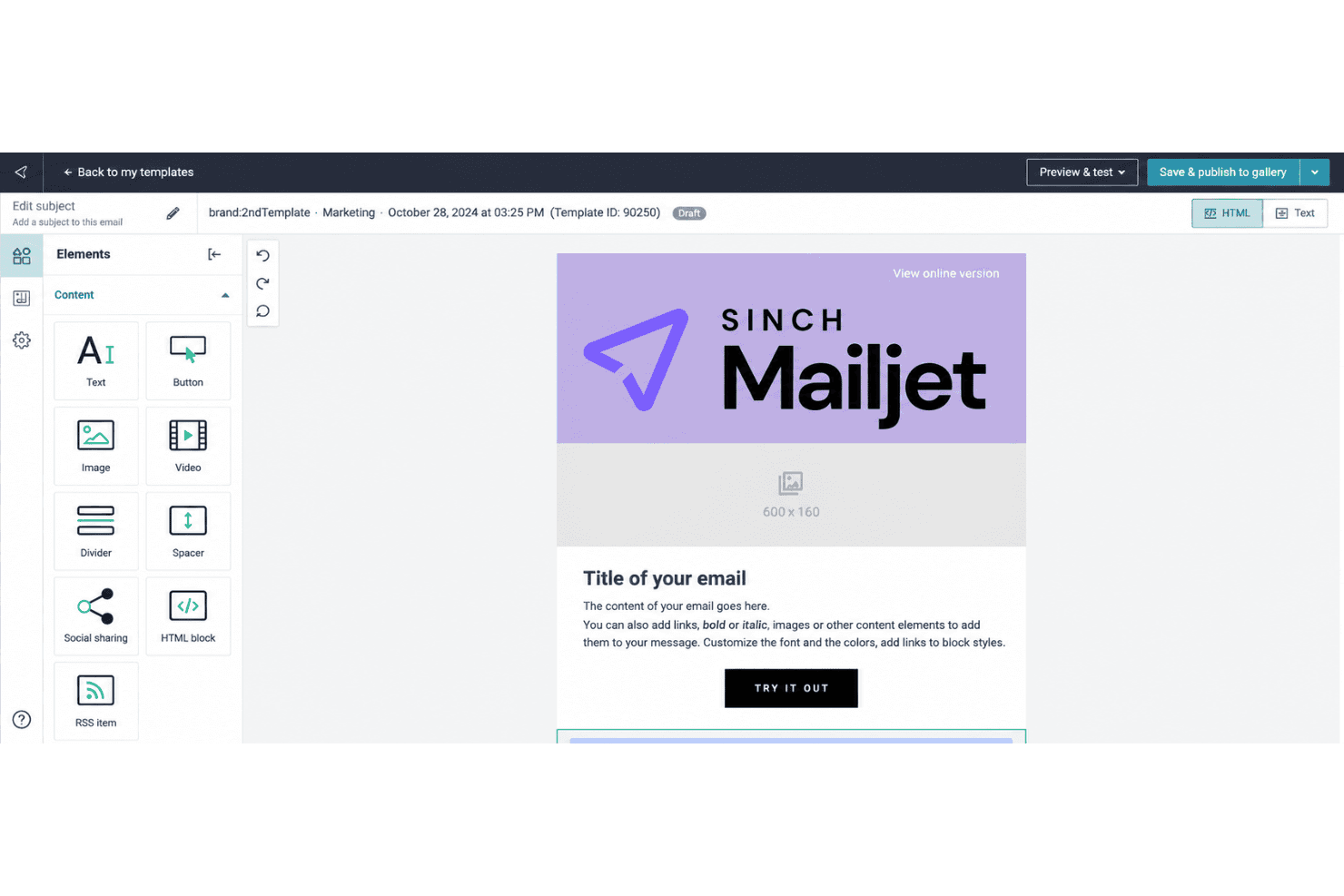
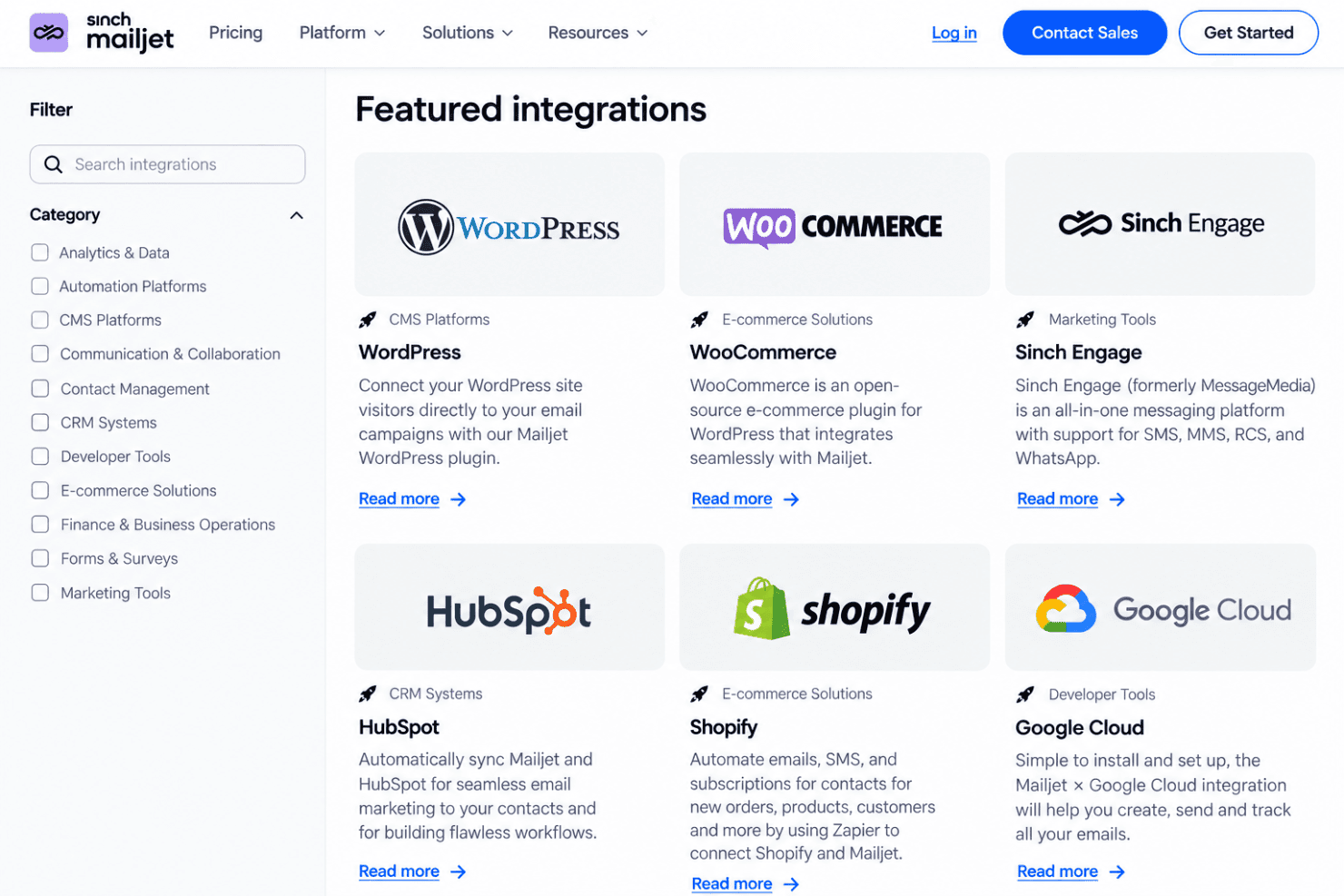
Mailjet’s drag-and-drop editor lets you build campaigns from templates or add text, images, links, and GIFs; responsive previews help you check how they’ll appear across devices and email clients. Teammates can edit and comment together, while saved sections help keep recurring newsletters on brand.
Contact List Management
Collect sign-ups with a website subscription widget or upload contacts using CSV, TXT, or XLS files; Mailjet checks uploads for errors and duplicate addresses. This gives you one place to maintain campaign lists and catch common data issues before sending.
Audience Segmentation
Create segments using contact attributes such as location, or behavior such as opens and clicks during a chosen period. You can send a product update to interested subscribers, for example, or target less active contacts with a re-engagement message.
Marketing Automation
Build no-code email workflows with event, timer, action, and condition blocks, using templates or your own sequence. A welcome journey can send an initial email after sign-up and branch based on a contact’s activity; advanced automation is reserved for higher tiers.
A/B Testing
Test up to 10 campaign versions at once, comparing elements such as subject lines, images, content, or calls to action. Set success criteria and send the winning version to the rest of your list to apply test results within the same campaign.
Campaign Analytics
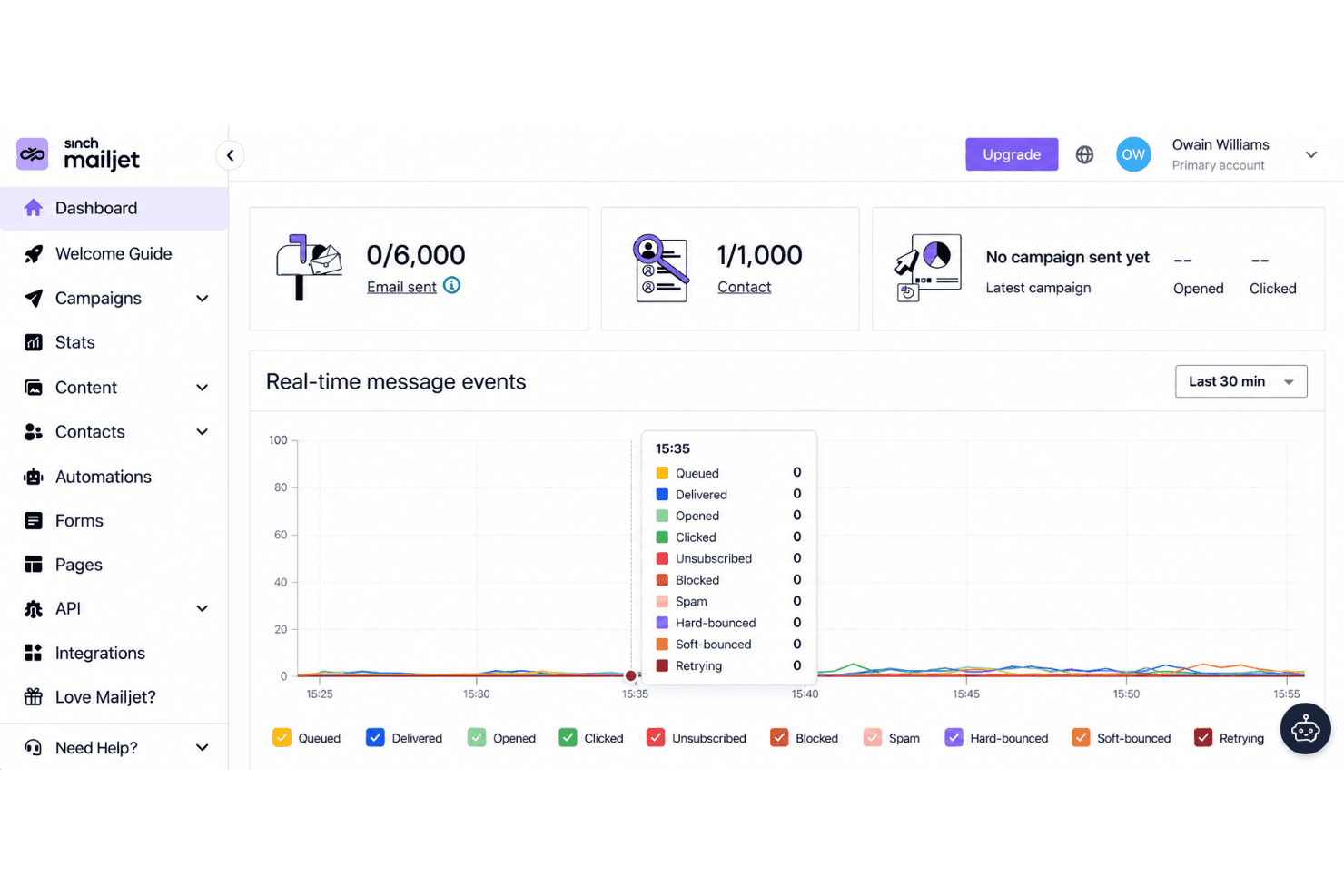
The Statistics Dashboard tracks delivery, opens, clicks, bounces, unsubscribes, and spam rates, with bot activity excluded from engagement analytics. Use the click map to see which links drew attention, or compare campaigns to guide your next send.
Ease of Use
Mailjet is easy to get started with: its drag-and-drop editor, responsive previews, and real-time comments make campaign creation and review straightforward. G2 reviewers praise its setup and ease of use, though some report limited template customization and difficulty merging contact lists. I’d call it approachable for routine campaigns, but less flexible when you need extensive design control or more advanced automation, which sits on higher tiers.
Integrations
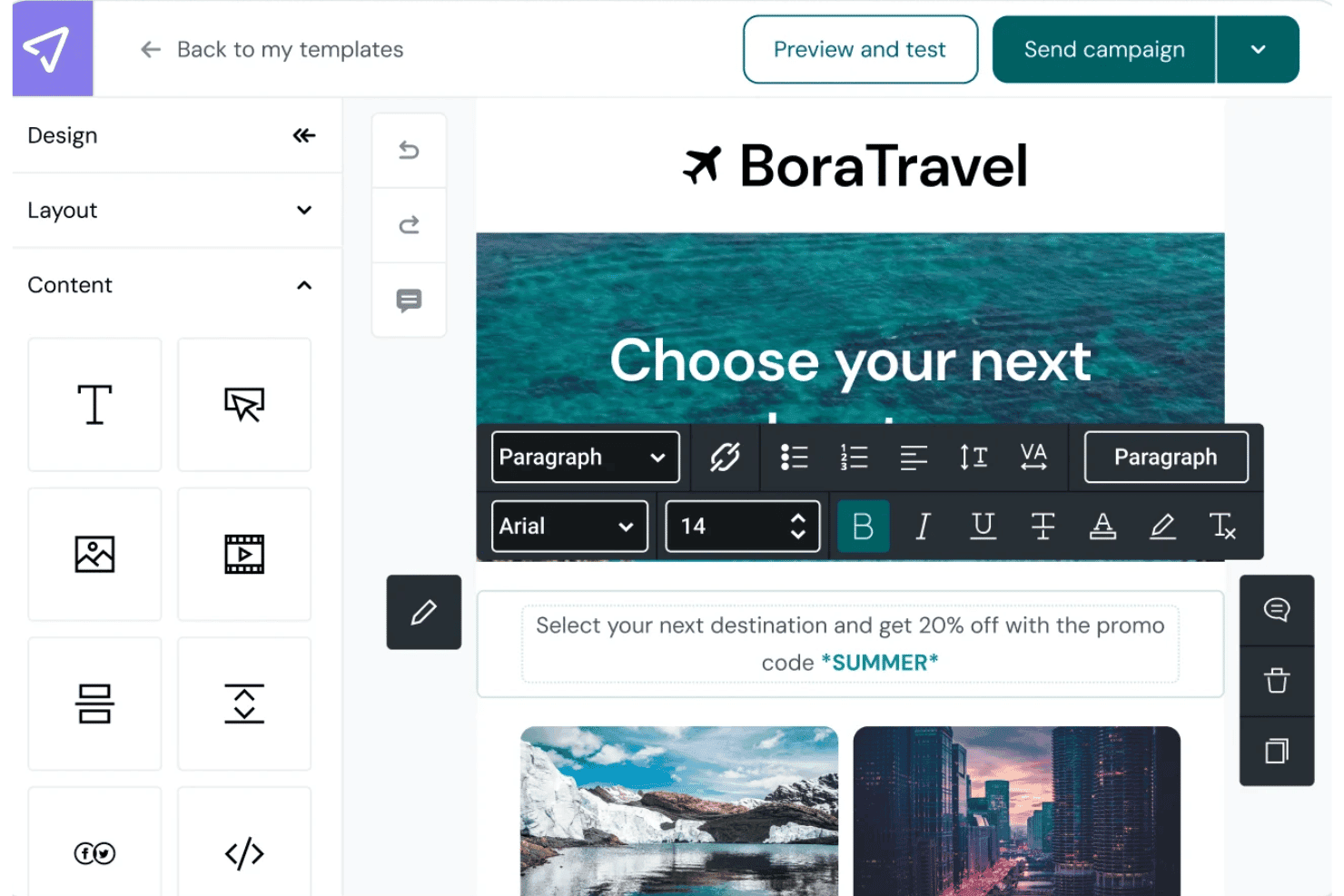
Mailjet integrates with Shopify, WordPress, HubSpot, Salesforce, Segment, WooCommerce, PrestaShop, and Google Cloud, among others.
Mailjet also offers an API for custom integrations and connects with third-party integration tools, including Zapier, Make, n8n, and Pipedream.
Mailjet Specs
- A/B Testing: Yes
- API: Yes
- Audience Targeting: Yes
- Brand Management: Yes
- Calendar Management: No
- Campaign Management: Yes
- Compliance Tracking: No
- Contact Management: Yes
- Contact Sharing: No
- Conversion Tracking: No
- CRM Integration: Yes
- Customer Management: No
- Dashboard: Yes
- Data Export: Yes
- Data Import: Yes
- Data Visualization: Yes
- Email Integration: Yes
- External Integrations: Yes
- Google Apps Integration: Yes
- Lead Management: No
- Lead Scoring: No
- Link Tracking: Yes
- Marketing Automation: Yes
- Multi-User: Yes
- Notifications: Yes
- Scheduling: Yes
- Social-Media Integration: No
- Third-Party Plugins/Add-Ons: Yes


