
ClicData Review: Pros, Cons, Features, and Pricing
ClicData stands out for its flexible dashboards and data integration, making it ideal for marketing agencies seeking customizable analytics—though it may require a learning curve for beginners.

We review tools independently, and commissions help fund our testing. See our transparency policy, our methodology, or suggest a tool.
ClicData is a cloud-based marketing intelligence software for teams that need to connect multiple data sources and build automated, shareable dashboards. If you're pulling data from dozens of tools and need clean reporting without a dedicated BI team, it's a strong option. I'd particularly consider it over Domo—ClicData covers much of the same data connectivity and visualization ground at a more accessible price point, and without Domo's enterprise-level implementation overhead.
ClicData Evaluation Summary
4.4/5
- From $265/month (billed annually)
- Free trial + free demo available
Why Trust Our Software Recommendations
6,700+
Reviews
20
Industry experts
16+
Evaluation factors
14
Years
Our team has been testing and reviewing software since 2012. As marketing leaders ourselves, we know how difficult—and important—it is to choose the right software.
For this guide, we evaluated tools using hands-on testing and independent research, scoring tools using our selection criteria.
Our reviews reflect our human editorial judgment, not a sales pitch.
Expert reviewers:
 Gui DrusinaCreative Director
- Shriya GhateSenior Marketing Lead
 Amanda JacquesMarketing Ops Leader

ClicData Overview
If you’re judging ClicData against other marketing intelligence software, I think its flexible dashboard builder and wide range of data connectors give it an edge for agencies juggling multiple clients and channels. The pricing is competitive for teams that need unlimited dashboards, though onboarding can take time if you’re new to data tools.
I find the interface modern and support responsive, but advanced users may want deeper automation or more granular permissions. ClicData is best for agencies or teams who wants to customize reporting and centralize marketing data without heavy IT involvement.
Pros
- Offers white-label dashboards for agency branding
- Automates multi-source marketing reporting and data refreshes
- Supports custom KPIs and advanced data blending
Cons
- Lacks advanced predictive analytics features
- Limited options for granular user permissions
- Initial setup can be complex for non-technical users
Is ClicData Right For Your Needs?
Who Would be a Good Fit for ClicData?
ClicData is a strong choice for agencies, marketing teams, and organizations that need to centralize data from multiple sources and deliver branded, client-facing dashboards. Its white-labeling, custom KPIs, and automated reporting make it especially useful for businesses managing multiple campaigns or clients. Teams that value visual analytics and want to reduce manual reporting will find ClicData’s automation and dashboard flexibility appealing. It’s best suited for environments where marketing performance needs to be tracked across channels and shared with stakeholders in a visually engaging way.
- Marketing AgenciesClicData’s white-label dashboards and client reporting tools are built for agency workflows.
- Mid-Sized BusinessesThe platform’s pricing and unlimited dashboards suit growing teams with expanding data needs.
- Digital Marketing TeamsAutomated data refreshes and campaign tracking help digital marketers monitor performance in real time.
- Franchise OperationsCentralized reporting supports multi-location performance tracking and comparison.
- E-commerce CompaniesClicData’s connectors and custom KPIs help e-commerce teams analyze sales and marketing data together.
- ConsultantsConsultants can use ClicData to deliver branded, interactive reports to clients without IT support.
Who Would be a Bad Fit for ClicData?
ClicData isn’t ideal for organizations that need advanced predictive analytics, highly granular user permissions, or have limited technical resources for setup. Companies with strict data governance or those seeking deep AI-driven insights may find the platform lacking. It’s also not the best fit for very small teams with simple reporting needs or for industries with highly specialized compliance requirements.
- Enterprise IT DepartmentsClicData lacks the advanced permission controls and audit trails large IT teams require.
- Financial ServicesThe platform doesn’t offer the compliance features needed for regulated financial reporting.
- Small StartupsStartups with basic analytics needs may find ClicData’s features excessive.
- Healthcare OrganizationsClicData doesn’t provide HIPAA compliance or healthcare-specific integrations.
- Manufacturing OperationsManufacturers needing real-time IoT or shop floor data integration won’t find native support.
- Data Science TeamsTeams focused on predictive analytics or machine learning will find ClicData’s analytics limited.
How We Test & Score Tools
We’ve spent years building, refining, and improving our software testing and scoring system. The rubric is designed to capture the nuances of software selection and what makes a tool effective, focusing on critical aspects of the decision-making process.
Below, you can see exactly how our testing and scoring works across seven criteria. It allows us to provide an unbiased evaluation of the software based on core functionality, standout features, ease of use, onboarding, customer support, integrations, customer reviews, and value for money.
Core Functionality (25% of final scoring)
The starting point of our evaluation is always the core functionality of the tool. Does it have the basic features and functions that a user would expect to see? Are any of those core features locked to higher-tiered pricing plans? At its core, we expect a tool to stand up against the baseline capabilities of its competitors.
Standout Features (25% of final scoring)
Next, we evaluate uncommon standout features that go above and beyond the core functionality typically found in tools of its kind. A high score reflects specialized or unique features that make the product faster, more efficient, or offer additional value to the user.
We also evaluate how easy it is to integrate with other tools typically found in the tech stack to expand the functionality and utility of the software. Tools offering plentiful native integrations, 3rd party connections, and API access to build custom integrations score best.
Ease of Use (10% of final scoring)
We consider how quick and easy it is to execute the tasks defined in the core functionality using the tool. High scoring software is well designed, intuitive to use, offers mobile apps, provides templates, and makes relatively complex tasks seem simple.
Onboarding (10% of final scoring)
We know how important rapid team adoption is for a new platform, so we evaluate how easy it is to learn and use a tool with minimal training. We evaluate how quickly a team member can get set up and start using the tool with no experience. High scoring solutions indicate little or no support is required.
Customer Support (10% of final scoring)
We review how quick and easy it is to get unstuck and find help by phone, live chat, or knowledge base. Tools and companies that provide real-time support score best, while chatbots score worst.
Customer Reviews (10% of final scoring)
Beyond our own testing and evaluation, we consider the net promoter score from current and past customers. We review their likelihood, given the option, to choose the tool again for the core functionality. A high scoring software reflects a high net promoter score from current or past customers.
Value for Money (10% of final scoring)
Lastly, in consideration of all the other criteria, we review the average price of entry level plans against the core features and consider the value of the other evaluation criteria. Software that delivers more, for less, will score higher.
Core Features
Custom Dashboards
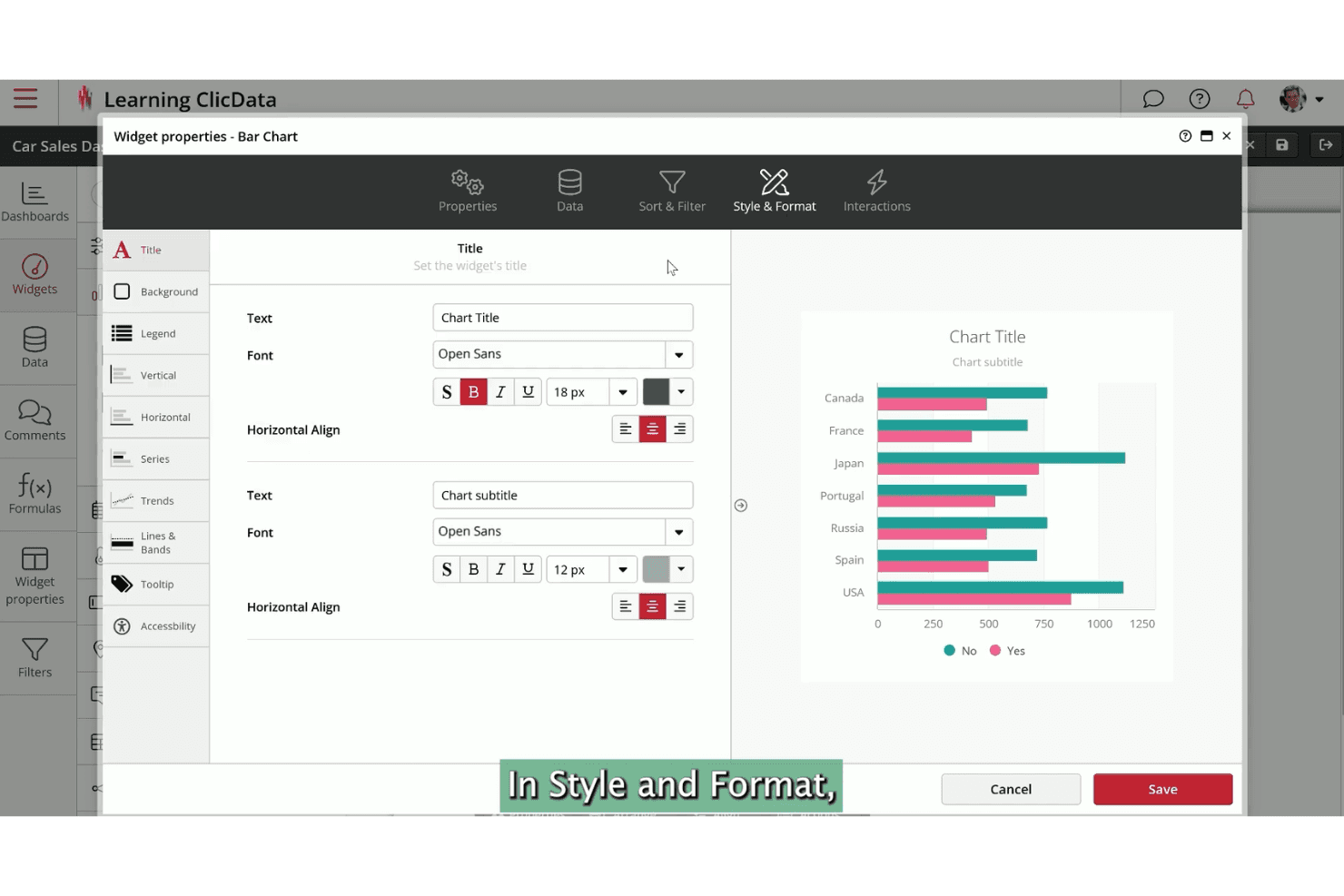
Build interactive, branded dashboards with drag-and-drop widgets. Share real-time insights with clients or stakeholders using tailored visualizations.
Automated Data Refresh
Schedule automatic data updates from multiple sources. This keeps reports current without manual intervention.
White-Label Reporting
Apply your agency’s branding to dashboards and reports. Present a professional, client-facing analytics experience.
Data Blending
Combine data from different platforms into unified views. Analyze cross-channel performance and uncover deeper insights.
Custom KPIs
Define and track unique marketing metrics that matter to your business. Monitor campaign goals and performance beyond standard analytics.
Collaboration Tools
Add comments, share dashboards, and set up alerts for your team. Keep everyone aligned and informed on marketing performance.
Standout Features
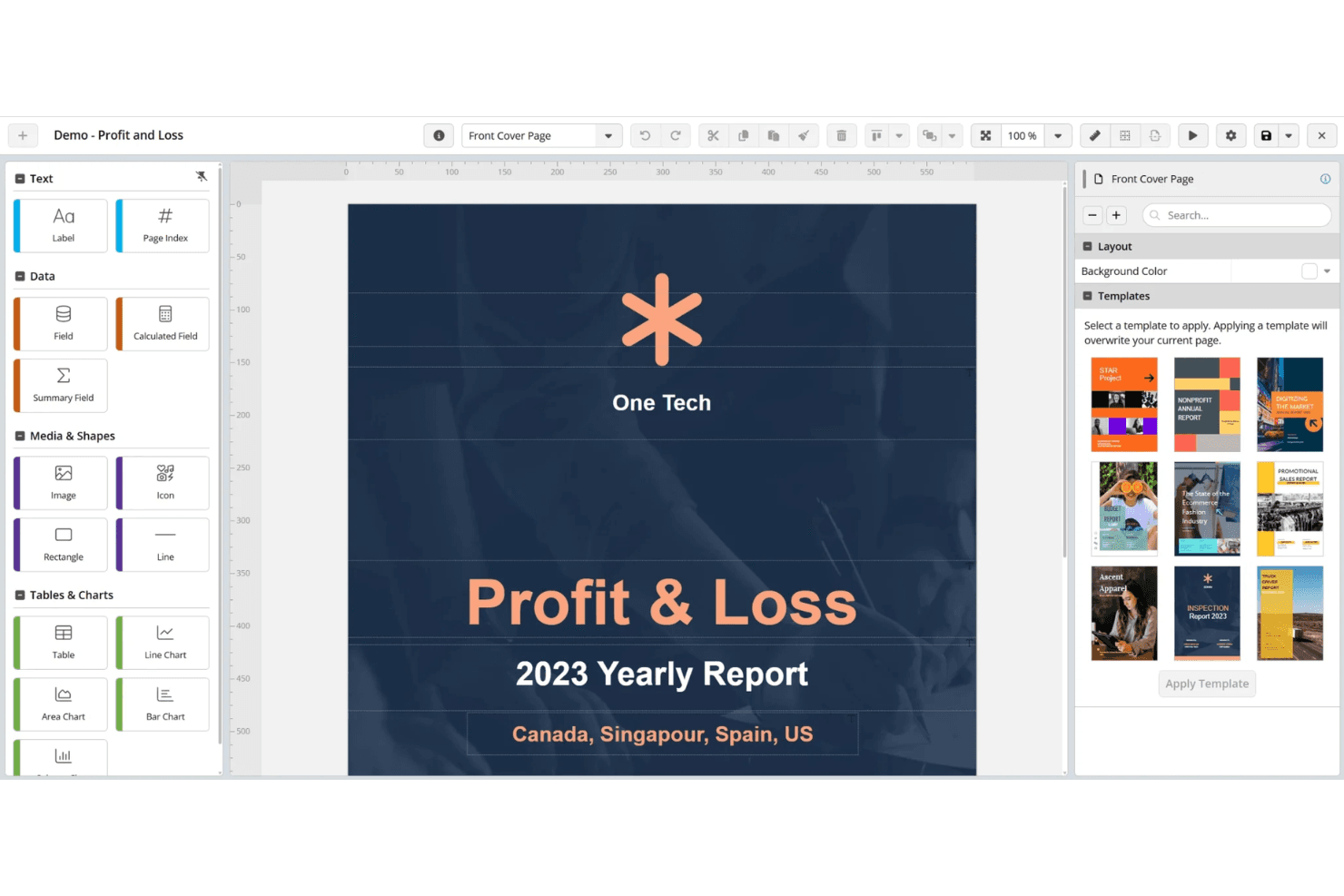
Data Transformation Module
ClicData lets you clean, merge, and manipulate raw data before it hits your dashboards. This built-in ETL capability means you can prep data for analysis without needing a separate tool.
Embedded Analytics
You can embed live dashboards directly into your website, client portal, or app. This gives clients or stakeholders instant access to up-to-date analytics in the environments they already use.
Ease of Use
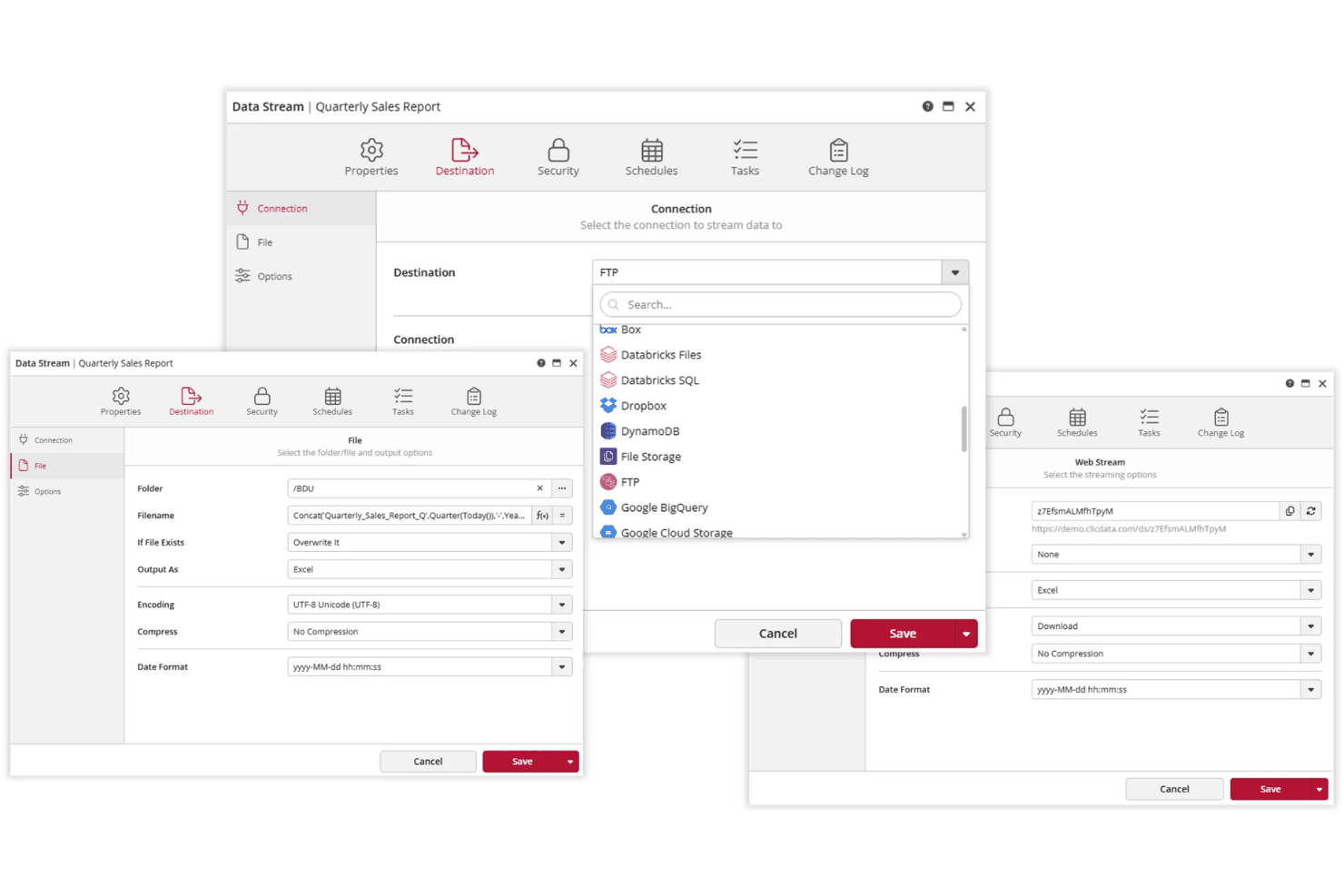
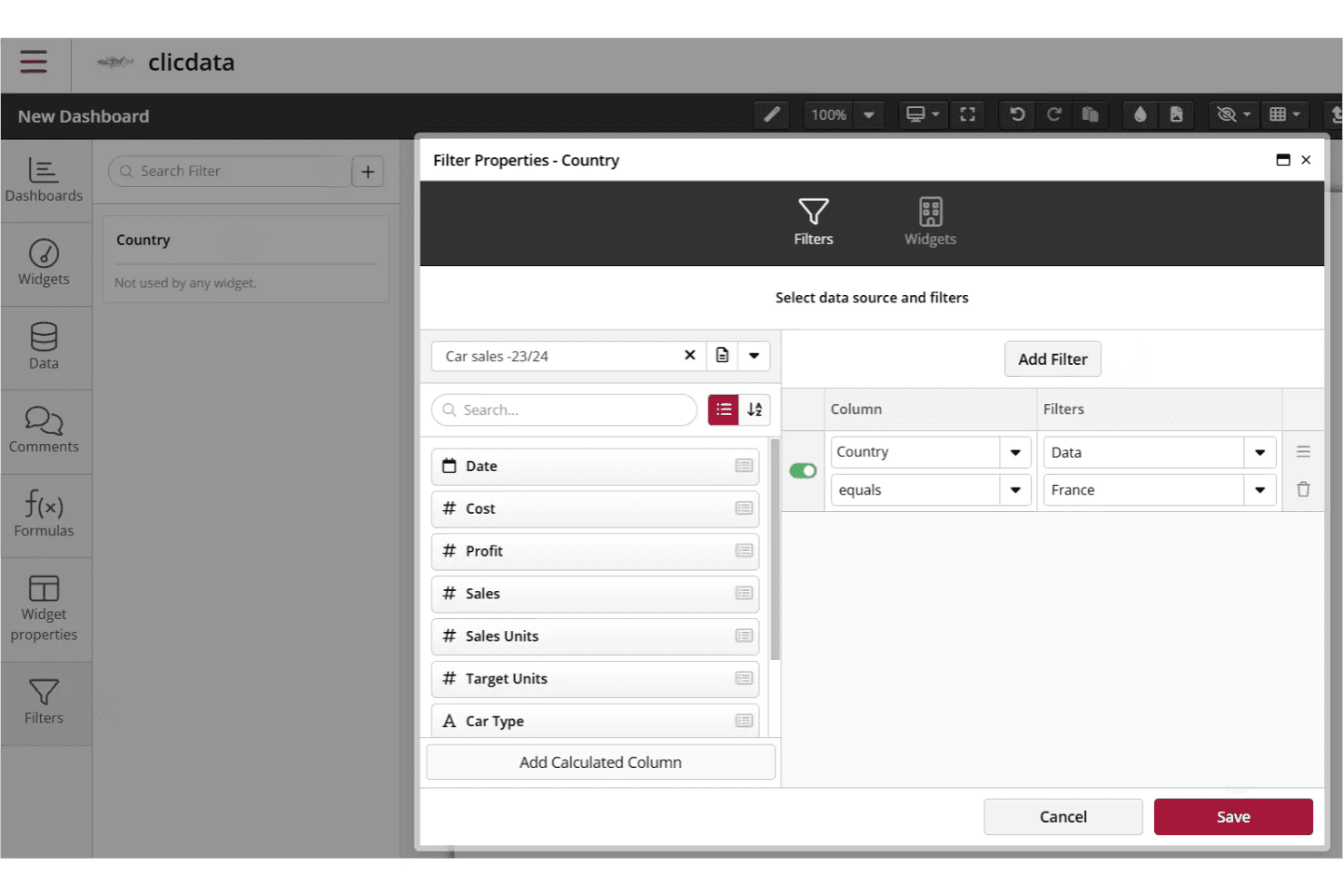
ClicData’s interface is modern and intuitive, especially for users familiar with dashboard tools, but some features—like data transformation and advanced dashboard design—can feel complex at first.
Many users say the drag-and-drop builder and pre-built templates speed up setup, while the documentation and support help bridge gaps for less technical users. I think teams with moderate data experience will find it approachable, but absolute beginners may need extra onboarding time.
Onboarding
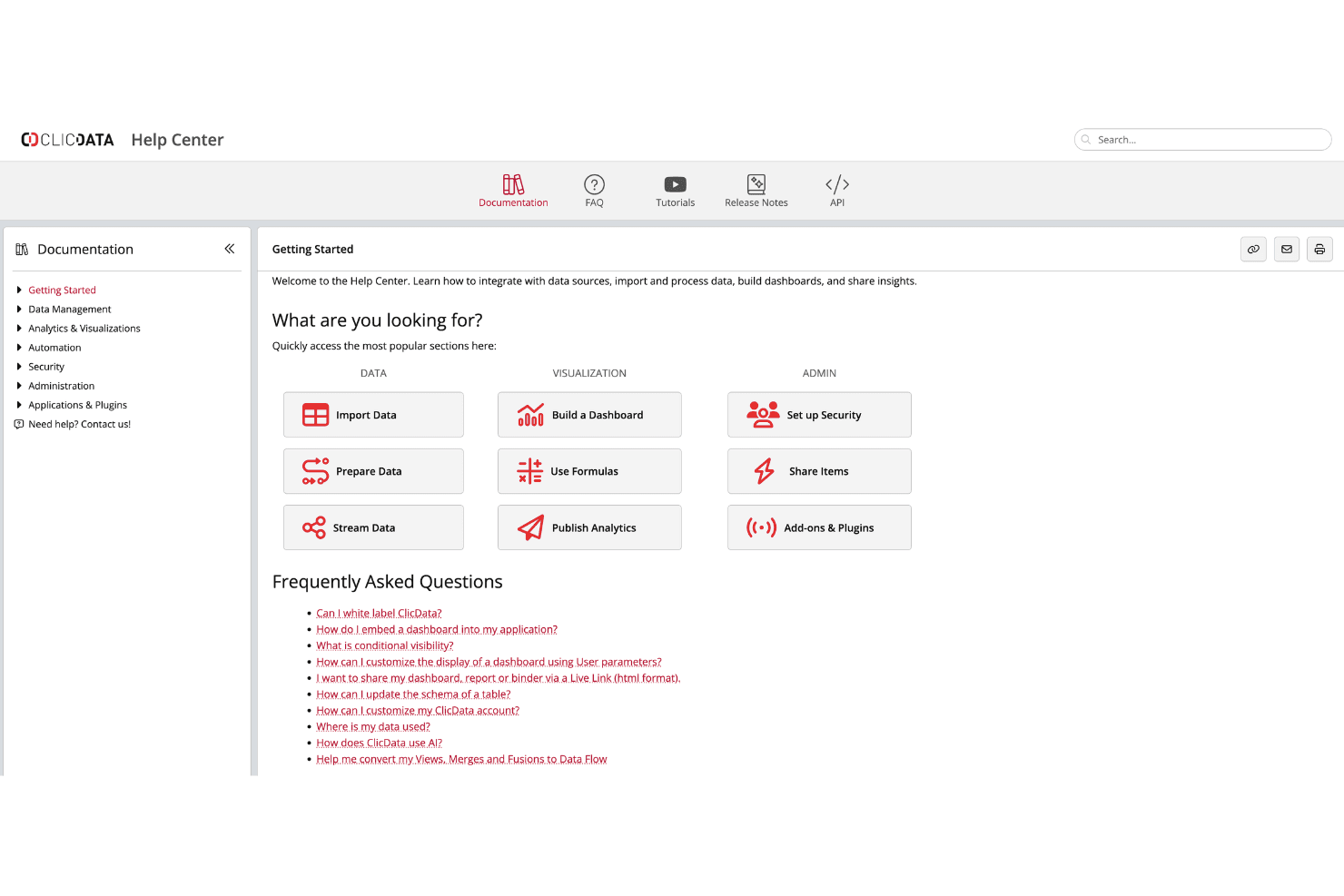
ClicData offers a guided onboarding flow, video tutorials, and a detailed knowledge base, which most users find helpful for getting started. I’ve seen feedback that live chat and responsive support staff make a difference when questions come up, especially during initial setup.
While the platform’s flexibility means there’s a learning curve, the available resources and onboarding sessions help new users reach value quickly—provided they invest some time upfront.
Customer Support
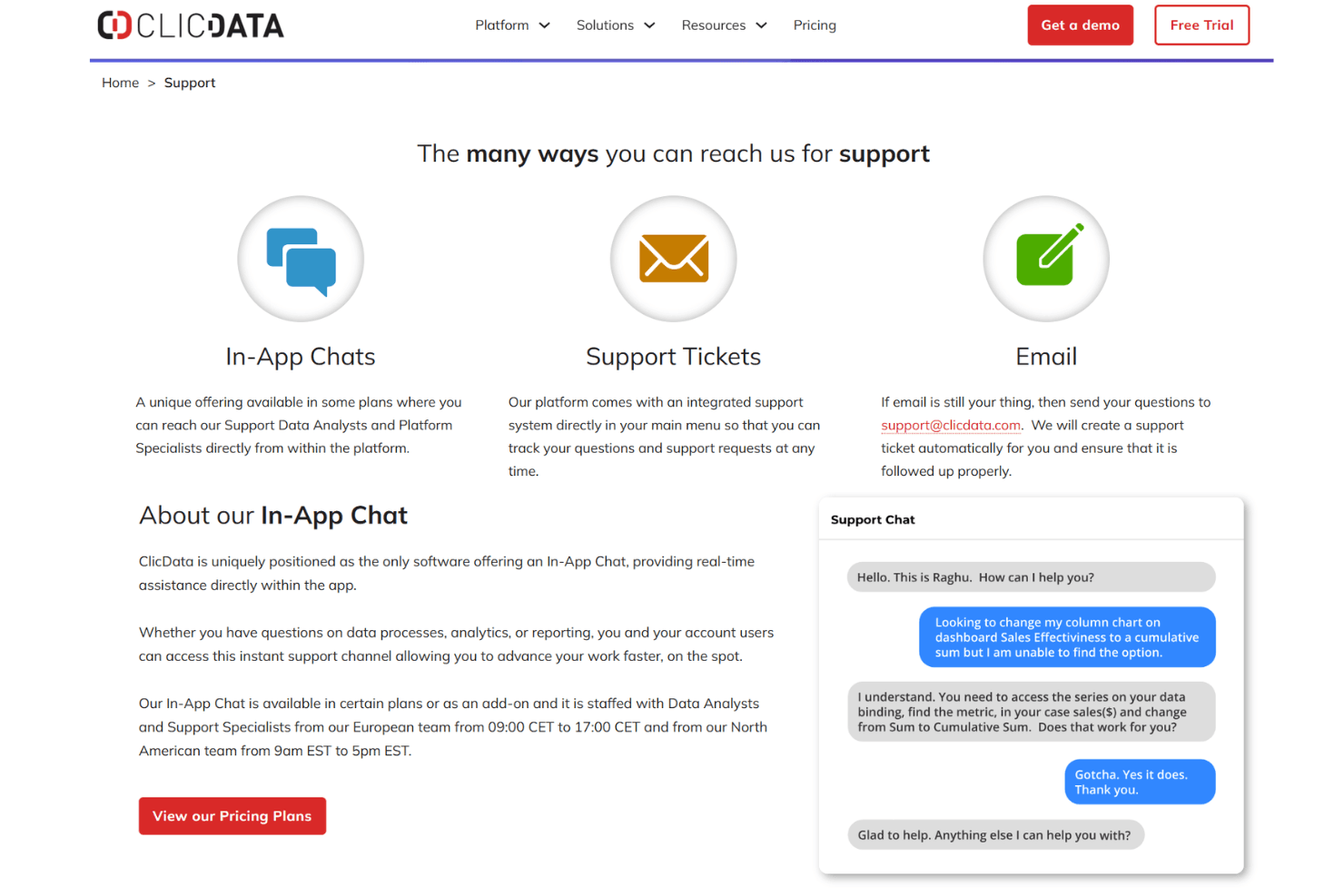
ClicData’s customer support gets high marks for responsiveness and expertise, with users often mentioning quick answers via live chat and email. I think the availability of one-on-one onboarding sessions and a thorough help center sets it apart for teams that need hands-on guidance. Many users say support staff is proactive in resolving technical issues and explaining features, which helps reduce frustration during setup and ongoing use.
Integrations
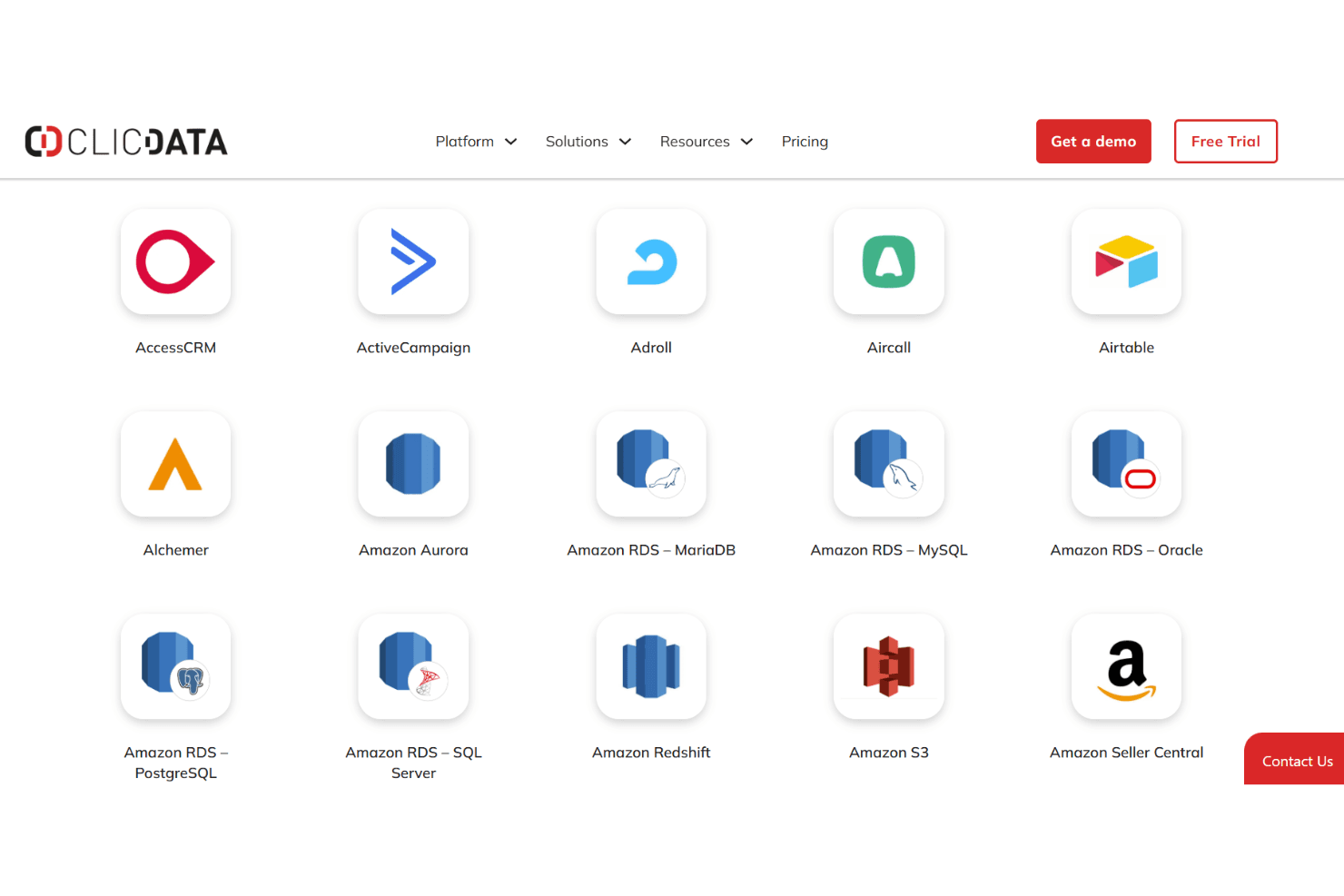
ClicData integrates with Google Analytics 4, Facebook Ads, HubSpot, Salesforce, Shopify, Microsoft Advertising, QuickBooks Online, MailChimp, Google Ads, and YouTube Analytics, among others.
ClicData also offers a robust API and a Web Service Connector for custom integrations and third-party connection tools.
Value for Money
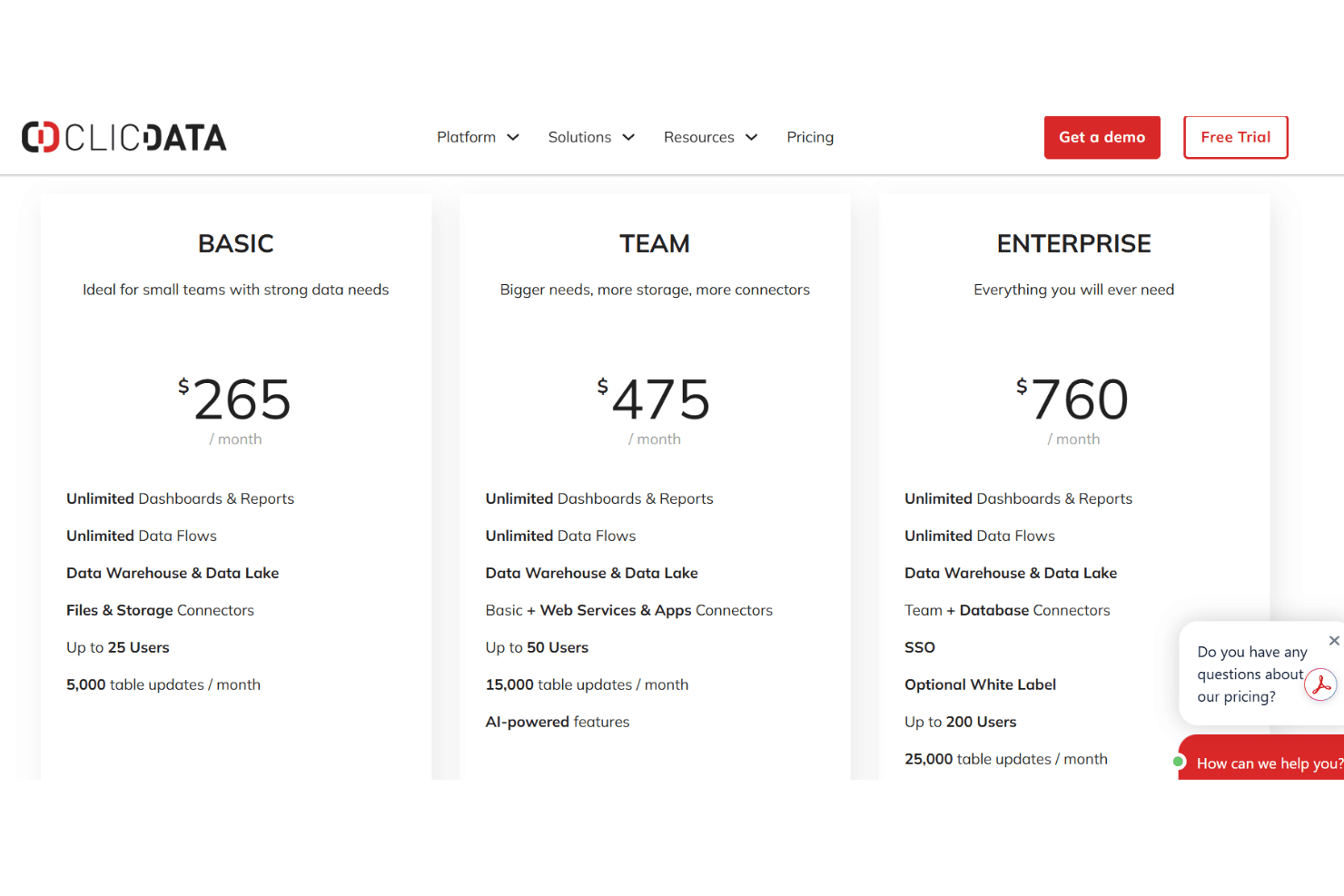
ClicData is positioned as a premium solution for teams that need robust data integration, warehousing, and reporting capabilities. Its pricing includes unlimited dashboards, data flows, and a built-in data warehouse across all plans, making it a strong value for agencies and mid-sized businesses with growing analytics needs.
As you scale, higher tiers unlock more connectors, user capacity, and advanced features such as AI capabilities and white-labelling, aligning costs with more complex data operations.
- Basic: Core data platform with unlimited dashboards, data flows, and storage for small teams.
- Team: Adds more users, expanded connectors, AI features, and higher data processing limits.
- Enterprise: Includes database connectors, SSO, optional white-labeling, and higher usage limits for large teams.
ClicData Specs
- 2-Factor Authentication: Yes
- A/B Testing: No
- Analytics: Yes
- API: Yes
- BitCoin: No
- Conversion Tracking: No
- Dashboard: Yes
- Data Export: Yes
- Data Import: Yes
- Data Visualization: Yes
- Design Templates: No
- External Integrations: Yes
- Inventory Tracking: No
- Keyword Tracking: No
- Marketing Automation: No
- Multi-User: Yes
- Notifications: Yes
- Order Management: No
- Payment Gateway Integration: No
- Payment Processor: No
- PayPal: No
- Product Catalog: Yes
- Review Monitoring: No
- SAP Integration: Yes
- Scheduling: Yes
- Stripe: No
- Third-Party Plugins/Add-Ons: Yes
ClicData FAQs
ClicData Company Overview & History
ClicData is a business intelligence and analytics software company focused on helping marketing agencies centralize, automate, and visualize client data. The company is headquartered in Lille, France, and serves agencies worldwide, but specific workforce size and financial details are not publicly disclosed. ClicData is known for its all-in-one platform that combines data integration, ETL, and dashboarding, with a strong emphasis on white-label and automated reporting for agencies. Notable agency clients include Marketri, MO&JO, and Coora Digital Agency, who use ClicData to deliver branded, client-ready analytics.
ClicData Major Milestones
- 2010: ClicData was founded in Lille, France.
- 2015: Launch of the cloud-based ClicData platform for business intelligence and dashboarding.
- 2020: Expanded focus on marketing agencies with specialized features and templates.
- 2023: Recognized by agency clients for enabling scalable, white-label client reporting and advanced data automation.