
Recensione di Canva: Vantaggi, Svantaggi, Caratteristiche e Prezzi Spiegati

Recensiamo gli strumenti in modo indipendente, e le commissioni aiutano a finanziare i nostri test. Consulta la nostra politica sulla trasparenza, la nostra metodologia o suggerisci uno strumento.
Canva is an AI marketing tool built around visual content creation—social graphics, presentations, ads, and branded assets. It's a natural fit for marketing teams that produce a high volume of visual content without a dedicated design team. If you're weighing Canva against Adobe Express, Canva has a broader template library and stronger AI design features. Tools like Magic Design and Magic Write get you from blank canvas to publish-ready faster.
Canva Evaluation Summary
4.7/5
- From $144/user/year (billed annually)
- Free trial + free plan available
Perché fidarsi dei nostri consigli sui software
6,700+
Reviews
20
Industry experts
16+
Evaluation factors
14
Years
Il nostro team testa e recensisce software dal 2012. In quanto leader del marketing noi stessi, sappiamo quanto sia difficile — e importante — scegliere il software giusto.
Per questa guida, abbiamo valutato gli strumenti attraverso test pratici e ricerche indipendenti, assegnando un punteggio agli strumenti in base ai nostri criteri di selezione.
Le nostre recensioni riflettono il nostro giudizio editoriale umano, non un discorso di vendita.
Revisori esperti:
 Gui DrusinaDirettore creativo
- Shriya GhateSenior Marketing Lead
 Amanda JacquesResponsabile Marketing Ops

Canva Overview
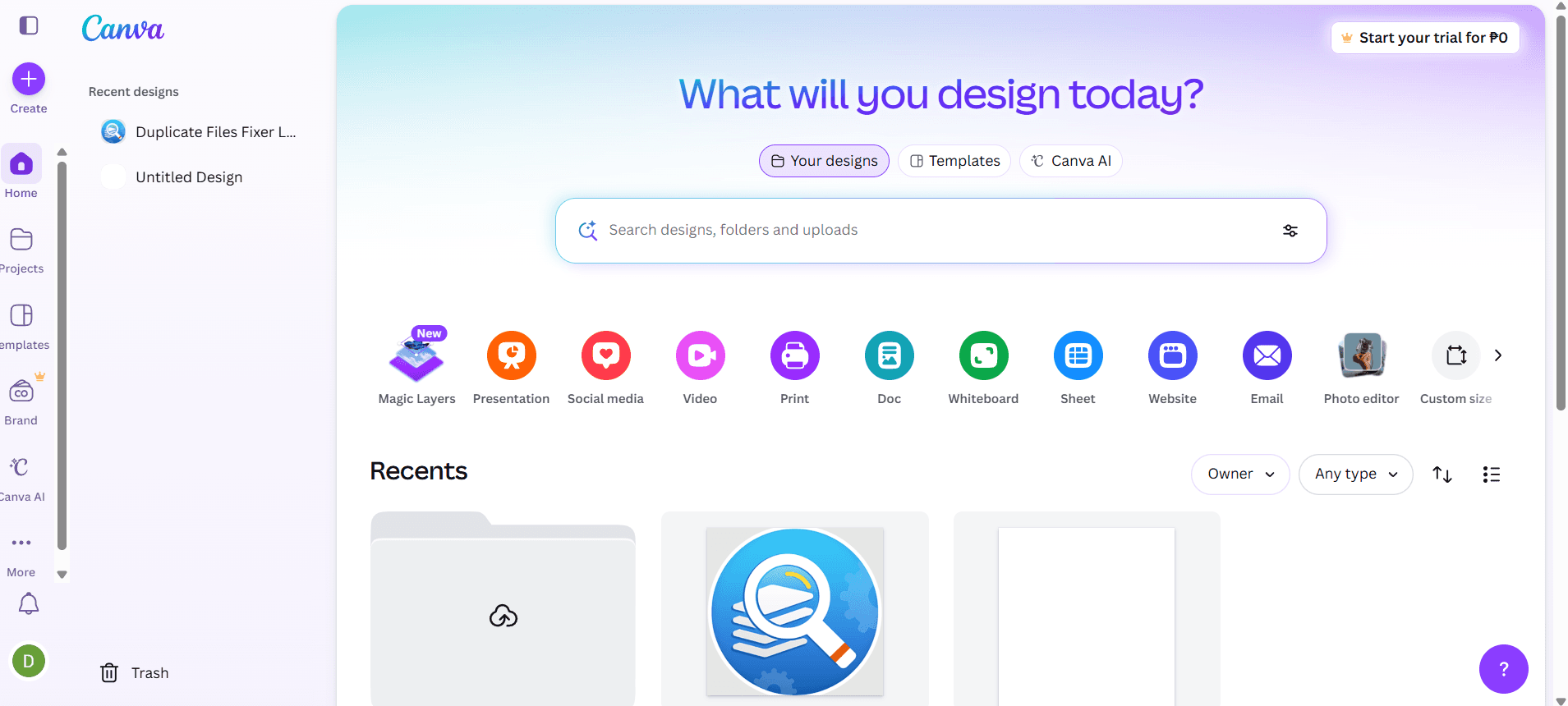
Teams typically use Canva for its intuitive interface, fast onboarding, and broad template library, which make it a top pick if you need quick, polished visuals. Pricing is accessible , and integrations with social and productivity platforms add flexibility. While its AI features simplify design, they may feel basic for advanced marketers seeking deep automation or analytics. Canva excels for small to mid-sized teams, agencies, and non-designers who value speed and ease over granular control. If you’re selecting a tool for rapid campaign assets, video editing, collaborative brand management, or need to simply resize an image, Canva is a strong contender.
Pros
- AI-powered Magic Write generates marketing copy and captions fast
- Brand Kit ensures consistent visual identity across campaigns
- Magic Media creates images and videos from text prompts
Cons
- Lacks deep flexibility for advanced graphic designs and animations
- Generated content sometimes lacks originality or nuance
- Advanced automation for multi-channel campaigns is missing
Is Canva Right For Your Needs?
Who Would be a Good Fit for Canva?
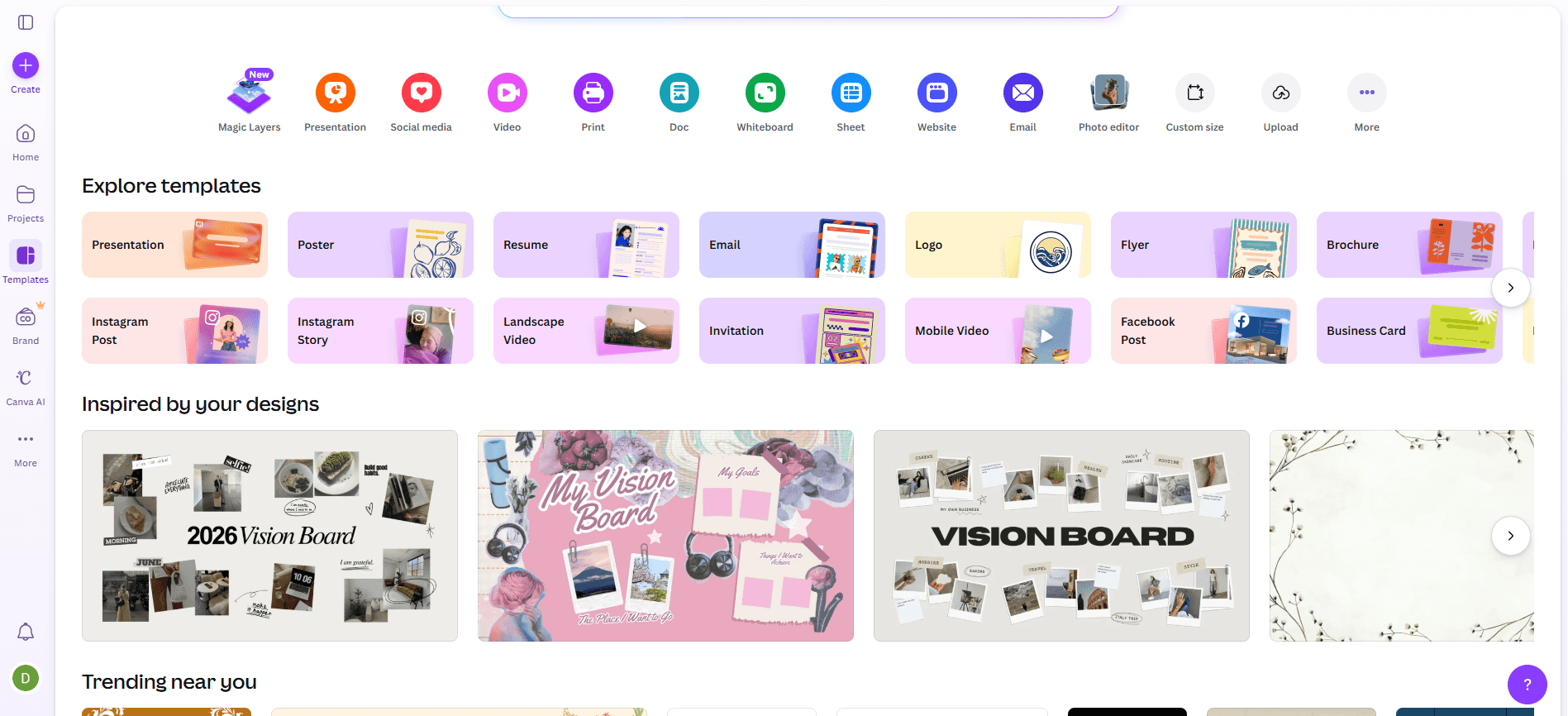
Canva is a strong choice for teams and organizations that need to produce high-quality marketing visuals quickly (like infographics, social media graphics, mockups, brand logos, or other creative assets), especially when design resources are limited. Its AI-powered content generation, brand management tools, and collaborative functionality make it ideal for beginners, marketing departments, agencies, and small businesses that value speed and consistency. Canva’s template-driven approach and Magic Write capabilities are especially useful for industries where rapid content creation and brand alignment are priorities.
- Small BusinessesCanva’s templates and AI tools help small teams create professional marketing assets without hiring designers.
- Social Media TeamsMagic Write and Magic Media speed up content creation for frequent posting schedules.
- NonprofitsBrand Kit and easy collaboration support consistent messaging across volunteer-driven campaigns.
- Education MarketingTemplates and AI features simplify event promotion and student engagement materials.
- AgenciesQuick turnaround on client projects is possible with Canva’s bulk creation and brand controls.
- Event PlannersDrag-and-drop design and AI-generated visuals help produce event collateral fast.
Who Would be a Bad Fit for Canva?
Canva may not suit organizations that require advanced automation, deep analytics, or highly customized workflows. Large enterprises, regulated industries, and teams with complex campaign needs may find Canva’s AI features, creative depth, and reporting too basic. If your marketing relies on granular data, multi-channel orchestration, or strict compliance, Canva’s strengths may not align with your requirements.
- Large EnterprisesCanva’s analytics and workflow automation are too limited for enterprise-scale campaigns.
- Regulated IndustriesLack of advanced compliance controls makes it risky for finance or healthcare.
- Performance MarketingMinimal AI-driven optimization and attribution features hinder data-driven campaign management.
- In-House Design TeamsProfessional designers may find Canva’s creative controls and export options restrictive.
- Ecommerce GiantsNo built-in AI for product feed management or dynamic ad personalization.
- B2B Tech FirmsLimited integration with complex CRM and marketing automation stacks.
Come Testiamo e Valutiamo gli Strumenti
Abbiamo passato anni a costruire, perfezionare e migliorare il nostro sistema di test e valutazione del software. Il nostro metodo è progettato per cogliere le sfumature nella selezione del software e ciò che rende uno strumento efficace, concentrandoci sugli aspetti critici del processo decisionale. Qui sotto puoi vedere esattamente come funziona il nostro sistema di test e valutazione su sette criteri. Questo ci permette di offrire una valutazione imparziale del software basata su funzionalità principali, funzioni distintive, facilità d’uso, onboarding, supporto clienti, integrazioni, recensioni dei clienti e rapporto qualità-prezzo.
Funzionalità principali (25% del punteggio finale)
Il punto di partenza della nostra valutazione è sempre la funzionalità principale dello strumento. Include le caratteristiche e le funzioni basilari che un utente si aspetterebbe di trovare? Alcune di queste funzionalità sono bloccate nei piani premium? Ci aspettiamo che ogni strumento soddisfi almeno le capacità di base dei suoi concorrenti.
Funzionalità distintive (25% del punteggio finale)
Successivamente, valutiamo le funzionalità uniche che vanno oltre la normale funzionalità principale, quelle poco comuni negli strumenti simili. Un punteggio alto riflette caratteristiche specializzate o uniche che rendono il prodotto più veloce, efficiente o offrono un valore aggiunto all’utente. Valutiamo anche quanto sia semplice integrare il software con altri strumenti abitualmente usati in una tech stack, per espandere le funzionalità e l’utilità del prodotto. Sono valutate positivamente soluzioni con molte integrazioni native, connessioni di terze parti e API per creare integrazioni personalizzate.
Facilità d’uso (10% del punteggio finale)
Consideriamo la rapidità e semplicità con cui si possono eseguire le attività principali tramite lo strumento. I software con punteggio più alto sono ben progettati, intuitivi, dispongono di app mobili, offrono template e semplificano compiti complessi.
Onboarding (10% del punteggio finale)
Sappiamo quanto sia importante l’adozione rapida in azienda, quindi valutiamo la facilità di apprendimento e utilizzo di uno strumento con formazione minima. Analizziamo quanto velocemente un utente senza esperienza può iniziare a usare il software. Le soluzioni migliori richiedono poco o nessun supporto.
Supporto clienti (10% del punteggio finale)
Analizziamo la rapidità e facilità nel trovare aiuto tramite telefono, chat dal vivo o knowledge base. Gli strumenti che offrono supporto in tempo reale ottengono il punteggio migliore: i chatbot invece i peggiori.
Recensioni dei clienti (10% del punteggio finale)
Oltre ai nostri test, consideriamo il net promoter score di attuali ed ex clienti. Valutiamo la probabilità che, potendo scegliere, l’utente decida di utilizzare ancora quello strumento per le funzionalità principali. Un software con un punteggio alto corrisponde ad un alto net promoter score tra clienti attuali o passati.
Rapporto qualità-prezzo (10% del punteggio finale)
Infine, tenendo conto di tutti gli altri criteri, confrontiamo il prezzo medio dei piani base rispetto alle funzionalità principali e agli altri fattori di valutazione. I software che offrono di più, a meno, ottengono i punteggi più alti.
Core Features
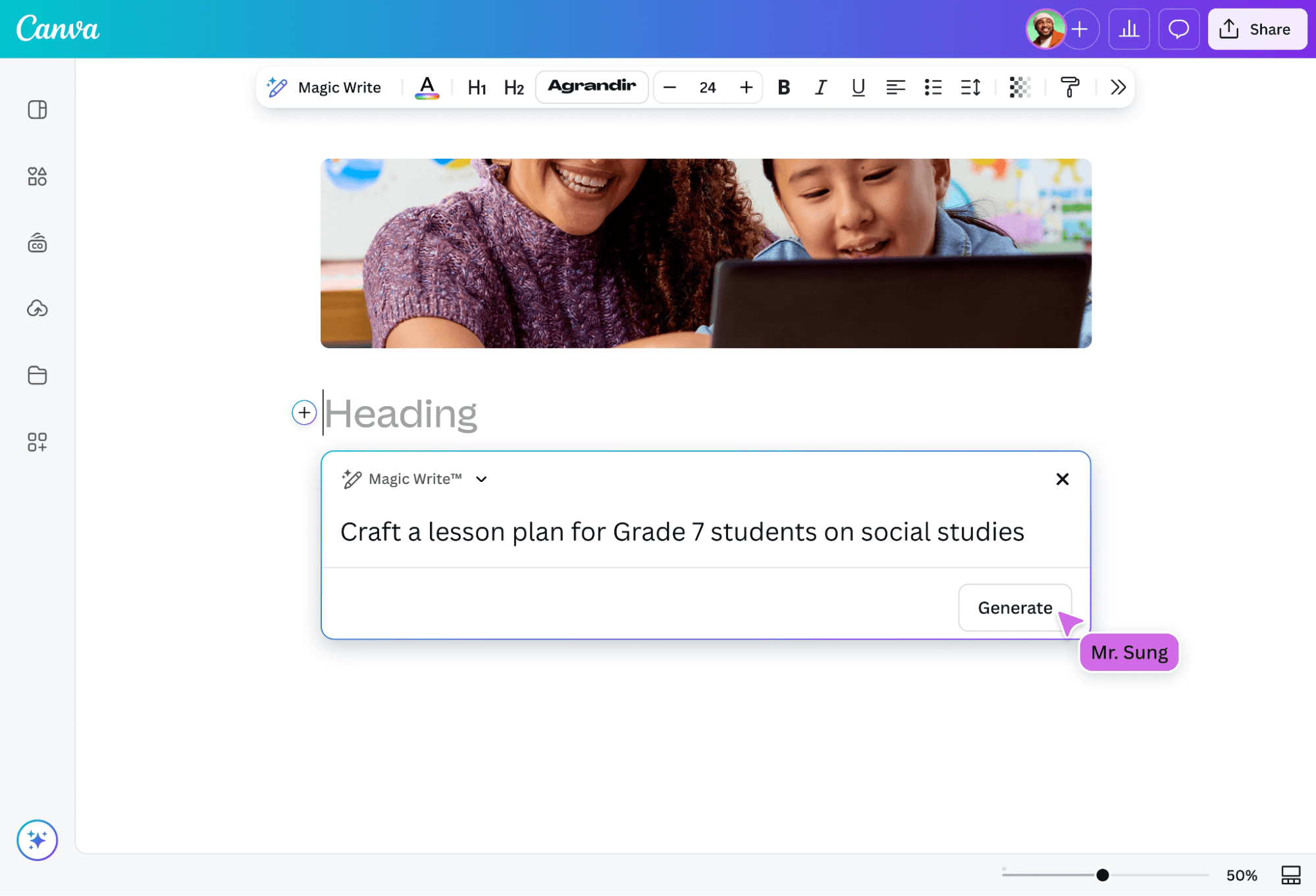
Magic Write
Generate marketing copy, captions, and headlines using AI-powered text prompts. This tool helps teams quickly draft content for social posts, ads, and emails.
Magic Media
Create images and short videos from text descriptions with AI. Users can turn campaign ideas into visuals without needing stock photos or video editors.
Brand Kit
Store marketing materials, like logos, fonts, and color palettes, for consistent branding across all designs. Teams can lock brand elements to ensure every asset matches guidelines.
AI-Powered Design Suggestions
Get instant layout, color, and style recommendations based on your content. This feature helps non-designers produce polished, on-brand visuals.
Bulk Create
Generate multiple versions of marketing assets at once using data from spreadsheets. Ideal for campaigns needing personalized graphics or localized content.
AI Background Remover
Remove backgrounds from images with one click using AI detection. This speeds up creating product shots, profile images, and ad creatives.
Ease of Use
Canva is widely recognized for its intuitive drag-and-drop interface and minimal onboarding requirements, making it accessible to users with no design background or basic design skills. AI features like Magic Write and Magic Media are clearly labeled and easy to activate, so teams can generate content with just a few clicks with little to no learning curve involved. User reviews consistently highlight how quickly new users can start producing polished marketing assets, which sets Canva apart from more complex, feature-heavy AI marketing tools.
Integrations
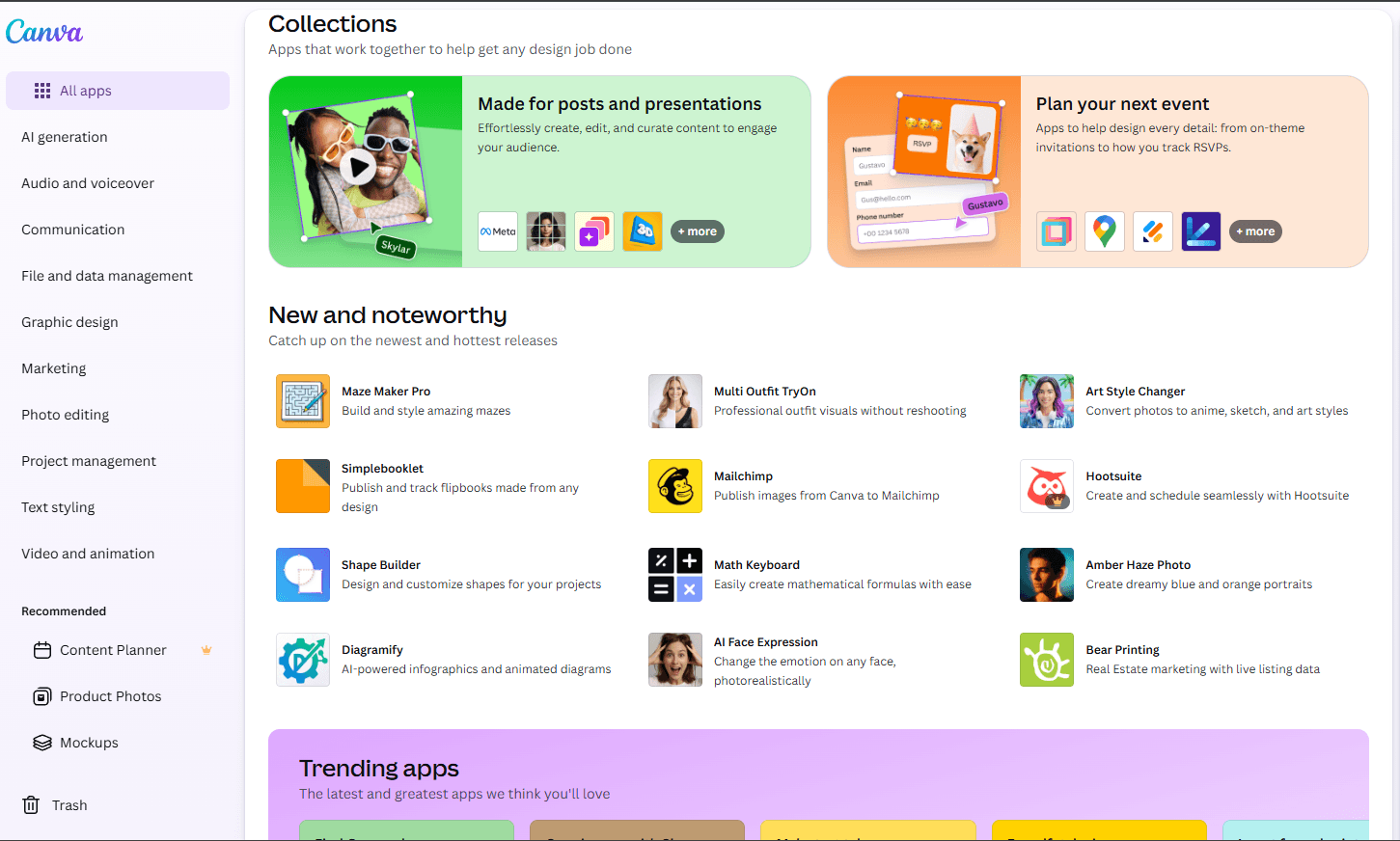
Canva integrates with Google Drive, Dropbox, Meta (Facebook), Instagram, Slack, HubSpot, Mailchimp, LinkedIn, YouTube, and Google Photos, among others.
Canva also offers an API and connects with third-party integration tools like Zapier for expanded automation and workflow options.
Canva Specs
- CAD Tools: Yes
- Data Export: Yes
- Data Import: Yes
- Multi-User: Yes
- Pixel Graphics: Yes
- Third-Party Plugins/Add-Ons: Yes
- Vector File Support: Yes
- Video: Yes


