

Recensione di Brightspot 2026: vantaggi, svantaggi, funzionalità e prezzi
I put Brightspot through its paces to see whether its flexible, enterprise-focused CMS delivers enough power and polish to justify its investment.

Recensiamo gli strumenti in modo indipendente, e le commissioni aiutano a finanziare i nostri test. Consulta la nostra politica sulla trasparenza, la nostra metodologia o suggerisci uno strumento.
Brightspot is flexible, enterprise-focused content management software for organizations managing high-volume, multi-site, and multi-channel publishing. I’d consider it over WordPress when your marketing team needs more structured content workflows, complex content models, and centralized control across a large digital operation.
Brightspot Evaluation Summary
4.5/5
- Pricing upon request
- Free demo available
Perché fidarsi dei nostri consigli sui software
6,700+
Reviews
20
Industry experts
16+
Evaluation factors
14
Years
Il nostro team testa e recensisce software dal 2012. In quanto leader del marketing noi stessi, sappiamo quanto sia difficile — e importante — scegliere il software giusto.
Per questa guida, abbiamo valutato gli strumenti attraverso test pratici e ricerche indipendenti, assegnando un punteggio agli strumenti in base ai nostri criteri di selezione.
Le nostre recensioni riflettono il nostro giudizio editoriale umano, non un discorso di vendita.
Revisori esperti:
 Gui DrusinaDirettore creativo
- Shriya GhateSenior Marketing Lead
 Amanda JacquesResponsabile Marketing Ops

Brightspot Overview
I’d choose Brightspot for large organizations managing high-volume, multi-site, and multi-channel publishing. Its structured content models, workflow controls, headless delivery, APIs, and integration options outperform lighter CMS platforms when teams need centralized governance, such as coordinating regional websites and mobile content. However, custom enterprise pricing, a complex interface, and implementation-led onboarding make it harder to evaluate and deploy than simpler alternatives. Support is suited to guided enterprise rollouts, but smaller teams may find the specifications and administration excessive. Overall, I judge Brightspot a strong fit when flexibility matters more than low cost or quick setup.
Pros
- Reusable content modeling supports complex workflows across channels.
- Role-based permissions govern content across multiple websites.
- Hybrid and headless delivery serve web, mobile, and other channels.
Cons
- Custom pricing obscures costs before enterprise requirements are scoped.
- Initial setup requires substantial configuration before teams can publish.
- Media library organization can hinder asset retrieval at scale.
Is Brightspot Right For Your Needs?
Who Would be a Good Fit for Brightspot?
Brightspot suits organizations with many contributors, structured publishing, and multiple digital properties. Its content types, role-based dashboards, approval workflows, REST Management API, integrations, and managed hosting support coordinated marketing operations.
- Enterprise Media TeamsBrightspot supports editorial organizations that manage structured content, multiple contributors, and frequent publishing workflows.
- Multi-Site PublishersBrightspot’s Premium, Enterprise, and Custom plans support multiple sites with shared governance and tailored user access.
- Higher Education TeamsUniversity marketing teams can use role-based dashboards and approval workflows to coordinate content across departments and websites.
- Distributed MarketingBrightspot gives regional marketing teams structured authoring and publishing controls without giving every contributor unrestricted access.
- Content OperationsContent operations teams can connect Brightspot with analytics, marketing automation, email, video, and social publishing tools.
- Enterprise DevelopersDevelopment teams can use Brightspot’s REST Management API and iPaaS connections, including Zapier, to connect publishing workflows.
Who Would be a Bad Fit for Brightspot?
Brightspot is a poor match for teams that need immediate setup, low pricing, or a simple publishing interface. Configuration, training, workflow design, and media-library management require more planning than lightweight CMS products.
- Small Startup TeamsBrightspot’s quote-based plans, configuration requirements, and guided onboarding can exceed the needs of a small team with one website.
- Solo CreatorsSolo publishers may find role-based workflows, structured content types, and enterprise administration unnecessary for personal publishing.
- Simple Brochure SitesA basic website may not justify Brightspot’s multi-site capabilities, integrations, managed hosting, and workflow configuration.
- Self-Service BuyersBrightspot is a weak choice for teams that expect extensive documentation and independent setup, since developers report documentation gaps.
- Fast Launch TeamsTeams needing a quick launch may face delays from implementation planning, training, workflow design, and initial configuration.
- Ecommerce MerchantsBrightspot connects with Shopify, but merchants needing a dedicated ecommerce platform should not treat Brightspot as their primary commerce system.
Come Testiamo e Valutiamo gli Strumenti
Abbiamo passato anni a costruire, perfezionare e migliorare il nostro sistema di test e valutazione del software. Il nostro metodo è progettato per cogliere le sfumature nella selezione del software e ciò che rende uno strumento efficace, concentrandoci sugli aspetti critici del processo decisionale. Qui sotto puoi vedere esattamente come funziona il nostro sistema di test e valutazione su sette criteri. Questo ci permette di offrire una valutazione imparziale del software basata su funzionalità principali, funzioni distintive, facilità d’uso, onboarding, supporto clienti, integrazioni, recensioni dei clienti e rapporto qualità-prezzo.
Funzionalità principali (25% del punteggio finale)
Il punto di partenza della nostra valutazione è sempre la funzionalità principale dello strumento. Include le caratteristiche e le funzioni basilari che un utente si aspetterebbe di trovare? Alcune di queste funzionalità sono bloccate nei piani premium? Ci aspettiamo che ogni strumento soddisfi almeno le capacità di base dei suoi concorrenti.
Funzionalità distintive (25% del punteggio finale)
Successivamente, valutiamo le funzionalità uniche che vanno oltre la normale funzionalità principale, quelle poco comuni negli strumenti simili. Un punteggio alto riflette caratteristiche specializzate o uniche che rendono il prodotto più veloce, efficiente o offrono un valore aggiunto all’utente. Valutiamo anche quanto sia semplice integrare il software con altri strumenti abitualmente usati in una tech stack, per espandere le funzionalità e l’utilità del prodotto. Sono valutate positivamente soluzioni con molte integrazioni native, connessioni di terze parti e API per creare integrazioni personalizzate.
Facilità d’uso (10% del punteggio finale)
Consideriamo la rapidità e semplicità con cui si possono eseguire le attività principali tramite lo strumento. I software con punteggio più alto sono ben progettati, intuitivi, dispongono di app mobili, offrono template e semplificano compiti complessi.
Onboarding (10% del punteggio finale)
Sappiamo quanto sia importante l’adozione rapida in azienda, quindi valutiamo la facilità di apprendimento e utilizzo di uno strumento con formazione minima. Analizziamo quanto velocemente un utente senza esperienza può iniziare a usare il software. Le soluzioni migliori richiedono poco o nessun supporto.
Supporto clienti (10% del punteggio finale)
Analizziamo la rapidità e facilità nel trovare aiuto tramite telefono, chat dal vivo o knowledge base. Gli strumenti che offrono supporto in tempo reale ottengono il punteggio migliore: i chatbot invece i peggiori.
Recensioni dei clienti (10% del punteggio finale)
Oltre ai nostri test, consideriamo il net promoter score di attuali ed ex clienti. Valutiamo la probabilità che, potendo scegliere, l’utente decida di utilizzare ancora quello strumento per le funzionalità principali. Un software con un punteggio alto corrisponde ad un alto net promoter score tra clienti attuali o passati.
Rapporto qualità-prezzo (10% del punteggio finale)
Infine, tenendo conto di tutti gli altri criteri, confrontiamo il prezzo medio dei piani base rispetto alle funzionalità principali e agli altri fattori di valutazione. I software che offrono di più, a meno, ottengono i punteggi più alti.
Core Features
Structured Content Modeling
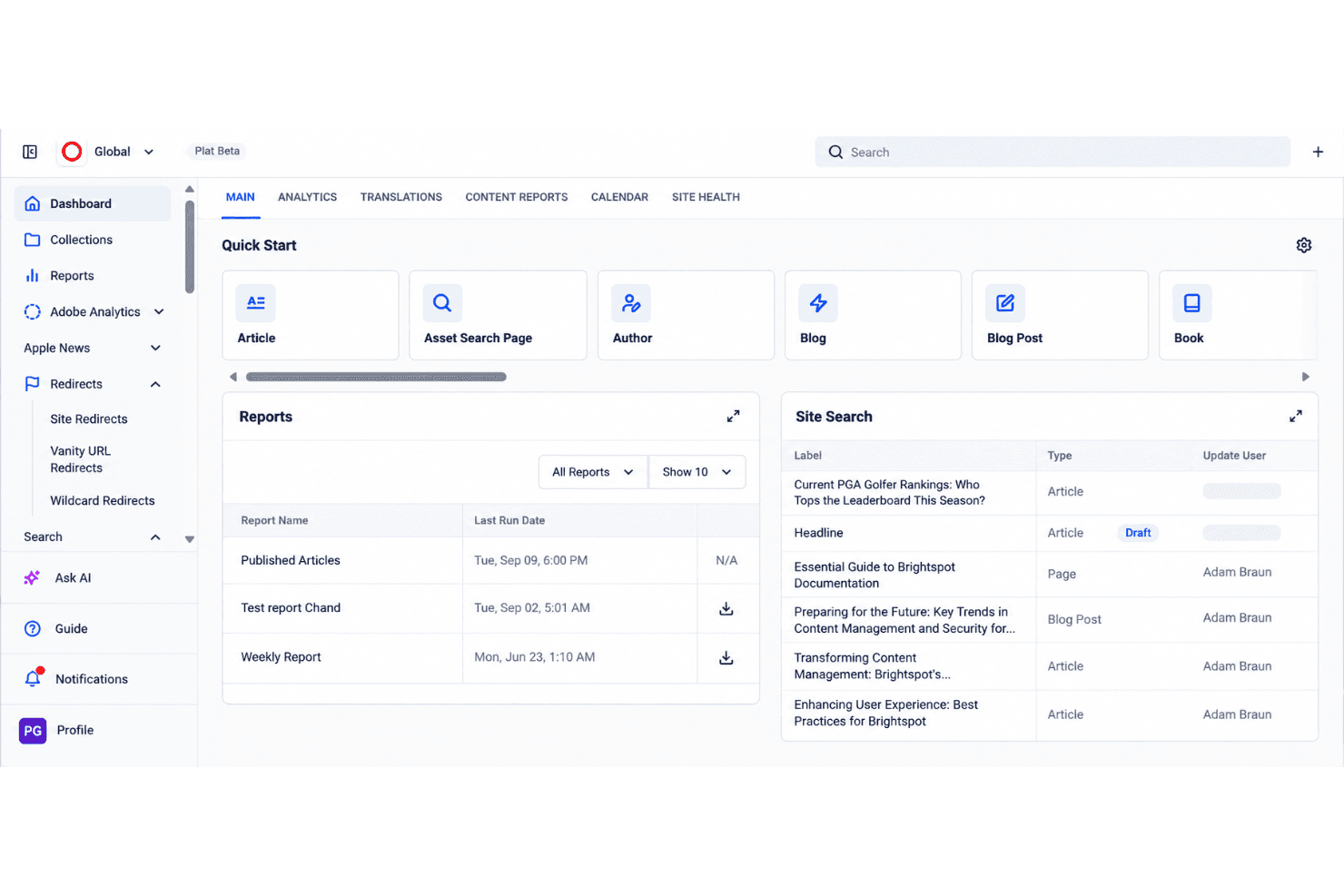
Brightspot lets teams create reusable content types, templates, and modules for articles, landing pages, forms, and other assets. This gives marketers consistent fields and content structures across channels without rebuilding each item.
Approval Workflows
The drag-and-drop workflow builder supports multiple stages, roles, and approvers for editorial, legal, and executive reviews. Teams can route content through defined approvals before publication and track ownership at every stage.
Multisite Management
Brightspot manages multiple brands, regions, or microsites from one CMS instance while allowing teams to share assets and modules. This gives marketing teams centralized governance without duplicating content across separate systems.
Role-Based Access Control
Role-based permissions let administrators tailor dashboards, tools, and content access for writers, editors, marketers, and developers. Teams can limit publishing rights and keep each user focused on the fields and actions relevant to their work.
Hybrid And Headless Publishing
Brightspot combines an editorial interface with API-based delivery to support websites, mobile experiences, OTT video, podcasts, and other channels. Teams can manage content once and deliver it through the presentation layer each channel requires.
Media Asset Management And Search
Brightspot organizes media assets within the CMS and provides search capabilities for locating content and files. Editors can reuse images, video, and other assets across sites while reducing time spent searching large content libraries.
Ease of Use
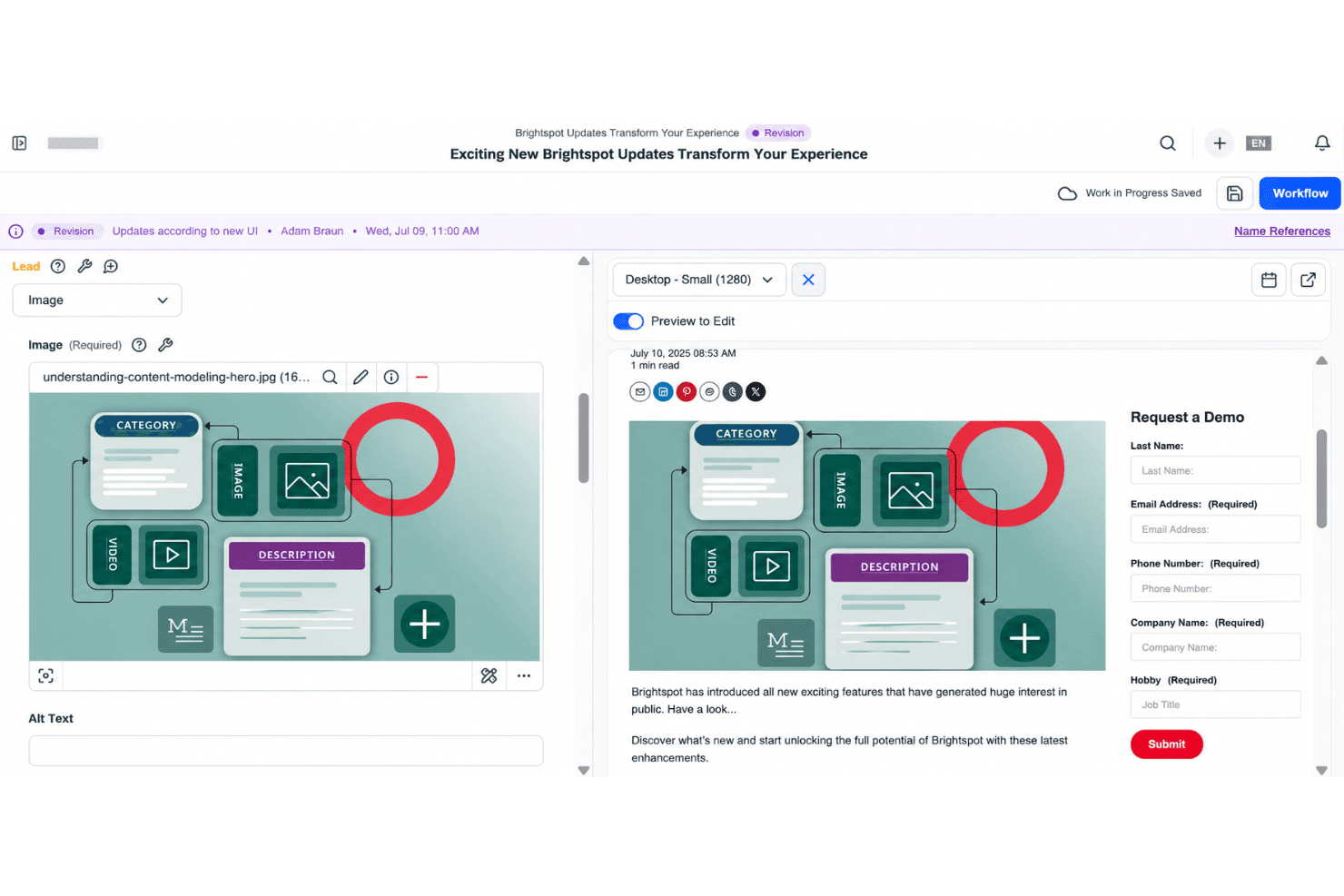
Brightspot is reasonably user-friendly for trained enterprise teams, but it isn’t a quick-start CMS. User reviews praise its intuitive interface, flexible authoring, and manageable publishing workflows. I agree for day-to-day editing: structured content types, role-based dashboards, and drag-and-drop approvals give teams clear controls. However, initial configuration takes substantial planning, and finding assets in large media libraries can feel cumbersome. Overall, it favors governance and flexibility over simplicity.
Integrations
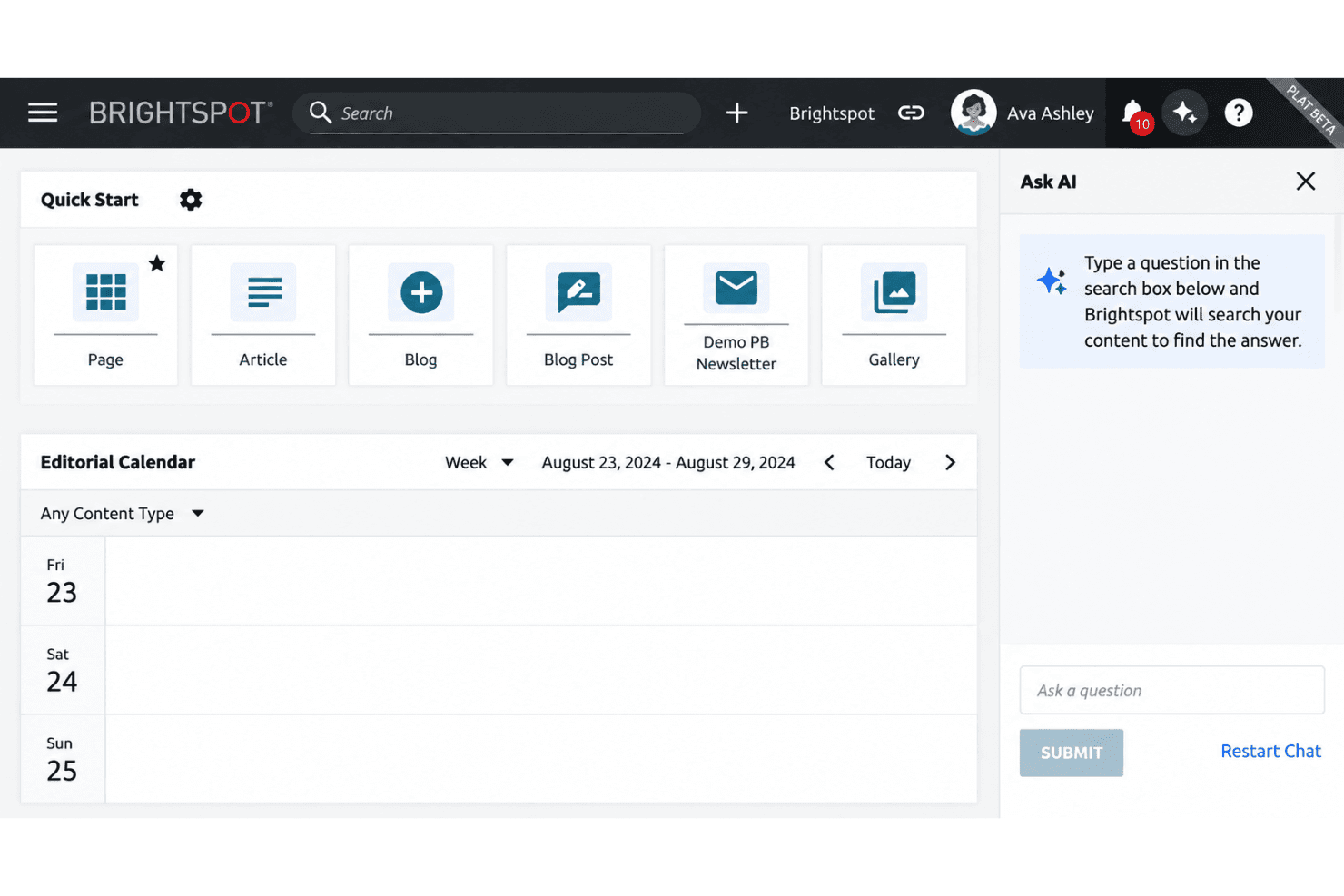
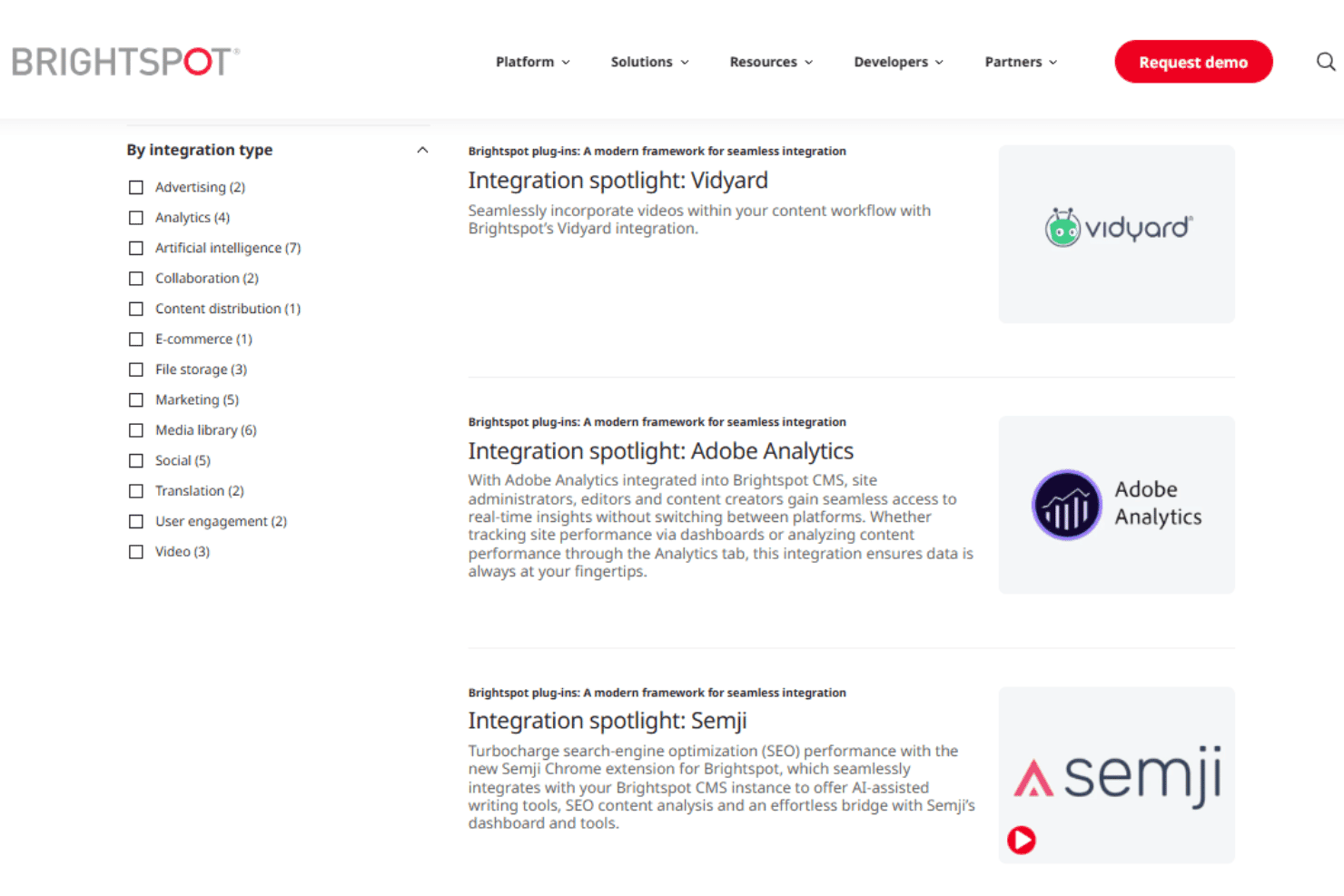
Brightspot integrates with Adobe Analytics, Google Analytics 4, Google Tag Manager, Marketo, Salesforce Marketing Cloud Account Engagement (Pardot), HubSpot, Mailchimp, Shopify, YouTube, and Vidyard, among others.
Brightspot also provides a REST Management API for custom integrations and supports connections with third-party applications through iPaaS configurations, including Zapier.
Brightspot Specs
- A/B Testing: Yes
- API: Yes
- Batch Permissions & Access: Yes
- Dashboard: Yes
- Data Export: Yes
- Data Import: Yes
- Data Visualization: Yes
- External Integrations: Yes
- File Sharing: Yes
- File Transfer: Yes
- Multi-User: Yes
- Notifications: Yes
- Third-Party Plugins/Add-Ons: Yes


