

Orientarsi nel mondo del marketing può essere una sfida, soprattutto quando si cerca di misurare il successo e prendere decisioni basate sui dati. In qualità di marketing manager, affronti quotidianamente la difficoltà di comprendere le prestazioni delle campagne e giustificare i budget. È qui che entrano in gioco gli strumenti di analisi del marketing.
Questi strumenti ti aiutano a trasformare i dati grezzi in informazioni utili, consentendo al tuo team di prendere decisioni informate e migliorare le strategie. In base alla mia esperienza, scegliere lo strumento giusto può fare la differenza nel raggiungimento dei tuoi obiettivi.
In questo articolo condividerò le mie recensioni imparziali e approfondite dei migliori strumenti di analisi del marketing. Scoprirai le funzionalità più adatte alle tue esigenze e imparerai come questi strumenti possono rispondere alle tue sfide specifiche.
Perché fidarsi dei nostri consigli sui software
6,700+
Reviews
20
Industry experts
16+
Evaluation factors
14
Years
Il nostro team testa e recensisce software dal 2012. In quanto leader del marketing noi stessi, sappiamo quanto sia difficile — e importante — scegliere il software giusto.
Per questa guida, abbiamo valutato gli strumenti attraverso test pratici e ricerche indipendenti, assegnando un punteggio agli strumenti in base ai nostri criteri di selezione.
Le nostre recensioni riflettono il nostro giudizio editoriale umano, non un discorso di vendita.
Revisori esperti:
 Gui DrusinaDirettore creativo
- Shriya GhateSenior Marketing Lead
 Amanda JacquesResponsabile Marketing Ops

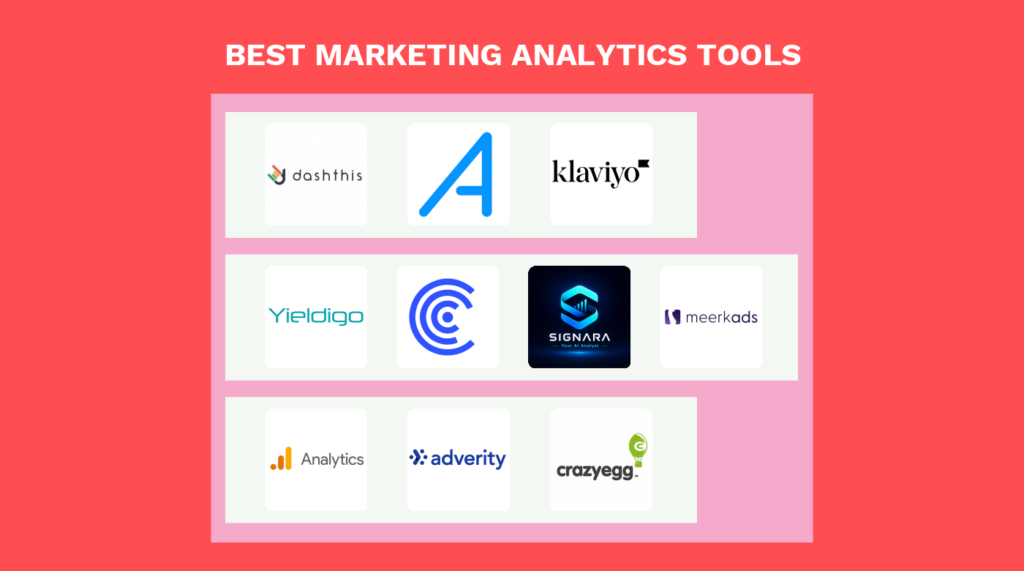
Riepilogo dei migliori strumenti di analisi del marketing
Questa tabella comparativa riassume i dettagli dei prezzi dei migliori strumenti di analisi del marketing che ho selezionato, per aiutarti a trovare quello più adatto al tuo budget e alle esigenze della tua azienda.
| Tool | Best For | Trial Info | Price | ||
|---|---|---|---|---|---|
| 1 | Ideale per report di marketing automatizzati | Prova gratuita di 14 giorni + demo gratuita disponibile | Da $44/mese (fatturazione annuale) | Website | |
| 2 | Ideale per l'analisi dei social media | Prova gratuita disponibile | Da $99/mese | Website | |
| 3 | Ideale per l'ottimizzazione dei prezzi retail con AI | Demo gratuita disponibile | Prezzi su richiesta | Website | |
| 4 | Ideale per l'analisi predittiva dell'impatto marketing | Prova gratuita di 7 giorni | Da $49/mese/brand | Website | |
| 5 | Ideale per l'analisi marketing orientata alla privacy | Piano gratuito disponibile | Da $29/mese | Website | |
| 6 | Ideale per l'analisi del traffico web | Piano gratuito disponibile | Gratuito | Website | |
| 7 | Ideale per l'analisi dei concorrenti | Prova gratuita di 7 giorni | A partire da $119,95/mese con pagamento mensile o $99,95/mese con fatturazione annuale | Website | |
| 8 | Ideale per prodotti digitali | Offre un piano gratuito per startup e piccoli team per un anno | Prezzi personalizzati su richiesta | Website | |
| 9 | Ideale per la trasformazione di dati da più fonti | Demo gratuita disponibile | Prezzi su richiesta | Website | |
| 10 | Ideale per monitorare le interazioni dei visitatori sul sito web | Prova gratuita di 30 giorni | Prezzo personalizzato su richiesta | Website |


Recensioni dei migliori strumenti di analisi del marketing
Di seguito trovi i miei riepiloghi dettagliati dei migliori strumenti di analisi del marketing inclusi nel mio elenco. Le mie recensioni offrono una panoramica dettagliata delle funzionalità principali, dei pro e dei contro, delle integrazioni e dei casi d’uso ideali di ciascuno strumento, per aiutarti a trovare quello più adatto a te.
 Ideale per report di marketing automatizzati
- Prova gratuita di 14 giorni + demo gratuita disponibile
- Da $44/mese (fatturazione annuale)
Visit WebsiteCustomer Rating:4.8/5This rating combines scores from multiple user review sites to reflect overall customer sentiment about the product.
Dashboard panoramica del traffico di DashThis che mostra sessioni totali, trend delle sessioni, visitatori unici e dati demografici degli utenti in un unico report visivo. DashThis è uno strumento di analisi del marketing che ti aiuta a creare e condividere dashboard personalizzate per monitorare le performance su più piattaforme. Semplifica il processo di reporting consolidando i dati in un unico luogo, rendendo più facile monitorare le campagne e condividere i risultati con clienti o team.
Perché ho scelto DashThis: Ho scelto DashThis per le sue capacità di reporting automatizzato. Invece di raccogliere manualmente i dati ogni settimana o mese, puoi programmare l'invio automatico dei report. Questo ti libera tempo per concentrarti sull’analisi degli insight invece che sulla gestione dei fogli di calcolo. Ho apprezzato anche i suoi widget personalizzabili nella dashboard, che ti permettono di evidenziare le metriche più importanti—che si tratti di spesa pubblicitaria, conversioni o coinvolgimento sui social. In particolare, le agenzie possono apprezzare la possibilità di applicare il branding white-label, così i report appaiono professionali quando vengono condivisi con i clienti.
Un altro motivo per cui ho scelto DashThis è la sua capacità di riunire più fonti di dati in un'unica dashboard. Da Google Analytics a TikTok Ads, puoi visualizzare le performance di tutti i tuoi canali principali uno accanto all’altro, mantenendo il reporting accurato e coerente.
Caratteristiche distintive e integrazioni di DashThis
Le funzionalità includono dashboard white-label, programmazione automatica dei report, widget personalizzabili, insight generati dall’IA e template preimpostati per reportistica PPC, SEO e social media.
Le integrazioni includono Google Analytics 4, Google Ads, Meta Ads, Facebook Insights, Instagram, TikTok Ads, Pinterest Ads, LinkedIn Ads, LinkedIn Pages, Google Business Profile, HubSpot e YouTube.
Pros and Cons
Pros:
- Offre dashboard intuitive e facili da usare
- Si collega a un'ampia gamma di piattaforme di marketing
- Supporta report con marchio personalizzato (white-label) per agenzie
Cons:
- Analisi avanzate limitate rispetto ad alcuni concorrenti
- Alcuni vincoli nella personalizzazione del design nei template
Learn more about DashThis: Ideale per l'analisi dei social media
- Prova gratuita disponibile
- Da $99/mese
Visit WebsiteCustomer Rating:4.6/5This rating combines scores from multiple user review sites to reflect overall customer sentiment about the product.
La funzione di analisi dei profili di Social Status monitora e analizza le performance dei profili e delle pagine social amministrate dagli utenti. Social Status è uno strumento di analisi e reportistica sui social media progettato per aiutare aziende e privati a monitorare e analizzare le proprie prestazioni sui social media attraverso diversi canali.
Perché ho scelto Social Status: Con un'attenzione particolare alle analisi di marketing sui social media, Social Status automatizza la creazione di report sui social, offrendo funzionalità come analisi multi-canale, monitoraggio delle campagne con influencer e visualizzazione delle prestazioni delle campagne pubblicitarie.
Particolarmente degna di nota è la funzione di analisi della concorrenza della piattaforma. Permette agli utenti di monitorare e analizzare i profili e le pagine social dei propri concorrenti, individuando i contenuti e le strategie utilizzate per generare engagement su piattaforme come Facebook, Instagram, YouTube, TikTok e X (Twitter). Gli utenti possono apprendere dai post dei concorrenti che ottengono le migliori prestazioni e sfruttare queste informazioni per migliorare le proprie strategie social.
Funzionalità e integrazioni principali di Social Status
Funzionalità includono una dashboard unificata, modelli di report personalizzabili, monitoraggio delle campagne con influencer tramite una connessione in sola lettura per ciascun creator, benchmarking dei concorrenti sui social, suddivisione tra organico e pagamento, e opzioni di segmentazione e filtraggio.
Integrazioni includono Facebook Pages, Instagram Professional Profiles, Instagram Stories e Reels, Meta Business Suite, Meta Ads Manager, TikTok Profiles, LinkedIn Company Pages, X (Twitter) Profiles, YouTube Channels e YouTube Shorts.
Pros and Cons
Pros:
- Analisi immediata dell'engagement
- Monitoraggio automatico dell'engagement
- Supporto per più piattaforme social
Cons:
- Personalizzare i report può essere dispendioso in termini di tempo
- L'integrazione con Twitter è disponibile solo nei piani di livello superiore
Learn more about Social Status: Ideale per l'ottimizzazione dei prezzi retail con AI
- Demo gratuita disponibile
- Prezzi su richiesta
Visit WebsiteCustomer Rating:4.6/5This rating combines scores from multiple user review sites to reflect overall customer sentiment about the product.
Yieldigo offre un dashboard di analisi dettagliato con report standard, avvisi, tracciamento dei ricavi per tipo di vendita e altro ancora. Yieldigo offre un'ottimizzazione dei prezzi guidata dall'AI progettata per rivenditori e aziende di beni di consumo. Se cerchi una soluzione che ti aiuti ad analizzare le strategie di prezzo e a prevedere la domanda, questa piattaforma porta analisi avanzate sul tavolo. Yieldigo è adatta ai team che vogliono usare la data science per prendere decisioni di prezzo più intelligenti e migliorare la gestione dei margini.
Per chi è ideale Yieldigo?
Yieldigo è adatta ad aziende retail e di beni di consumo che necessitano di analisi avanzate dei prezzi per ottimizzare ricavi e margini.
Perché ho scelto Yieldigo
Per i team che considerano la strategia di prezzo una parte fondamentale delle proprie analisi di marketing, l'approccio guidato dall'AI di Yieldigo si distingue. Ho scelto Yieldigo perché utilizza il machine learning per analizzare i dati storici di vendita e le tendenze di mercato, aiutando i rivenditori a impostare prezzi ottimali che rispondano alla domanda in tempo reale.
La modellazione degli scenari della piattaforma consente di simulare l'impatto di diverse strategie di pricing prima di apportare modifiche, un aspetto particolarmente prezioso per i team di marketing che devono collegare le decisioni di prezzo alla performance delle campagne.
Caratteristiche chiave di Yieldigo
Altre funzionalità che rendono Yieldigo utile per i team di analisi marketing includono:
- Previsioni di domanda basate su AI: Il sistema prevede le tendenze di vendita future utilizzando dati storici e segnali di mercato.
- Strumenti di pianificazione di scenario: Gli utenti possono simulare l'impatto di diverse strategie di prezzo prima di applicarle.
- Gestione centralizzata dei prezzi: Gestisci e aggiorna i prezzi di tutti i prodotti e canali da un'unica dashboard.
- Monitoraggio automatico della concorrenza: La piattaforma tiene traccia dei prezzi dei concorrenti e avvisa gli utenti di variazioni significative.
Integrazioni di Yieldigo
Yieldigo si connette a sistemi ERP, POS e data warehouse tramite trasferimenti SFTP sicuri o API per integrazioni personalizzate. Le integrazioni native non sono attualmente elencate.
Pros and Cons
Pros:
- Supporta prezzi su più sedi e regioni
- Dashboard personalizzabili per la visualizzazione delle analisi
- Monitoraggio e benchmarking dei prezzi dei concorrenti
Cons:
- Non adatto a settori non retail
Learn more about Yieldigo: Ideale per l'analisi predittiva dell'impatto marketing
- Prova gratuita di 7 giorni
- Da $49/mese/brand
Visit WebsiteCustomer Rating:5/5This rating combines scores from multiple user review sites to reflect overall customer sentiment about the product.
Dashboard Command Center di Meerkads che mostra metriche di performance multi-canale unificate, inclusi spesa, fatturato, ROAS, conversioni, benchmark di piattaforma e una panoramica visiva del funnel di conversione. Meerkads è una piattaforma di analisi delle performance di marketing alimentata dall'IA che collega i dati di Google Ads, Meta Ads e ecommerce per offrire un'analisi delle campagne cross-canale, approfondimenti sulle performance delle creatività e raccomandazioni di ottimizzazione guidate dall'intelligenza artificiale.
Per chi è Meerkads?
Meerkads è ideale per i team marketing ecommerce e per i marketer delle performance che gestiscono campagne pubblicitarie a pagamento su più canali e hanno bisogno di report unificati in un unico luogo.
Perché ho scelto Meerkads
Ho incluso Meerkads tra le mie scelte migliori perché il suo punteggio di performance basato sull'IA assegna a ogni campagna e creatività un punteggio relativo ai tuoi obiettivi e ai benchmark storici, così la prioritizzazione è immediata senza dover cercare tra i numeri grezzi. Mi piace anche che ogni insight sia accompagnato da un'azione concreta: che si tratti di riallocare il budget, mettere in pausa una creatività affaticata o espandere un pubblico che performa bene. L'analisi dell'efficienza del budget è particolarmente precisa, evidenziando esattamente dove gli investimenti funzionano e dove vengono sprecati, con suggerimenti di riallocazione legati ai dati reali di fatturato ecommerce.
Caratteristiche principali di Meerkads
- Dashboard unificata cross-canale: Visualizza le performance di Google Ads, Meta Ads e TikTok Ads insieme ai dati di fatturato ecommerce in un'unica dashboard.
- Rilevamento anomalie: Meerkads segnala automaticamente cali o picchi insoliti nei dati delle campagne, così puoi individuare i problemi prima che si aggravino.
- Reportistica white-label: Genera report personalizzati con il logo della tua agenzia o azienda per presentazioni a clienti o dirigenti.
- Report predefiniti e personalizzati: Scegli tra template di report già pronti o costruisci le tue viste filtrate per campagna, gruppo di annunci, creatività o prodotto.
Integrazioni di Meerkads
Meerkads offre un set ristretto di integrazioni native, attualmente tra cui Google Ads, Meta Ads, TikTok Ads, Google Analytics 4, Google Search Console e Shopify, con integrazioni aggiuntive per piattaforme come WooCommerce, Amazon, Klaviyo, Pinterest Ads e Microsoft Ads in arrivo. Il supporto a Zapier e API non è chiaramente documentato.
Pros and Cons
Pros:
- Analisi AI delle creatività pubblicitarie cross-canale
- Vero ROAS con dati di costo ecommerce
- Dashboard white-label per report di agenzia
Cons:
- Limitato all'analisi dei canali pubblicitari a pagamento
- Funzionalità chiave di automazione non ancora rilasciate
Learn more about Meerkads: Ideale per l'analisi marketing orientata alla privacy
- Piano gratuito disponibile
- Da $29/mese
Visit WebsiteCustomer Rating:5/5This rating combines scores from multiple user review sites to reflect overall customer sentiment about the product.
Signara mostra dashboard KPI, metriche di performance dei canali, insight generati da AI e interrogazioni sulla dashboard in linguaggio naturale in un unico spazio di lavoro di analytics. Signara è una piattaforma agentica di analytics per il marketing che automatizza dashboard e report sui KPI grazie a un motore di calcolo deterministico, narrazioni generate da intelligenza artificiale, insight, raccomandazioni e tracciamento dei dati auditabile attraverso fonti come HubSpot, GA4, BigQuery e Snowflake.
Per chi è ideale Signara?
Signara è indicata per team marketing di piccole e medie imprese che necessitano di reportistica automatica su più fonti di dati senza doversi appoggiare a un analista dati dedicato.
Perché ho scelto Signara
Ho incluso Signara tra le mie migliori scelte perché la sua architettura di gestione dati la rende davvero unica sul fronte della privacy. Signara esegue solo query in sola lettura sulle fonti collegate e non memorizza dati grezzi: i dati sottostanti su clienti e campagne non vengono quindi mai archiviati su server di terzi. Apprezzo anche che ogni KPI venga calcolato tramite formule a codice verificabile e non da valori generati dall'intelligenza artificiale, senza quindi alcuna opacità su come vengono prodotti i numeri e la loro origine.
Funzionalità principali di Signara
- Dashboard KPI automatizzate: Signara genera dashboard preimpostate che coprono metriche come ROAS, CAC e tassi di conversione senza necessità di configurazioni manuali.
- Narrazioni dei report generate da AI: La piattaforma scrive spiegazioni in linguaggio semplice sui cambiamenti avvenuti nei dati e sul perché, accompagnando i valori verificati.
- Analisi con domande in linguaggio naturale: Gli utenti possono porre domande sui dati in dashboard usando il linguaggio naturale e ricevere risposte senza costruire report personalizzati.
- Connettori dati multi-fonte: Collega GA4, HubSpot, BigQuery, Snowflake, Google Sheets ed Excel per raccogliere tutti i dati marketing in una vista unica.
Integrazioni di Signara
Le integrazioni includono HubSpot, Excel, Google Sheets, Snowflake, BigQuery, PostgreSQL, Databricks e MySQL.
Pros and Cons
Pros:
- Nessun dato grezzo archiviato su server
- Report automatizzati senza configurazione da parte di analisti
- L'analisi delle cause individua i cambiamenti dei parametri
Cons:
- Nessun costruttore personalizzato di visualizzazioni o grafici
- Connettori dati nativi limitati
Learn more about Signara: Ideale per l'analisi del traffico web
- Piano gratuito disponibile
- Gratuito
Visit WebsiteCustomer Rating:4.6/5This rating combines scores from multiple user review sites to reflect overall customer sentiment about the product.
Identifica come i visitatori trovano il tuo sito web. Google Analytics permette alle aziende di monitorare e tracciare il traffico del sito web per aiutarle a vedere da dove arrivano i visitatori, cosa fanno e quando abbandonano il sito.
Perché ho scelto Google Analytics: La piattaforma può aiutarti a ottenere informazioni approfondite sul tuo sito web, sul pubblico e sulle attività di marketing digitale. Google Analytics è uno strumento molto diffuso che puoi utilizzare per monitorare il traffico del tuo sito in tempo reale. Fornisce informazioni sui dati demografici del pubblico, sulle fonti di acquisizione del traffico e sulle conversioni.
Google Analytics è una scelta popolare per le organizzazioni che necessitano di uno strumento per visualizzare i dati e la business intelligence. Le sue funzionalità sono adattabili e abbastanza potenti da aiutarti a identificare i canali di marketing che danno i migliori risultati per gli sforzi del tuo team. Utilizzando Google Analytics, puoi consultare praticamente qualsiasi metrica di marketing, tra cui frequenza di rimbalzo, obiettivi raggiunti e principali canali di acquisizione, per ottenere una comprensione completa delle prestazioni del tuo sito.
Funzionalità salienti e integrazioni di Google Analytics
Le funzionalità includono capacità predittive, approfondimenti proattivi, modelli che tutelano la privacy, reportistica in tempo reale, report di acquisizione, report di coinvolgimento, report di monetizzazione, attribuzione delle campagne pubblicitarie, esplorazione dei funnel, sovrapposizione dei segmenti e tabelle personalizzate automatiche.
Le integrazioni includono Accelevents, CallTrackingMetrics, Freshservice, GetResponse, HoneyBook, Improvado, LiveAgent, Mailchimp, Orange Logic, Rambox, Salesforce, SendGrid, Zapier, Zendesk, Zoho CRM e altre soluzioni software.
Pros and Cons
Pros:
- Traccia in modo dettagliato i comportamenti dei visitatori
- Facile da implementare
- Configurazione degli eventi semplice da eseguire
Cons:
- È difficile orientarsi tra tutti i dati
- L'interfaccia utente è complessa
Learn more about Google Analytics: Ideale per l'analisi dei concorrenti
- Prova gratuita di 7 giorni
- A partire da $119,95/mese con pagamento mensile o $99,95/mese con fatturazione annuale
Visit WebsiteCustomer Rating:4.5/5This rating combines scores from multiple user review sites to reflect overall customer sentiment about the product.
Lo strumento di analisi delle parole chiave offre una risorsa potente per analizzare i mercati di ricerca. SEMrush è uno strumento di analisi di marketing che aiuta le aziende ad analizzare le strategie di marketing dei concorrenti per individuare nuove opportunità.
Perché ho scelto SEMrush: Il software può aiutarti a conoscere meglio le strategie di marketing della concorrenza e come utilizzare campagne simili per attirare l'attenzione del tuo pubblico target. SEMrush fornisce uno strumento di reportistica analitica che mostra i dati SEO e PPC dei tuoi concorrenti, che puoi usare per far risaltare la tua azienda rispetto agli altri. Inoltre, tiene traccia dei marchi della concorrenza, delle pagine social media e di altre attività di marketing online.
SEMrush è un'ottima scelta per i marketer che vogliono migliorare le proprie campagne sui motori di ricerca e risparmiare denaro evitando strategie di ricerca poco produttive. Le sue funzionalità includono strumenti per monitorare l'andamento delle campagne, individuare le migliori parole chiave e migliorare gli sforzi di link-building. SEMrush può anche aiutare a rafforzare le tue strategie di content marketing grazie agli strumenti per la creazione, ottimizzazione, distribuzione dei contenuti e dati di content marketing.
Funzionalità e integrazioni principali di SEMrush
Le funzionalità includono ricerca di parole chiave, analisi dei concorrenti, monitoraggio delle posizioni, analisi SEO dei concorrenti, analisi di content marketing, analisi di mercato, monitoraggio PR dei concorrenti, ricerca di parole chiave PPC, strumenti di audit dei backlink, analisi del traffico e monitoraggio dei post.
Le integrazioni includono AgencyAnalytics, AIOSEO, Bramework, Kontent.ai, LongShot, Outranking, PageCloud, Plerdy, Renderforest, Rytr, Scalenut, Umbraco, Wix, Writesonic, Zoho e altre soluzioni software.
Pros and Cons
Pros:
- Offre una grande quantità di dati
- Fornisce preziose informazioni
- Interfaccia intuitiva
Cons:
- Alcune informazioni sono difficili da trovare
- Ha una curva di apprendimento ripida
 Ideale per prodotti digitali
- Offre un piano gratuito per startup e piccoli team per un anno
- Prezzi personalizzati su richiesta
Visit WebsiteCustomer Rating:4.5/5This rating combines scores from multiple user review sites to reflect overall customer sentiment about the product.
Ottieni una panoramica di diverse metriche, inclusi utenti per paese e fidelizzazione. Amplitude aiuta i proprietari di prodotti digitali a comprendere le azioni degli utenti e a individuare le aree che devono essere ottimizzate per aumentare le conversioni.
Perché ho scelto Amplitude: La piattaforma ti permette di visualizzare i dati di flusso degli utenti per il tuo prodotto digitale e di identificare quali azioni vengono intraprese più frequentemente dagli utenti dopo la registrazione. Amplitude può aiutarti a misurare i tassi di conversione in-app e a identificare i punti del funnel in cui gli utenti abbandonano durante i processi di registrazione, upgrade o acquisto. Puoi utilizzare il software per segmentare gli utenti in diversi gruppi e confrontare i tassi di conversione, coinvolgimento, fidelizzazione e altri dati essenziali di ciascun gruppo con quelli degli altri, tutto nella stessa dashboard.
Amplitude è adatto a organizzazioni di qualsiasi dimensione che desiderano una piattaforma di intelligence in grado di aiutarle a comprendere gli utenti dei loro prodotti digitali. Puoi utilizzare la piattaforma per comprendere il comportamento degli utenti, migliorare le esperienze e fidelizzare i clienti. Amplitude offre uno strumento che i team di product intelligence possono utilizzare per ottenere i dati e le informazioni necessari a sviluppare esperienze di prodotto eccellenti su larga scala.
Caratteristiche principali e integrazioni di Amplitude
Le funzionalità includono sviluppo e analisi dei funnel, segmentazione delle audience, monitoraggio della fidelizzazione, analisi dei cohort, tabelle di dati, analisi del valore del ciclo di vita, dashboard dati, analisi delle sessioni, ottimizzazione delle conversioni, esperimenti mirati e analisi comportamentale.
Le integrazioni includono 1Flow, Adapty, Airship, Bento, BigQuery, Census, Chameleon, Cordial, Datagrail, Enterpret, Flagsmith, Google Analytics, HubSpot, Intercom, Klaviyo, Mailchimp, Marketo, Notion, Optimizely e altre soluzioni software.
Pros and Cons
Pros:
- Facile da implementare
- Fornisce ampie visualizzazioni dei dati
- Interfaccia intuitiva
Cons:
- La documentazione è distribuita su più siti
- Gli aggiornamenti possono avere effetti negativi sulle funzionalità
Learn more about Amplitude: Ideale per la trasformazione di dati da più fonti
- Demo gratuita disponibile
- Prezzi su richiesta
Visit WebsiteCustomer Rating:4.5/5This rating combines scores from multiple user review sites to reflect overall customer sentiment about the product.
Adverity ti permette di collegarti facilmente a un’ampia gamma di fonti dati selezionando tra diversi tipi di flussi di dati categorizzati. Adverity è una piattaforma dati progettata per aiutare i team di marketing a raccogliere, trasformare e analizzare dati provenienti da diverse fonti.
Perché ho scelto Adverity: Adverity offre avanzate funzionalità di trasformazione dei dati che permettono di pulire e armonizzare i dati provenienti da più fonti. Questo garantisce che i tuoi dati siano coerenti e pronti per l’analisi, aiutandoti a evitare errori e discrepanze nei tuoi report di marketing. Inoltre, Adverity fornisce funzionalità di data governance potenziate dall’IA che monitorano automaticamente la qualità dei dati man mano che vengono acquisiti.
Un altro motivo per cui ho scelto Adverity è la sua capacità di fornire una visione completa della tua performance di marketing. Unificando i dati di clienti, vendite e campagne in un’unica posizione, puoi facilmente analizzare e confrontare i dati su diversi canali. Questo approccio olistico ti consente di identificare tendenze, misurare il ROI e prendere decisioni basate sui dati.
Caratteristiche principali e integrazioni di Adverity
Le funzionalità includono modifica in blocco, clonazione flessibile, integrazione di IA, storage dei dati, destinazioni dei dati, connettori dati, monitoraggio dei dati, condivisione dati, preparazione dei dati e sicurezza dei dati.
Le integrazioni includono Google Ads, Facebook Ads, Amazon Advertising, Shopify, Salesforce, Adobe Experience Platform, LinkedIn, Microsoft, SAP, Snowflake e Tableau.
Pros and Cons
Pros:
- Offre monitoraggio della qualità dei dati alimentato dall’IA
- Fornisce avanzate funzionalità di trasformazione dei dati
- Automatizza l’integrazione dei dati da fonti multiple
Cons:
- L’integrazione con alcune fonti dati di nicchia può richiedere ulteriore configurazione
- Alcune funzionalità avanzate possono richiedere formazione aggiuntiva per essere utilizzate appieno
Learn more about Adverity: Ideale per monitorare le interazioni dei visitatori sul sito web
- Prova gratuita di 30 giorni
- Prezzo personalizzato su richiesta
Visit WebsiteCustomer Rating:4.3/5This rating combines scores from multiple user review sites to reflect overall customer sentiment about the product.
Presta molta attenzione a ogni visitatore del sito e assicurati che vivano esperienze memorabili. Crazy Egg aiuta le aziende a monitorare come ogni visitatore interagisce con il loro sito web e fornisce una panoramica di dove cliccano e fino a che punto scorrono le pagine.
Perché ho scelto Crazy Egg: Puoi utilizzare Crazy Egg per ottenere un'istantanea di come i visitatori interagiscono con il tuo sito e generare report di facile lettura che illustrano i loro comportamenti. Il software può registrare le visite e analizzare come le persone utilizzano il sito, rivelando eventuali punti critici e il motivo per cui si verificano. Con queste informazioni puoi comprendere al meglio il design del tuo sito e il modo in cui i visitatori interagiscono con i vari elementi e layout.
Crazy Egg è ideale per aziende di qualsiasi dimensione che necessitano di uno strumento per migliorare i propri siti web. La funzione di test A/B della piattaforma ti consente di sapere con certezza se hai scelto il contenuto, il colore, l'immagine, la posizione o il testo più adatti affinché il tuo sito possa convertire più visitatori in clienti. Crazy Egg offre anche uno strumento di modifica che ti aiuta a cambiare elementi del sito, come colori e caratteri, o a nasconderli per vedere che impatto hanno sulle conversioni.
Crazy Egg - Caratteristiche principali e integrazioni
Caratteristiche comprendono segmentazione delle campagne, split testing, analisi della rilevanza statistica, heatmap, funnel di conversione, editor visuale, mappatura comportamentale, dashboard dei dati, analisi degli elementi, analisi dei siti web, mappe dinamiche e mappatura radiale.
Integrazioni comprendono Convert Experiences, Drupal, Handshake, Joomla, Kameleoon, Magento, Optimizely, Rippling, Shopify, Sitejet, Squarespace, SurveyMonkey, Teamstack, Wix, WordPress e altre soluzioni software.
Pros and Cons
Pros:
- L'analisi snapshot è molto utile
- Il servizio di sondaggi è facile da usare
- Assistenza clienti reattiva
Cons:
- L'interfaccia utente necessita di miglioramenti
- Software simili hanno più funzionalità
Learn more about Crazy Egg:
Altri strumenti di analisi del marketing
Ecco alcune altre opzioni che non sono state incluse nell’elenco dei migliori strumenti di analisi del marketing:
- 11SupermetricsIdeale per integrare dati da oltre 150 piattaforme
- 12Heap (by Contentsquare)Ideale per l’analisi del comportamento
- 13OptimizelyIdeale per test A/B sui siti web
- 14KissmetricsIdeale per l'analisi del content marketing
- 15Adobe AnalyticsIdeale per l'attribuzione di marketing
- 16MixpanelMigliore strumento di analisi basata sugli eventi
- 17Hootsuite InsightsMiglior strumento di social listening
- 18Salesforce Analytics CloudIdeale per analizzare i dati con l'IA
- 19GoHighLevelIdeale per integrare CRM, email e SMS marketing
- 20CoefficientIdeale per l'automazione dei fogli di calcolo
Come valuto gli strumenti di analisi marketing
Divido la mia valutazione in due livelli: le funzionalità di base che uno strumento deve avere—come l'attribuzione cross-canale e le dashboard unificate—e i fattori differenzianti che distinguono una piattaforma dall'altra.
Funzionalità di base (Requisiti minimi per questa lista)
Quando seleziono gli strumenti per la mia lista, valuto ciascuno di essi su una scala da 0 (non offre la funzionalità) a 5 (eccelle in quest'area) per ogni funzionalità di base elencata sotto. Poi, calcolo il punteggio totale dello strumento trasformandolo in una percentuale. Ogni strumento deve raggiungere un punteggio totale minimo del 75% per essere considerato per l'inclusione.
- Integrazione dati multi-canale: Verifico quanti connettori nativi offre uno strumento per piattaforme pubblicitarie, strumenti di email marketing, social network, CRM e fonti di web analytics.
- Monitoraggio delle performance delle campagne: Ogni strumento dovrebbe mostrare KPI come ROAS, CPA e tassi di conversione su tutti i canali, senza richiedere estrazioni manuali dei dati.
- Modellazione dell'attribuzione: Valuto se uno strumento va oltre l'ultimo touch offrendo modelli multi-touch o data-driven che rispecchiano i veri percorsi degli acquirenti.
- Dashboard personalizzate e visualizzazione: I migliori strumenti permettono di creare viste su misura per il ruolo, come un riepilogo per il CMO o un approfondimento sui media a pagamento, con controlli drag-and-drop.
- Analisi di pubblico e segmentazione: Ricerco la possibilità di suddividere i dati per comportamento, coorte o fase del percorso invece dei soli filtri demografici di base.
- Reportistica automatizzata e avvisi: Gli strumenti dovrebbero supportare la consegna programmata dei report e avvisi basati su soglia, come una notifica quando il CPA supera un certo obiettivo.
Una volta che ho una lista di strumenti che soddisfano questi criteri, considero cosa distingue ciascuna piattaforma.
Fattori differenzianti (Cosa distingue i fornitori)
Ecco come confronto e metto a confronto i diversi fornitori:
Caratteristiche distintive
Le analisi potenziate dall'intelligenza artificiale sono un importante elemento di distinzione. Cerco strumenti che segnalano automaticamente anomalie—come un improvviso calo nelle conversioni della ricerca a pagamento—e spiegano le probabili cause con un linguaggio comprensibile. Anche il tracciamento privacy-first conta sempre di più ogni anno, quindi valuto se una piattaforma supporta il tagging lato server e la misurazione senza cookie. La marketing mix modeling è un'altra caratteristica che prendo in considerazione, specialmente per i team che gestiscono campagne sia digitali che offline e che hanno bisogno di capire quanto ogni canale contribuisce al fatturato.
Oltre alle caratteristiche
La compatibilità con lo stack tecnologico è una delle prime cose che controllo. Uno strumento che si connette nativamente alle tue piattaforme pubblicitarie, al CRM e al data warehouse—come Snowflake o BigQuery—fa risparmiare ore di gestione manuale dei dati. Valuto anche l'adattabilità a settore e team, poiché un team SaaS B2B che gestisce campagne account-based ha esigenze molto diverse rispetto a un ecommerce focalizzato su ROAS. Anche i tempi di implementazione sono importanti: alcune piattaforme offrono modelli preimpostati che consentono di iniziare a fare reportistica in pochi giorni, mentre altre richiedono settimane per il tagging e la configurazione.
Come scegliere uno strumento di analisi del marketing
È facile perdersi in lunghi elenchi di funzionalità e strutture di prezzi complesse. Per aiutarti a rimanere concentrato mentre affronti il tuo esclusivo processo di selezione del software, ecco un elenco dei fattori da tenere a mente:
| Fattore | Cosa considerare |
|---|---|
| FattoreScalabilità | Cosa considerareLo strumento può crescere insieme alla tua azienda? Pensa alle esigenze future e valuta se lo strumento è in grado di gestire un volume maggiore di dati e un numero più elevato di utenti. |
| FattoreIntegrazioni | Cosa considerareFunziona con i tuoi sistemi attuali? Verifica la compatibilità con le piattaforme CRM, di marketing via e-mail e di social media utilizzate dal tuo team. |
| FattorePersonalizzazione | Cosa considerarePuoi adattare lo strumento ai tuoi flussi di lavoro? Cerca cruscotti regolabili e opzioni di reportistica in linea con le tue esigenze specifiche. |
| FattoreSemplicità d'uso | Cosa considerareLo strumento è facile da usare per il tuo team? Considera la curva di apprendimento e valuta se l'interfaccia è adatta al livello di dimestichezza tecnologica del tuo team. |
| FattoreImplementazione e onboarding | Cosa considerareQuanto rapidamente puoi iniziare? Valuta le risorse necessarie per la configurazione e verifica se sono disponibili materiali di formazione o assistenza per facilitare l'inserimento. |
| FattoreCosto | Cosa considerareIl prezzo rientra nel tuo budget? Esamina il costo totale, comprese eventuali commissioni nascoste, e confrontalo con i tuoi vincoli finanziari. |
| FattoreMisure di sicurezza | Cosa considerareI tuoi dati sono protetti? Assicurati che lo strumento sia conforme alle normative sulla protezione dei dati, come il GDPR, e che disponga di solide misure di sicurezza. |
| FattoreDisponibilità dell'assistenza | Cosa considerareAvrai accesso all'aiuto quando ne avrai bisogno? Valuta le opzioni di assistenza del fornitore, come chat dal vivo, supporto telefonico e tempi di risposta. |
Cosa sono gli strumenti di analisi del marketing?
Gli strumenti di analisi del marketing sono soluzioni software progettate per aiutare le aziende a monitorare, analizzare e creare rapporti sulle proprie prestazioni di marketing. I professionisti del marketing, come i responsabili marketing e gli analisti dei dati, utilizzano generalmente questi strumenti per ottenere informazioni e prendere decisioni basate sui dati. Il monitoraggio delle prestazioni delle campagne, l'analisi del comportamento dei clienti e la generazione di rapporti aiutano i team a migliorare le strategie e ottimizzare le attività di marketing. Nel complesso, questi strumenti forniscono informazioni preziose che favoriscono decisioni di marketing migliori e migliorano l'efficacia generale.
Funzionalità
Quando selezioni gli strumenti di analisi del marketing, presta attenzione alle seguenti funzionalità principali:
- Monitoraggio delle campagne: consente di monitorare le prestazioni delle attività di marketing e di ottenere informazioni sulle strategie più efficaci.
- Analisi del comportamento dei clienti: aiuta a comprendere il modo in cui i clienti interagiscono con il tuo marchio, consentendo strategie di marketing più mirate.
- Funzionalità di reportistica: genera rapporti dettagliati per visualizzare i dati e condividere informazioni con il tuo team.
- Analisi predittiva: utilizza i dati storici per prevedere le tendenze future, favorendo un processo decisionale proattivo.
- Visualizzazione dei dati in tempo reale: offre informazioni immediate sulle prestazioni attuali del marketing attraverso cruscotti interattivi.
- Informazioni basate sull'IA: fornisce raccomandazioni automatiche basate sui modelli dei dati per ottimizzare le strategie di marketing.
- Opzioni di integrazione: si connette ad altre piattaforme, come CRM e social media, per consolidare i dati e semplificare i flussi di lavoro.
- Cruscotti personalizzabili: consentono di adattare l'interfaccia alle proprie esigenze e preferenze specifiche.
- Misure di sicurezza: garantiscono la protezione dei dati e la conformità a normative come il GDPR, mantenendo al sicuro le informazioni sensibili.
Vantaggi
L'implementazione di strumenti di analisi del marketing offre diversi vantaggi al tuo team e alla tua azienda. Ecco alcuni dei risultati che puoi aspettarti:
- Decisioni basate sui dati: l'accesso a dati accurati aiuta il tuo team a prendere decisioni di marketing informate e in linea con gli obiettivi aziendali.
- Migliore definizione del pubblico: l'analisi del comportamento dei clienti consente di definire il pubblico con maggiore precisione, aumentando l'efficacia delle campagne.
- Maggiore efficienza: l'automazione della generazione dei rapporti e della visualizzazione dei dati fa risparmiare tempo e risorse, consentendo al tuo team di concentrarsi sulla strategia.
- Misurazione del ROI potenziata: il monitoraggio delle prestazioni delle campagne offre informazioni chiare sul ritorno sull'investimento, aiutando a giustificare la spesa di marketing.
- Pianificazione futura: l'analisi predittiva aiuta a prevedere le tendenze, consentendo al tuo team di pianificare in anticipo e rimanere competitivo.
- Migliore collaborazione: l'integrazione con altre piattaforme garantisce a tutti i membri del team l'accesso a informazioni coerenti e aggiornate.
- Conformità alla sicurezza: le misure di sicurezza integrate garantiscono la conformità dei dati alle normative, proteggendo le informazioni sensibili.
Costi e prezzi
La scelta degli strumenti di analisi del marketing richiede una conoscenza dei vari modelli di prezzo e dei piani disponibili. I costi variano in base alle funzionalità, alle dimensioni del team, agli elementi aggiuntivi e ad altri fattori. La tabella seguente riassume i piani comuni, i relativi prezzi medi e le funzionalità tipicamente incluse nelle soluzioni di strumenti di analisi del marketing:
Tabella di confronto dei piani per gli strumenti di analisi di marketing
| Tipo di piano | Prezzo medio | Funzionalità comuni |
|---|---|---|
| Tipo di pianoPiano gratuito | Prezzo medio$0 | Funzionalità comuniReport di base, spazio di archiviazione dati limitato e integrazioni essenziali. |
| Tipo di pianoPiano personale | Prezzo medio$10-$30/user/month | Funzionalità comuniAnalisi avanzate, dashboard personalizzabili e assistenza via e-mail. |
| Tipo di pianoPiano aziendale | Prezzo medio$50-$100/user/month | Funzionalità comuniStrumenti di collaborazione del team, visualizzazione avanzata dei dati e integrazioni premium. |
| Tipo di pianoPiano aziendale | Prezzo medio$150+/user/month | Funzionalità comuniAccesso illimitato ai dati, gestione dedicata dell'account e assistenza prioritaria. |
Domande frequenti sugli strumenti di analisi di marketing
Ecco alcune risposte alle domande comuni sugli strumenti di analisi di marketing:
Quali tipi di dati possono gestire gli strumenti di analisi di marketing?
Gli strumenti di analisi di marketing possono gestire un’ampia varietà di tipi di dati, tra cui il traffico del sito web, le metriche dei social media, le prestazioni delle campagne e-mail e i dati demografici dei clienti. Raccolgono e analizzano dati provenienti da diverse fonti per fornire informazioni sulle attività di marketing. In genere, è possibile integrare questi strumenti con piattaforme come Google Analytics, reti di social media e sistemi CRM per ottenere una visione completa dei dati di marketing.
Cosa devo fare se ho bisogno di aiuto per utilizzare uno strumento di analisi di marketing?
Se hai bisogno di aiuto, inizia consultando la knowledge base o il centro assistenza dello strumento. Molti strumenti offrono tutorial, webinar e forum per gli utenti. Puoi anche contattare l’assistenza clienti tramite chat, e-mail o telefono. È essenziale scegliere uno strumento con un’assistenza affidabile per assicurarti di ricevere supporto quando necessario.
Gli strumenti di analisi di marketing possono integrarsi con i software esistenti?
Sì, la maggior parte degli strumenti di analisi di marketing offre integrazioni con software diffusi come sistemi CRM, piattaforme di e-mail marketing e reti di social media. Questa integrazione consente un flusso continuo di dati tra piattaforme diverse, permettendo un’analisi più completa. Prima dell’acquisto, verifica le capacità di integrazione dello strumento per assicurarti che funzioni con i sistemi attuali.
Cosa succede ora:
Se stai cercando strumenti di analisi di marketing, contatta gratuitamente un consulente SoftwareSelect per ricevere consigli personalizzati.
Compili un modulo e fai una breve conversazione durante la quale il consulente approfondirà le tue esigenze specifiche. Riceverai quindi una lista ristretta di software da esaminare. Ti assisterà inoltre durante l'intero processo di acquisto, comprese le negoziazioni sul prezzo.