
Avis sur Zoom Webinars : Avantages, Inconvénients, Fonctionnalités et Tarification Expliqués
Zoom Webinars se distingue par sa fiabilité et sa capacité à évoluer, ce qui en fait une solution idéale pour les grands événements professionnels, mais il peut manquer d'outils de marketing avancés présents chez certaines plateformes concurrentes.

Nous évaluons les outils de manière indépendante, et les commissions aident à financer nos tests. Consultez notre politique de transparence, notre méthodologie ou suggérez un outil.
Zoom is a webinar software for teams that need to host live events, virtual conferences, or product demos at scale. I'd consider it if your audience is already in the Zoom ecosystem—where joining a session requires zero friction—and you want more attendee capacity and broader name recognition than a tool like GoTo Webinar typically delivers.
Zoom Evaluation Summary
4.5/5
- From $14.16/user/month (billed annually)
- Free plan available
Pourquoi faire confiance à nos recommandations de logiciels
6,700+
Reviews
20
Industry experts
16+
Evaluation factors
14
Years
Notre équipe teste et évalue des logiciels depuis 2012. En tant que leaders marketing nous-mêmes, nous savons à quel point il est difficile — et important — de choisir le bon logiciel.
Pour ce guide, nous avons évalué les outils grâce à des tests pratiques et une recherche indépendante, en notant les outils selon nos critères de sélection.
Nos avis reflètent notre jugement éditorial humain, et non un argumentaire de vente.
Réviseurs experts:
 Gui DrusinaDirecteur de la création
- Shriya GhateSenior Marketing Lead
 Amanda JacquesResponsable Marketing Ops

Zoom Overview
When judging webinar software, Zoom Webinars stands out for its intuitive interface, reliable streaming, and straightforward onboarding. Its pricing is competitive for large audiences, and integrations with CRM and marketing tools make it easy to fit into existing workflows. While it lacks some advanced marketing automation features, its robust support and familiar Zoom environment make it a top choice for organizations prioritizing scale and ease of use. If you’re selecting a platform for corporate town halls, product launches, or educational sessions, Zoom Webinars is especially strong for teams that value reliability and quick setup over deep customization.
Pros
- Supports up to 100,000 live attendees per event.
- Offers polished production tools and branded event pages.
- Provides reliable HD video quality and audio streaming.
Cons
- Limited attendee interaction compared to some competitors.
- Lacks built-in marketing automation and evergreen webinar tools.
- Pricing can be high for small or infrequent events.
Is Zoom Right For Your Needs?
Who Would be a Good Fit for Zoom?
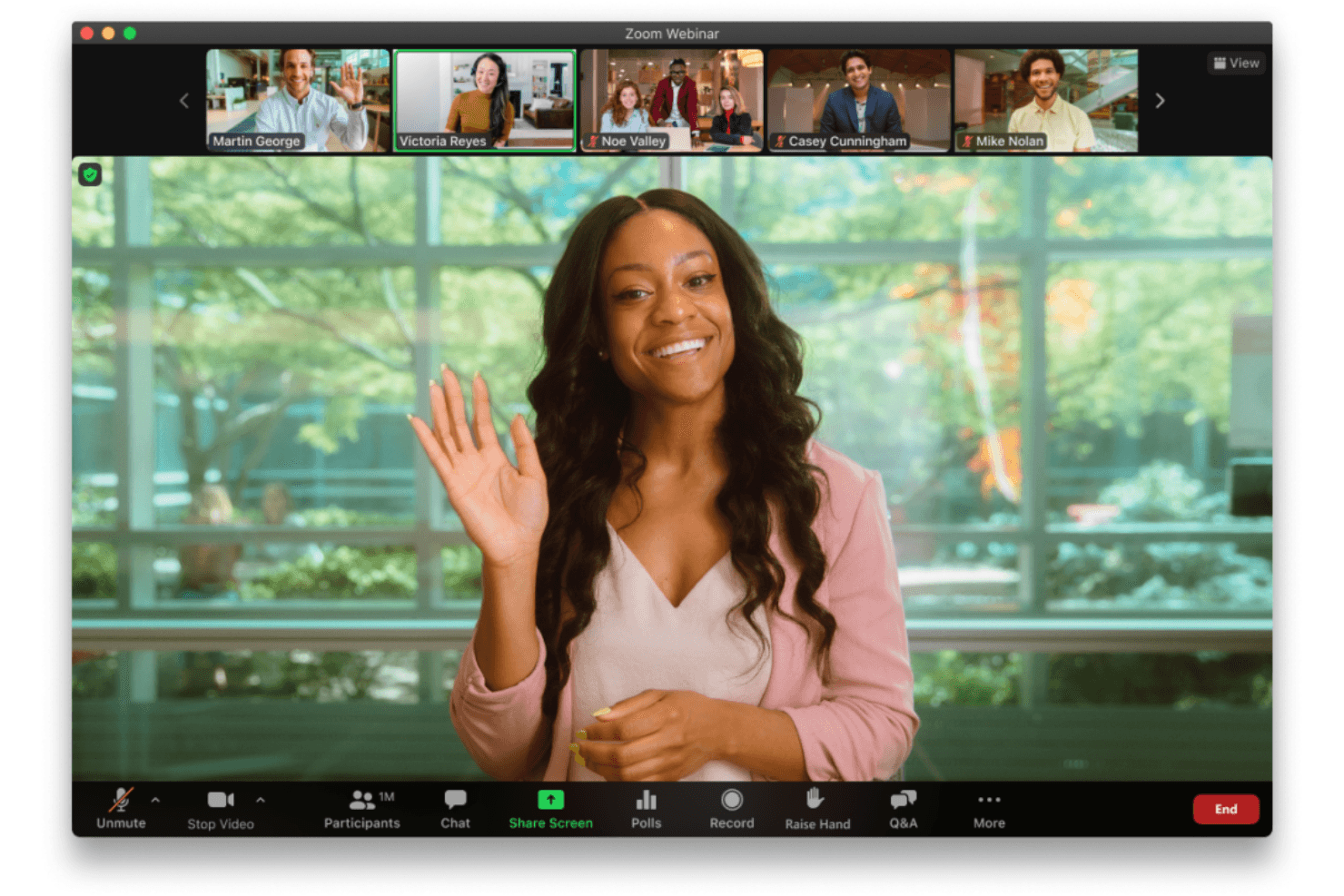
Zoom Webinars is a strong choice for organizations that need an all-in-one platform to host large, professional online events with minimal technical hassle. Its high attendee capacity, reliable streaming, and polished production tools make it especially valuable for industries and teams focused on scale, brand reputation, and audience reach. If your events prioritize smooth delivery and require robust webinar features that support presenters, Zoom Webinars is well-suited to your needs.
- Higher EducationUniversities can host large-scale lectures and virtual graduations with ease.
- Enterprise MarketingMarketing teams can run high-attendance product launches and thought leadership events.
- Corporate Virtual Meeting RequirementsHR and internal comms can deliver company-wide town halls and updates.
- Healthcare TrainingMedical organizations can provide continuing education to large groups securely.
- Government AgenciesPublic sector teams can broadcast policy updates and community forums reliably.
- Event Production TeamsProfessional event planners can manage branded, high-quality virtual conferences.
Who Would be a Bad Fit for Zoom?
Zoom Webinars is built for structured, large-scale presentations where hosts control the audience experience. While it offers engagement tools like chat, polls, Q&A, and even breakout rooms, the overall format prioritizes broadcast-style delivery over flexible, deeply interactive features or marketing-driven experiences. Teams that need more dynamic audience participation, advanced automation, or continuous event workflows may find it limiting.
- Always-On Webinar FunnelsTeams running automated or evergreen webinars may find limited support for continuous, always-on experiences and advanced replay customization.
- Product-Led Growth TeamsCompanies using webinars as part of a self-serve funnel may find limited native capabilities for behavioral targeting, in-app triggers, and conversion optimization.
- Highly Interactive WorkshopsFacilitators running hands-on sessions may find the structured, host-controlled format less suited for collaborative, participant-led experiences.
- Hybrid Event-First OrganizationsWhile hybrid capabilities exist in Zoom Events, teams prioritizing fully integrated hybrid experiences may find Zoom Webinars alone too limited.
- Community-Driven ExperiencesOrganizations focused on peer-to-peer interaction, networking, and ongoing community engagement may find the experience too one-directional.
- Ongoing Training ProgramsTeams delivering structured learning programs may prefer platforms with stronger learning management features like progress tracking and certifications.
Comment nous testons et évaluons les outils
Nous avons passé des années à construire, affiner et améliorer notre système de test et de notation des logiciels. Notre grille d’évaluation est conçue pour prendre en compte toutes les nuances du choix logiciel et ce qui rend un outil efficace, en mettant l’accent sur les aspects critiques du processus de décision. Ci-dessous, vous pouvez découvrir précisément comment nos tests et notations fonctionnent selon sept critères. Cela nous permet d’offrir une évaluation impartiale des logiciels en fonction de la fonctionnalité principale, des fonctionnalités différenciantes, de la facilité d’utilisation, de l’onboarding, du support client, des intégrations, des avis clients et du rapport qualité-prix.
Fonctionnalité principale (25% de la note finale)
Le point de départ de notre évaluation est toujours la fonctionnalité principale de l’outil. Dispose-t-il des fonctions de base attendues ? Certaines de ces fonctionnalités sont-elles bloquées dans des offres tarifaires supérieures ? Nous attendons d’un outil qu’il soit à la hauteur des capacités fondamentales de ses concurrents.
Fonctionnalités différenciantes (25% de la note finale)
Ensuite, nous évaluons les fonctionnalités spéciales qui vont au-delà de ce que l’on trouve habituellement chez ce type d’outils. Un score élevé indique des fonctionnalités uniques ou spécialisées qui rendent le produit plus rapide, plus efficace, ou offrent une valeur ajoutée à l’utilisateur. Nous évaluons également la facilité d’intégration avec d’autres outils couramment utilisés pour élargir les possibilités et l’utilité du logiciel. Les outils offrant de nombreuses intégrations natives, des connexions tierces et un accès API pour bâtir des intégrations personnalisées obtiennent les meilleures notes.
Facilité d’utilisation (10% de la note finale)
Nous considérons la rapidité et la facilité d’exécution des tâches principales via l’outil. Les logiciels les mieux notés sont bien conçus, intuitifs à utiliser, proposent des applications mobiles, des modèles prêts à l’emploi, et simplifient des tâches parfois complexes.
Onboarding (10% de la note finale)
Nous savons combien l’adoption rapide par l’équipe est cruciale pour une nouvelle plateforme. Nous évaluons donc la facilité avec laquelle il est possible d’apprendre et d’utiliser un outil sans formation poussée. On mesure aussi la vitesse à laquelle un membre de l’équipe peut être opérationnel, sans expérience préalable. Les solutions bien notées requièrent peu ou pas d’assistance.
Support client (10% de la note finale)
Nous examinons la rapidité et la facilité avec lesquelles on peut obtenir de l’aide par téléphone, chat en direct ou base de connaissances. Les outils et sociétés offrant un support en temps réel sont favorisés ; les chatbots sont pénalisés.
Avis clients (10% de la note finale)
Au-delà de nos propres tests et évaluations, nous prenons en compte le score de recommandation nette des clients actuels et passés. Nous étudions leur propension, si l’occasion se présente, à réutiliser l’outil pour sa fonctionnalité principale. Un score élevé reflète donc un bon taux de recommandation.
Rapport qualité-prix (10% de la note finale)
Enfin, après avoir pris en compte tous les autres critères, nous confrontons le prix moyen des offres de base aux fonctionnalités principales et prenons en compte la valeur apportée par les autres éléments d’évaluation. Les logiciels qui offrent plus pour moins obtiennent une note supérieure.
Core Features
High Attendee Capacity
The meeting platform lets you host webinars for up to 100,000 live attendees with consistent quality.
Simulive Presentations
Pre-record your webinar and broadcast it as a live event, then join for live Q&A.
Production Studio
Create custom layouts, preload videos, and switch scenes for polished, branded events.
Interactive Engagement Tools
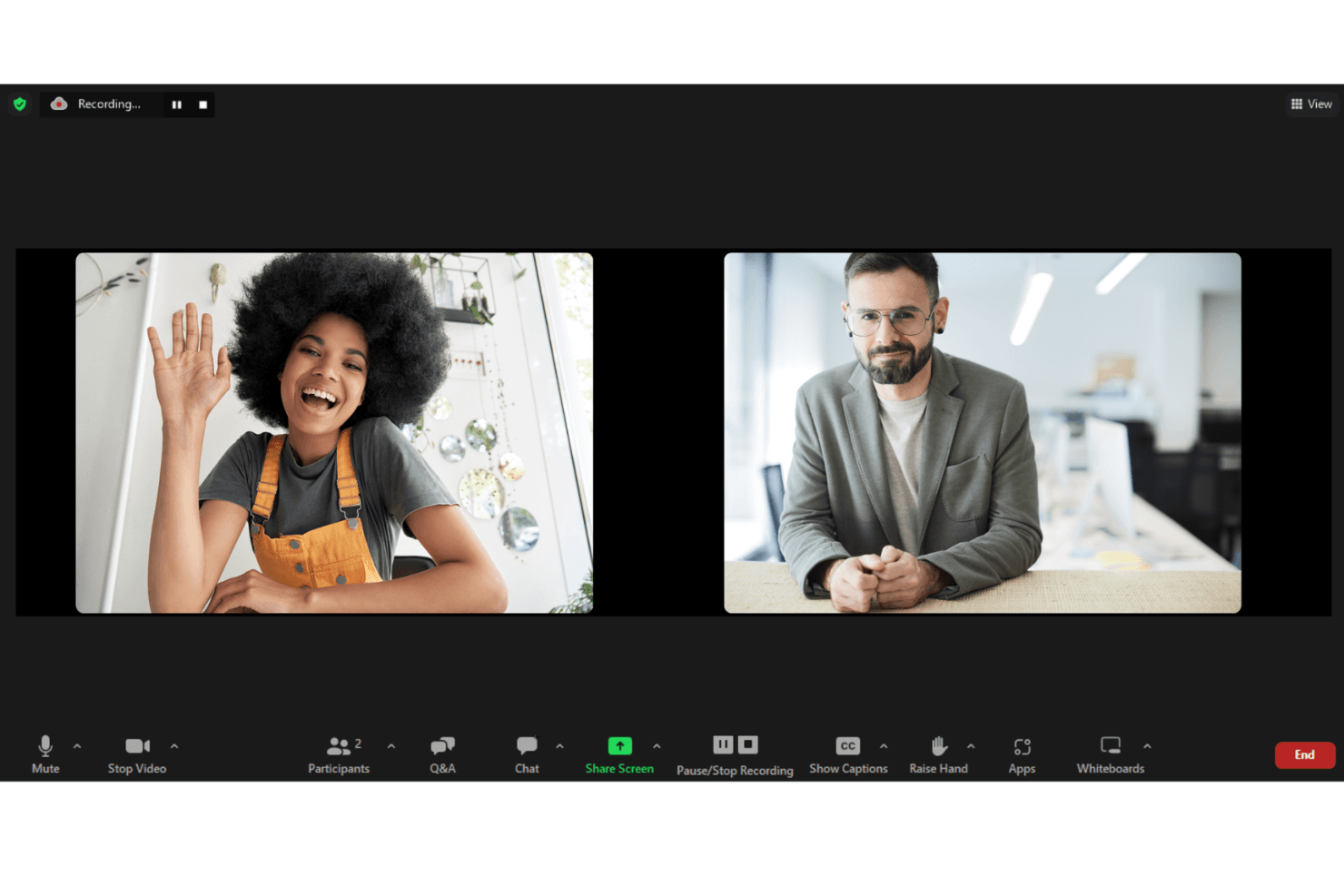
Use real-time polls, Q&A, chat, and reactions to boost audience participation.
Branded Registration and Event Pages
Design professional, branded registration pages and immersive event lobbies.
Detailed Analytics and Reporting
Track attendee engagement, viewership, and content performance with built-in dashboards.

Ease of Use
Zoom Webinars is widely recognized for its user-friendly interface and minimal onboarding requirements, making it accessible even for first-time hosts. Users appreciate the familiar Zoom environment, straightforward event setup, and clear presenter controls. The platform’s guided workflows and in-session support tools reduce the learning curve, allowing teams to focus on content delivery. While advanced customization is limited, most users find the experience smooth and reliable for both organizers and attendees.
Integrations
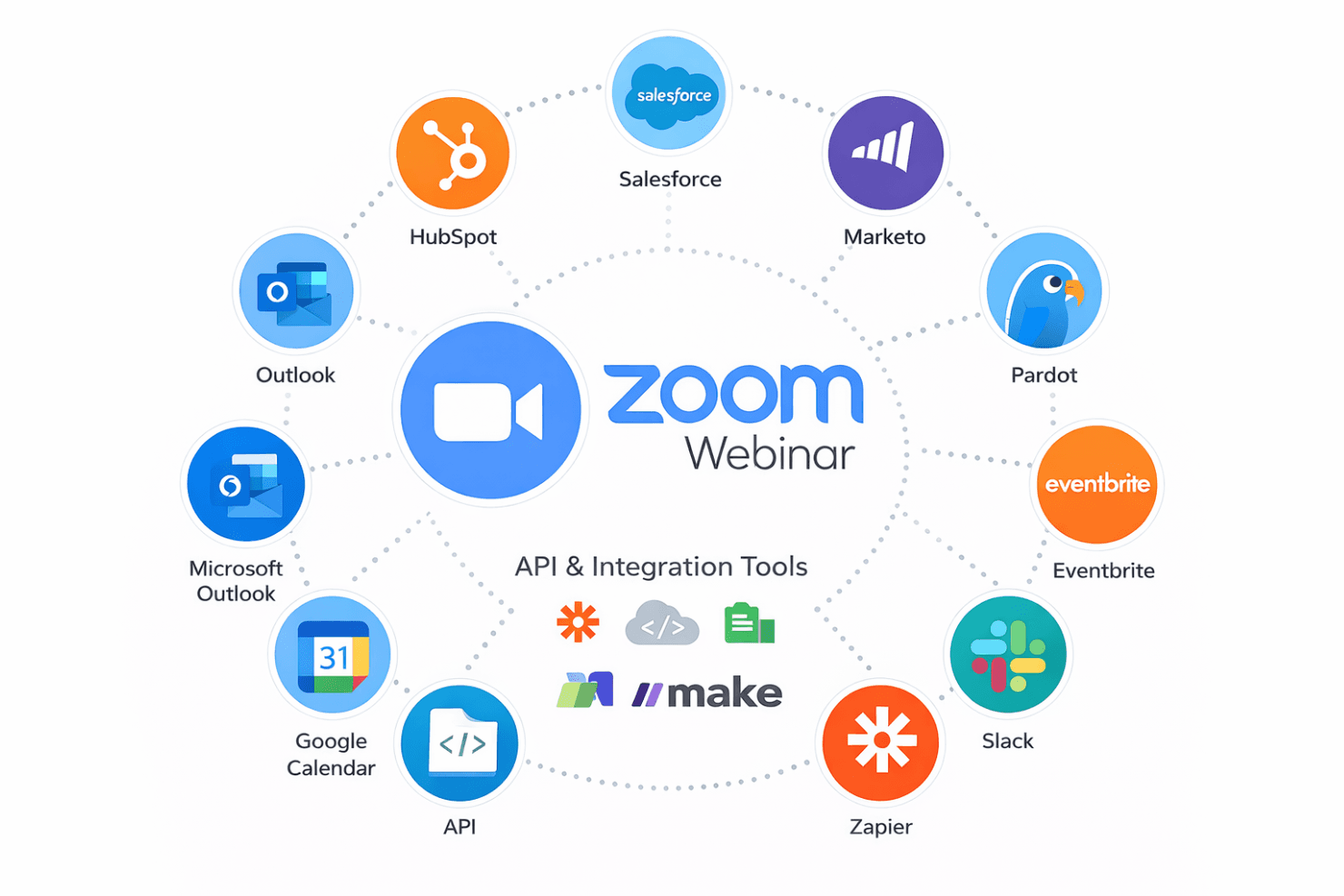
Zoom Webinars integrates with Salesforce, HubSpot, Marketo, Pardot, Eventbrite, PayPal, Slack, Google Calendar, Microsoft Outlook, and Zapier, among others.
Zoom Webinars also offers an API and connects with third-party integration tools for expanded functionality.
Zoom Specs
- API: Yes
- Calendar Management: Yes
- Chat: Yes
- Contact Management: Yes
- Contact Sharing: Yes
- External Integrations: Yes
- History/Version Control: No
- Multi-User: Yes
- Notifications: Yes
- Scheduling: Yes


