

WebinarGeek Review: Pros, Cons, Features, and Pricing Explained
WebinarGeek stands out for its user-friendly interface, support of multiple webinar formats (including live webinar, automated, hybrid, and on-demand), strong branding tools, interactive features, and detailed viewer-level analytics.

We review tools independently, and commissions help fund our testing. See our transparency policy, our methodology, or suggest a tool.
WebinarGeek is a webinar software designed to help teams plan, deliver, and optimize webinars across the full lifecycle—from registration and branding to engagement and post-event analysis. It’s particularly well-suited for marketing, sales, and training teams in a wide range of industries that rely on webinars for lead generation, customer education, or ongoing programs.
In this review, you’ll find a detailed look at WebinarGeek’s features, pricing, and best use cases, so you can decide if it fits your team’s goals and workflow.
WebinarGeek Evaluation Summary
4.5/5
- From $85/presenter/month (billed annually)
- 14-day free trial + free demo available
Why Trust Our Software Recommendations
6,700+
Reviews
20
Industry experts
16+
Evaluation factors
14
Years
Our team has been testing and reviewing software since 2012. As marketing leaders ourselves, we know how difficult—and important—it is to choose the right software.
For this guide, we evaluated tools using hands-on testing and independent research, scoring tools using our selection criteria.
Our reviews reflect our human editorial judgment, not a sales pitch.
Expert reviewers:
 Gui DrusinaCreative Director
- Shriya GhateSenior Marketing Lead
 Amanda JacquesMarketing Ops Leader

WebinarGeek Overview
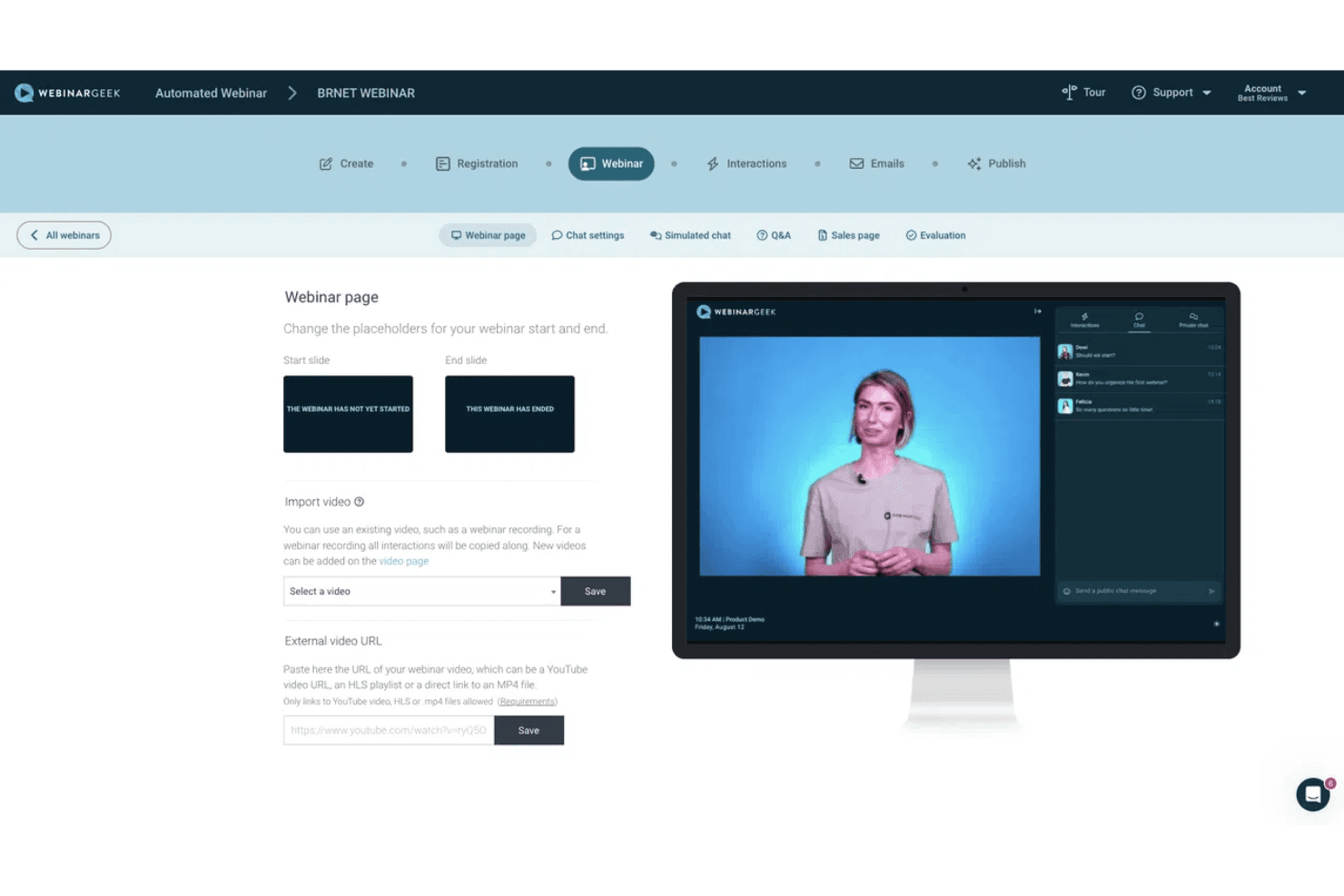
WebinarGeek delivers a well-rounded webinar platform that balances ease of use with flexibility for more advanced use cases. It supports live, automated, hybrid, and on-demand webinars, and stands out with features like simulated engagement for automated sessions, interactive tools (polls, Q&A, calls to action), and AI-powered capabilities such as performance analysis, automated email generation, and replay enhancements like chapters and summaries.
The platform is especially strong for teams running recurring webinar programs, thanks to its built-in branding tools, marketing integrations, and detailed analytics on viewer behavior. Onboarding is straightforward, with a self-serve setup and guided resources that help most teams get their first webinar live quickly.
Pros
- Supports multiple webinar formats, including live, automated, hybrid, and on-demand.
- Strong branding and customization options (pages, emails, domains).
- Provides detailed viewer-level analytics and performance insights within the webinar tool.
Cons
- Some key integrations (e.g., HubSpot, Salesforce) require paid add-ons on lower-tier plans.
- No native breakout rooms (workarounds required).
- The number of features can feel overwhelming for first-time users, though the basic plan lets you start small.
Is WebinarGeek Right For Your Needs?
Who Would be a Good Fit for WebinarGeek?
WebinarGeek is best suited for micro, small, and mid-sized organizations that use webinars as an ongoing channel for marketing, training, or communication. It offers a balance of ease of use and flexibility, supporting live, automated, hybrid, and on-demand webinars, along with built-in engagement tools like polls, Q&A, and calls to action. With detailed viewer-level analytics and a straightforward setup, it enables teams to deliver, scale, and measure webinar performance without requiring complex technical resources, whether you’re a small business or mid-sized organization.
- Demand Generation & Sales TeamsWebinarGeek is well-suited for generating and nurturing leads through webinars, with built-in registration pages, automated emails, integrations, and analytics that help track engagement and conversion.
- Customer EnablementTeams can use live or hybrid webinars to deliver product demos, onboard customers, and share knowledge at scale, combining pre-recorded content with live interaction where needed.
- Evergreen Webinar ProgramsAutomated and on-demand professional webinars—enhanced with simulated chat and interactions—make it easier to scale repeatable content while maintaining an engaging experience.
- Education & TrainingInteractive features like polls, Q&A, and assessments support learning and participation, making WebinarGeek a good fit for training programs, courses, and internal knowledge sharing.
- Internal CommunicationWebinarGeek can be used for internal updates, live event town halls, and company-wide communication, especially when broadcasting to larger audiences is more important than small-group collaboration.
- Healthcare & Professional ServicesWebinars provide a low-cost, accessible way to share expertise, connect with peers, and deliver live streaming and informational sessions without requiring in-person events.
Who Would be a Bad Fit for WebinarGeek?
WebinarGeek may not be the best choice for organizations that require advanced enterprise-grade controls, highly complex event formats, or deeply customized integrations. While it offers strong flexibility for most teams, certain limitations—such as add-on-based integrations, lack of native breakout rooms, and a webinar-first (rather than event-first) design—can make it less suitable for more complex or large-scale use cases.
- Strict Enterprise Security NeedsWebinarGeek offers GDPR compliance, data residency options, and enterprise features like SLAs and custom data processing agreements. However, organizations that require widely recognized certifications such as SOC 2 or ISO 27001—or more detailed public documentation on encryption standards—may need to evaluate whether it meets their internal security and compliance requirements.
- Large Enterprises with Complex Tech StacksTeams that require deeply embedded integrations, custom data pipelines, or tightly controlled infrastructure may find WebinarGeek’s integration model—especially where key integrations are paid add-ons or only available through Zapier—less flexible than more enterprise-focused platforms.
- Large-Scale Events & ConferencesWebinarGeek is not designed for multi-track events, expos, or conferences. Features like breakout rooms are not native and require workarounds, making it less suitable for highly interactive or large-scale event formats.
- Teams Looking for Webinar Creation ServicesWebinarGeek isn’t ideal for service-heavy buyers because it’s built as a self-serve platform rather than a done-for-you solution. Teams expecting hands-on webinar creation, strategy, or managed services won’t find that level of support built into the product.
- One-Off or Irregular Webinar UseTeams that aren’t hosting webinars regularly may not fully benefit from WebinarGeek’s strengths, which are centered around repeatable programs, automation, and ongoing optimization.
- Breakout-Heavy Workshop ProvidersWebinarGeek does not offer native breakout rooms (though there are workarounds), so teams running frequent collaborative workshops or small-group sessions may find it limiting compared to meeting-focused platforms.
How We Test & Score Tools
We’ve spent years building, refining, and improving our software testing and scoring system. The rubric is designed to capture the nuances of software selection and what makes a tool effective, focusing on critical aspects of the decision-making process.
Below, you can see exactly how our testing and scoring works across seven criteria. It allows us to provide an unbiased evaluation of the software based on core functionality, standout features, ease of use, onboarding, customer support, integrations, customer reviews, and value for money.
Core Functionality (25% of final scoring)
The starting point of our evaluation is always the core functionality of the tool. Does it have the basic features and functions that a user would expect to see? Are any of those core features locked to higher-tiered pricing plans? At its core, we expect a tool to stand up against the baseline capabilities of its competitors.
Standout Features (25% of final scoring)
Next, we evaluate uncommon standout features that go above and beyond the core functionality typically found in tools of its kind. A high score reflects specialized or unique features that make the product faster, more efficient, or offer additional value to the user.
We also evaluate how easy it is to integrate with other tools typically found in the tech stack to expand the functionality and utility of the software. Tools offering plentiful native integrations, 3rd party connections, and API access to build custom integrations score best.
Ease of Use (10% of final scoring)
We consider how quick and easy it is to execute the tasks defined in the core functionality using the tool. High scoring software is well designed, intuitive to use, offers mobile apps, provides templates, and makes relatively complex tasks seem simple.
Onboarding (10% of final scoring)
We know how important rapid team adoption is for a new platform, so we evaluate how easy it is to learn and use a tool with minimal training. We evaluate how quickly a team member can get set up and start using the tool with no experience. High scoring solutions indicate little or no support is required.
Customer Support (10% of final scoring)
We review how quick and easy it is to get unstuck and find help by phone, live chat, or knowledge base. Tools and companies that provide real-time support score best, while chatbots score worst.
Customer Reviews (10% of final scoring)
Beyond our own testing and evaluation, we consider the net promoter score from current and past customers. We review their likelihood, given the option, to choose the tool again for the core functionality. A high scoring software reflects a high net promoter score from current or past customers.
Value for Money (10% of final scoring)
Lastly, in consideration of all the other criteria, we review the average price of entry level plans against the core features and consider the value of the other evaluation criteria. Software that delivers more, for less, will score higher.
Core Features
Multi-Format Webinars
Host live HD+ webinars, automate sessions with pre-recorded content, offer on-demand access 24/7, combine live and recorded elements in hybrid formats, stream via RTMP for broadcast-quality events, or monetize your webinars with built-in payment integrations.
Audience Interaction Tools
Engage attendees with polls, quizzes, Q&A, call-to-action buttons, a chat function, and screen sharing, with options for both live and automated sessions.
Browser-Based Access
No downloads required—organizers and viewers join webinars directly from any browser, making access simple.
Custom Branding
Customize registration pages, webinar environments, and emails with your own branding, including logos, colors, and custom domains.
Analytics and Viewer Insights
Track attendance, audience engagement, poll responses, and individual viewer behavior, with exportable reports to support follow-up and performance analysis.
Presenter & Collaboration Tools
Invite co-presenters and moderators, assign roles, and bring attendees on stage for interactive sessions or panel-style discussions.
Email & Registration Forms
Create registration pages, capture leads, and send automated confirmation, reminder, and follow-up emails directly within the platform.
Standout Features
Simulated Engagement for Automated Webinars
WebinarGeek allows you to simulate chat messages, polls, and quizzes in automated and on-demand webinars, or replay interactions from a live session—helping evergreen content feel more interactive and engaging.
AI-Powered Webinar Enhancements
AI features include performance analysis with recommendations, automated email generation, live captions in multiple languages, and replay enhancements like chapters and summaries.
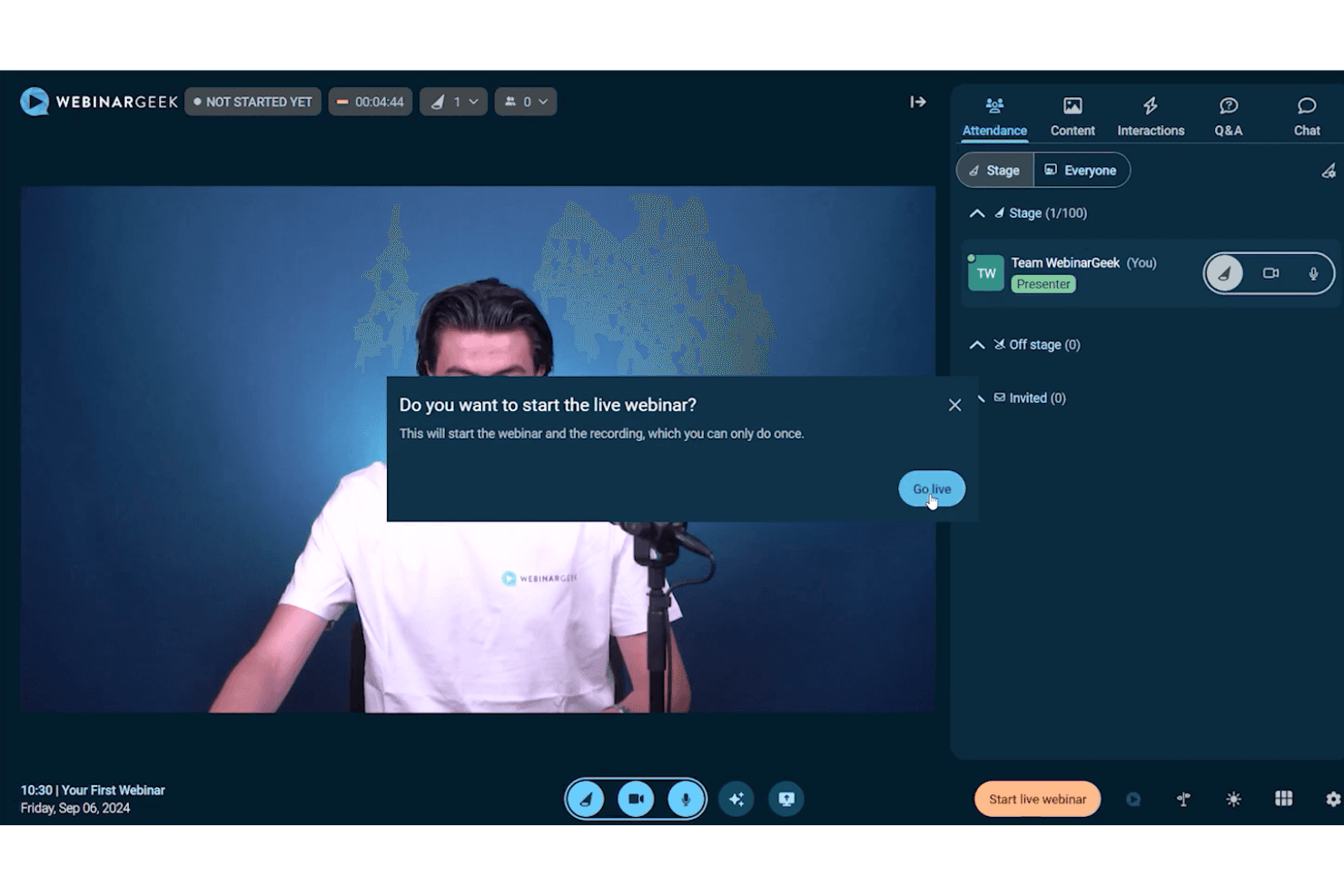
Interactive “On-Stage” Participation
Invite attendees to join the stage during a webinar, enabling more dynamic sessions such as workshops, panels, or collaborative discussions.
Ease of Use
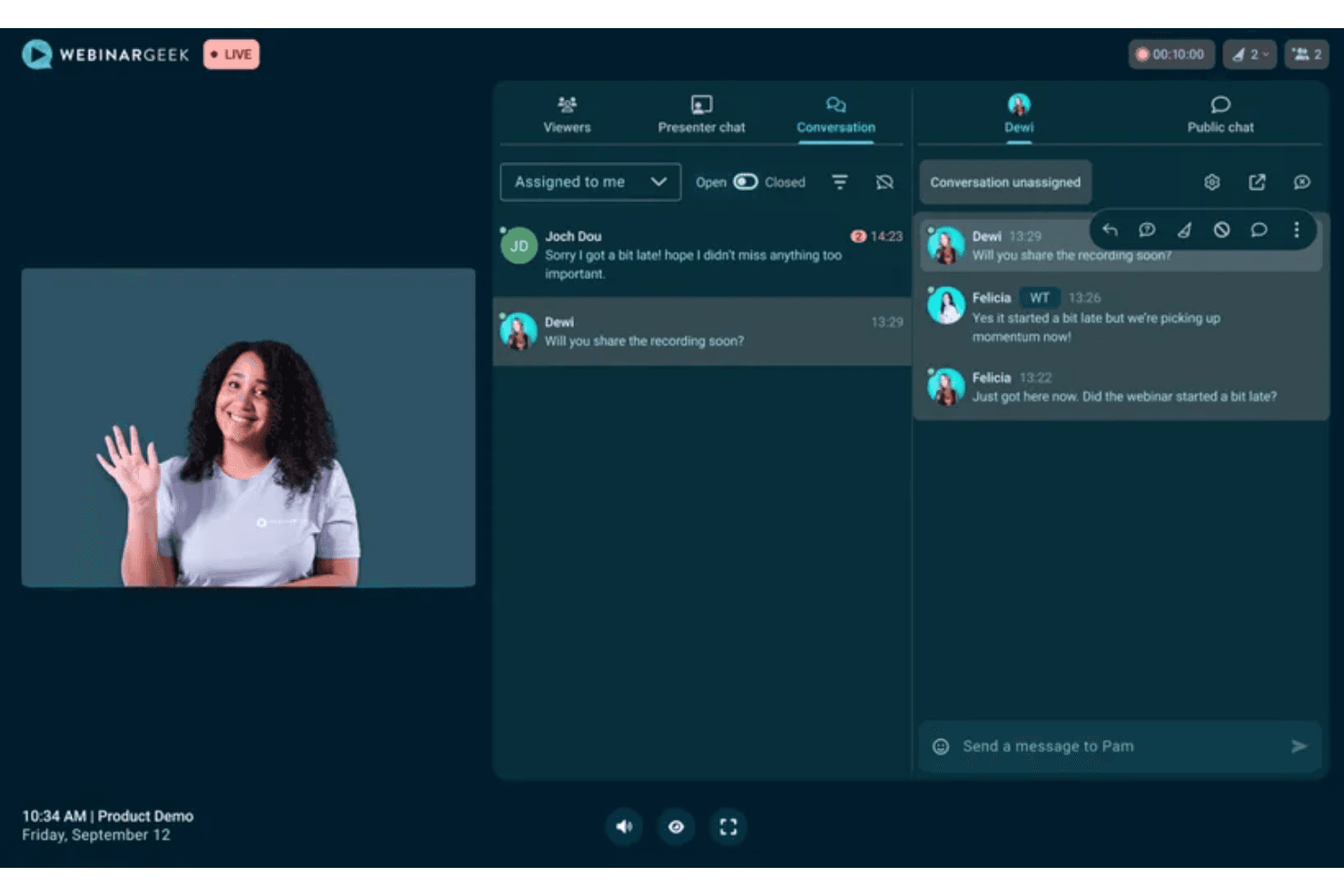
WebinarGeek is known for its ease of use, with a clean, user-friendly interface and browser-based setup that makes it accessible even for beginner teams. The platform provides guided workflows for creating, customizing, and launching webinars, and key features like emails, engagement tools, and analytics are relatively easy to locate. While most users can get started quickly, the breadth of features may require some initial learning for teams looking to use more advanced functionality.
Onboarding
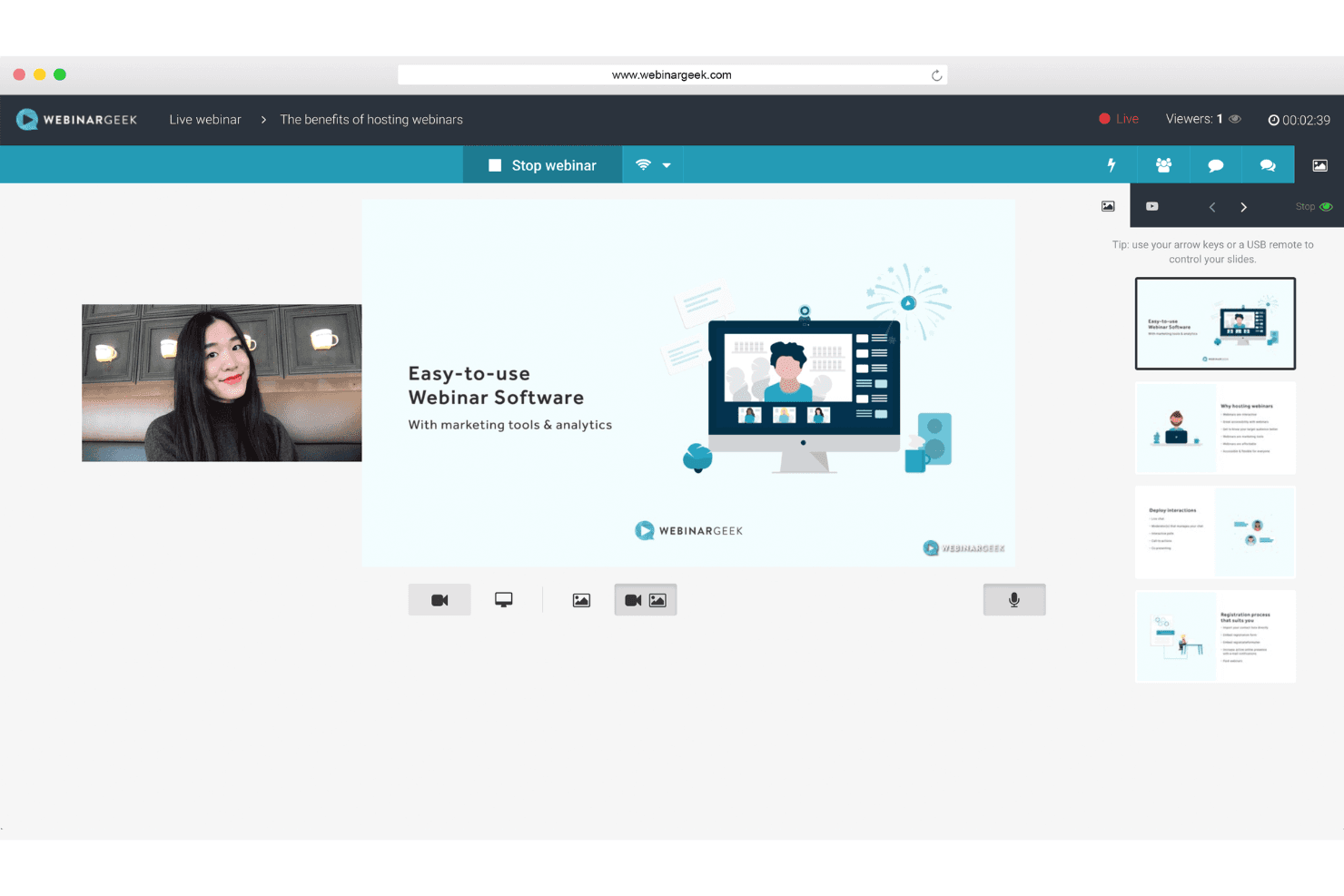
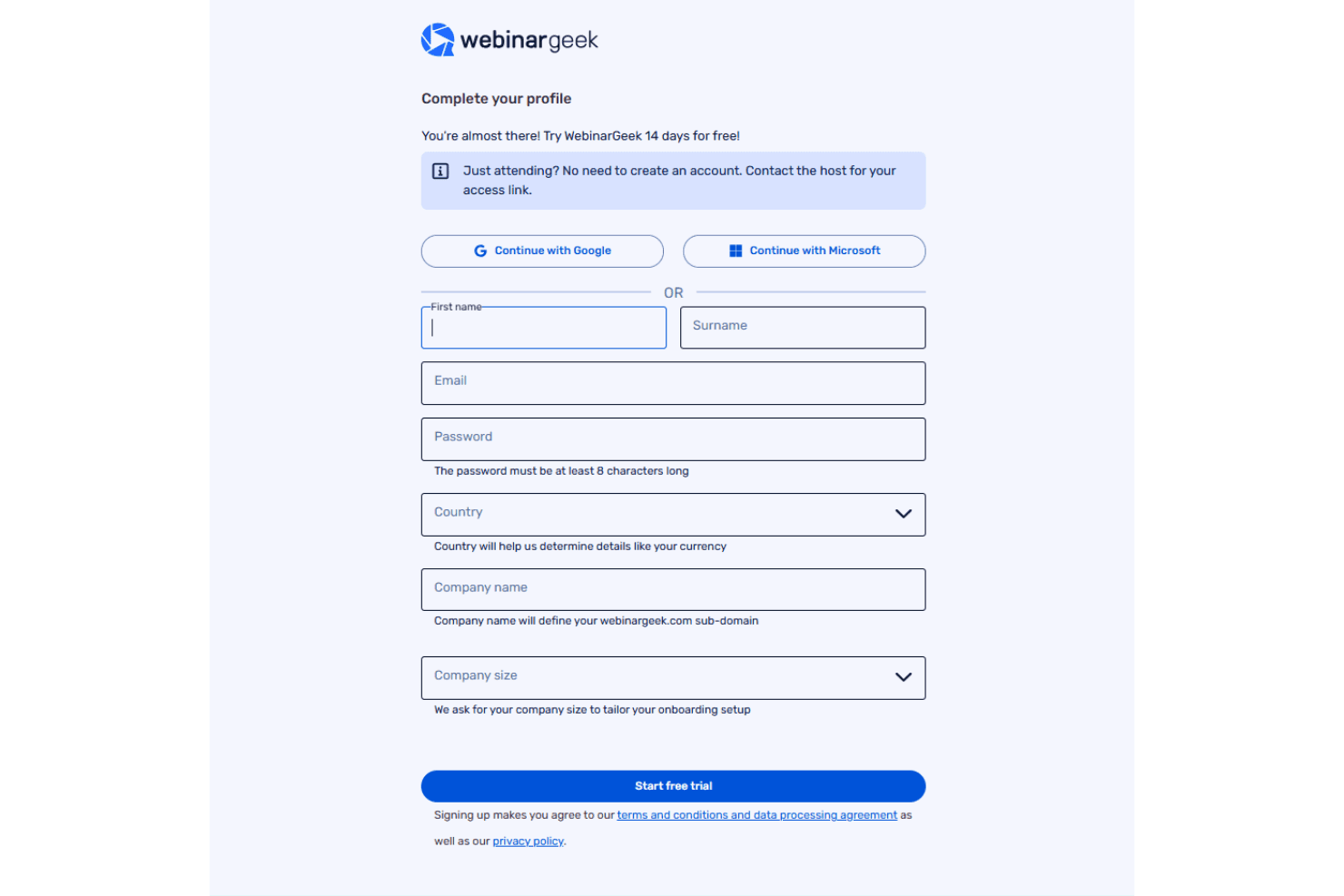
WebinarGeek offers a primarily self-serve onboarding experience supported by in-app guidance, tutorials, and demo webinars that help users get started quickly. Most teams can launch their first webinar within a short timeframe, especially during the free trial period. Additional support is available through the help center and live chat, while more structured onboarding and dedicated assistance are typically included at the Enterprise level.
Customer Support
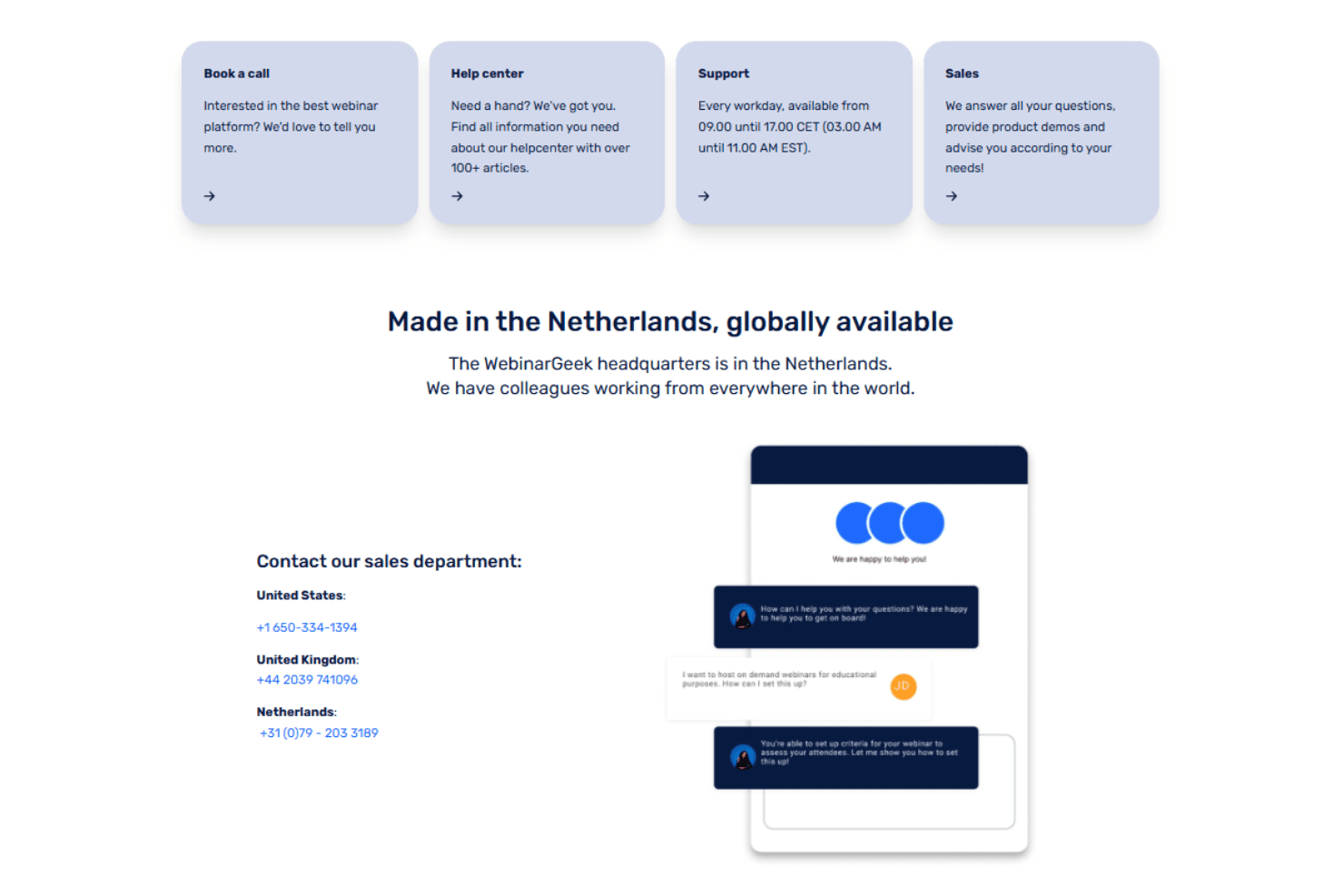
WebinarGeek provides support through live chat, documentation, and in-product guidance, with availability primarily during business hours. Many users highlight the accessibility of support resources and the depth of the help center, which includes tutorials and guides for common tasks. While the platform promotes fast response times, experiences can vary, and teams with more complex needs may want to confirm support availability and service levels based on their plan (for example, phone support is available only on the Enterprise plan).
Integrations
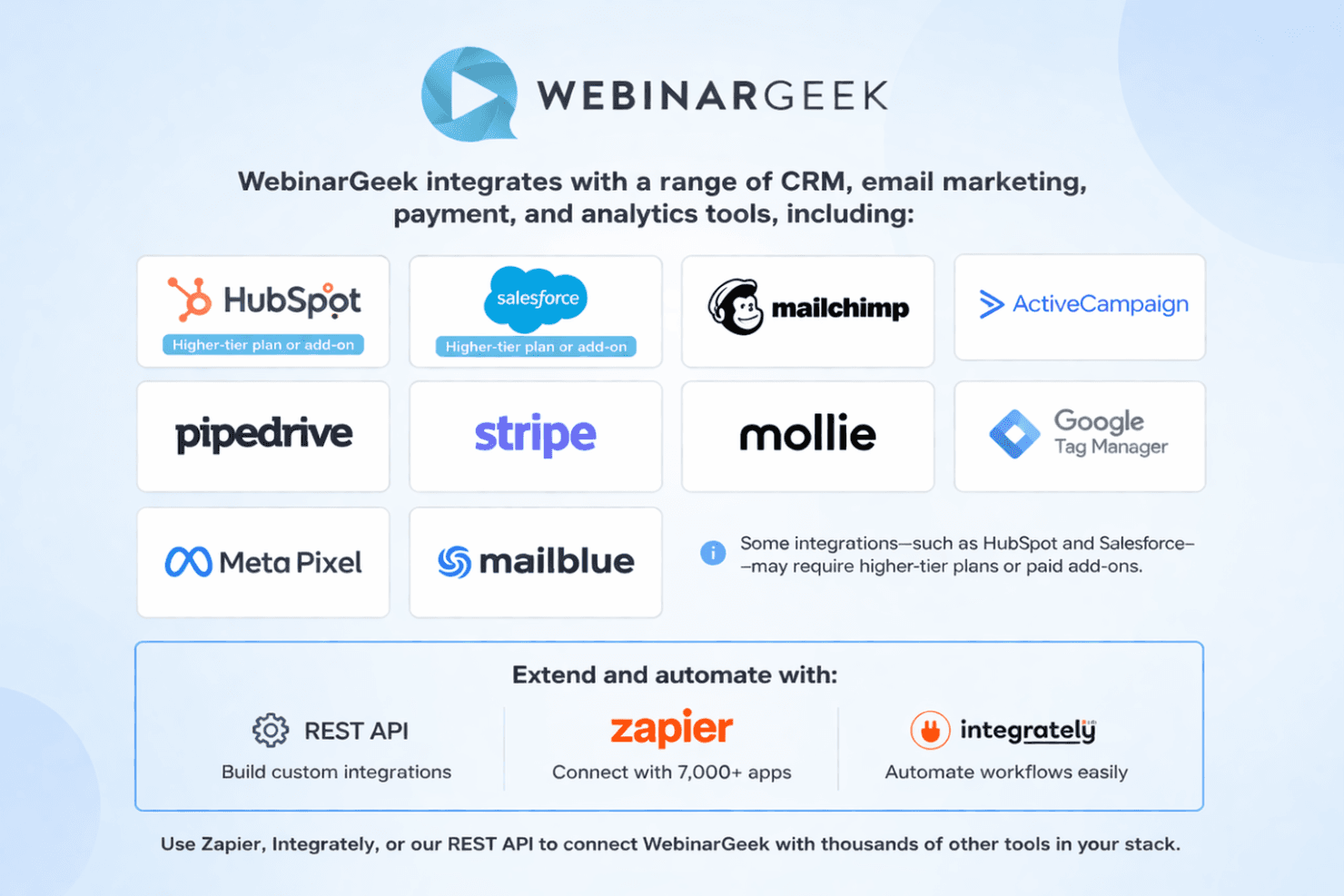
WebinarGeek integrates with a range of CRM, email marketing, payment, and analytics tools, including HubSpot, Salesforce, Mailchimp, ActiveCampaign, Pipedrive, Stripe, Mollie, Google Tag Manager, Meta Pixel, and MailBlue, among others. Some integrations—such as HubSpot and Salesforce—may require higher-tier plans or paid add-ons.
The platform also offers a REST API and connects with thousands of third-party applications through Zapier and Integrately, allowing teams to extend functionality and automate workflows across their tech stack.
Value for Money
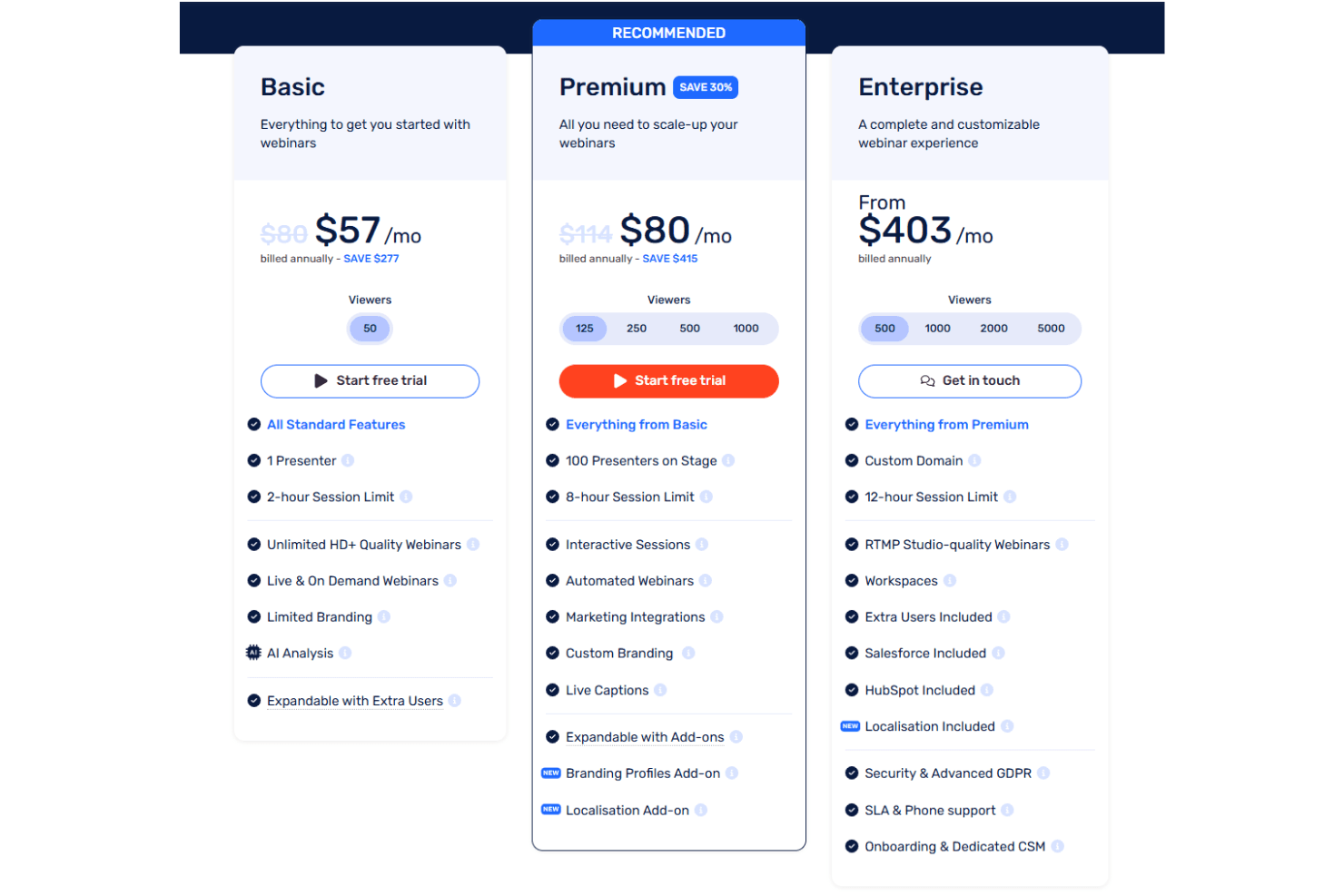
WebinarGeek offers solid value for teams looking for a flexible webinar platform that balances ease of use with advanced capabilities like automation, interactivity, and AI-driven insights. Its pricing scales based on viewer capacity, session length, and feature access, allowing teams to start with a lower-tier plan and expand as their needs grow. A 14-day free trial makes it easy to evaluate the platform before committing.
- Basic: Up to 50 viewers, 1 presenter, 2-hour sessions, with core webinar features and limited branding.
- Premium: Scales from 125 to 1,000 viewers, up to 100 presenters, 8-hour sessions, plus automation, integrations, and expanded branding options.
- Enterprise: Starts at 500+ viewers, 12-hour sessions, and includes features like workspaces, advanced integrations, enhanced security controls, SLA, and dedicated support.
WebinarGeek Specs
- API: Yes
- Calendar Management: Yes
- Chat: Yes
- Contact Management: Yes
- Contact Sharing: Yes
- Email Integration: Yes
- External Integrations: Yes
- Google Apps Integration: Yes
- History/Version Control: Yes
- Multi-User: Yes
- Notifications: Yes
- Project Management: No
- Scheduling: Yes
WebinarGeek FAQs
WebinarGeek Company Overview & History
WebinarGeek is a Netherlands-based company specializing in browser-based webinar software, serving over 5,000 companies across more than 55 countries. The company is known for its user-friendly platform, strong GDPR compliance, and highly rated customer support. WebinarGeek operates independently and does not list any other owned products or affiliations.
WebinarGeek Major Milestones
- 2015: WebinarGeek founded in the Netherlands.
- 2016: Official launch of the WebinarGeek platform.
- 2023: Surpassed 5,000 business customers in over 55 countries.
- 2024: Recognized for industry-leading customer support.