

Avis sur Air : Avantages, Inconvénients, Fonctionnalités et Tarifs
Air excelle dans la facilitation de la collaboration en équipe grâce à des mises à jour en temps réel et des fonctionnalités de priorisation uniques, ce qui le distingue dans la gestion des ressources marketing.

Nous évaluons les outils de manière indépendante, et les commissions aident à financer nos tests. Consultez notre politique de transparence, notre méthodologie ou suggérez un outil.
Air is a marketing asset management software built for creative and marketing teams that need one central place to store, review, and share brand assets. If you're deciding between Air and something like Bynder, I'd lean toward Air when your team wants a more visually intuitive workspace without the setup complexity of a traditional enterprise DAM. It's worth a close look if your team moves fast on creative production and needs a tool that keeps pace.
Air Evaluation Summary
4.6/5
- From $10/month (billed annually)
- Free plan available
Pourquoi faire confiance à nos recommandations de logiciels
6,700+
Reviews
20
Industry experts
16+
Evaluation factors
14
Years
Notre équipe teste et évalue des logiciels depuis 2012. En tant que leaders marketing nous-mêmes, nous savons à quel point il est difficile — et important — de choisir le bon logiciel.
Pour ce guide, nous avons évalué les outils grâce à des tests pratiques et une recherche indépendante, en notant les outils selon nos critères de sélection.
Nos avis reflètent notre jugement éditorial humain, et non un argumentaire de vente.
Réviseurs experts:
 Gui DrusinaDirecteur de la création
- Shriya GhateSenior Marketing Lead
 Amanda JacquesResponsable Marketing Ops

Air Overview
In my opinion, Air is a solid option for marketing asset management, especially for teams needing effective collaboration and asset organization. It excels with standout features like integrations and real-time updates, making it a great choice for tech-savvy teams. However, its value for money could be better compared to more budget-friendly options. I think Air suits creative agencies and tech startups well, offering a user-friendly interface and strong support. If you're deciding between collaboration platforms, consider Air for its unique prioritization and collaboration tools, but weigh your budgetary constraints. For those evaluating alternatives, understanding these trade-offs is essential.
Pros
- It offers real-time collaboration features that boost team productivity.
- The interface is intuitive and easy for your team to navigate.
- It provides strong asset organization tools for better workflow management.
Cons
- Customizing features can be limited for complex needs.
- It might have a steeper learning curve for non-tech users.
- Advanced reporting features are not as comprehensive as some competitors.
Is Air Right For Your Needs?
Who Would be a Good Fit for Air?
Air is great for creative agencies and tech startups that rely on dynamic content and agile workflows. Your team will benefit from its real-time collaboration tools and intuitive interface, which enhance productivity and asset management. If you work in fast-paced environments where efficient asset organization is key, Air's functionalities will support your needs effectively. The platform's digital asset management (DAM) capabilities make it particularly valuable for teams managing extensive asset libraries across various formats.
- Creative AgenciesAir helps your team manage creative projects with its intuitive interface and strong asset organization tools.
- Tech StartupsYour startup can thrive with Air's real-time collaboration and agile workflow capabilities, boosting team productivity.
- Marketing TeamsAir's features help you streamline asset management and boost collaboration in your marketing projects.
- Design DepartmentsYour design team will appreciate Air's easy navigation and robust asset organization for efficient project management.
- Digital Content CreatorsAir supports your work with tools for organizing and managing digital assets seamlessly.
- Remote TeamsAir's collaboration features help your remote team stay connected and productive, no matter where you are.
Who Would be a Bad Fit for Air?
Air might not be ideal for large enterprises with complex asset management needs due to its limited customization options. If your team requires advanced reporting features or highly specialized functionalities, Air's offerings might fall short. Those in industries with stringent compliance requirements or non-tech users might find the learning curve challenging, making it less suitable for your needs.
- Large EnterprisesYour large-scale operations might struggle with Air's limited customization and advanced reporting capabilities.
- Finance DepartmentsComplex compliance requirements in finance make Air's functionalities less suitable for your department's needs.
- Manufacturing CompaniesManufacturing processes requiring specialized asset management might find Air's features inadequate for your needs.
- Legal TeamsYour legal team might need more advanced reporting and customization than Air can offer.
- Government AgenciesGovernment agencies with strict compliance and reporting needs might find Air lacking in necessary features.
Comment nous testons et évaluons les outils
Nous avons passé des années à construire, affiner et améliorer notre système de test et de notation des logiciels. Notre grille d’évaluation est conçue pour prendre en compte toutes les nuances du choix logiciel et ce qui rend un outil efficace, en mettant l’accent sur les aspects critiques du processus de décision. Ci-dessous, vous pouvez découvrir précisément comment nos tests et notations fonctionnent selon sept critères. Cela nous permet d’offrir une évaluation impartiale des logiciels en fonction de la fonctionnalité principale, des fonctionnalités différenciantes, de la facilité d’utilisation, de l’onboarding, du support client, des intégrations, des avis clients et du rapport qualité-prix.
Fonctionnalité principale (25% de la note finale)
Le point de départ de notre évaluation est toujours la fonctionnalité principale de l’outil. Dispose-t-il des fonctions de base attendues ? Certaines de ces fonctionnalités sont-elles bloquées dans des offres tarifaires supérieures ? Nous attendons d’un outil qu’il soit à la hauteur des capacités fondamentales de ses concurrents.
Fonctionnalités différenciantes (25% de la note finale)
Ensuite, nous évaluons les fonctionnalités spéciales qui vont au-delà de ce que l’on trouve habituellement chez ce type d’outils. Un score élevé indique des fonctionnalités uniques ou spécialisées qui rendent le produit plus rapide, plus efficace, ou offrent une valeur ajoutée à l’utilisateur. Nous évaluons également la facilité d’intégration avec d’autres outils couramment utilisés pour élargir les possibilités et l’utilité du logiciel. Les outils offrant de nombreuses intégrations natives, des connexions tierces et un accès API pour bâtir des intégrations personnalisées obtiennent les meilleures notes.
Facilité d’utilisation (10% de la note finale)
Nous considérons la rapidité et la facilité d’exécution des tâches principales via l’outil. Les logiciels les mieux notés sont bien conçus, intuitifs à utiliser, proposent des applications mobiles, des modèles prêts à l’emploi, et simplifient des tâches parfois complexes.
Onboarding (10% de la note finale)
Nous savons combien l’adoption rapide par l’équipe est cruciale pour une nouvelle plateforme. Nous évaluons donc la facilité avec laquelle il est possible d’apprendre et d’utiliser un outil sans formation poussée. On mesure aussi la vitesse à laquelle un membre de l’équipe peut être opérationnel, sans expérience préalable. Les solutions bien notées requièrent peu ou pas d’assistance.
Support client (10% de la note finale)
Nous examinons la rapidité et la facilité avec lesquelles on peut obtenir de l’aide par téléphone, chat en direct ou base de connaissances. Les outils et sociétés offrant un support en temps réel sont favorisés ; les chatbots sont pénalisés.
Avis clients (10% de la note finale)
Au-delà de nos propres tests et évaluations, nous prenons en compte le score de recommandation nette des clients actuels et passés. Nous étudions leur propension, si l’occasion se présente, à réutiliser l’outil pour sa fonctionnalité principale. Un score élevé reflète donc un bon taux de recommandation.
Rapport qualité-prix (10% de la note finale)
Enfin, après avoir pris en compte tous les autres critères, nous confrontons le prix moyen des offres de base aux fonctionnalités principales et prenons en compte la valeur apportée par les autres éléments d’évaluation. Les logiciels qui offrent plus pour moins obtiennent une note supérieure.
Core Features
Asset Organization
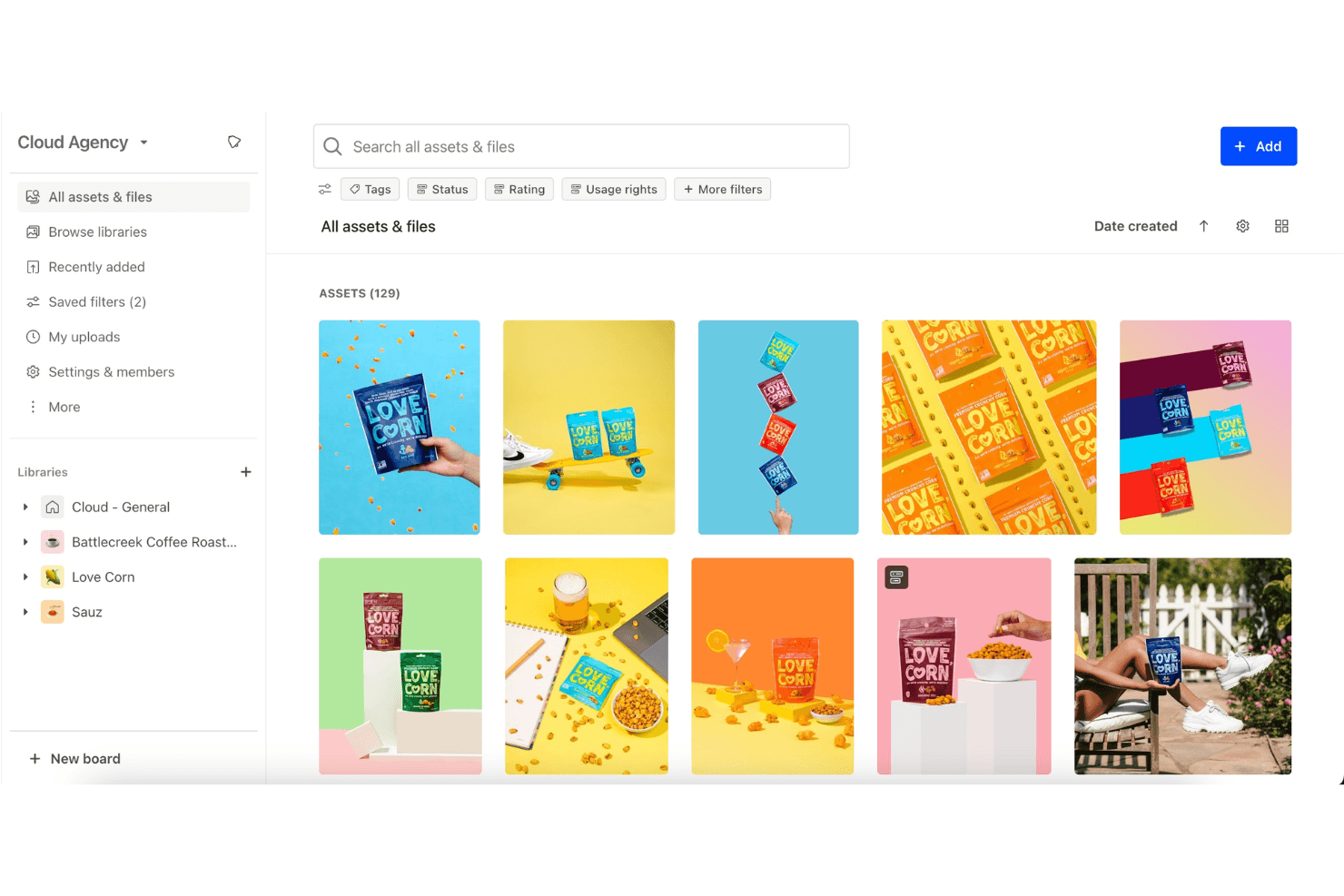
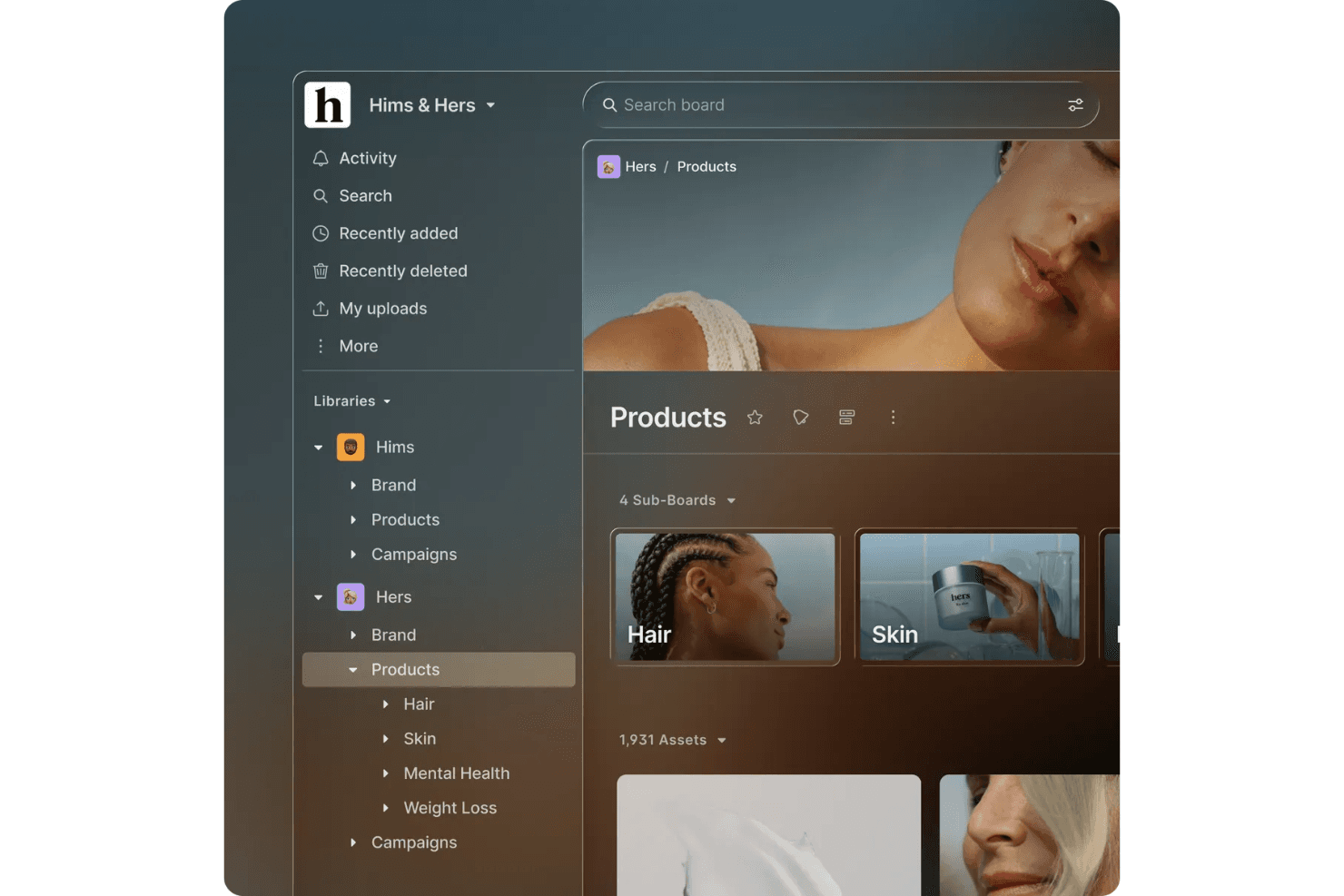
Air lets you categorize and tag your digital assets, making it easy for your team to find what you need. This feature enhances workflow efficiency.
Version Control
You can track changes and updates to your files, ensuring your team always works with the latest versions. This prevents confusion over outdated assets.
Real-Time Collaboration
Air allows your team to work together on projects simultaneously, boosting productivity. It's perfect for dynamic environments.
User Permissions
You can control who accesses what within your team, maintaining security. This feature protects sensitive information.
Search Functionality
Air offers powerful search capabilities, helping you locate assets quickly with keywords or tags. This saves your team time and effort.
Customizable Workspaces
You can tailor your workspace to fit your team's needs, providing a personalized experience. This feature adapts to your unique processes.
Standout Features
Prioritization Tools
Air provides unique prioritization features that help your team focus on what matters most, enhancing productivity and task management.
Real-Time Updates
Your team receives instant notifications about changes, keeping everyone informed and aligned. This feature ensures seamless communication.

Ease of Use
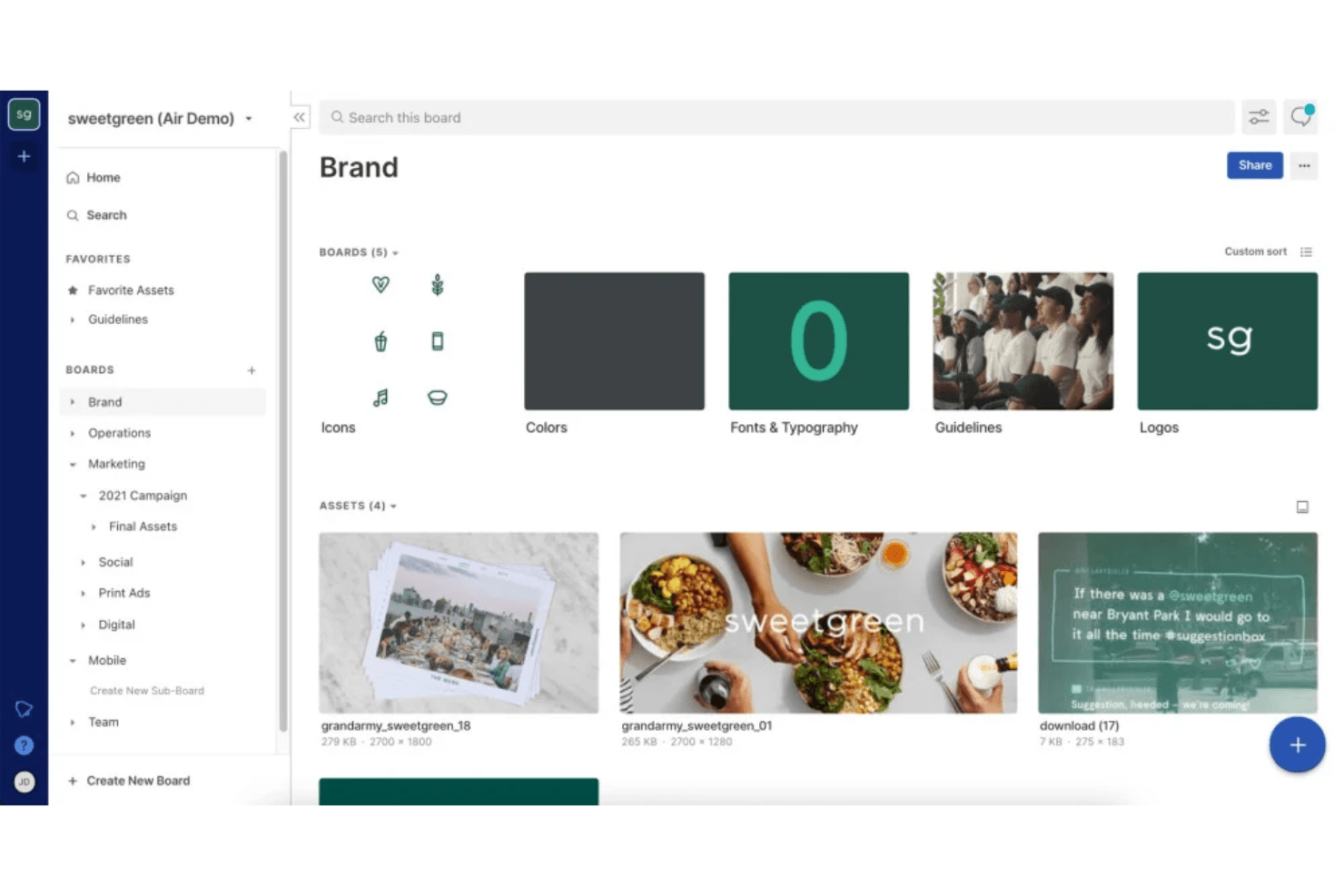
Air is quite user-friendly, offering an intuitive interface that makes navigation easy for your team. You'll find that its features are straightforward, helping you manage and organize assets without hassle. The mobile app extends this ease of use to iOS and iPhone users, while Android support ensures cross-platform accessibility. While some user reviews mention a learning curve, especially for non-tech folks, the real-time collaboration and customizable workspaces enhance usability significantly. Compared to other software, Air's simplicity and efficiency stand out, making it a suitable choice for teams looking for quick adoption.
Onboarding
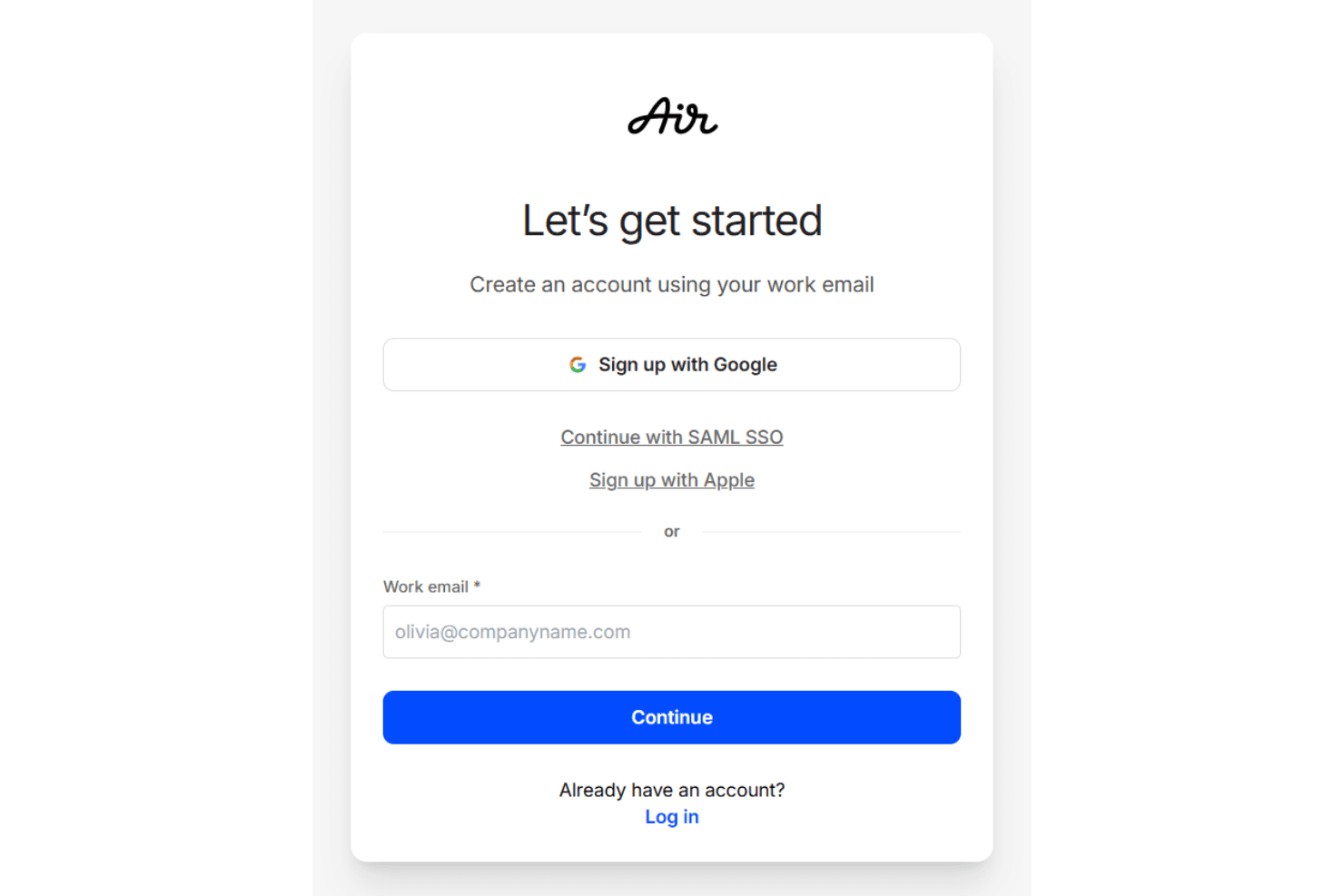
Air's onboarding process is smooth, providing your team with clear guidance and support to get started quickly. You'll appreciate the detailed tutorials and responsive customer support that help you understand its features. The knowledge base offers comprehensive resources for self-service learning, while templates help teams accelerate their setup. While some users wish for more personalized onboarding, the available resources generally make the transition easy. Compared to other options, Air's onboarding ensures a quicker time to value, allowing your team to focus on productivity without being bogged down by complex setup processes.
Customer Support
Air provides reliable customer support, ensuring your team gets the help you need when challenges arise. Users appreciate the responsive service and helpful resources that guide them through issues effectively. The support team is accessible through multiple channels, offering quick resolutions and valuable insights. While some users hope for extended support hours, Air's assistance generally meets expectations, making it easier for your team to stay productive and focused on their work without unnecessary delays.
Integrations
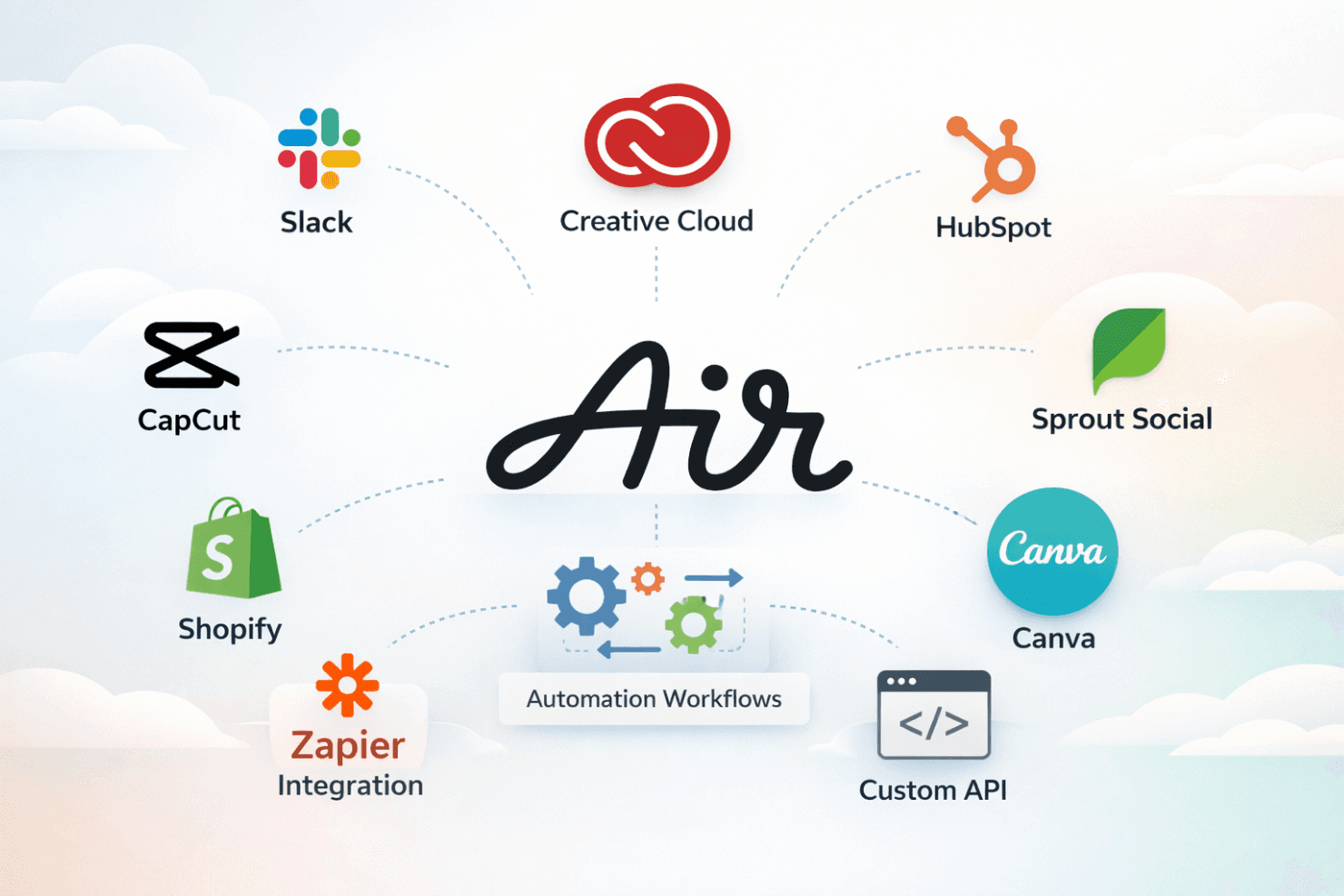
Air natively integrates with platforms such as Slack, Adobe Creative Cloud, HubSpot, CapCut, Shopify, Canva, and Sprout Social, among others.
Air also provides an API for custom connections and integrates with third-party tools like Zapier for expanded capabilities, enabling automation workflows that optimize your tech stack.
Value for Money
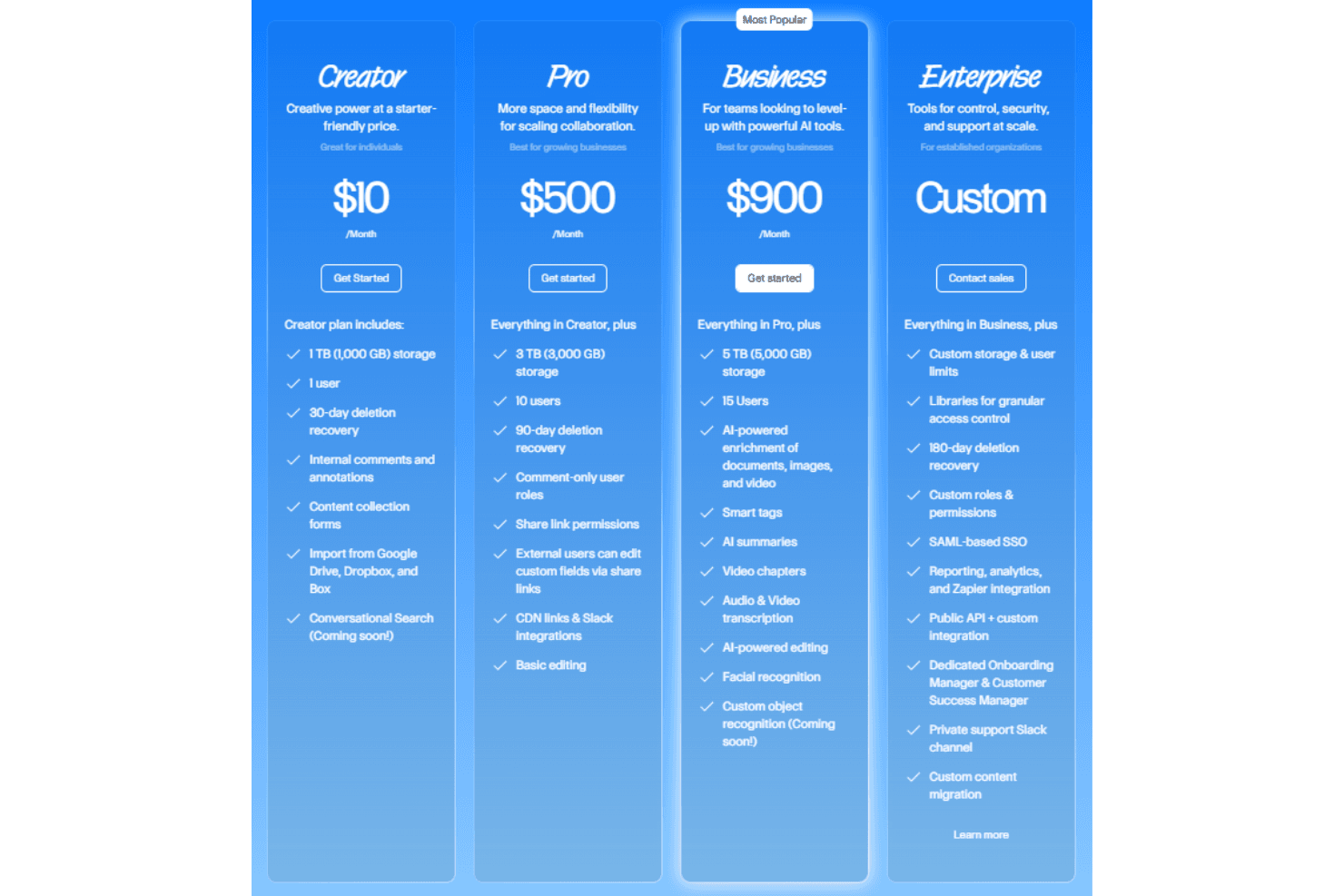
Air’s pricing model offers flexible plans for various needs, making it a viable option for managing digital assets. Users find the pricing reasonable, given features such as AI-powered search and collaboration tools. The free version is a great starting point, while paid options provide more storage and advanced features. A free trial is available, allowing you to evaluate the software before making a purchase decision.
- Free Plan: Provides 10 GB of storage and organization tools for individuals.
- Creator Plan: Includes 1 TB of storage for one user, with annotations and imports from Google Drive and Dropbox
- Pro Plan: Offers 3 TB of storage for 10 users, basic editing tools, and share link permissions.
- Business Plan: Adds 5 TB of storage for 15 users, AI-powered editing, and audio/video transcription.
- Enterprise Plan: Custom pricing with tailored features for established businesses, access to the API, and a dedicated onboarding manager.
Air Specs
- Access Management: Yes
- API: Yes
- Asset Tagging: Yes
- Automatic Transcription: Yes
- Batch Permissions & Access: Yes
- Brand Asset Creation: Yes
- Brand Management: Yes
- Dashboards: Yes
- Database Search: Yes
- Document Comparison: Yes
- Document Sharing: Yes
- Downloading: Yes
- External Integrations: Yes
- File Format Conversion: Yes
- File Sharing: Yes
- File Transfer: Yes
- History/Version Control: Yes
- Keyword Tracking: No
- Materials Library: Yes
- Metadata Management: Yes
- Multi-User: Yes
- Product Catalog: No
- Reports: Yes
- Review Monitoring: Yes
- Template Designer: Yes
Air FAQs
Air Company Overview & History
Air is headquartered in Brooklyn, New York, and currently employs over 50 people. Founded in 2017 by Shane Hegde, the company empowers creative departments with tools for digital asset management, editing, and storage, currently used by over 1,000 teams. With recent Series B funding of over $35 million, Air continues to grow and expand its reach globally.
Air Major Milestones
- 2017: Founded by Shane Hegde.
- 2024: Raised $35 million in Series B funding.