

Avis sur Elastic Email 2026 : avantages, inconvénients, fonctionnalités et tarifs
I put Elastic Email’s features, pricing, and trade-offs under the microscope to see whether its value-focused approach beats pricier email marketing platforms.

Nous évaluons les outils de manière indépendante, et les commissions aident à financer nos tests. Consultez notre politique de transparence, notre méthodologie ou suggérez un outil.
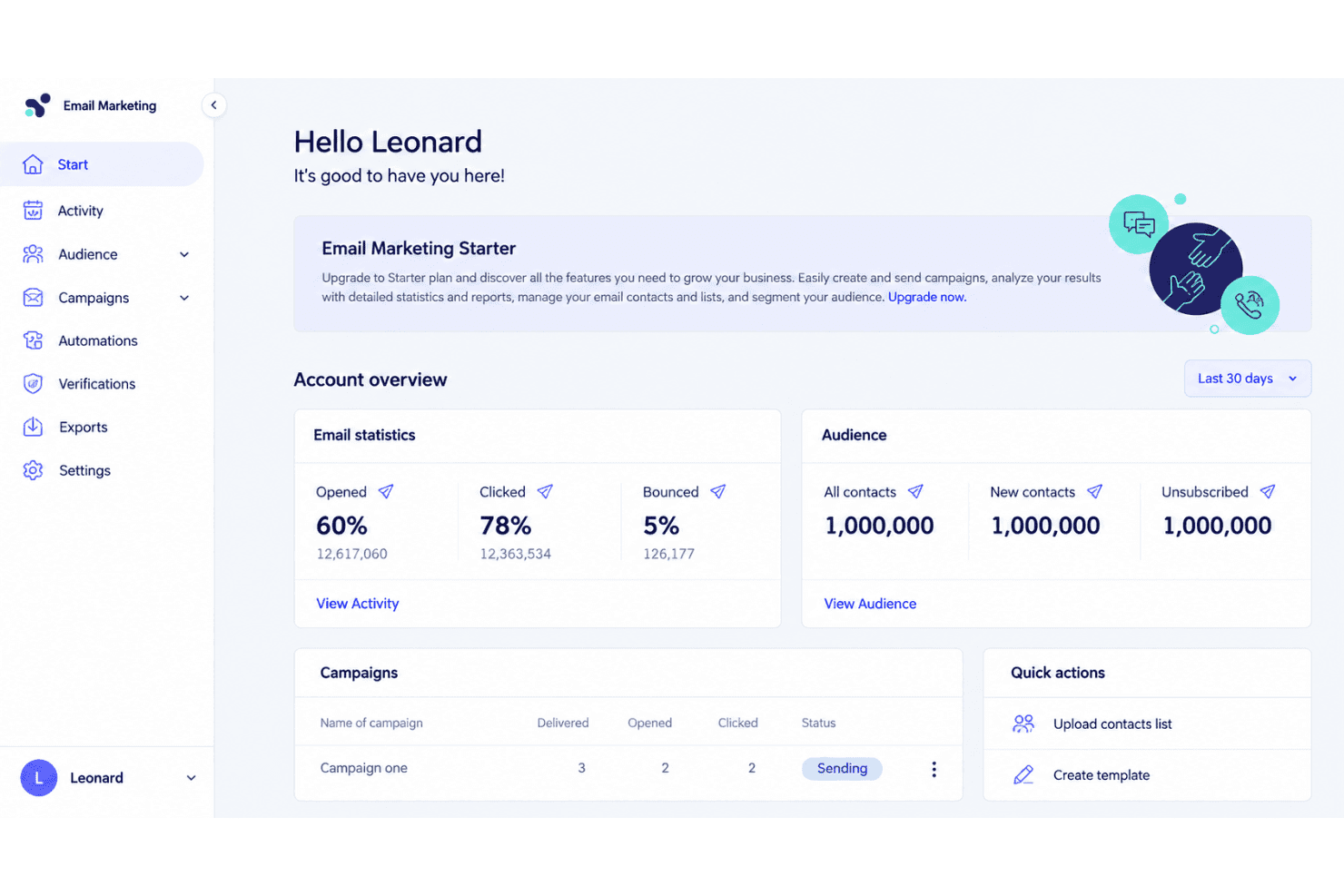
Elastic Email is an email marketing software platform for teams that need newsletters, automated campaigns, signup forms, landing pages, and transactional email through SMTP or an API. I’d choose it over Mailchimp when you need usage-based pricing, developer access, and marketing and transactional email in one platform.
Elastic Email Evaluation Summary
4.2/5
- From $19/month
- Free plan available
Pourquoi faire confiance à nos recommandations de logiciels
6,700+
Reviews
20
Industry experts
16+
Evaluation factors
14
Years
Notre équipe teste et évalue des logiciels depuis 2012. En tant que leaders marketing nous-mêmes, nous savons à quel point il est difficile — et important — de choisir le bon logiciel.
Pour ce guide, nous avons évalué les outils grâce à des tests pratiques et une recherche indépendante, en notant les outils selon nos critères de sélection.
Nos avis reflètent notre jugement éditorial humain, et non un argumentaire de vente.
Réviseurs experts:
 Gui DrusinaDirecteur de la création
- Shriya GhateSenior Marketing Lead
 Amanda JacquesResponsable Marketing Ops

Elastic Email Overview
I’d choose Elastic Email when usage-based pricing, SMTP/API access, and marketing plus transactional email matter more than a polished interface. Its campaign tools, automations, signup forms, landing pages, reporting, and developer features cover core workflows, while API and SMTP connections support custom stacks. Onboarding is fairly approachable, though the interface feels less refined and support can be less hands-on than higher-priced platforms. I judge it best for startups, ecommerce teams, agencies, and developers sending variable volumes. Select another platform if you need advanced segmentation, extensive native integrations, or guided implementation.
Pros
- Low pricing supports high-volume marketing and transactional email sending.
- One platform combines campaigns, automations, forms, landing pages, and APIs.
- Users frequently praise deliverability and the well-documented sending API.
Cons
- Template editing offers less design flexibility than leading competitors.
- Reporting aggregates recurring sends instead of separating campaign results.
- Support response times vary during troubleshooting, according to reviewers.
Is Elastic Email Right For Your Needs?
Who Would be a Good Fit for Elastic Email?
Elastic Email suits teams that value usage-based pricing, SMTP or API access, and practical campaign features over a polished interface. It works especially well for high-volume senders, ecommerce brands, lean marketing teams, SaaS developers, agencies, and content creators.
- High Volume SendersElastic Email fits high-volume senders because its $19 API Starter plan includes 50,000 monthly emails through SMTP or API.
- Ecommerce BrandsEcommerce brands can connect Elastic Email with Shopify, WooCommerce, PayPal, and Poptin while using campaigns, signup forms, and automations.
- SaaS Engineering TeamsSaaS engineering teams can use Elastic Email’s REST API and SMTP relay for custom transactional and marketing email workflows.
- Small Marketing TeamsSmall marketing teams get templates, landing pages, signup forms, and visual automations without needing separate tools for basic campaign operations.
- Marketing AgenciesMarketing agencies can use API Pro features such as subaccounts and reseller functionality to manage email services across multiple clients.
- Content CreatorsContent creators can use landing pages, signup forms, templates, and visual automations to build subscriber campaigns without assembling several separate platforms.
Who Would be a Bad Fit for Elastic Email?
Elastic Email is less suitable for teams that need refined design controls, advanced reporting, extensive native integrations, or hands-on support. Enterprise marketing departments, design-led brands, analytics-focused teams, and less technical users should weigh these limitations before choosing it.
- Enterprise Marketing DepartmentsEnterprise marketing departments may find Elastic Email limiting because its interface feels less polished and its editor and reporting features are comparatively limited.
- Design Led BrandsDesign-led brands may prefer another platform because Elastic Email’s template editor restricts design flexibility for campaigns requiring precise visual control.
- Nontechnical BusinessesNontechnical businesses may struggle during setup or troubleshooting because Elastic Email’s technical documentation helps self-directed users, while support response times vary.
- Analytics Focused TeamsAnalytics-focused teams may find Elastic Email unsuitable because reviewers describe its reporting as limited, despite Marketing Pro adding advanced reporting features.
- Integration Heavy TeamsIntegration-heavy teams should verify connector coverage first because Elastic Email’s listed integrations do not guarantee a native connection for every required business system.
- Hands On Support TeamsTeams that need hands-on implementation assistance may prefer another provider because Elastic Email reviewers report inconsistent support during complex troubleshooting.
Comment nous testons et évaluons les outils
Nous avons passé des années à construire, affiner et améliorer notre système de test et de notation des logiciels. Notre grille d’évaluation est conçue pour prendre en compte toutes les nuances du choix logiciel et ce qui rend un outil efficace, en mettant l’accent sur les aspects critiques du processus de décision. Ci-dessous, vous pouvez découvrir précisément comment nos tests et notations fonctionnent selon sept critères. Cela nous permet d’offrir une évaluation impartiale des logiciels en fonction de la fonctionnalité principale, des fonctionnalités différenciantes, de la facilité d’utilisation, de l’onboarding, du support client, des intégrations, des avis clients et du rapport qualité-prix.
Fonctionnalité principale (25% de la note finale)
Le point de départ de notre évaluation est toujours la fonctionnalité principale de l’outil. Dispose-t-il des fonctions de base attendues ? Certaines de ces fonctionnalités sont-elles bloquées dans des offres tarifaires supérieures ? Nous attendons d’un outil qu’il soit à la hauteur des capacités fondamentales de ses concurrents.
Fonctionnalités différenciantes (25% de la note finale)
Ensuite, nous évaluons les fonctionnalités spéciales qui vont au-delà de ce que l’on trouve habituellement chez ce type d’outils. Un score élevé indique des fonctionnalités uniques ou spécialisées qui rendent le produit plus rapide, plus efficace, ou offrent une valeur ajoutée à l’utilisateur. Nous évaluons également la facilité d’intégration avec d’autres outils couramment utilisés pour élargir les possibilités et l’utilité du logiciel. Les outils offrant de nombreuses intégrations natives, des connexions tierces et un accès API pour bâtir des intégrations personnalisées obtiennent les meilleures notes.
Facilité d’utilisation (10% de la note finale)
Nous considérons la rapidité et la facilité d’exécution des tâches principales via l’outil. Les logiciels les mieux notés sont bien conçus, intuitifs à utiliser, proposent des applications mobiles, des modèles prêts à l’emploi, et simplifient des tâches parfois complexes.
Onboarding (10% de la note finale)
Nous savons combien l’adoption rapide par l’équipe est cruciale pour une nouvelle plateforme. Nous évaluons donc la facilité avec laquelle il est possible d’apprendre et d’utiliser un outil sans formation poussée. On mesure aussi la vitesse à laquelle un membre de l’équipe peut être opérationnel, sans expérience préalable. Les solutions bien notées requièrent peu ou pas d’assistance.
Support client (10% de la note finale)
Nous examinons la rapidité et la facilité avec lesquelles on peut obtenir de l’aide par téléphone, chat en direct ou base de connaissances. Les outils et sociétés offrant un support en temps réel sont favorisés ; les chatbots sont pénalisés.
Avis clients (10% de la note finale)
Au-delà de nos propres tests et évaluations, nous prenons en compte le score de recommandation nette des clients actuels et passés. Nous étudions leur propension, si l’occasion se présente, à réutiliser l’outil pour sa fonctionnalité principale. Un score élevé reflète donc un bon taux de recommandation.
Rapport qualité-prix (10% de la note finale)
Enfin, après avoir pris en compte tous les autres critères, nous confrontons le prix moyen des offres de base aux fonctionnalités principales et prenons en compte la valeur apportée par les autres éléments d’évaluation. Les logiciels qui offrent plus pour moins obtiennent une note supérieure.
Core Features
Email Campaigns
Create and send newsletters or promotional emails to selected contact lists, with campaign controls for recurring or one-time sends. This supports regular audience communication without requiring a separate transactional email platform.
Email Automations
Build automated workflows that send messages based on subscriber actions or defined triggers. For example, you can create welcome or follow-up sequences that run after someone joins a list.
Email Templates And Editor
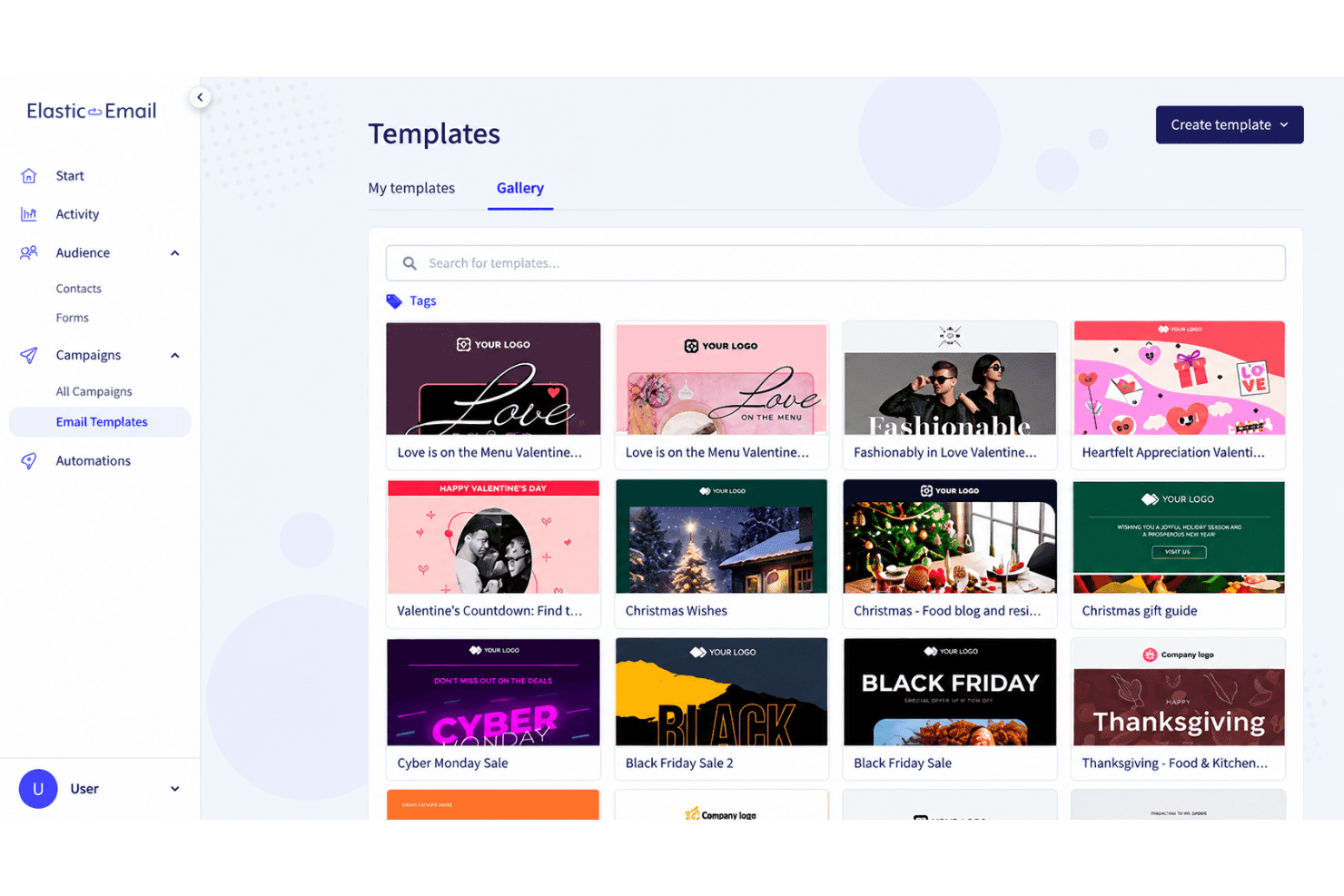
Use templates and the email editor to create campaign messages without coding each email from scratch. Elastic Email covers common campaign layouts, though its design flexibility is more limited than some leading competitors.
Signup Forms
Create signup forms to collect contacts and add them to your email lists. You can place forms on relevant pages to capture newsletter subscribers directly from your website.
Landing Pages
Build landing pages for campaigns, lead capture, or focused calls to action. Pairing a landing page with a signup form gives you a single workflow for attracting and collecting new subscribers.
Reporting And Analytics
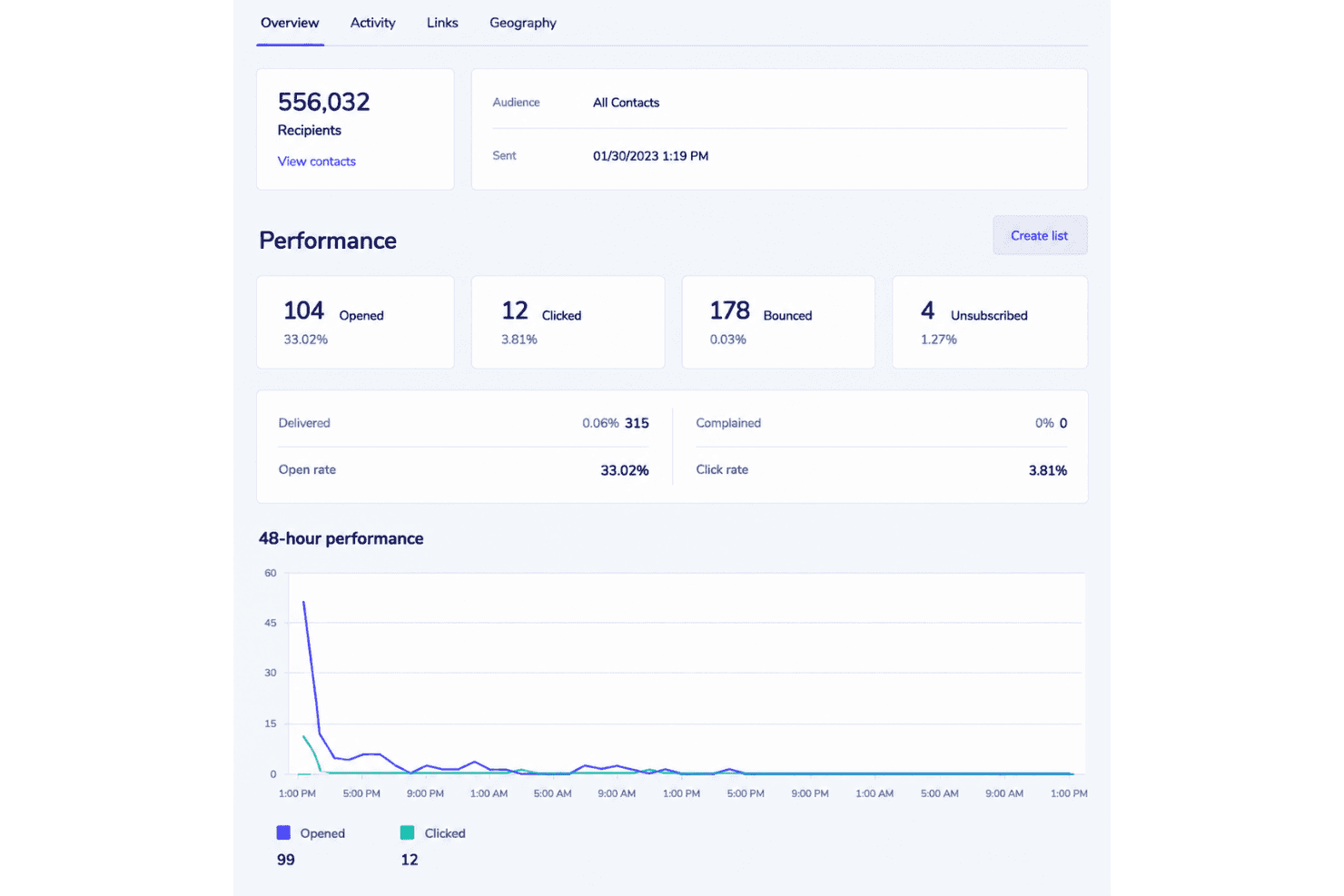
Review campaign metrics that show how recipients interact with your emails. Elastic Email also provides reporting for recurring sends, although aggregated results can make individual campaign comparisons harder.
Ease of Use
Elastic Email is fairly easy to use for core email marketing, with approachable onboarding, campaign templates, signup forms, landing pages, and visual automations. Its SMTP and API documentation also gives technical teams a clear path to custom sending workflows. However, the interface feels less polished than leading platforms, template editing limits design flexibility, and reviewers report inconsistent support during troubleshooting. I’d recommend it when functionality and usage-based pricing matter more than refined usability.
Integrations
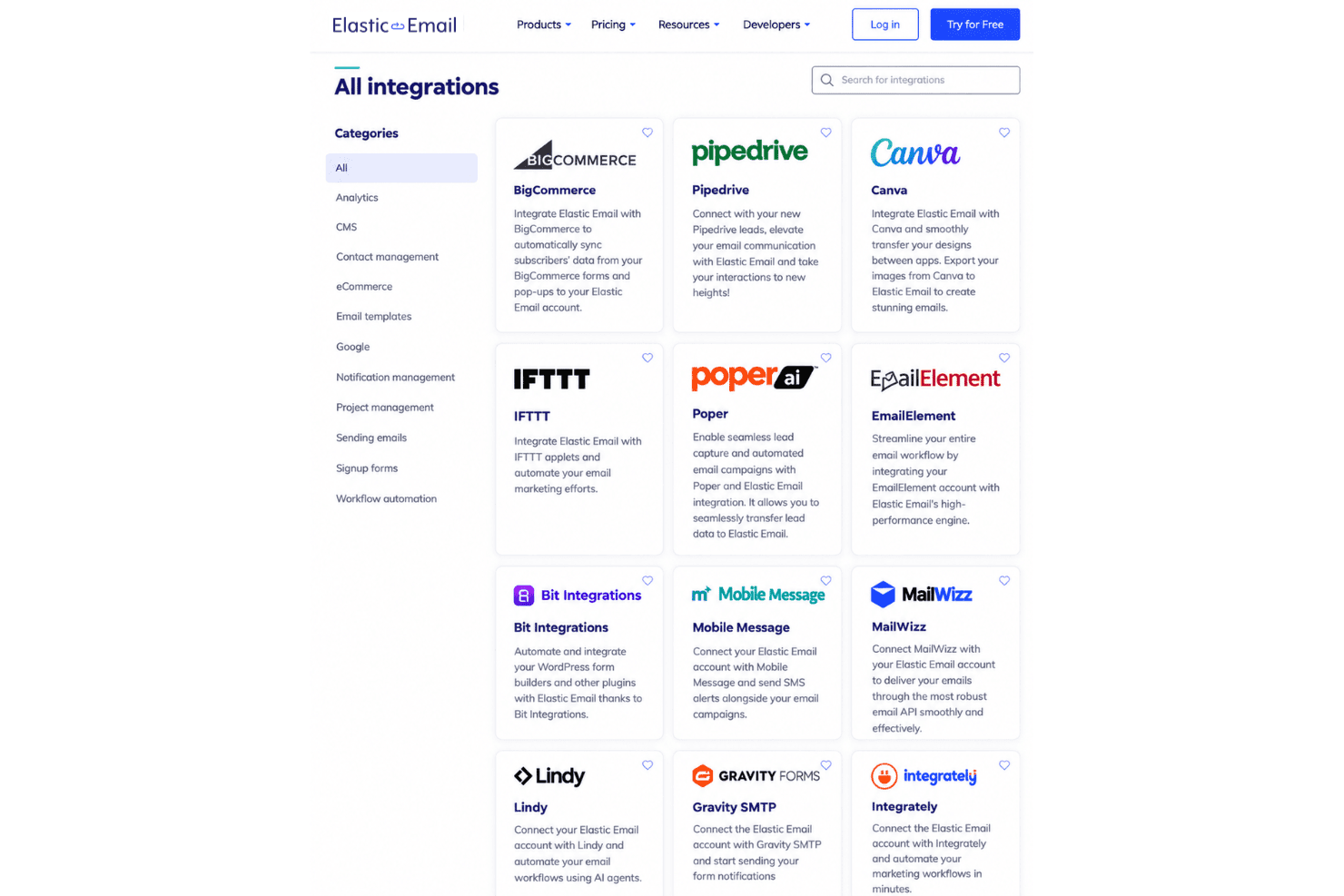
Elastic Email integrates with Cloudways, WordPress, HubSpot, ClickUp, PayPal, WooCommerce, Mautic, Shopify, and Poptin, among others.
It also offers a REST API and SMTP relay for custom integrations and supports third-party connections through Zapier and Pabbly Connect.
Elastic Email Specs
- A/B Testing: Yes
- API: Yes
- Audience Targeting: Yes
- Brand Management: No
- Calendar Management: No
- Campaign Management: Yes
- Compliance Tracking: Yes
- Contact Management: Yes
- Contact Sharing: No
- Conversion Tracking: No
- CRM Integration: Yes
- Customer Management: No
- Dashboard: Yes
- Data Export: Yes
- Data Import: Yes
- Data Visualization: Yes
- Email Integration: Yes
- External Integrations: Yes
- Google Apps Integration: Yes
- Lead Management: No
- Lead Scoring: No
- Link Tracking: Yes
- Marketing Automation: Yes
- Multi-User: Yes
- Notifications: Yes
- Scheduling: Yes
- Social-Media Integration: Yes
- Third-Party Plugins/Add-Ons: Yes


