
Zoom-webinaarien arvostelu: hyvät ja huonot puolet, ominaisuudet ja hinnoittelu selitettynä
Zoom Webinars erottuu edukseen luotettavuutensa ja skaalautuvuutensa ansiosta, joten se sopii ihanteellisesti suuriin ja ammattimaisiin tapahtumiin, mutta siitä saattavat puuttua kehittyneet markkinointityökalut, joita joillakin kilpailevilla webinaarialustoilla on.

We review tools independently, and commissions help fund our testing. See our transparency policy, our methodology, or suggest a tool.
Zoom is a webinar software for teams that need to host live events, virtual conferences, or product demos at scale. I'd consider it if your audience is already in the Zoom ecosystem—where joining a session requires zero friction—and you want more attendee capacity and broader name recognition than a tool like GoTo Webinar typically delivers.
Zoom Evaluation Summary
4.5/5
- From $14.16/user/month (billed annually)
- Free plan available
Miksi luottaa ohjelmistosuosituksiimme
6,700+
Reviews
20
Industry experts
16+
Evaluation factors
14
Years
Tiimimme on testannut ja arvioinut ohjelmistoja vuodesta 2012 lähtien. Markkinointijohtajina tiedämme itse, kuinka vaikeaa — ja tärkeää — oikean ohjelmiston valitseminen on.
Tätä opasta varten arvioimme työkaluja käytännön testauksen ja itsenäisen tutkimuksen avulla, pisteyttäen työkalut valintakriteeriemme perusteella.
Arvostelumme perustuvat inhimilliseen toimitukselliseen harkintaamme, eivät myyntipuheeseen.
Asiantuntija-arvioijat:
 Gui DrusinaCreative Director
- Shriya GhateSenior Marketing Lead
 Amanda JacquesMarketing Ops Leader

Zoom Overview
When judging webinar software, Zoom Webinars stands out for its intuitive interface, reliable streaming, and straightforward onboarding. Its pricing is competitive for large audiences, and integrations with CRM and marketing tools make it easy to fit into existing workflows. While it lacks some advanced marketing automation features, its robust support and familiar Zoom environment make it a top choice for organizations prioritizing scale and ease of use. If you’re selecting a platform for corporate town halls, product launches, or educational sessions, Zoom Webinars is especially strong for teams that value reliability and quick setup over deep customization.
Pros
- Supports up to 100,000 live attendees per event.
- Offers polished production tools and branded event pages.
- Provides reliable HD video quality and audio streaming.
Cons
- Limited attendee interaction compared to some competitors.
- Lacks built-in marketing automation and evergreen webinar tools.
- Pricing can be high for small or infrequent events.
Is Zoom Right For Your Needs?
Who Would be a Good Fit for Zoom?
Zoom Webinars is a strong choice for organizations that need an all-in-one platform to host large, professional online events with minimal technical hassle. Its high attendee capacity, reliable streaming, and polished production tools make it especially valuable for industries and teams focused on scale, brand reputation, and audience reach. If your events prioritize smooth delivery and require robust webinar features that support presenters, Zoom Webinars is well-suited to your needs.
- Higher EducationUniversities can host large-scale lectures and virtual graduations with ease.
- Enterprise MarketingMarketing teams can run high-attendance product launches and thought leadership events.
- Corporate Virtual Meeting RequirementsHR and internal comms can deliver company-wide town halls and updates.
- Healthcare TrainingMedical organizations can provide continuing education to large groups securely.
- Government AgenciesPublic sector teams can broadcast policy updates and community forums reliably.
- Event Production TeamsProfessional event planners can manage branded, high-quality virtual conferences.
Who Would be a Bad Fit for Zoom?
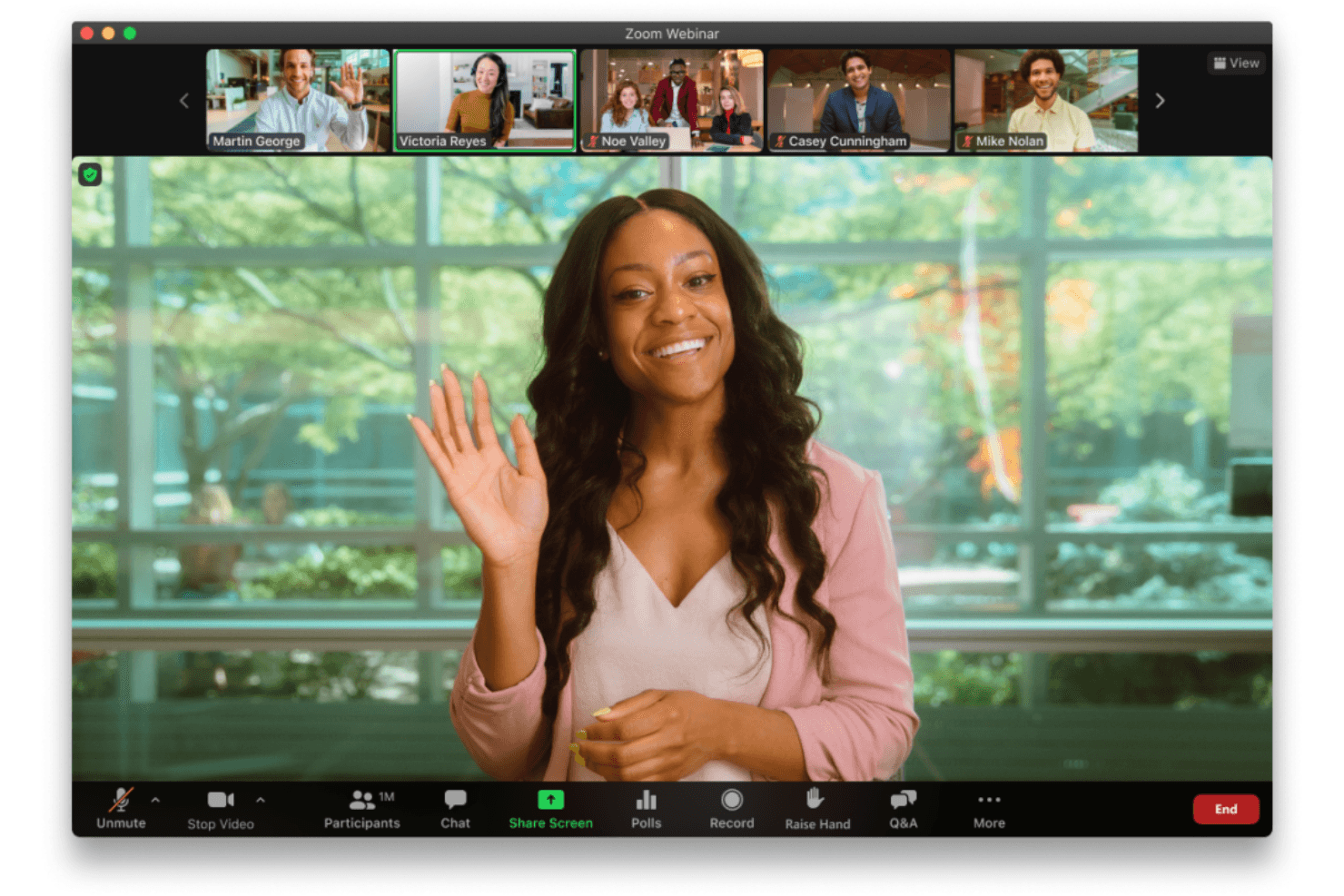
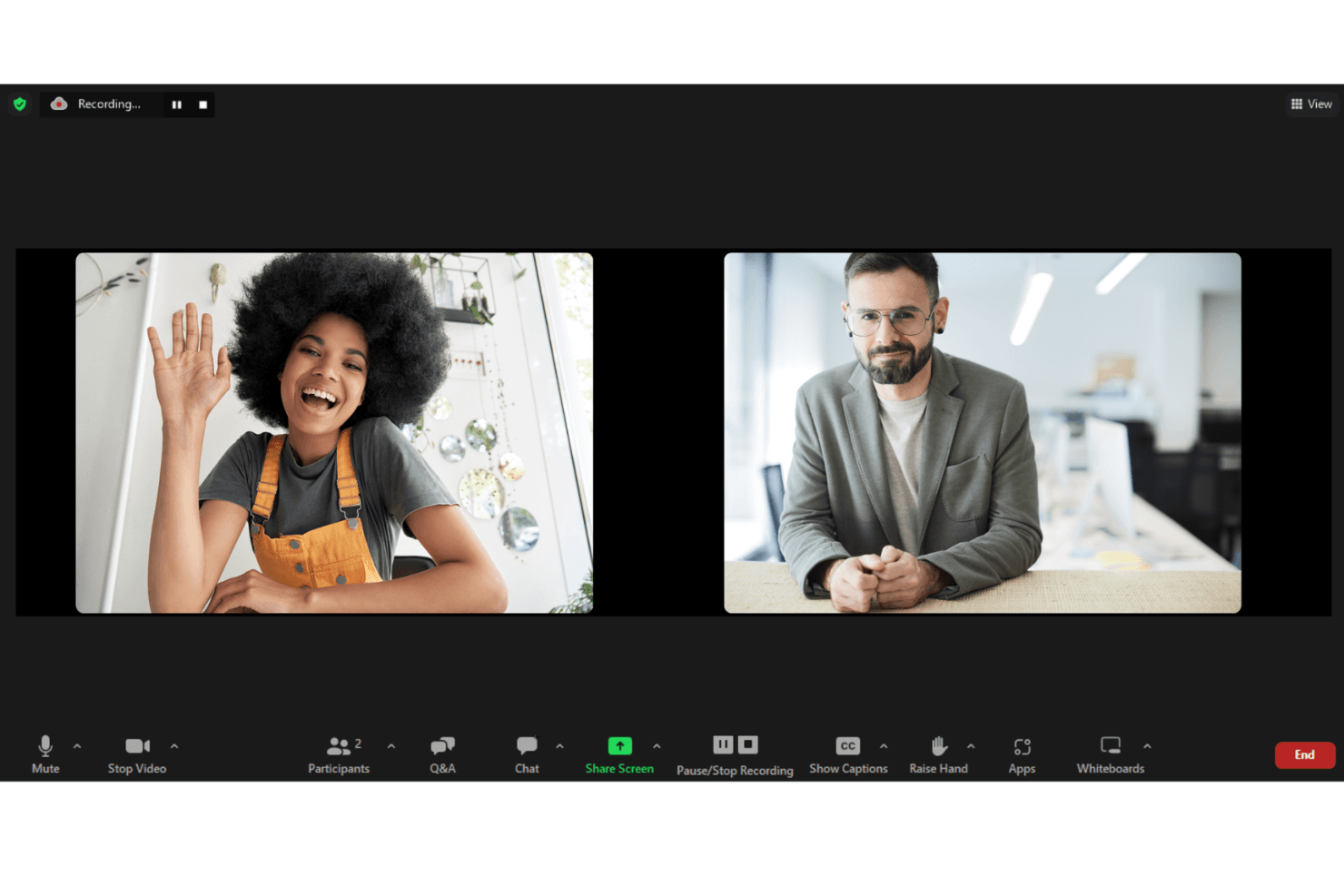
Zoom Webinars is built for structured, large-scale presentations where hosts control the audience experience. While it offers engagement tools like chat, polls, Q&A, and even breakout rooms, the overall format prioritizes broadcast-style delivery over flexible, deeply interactive features or marketing-driven experiences. Teams that need more dynamic audience participation, advanced automation, or continuous event workflows may find it limiting.
- Always-On Webinar FunnelsTeams running automated or evergreen webinars may find limited support for continuous, always-on experiences and advanced replay customization.
- Product-Led Growth TeamsCompanies using webinars as part of a self-serve funnel may find limited native capabilities for behavioral targeting, in-app triggers, and conversion optimization.
- Highly Interactive WorkshopsFacilitators running hands-on sessions may find the structured, host-controlled format less suited for collaborative, participant-led experiences.
- Hybrid Event-First OrganizationsWhile hybrid capabilities exist in Zoom Events, teams prioritizing fully integrated hybrid experiences may find Zoom Webinars alone too limited.
- Community-Driven ExperiencesOrganizations focused on peer-to-peer interaction, networking, and ongoing community engagement may find the experience too one-directional.
- Ongoing Training ProgramsTeams delivering structured learning programs may prefer platforms with stronger learning management features like progress tracking and certifications.
How We Test & Score Tools
We’ve spent years building, refining, and improving our software testing and scoring system. The rubric is designed to capture the nuances of software selection and what makes a tool effective, focusing on critical aspects of the decision-making process.
Below, you can see exactly how our testing and scoring works across seven criteria. It allows us to provide an unbiased evaluation of the software based on core functionality, standout features, ease of use, onboarding, customer support, integrations, customer reviews, and value for money.
Core Functionality (25% of final scoring)
The starting point of our evaluation is always the core functionality of the tool. Does it have the basic features and functions that a user would expect to see? Are any of those core features locked to higher-tiered pricing plans? At its core, we expect a tool to stand up against the baseline capabilities of its competitors.
Standout Features (25% of final scoring)
Next, we evaluate uncommon standout features that go above and beyond the core functionality typically found in tools of its kind. A high score reflects specialized or unique features that make the product faster, more efficient, or offer additional value to the user.
We also evaluate how easy it is to integrate with other tools typically found in the tech stack to expand the functionality and utility of the software. Tools offering plentiful native integrations, 3rd party connections, and API access to build custom integrations score best.
Ease of Use (10% of final scoring)
We consider how quick and easy it is to execute the tasks defined in the core functionality using the tool. High scoring software is well designed, intuitive to use, offers mobile apps, provides templates, and makes relatively complex tasks seem simple.
Onboarding (10% of final scoring)
We know how important rapid team adoption is for a new platform, so we evaluate how easy it is to learn and use a tool with minimal training. We evaluate how quickly a team member can get set up and start using the tool with no experience. High scoring solutions indicate little or no support is required.
Customer Support (10% of final scoring)
We review how quick and easy it is to get unstuck and find help by phone, live chat, or knowledge base. Tools and companies that provide real-time support score best, while chatbots score worst.
Customer Reviews (10% of final scoring)
Beyond our own testing and evaluation, we consider the net promoter score from current and past customers. We review their likelihood, given the option, to choose the tool again for the core functionality. A high scoring software reflects a high net promoter score from current or past customers.
Value for Money (10% of final scoring)
Lastly, in consideration of all the other criteria, we review the average price of entry level plans against the core features and consider the value of the other evaluation criteria. Software that delivers more, for less, will score higher.
Core Features
High Attendee Capacity
The meeting platform lets you host webinars for up to 100,000 live attendees with consistent quality.
Simulive Presentations
Pre-record your webinar and broadcast it as a live event, then join for live Q&A.
Production Studio
Create custom layouts, preload videos, and switch scenes for polished, branded events.
Interactive Engagement Tools
Use real-time polls, Q&A, chat, and reactions to boost audience participation.
Branded Registration and Event Pages
Design professional, branded registration pages and immersive event lobbies.
Detailed Analytics and Reporting
Track attendee engagement, viewership, and content performance with built-in dashboards.

Ease of Use
Zoom Webinars is widely recognized for its user-friendly interface and minimal onboarding requirements, making it accessible even for first-time hosts. Users appreciate the familiar Zoom environment, straightforward event setup, and clear presenter controls. The platform’s guided workflows and in-session support tools reduce the learning curve, allowing teams to focus on content delivery. While advanced customization is limited, most users find the experience smooth and reliable for both organizers and attendees.
Integrations
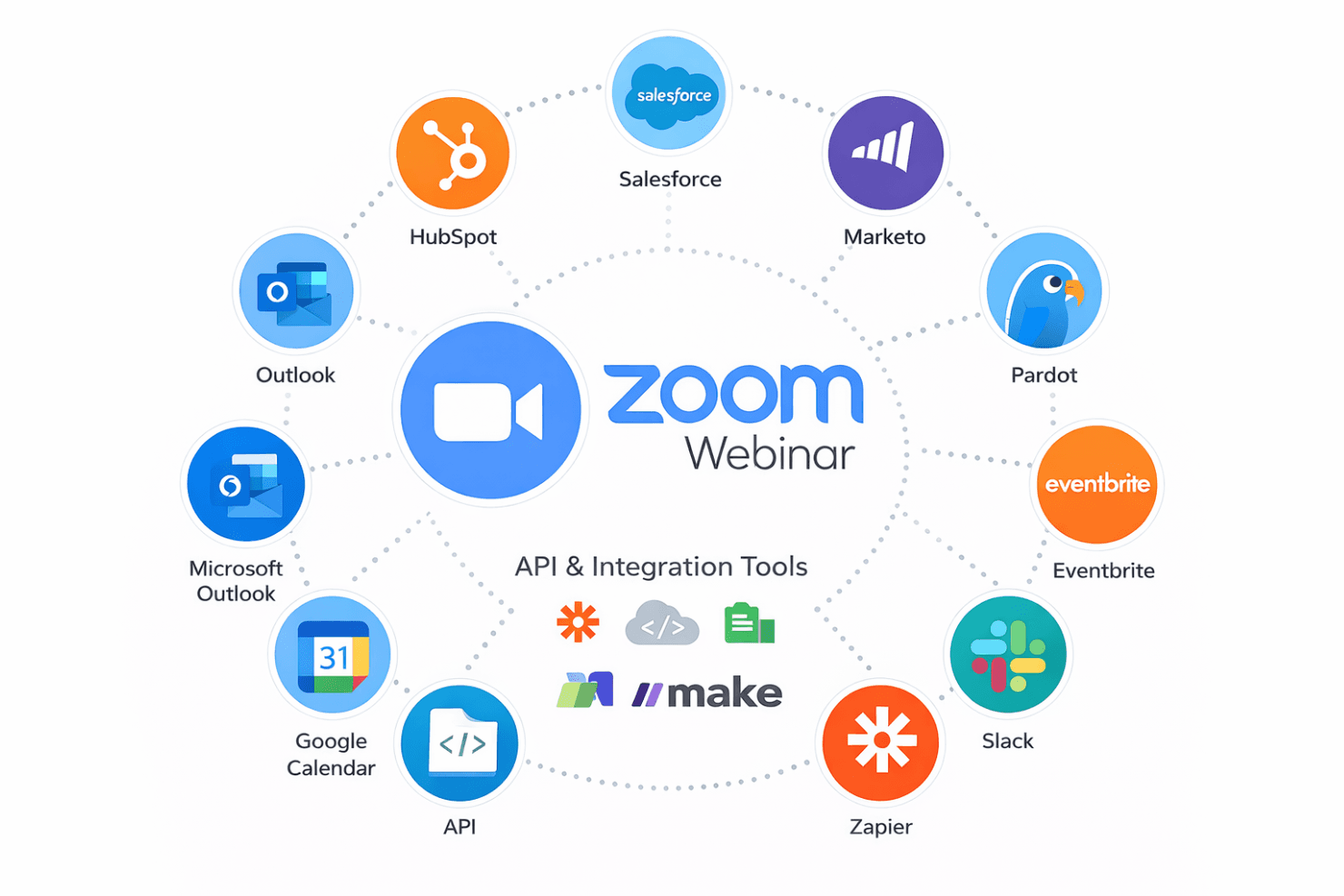
Zoom Webinars integrates with Salesforce, HubSpot, Marketo, Pardot, Eventbrite, PayPal, Slack, Google Calendar, Microsoft Outlook, and Zapier, among others.
Zoom Webinars also offers an API and connects with third-party integration tools for expanded functionality.
Zoom Specs
- API: Yes
- Calendar Management: Yes
- Chat: Yes
- Contact Management: Yes
- Contact Sharing: Yes
- External Integrations: Yes
- History/Version Control: No
- Multi-User: Yes
- Notifications: Yes
- Scheduling: Yes


